



What Is Hot Desking
Hot desking is a strategy for managing office space where employees do not have assigned desks, choosing a different spot each day based on their needs.
It’s fundamentally about making better use of expensive real estate and adapting to the reality of hybrid work schedules.
When done correctly, it addresses the massive inefficiency of having a third or more of your desks sitting empty on any given day.
The setup is straightforward in concept but the execution, well, that is where most companies stumble hard.
You’re not just removing assigned seating; you are changing deeply ingrained behaviors about ownership, routine, and collaboration.
A successful transition depends entirely on treating it as a change management project, not just a facilities update.
This has to be handled with real care and a clear perspective on the actual daily work process, not some glossy vision of an open office.
What matters most is utility and practicality.
The system needs to be invisible, seamless, and utterly reliable.
1. Defining Your Metrics

You need to start with data, actual utilization rates.
Forget anecdotal evidence, forget surveys for a moment, just look at the badge swipes, the network activity logs, and the desk sensor data.
You need to know your average peak occupancy.
It’s almost never 100%, and usually much lower than the facilities team thinks.
If you have 100 desks and your absolute peak is 70 people on a Tuesday, you do not need 100 desks.
You probably need about 80, maybe 85 to feel safe, which gives you a ratio of around 1.25 employees per desk.
That ratio is the whole point of hot desking.
It is how you define the scale of the change and the potential for real cost savings.
Setting a goal for that employee to desk ratio, say 1.5 to 1, provides the financial justification needed to move the project forward.
But that ratio is a lever you have to pull carefully.
Pull it too hard, and employees feel squeezed.
They spend their morning hunting for a spot, and the whole plan collapses under its own weight.
You want a ratio that feels comfortable and never stressful, even on those busier mid week days.
Tracking desk utilization after the launch is equally critical.
You’re trying to see if the new setup matches the actual flow of work.
If one type of area, say the focus pods, is always 100% booked, but the general workstations are half empty, you know exactly where to reinvest capital in the next phase.
Metrics aren’t just about costs; they are your feedback loop for workplace design.
2. Setting Up the Zones

A big mistake is treating all desks as identical.
If you simply clear all personal items and call it hot desking, you have missed the point of activity based working.
People come into the office for different reasons.
Some need intense, heads down concentration.
Others need to be in a loud room for an all day sprint session with their team.
The office needs to be zoned to support these behaviors.
You should have “Focus Zones.” These are quiet, usually smaller spaces, sometimes with high partitions, where talking is strictly forbidden.
Then you have “Collaboration Hubs.” These are open, flexible areas with large monitors, whiteboards, and easy access to video conferencing technology.
These are where teams are meant to congregate.
Finally, you have “Resident Zones” for the general population.
These are the standard workstations, still unassigned, but they serve as the default location.
When designing the layout, think about adjacency.
Keep the quiet focus areas as far away from the bustling collaboration hubs as possible.
It sounds obvious, I know, but you wouldn’t believe how often I see a collaboration table right next to a row of focus desks.
It creates constant conflict and friction.
The physical layout needs to reinforce the rules of engagement for hot desking.
3. Technology and Booking
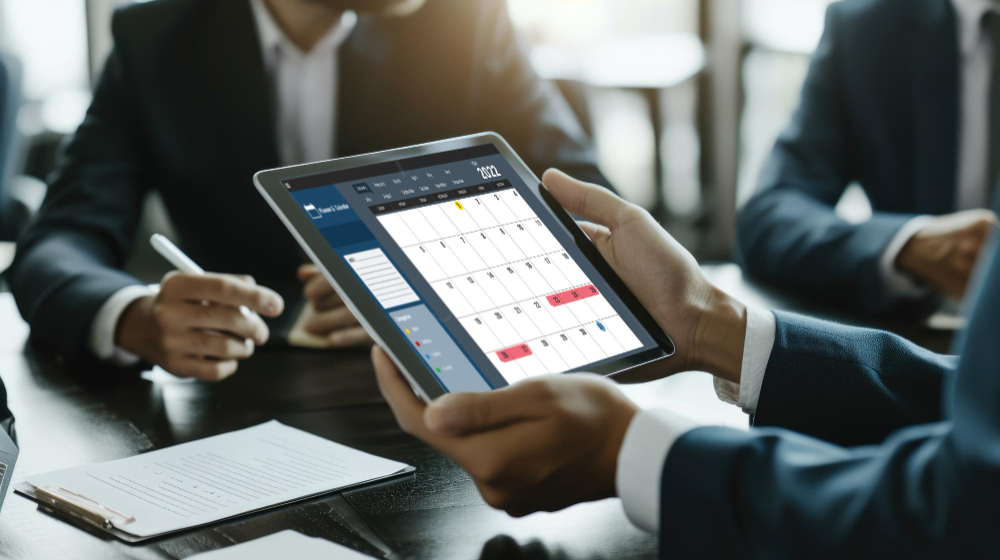
The technology needs to solve the logistical problem of finding a desk without creating a new layer of complexity.
If the booking system is cumbersome, slow, or constantly glitchy, people will simply bypass it, leading to desk hoarding or confusion.
A dedicated desk booking software is non negotiable.
It needs to be integrated with your existing calendar platform, like Outlook or Google Calendar.
An employee should be able to book a desk with three clicks on their phone or computer before they even leave for the office.
The system should show a live map of the floor, clearly marking which desks are available, booked, or occupied.
This is the central point of coordination for your hot desking environment.
And you need desk sensors.
This is one area where you cannot cut corners.
The sensor confirms actual occupancy, overriding a forgotten booking or marking a space free if the booked person never showed up.
A sensor connected to the booking system is what prevents the phenomenon of “phantom bookings,” where a desk is reserved but empty all day, which drives everyone crazy.
The platform also needs a reliable way to book meeting rooms, focus pods, and parking spaces, connecting all of the office resources together.
If an employee has to use three different systems just to plan their day in the office, you have already failed at implementation.
A unified platform is the key to minimizing friction and ensuring a smooth hot desking experience.
4. Establishing Clear Protocols

This is the least technical part of the rollout but often the most challenging.
You are asking people to give up their personal space, so you must replace that feeling of ownership with a feeling of shared respect and clarity.
The central protocol is the “Clear Desk Policy.”
At the end of the day, every surface must be completely cleared.
No exceptions.
This means providing the right storage solutions.
Every employee needs a dedicated locker or personal caddy that is large enough to hold their laptop, a few personal items, and their papers.
If they have nowhere secure to put their things, they will leave them on the desk, which ruins the experience for the next person.
The second protocol involves cleanliness.
Each desk needs sanitizing wipes or spray readily available.
Employees must be trained and expected to wipe down the space before they start and before they leave.
This isn’t just about health; it is about conveying a standard of care for the shared environment.
It prevents that awful feeling of inheriting someone else’s mess.
Third, you need a clear policy on team adjacency.
How do teams know they will be able to sit near each other on a day they are coordinating a project?
The booking system needs a feature that allows people to sit near colleagues they have chosen to collaborate with.
This often means allowing teams to “block book” a small cluster of desks together on a specific day.
It maintains the flexibility of hot desking while supporting the fundamental need for collaboration.
5. Overcoming Employee Resistance

Resistance is not about the desks; it is about control and certainty.
For years, that assigned desk represented stability, personal identity, and a place to call home.
Hot desking feels like a loss.
You have to approach this with empathy and communication.
Start by being honest about the “why.”
Do not talk about “synergy” or “dynamic workplaces.”
Talk about Hot Desking allowing the company to consolidate a floor and invest the saved rent money into better coffee machines, better technology, and more comfortable furniture.
Make the benefit to the individual tangible.
Involve people early.
Form a working group with people from across different departments and seniority levels.
Let them help test the booking software, choose the lockers, and define the clear desk policy.
This shifts the feeling from a mandate being imposed on them to a solution they helped create.
Training needs to be repeated and practical.
Show them how to use the booking app, where the lockers are, and demonstrate the different zone behaviors.
One excellent strategy is to pilot the system with a non core team first, work out the kinks, and let them become the success story you use to sell the concept to the rest of the company.
Focus on the gains: the variety of workspaces, the chance to interact with different people, and the lack of being tethered to a single spot.
It is a culture change, and culture changes require consistent, human communication over many months.
6. Procurement and Ergonomics

The physical desk setup has to be perfect, because people cannot rely on their own personal adjustments anymore.
Every workstation must be universally adjustable and standardized.
You need high quality, ergonomic chairs that are easy to adjust without an instruction manual.
The monitor setup should be dual monitors on an easily adjusted arm.
The screens should be the same size and resolution across the board.
Everyone needs a simple docking station that supports multiple laptop types and has reliable charging.
The ideal desk is height adjustable.
A sit stand desk gives the employee the only remaining form of ownership they have: control over their posture.
If they know they can make the desk comfortable every time, they will be less resistant to the unassigned nature of the space.
Do not overlook the small items.
Every desk needs power access that is visible and easy to reach.
The keyboard and mouse should be wired or easily paired wireless peripherals provided by the company, stored in their locker, or sanitized and available in a drawer.
The goal is that within 60 seconds of sitting down, an employee is fully plugged in, comfortable, and working.
If they are wrestling with cables or fighting a stiff monitor arm, the entire hot desking effort loses credibility.
Remember, the quality of the shared asset must be better than the quality of the personal desk it replaces.
7. Managing Peak Demand

Even with a well defined utilization ratio, you will have peak days.
You will have those Tuesdays in the middle of a big project where everyone suddenly decides to come in.
This is the point where the entire hot desking strategy is tested.
The booking system needs to have a clear notification for high occupancy.
If the floor hits 85% capacity in pre bookings, the system should alert employees before they commit to the commute.
This allows people to adjust their plans and work from home instead of facing a desk hunt.
You also need “overflow spaces.”
These are areas that are not typically counted in your utilization ratio but can be activated when needed.
Think comfortable lounge seating with laptop trays, quiet corners with soft furniture, or even an unused training room that can be quickly converted with temporary tables.
These spaces alleviate pressure and prevent the stressful feeling of a “full house.”
Senior leadership needs to set the example here.
If the leadership team insists on coming in on the busiest day and takes up the last remaining spots, that sends a terrible message.
They should be the first to work from a flexible overflow space, or even work from home, on days where the office is clearly crowded.
It reinforces the principle that the space is for the work, not for personal preference or status.
8. Financial and Cultural Returns

The main return on investment is undeniably the reduction in real estate costs.
If you can support 150 people in a space previously designed for 100, the savings on rent and utilities are substantial.
That’s the easy part to calculate.
The harder, but equally important, return is cultural.
Hot desking, when implemented well, forces serendipitous interactions.
Sitting next to someone from a different department, simply because that was the available desk, can lead to unexpected collaboration.
It breaks down departmental silos, which are notorious killers of innovation in large organizations.
It also introduces flexibility that supports a modern, output focused workforce.
It tells employees: “We trust you to manage your time and choose the best environment for the work you need to do today.”
This trust is a powerful cultural lever.
However, the cost of a poorly executed system is also high.
Stress, lost time hunting for a desk, and the annoyance of a dirty workspace can lead to a drop in morale and productivity that easily negates any real estate savings.
The investment has to be made in the employee experience, first and foremost, so that the financial benefits can follow naturally.
9. Iteration and Feedback

Treat your hot desking rollout not as a finished project but as a live beta.
You will get things wrong.
The original quiet zone might be too close to the kitchen, or the new lockers might be too small for the engineers’ large backpacks.
You need to constantly solicit feedback and be ready to adapt.
Regular, short surveys on the desk booking app are a great way to capture immediate feedback.
Ask simple, quick questions: “Did you find a suitable desk today?” “How was the cleanliness of your station?”
Meet regularly with the working group to discuss the findings.
Use the utilization data to drive changes in the floor plan.
If the collaboration areas are underused, you might need to make them more private or add different types of screens.
If the focus areas are oversubscribed, you may need to convert a few more general desks into focus pods.
A successful hot desking arrangement is one that evolves with the workforce’s needs.
The office is not a static building; it is a service, and services need continuous improvement.
You May Also Like:
- How Hot Desking Impacts Employee Productivity
- Top 10 Hot Desking Software Tools for 2025
- Hot Desking vs. Desk Hoteling: Which Model Fits Your Workplace?
- What Is Hot Desking? Pros, Cons, and Modern Alternatives
Frequently Asked Questions
What exactly is hot desking?
Hot desking is a workplace strategy where employees do not have permanently assigned desks. They select an available workstation each day upon coming into the office, often using a desk booking app to manage the shared resources. This approach maximizes space efficiency and supports the flexibility of a hybrid work model.
How do I ensure my team can sit together?
Successful hot desking requires the desk booking system to allow for “team booking” or “neighborhood booking.” This allows a team lead or project manager to pre book a cluster of desks within a designated area, ensuring the necessary adjacency for in person collaboration when they need it.
What are the real costs of hot desking implementation?
The initial costs go far beyond the new furniture. The primary expenses are for high quality, ergonomic, standardized equipment, which includes sit stand desks, monitor arms, and universal docking stations. The mandatory technology cost is for the desk booking software and the necessary sensors to track real time space utilization.
Is hot desking suitable for all types of companies?
Hot desking is most suitable for companies with high rates of remote or hybrid work, where a significant portion of the staff is not in the office five days a week. It is less effective for teams that require highly specialized equipment, proprietary security setups, or those who need a consistent, dedicated physical archive of materials on site.
What is the most critical factor for hot desking success?
The single most critical factor is the employee to desk ratio. If too many people show up and there aren’t enough desks, the system fails immediately due to frustration. You must continuously track utilization data to maintain a comfortable ratio that never leaves employees hunting for a spot.