



Salesforce integration HubSpot connectivity is necessary when you have a dedicated sales team living in one platform and a dedicated marketing team living in the other.
If your company uses HubSpot for content marketing, lead capture, and nurturing, but relies on Salesforce for complex sales operations, opportunity tracking, and forecasting, these two systems must speak perfectly to each other.
The integration is not a plug and play event; it’s a strategic data project.
If you get the connection wrong, you end up with two isolated teams, duplicate data, and a sales team that ignores the marketing leads because the information is incomplete or unreliable.
The goal is seamless, bi directional data flow that supports the revenue process from first website visit all the way to closed won deal.
1. Define The Lead Handoff Point

The most critical step in successful Salesforce integration HubSpot strategy is defining precisely when a lead stops being a marketing responsibility and becomes a sales opportunity.
This is the point of conversion, the lead handoff.
It needs to be clearly documented with quantifiable scoring criteria. For example, a contact might be an MQL, a Marketing Qualified Lead, until they download a specific pricing sheet and attend a product demo webinar, at which point they become an SQL, a Sales Qualified Lead.
The moment that SQL threshold is crossed in HubSpot, the integration must trigger the creation of a corresponding Lead or Contact and an Opportunity record in Salesforce.
If you don’t nail this definition, the sales team will complain about unqualified leads and reject them, leading to a breakdown in trust between the two departments.
We are talking about data accuracy being directly tied to organizational alignment.
A clear, mutually agreed upon handoff mechanism prevents data backlogs and ensures the sales team trusts the data flowing into their pipeline.
2. Establish Field Mapping Clarity

Data mapping is where most integration efforts stumble.
You need to sit down and meticulously map every data field you intend to sync between the two platforms.
A simple field like First Name is easy, but what about custom fields like Industry Vertical or Lead Source Detail?
If HubSpot calls a field Company Size but Salesforce calls it Account Employee Count, and the data formats are different, you have to decide which system is the source of authority.
The rule is this: HubSpot is the owner for marketing data, things like website activity, email engagement, and content downloads. Salesforce is the owner for sales data, things like Opportunity Stage, Closed Date, and Forecast Category.
When mapping, you must decide which field pushes data to the other, whether it’s a one way sync, or a bi directional sync that allows updates from either side.
A lack of clarity here will lead to data overwriting conflicts and inconsistent records, which makes forecasting a nightmare.
This meticulous, almost painful, review of field alignment is what makes the Salesforce integration HubSpot durable.
3. Manage Data Conflict Resolution
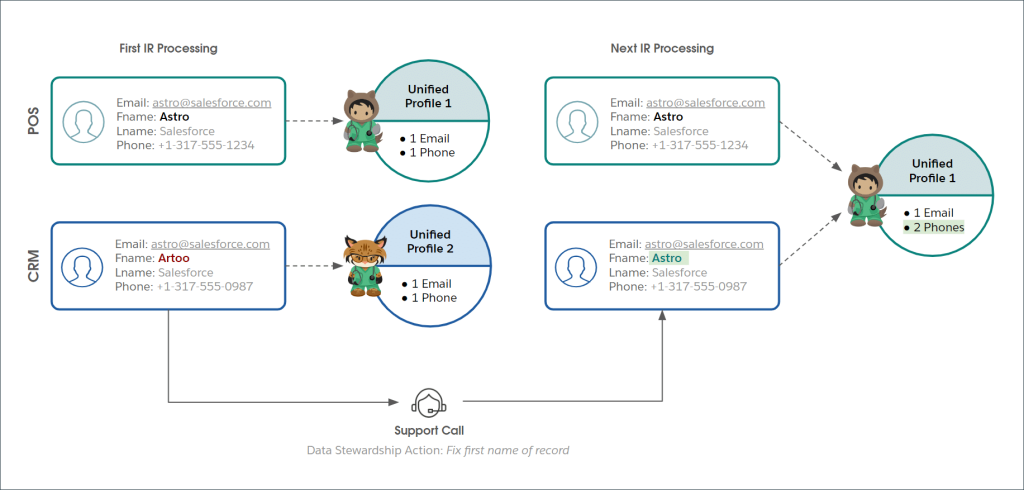
Even with careful mapping, you will inevitably encounter situations where data is updated simultaneously in both systems, creating a conflict.
The integration strategy must have clear rules for conflict resolution defined before you turn the sync on.
For instance, if a sales rep updates the Phone Number in Salesforce at the same time the marketing team updates it in HubSpot, which version wins?
You need pre set priority rules. Maybe the most recent timestamp always wins, or perhaps Salesforce is designated the permanent master record for specific contact details once the contact reaches the SQL stage.
Ignoring conflict resolution is a guarantee for headaches. You will have sales reps complaining that their manually entered data is being overwritten by stale data from the marketing side.
This is where the platform architecture needs to reflect the business reality.
The integration tool itself should offer granular settings to control this, allowing you to prioritize sources based on field, record status, or time of change.
4. Implement Selective Sync Filters

Not every single Contact or Lead in HubSpot needs to be pushed over to Salesforce.
If you are running a high volume content marketing engine, you will collect thousands of leads that are simply not qualified and will clutter the Salesforce instance.
The integration must use selective filtering to sync only the contacts that meet the predefined qualification criteria from step one, the handoff point.
This filtering saves valuable storage space in Salesforce, keeps the sales team focused on high value records, and maintains better data hygiene across both systems.
The filter criteria should mirror the established lead scoring threshold. For example, Sync contact to Salesforce only if Lead Status equals SQL.
We also apply filters in the other direction. You might only want Salesforce to push data to HubSpot for Accounts that are currently customers, filtering out old closed lost opportunities.
Controlling the volume and relevance of the synchronized data is fundamental to making the Salesforce integration HubSpot efficient and useful for both teams.
5. Establish Ongoing Data Governance

An integration isn’t a one time setup; it’s a living system that requires maintenance and governance.
Your strategy must include a formal plan for ongoing data monitoring and cleaning.
This involves scheduled checks for duplicate records that might have slipped through, monitoring the integration error log for sync failures, and auditing the mapped fields every time a major process change occurs in either Sales or Marketing.
What happens when a new sales territory is created? How is the Territory field mapping updated? Who is responsible for correcting a record when a sync fails?
You need a designated data owner, perhaps an Ops person on each side, who is responsible for the health of the integration and for communication between the two teams.
The integration status, the flow rate, the error log, these details should be monitored daily. If a sync fails, it usually piles up quickly, and the fix becomes much harder.
A continuous governance mindset ensures the data flowing between HubSpot and Salesforce remains trustworthy and reliable over time.
6. Consider Bi Directional Sync Depth
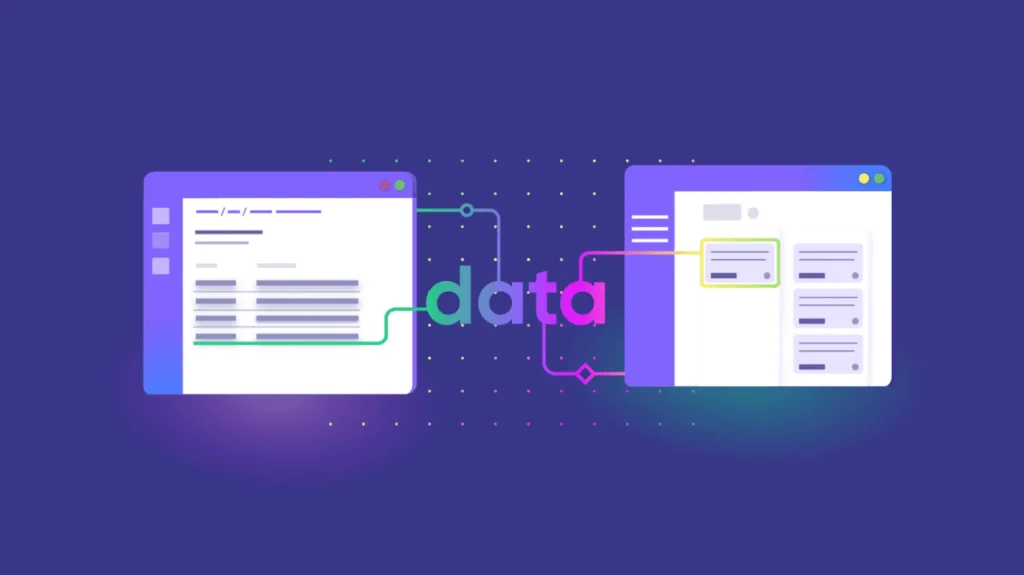
When planning the integration, you need to think beyond just the contact and lead records.
A shallow sync only pushes basic contact details. A deep, bi directional sync exchanges information about deals, campaigns, and service history.
A powerful Salesforce integration HubSpot setup allows HubSpot to pull the final deal status from the Opportunity record in Salesforce.
This allows the marketing team to segment customers based on their actual purchase, not just their engagement scores.
For example, HubSpot can then launch a specialized customer onboarding campaign only for contacts associated with Closed Won opportunities over a specific value.
Conversely, Salesforce can receive rich marketing attribution data, showing the sales rep exactly which ad campaign or piece of content drove the initial interest, aiding in future sales conversations.
The more data you can sync in both directions, the more context each team has, and the better the customer experience becomes.
7. Utilize Native vs. Custom Connectors

When initiating the Salesforce integration HubSpot project, you have a choice: the native integration provided by HubSpot or a custom solution built with APIs or third party middleware.
The native connector is usually simpler to set up, offers predefined mapping, and is supported directly by the vendor. This is often sufficient for simpler sales models.
However, if your data model is complex, with custom objects in Salesforce or highly unique qualification processes, the native tool might not offer the granular control needed for field level conflict resolution or complex filtering.
In that case, a custom solution built with an integration platform as a service, or iPaaS, may be necessary. It provides flexibility but introduces higher complexity and maintenance overhead.
The decision depends entirely on the complexity of your data model and the technical debt you are willing to take on for flexibility. Do not over engineer the solution unless the native option genuinely fails to meet your strategic requirements.
8. Optimize For Sales Efficiency

The underlying principle of the Salesforce integration HubSpot project must be to make the sales team more efficient.
The integration should be designed to push only the necessary marketing context into Salesforce, avoiding information overload.
Sales reps don’t need to see every single email open, but they need to know the last three major interactions and the Lead Score immediately.
Custom dashboards within Salesforce should surface the most valuable HubSpot data right on the Lead or Contact record layout.
This eliminates the need for the sales rep to jump between systems to research a prospect, saving minutes on every lead qualification call.
The integration should feel invisible to the sales user, simply delivering actionable intelligence at the exact moment they need it.
If the integration slows down the Salesforce UI or requires manual steps from the sales team, it will fail.
9. Map Territory and Ownership

In larger organizations, territory management is critical.
The integration must correctly handle the transfer of contact ownership based on territory rules defined in Salesforce.
When a Lead is pushed from HubSpot, the integration needs to ensure it is immediately assigned to the correct Salesforce User based on attributes like the prospect’s country, industry, or company size.
If the Lead is created in Salesforce without an owner, it sits in a queue and goes cold, wasting the marketing effort.
This often requires a structured field in HubSpot to capture the geographical data or firmographics that mirror the segmentation logic established within Salesforce.
Accurate territory mapping ensures immediate assignment and follow up, which significantly impacts conversion rates and the overall success of the Salesforce integration HubSpot initiative.
10. Attribute Reporting and ROI
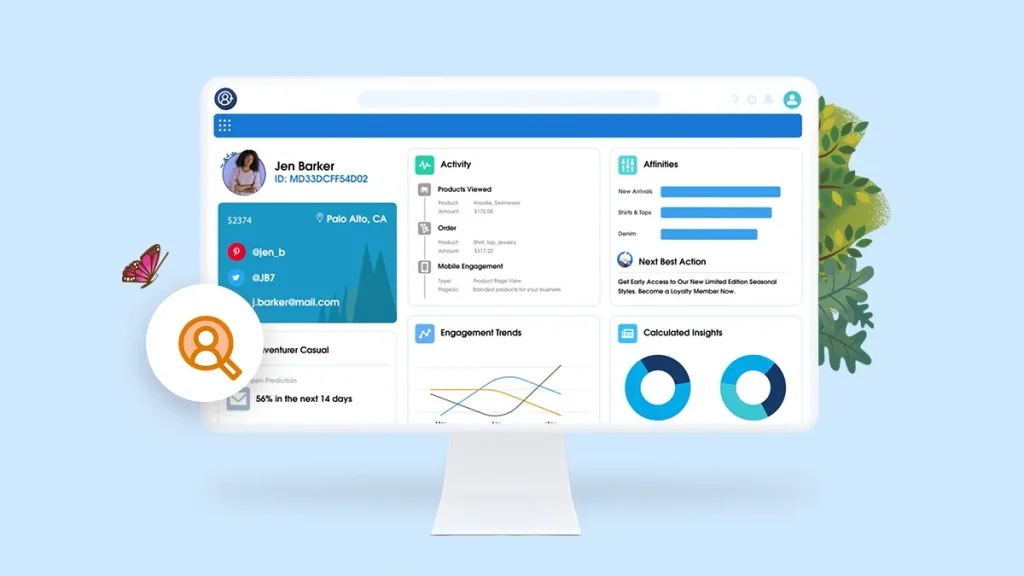
The ultimate purpose of connecting the two platforms is to measure the entire revenue journey and prove ROI.
The integration must carry critical attribution data from HubSpot into the Salesforce Opportunity record.
This includes the first touch source, the last touch source, and all intermediary marketing activities.
When the opportunity closes, the sales reporting in Salesforce should show which marketing channel, campaign, or piece of content contributed to the sale.
This allows the marketing team to move beyond vanity metrics like click rates and report on actual revenue generated.
Proving that a specific HubSpot campaign directly influenced $X in closed revenue in Salesforce is the strongest justification for marketing budget.
This full closed loop reporting is the final, most powerful component of a well executed Salesforce integration HubSpot strategy.
You May Also Like:
- How to start a business: 11 Tips to Start Right Now
- Wrike Review 2026 – Features, Pricing & Verdict
- ClickUp Review 2026 – Features, Pricing & Verdict
- Monday CRM review 2026 – Features, Pricing & Verdict
Frequently Asked Questions
Is Salesforce integration HubSpot bi directional?
Yes, a robust Salesforce integration HubSpot setup should be bi directional, meaning data can flow from HubSpot to Salesforce, typically for lead conversion, and from Salesforce back to HubSpot, typically for updating deal status and customer segmentation for marketing campaigns.
How do I prevent duplicate records?
Preventing duplicate records requires careful data mapping, setting unique identifier fields like email address as the primary matching criteria, and implementing clear conflict resolution rules. You must also use selective sync filters to ensure only qualified records are transferred, minimizing clutter and overlap.
Which platform is the data master?
The determination of which platform is the data master depends on the field. Generally, HubSpot is the master for top of funnel data like engagement history and marketing activities, while Salesforce is the master for core sales data like Opportunity Stage, pricing, and final deal closure status.
Can the integration slow down Salesforce?
A poorly managed Salesforce integration HubSpot can potentially slow down Salesforce if massive volumes of unqualified data are constantly being pushed into the system, overwhelming the processing limits or custom automation rules within Salesforce. Proper filtering and throttling are essential to maintain performance.
Should I use the native connector?
The native connector is the best starting point for a Salesforce integration HubSpot project because it is simpler and vendor supported. Only consider a custom integration solution if your business processes involve highly complex, proprietary data models or custom objects that the native connector cannot adequately map or synchronize.