






How to use Jira Software is the difference between an organized, predictable delivery team and one that operates in constant, reactive chaos.
Jira is the definitive tool for tracking work in a structured, transparent manner, primarily in the Agile space, but it is flexible enough for almost anything.
It’s not just a fancy to do list; it is a system of record for requirements, dependencies, and team throughput. Its strength lies in its configurability, allowing you to map digital workflows to your team’s exact process.
Getting it wrong—overcomplicating the fields, creating confusing workflows—is a common mistake that quickly leads to user abandonment and unreliable metrics. The goal is clarity, speed, and actionable data.
1. Project Setup and Basic Concepts
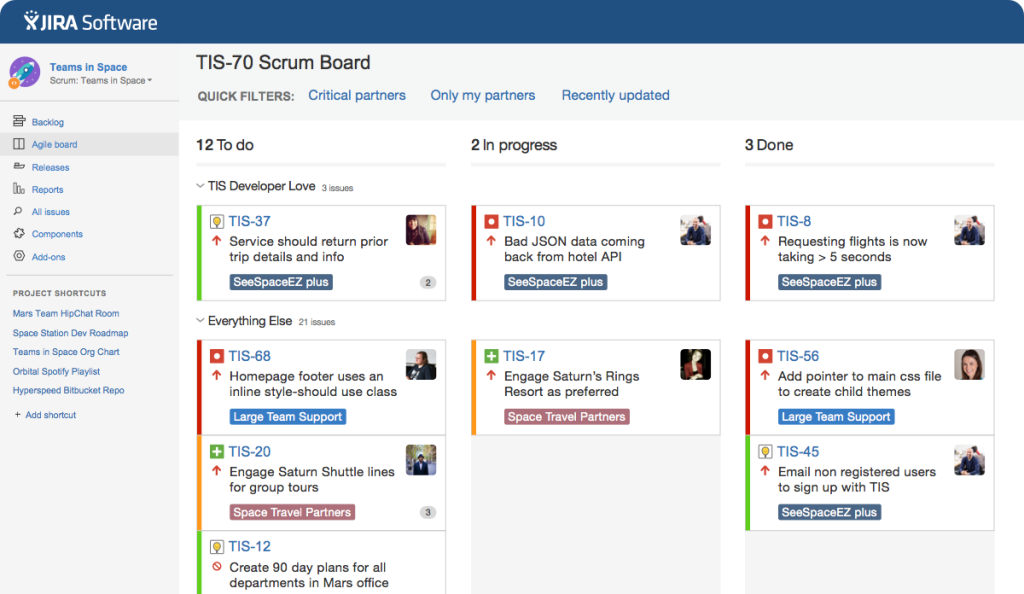
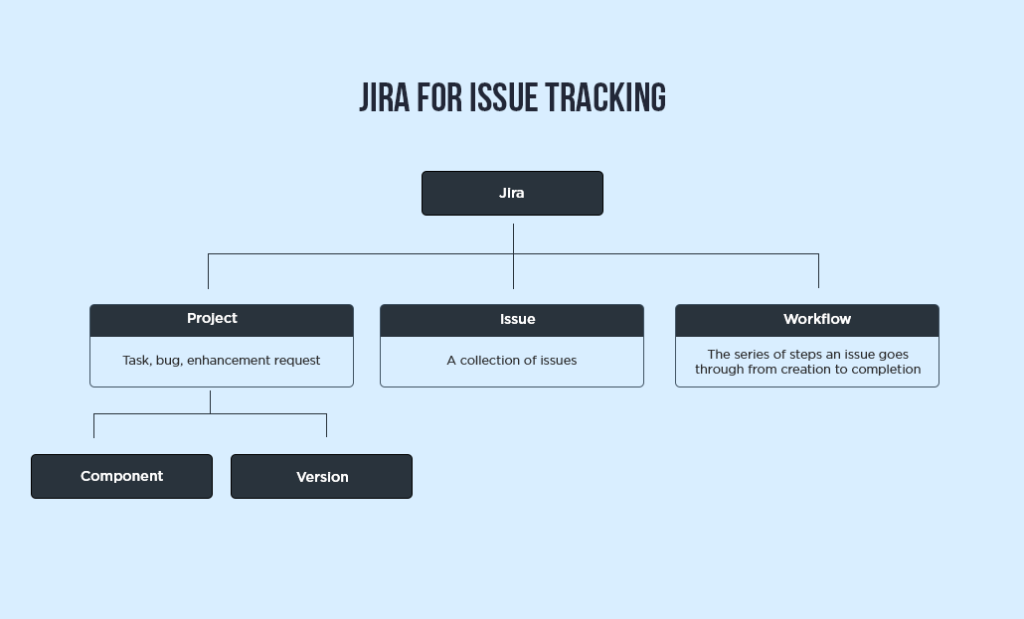
Before you can effectively how to use Jira Software, you need a solid foundation in how Jira structures work. This structure moves from the highest level, the Project, down to the smallest element, the Issue.
A Project in Jira is simply a container for issues. Most teams separate their work into different projects: one for the core platform, one for marketing initiatives, or perhaps one for general IT support. The project dictates the configuration, including the issue types and workflows available.
An Issue is the fundamental unit of work. It can represent a user story, a bug, a task, or an epic.
The most common mistake here is having too few or too many issue types. You need just enough to distinguish the type of work being performed.
Epics are large bodies of work that are broken down into smaller Stories or Tasks. They represent the high level requirements and often span multiple Sprints or iterations.
Epics help maintain the strategic context while the team focuses on tactical delivery.
Workflows define the exact sequence of statuses an issue must pass through, such as To Do, In Progress, Review, and Done.
This enforced movement is what creates process predictability and allows for accurate reporting on where work is actually getting stuck.
2. Configure Your Agile Boards
Jira is most powerful when tied to an Agile methodology. This means setting up either a Scrum or a Kanban board.
Scrum Boards: If your team works in time boxed iterations, typically one or two weeks long, called Sprints, you need a Scrum board.
The Scrum board is defined by your chosen workflow columns. It tracks the work committed to for the current Sprint. When you ask how to use Jira Software in a Sprint context, the board becomes the daily operational view.
It facilitates the daily stand up meeting, where the team reviews the columns, moving issues from left to right as work is completed.
The board gives instant visibility into whether the team is on track to meet the Sprint Goal. It is highly structured and focuses on planning and commitment.
Kanban Boards: If your work is continuous flow, like technical support, maintenance, or content creation, where new tasks arrive unpredictably, use a Kanban board.
Kanban focuses on limiting Work In Progress (WIP). The board columns still represent your workflow, but the emphasis is on moving work quickly through the system without formal time boxes.
You set a maximum number of issues allowed in key columns, forcing the team to focus on finishing work before starting new tasks. This system is about optimizing efficiency and flow.
Choosing the right board type is crucial for making the Jira environment feel natural to the team.
3. Effective Issue Creation and Prioritization
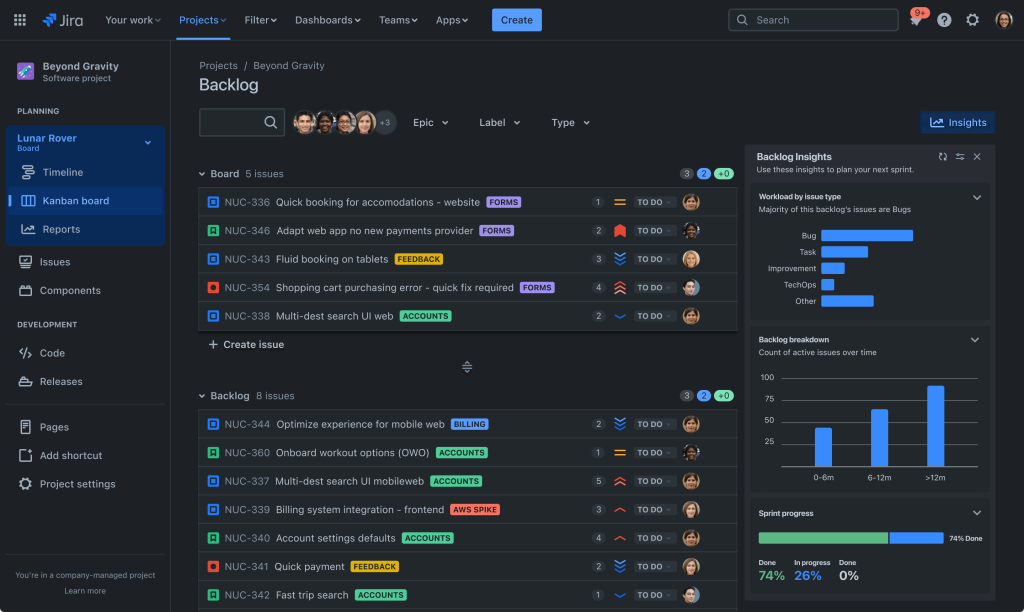
Garbage in, garbage out. The quality of your issue data directly determines the quality of your reporting and the effectiveness of your team.
Issue Components: Every issue needs to contain five pieces of critical information:
- Summary: A clear, concise title.
- Description: The full context, including the “Why” (the business value or problem) and the “What” (the specific requirements). For Stories, this should follow the standard “As a [User Role], I want [Goal] so that [Reason/Benefit]” format.
- Acceptance Criteria: A bulleted list of conditions that must be met for the task to be considered complete. This removes ambiguity during testing.
- Priority: A ranking of importance, usually defined by the Product Owner.
- Assignment: The person responsible for driving the issue to completion.
Prioritization: Issues are typically prioritized within the Backlog. The Backlog is the single ranked list of all work that needs to be done.
The team, guided by the Product Owner, continuously refines and estimates the Backlog, ensuring the highest value items are at the top, ready to be pulled into the next Sprint or the next stage of the Kanban flow.
Understanding the Backlog is key to understanding how to use Jira Software for product management.
4. Sprint Management and Velocity Tracking
For Scrum teams, managing the Sprint lifecycle correctly in Jira is non negotiable for performance measurement.
Sprint Planning: During planning, the team pulls the top priority items from the Backlog into the new Sprint board, committing to the scope.
The key artifact here is the Sprint Goal, a short statement describing what the team intends to achieve. All committed issues are then updated with the new Sprint field value.
In Sprint Execution: The team updates the issues daily, moving them across the board. The Project Manager or ScrumMaster uses the Burndown Chart to monitor progress.
The Burndown Chart tracks the remaining work versus the time remaining in the Sprint. If the line drops too slowly, or spikes upwards, you know you have a problem.
Sprint Review and Retrospective: At the end of the time box, the team reviews the work completed and closed, updating the status to Done.
The key metric captured is Velocity, which is the average amount of work, typically measured in story points, that a team completes per Sprint.
Velocity is what allows you to forecast future delivery reliably. Understanding your team’s stable Velocity is the single most valuable data point Jira can provide.
5. Leveraging Custom Fields and Automations
Jira’s configurability, while complex, is its greatest feature, allowing for perfect alignment with specific business needs.
Custom Fields: While Jira has standard fields like Assignee and Status, you often need custom fields to capture industry specific data.
For a financial team, this might be a custom field for “Regulatory Requirement ID.” For an engineering team, it might be a field for “Affected Code Repository.”
Only create custom fields when the data is mandatory for reporting or workflow management. Excessive custom fields lead to data entry fatigue and slow down performance.
Workflow Automation: This is where the real time saving happens. You can automate transitions and actions.
Example: Automatically reassign a bug from the Tester to the Developer when the status is moved from “To Do” to “In Progress.” Example: Automatically send a notification to the Product Owner when a Story is moved to the “Ready for Review” status.
Using the Jira Automation engine or third party integration tools simplifies the repetitive parts of the process, ensuring consistency and preventing manual errors.
Learning how to use Jira Software means understanding that a clean, automated workflow reduces friction for the end user and improves the integrity of the collected data.
6. Effective Jira Reporting and Dashboards
Jira’s reporting capabilities are what justify the overhead of using it. Reporting translates raw data into insights for the team and management.
Team Focused Reporting: The team focuses on operational metrics like the Burndown Chart (Sprint health), the Cumulative Flow Diagram (CFD), and the Control Chart.
The CFD shows the flow of work through the entire workflow, identifying bottlenecks by showing where the space between columns widens.
The Control Chart measures the cycle time, which is the time taken to complete an issue from start to finish, helping the team reduce variability and improve prediction.
Management Dashboards: Stakeholders and managers need a high level view of project status and resource allocation. Dashboards use gadgets to display key metrics across multiple projects, such as:
- Velocity Charts: To forecast delivery dates for Epics.
- Two Dimensional Filter Statistics: A quick view of open issues categorized by Priority versus Assignee.
- Release Readiness: Tracking what percentage of committed scope for a release is complete.
The key to a good dashboard is tailoring it to the audience. The executive doesn’t need to see the daily task list; they need to see the health of the upcoming release.
7. Administration and System Governance
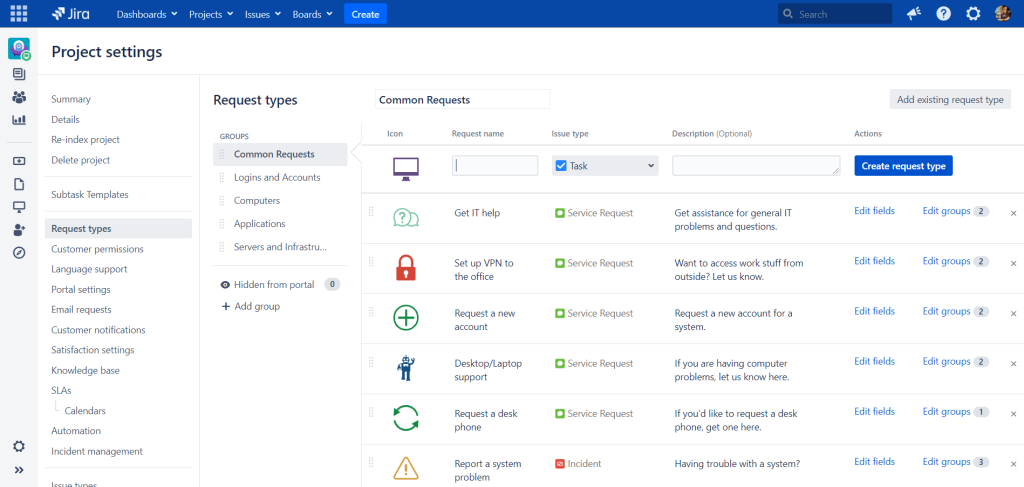
A poorly governed Jira instance can become a frustrating mess very quickly. System governance is mandatory for long term success.
Permissions Schemes: Control who can create, edit, transition, and delete issues. Granular control is necessary to prevent accidental deletions or unauthorized changes to critical work items. You need to assign roles carefully.
Field and Screen Schemes: Control which fields are visible and editable at different stages of the workflow.
Example: The “Resolution” field should only be mandatory when transitioning an issue to the “Done” status. This streamlines the user experience and ensures mandatory data is captured at the correct time.
Regular Audits: Regularly audit your issue types, custom fields, and workflows. When a project ends, you often end up with unused fields or unnecessary statuses.
Deleting or archiving these keeps the system clean and performant.
8. Integration with Development Tools
For a software development team, Jira is rarely used in isolation. Its true power comes from its integration with the surrounding toolchain.
Code Repository Integration: Linking Jira to code tools like Bitbucket, GitHub, or GitLab allows developers to reference Jira issue keys directly in their branch names, commit messages, and pull requests.
Jira then automatically displays the development status, showing which branches are open and which commits are related to a specific Story.
This minimizes context switching for the developer and provides real time tracking for the project manager.
CI/CD Integration: Connecting Jira to Continuous Integration and Continuous Delivery tools like Jenkins or Bamboo allows the system to update the status of a Story automatically when the code passes testing or is successfully deployed to a staging environment.
Example: When code is deployed to QA, the Jira issue automatically transitions to “Ready for Testing.”
This automation means the PM doesn’t have to chase updates; the system tracks the physical deployment workflow, making the answer to how to use Jira Software heavily dependent on this seamless integration.
This reduces manual overhead and makes the progress reporting completely reliable.
9. Scaling Jira Across the Enterprise
When multiple teams and multiple projects use Jira, complexity increases exponentially. Scaling requires establishing consistent standards.
Standardized Naming Conventions: All projects should use consistent naming for Epics, custom fields, and release versions.
This allows for cross project searching and aggregated reporting. If Team A calls a major deliverable an “Initiative” and Team B calls it an “Epic,” executive roll up reporting becomes impossible.
Jira Align: For large organizations that use multiple Agile teams, a tool like Jira Align provides an aggregated view, linking the tactical work being done in individual Jira boards up to strategic portfolio and program management goals.
It ensures that the efforts of hundreds of engineers are visibly contributing to the highest level business objectives.
Component Management: Components are subdivisions of a project, used to categorize issues by specific features or modules, such as “API Services” or “Frontend UI.”
Using components helps distribute work and allows teams to generate reports focused only on their specific module within a larger shared project space.
10. Common Pitfalls and Troubleshooting
There are repeatable patterns of failure that plague Jira adoption. Knowing them saves months of painful recovery.
The Too Many Statuses Problem: Creating overly complex workflows with unnecessary statuses forces users to spend time transitioning issues instead of working.
Keep the core workflow to 4 or 5 status categories: To Do, In Progress, Review, and Done. If you need more, ask why.
Treating Jira as a Time Clock: While you track hours for billing or internal costing, pressuring teams to hit specific hourly targets in Jira often leads to inflated or inaccurate time logging.
Focus the team on completing story points or tasks, not logging perfectly precise time. Time tracking should be secondary to delivery tracking.
Lack of Training for New Users: Jira is powerful, but not intuitive for a first time user.
New hires need dedicated, role specific training that shows them exactly how to use Jira Software for their daily job, focusing only on the screens and workflows relevant to them.
A developer’s training should look very different from a product owner’s.
Ignoring Velocity Swings: When the team’s Velocity chart spikes or drops suddenly, it indicates a serious change.
This isn’t just a number; it’s a symptom. You must immediately investigate the cause in the Retrospective.
Was there unexpected technical debt, a major resource loss, or poor scope definition? Ignoring the data Jira gives you makes the whole system pointless.
You May Also Like:
- Jira Software Review 2026 – Features, Pricing & Verdict
- Asana Software Review 2026 – Features, Pricing & Verdict
- Top 30+ Best Project Management Software in 2025
- Skedda Log In | 5 Easy Steps for a Fast Log In
Frequently Asked Questions
What is the most important field in a Jira Issue?
The most important field in a Jira Issue is the Acceptance Criteria. This field explicitly defines the conditions that must be met for the task or Story to be considered complete, removing ambiguity for both the developers and the testers.
How do Scrum Boards differ from Kanban Boards?
Scrum boards are structured around time boxed intervals called Sprints and focus on managing a committed scope against a specific deadline. Kanban boards focus on continuous flow, limiting Work In Progress, or WIP, and optimizing the cycle time for rapid delivery of tasks as they arrive.
What is Jira Velocity used for?
Jira Velocity is a metric that measures the average amount of work, usually in story points, that a Scrum team completes per Sprint. It is used primarily for forecasting how long it will take the team to complete larger bodies of work, such as an Epic or a Release, making future planning reliable.
How to use Jira Software to manage stakeholders?
To use Jira Software to manage stakeholders, configure high level, simplified Dashboards showing aggregated data like release readiness and Epic progress, using velocity charts and filters. Ensure these dashboards do not show granular daily tasks, keeping communication efficient and focused on strategic outcomes.
Should I create an Epic or a Story?
Create an Epic for any large body of work that cannot be completed in a single Sprint and represents a major feature or business goal. Break that Epic down into smaller, estimated Stories or Tasks. Stories are the actual, deliverable work that the development team executes within a single iteration.






