


FreshBooks serves as a cloud based accounting platform that prioritizes ease of use for service providers who lack formal training in financial management.
It focuses on the specific needs of freelancers and small agencies, such as time tracking, project based billing, and automated recurring invoices.
Unlike broader accounting suites that try to cover every possible industry, this software stays within the lane of professional services, providing a clean interface that translates complex ledger entries into simple action items.
In 2026, the inclusion of robust double entry accounting reports has made it more viable for growing businesses that need to collaborate closely with professional accountants while keeping their daily operations straightforward.
2. Overview
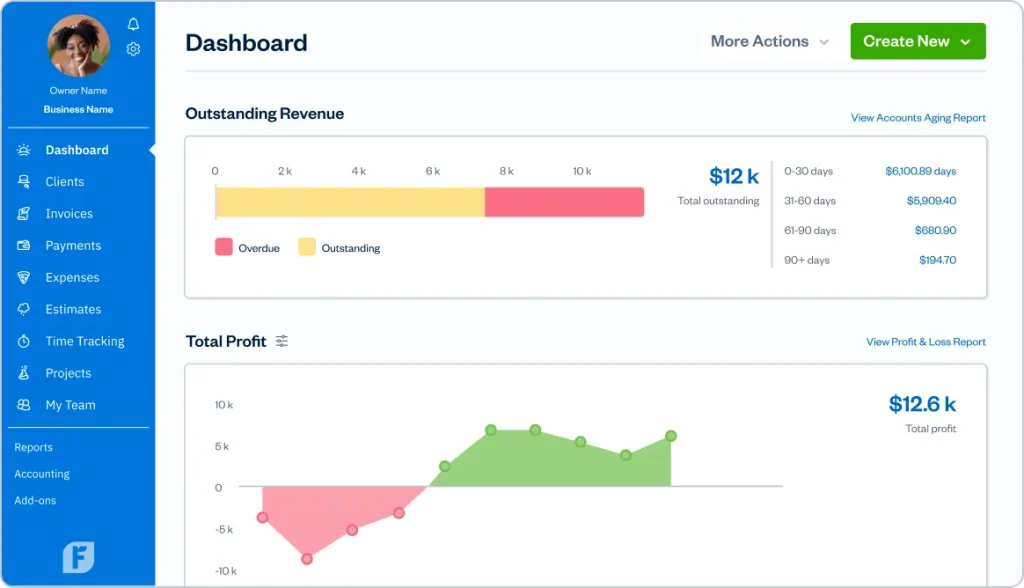
FreshBooks provides a streamlined environment for managing business finances with a heavy emphasis on time tracking and invoicing.
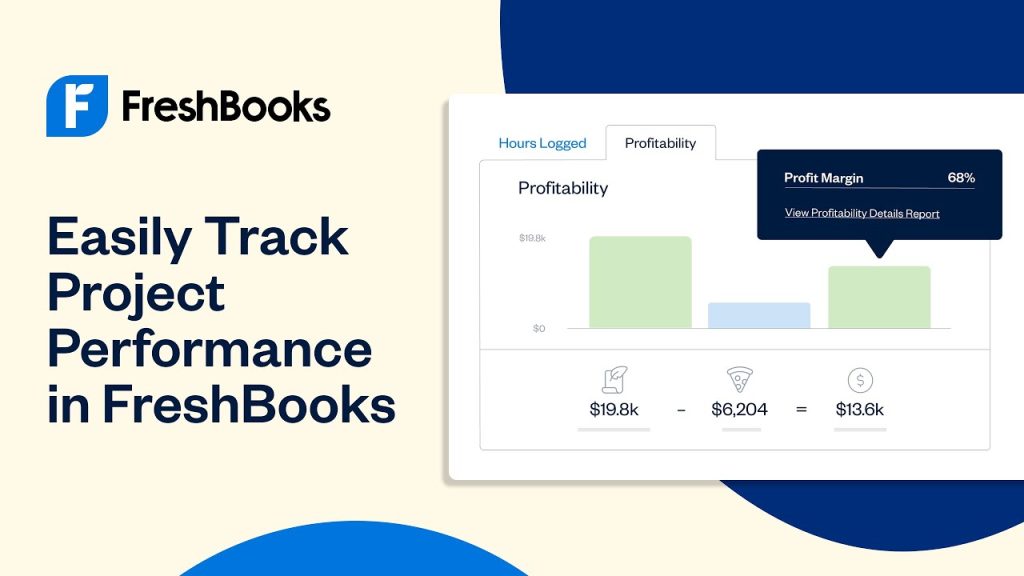
It allows freelancers and small agencies to monitor project profitability in real time by linking specific labor hours to expense reports and client bills.
The interface is clean, focusing on action items like outstanding invoices and upcoming tax deadlines rather than dense financial grids.
In 2026, the pricing remains competitive for solo operators but can scale quickly as team members are added.
It serves as a middle ground between simple spreadsheet tracking and complex enterprise software, offering enough depth for tax compliance while staying approachable for daily administrative tasks.
| Feature | Details |
| Initial Price | $21.00 USD per month |
| Best For | Service based freelancers and small agencies |
| Operating Systems | Windows, macOS, iOS, Android, Web |
| Main Function | Invoicing and project accounting |
3. Why You Can Trust Us
The information provided in this review comes from a rigorous process of technical analysis and practical testing.
We examine software through the lens of daily operational needs, looking past marketing claims to see how features perform under the pressure of real world deadlines.
Our research involves detailed comparisons of feature sets, stability testing across multiple operating systems, and a thorough review of long term pricing structures. We do not rely on generic summaries or superficial overviews.
Instead, we dive into the actual settings and workflows that business owners use every day.
This fact based approach ensures that the insights shared here are accurate, dependable, and focused on providing a clear picture of how the software functions in a professional environment.
4. Key Features
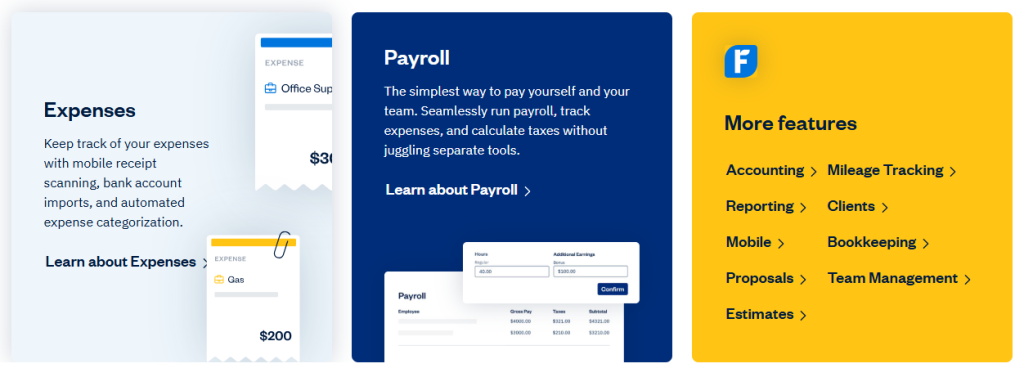
FreshBooks organizes its features around the lifecycle of a service project, starting with the initial client contact and ending with the final tax report.
- Invoicing and Payments: You can generate professional invoices that allow clients to pay via credit card or ACH bank transfer directly from the document. The system supports automated follow ups for late payments, which reduces the manual work of chasing clients.
- Time Tracking Tool: A built in timer allows you or your team to log hours against specific projects. These hours can then be imported into an invoice with one click, ensuring that no billable time is forgotten during the month end rush.
- Expense Management: By connecting your bank accounts, the software automatically pulls in transactions. You can categorize these for tax purposes or mark them as billable to pass the cost directly to a client.
- Double Entry Accounting: The platform provides standard financial reports such as Profit and Loss statements, Balance Sheets, and Trial Balances. These are essential for meeting regulatory requirements and making informed business decisions.
- Project Collaboration: You can invite clients or contractors into a shared project space to exchange files and track progress. This keeps communication in one place rather than scattered across various email threads.
5. User Experience
Navigating the platform feels logical because the most important information is always presented first on the dashboard.
The sidebar menu stays consistent, offering quick access to clients, invoices, and reports. There is a noticeable absence of technical jargon, which makes it easier for non accountants to feel confident in their data entry.
Moving between the web version and the mobile app is seamless, as the data syncs almost instantly.
The mobile experience is particularly robust, allowing for on site problem solving like snapping a photo of a lunch receipt or starting a timer while waiting at a client office.
Everything is built to minimize the number of clicks required to finish a task. If a user needs to send a recurring invoice, the setup process is straightforward, requiring only a few parameters before the system takes over for the following months.
6. Performance and Reliability
Uptime and speed are critical for cloud based accounting, and the platform consistently delivers a stable experience.
Page load times are minimal even when pulling large reports or searching through years of invoice history.
The database handling feels secure, with no noticeable lag when syncing data across multiple devices simultaneously.
The bank feed connections are generally reliable, though they depend on the specific institution security protocols.
Occasionally, a bank might require a manual refresh or a re authentication, but the software handles these interruptions gracefully by flagging exactly where the connection broke.
Data backups are handled automatically by the provider, ensuring that business records are safe even if a local device fails or is lost.
7. Products
FreshBooks offers a unified suite of tools that work together to manage a business’s financial health.
The core product is the accounting platform itself, which hosts the general ledger and all client data. Alongside this, there are specialized modules for different business needs.
- Invoicing Software: This is the primary tool for generating bills and tracking payments.
- Accounting Software: The backend system that handles double entry reporting, trial balances, and tax preparation.
- Payments: A built in processing service that allows clients to pay directly via credit card or bank transfer without leaving the invoice.
- Time Tracking App: A utility for measuring work hours that integrates with the main account.
- Milestone Tracking: A feature within the project module for monitoring progress against specific goals.
8. Pricing and Plans
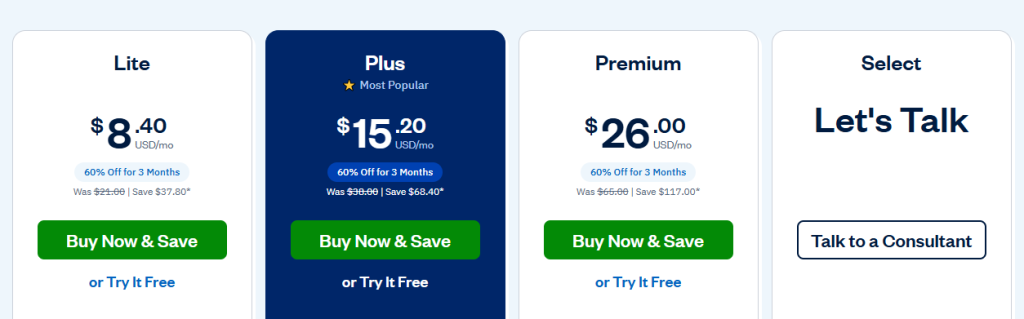
FreshBooks uses a tiered pricing model based primarily on the number of billable clients you have.
This makes it accessible for very small businesses while allowing it to scale as the client list grows.
It is important to note that many of these prices often have introductory discounts, but we are listing the standard monthly rates here.
| Plan | Price (Monthly) | Billable Clients | Key Features |
| Lite | $21.00 USD | Up to 5 | Unlimited invoices, mobile app, basic reports |
| Plus | $38.00 USD | Up to 50 | Recurring billing, double entry accounting, data capture |
| Premium | $65.00 USD | Unlimited | Project profitability, custom emails, advanced reports |
| Select | Custom | Unlimited | Dedicated manager, specialized training, lower fees |
The Lite plan is very basic and best for those who only have a handful of steady clients. Most professional businesses will find they need the Plus plan quickly, especially to access the double entry accounting features that accountants require.
Adding additional team members costs $11 per person per month, which can increase the total cost significantly for small agencies.
9. Integrations and Compatibility
Connectivity with other business tools is a strength of the platform. It integrates with over 100 third party applications to help automate various workflows.
For example, connecting to a CRM like HubSpot allows for client data to sync automatically, reducing the risk of errors during manual entry.
- Payment Gateways: Integration with Stripe and PayPal provides multiple ways for clients to pay.
- E-commerce: Connections to Shopify help sellers track sales and inventory costs.
- Project Management: Syncing with Trello or Asana allows time tracked on tasks to flow directly into the accounting system.
- Payroll: Integration with Gusto simplifies the process of paying employees while ensuring the tax data is captured in the main ledger.
10. Product Specification
Understanding the technical requirements and limits of the software helps in determining if it fits into an existing IT environment. The platform is entirely web based, meaning there is no heavy software to install on a desktop.
| Specification | Details |
| Deployment | Cloud Based SaaS |
| Browser Support | Chrome, Firefox, Safari, Edge |
| Mobile Access | Dedicated app for iOS and Android |
| Currency Support | Over 170 currencies |
| Languages | Multiple languages including English, Spanish, and French |
| Security | 256 bit SSL encryption, firewalled data centers |
11. Pros and Cons
Choosing a tool requires weighing the benefits against the limitations. While the platform is excellent for service providers, it might not meet the needs of every business type.
| Pros | Cons |
| Very easy to set up and use without an accounting degree. | The Lite plan client limit is very low for many businesses. |
| Time tracking and invoicing are integrated perfectly. | Additional team member seats are relatively expensive. |
| The mobile app is powerful and handles most daily tasks. | Inventory management features are too basic for retail. |
| Professional and clean invoice templates out of the box. | Bank reconciliation can be finicky with smaller banks. |
| Excellent customer support with real humans on the phone. | Reporting is less granular than QuickBooks or Xero. |
12. Customer Support
Support is handled through several channels, ensuring that users can find answers when they hit a roadblock.
The primary method is a searchable help center filled with detailed articles and video tutorials. For more specific issues, the support team is available via email and live chat.
Response times are generally quick, and the representatives are knowledgeable about the technical aspects of the software.
Users on the Select plan have access to a dedicated account manager, which is a significant advantage for larger teams that need personalized guidance during onboarding or tax season.
There is also a strong community and blog that provides tips on business management and financial growth.
13. Ideal Use Cases

The software is best suited for individuals and small teams that sell their time and expertise. This includes consultants, designers, writers, and photographers.
Because the tool is built around the project lifecycle, it handles the transitions from a proposal to a paid invoice very smoothly.
It is also a good fit for trade professionals like contractors or plumbers who are rarely in an office.
The ability to bill a client and accept payment immediately from a phone is a massive efficiency gain.
Conversely, a large retail business with complex inventory and hundreds of daily transactions would likely find the platform too limited.
14. Alternatives
When looking at the market, there are several other players that offer similar services. Each has its own strengths depending on the specific focus of the business.
| Alternative | Primary Focus | Starting Price |
| QuickBooks | Detailed reporting and inventory | $30.00 USD |
| Xero | Large app ecosystem and flexibility | $29.00 USD |
| Wave | Free basic tools for microbusinesses | $0.00 USD |
| Zoho Books | Deep integration with Zoho CRM | $15.00 USD |
QuickBooks is the standard for businesses that need deep inventory and payroll control. Xero is excellent if you want to connect hundreds of different apps together. Wave is the best choice if you are just starting out and need a zero cost way to send invoices.
15. Bottom Line: Our Verdict
FreshBooks remains a top choice for service based professionals who want to spend as little time as possible on their bookkeeping.
The software strikes a fine balance between simplicity and power, providing the necessary tools for tax compliance without overwhelming the user with complexity.
While the cost for additional team members and the client limits on the Lite plan are minor drawbacks, the overall efficiency gained from the automated invoicing and time tracking usually outweighs these expenses.
It is a focused tool that does one thing very well, making it a dependable partner for anyone billing for their time.
You May Also Like:
- Recruitee Review 2026 – Features, Pricing & Verdict
- Bullhorn Review 2026 – Features, Pricing & Verdict
- JazzHR Review 2026 – Features, Pricing & Verdict
Frequently Asked Questions
How does FreshBooks work?
The system works by tracking your billable hours and expenses and then automatically pulling that data into professional invoices for your clients. It connects to your bank account to monitor cash flow and provides clear reports so you can see your business health at any time.
Is FreshBooks for freelancers?
Yes, it is specifically designed for freelancers and solo professionals who need to manage their own billing. It includes tools like time tracking and estimates that are vital for people who work on a project by project basis.
Can my accountant use it?
Absolutely. On the Plus plan and above, you can invite your accountant to access your records. This allows them to run their own reports and ensure your data is accurate for tax filing without you having to export files manually.
Does it handle payroll?
It integrates directly with Gusto to manage payroll for your team. This connection ensures that your employee payments and tax filings are recorded correctly in your main account, keeping all your financial data in one place.
FreshBooks

A streamlined accounting solution that simplifies invoicing and time tracking for service based businesses through an intuitive, user friendly interface.
Price: 21.00
Price Currency: USD
Operating System: Windows, macOS, iOS, Android, Web
Application Category: BusinessApplication
8.7
Pros
- Very easy to set up and use without an accounting degree
- Time tracking and invoicing are integrated perfectly
- The mobile app is powerful and handles most daily tasks
- Professional and clean invoice templates out of the box
- Excellent customer support with real humans on the phone
Cons
- The Lite plan client limit is very low for many businesses.
- Additional team member seats are relatively expensive.
- Inventory management features are too basic for retail.
- Bank reconciliation can be finicky with smaller banks.
- Reporting is less granular than QuickBooks or Xero.