

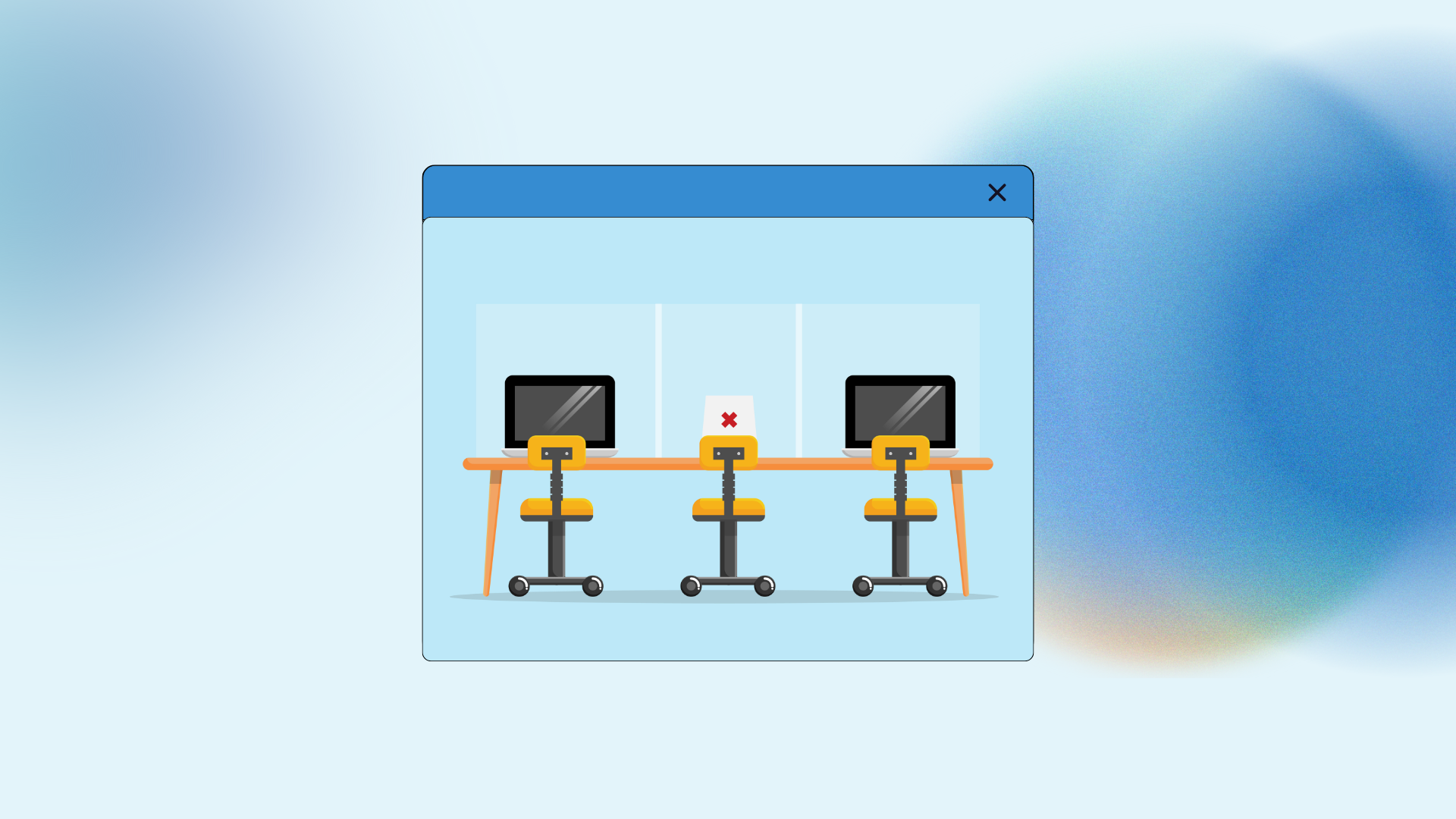
Demand-based desk allocation is a spatial management strategy where workstations are distributed and assigned based on real time or historical utilization data rather than fixed seating arrangements.
This approach ensures that the number of available desks matches the actual requirements of the workforce on any given day, allowing organizations to reduce wasted square footage and adapt to the fluctuations of hybrid work schedules.
By using sensors, booking software, and occupancy analytics, facilities managers can identify peaks and valleys in attendance, redirecting resources to high traffic areas or closing underutilized zones to save on energy and maintenance costs.
It creates a dynamic environment where the office layout responds directly to the people using it.
1. Monitoring Physical Occupancy

Before you can change how people sit, you have to know how they currently occupy the space. I find that most companies overestimate their daily desk needs by at least thirty percent.
Walking through an office on a Friday afternoon usually reveals a sea of empty monitors and ergonomic chairs that no one has touched for hours. To fix this, you need objective data.
Utilizing Hardware Sensors
Passive infrared sensors or under desk monitors provide the most accurate picture of activity.
These tools don’t identify who is sitting there, which protects privacy, but they do tell you if a desk is occupied, reserved, or abandoned.
When I look at a heat map generated by these sensors, I can see immediately if a specific department is struggling for space while another wing of the building remains completely dark.
Analyzing Booking Software
If you use a reservation system, the gap between “booked” and “occupied” is a vital metric. People often reserve a desk for the entire day but only show up for two hours after lunch.
This “ghosting” behavior artificially inflates demand and prevents others from using the space.
Tracking these patterns allows you to implement automated release policies, where a desk is returned to the pool if no one checks in within thirty minutes of their start time.
2. Defining Flexible Neighborhoods
Moving away from assigned seating shouldn’t mean a free for all where no one knows where their team is located. I prefer the concept of neighborhoods.
This involves grouping desks by department or project type but allowing individual seats within that zone to remain flexible.
Team Based Zones
A neighborhood provides a sense of belonging without the rigidity of a nameplate on every desk. It means that even if a developer doesn’t have the same seat every day, they know they will be sitting near other developers.
This maintains the social and professional connections that make office work valuable while allowing the organization to shrink the total number of desks assigned to that group based on their average attendance.
Overflow Management Areas
Every system needs a pressure valve. On high demand days, such as when a major project launch occurs or a company wide meeting is held, you need overflow zones.
These can be unbranded, generic workstations in a central area or even reconfigurable lounge spaces with high quality task chairs.
Having a clear plan for these peaks prevents the frustration of employees wandering the halls looking for a place to plug in their laptops.
3. Technology Integration Needs
The physical shift to demand-based desk allocation fails without a seamless digital interface. If the process of finding and claiming a seat takes more than thirty seconds, people will simply stop doing it or start “squatting” in the same spot every day regardless of the rules.
Mobile First Access
The booking interface must be mobile. I want to be able to reserve my spot while I am on the train or walking from the parking lot.
A clean, interactive floor plan that shows real time availability is much better than a spreadsheet or a simple list of numbers. When the tech is easy to use, compliance rates skyrocket.
Hardware Check In
Visual indicators on the desks themselves, such as small LED lights that turn red when occupied and green when free, help reduce the cognitive load of navigating a flexible office.
It also prevents the awkwardness of someone sitting down at a desk that has been reserved but is currently empty because the person is in a meeting.
4. Establishing Usage Policies
Clear rules prevent conflict. You have to be explicit about what is expected when someone uses a shared workstation.
Without a written policy, the office quickly devolves into a mess of abandoned coffee cups and piles of personal paperwork.
Clean Desk Standards
When a desk belongs to everyone, it belongs to no one. This means that at the end of the shift, the surface must be completely clear.
I always recommend providing lockers for personal items. This allows people to keep their favorite keyboard or a framed photo at the office without cluttering a shared desk overnight.
Fair Share Logic
In high demand environments, you might need to limit how many days a week a single person can book a “premium” spot, like a desk by the window or in a quiet corner.
The software should handle these permissions automatically, ensuring that everyone has equal access to the best parts of the office over the course of a month.
5. The Step Process
Implementing this transition requires a methodical approach to change management. It is not something you can just announce in an email on a Friday afternoon.
- Step 1: Conduct a four week occupancy study using sensors or manual audits to establish a baseline for your real world demand.
- Step 2: Clean up your floor plans and ensure every single workstation is numbered and accurately represented in your digital twin or booking app.
- Step 3: Select a pilot group, ideally a team that is already comfortable with mobile work, to test the hardware and software for two weeks.
- Step 4: Analyze the feedback from the pilot group to adjust things like check in times, booking windows, and the physical placement of monitors or docks.
- Step 5: Install lockers and storage solutions before removing the personal nameplates from the desks. People need a place for their belongings before they lose their territory.
- Step 6: Launch the system for the full office, providing on site support for the first three days to help people with the app and the hardware.
- Step 7: Review the data every month to see if certain neighborhoods need to be expanded or if more quiet zones are required based on how the space is actually being used.
6. Managing Acoustic Impacts
When people aren’t sitting in the same spot every day, the sound profile of the office changes. You might end up with a very loud group sitting next to a team that needs total silence. Addressing this is a critical part of the redesign.
Sound Masking Implementation
I am a big believer in sound masking systems. These devices emit a subtle, unobtrusive background noise that matches the frequency of human speech.
It makes distant conversations unintelligible, which reduces the distraction level in an open plan office. It is the most effective way to manage the noise that comes with a dynamic seating arrangement.
Physical Sound Barriers
Strategic use of felt partitions, acoustic clouds hanging from the ceiling, and even large potted plants can help break up the travel of sound.
In a demand-based environment, you can’t predict where the loud person will sit, so you have to make the entire floor as acoustically absorbent as possible.
7. Ergonomic Consistency Challenges
If someone is sitting at a different desk every day, you cannot customize the chair and monitor height for them. You have to provide equipment that is easily and quickly adjustable by anyone.
Universal Monitor Arms
Fixed monitors are a nightmare in a flexible office. High quality gas spring monitor arms allow a user to pull the screen to their preferred height and depth in seconds.
This prevents neck strain and makes the desk feel like it was designed for that specific person for the day.
Intuitive Seating Choices
I always look for chairs that have weight sensitive tilting. This means the chair automatically adjusts the tension based on the person’s weight without them having to fiddle with five different knobs.
The fewer manual adjustments required, the more likely the employee is to sit with proper posture.
8. Analyzing Utilization Data
The real power of demand-based desk allocation is the long term data it generates. This information should drive your future real estate decisions.
If your data shows that you never exceed sixty percent occupancy even on your busiest days, you have a massive opportunity to sublease space or repurpose those floors into something more valuable, like a client briefing center or a dedicated training lab.
Identifying Peak Days
Most offices see a massive spike on Tuesdays and Wednesdays and a ghost town on Fridays. Knowing this allows you to adjust your cleaning schedules and your catering orders.
Why pay for a full canteen service on a Friday when only ten people are in the building? You can use the desk data to synchronize other facility services, leading to significant operational savings.
Understanding Team Dynamics
If the marketing team is always booking desks together but the sales team is scattered across the floor, it tells you something about how those teams function.
You might find that some groups need more collaborative space and fewer individual desks. Data allows you to move beyond “one size fits all” office design and create a bespoke environment that actually helps people do their jobs.
9. Cultural Resistance Strategies
People get attached to their desks. It represents their status and their “home” at work. Transitioning to a shared model can feel like a loss.
You have to address this human element with empathy and clear communication.
Emphasizing the Benefits
Focus on what the employees are gaining. They get access to better tech, more variety in where they work, and the ability to sit near different people.
If the redesign includes a better coffee bar or a high end lounge, make sure those are highlighted as part of the new “deal.”
Involving Team Leads
Change is easier to swallow when it comes from a direct manager rather than a distant facilities department.
I spend a lot of time coaching team leads on how to manage their neighborhoods. When they embrace the flexibility, their teams usually follow.
10. Future Proofing Layouts
The office of today will not be the office of 2030. Your furniture and your tech should be modular.
Avoiding Fixed Construction
I try to avoid building permanent walls whenever possible. Demountable partitions and modular power systems allow you to reshape a neighborhood in a single weekend.
If you find that demand for desks is dropping but demand for small meeting rooms is rising, you should be able to make that switch without a major construction project.
Scaling the Tech
Your booking software should be able to integrate with other building systems, like lighting and HVAC.
Imagine a building where the lights and the heat automatically turn off in a zone where no desks are booked.
This is the future of smart building management, and it all starts with a robust desk allocation system.
11. Maintenance and Hygiene
A shared desk system puts more wear and tear on the equipment. It also increases the risk of spreading germs. You have to level up your facilities management to match the increased activity.
High Frequency Cleaning
Common surfaces need to be wiped down more often. I suggest placing sanitizing wipes at every desk cluster so people can clean their own space at the start of the day.
It provides peace of mind and keeps the equipment in good condition.
Regular Tech Audits
Cables go missing, and monitor ports get broken. In a flexible office, a broken desk is a useless desk.
You need a simple way for employees to report an issue, such as a QR code on the desk that sends a ticket to the IT team. A quick response time is essential for maintaining trust in the system.
12. Impact on Real Estate
The ultimate goal for many executives is to reduce the total cost of occupancy. By moving to a demand-based model, you can often fit more people into a smaller footprint without making the space feel crowded.
Right Sizing the Portfolio
This data gives you the confidence to let go of expensive leases. Instead of guessing how much space you need, you have a scientific record of your actual requirements.
I have seen companies save millions of dollars by consolidating three floors into two through better allocation strategies.
Creative Space Repurposing
With the space you save, you can create the “wow” factors that draw people back to the office. This might be a wellness room, a high tech podcast studio, or a better kitchen.
These amenities are often what separate a great workplace from a mediocre one.
13. Security and Compliance
When people move around, you have to ensure that sensitive information isn’t being left on screens or desks.
Visual Privacy Solutions
Use privacy filters on monitors in high traffic areas. Ensure that meeting rooms have proper visual shielding so that confidential presentations can’t be seen from the hallway.
These small details are often overlooked in the rush to create a “cool” open office.
Secure Document Handling
Since people no longer have their own locked drawers, you need to provide secure shredding bins and digital workflows that reduce the need for paper.
This shift actually improves your overall data security by discouraging the accumulation of sensitive hard copies on desks.
14. Enhancing Social Connection

The primary reason people come to the office now is for the people. Your desk strategy should support this, not hinder it.
Encouraging Spontaneous Interaction
By placing social hubs near the flexible desk neighborhoods, you increase the chances of “chance encounters” between different teams.
This cross pollination of ideas is the “secret sauce” of innovation. A rigid seating plan prevents this; a demand-based plan encourages it.
Organizing Anchor Days
Many teams choose one or two “anchor days” a week where everyone is expected to be in the office. Your system should be able to handle these spikes.
You might need to set aside specific blocks of desks for those days to ensure the whole team can sit together.
15. The Long Term Vision
The shift toward demand-based desk allocation is part of a larger trend toward the “office as a service.”
The workspace is no longer a static container; it is a dynamic tool that adapts to the needs of the business and the people.
When you get this right, you create an environment that feels alive, efficient, and genuinely supportive of the modern way of working.
Would you like me to help you draft the internal announcement for your team regarding the transition to the new seating policy?
You May Also Like:
- Strategies to Redesign Hybrid Workspaces for 2026 Growth
- 5 Proven Tips for your Data Processing Addendum Success
- 7 Smart Ways to Create a Jira Ticket for Better Success
Frequently Asked Questions
Managing peak demand days
To handle days when everyone wants to be in the office, use a combination of overflow seating and advance booking windows. You can also implement a “fair use” policy where employees are encouraged to spread their office days across the week. Data from your booking system will help you identify these peaks so you can plan ahead with extra resources or temporary workstations.
Preventing desk camping
Desk camping occurs when employees leave personal items to “claim” a shared desk for multiple days. This can be prevented by a strict clean desk policy enforced by the evening cleaning crew. Providing adequate locker storage is the best way to encourage people to clear their workstations at the end of the day, ensuring the demand-based desk allocation system remains fair for everyone.
Choosing the right sensors
The choice between PIR sensors, optical sensors, or booking software depends on your budget and your privacy requirements. PIR sensors are great for simple occupancy data without identifying individuals. Optical sensors provide more detail on how space is used but require careful management to ensure privacy compliance. Often, a combination of booking software data and PIR sensors provides the best balance of cost and accuracy.
Dealing with tech issues
In a shared desk environment, a broken dock or monitor makes the entire workstation unusable. To minimize downtime, implement a simple reporting system, such as QR codes on each desk that link to a support ticket. Regular maintenance sweeps by the IT and facilities teams are also essential to ensure that every desk is “work ready” when an employee arrives.
Supporting ergonomic health
Since you can’t customize every desk for a specific person, provide highly adjustable furniture. This includes gas spring monitor arms, sit stand desks, and weight sensitive chairs. Educate employees on how to quickly adjust their station at the start of each day. This ensures that the benefits of demand-based desk allocation don’t come at the cost of physical comfort or long term health.