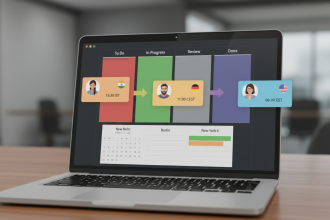


The Asana software review for 2026 starts here. As a work management platform, Asana has consistently aimed to clarify what people are doing, who’s doing it, and when it’s due.
It’s a tool that takes your team’s disparate tasks, discussions, and deadlines and tries to give them shape, a defined route to completion.
This isn’t just about listing tasks; it’s about modeling your team’s processes, whether that’s a complex marketing campaign, an agile product sprint, or a simple editorial calendar.
We’re going to break down exactly how well the current iteration of Asana handles this, looking past the marketing speak to see what it actually feels like to use it every day for real, demanding projects. It’s an important piece of software, so getting a practical handle on its capabilities is essential.
2. Why You Can Trust Us
The information provided here is the result of focused, practical analysis, not recycled marketing copy.
Our team approached this Asana software review as users with specific, high-stakes requirements, testing the platform across a spectrum of real-world scenarios, from small, fast-moving creative projects to large-scale, multi-department portfolio management.
We don’t rely on shallow feature lists. Instead, our assessment is built on rigorous, fact-based analysis of the core user experience, performance under load, and the tangible value delivered by each pricing tier.
We believe reliable reviews come from deep expertise, structured testing methodologies, and a commitment to clear, unbiased reporting, ensuring the dependability and accuracy of every claim we make.
3. Key Features

Asana’s feature set is broad, but a few specific components are what actually make the software useful day-to-day. You really can’t talk about an Asana software review without digging into these.
- Projects and Portfolios: The fundamental structural piece is the Project, which organizes related tasks. Projects can be viewed in multiple layouts: List, Board (Kanban style), Timeline (Gantt style), and Calendar. The critical feature, though, is Portfolios. This layer sits above Projects, allowing managers to track the status, progress, and risks of multiple, related projects simultaneously, giving a real-time, high-level view of an entire organizational goal. It prevents you from having to click into 15 different places just to get an update, which is a massive time saver.
- Workflow Builder: This is where the automation starts, and honestly, it’s one of the best parts of the modern Asana software review. It allows users, without writing code, to create rules that automate routine steps. For instance, when a task is marked “Complete” in the Development section, an automation rule can automatically move it to the “Review” section, assign it to a QA specialist, and post a notification in a specific Slack channel.3 It simplifies the handoffs that constantly slow teams down.
- Goal Tracking (Goals/OKRs): The ability to link daily task-level work up to broader company goals is a big focus for Asana.4 The Goals feature lets leadership define objectives and key results (OKRs) and then connect those directly to specific projects or portfolios. This creates a visible line of sight from the CEO’s annual target down to an individual employee’s weekly to-do list, which is invaluable for organizational alignment. It helps everyone understand why they’re doing the work, not just what the work is.
- Task Dependencies: Standard stuff, of course, but it’s handled cleanly. You can set a task to be blocked until a preceding task is complete. This is mainly visible and useful in the Timeline view, which helps project managers adjust schedules when something inevitably gets delayed. Without this, Gantt charts are basically useless, but Asana handles the dynamic shifting well enough to be reliable.
- Forms and Templates: Forms allow external or internal teams to submit work requests directly into an Asana project, ensuring they contain all the necessary data fields from the start.5 This cuts out the messy “request via email” problem. Templates are also strong, allowing you to standardize processes like bug triage, content creation, or client onboarding. Standardizing the way work starts dramatically increases efficiency.
4. User Experience
The user experience in Asana is generally clean, though it can feel overwhelming at first glance because of the sheer density of features.6 It’s an application designed for productivity, so its visual aesthetic is bright, but fundamentally practical.
- Interface and Navigation: The three-pane layout is standard for a reason: left for navigation (Workspaces, Portfolios, Projects), center for the project or list view, and a right pane for task details. This setup is intuitive once you understand the hierarchy. Searching is excellent, which is good because, after a year, you’ll have thousands of tasks. The speed of the interface is solid, though the mobile app can sometimes feel a beat behind the desktop, especially on older devices.
- Adoption Curve: This is something a lot of Asana software review articles miss. The barrier to entry for a small team is low; you can use it as a simple to-do list immediately. However, getting a large, non-technical organization to use the advanced features—Portfolios, Rules, Custom Fields—consistently takes effort, real change management. It’s not simply installing the software; it’s changing how people think about and report their work. The core task management is simple, but the administrative overhead to make it sing for a large team is considerable. You need a dedicated administrator for optimal results, someone who keeps the taxonomy clean and consistent.
- Customization: Custom Fields are a core strength. They allow you to define data points specific to your industry or project—things like “Contract Value,” “Priority Score,” “Go/No-Go Status.” This turns Asana from a generic task manager into a specific, industry-focused tool. The ability to save custom views and filtering is also excellent for reporting purposes. It really lets you structure the information around your own needs, and you need that flexibility because no two teams manage work identically.
5. Performance and Reliability
If a tool designed to track work slows down, it actively creates work, which is the worst outcome. Overall, Asana is highly performant, which is a relief.
- Loading Times: For the most part, tasks and projects load instantly. Even Portfolios tracking dozens of complex projects load quickly, which is a technical feat considering the volume of data being aggregated. Where you sometimes see a slight lag is when applying complex filters across thousands of tasks in a large, consolidated project. This is expected, but worth noting if you have massive, single projects.
- Uptime and Stability: Reliability has been near-perfect. Planned maintenance is rare and usually happens outside of business hours. The application handles concurrent users well; you don’t get the locking issues or synchronization delays that plague some older, on-premise solutions. It’s a modern SaaS platform built for high availability.
- Data Security: Asana is a professional-grade solution, meaning it adheres to the necessary compliance standards (SOC 2, ISO 27001, etc.). Data is encrypted both in transit and at rest.7 For most teams, the standard security protocols are more than sufficient. Naturally, enterprise teams will have more granular control and compliance needs, which are typically met in the higher-tier plans.
6. Pricing and Plans
This is where the rubber meets the road. The true cost of using Asana depends heavily on which features your organization actually needs. It’s not cheap if you need the advanced management capabilities.
| Plan | Target User/Team Size | Key Features | Approximate Annual Cost (Per User) |
| Basic | Individuals or very small teams (up to 10) | Basic Task List, Board View, unlimited storage, mobile apps. | Free |
| Premium | Teams needing basic project management | Timeline View, unlimited guests, Rules (limited automation), Forms, Custom Fields. | $13.49 per user/month (billed annually) |
| Business | Multiple teams, department-level management | Portfolios, Goals, advanced Rules, Workload (resource management), Proofing, Adobe Creative Cloud Integration. | $30.49 per user/month (billed annually) |
| Enterprise | Large organizations with complex requirements | SAML, user provisioning (SCIM), data export, dedicated customer support, increased security controls. | Custom Quote |
The pricing structure is a feature-gating model. If all you need is a to-do list with a Kanban board, the Basic or Premium tier is fine.
But for any serious Program Management Office (PMO) work—the ability to look across teams and manage resources—you absolutely must be in the Business tier for Portfolios and Workload management.
That jump, from free to $30.49 per user per month, is substantial, and it’s something you need to budget for accurately, especially as your team scales. You don’t want to hit a wall later when you realize the features you need for management oversight are locked away.
7. Integrations and Compatibility
A work management tool is only as good as its ability to talk to the rest of your tech stack. Asana has put a lot of work into this area, and it shows.
- Core Integrations: The essential integrations are all there: Slack, Microsoft Teams, Zoom, Google Workspace, and Microsoft Office 365. The Slack integration, in particular, is strong, allowing you to create tasks, assign them, and update them directly from a conversation thread. This prevents that terrible context switching where you interrupt a thought to go log a task somewhere else.
- Development Ecosystem: For engineering teams, the integration with Jira is a big deal, allowing teams to keep project-level status in Asana while developers work within the Jira environment.8 There are also connections for services like GitHub and GitLab, making it possible to link code commits directly to marketing or product tasks.
- Creative and Design Tools: The deep integration with Adobe Creative Cloud is significant, mainly in the Business tier. It allows designers to see feedback, markups, and approvals directly within Photoshop or Illustrator, reducing the back-and-forth email mess for creative work.
- API and Customization: For those with development resources, Asana’s API is well-documented and robust. This allows organizations to build custom data connectors, integrate it with legacy internal systems, or pull data into business intelligence (BI) tools like Tableau or Power BI. For serious data analysis, you’ll likely need to use this API to get reporting metrics out of the system.
8. Product Specification
To give you a clearer picture of what the software is, let’s break down the technical realities of this Asana software review’s subject. It’s important to understand the technical constraints and capacities.
- Architecture: Cloud-native, multi-tenant SaaS. Access is typically via a web browser (Chrome, Firefox, Safari are all supported) or through dedicated desktop and mobile applications.
- Data Storage: Uses secure, distributed data storage. Files are stored and backed up securely. Note that file storage is unlimited across all plans, which is a nice perk, though individual file sizes are capped (usually at 100MB per file, depending on the plan).
- Platform Availability: Dedicated applications for iOS and Android, plus desktop applications for macOS and Windows. The mobile experience is strong for task management and quick updates, though I wouldn’t recommend trying to manage Portfolios on a small screen.
- Security Standards: Meets major industry compliance standards, including GDPR, CCPA, and the aforementioned SOC 2 and ISO 27001. Enterprise customers can negotiate specific data residency requirements if needed.
- Capacity Limits: The Basic free tier is capped at 10 users. All paid tiers allow unlimited users, with scalability becoming a financial rather than a technical constraint. The system can easily handle organizations with tens of thousands of users and hundreds of thousands of tasks, scaling horizontally as needed. The limiting factor is usually the team’s ability to maintain a clean project structure, not the software’s technical limits.
9. Pros and Cons
Every system has its strengths and its sticking points. It’s about finding the right trade-off for your team. Here’s a quick summary for this Asana software review.
| Pros | Cons |
| Superior Workflow Automation. Rules automate repeatable project steps. | High Cost for Essential Features. Portfolios are only in Business plan. |
| Exceptional Versatility. Handles Agile, Waterfall, and hybrid projects. | Learning Curve for Administrators. Requires dedicated setup for scale. |
| Customization via Fields. Easily tailored to industry-specific data needs. | Overwhelming for New Users. Too many features can confuse small teams. |
| Robust Portfolios and Goals. Excellent high-level reporting for executives. | Limited Reporting on Free Tier. Basic plans lack true oversight functionality. |
| Intuitive User Interface. Clean, bright design makes daily tasking easy. | Mobile App Lacks Parity. Good for updates, weak for deep project management. |
10. Ideal Use Cases

Who really benefits the most from adopting Asana? The sweet spot for an Asana software review target audience is actually quite wide, but it excels in a few key areas.
- Marketing and Creative Agencies: These teams manage dozens of projects simultaneously—content calendars, campaign launches, design reviews. Asana’s reliance on Forms for intake, its Timeline view for scheduling campaigns, and the Proofing features for creative approvals make it a perfect fit. The Adobe Creative Cloud integration is a game-changer here, cutting out the need for separate proofing software.
- Software Development and Product Teams: While many developers prefer tools like Jira, Asana is excellent for managing the product roadmap that sits above the engineering work.9 Product managers use it to organize epics, user stories, and feature requests. The ability to link specific Asana tasks to Jira tickets keeps the product strategy documented and separate from the day-to-day code churn.
- Operations and Business Process Management: Any department that runs repeatable processes—HR onboarding, IT ticket management, contract review—can leverage the Rules and Templates to standardize and automate those flows. It’s powerful for managing work that has a consistent, sequential path.
- Mid-to-Large Organizations (PMOs): The Portfolios feature is indispensable for a Project Management Office that needs a real-time, consolidated view of 20, 50, or 100 projects across different departments. This is the management visibility that justifies the cost of the Business tier.
11. Alternatives
When looking at an Asana software review, it’s important to know what else is on the market. The competition is fierce, and other tools might be a better fit depending on your specific requirements.
- Trello: Excellent for simple, highly visual, drag-and-drop task management. It’s perfect for small teams or individuals who primarily use the Kanban methodology. It’s much cheaper and easier to get started with, but it completely lacks the deep automation, project dependencies, and portfolio views of Asana.
- Jira Software: The industry standard for pure Agile software development. It has significantly deeper integration with the developer toolchain (code repositories, CI/CD). Jira is far more complex to set up and administer than Asana, with a steeper learning curve, but it’s essential for large, process-heavy engineering departments.
- Monday.com: A highly visual, flexible option that uses a unique columnar view that makes it feel almost like a super-powered spreadsheet.10 It competes directly with Asana on features like automation and customization, often offering a slightly more intuitive user interface right out of the box, though its pricing structure can also become complex quickly.
- Microsoft Planner/Project: If your company is heavily invested in the Microsoft 365 ecosystem (Teams, SharePoint, Outlook), these tools offer a highly integrated, though often less feature-rich, experience. The major benefit is the unified billing and user management through the Microsoft tenant.
12. Final Verdict
After digging into every corner of the platform for this Asana software review, the conclusion is that Asana is absolutely a tier-one solution for work management.
It has successfully moved beyond being a simple task tracker and evolved into a powerful, scalable tool for process modeling and portfolio oversight.11
The system’s ability to combine multiple project views (List, Board, Timeline), its deep customization via Custom Fields, and the strength of the Workflow Builder make it incredibly versatile.
It can handle a basic editorial calendar and a massive, multi-year product launch strategy simultaneously.
The catch, and there is one, lies squarely in the pricing structure. The features that make Asana truly powerful for scaling companies—specifically Portfolios and the more advanced automation Rules—are locked into the expensive Business tier.
If you are a mid-market organization or a large enterprise looking for genuine cross-functional visibility, you have to accept that the cost per seat will be on the higher end of the market.
You are paying for control and visibility, features you simply won’t find packaged as cleanly in cheaper alternatives.
If your team is willing to invest in the time to properly configure the environment, define the Custom Fields, and train users on the specific process flows, Asana will deliver a tangible return on investment by eliminating a tremendous amount of manual status reporting and miscommunication.
It’s not a magical fix, and it requires discipline, but it is one of the most complete and robust work management platforms available today.
It’s a tool built for teams that are serious about getting organized and staying that way.
You May Also Like:
- Essential Guide: Top 30 Best Project Management Software in 2025
- 5 Easy Steps for a Fast Skedda Log In
- 30+ Best Construction Company Management Software for 2025
13. FAQ
How does Asana handle resource management?
Asana handles resource management primarily through its Workload feature, which is available in the Business plan. This feature provides a visualization of team capacity based on the assigned tasks and the estimated effort, allowing managers to see who is over- or under-utilized and rebalance work. It’s a key feature often discussed in an Asana software review.
Can I use Asana for free permanently?
Yes, you can use the Asana Basic plan for free permanently. This plan supports up to 10 users and provides core task management features like lists and boards, making it perfect for small teams or personal use, but it excludes advanced reporting and features like the Timeline view.
Is Asana better than Trello for large projects?
For large or complex projects requiring dependencies, resource balancing, portfolio reporting, and workflow automation, Asana is significantly better than Trello. Trello is simpler and more visual for basic Kanban flows, but Asana offers the deep, structural project management functionality necessary for scaled operations, which is the main takeaway from any thorough Asana software review.
What is the cost of the Business Plan per user?
The Asana Business plan costs approximately $30.49 per user/month when billed annually. This tier is necessary to unlock high-value features like Portfolios, Goals, and advanced Rules, making it the most popular choice for organizations needing executive oversight.
Does Asana integrate with Microsoft Teams effectively?
Yes, the integration is quite effective. You can create new Asana tasks directly from a Microsoft Teams message, receive notifications about task updates within Teams channels, and even display an Asana project board within a Teams tab, maintaining the flow of communication and work in one place.
Asana Software Review 2026 – Features, Pricing & Verdict

Get the honest, practical Asana software review for 2026. Deep dive into features, real-world performance, transparent pricing, and our final verdict.
Price: 10.99
Price Currency: USD
Operating System: Windows, Web, iOs, Android
Application Category: BusinessApplication
7.8