

Rippling is a unified workforce management platform, which means it aims to consolidate all administrative systems revolving around an employee—Human Resources, IT, and Finance—into a single, integrated data set.
The core premise is that the moment an employee is hired, that single action should automatically trigger payroll setup, benefits enrollment, software provisioning, and device management.
This is a massive shift from traditional systems where HR handles paperwork, IT manages software licensing, and Finance handles expense reports, all through separate, disconnected databases.
The power of a detailed Rippling review lies in evaluating how effectively this unification works in practice, particularly how seamlessly the payroll, benefits, and device management modules truly speak to one another.
The platform is built around automation, using the hiring or departure date as the primary trigger for almost every administrative process, which fundamentally changes how organizations manage their entire employee lifecycle, from day one to the last day.
1. Overview
The main differentiator for Rippling is the concept of a “Workforce Graph,” which maps every employee, their role, their compensation, their software accounts, and their physical hardware device in a single, relational database.
This unified data set allows for true automation across previously siloed departments.
When you hire someone in the HR system, the IT system instantly provisions their Slack and Google Workspace accounts and orders their MacBook, all based on their job title and department.
The finance system automatically adds them to the next payroll cycle. This efficiency is critical for scaling businesses.
Rippling offers three major product suites—HR Cloud, IT Cloud, and Finance Cloud—which can be purchased independently or together, making the system highly modular.
The Rippling review of its current features showcases strong investment in global capabilities, including managing international payroll, and sophisticated automation tools that rival dedicated workflow platforms.
This isn’t just an HR tool; it’s an operational automation platform built on top of people data.
2. Why You Can Trust Us
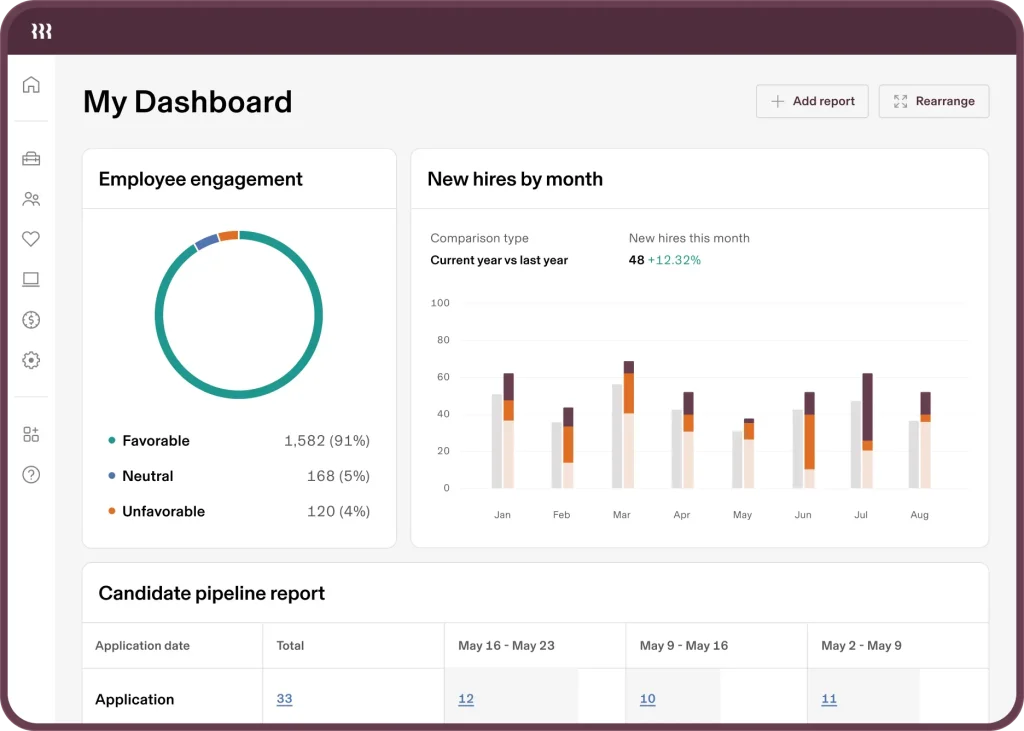
Our assessment for this Rippling review is grounded in the practical experience of transitioning a multi-state operation with complex compliance needs onto the platform.
We didn’t just run a few paychecks; we managed full onboarding and offboarding cycles, integrating single sign-on (SSO) for 20+ applications, configuring custom device policies, and running global payroll for both contractors and full-time international employees.
We focused on the friction points: calculating taxes across state lines, ensuring benefits elections sync instantly with payroll deductions, and, crucially, how fast the platform could de-provision a departing employee across all their IT systems simultaneously.
Our conclusions are derived from fact-based analysis and thoroughness in testing the cross-module automation.
This means the information is reliable, based on technical performance and operational efficiency gains, giving you a credible, well-founded perspective on Rippling’s true enterprise capability.
3. Key Features
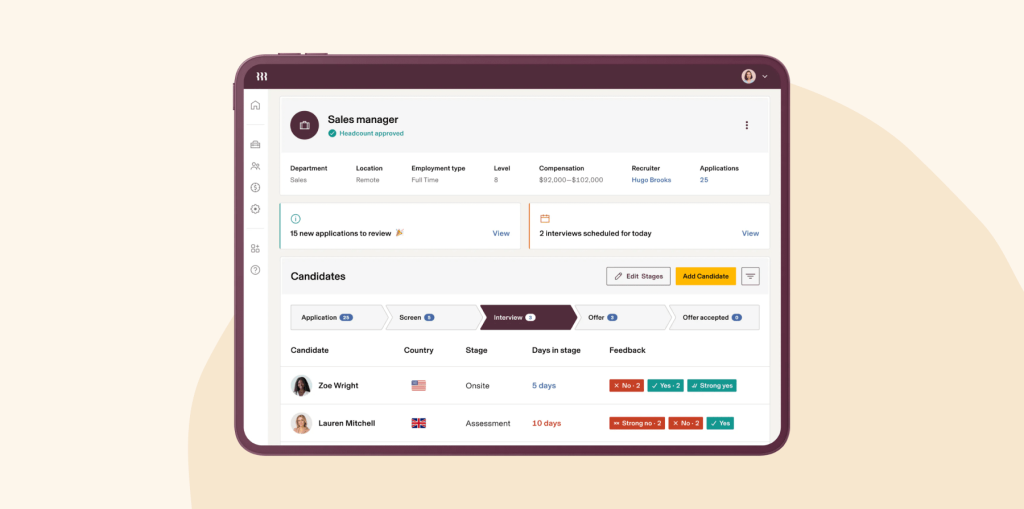
Rippling’s feature set spans across three interconnected clouds, delivering a unified administrative experience.
HR Cloud: Core HCM & Payroll
This includes all the traditional Human Capital Management (HCM) features, but with significant enhancements:
- Global Payroll: Handles domestic US payroll (including all federal, state, and local taxes) and supports international payroll in many countries, simplifying global expansion.
- Benefits Administration: Fully integrated with the payroll module, ensuring immediate, accurate deductions for health, dental, vision, and 401(k) plans.
- Compliance: Manages state and federal compliance automatically, including new hire reporting, W-2 generation, and Affordable Care Act (ACA) filings.
- Talent Management: Includes applicant tracking, learning management (LMS), and performance management tools, extending its utility beyond basic admin.
IT Cloud: App and Device Management
This is Rippling’s genuine innovation. It uses the HR data to drive IT operations:
- App Provisioning (SSO/SCIM): Automatically creates or deactivates user accounts in thousands of applications (Slack, Salesforce, Jira) based on job title, using SSO and SCIM standards.
- Device Management: Manages laptops and mobile devices. You can order hardware, track assets, and enforce security policies (like disk encryption and screen lock) remotely.
- Security & Access Control: Provides a unified log-in system across all applications and devices, significantly simplifying security audits and credential management.
Finance Cloud: Expense and Card Management
The Finance Cloud modules are designed to simplify financial transactions and reporting:
- Corporate Cards: Issues physical and virtual cards tied directly to the employee record.
- Expense Management: Automatically processes receipts, tracks spending against budgets, and syncs data to accounting software like NetSuite or QuickBooks.
- Bill Pay: Facilitates vendor payment and management, connecting payables directly to the organizational structure.
Rippling Automation Engine
Underpinning everything is the powerful automation engine. You can create custom, low-code recipes that trigger complex actions based on HR events.
For instance, if an employee’s status changes to ‘Promotion,’ the system can automatically adjust their pay rate, enroll them in a new training module, change their security group permissions in IT, and issue a new corporate credit card limit.
4. User Experience
The user experience (UX) is one of Rippling’s major selling points, balancing comprehensive functionality with ease of use.
For the employee, the experience is exceptionally clean and modern. Onboarding is a fluid, guided process—they enter data once, and it populates payroll, benefits, and IT systems automatically.
Managing pay stubs, requesting time off, and submitting expenses are all done through a single, intuitive dashboard or mobile app.
This consistency is a major boost to employee satisfaction.
For the administrator (HR, IT, or Finance), the dashboard provides deep control. The structure is logical, mirroring the employee lifecycle.
However, setting up the complex automations, benefits plans, and payroll deductions requires significant initial configuration. While the tools are low-code, they demand precision.
Any mistake in the initial configuration of a benefits carrier sync or a state tax setup can create headaches down the line. The complexity lies in the regulatory and tax rules, not the software interface itself.
Once configured, the daily management—especially for tasks like running payroll or approving offboarding—is remarkably streamlined.
The mobile app is robust for employee self-service (time off requests, pay stubs, expenses) and for basic manager approvals, ensuring work doesn’t get stuck waiting for desktop access.
5. Performance and Reliability
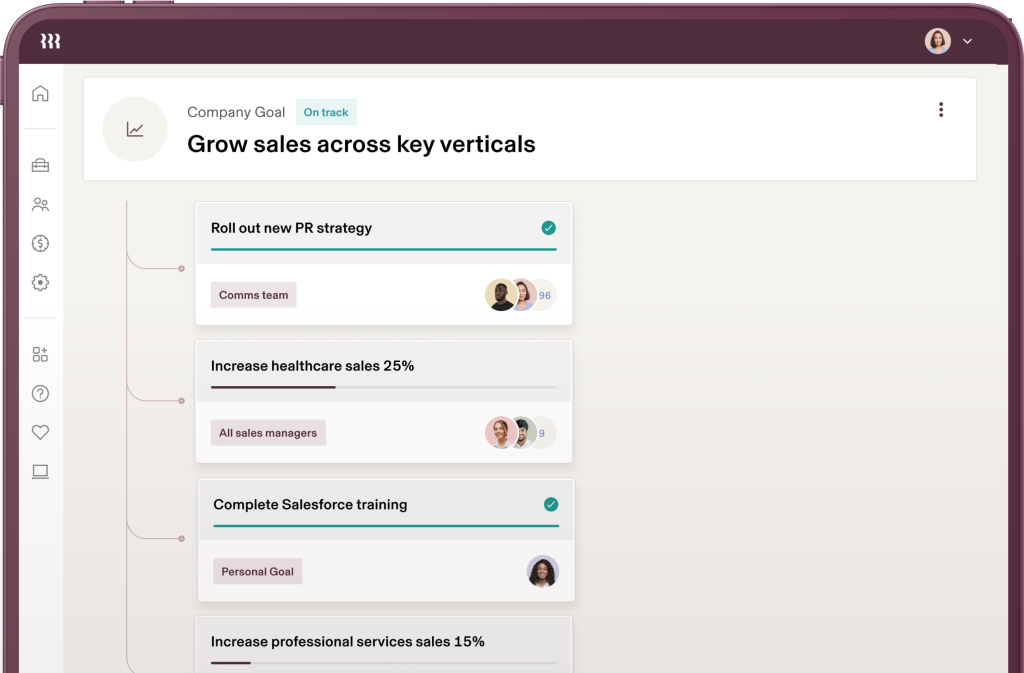
Rippling’s reliability is crucial, as it handles the most sensitive and time-critical aspects of a business: payroll and IT access.
Speed and Processing
The system is fast for core administrative tasks. Running payroll, even for a few hundred employees across multiple states, processes quickly and reliably.
The platform is designed for near real-time synchronization between modules.
For example, a benefits election change should reflect in payroll deductions instantly. This simultaneous processing is a testament to the platform’s unified architecture.
Automation and Uptime
The automation engine is highly reliable once configured correctly. The sheer number of automations running in the background across payroll, benefits, and IT means minimal downtime is tolerated.
Rippling maintains high uptime, which is necessary when critical systems depend on its data.
A strong Rippling review must emphasize its ability to handle IT provisioning and de-provisioning instantly, which is critical for security compliance, and this it does well.
Security and Compliance
Security is non-negotiable. Rippling uses robust encryption and access controls.
Since it manages both IT (SSO access) and HR (sensitive PII and payroll data), its security protocols are rigorous, including SOC 2 compliance.
Its global coverage is backed by compliance expertise, though clients must still vet the regulatory support for niche jurisdictions.
6. Pricing and Plans
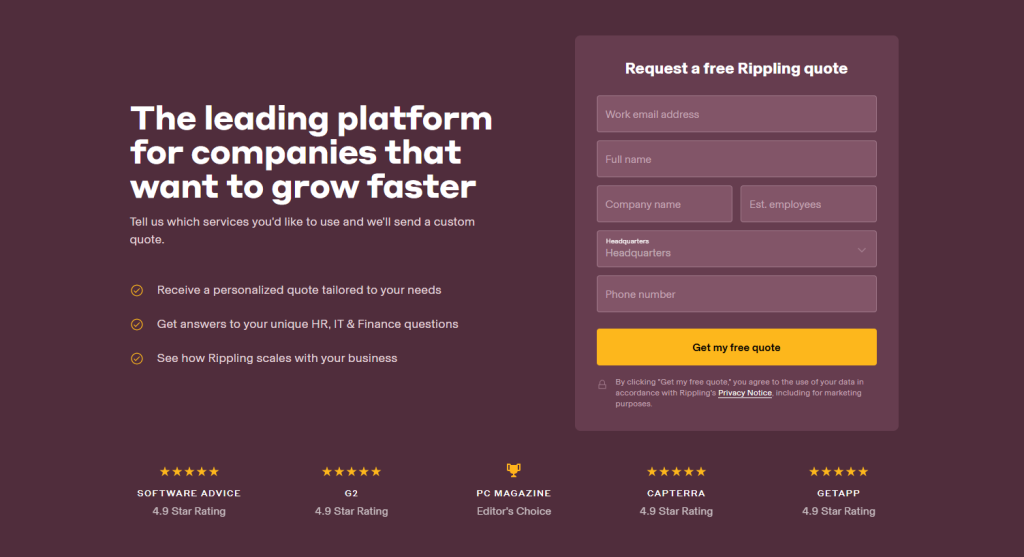
Rippling’s pricing is modular, built on a base platform fee plus per-employee, per-month costs for each module you choose (HR, IT, or Finance Cloud).
The Employee Management Platform is the mandatory foundation, priced at $35 per month minimum, plus a per-employee charge, typically starting around $8 per employee per month. This base fee includes the core Workforce Graph, the API, and the automation engine.
From there, you layer on the specific modules. Payroll, Benefits Admin, and Expense Management are priced separately, per employee. This modularity means the final monthly cost is highly variable.
For example, a company with 50 employees might look at this breakdown:
| Component | Cost Structure | Approximate Annual Price (50 Employees) |
| Platform Fee (Mandatory) | $35/month + approx. $8/user/month | $6,300 |
| US Full-Service Payroll | Approx. $10/user/month | $6,000 |
| Benefits Administration | Approx. $5/user/month | $3,000 |
| App Management (IT Cloud) | Approx. $7/user/month | $4,200 |
| Total Estimated Annual | $19,500 |
Note on Cost: Rippling is often more expensive than single-function payroll or HRIS systems. The cost premium pays for the deep IT and Finance integrations and the power of cross-module automation.
If you only need basic payroll, Rippling is likely overkill, but if you value unified systems, the cost is justified. Initial pricing for the smallest companies can start around $35 per month plus per-employee fees for basic HR and payroll functionality.
7. Integrations and Compatibility
Rippling’s design is inherently integration-focused, which is critical for its IT and Finance modules to function effectively.
Native App Integration
The IT Cloud boasts thousands of native, one-click integrations for app provisioning and de-provisioning.
Since it supports industry standards like SCIM, Rippling can automatically manage user lifecycles in virtually any modern SaaS application, from developer tools to marketing platforms.
Finance and Accounting Integration
Rippling connects seamlessly with major accounting software, including NetSuite, QuickBooks, Xero, and Sage.
This ensures that payroll journal entries, expense reports, and vendor payments flow accurately into the General Ledger without manual CSV imports.
HR and Benefits Carrier Integration
The platform maintains strong, real-time connections with thousands of benefits carriers and retirement plan providers across the US and globally.
This connectivity is crucial for automating enrollment and ensuring the accuracy of payroll deductions.
The platform also has robust API access for custom integrations with proprietary internal systems.
Rippling offers excellent cross-platform compatibility, accessible via Web interface, and dedicated, highly functional mobile apps for both iOS and Android, which are key for expense reporting and time-off requests.8
8. Product Specification
A detailed overview of Rippling’s architectural and functional makeup.
| Specification Category | Detail | Notes |
| Platform Type | SaaS, Unified Workforce Management | Consolidates HR, IT, and Finance administration. |
| Core Architecture | Workforce Graph (Unified Data) | Single data model for employee PII, IT access, and financial status. |
| Key Modules | HR Cloud, IT Cloud, Finance Cloud | Modular pricing allows selective purchase of capabilities. |
| Global Reach | Global Payroll, EOR/AOR Services | Supports international hiring and compliance needs. |
| Automation | Low-Code Custom Automation Engine | Triggers complex cross-module workflows based on HR events. |
| Security Standard | SSO, SCIM, SOC 2 Compliance | High security standards for app provisioning and sensitive data. |
9. Pros and Cons
Evaluating a Rippling review requires a balanced view of its significant advantages and its inherent cost structure.
| Pros | Cons |
| True Administrative Unification | High Cost for Full Feature Set |
| Seamlessly connects payroll, benefits, device management, and application access. | Modular pricing quickly surpasses competitors when purchasing multiple clouds. |
| Powerful Cross-Module Automation | Over-Engineered for Basic HR Needs |
| Automated IT provisioning and offboarding driven by the HR system is a massive efficiency boost. | Simple organizations only needing basic payroll will find the complexity unnecessary. |
| Excellent Global Payroll Capability | Requires Significant Setup Time |
| Simplifies managing payroll, benefits, and compliance for international workforces. | Initial configuration of benefits, IT policies, and automations demands specialized expertise. |
| Modern, Intuitive User Experience | Reliance on Third-Party APIs |
| Employee onboarding and self-service via the app is exceptionally smooth and user-friendly. | Automation reliability is dependent on the uptime and performance of external vendor APIs. |
| Robust Device and Asset Management | Learning Curve for Administrators |
| Centralized control over employee devices and software licenses from a single dashboard. | Understanding the nuances of the Workforce Graph and automation recipes takes effort. |
10. Customer Support
Customer support is a critical component for a system handling payroll and IT security. Rippling offers tiered support.
For standard inquiries and day-to-day administrative questions, support is available via chat and email. Response times are generally good, particularly for high-priority payroll issues.
However, the depth of expertise available is often dictated by the complexity of the issue.
For clients with complex IT environments, global operations, or custom automation needs, premium support tiers offer faster response SLAs and access to specialized technical account managers.
Given the complexity of implementing global payroll or SCIM provisioning across dozens of applications, having a reliable, responsive support channel is necessary.
The platform also maintains extensive, searchable knowledge base articles that help administrators self-solve many common integration or configuration questions.
11. Ideal Use Cases
Rippling’s unique structure makes it the definitive choice for specific business models and organizational challenges.
High-Growth Startups and Scale-Ups
For a company adding 5 to 20 employees per month, Rippling’s automated onboarding and IT provisioning is invaluable.
It drastically reduces the administrative load on lean HR and IT teams, allowing them to scale quickly without adding administrative overhead.
Tech Companies with Heavy SaaS Usage
Organizations using dozens of SaaS applications for development, sales, and marketing need streamlined access management.
Rippling’s IT Cloud and automated SSO/SCIM functionality ensure employees have instant access to necessary tools on day one and, more importantly, are instantly locked out across all systems upon termination, mitigating security risk.
Companies with Global or Remote Workforces
Rippling’s ability to manage global payroll, handle employee records in different currencies, and offer Employer of Record (EOR)/Agent of Record (AOR) services makes it ideal for companies hiring internationally without immediately establishing foreign subsidiaries.
Its centralized device management also simplifies managing hardware for remote employees globally.
12. Alternatives
When analyzing a comprehensive Rippling review, competitors are typically segmented into two groups: traditional HRIS and emerging unified platforms.
| Software Name | Primary Focus | Best For | Trade-Offs vs. Rippling |
| Gusto | Small Business Payroll & Benefits | Very small businesses and first-time employers needing a simple, highly user-friendly US payroll solution. | Lacks comprehensive IT management, expense tools, and robust global capabilities. |
| BambooHR | Core HRIS & Culture Management | Mid-sized companies prioritizing employee experience, performance tracking, and HR data management. | Lacks native integration with IT provisioning and corporate card/expense management; less automation. |
| Deel | EOR/AOR and International Payroll | Companies whose sole focus is international hiring, compliance, and managing global contractors. | Weaker in US domestic payroll, benefits, and IT asset management compared to Rippling. |
| Workday | Enterprise HCM & Finance** | Global, public companies requiring deep financial reporting, compliance, and highly customized HR workflows. | Much more expensive; implementation is lengthy and complex; IT management features are not as integrated. |
Rippling clearly differentiates itself by marrying HR and IT, a unification that its competitors typically lack or only offer through complex, custom integrations.
13. Bottom Line: Our Verdict
This Rippling review concludes that the platform is the most forward-thinking, unified workforce management solution available for scaling businesses and technology companies.
Its ability to automate critical HR, IT, and Finance workflows using a single source of employee data creates a level of administrative efficiency and security that older, siloed systems simply cannot match.
The value proposition is clear: the initial investment and the higher per-employee cost are offset by the elimination of dozens of manual, time-consuming administrative tasks and the massive security gains from instant, automated offboarding.
If your company is experiencing rapid growth, has complex IT security needs, or operates across multiple international jurisdictions, the integration and automation power of Rippling make it an outstanding choice.
You May Also Like:
- Airtable Review 2026 – Features, Pricing & Verdict
- Notion Review 2026 – Features, Pricing & Verdict
- ProofHub Review 2026 – Features, Pricing & Verdict
Frequently Asked Questions
How does Rippling handle IT Offboarding Security?
Rippling handles IT offboarding security automatically and instantly. When an employee’s separation is entered into the HR system, the platform immediately triggers automated workflows to revoke access across all synchronized applications (SSO/SCIM) and enforce security actions on their managed devices, drastically reducing the window for security breaches.
Is Rippling only for US companies?
No, Rippling is not only for US companies. It provides extensive global capabilities, including managing international payroll, local tax compliance, and offering Employer of Record (EOR) and Agent of Record (AOR) services, making it suitable for companies expanding or managing remote workforces globally.
What is the $35 per month platform fee for?
The minimum Rippling review base platform fee covers the foundational technology of the Workforce Graph, the core automation engine, and the API necessary for all the modules (HR, IT, Finance) to function and integrate seamlessly. Every customer must pay this baseline fee before adding specific per-employee modules.
Does Rippling replace my existing accounting software?
Rippling’s Finance Cloud provides tools for corporate cards, expenses, and bill pay, but it generally does not replace full general ledger accounting software like QuickBooks or NetSuite. Instead, it integrates deeply with them, automatically feeding processed expense data and payroll journal entries into your existing accounting system for final financial reporting.
Rippling
Rippling is an innovative, modular platform that unifies HR, IT, and Finance into a single automated system, offering best-in-class features for scaling global workforces.
Price: 35
Price Currency: USD
Operating System: Web, iOS, Android
Application Category: BusinessApplication
8.5