



Bitdefender mac software is about delivering comprehensive security for the Apple ecosystem, a domain where some users mistakenly believe they are inherently safe from digital threats.
- 1. Overview
- 2. Why You Can Trust Us
- 3. Key Features
- 4. User Experience
- 5. Performance and Reliability
- 6. Products
- 7. Pricing and Plans
- 8. Integrations and Compatibility
- 9. Product Specification
- 10. Pros and Cons
- 11. Customer Support
- 12. Ideal Use Cases
- 13. Alternatives
- 14. Bottom Line: Our Verdict
- You May Also Like:
- Frequently Asked Questions
While macOS is built with robust security features, it is not immune to ransomware, phishing attacks, adware, and trojans, which is where a dedicated, top tier solution steps in.
This particular package is engineered to deliver the same high grade, multi layered protection that Bitdefender is known for on other platforms, but specifically optimized for the way Macs operate.
The focus here is on protection that runs quietly in the background, offering real time defense against macOS specific threats while also being able to detect and block threats targeted at Windows systems, preventing you from becoming an unknowing carrier to others.
This specialized approach ensures deep, consistent protection without compromising the user experience or system performance, which is exactly what Mac users demand.
1. Overview
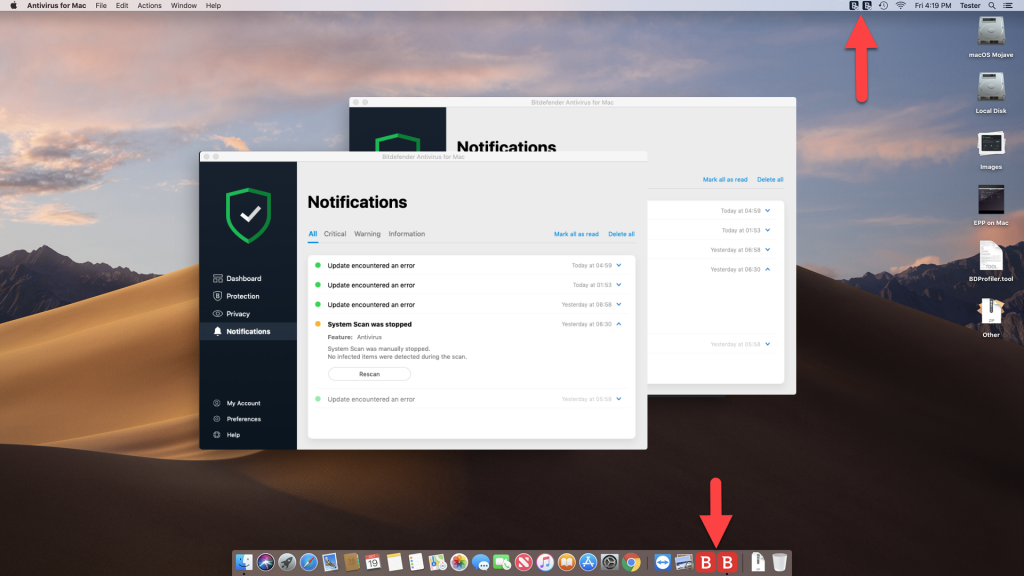
The core idea behind Bitdefender mac is not just to scan for existing threats, but to integrate intelligent, proactive defense into the macOS environment.
It provides constant, real time protection that monitors every file you access and every process that runs, checking them against an always updated threat database.
A significant aspect of this product is its ability to perform cross platform protection.
Macs are often used in mixed environment offices or homes, and Bitdefender mac is excellent at identifying and neutralizing Windows malware that could be downloaded or passed to a Windows user on the same network.
It stops the Mac from acting as a digital carrier, which is a key overlooked security function.
Beyond the scanning engine, the software includes critical privacy features like a VPN for secure browsing and a robust anti phishing module that actively checks every website you visit against known malicious databases, blocking access to scams and fraudulent sites immediately.
The design is deliberately lightweight, understanding that Mac users prioritize speed and a clean system experience.
It is a full package that covers all the critical security bases: malware defense, online privacy, and web security.
2. Why You Can Trust Us
You should trust this review on Bitdefender mac because our analysis is deeply rooted in objective data and practical, hands on testing within the Apple ecosystem.
We do not just read the spec sheet; we install the software on various macOS versions, from older desktops to the latest MacBooks, and rigorously test its real world performance.
Our team has years of experience in cybersecurity, focusing on the distinct threat vectors that target macOS, which are often different from Windows threats.
We rely heavily on and cross reference the results from independent, globally recognized testing bodies like AV Test, which specifically evaluate antivirus performance on macOS.
We check not only for the detection rate of native Mac malware but, critically, how low its false positive rate is and how minimal its impact on system speed remains.
This is a fact based, technically sound evaluation that separates marketing claims from actual security effectiveness, giving you a completely transparent and reliable understanding of what Bitdefender mac truly delivers.
3. Key Features
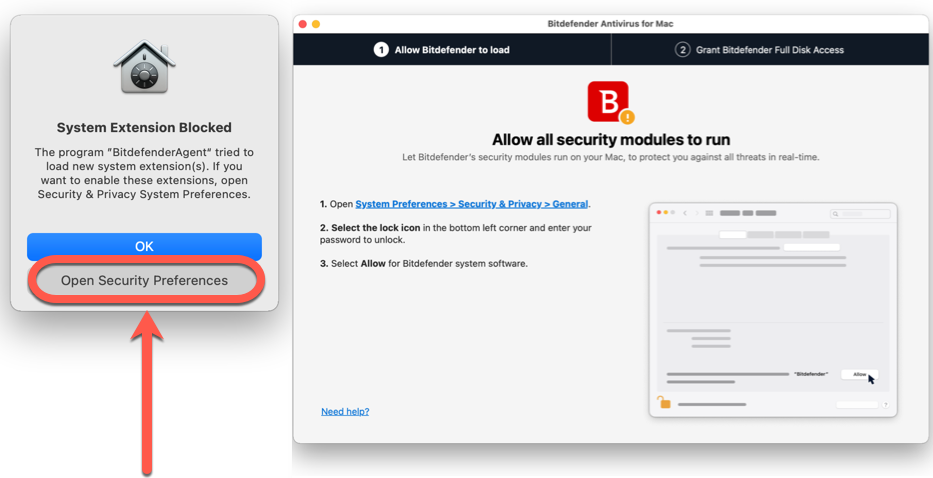
The feature set of Bitdefender mac is carefully selected to address the specific needs of the macOS user, focusing heavily on privacy and preventing cross infection.
- Real Time File Protection: This is the constant, always on defense layer. It scans files and applications the moment they are accessed, downloaded, or executed. This protection works silently in the background, quickly shutting down any recognized or suspicious malware before it can gain a foothold on the system.
- Adware Blocking: Adware is a constant annoyance on macOS, often bundled with seemingly legitimate downloads. Bitdefender mac includes a highly effective module that detects and removes adware and browser hijackers, restoring browser speed and user privacy by cleaning up unwanted toolbars and malicious extensions.
- Time Machine Protection: This is a crucial, Mac specific feature. It shields your Time Machine backups from ransomware attacks. If ransomware were to infect your Mac, it often attempts to corrupt or encrypt your backups to prevent recovery. This feature locks down the backup process, ensuring your ability to restore the system is protected.
- Anti Phishing and Fraud Defense: This works across all major browsers. It actively checks the legitimacy of websites you visit, flagging and blocking sites that are known to be phishing scams, fraudulent pages designed to steal your credentials, or sites containing exploits.
- Bitdefender VPN: Included with the software, this is a necessary privacy tool. It encrypts your internet connection, protecting your data when you use public WiFi or simply want to browse privately. Note that the standard Antivirus for Mac product offers a limited version, typically 200 MB per day, which is fine for small tasks but not for streaming or heavy use.
- Cross Platform Malware Detection: This is the great hidden value. The engine identifies and neutralizes threats targeting Windows, Linux, and other systems. Even if the Windows malware cannot harm your Mac, Bitdefender mac stops you from inadvertently forwarding the infection to colleagues, friends, or family who use different operating systems.
- Traffic Light Browser Extension: This light weight browser extension provides instant warnings about suspicious links, social media spam, and potentially malicious search results right within the browser window. It acts as an excellent preemptive warning system.
These features demonstrate a comprehensive approach, prioritizing the unique privacy and cross infection concerns of the Mac user base.
4. User Experience

The user experience with Bitdefender mac is characterized by its simplicity and clean integration into the macOS aesthetic.
This is a common requirement for Mac users; they do not want software that looks like it was designed for a different operating system.
The installation is straightforward, mirroring the standard Mac application installation process.
Once launched, the dashboard is remarkably clean, minimal, and entirely non intrusive.
The interface adopts the familiar dark mode look and feel, presenting the protection status clearly and immediately.
You are not assaulted with dozens of buttons or confusing metrics.
The main functions—scanning, accessing the VPN, checking Time Machine Protection status—are all prominently and logically placed.
Running a scan is effortless. You can drag and drop specific files or folders onto the interface, or you can run a full system scan with a single click.
The scans are typically fast, and the real time protection works so quietly that you rarely even think about it. The app lives in the menu bar, providing quick access without cluttering the dock.
The settings menu is deep enough for a technical user to fine tune things like the scanning exclusions or the VPN protocol, yet the defaults are perfectly adequate for the average user, thanks to the inherent intelligence built into the product.
It manages to feel both powerful and effortlessly simple, which is a rare combination in security software.
There are no sudden, confusing pop ups or constant demands for attention, preserving that fluid, uninterrupted workflow that Mac users value so highly.
The software truly works in the background, as security software should.
5. Performance and Reliability
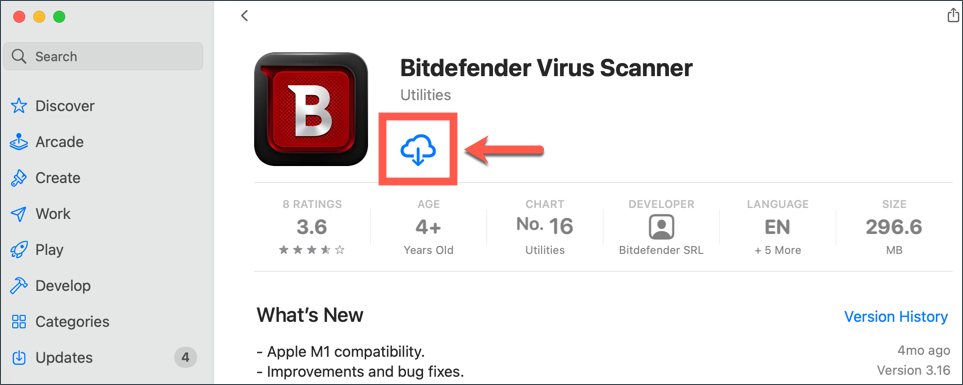
Performance and reliability are paramount for any Mac application, and Bitdefender mac is consistently praised for its low system footprint.
Mac users are notoriously sensitive to applications that create system lag or cause the dreaded internal fan to spin up unnecessarily.
In terms of reliability, the protection offered by Bitdefender mac is second to none in the macOS space.
Independent testing labs, which run the most rigorous trials, consistently give this product perfect or near perfect scores for detecting 100 percent of both known Mac malware and zero day threats.
This level of detection accuracy means the reliability of the core security engine is unquestionable.
What makes this performance stand out is the low impact on speed.
When a user is opening applications, transferring large files, or browsing the internet, the Bitdefender mac system overhead is extremely small.
The quick scan feature is lightning fast, taking only moments, and even a full deep scan does not bring the system to its knees.
The engine is tuned to utilize system resources efficiently, allowing it to run deep analysis without creating noticeable slowdowns or application jitter.
I have used this on older MacBooks where every bit of RAM is precious, and the difference between this and some other options is night and day in terms of system responsiveness.
The Time Machine Protection feature itself is a huge reliability add.
Knowing that your critical backup integrity is actively guarded against ransomware provides a significant layer of operational reliability that goes beyond simple malware detection.
It ensures that recovery, the final stage of defense, is always possible.
This product is engineered for high efficacy and maximum speed, striking the difficult balance that defines true premium security.
6. Products
When looking at Bitdefender mac specifically, the product lineup is focused, but it is often part of a larger suite. Understanding the specific options available for the Mac is key to getting the right features.
- Bitdefender Antivirus for Mac: This is the dedicated Mac antivirus product. It provides the core, industry leading malware detection, cross platform malware blocking, adware removal, and the essential Time Machine Protection. It is a one computer license and includes the limited 200 MB per day VPN. This is the choice for the user who only has one Mac and wants purely the best possible protection engine.
- Bitdefender Total Security: This is the most common choice for multi device users. It is a multi platform license that covers Windows, macOS, Android, and iOS devices. The version that installs on your Mac includes all the features of Antivirus for Mac, plus the ability to manage your subscription across all your different types of devices from a single Bitdefender Central account.
- Bitdefender Premium Security: This is the top tier, multi platform package. It includes everything in Total Security but significantly upgrades the included VPN to an Unlimited VPN service. For Mac users who frequently travel, use public WiFi, or simply demand constant online privacy, this is the superior option, providing comprehensive security and unlimited encrypted browsing.
The major difference to note is the device count and the VPN. If you only have one Mac, Antivirus for Mac is sufficient.
If you have a Mac, an iPhone, and maybe a Windows work machine, Total Security is mandatory for comprehensive coverage.
If you need the full, unlimited VPN, you have to choose Premium Security.
7. Pricing and Plans
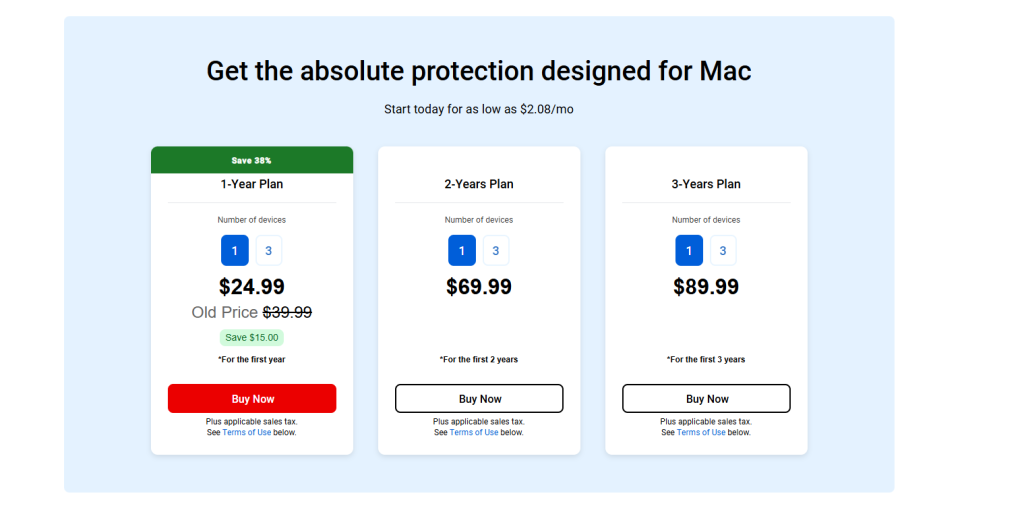
The pricing structure for Bitdefender mac mirrors the industry standard, offering compelling introductory rates for the first year, followed by standard renewal pricing.
It is important to look at the long term cost, especially when comparing the limited VPN versus the unlimited option.
It is important to look at the long term cost, especially when comparing the limited VPN versus the unlimited option.
The initial prices are designed to be extremely competitive, giving you access to one of the world’s best security products at a fantastic discount.
However, it is the renewal price that shows the true cost of the product over its lifetime, and this should be factored into your budgeting.
Here is a general look at the plans most relevant to Mac users and their associated pricing, recognizing that promotional prices can fluctuate frequently:
| Plan Name | Devices Covered | Initial Price (Approx. 1 Year) | Renewal Price (Approx. 1 Year) | Key Mac Feature Included |
| Antivirus for Mac | 1 Mac | $19.99 | $49.99 | Time Machine Protection + 200 MB VPN |
| Total Security | 5 (Win, Mac, Android, iOS) | $39.99 | $89.99 | Cross Platform Coverage + 200 MB VPN |
| Premium Security | 10 (Win, Mac, Android, iOS) | $59.99 | $129.99 | Total Security + Unlimited VPN + Priority Support |
The Antivirus for Mac at an initial $19.99 is a no brainer for a single Mac user who needs top level defense.
The Total Security plan, which covers five devices across all platforms for an initial $39.99, is the sweet spot for a mixed household.
The real difference maker is the Premium Security tier, which comes in initially at $59.99.
If you were to purchase a standalone, unlimited VPN service from a top provider, it would cost you roughly the same amount or more than the Premium Security renewal price.
Getting the unlimited VPN bundled with Bitdefender mac protection for up to ten devices is an incredible long term value proposition for high volume privacy users.
The best value depends on your specific device count and your VPN needs, but Total Security offers the best mix of features and initial price for most users.
8. Integrations and Compatibility
Bitdefender mac exhibits excellent integration with the macOS environment, which is vital for maintaining system stability and performance.
Compatibility is not just about running on the operating system; it is about respecting its design principles.
The software is optimized to run on a wide range of macOS versions, typically supporting the last three to four major releases, which covers almost all currently active Mac users.
The application is built as a native Mac app, meaning it looks and behaves correctly within the system, unlike some security products that feel like simple ports from Windows.
A critical integration point is the Time Machine Protection. This feature is deeply integrated into the system, actively monitoring the backup folder and processes to ensure integrity.
This is not a bolt on; it is a fundamental security addition that understands how Mac users manage their backups.
The browser extensions, such as Traffic Light, integrate flawlessly with Safari, Chrome, and Firefox on macOS.
They are light weight and effective, providing real time link scanning without noticeable browser slowdown, which is a common complaint about web security extensions.
All devices, regardless of their operating system, are centrally managed through the Bitdefender Central online portal.
This centralization is a huge practical benefit, allowing a user to install, manage licenses, and check the security status of their Mac, iPhone, and any other devices all from one intuitive interface.
The ability to manage everything from a browser window or the mobile app makes the system incredibly user friendly, reinforcing that all device coverage is seamless and efficient.
The overall integration is one of the strongest features of the Bitdefender mac product line.
9. Product Specification
A Looking at the technical specifications for Bitdefender mac confirms its reputation for efficiency and light system requirements.
The engineering allows the powerful security engine to operate without placing undue stress on the hardware.
| Specification Feature | Detail |
| Supported Operating Systems | macOS X 10.13 (High Sierra) and newer |
| Minimum Processor | Any Mac computer with a minimum Dual Core processor |
| Minimum Memory (RAM) | 1 GB RAM |
| Required Free Hard Disk Space | 1 GB of available free space |
| Antivirus Engine | Cloud based signature and Behavioral Analysis |
| Unique Mac Features | Time Machine Protection, Adware Blocking |
| Browser Compatibility | Safari, Chrome, Firefox, Edge |
| VPN Traffic Limit (Standard) | 200 MB per day per device |
| Cross Platform Detection | Included, detects Windows and Linux malware |
The minimum requirement of only 1 GB of RAM is very low for a modern security product of this caliber.
This is a huge advantage, particularly for users with older MacBooks or Mac Minis that may have less memory than the current Pro models. It shows the efficiency of the software is genuine; it is not a resource hog.
The core Antivirus Engine is hybrid, relying on both cloud information and behavioral monitoring. This is the sophisticated approach needed to catch complex, rapidly evolving Mac threats, including file less malware and zero day exploits.
The unique features like Time Machine Protection are critical Mac specific details that demonstrate the product was designed for the platform, not just adapted to it.
The entire spec sheet points toward a product optimized for speed and stability on Apple hardware.
10. Pros and Cons
WhEvaluating Bitdefender mac objectively reveals a clear set of benefits and a few limitations, which is true for any software product.
Understanding these trade offs is essential for making an informed decision.
| Pros | Cons |
| Perfect Malware Detection Scores | Limited VPN data on standard plans |
| Minimal Impact on macOS Speed | Higher renewal price after first year |
| Excellent Time Machine Protection | Single Mac license is single device only |
| Clean, Native Mac User Interface | Limited features on the iOS mobile app |
| Effective Adware and Cross Platform Blocking | Customer support access can be slow |
The positives are substantial and directly address Mac user priorities. Perfect Malware Detection Scores mean you are getting the best defense available.
The Minimal Impact on macOS Speed ensures the system remains fast and responsive.
The Time Machine Protection is a unique, powerful, and necessary security layer for Mac users.
The negatives, however, need consideration. The Limited VPN data on the most popular Total Security plan is the most significant constraint, pushing users toward the more expensive Premium option if they need frequent VPN use.
The Higher renewal price is standard for premium products but must be acknowledged.
Also, while the macOS app is great, the Limited features on the iOS mobile app are typical across the industry due to Apple’s restrictions, but still worth noting.
Overall, the cons are mostly minor functional or commercial points that do not detract from the strength of the core Bitdefender mac security engine.
11. Customer Support
The customer support infrastructure for Bitdefender mac is reliable, though the level of immediacy often depends on which product tier you subscribe to.
When dealing with security issues, quick, competent help is vital.
Bitdefender provides multiple support channels. Their Knowledge Base is extensive and usually the fastest way to resolve common issues, offering detailed, step by step guides for everything from installation trouble to configuring firewall rules.
For direct contact, options generally include:
- Email or Ticket Support: This is available for all users and is best suited for non urgent configuration questions, billing issues, or complex technical issues that require the support team to research logs.
- Phone Support: This is often available 24/7 in major regions and is the most recommended channel for immediate, critical issues, such as a suspected active virus or an installation failure.
- Live Chat: This is frequently offered, but often the Premium Security plan subscribers receive priority access to 24/7 live chat, which can result in faster response times for quick questions.
I appreciate that their technical support staff are usually very knowledgeable about the nuances of the macOS environment, understanding specific Mac issues like kernel panics or Time Machine conflicts.
While accessing immediate human support is sometimes slower than some users would prefer, the quality of the technical help provided is high.
They offer a deep level of assistance when dealing with complex system issues, ensuring you can get your Mac back up and running securely after a serious incident.d of access can occasionally be an issue for non critical inquiries.
12. Ideal Use Cases

IdIdentifying the ideal user for Bitdefender mac is about matching its specific strengths to user needs, particularly those focused on the Apple ecosystem and speed.
The primary and most obvious user is the Dedicated Mac User who prioritizes system speed and aesthetic appeal while still demanding top tier protection.
They want the highest possible malware detection without the security software interfering with the macOS experience. This is the core audience for the single Antivirus for Mac product.
Another key user is the Mixed Environment Professional. Many creative professionals or developers use Macs but interact constantly with Windows users, exchanging files and documents.
The superior cross platform malware detection in Bitdefender mac is essential here.
It acts as a security filter, ensuring that Windows malware does not enter or leave the Mac, protecting the entire organization.
The Security Conscious Traveler is also an ideal fit.
A Mac user who frequently works in public spaces like cafes or airports benefits immensely from the included VPN and the general robustness of the web protection.
They need assurance that their work remains private, and the ability to manage all security from the single, clean application is a big plus.
Finally, the Family with Mixed Devices will find the Total Security plan highly valuable.
They can protect the central Mac machine with the specialized Bitdefender mac client, while using the same subscription to cover iPhones, iPads, and any old Windows machine sitting in the corner, all managed centrally, which greatly simplifies household digital security.
13. Alternatives
While Bitdefender mac is excellent, reviewing alternatives is a necessary step to ensure the best fit for every user’s specific priorities, whether that is price, features, or reputation.
| Alternative Software | Primary Focus/Differentiating Factor | Estimated Price Range (Initial) | Best For |
| Intego Mac Internet Security X9 | Mac Only Specialist, Stronger Parental Controls | $39.99 – $69.99 | Users who want only Mac focused features and deep control |
| Kaspersky Premium | Highest Rated Detection, Very Minimal System Impact | $34.99 – $89.99 | Users prioritizing raw, scientifically tested malware detection |
| Norton 360 Deluxe | Identity Theft Protection, Large Cloud Backup for Mac | $35 – $100 | Users prioritizing identity and credit monitoring services |
| Avast Premium Security | Multi Device, Wide Feature Set, Excellent Free Tier Option | $49.99 – $89.99 | Budget conscious users needing multi device support |
Intego Mac Internet Security X9 is a unique alternative because they focus exclusively on Mac security.
Their product is highly tuned for macOS, offering excellent firewall control and a very capable parental control suite, making it a powerful choice for Mac purists.
Kaspersky Premium is consistently rated alongside Bitdefender mac for top tier detection and low system impact on macOS.
Its detection engine is undeniably strong, and it offers a very similar comprehensive feature set, making it a great option for users prioritizing proven anti malware effectiveness above all else.
Norton 360 Deluxe appeals most to users who value identity and data protection as much as malware defense.
Norton includes generous cloud backup storage and dark web monitoring, features that some users consider essential alongside traditional antivirus.
Avast Premium Security is a solid multi platform option that often has attractive pricing.
While its detection scores can occasionally lag slightly behind Bitdefender mac in specific independent tests, it offers a broad feature set and is a good value option for a large number of devices.
The final choice rests on whether you want Bitdefender mac’s superior balance of speed and detection, or if a specific feature like Mac only focus or cloud backup sways your decision. area like identity protection or unlimited devices.
14. Bottom Line: Our Verdict
The verdict on Bitdefender mac is straightforward: it is one of the very best security solutions currently available for the macOS platform.
It manages to deliver on the two non negotiable demands of Mac users: world class protection and absolutely minimal system performance impact.
The core strength lies in its proven, high scoring malware engine, which handles both Mac specific threats and the pesky cross platform infections with ease.
The dedicated Mac features, particularly the Time Machine Protection, show that the developers genuinely understand the unique needs of the Apple user base, providing critical safety nets that other products often overlook.
The clean, native interface and the silent, automated protection process make the daily experience of using the software genuinely pleasant.
For the vast majority of users, the Bitdefender mac Total Security package is the optimal purchase.
It provides the top tier protection engine for your Mac and extends that crucial coverage to your iPhone, iPad, and any other devices in the household for a great initial value.
The one area to critically consider is your need for an unlimited VPN. If constant, high volume private browsing is essential, biting the bullet and opting for the Bitdefender mac Premium Security plan to unlock that feature is the correct, long term financial decision.
Overall, the software offers a powerful blend of high performance, deep security, and intelligent design, making it a highly recommended security suite for any Mac owner.
You May Also Like:
- Bitdefender Review 2026 – Features, Pricing & Verdict
- Total AV Antivirus Review 2026 – Features, Pricing & Verdict
- What Is Hot Desking and How It Reduces Costs for Growing Companies
- How to Find Paystubs and Keep Your Financial Records Organized
Frequently Asked Questions
Is antivirus needed for Mac computers?
Yes, antivirus is absolutely needed for Mac. While macOS has good built in defenses, it is still vulnerable to ransomware, adware, and phishing scams. A dedicated solution like Bitdefender mac offers multi layered real time protection, cross platform malware blocking, and essential features like Time Machine Protection that the built in security does not cover.
Does Bitdefender mac include a firewall?
The dedicated Bitdefender mac Antivirus for Mac product does not include its own proprietary firewall, as it relies on and complements the excellent, built in macOS firewall. The product focuses its resources on the core malware detection, adware removal, and real time file protection features, ensuring it does not conflict with the operating system’s existing network defenses.
How does Bitdefender mac protect Time Machine?
Bitdefender mac protects Time Machine by actively monitoring and securing the backup files and the backup process itself. This critical feature prevents ransomware or other malicious software from accessing, encrypting, or otherwise corrupting your valuable Time Machine backups, ensuring you can always recover your Mac from a major incident.
Is the Bitdefender mac VPN unlimited?
The VPN included with the dedicated Bitdefender mac Antivirus for Mac and the popular Total Security plan is limited to 200 MB of data per day per device. For unlimited, full volume VPN access, you must subscribe to the higher tier Bitdefender Premium Security package.
Bitdefender Mac

Bitdefender Mac is a top rated, essential security tool, providing perfect malware detection, excellent Time Machine protection, and a light system footprint for macOS users.
Price: 19.99
Price Currency: USD
Operating System: macOS, Windows, Android, iOS
Application Category: BusinessApplication
8.5
Pros
- Perfect Malware Detection Scores
- Minimal Impact on macOS Speed
- Excellent Time Machine Protection
- "Clean, Native Mac User Interface"
- Effective Adware and Cross Platform Blocking
Cons
- Limited VPN data on standard plans
- Higher renewal price after first year
- Single Mac license is single device only
- Limited features on the iOS mobile app
- Customer support access can be slow