

Kadence functions as a coordinated workplace management platform designed to solve the logistical friction inherent in hybrid work schedules.
- 1. Overview – Kadence Review
- 2. Why You Can Trust Us
- 3. Key Features
- 4. User Experience
- 5. Performance and Reliability
- 6. Products
- 7. Pricing and Plans
- 8. Integrations and Compatibility
- 9. Product Specification
- 10. Pros and Cons
- 11. Customer Support
- 12. Ideal Use Cases
- 13. Alternatives
- 14. Bottom Line: Our Verdict
- You May Also Like:
- Frequently Asked Questions
It provides a technical layer where employees can view interactive floor plans, reserve desks, and book meeting rooms while seeing exactly when their colleagues plan to be in the office.
This visibility is the primary driver of the software, as it helps teams synchronize their in person days without the manual overhead of constant messaging or spreadsheets.
By automating the booking process and integrating with standard communication tools, the platform aims to make the physical office a predictable resource rather than a source of scheduling uncertainty.
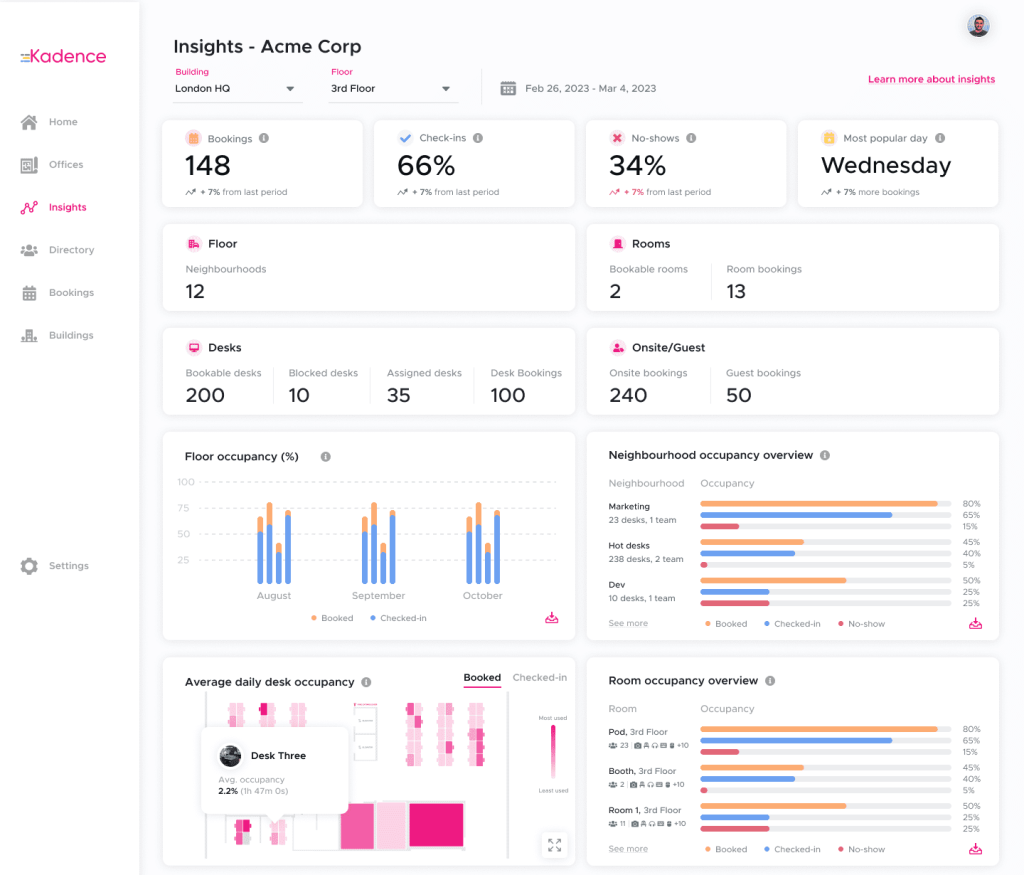
The software also offers a suite of administrative tools that provide data on how office space is actually used.
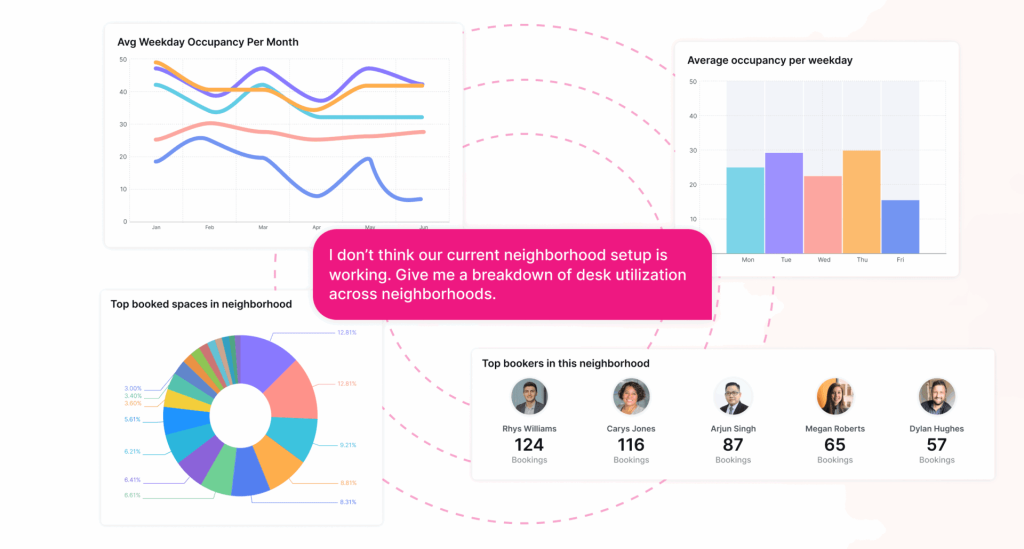
Managers can track occupancy rates, identify peak usage times, and adjust their real estate strategy based on historical trends.
This practical approach to space management ensures that organizations are not paying for unused square footage while providing employees with a consistent, user friendly experience.
With built in AI suggestions and robust mobile access, the system streamlines the daily routine of choosing where and with whom to work, focusing on the human need for connection in a flexible environment.
1. Overview – Kadence Review
Kadence is a comprehensive software solution tailored for organizations navigating the complexities of hybrid work and office space optimization.
It allows employees to book desks, rooms, and parking spaces through an intuitive interface that emphasizes social connectivity.
The platform stands out by focusing on the “who” as much as the “where,” giving users real time insights into their teammates’ schedules to facilitate spontaneous collaboration.
It effectively replaces outdated sign up sheets and rigid seating charts with a dynamic, digital environment that adapts to the fluid nature of modern professional life.
On the management side, the platform serves as a powerful tool for facilities and HR professionals.
It provides detailed analytics on office utilization, helping leaders make informed decisions about lease renewals, space redesigns, and health and safety compliance.
By consolidating desk booking, visitor management, and workplace events into one platform, it reduces the need for multiple, disconnected software products.
The system is built to scale from small teams to global enterprises, offering features like multi location support and complex booking rules that ensure a fair and efficient distribution of office resources across any organization.
2. Why You Can Trust Us
The conclusions in this Kadence review are based on a meticulous evaluation process that prioritizes functional reality over promotional materials.
We analyze the software by looking at its deployment success in various corporate environments and assessing its technical stability.
Our methodology involves a deep dive into the platform’s API capabilities, security protocols, and the actual time savings reported by administrative users.
We pay close attention to the frequency of software updates and the responsiveness of the development team to user feedback, which indicates the long term viability of the product.
We also examine the platform through the lens of a daily user, testing the speed of the mobile app and the accuracy of the calendar synchronization.
Our research includes a thorough comparison of the software against its primary competitors in the space management market, evaluating specific metrics such as implementation time and user adoption rates.
We do not rely on high level summaries, but instead look at the granular details of the analytics dashboard and the flexibility of the booking rules.
This fact based, analytical approach ensures that the information we provide is reliable, thorough, and grounded in the practical needs of modern business operations.
3. Key Features
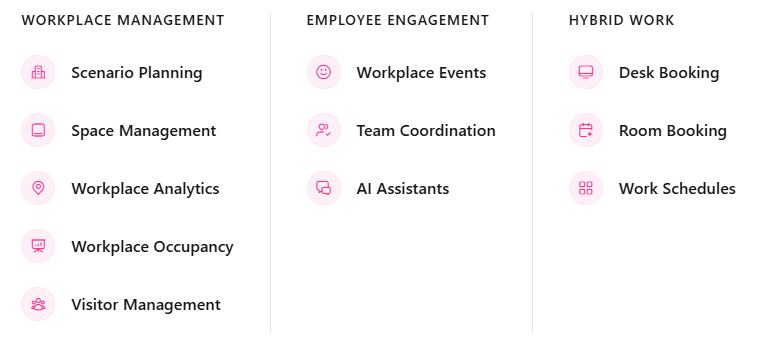
The functionality of the platform is designed to address both the immediate needs of employees and the strategic requirements of workplace managers.
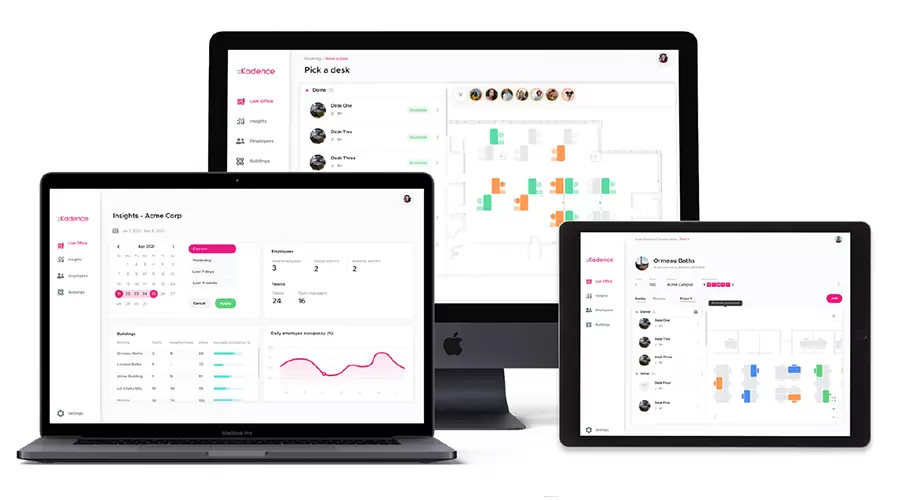
- Interactive Office Maps: Users can view high resolution, digital maps of their office space. These maps show real time availability of desks and rooms, allowing for a visual booking experience that helps employees choose the best location for their specific tasks.
- Desk and Room Booking: The core of the platform allows for quick reservations of various assets. This includes standard workstations, quiet zones, standing desks, and meeting rooms equipped with specific audiovisual technology.
- Smart Suggestions: The integrated AI assistant analyzes team schedules and office capacity to suggest the best days for an employee to commute, ensuring they maximize their time for collaboration.
- Workplace Events: Beyond simple booking, the system allows for the organization of office events, helping to foster a sense of community by making it easy for employees to join social or professional gatherings.
- Visitor Management: To streamline the guest experience, the platform includes modules for pre registering visitors, printing badges, and notifying hosts upon arrival.
- Booking Rules and Restrictions: Administrators can set specific rules, such as limiting the number of days someone can book a desk or reserving certain areas for specific departments, ensuring a fair distribution of resources.
- Auto Check-In: By integrating with badging systems or company wifi, the platform can automatically check users into their reserved spots, improving data accuracy and reducing manual steps.
These features work together to create a flexible environment where the physical office becomes a manageable, efficient resource rather than a source of scheduling conflict.
4. User Experience
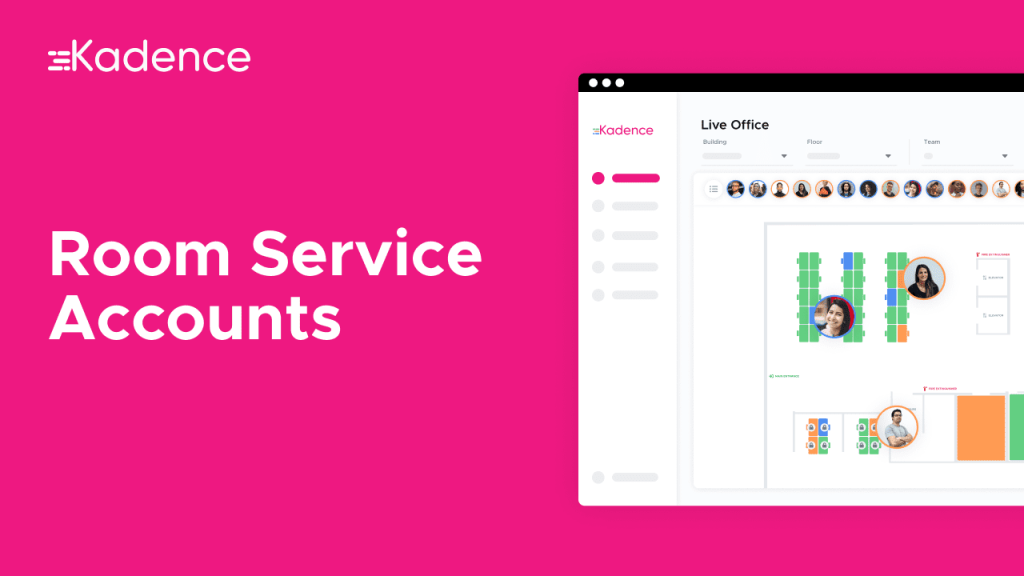
The user experience within the platform is centered on speed and simplicity. For the average employee, the process of booking a desk needs to be faster than checking an email, or they simply will not use the tool.
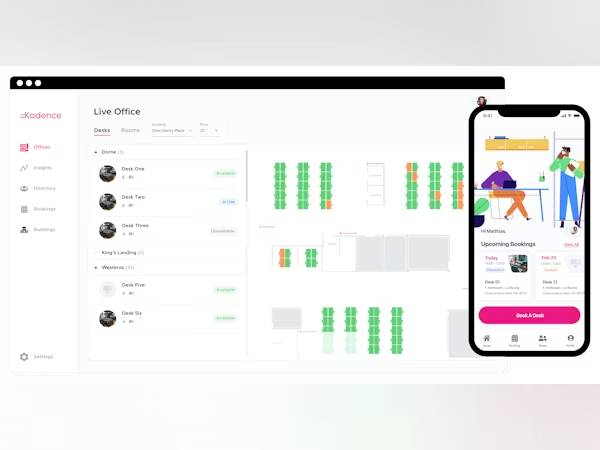
The mobile interface is clean, utilizing a straightforward booking system that allows users to select a date and confirm a favorite spot almost instantly.
The interactive maps are responsive, providing clear visual cues for available versus occupied spaces, which reduces the cognitive load on the user.
On the administrative side, the experience is similarly streamlined. Setting up a new office floor involves uploading a plan and dragging and dropping desk icons onto the layout.
The logic for booking permissions is clear, avoiding the overly complex menus found in some legacy facility management tools.
One of the most appreciated aspects of the experience is the integration with Slack and Microsoft Teams.
Instead of logging into another separate portal, employees can manage their office days directly from the chat apps where they spend most of their time.
This reduces friction and leads to higher data accuracy, as employees are more likely to update their status when it is part of their existing communication workflow.
5. Performance and Reliability
When evaluating a workplace management tool, reliability is paramount because a system failure can lead to employees arriving at an office with no place to sit.
The software maintains high uptime standards, utilizing cloud infrastructure that ensures the booking database is always accessible.
The synchronization between the mobile app, the web interface, and integrated calendars like Outlook or Google Calendar is generally excellent, with updates reflecting across all platforms in near real time.
In terms of performance, the app loads quickly even on older mobile devices, which is critical for employees booking spots while on the move.
The backend analytics engine processes large sets of occupancy data without noticeable lag, allowing managers to generate reports and visualize trends instantly.
Security is also a strong point, with the platform offering Single Sign On options and adhering to GDPR and SOC2 standards, which is essential for enterprise level reliability.
While no software is perfect, the rare instances of downtime or sync delays are typically handled through prompt technical updates.
The platform’s ability to handle high concurrency, such as on a Monday morning when the entire staff might be planning their week, proves its robustness for large scale deployments.
6. Products
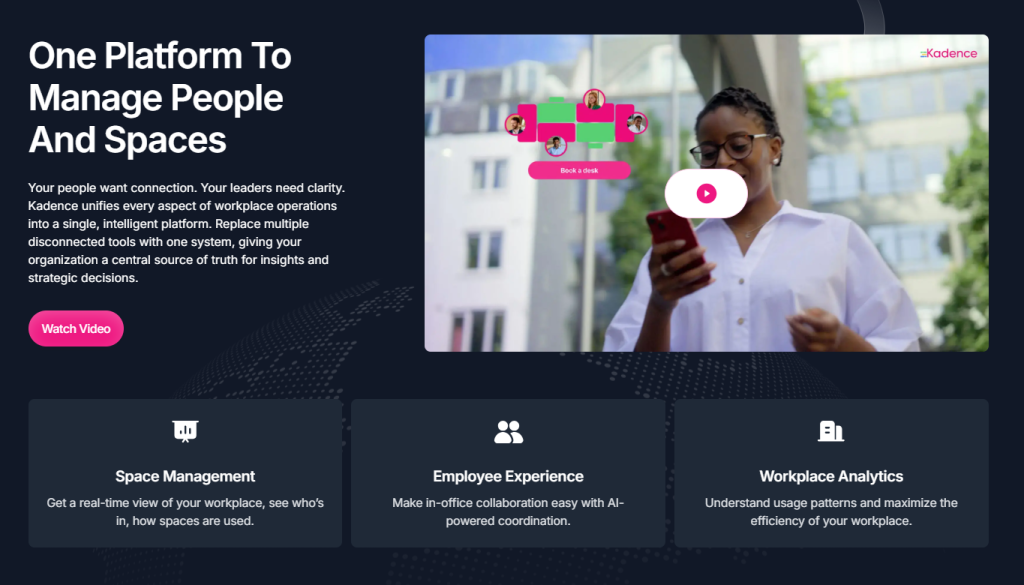
The platform offers a suite of modules that allow companies to scale their workplace management as their needs evolve.
- Space Management: The primary product designed for workstation and room management. It includes interactive maps and the core booking engine that allows for individual and group reservations.
- Visitor Management: A specialized module for managing guests. It handles the invitation process, digital check ins, and provides a record of who has entered the building for safety and compliance.
- Presence Intelligence: A data focused product that provides facility managers with insights into attendance patterns, using AI to predict future space needs and optimize office layouts.
- Parking Management: An add on module that extends the booking logic to company parking lots, ensuring that employees who drive to the office have a guaranteed spot.
- Kadence AI: An integrated assistant that helps automate the booking process and provides smart suggestions based on team behavior and office capacity.
The modular nature of the software means that a company can start with basic desk booking and add layers like visitor management or advanced AI insights as they gather more data about their hybrid work habits.
This prevents the complexity that occurs when a company pays for tools they are not yet ready to implement.
7. Pricing and Plans
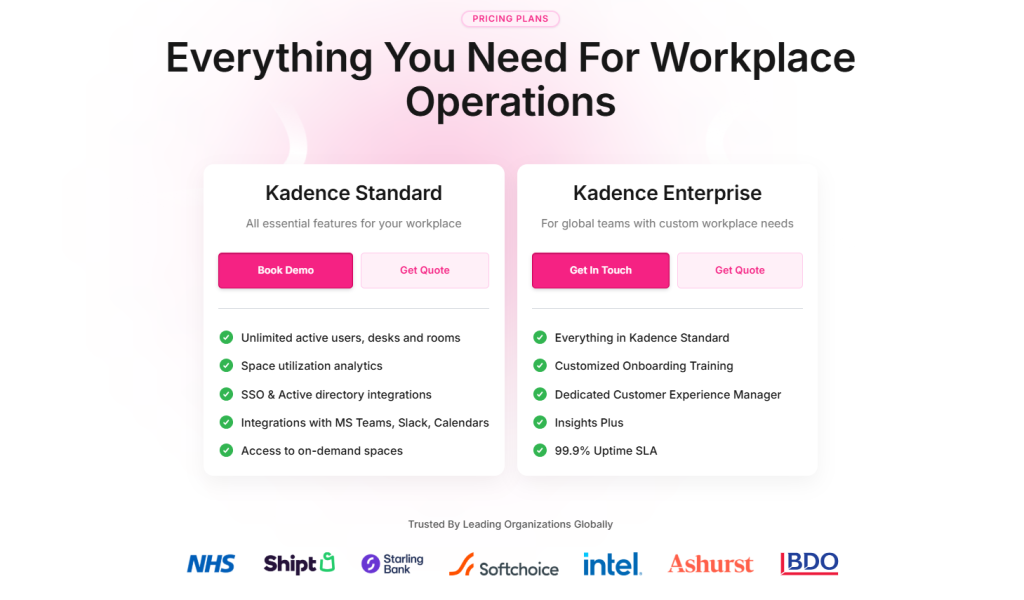
The pricing model is structured to be transparent and scales based on the number of users, making it accessible for growing teams while remaining cost effective for large organizations.
Unlike some tools that charge per desk, this user based pricing aligns costs with the actual size of the workforce using the platform.
The initial price typically starts at approximately $4.00 per user per month when billed annually for the standard features, though custom enterprise quotes are provided for larger volumes.
| Plan Name | Best For | Estimated Price (Per User) | Key Features |
| Standard | Small to Medium Teams | $4.00 / month | Unlimited desks/rooms, AI tools, SSO |
| Enterprise | Large Organizations | Contact Sales | Dedicated manager, Custom onboarding, SLA |
| Custom | Specialized Needs | Bespoke Pricing | Full API access, Multi-location, Parking |
The Standard plan is the entry point for most businesses, providing all the essential tools for a hybrid office to function smoothly.
It includes desk and room booking, the AI assistant, and basic reporting. The Enterprise plan is geared toward companies requiring more stringent security measures, dedicated support, and specialized onboarding.
For organizations needing custom integrations or additional modules like parking, a Custom quote is usually generated to fit the specific scale and complexity of the operation.
While the initial costs are competitive, the value often comes from the real estate savings discovered through the utilization analytics.
8. Integrations and Compatibility
One of the strongest technical arguments for the software is its deep integration into the existing IT ecosystem of a modern company. It works as an extension of the tools employees are already using every day.
- Microsoft Teams: A native app within Teams allows employees to book desks and see teammate locations without leaving the Teams client.
- Slack: Similar to Teams, the Slack integration provides notifications and quick booking commands within the chat application.
- Calendar Sync: Bidirectional synchronization with Microsoft Outlook and Google Calendar ensures that bookings are reflected in the user’s main schedule.
- Single Sign-On (SSO): Support for Azure AD and Okta means that IT teams can manage user access and security settings centrally.
- HR Systems: The platform can integrate with various HRIS platforms to automate user onboarding and offboarding, keeping the database current.
This level of compatibility reduces the administrative burden on IT departments and lowers the barrier to entry for employees.
When a tool is integrated into the primary communication channel, adoption rates are significantly higher, and the data gathered by the system is more accurate.
The platform’s open API also allows for custom integrations with building management systems or smart hardware, providing a path for future technical expansion.
9. Product Specification
The technical framework of the platform is designed for modern web and mobile standards, ensuring accessibility and performance across various hardware configurations.
| Specification | Detail |
| Deployment Model | Cloud based SaaS |
| Mobile Platforms | iOS 15.6+, Android 8.0+ |
| Web Browser Support | Chrome, Safari, Firefox, Edge |
| Security Standards | GDPR compliant, SOC2, ISO 27001 |
| Integrations | MS Teams, Slack, Outlook, Google Calendar |
| Administrative Control | Granular permissions, interactive map editor |
| Reporting Features | Real time occupancy, AI insights, CSV export |
| Language Support | Multilingual options available |
The cloud based nature of the software means there is no on site server maintenance required, and updates are pushed automatically.
The mobile applications are optimized for performance, ensuring that maps load quickly even on standard data connections.
Security is a primary focus, with the platform meeting the requirements of enterprise IT departments, including data encryption.
This technical profile makes it a low risk implementation for organizations of all sizes.
10. Pros and Cons
Evaluating the platform requires an objective look at where it excels and where there might be limitations for certain types of organizations.
| Pros | Cons |
| High adoption via Teams/Slack | Advanced AI requires data volume |
| Very fast booking interface | Map setup takes initial effort |
| Predictive AI suggestions | Advanced support is Enterprise only |
| Transparent user based pricing | Some mobile app dependencies |
| Comprehensive visitor module | Parking is an extra cost |
The most significant benefit is the high adoption via Teams/Slack, which ensures the tool is actually used.
The very fast booking interface prevents user frustration, while predictive AI suggestions help employees plan their weeks more effectively. From a budget perspective, the transparent user based pricing is easy to manage.
The comprehensive visitor module also saves companies from needing a separate guest sign in system.
Conversely, the advanced AI requires data volume to be truly effective, meaning small teams might not see the full benefit immediately.
The map setup takes initial effort, as the digital floor plan must be accurately created.
While basic help is available, advanced support is Enterprise only, which might be a drawback for mid sized companies with complex needs.
There are also some mobile app dependencies for certain features like auto check in.
Finally, the fact that parking is an extra cost is an important consideration for the total budget.
11. Customer Support

The support structure is designed to facilitate quick onboarding and provide ongoing technical assistance for enterprise users. They offer a model that ensures large scale deployments receive the attention they require while smaller teams have access to self service resources.
- Customer Experience Managers: Enterprise clients are often assigned a dedicated contact who assists with implementation, map creation, and strategic optimization.
- Knowledge Base: A library of articles and tutorials covers every aspect of the software, from basic user functions to advanced administrative settings.
- Technical Support: Assistance is available through standard digital channels, with responsive turnaround times for resolving bugs or configuration issues.
- Onboarding Services: The company offers specialized assistance during the rollout phase, helping IT teams with SSO setup and HR system integrations.
Feedback regarding support is generally positive, with users citing the team’s responsiveness to technical issues.
For a SaaS product in this space, the quality of support during the “go live” phase is critical, and the investment in onboarding services helps ensure that the initial transition is successful for clients.
12. Ideal Use Cases

The specific design and feature set of the platform make it an ideal choice for several different types of organizations.
The primary use case is the Scaling Hybrid Organization. Companies moving from a fixed model to a flexible one need a tool that can be deployed quickly and used by everyone without extensive training.
The software fits this profile because its interface is familiar and the integration with common chat apps means the learning curve is nearly flat.
Another ideal scenario is the Enterprise with Multiple Office Locations. Managing offices in different cities with varying local regulations can be difficult.
The centralized dashboard allows global managers to oversee all locations in one view, while still giving local managers the autonomy to set their own booking rules and maps.
The Security Conscious Business also benefits significantly.
Because the platform includes visitor management and integrates with SSO, it meets the rigorous security requirements of industries like finance or healthcare.
The ability to track who is in the building at any given time is essential for safety and compliance.
Finally, Teams Prioritizing Social Connection find the platform useful. The focus on seeing where teammates are located and the inclusion of workplace events make it easier for employees to build relationships in a hybrid environment, which is often a major challenge for distributed workforces.
13. Alternatives
While this platform is a top contender, other solutions offer workplace management features that might suit specific technical requirements or budgets better.
| Alternative | Primary Strength | Best For |
| Envoy | Visitor security and logs | High traffic office receptions |
| Robin | Room scheduling focus | Teams with many meetings |
| Skedda | Simplicity and price | Small teams on a budget |
| OfficeSpace | AI layout optimization | Real estate planning experts |
Envoy is a strong competitor that excels at visitor management. It is a great choice for companies that prioritize a secure front desk experience and integrated visitor logs alongside their employee desk management.
Robin is often cited for its superior meeting room management features. If an organization spends more time coordinating complex room schedules with integrated hardware displays than managing individual desks, Robin might be a more focused choice.
Skedda offers a very high degree of simplicity and is often more affordable for smaller organizations. It is ideal for teams that need basic booking without the enterprise level analytics or AI suggestions.
OfficeSpace provides very detailed AI layout optimization tools. For large organizations looking to radically redesign their office footprint based on occupancy data, the depth of the OfficeSpace analysis engine might be worth the potential complexity.
14. Bottom Line: Our Verdict
Kadence is a robust and user friendly workplace management platform that effectively addresses the primary challenges of hybrid work.
Its greatest advantage is the way it integrates into the daily workflow of employees, ensuring high adoption through Microsoft Teams and Slack.
By making the office predictable and searchable, it removes the friction that often prevents employees from making the most of their in person time.
The platform provides a clear path for managers to optimize their office space through data driven insights.
While the initial setup of interactive maps requires some time, the long term benefits of having an accurate, real time view of office utilization are substantial.
The user based pricing model is transparent and fair, allowing the software to scale as the company grows.
For any organization looking to streamline their desk booking, manage visitors more securely, or simply understand how their office is being used, this platform is a strong recommendation.
It is a modern solution that balances the technical needs of the organization with the human needs of the employees.
The combination of a fast mobile experience and powerful backend analytics makes it a comprehensive tool for the modern professional environment.
You May Also Like:
- Deskbird Review 2026 – Features, Pricing & Verdict
- How to Use Trello for Project Management Step by Step
- Top 10 Hot Desking Software Tools for 2025
- Hot Desking vs. Desk Hoteling: Which Model Fits Your Workplace?
Frequently Asked Questions
Is Kadence easy for teams to use?
Yes, the platform is built for high adoption. By integrating directly with Microsoft Teams and Slack, employees can book desks and see teammate locations without learning a new, complex software system, making the daily routine much faster.
Does Kadence support mobile desk booking?
Yes, the software offers a dedicated mobile app for both iOS and Android. This allows employees to book workspaces, check into desks, and view office maps while on the go, ensuring flexibility for hybrid workers.
Can I manage visitors with Kadence?
Yes, the platform includes a visitor management module. It allows you to pre register guests, notify hosts automatically upon arrival, and maintain a digital log of everyone entering the office for safety and compliance purposes.
How does the AI assistant help?
The integrated AI analyzes team schedules and office capacity to provide smart suggestions. It can recommend the best days for you to go into the office based on when your closest colleagues will be there, helping to maximize collaboration.
Is Kadence suitable for large companies?
Yes, the platform is designed to scale. It offers enterprise features like multi location management, granular booking rules, and advanced security options like SSO, making it effective for organizations with thousands of employees across multiple global offices.
Kadence
Kadence is an efficient workplace management solution that excels in team coordination through its smart AI suggestions and seamless communication tool integrations.
Price: 4.00
Price Currency: USD
Operating System: iOS, Android, Web Browser
Application Category: BusinessApplication
7.5
Pros
- High adoption via Teams
- Very fast booking interface
- Predictive AI suggestions
- Transparent user based pricing
- Comprehensive visitor module
Cons
- Advanced AI requires data volume
- Map setup takes initial effort
- Advanced support is Enterprise only
- Some mobile app dependencies
- Parking is an extra cost