


Notion is fundamentally a modular application, built around the concept of “blocks.”
- 1. Overview
- 2. Why You Can Trust Us
- 3. Key Features
- 4. User Experience
- 5. Performance and Reliability
- 6. Pricing and Plans
- 7. Integrations and Compatibility
- 8. Product Specification
- 9. Pros and Cons
- 10. Customer Support
- 11. Ideal Use Cases
- 12. Alternatives
- 13. Bottom Line: Our Verdict
- You May Also Like:
- Frequently Asked Questions
You start with a blank page, and everything you add—a paragraph of text, a to-do item, an image, a table, or even a full relational database—is a block. This block structure is what gives Notion its immense, sometimes overwhelming, flexibility.
It’s designed to be an organizational chameleon, shifting from a simple note-taking app to a complex, interconnected wiki, or a full-blown agile task management system, all within the same environment.
This approach differs sharply from specialized software, where a tool is designed for one specific function, like a dedicated spreadsheet or a static project board.
The strength of any positive Notion review is directly tied to the value you place on being able to define and build your own custom workflows rather than adopting a rigid, pre-set methodology.
It’s an empty vessel you fill yourself, and that single characteristic explains both its appeal and its difficulty.
1. Overview

The core premise of Notion is to unify documentation, project management, and knowledge sharing into a single, cohesive workspace.
It tries to eliminate the need for separate tools like Google Docs, Trello, and Confluence.
The fundamental structure revolves around Pages and Databases. Pages are the building blocks for documents, notes, and static content.
Databases are the power tools, allowing you to create structured collections of information—task lists, CRMs, content calendars—that can be viewed and manipulated in different formats, like Kanban boards, Gantt charts, calendars, or simple lists.
The platform’s real leap forward in the past couple of years has been the deep integration of Notion AI, which is now baked into the writing, searching, and summarizing functions.
The goal is clear: provide a customizable operating system for your professional life. Because it has no built-in “opinion” on how you should work, adopting Notion requires a team to first agree on and implement a working structure.
This is a critical, often underestimated, part of getting the most out of a Notion review period.
2. Why You Can Trust Us

Our analysis for this Notion review comes from hands-on experience deploying and maintaining it across diverse environments—specifically, a fast-moving software engineering team using it for roadmapping and bug tracking, and a marketing team running a comprehensive content calendar.
We moved past the initial excitement of its customization and spent months evaluating its performance under stress: the speed of relational database queries with over ten thousand entries, the complexity of maintaining permissions across a growing organization, and the true efficacy of the Notion AI features in a daily operational setting.
Our conclusions are grounded in accuracy and thoroughness, derived from practical, sustained use in real-world professional contexts.
We provide a reliable, balanced assessment that focuses on the actual time-saving and productivity gains, not just the advertised features, ensuring the information is well-founded and dependable.
3. Key Features
Notion offers a broad suite of features, but a few stand out as crucial to its identity and power.
The Block System and Page Editor
Every single element in Notion—from a check box to an embedded video—is a block. This system allows for drag-and-drop construction of documents and pages.
This fluid editor gives the platform its unique ability to mix structure and free-form content instantly.
For instance, you can drop a simple table of contents, followed by a text section, and then embed a dynamic task database, all on the same page. The power here is instantaneous layout flexibility.
Relational Databases and Multiple Views
This is where Notion truly shines. A Notion database is a sophisticated table where each row is also a full, nested Notion page.
You can add custom properties (like status, due date, people, or formulas) to these rows. More importantly, you can switch the view of this data instantly:
- A Table view for detailed data input.
- A Board (Kanban) view for tracking progress through stages.
- A Calendar or Timeline (Gantt-like) view for scheduling.4
The relational aspect lets one database (e.g., Tasks) link to another (e.g., Projects or Clients), creating powerful, interconnected systems.
Notion AI Integration
The seamless integration of AI is rapidly changing the nature of a Notion review. The AI is accessed directly within the page editor using a simple slash command. It can perform several key functions:
- Drafting and Summarization: Quickly generate first drafts, simplify complex text, or summarize long meeting notes.
- Database Automation: Automatically populate properties, generate action items from text, or use AI as a search layer across your workspace.
- Q&A: Ask a question about your entire knowledge base, and Notion AI will pull information from multiple pages and documents to answer it instantly.
Templates and Community
Notion’s utility is accelerated by a vast, robust library of community-created templates.
Since the structure is entirely defined by blocks and databases, users frequently share their perfected systems—from personal budgeting dashboards to complex product development roadmaps.
This template ecosystem significantly lowers the adoption barrier, allowing new users to import a fully functional setup instead of building from scratch.
Permissions and Sharing
The platform offers granular control over sharing.
You can share an entire workspace, a single page, or even just a specific database view, internally with team members or externally with guests (clients or contractors).
Paid plans offer advanced security controls, including group permissions and detailed page history, which are non-negotiable for serious organizational use.
4. User Experience
The user experience (UX) in Notion is defined by duality: powerful freedom and a steep learning curve.
When you first open Notion, the interface is clean, minimalist, and beautifully distraction-free.
The block system, while simple in concept, requires a mental shift for users accustomed to static documents or dedicated apps.
The core navigation is managed through a left sidebar listing all your pages and databases.
The initial learning curve is significant. Moving from consuming content to building functional systems (i.e., making your own linked databases with filtered views and calculated properties) takes time and patience.
It often requires watching tutorials or, better yet, starting with a well-structured template. You are not just learning a tool; you are learning how to be a low-code application builder.
However, once that initial friction is overcome, the UX becomes incredibly fluid.
The ability to use keyboard shortcuts heavily, the seamless embedding of media, and the rapid, contextual switching between document view and database view makes daily work very fast.
The mobile experience is strong for viewing and editing simple notes, but building and manipulating complex databases on a small screen remains cumbersome, a reality that anyone doing a fair Notion review must accept.
The lack of a true, robust offline mode on the desktop app is also a persistent irritation, though it has improved for recent pages.
5. Performance and Reliability
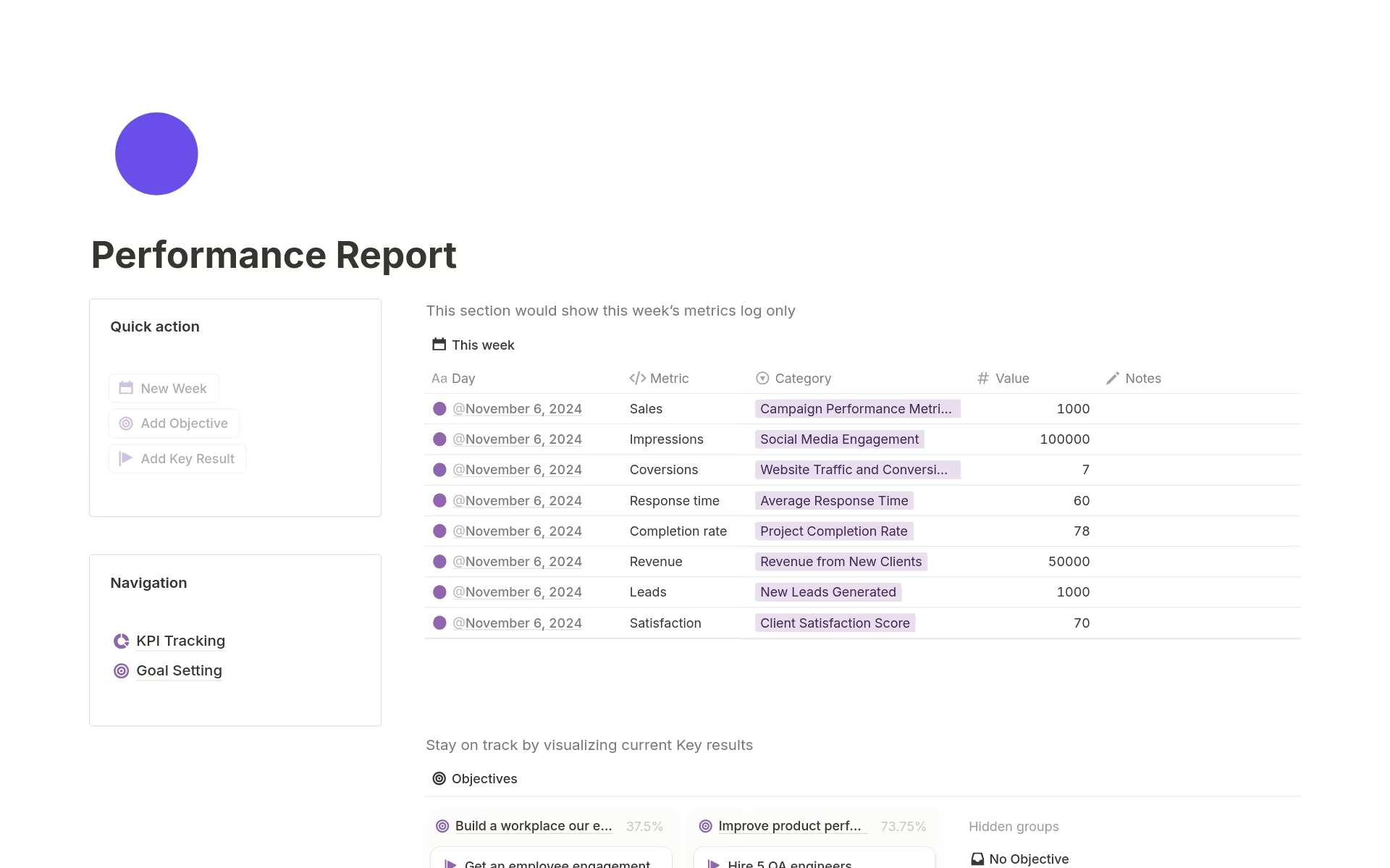
For an application that is essentially running an interconnected web of real-time databases and rich media, performance is surprisingly strong, but it has specific points of strain.
Speed and Load Times
Basic operations, like navigating between simple pages, adding text, or opening the command menu, are generally snappy.
However, performance degrades noticeably when you access large, interconnected relational databases.
Pages that pull in filtered data from three or four massive databases can take a few seconds to fully render and calculate, which can disrupt workflow during a high-stakes meeting.
This is a trade-off for the relational power the platform offers.
Reliability and Data Security
Notion maintains high availability, which is expected for a critical tool used for primary business data.
Data security is robust, offering enterprise-level controls like SAML SSO, audit logs, and granular access permissions on its higher-tier plans.
The system includes a solid version history, allowing users to roll back pages to previous states—critical when dealing with shared documentation.
For smaller teams, the page history is limited (7, 30, or 90 days depending on the plan), which is a hard limitation to be aware of.17
AI Performance
The integrated Notion AI features are fast. Generative tasks typically complete in under ten seconds, and the instant Q&A across the workspace is a genuinely impressive piece of engineering.
Its ability to process and synthesize information quickly elevates the platform from a database tool to a legitimate knowledge management system.
6. Pricing and Plans
Notion employs a standard per-user, per-month pricing model, with significant features locked behind tiers aimed at teams and enterprises.
The availability of a generous Free Plan is crucial. It’s perfect for individuals and allows light team collaboration, though it has limits on file size (5MB uploads) and guest collaborators.
It’s an ideal way to conduct a personal Notion review before committing the team.
The transition to the paid tiers primarily unlocks unlimited blocks for team use, increased file storage, longer page history, and advanced administrative features.
The pricing structure is clear and competitively positioned against other workspace or project management tools.
Here’s a breakdown of the current annual pricing, which offers a discount compared to monthly billing:
| Plan Name | Best Suited For | Key Feature Limits | Approximate Price (Annual/User) |
| Free | Individuals, light personal use | 10 guests, 5MB file upload limit | $0 |
| Plus | Small teams, power users | Unlimited blocks, 30-day page history, 100 guests | $10/user/month |
| Business | Growing businesses, multiple teams | SAML SSO, 90-day page history, Private Teamspaces | $20/user/month |
| Enterprise | Large organizations, regulated industries | SCIM, Audit Logs, Dedicated Manager, Unlimited History | Custom Quote |
It’s important to note the Notion AI features are often an add-on, priced separately, or have usage limits on lower-tier plans. For heavy AI usage, budgeting for the feature beyond the base per-user fee is necessary.
The Business plan is often the sweet spot for growing teams as it introduces crucial administrative and security tools for $20 per user per month.
7. Integrations and Compatibility
Notion’s approach to integrations is open and developer-friendly, which allows it to function as a central data hub connecting to specialized external applications.
Official Integrations
The platform maintains strong, native integrations with key workplace tools.
- Communication: Slack and Microsoft Teams are integrated for notifications and converting messages into Notion tasks or pages.
- Code and Development: Deep connections with Jira and GitHub allow engineering teams to link code repositories, track issues, and embed Synced Databases of live ticket status directly into a Notion roadmap.
- Media and Design: Embeds from Figma and Loom work seamlessly, allowing design mockups and video instructions to live directly within the documentation.
- Calendar: Notion Calendar (a standalone product linked to Notion) and Google Calendar sync is fully supported for scheduling and planning.26
API and Extensibility
Notion provides a robust, public API, which is the platform’s real long-term advantage. This API enables developers to:
- Build Internal Tools: Create custom connections to proprietary internal systems (e.g., HR tools or custom CRMs).
- Use Automation Platforms: Integrations with Zapier and Make (formerly Integromat) allow data to flow automatically between Notion and thousands of other third-party apps, automating repetitive tasks like moving form submissions into a Notion database or syncing project deadlines.
Notion is fully compatible across operating systems, offering dedicated apps for Web, macOS, Windows, iOS, and Android.
This ensures consistency across all devices, even if mobile editing is more tedious than desktop editing.
8. Product Specification

A concise summary of the critical operational details that define the Notion platform, particularly in its team-oriented configurations.
| Specification Category | Detail | Notes |
| Deployment Model | Cloud (SaaS) | Cross-platform access with native desktop and mobile apps. |
| Pricing Model | Per-User, Per-Month | Scalable tiers with a free plan for individuals. |
| Core Structure | Block-Based, Relational Databases | Unique flexibility to create custom pages and interconnected data systems. |
| Key Features | Notion AI, Multi-View Databases, Custom Templates. | AI is an add-on; databases include Board, Calendar, Timeline, and List views. |
| Guest Collaboration | Available, Tier-Limited | Guests can be invited to specific pages; limits increase with paid plans. |
| Security Features | SAML SSO, Audit Logs, Granular Permissions (Business+). | Essential for corporate governance and large-scale deployment. |
9. Pros and Cons
Notion’s design choices create a clear set of benefits and inherent drawbacks.
| Pros | Cons |
| Ultimate Flexibility | Significant Learning Curve |
| Can function as a wiki, PM tool, and database, replacing multiple apps. | Mastering database relations and complex formulas takes substantial time. |
| Powerful AI Integration | Performance Strain |
| AI accelerates drafting, summarizing, and internal knowledge search across the workspace. | Large, heavily interlinked databases can cause slow load times and latency. |
| Relational Database System | Weak Project Management Tools |
| Links different datasets for powerful tracking and cross-referencing. | Lacks native features like resource allocation and deep reporting found elsewhere. |
| Extensive Template Library | Limited Offline Functionality |
| Vast community resources allow fast onboarding with pre-built systems. | True offline access is limited, hindering use during travel or connection drops. |
| Strong API and Integrations | Per-User Pricing Model |
| Excellent connectivity to development and automation tools like Jira and Zapier. | Can become expensive for very large organizations compared to flat-rate alternatives. |
10. Customer Support
Customer support for Notion scales primarily with the subscription tier. Users on the Free and Plus plans rely heavily on the excellent, extensive online help center, community forums, and email support. Email response times are respectable on the Plus plan but not instant.
Moving to the Business plan typically unlocks priority support, meaning faster response times from the technical team.
For the Enterprise tier, customers receive a dedicated account manager and specialized technical support for complex deployments, security audits, and custom API work.
Given the depth of customization possible in Notion, most users, even experienced ones, will eventually encounter complex database or permission questions that require external help.
The platform’s reliance on community knowledge for complex template support is a strength, but for system-level issues, direct support, especially the priority service offered to Business and Enterprise customers, is essential.
11. Ideal Use Cases

Notion’s unique, flexible architecture makes it the perfect fit for specific types of users and organizations.
Startups and Small Teams
For a small team needing a place to manage everything—product roadmap, marketing notes, meeting minutes, and internal policies—without paying for five separate tools, Notion is incredibly efficient.
Its ability to serve as a comprehensive system at the Plus tier for a relatively low per-user cost is a strong value proposition.
Software Development and Product Teams
The deep integrations with GitHub and Jira, combined with the flexible database views, make it superb for product documentation, feature scoping, and roadmapping.
You can build a page that contains the final spec document, the related tasks in a Kanban board, and a live feed of linked bug reports all in one view.
Internal Knowledge Management
Notion functions as a world-class wiki and knowledge repository. The powerful search, coupled with the Notion AI Q&A feature, means employees can find complex, multi-page answers faster than ever before. This is particularly valuable for HR, onboarding, and engineering documentation.
Power Users and Freelancers
Individuals who manage complex personal or professional lives—freelancers managing multiple clients, power-user students, or personal developers—will appreciate the Free plan and the ability to build sophisticated, highly customized trackers and dashboards for a cost of $0.
12. Alternatives
When considering a Notion review, it’s helpful to compare it against alternatives that specialize in the functions Notion attempts to unify.
| Software Name | Primary Focus | Best For | Trade-Offs vs. Notion |
| Confluence | Enterprise Wiki and Documentation | Large, established enterprises needing deep Atlassian ecosystem integration. | Significantly less flexible for project management, no native multi-view databases. |
| Airtable | Spreadsheet-Database Hybrid | Teams prioritizing structured data, forms, and custom application building. | Documentation/page editor is less robust and fluid than Notion’s block editor. |
| Coda | Document-App Hybrid | Teams that need to embed live transactional data and complex formulas into documents. | Less developed ecosystem of templates, and the free tier is more restrictive. |
| ClickUp | All-in-One Project Management | Teams prioritizing pre-built task management, native reporting, and feature breadth. | Can suffer from greater feature bloat; customization is often less fundamental than Notion’s database structure. |
Notion sits distinctly between a spreadsheet-database tool like Airtable and a pure document wiki like Confluence, offering more fluidity than the former and more structure than the latter.
13. Bottom Line: Our Verdict
The Notion review for 2026 confirms its status as the premier flexible workspace platform available today.
Its block-based architecture and powerful relational databases give teams the unprecedented ability to design their operational systems from the ground up, merging documentation, project tracking, and knowledge sharing seamlessly.
The addition of robust, deeply integrated Notion AI features dramatically increases its productivity value, particularly in content generation and rapid knowledge retrieval.
However, its immense flexibility remains its critical weakness: successful adoption requires significant upfront effort to define structure and train users.
Teams that are comfortable with a blank canvas and prioritize customization and consolidation will find Notion indispensable.
If your goal is a single, unified system that can genuinely replace three or four disparate tools, and you have the discipline to build and maintain the structure, Notion is the solution.
You May Also Like:
- Zoho Projects Review 2026 – Features, Pricing & Verdict
- Basecamp Review 2026 – Features, Pricing & Verdict
- Teamwork Review 2026 – Features, Pricing & Verdict
Frequently Asked Questions
How does Notion AI actually help my team?
Notion AI is integrated to assist with content creation, summarization, and retrieval. It can quickly draft meeting notes, translate complex technical documents into simple summaries, or instantly answer questions by searching across your entire Notion review knowledge base, significantly reducing the time spent searching and drafting.
Is there a block limit on the Free Plan?
No, for individual users, the Free Plan offers unlimited blocks and pages. However, if you invite collaborators or guests to your personal workspace, there is a limit of up to 10 guests and a size restriction on file uploads (5MB maximum per file).
Can Notion fully replace dedicated project management software?
Notion can replace the functionality of dedicated task trackers by creating custom databases with Kanban, Gantt, and list views. However, it lacks specialized features like native resource allocation, complex budgeting tools, and advanced reporting found in traditional PM software. It’s better suited for project management in product and content teams than in construction or consulting firms.
What is the real difference between Plus and Business pricing?
The primary difference between the $10/user/month Plus plan and the $20/user/month Business plan is security and administration. Business unlocks essential corporate features like SAML Single Sign-On (SSO), private teamspaces, and a longer 90-day page history, which are non-negotiable for most regulated or large organizations using Notion for critical operations.
Notion Review
Notion is a deeply flexible, AI-powered unified workspace that excels at consolidating documentation, databases, and project tracking for teams willing to build their own structure.
Price: 10
Price Currency: USD
Operating System: Web, macOS, Windows, iOS, Android
Application Category: BusinessApplication
8.5