



Workflow optimization examples are really just blueprints for reducing friction, getting work done faster, and using your team’s time for things that actually matter.
It’s not about buying expensive software or forcing people into rigid, complex systems they hate.
It’s about looking at how tasks actually move through the office or the factory floor and asking a simple, honest question: Why are we doing it this way?
Every minute spent waiting for an approval that could be automated, every time data is copied from one spreadsheet to another, every single email thread that goes on for six days for a simple yes or no, that is wasted energy.
That is where money leaks out of the business. You need to identify those bottlenecks, clear them out, and create a smooth, predictable path from start to finish.
The whole goal of workflow optimization is to make the daily grind less of a grind, to reduce the internal stress that comes from unclear handoffs and manual error checking.
It’s about building reliable, repeatable processes that let your people focus on creativity and complex problem solving, not repetitive administrative tasks.
1. Mapping the Current State

You cannot fix a process you haven’t truly understood. You have to physically map out the current workflow, and I mean every single step, even the informal ones.
The Actual Path of Work
Forget the documented procedure for a minute. Sit down with the people who actually do the work every day. Ask them to walk you through the process for something critical, like onboarding a new client or fulfilling a large order.
You need to document what I call the shadow processes. That’s the extra email they send just to cover themselves, the manual log they keep because the software is clunky, or the fact that the form always gets printed out, signed by hand, scanned, and then emailed back.
That scan print cycle, oh man, that’s where people start to slow down.
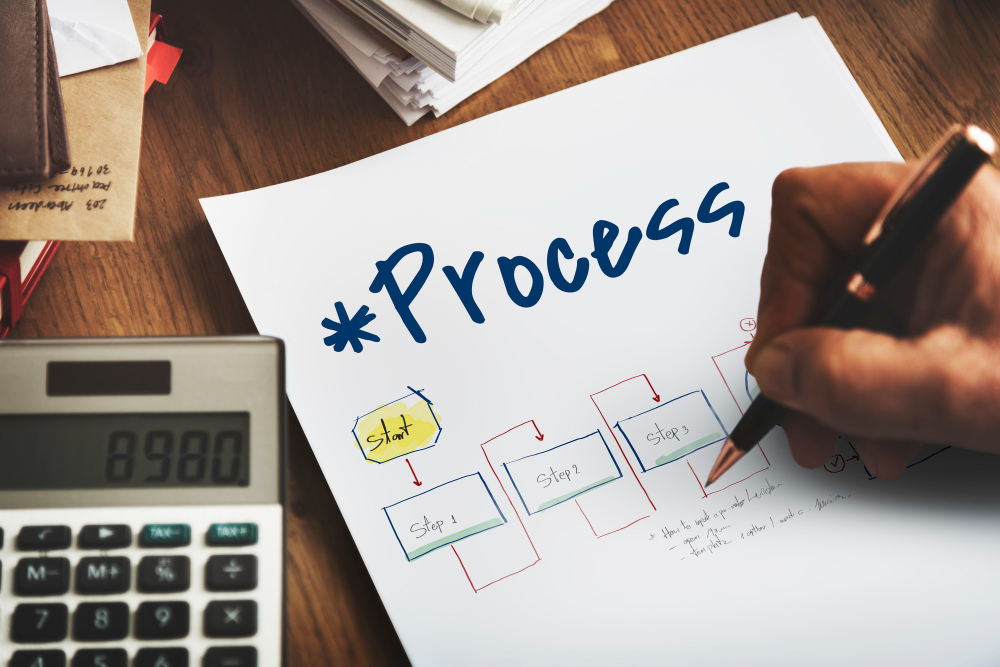
Use simple tools, a whiteboard, sticky notes, or basic Business Process Model and Notation (BPMN) software if you must, but keep it visual.
Draw boxes for tasks, arrows for the flow, and diamonds for decision points.
Identifying Friction Points
As you map the workflow, pay close attention to where the flow breaks down or slows to a crawl. These are your friction points.
Look for:
- Handoffs: Any time work moves from one person or department to another, that’s a potential bottleneck. Is the recipient ready for it? Do they have all the information they need?
- Rework: Does the team frequently have to send a document back to the previous step because of missing information or errors? That’s wasted time, pure and simple.
- Wait Times: How long does a form sit in someone’s inbox waiting for approval? Measure the actual clock time, not the effort time. Waiting is usually the largest waste in any process.
- Redundancy: Is the same data entered into three different systems? Copying and pasting is a major source of error, and a fantastic target for workflow optimization examples.
Collecting Real Data
Your gut feeling is not enough. You need metrics. How long does the average process take now, end to end? How many errors occur per 100 transactions? What is the average cost per transaction?
This baseline data is critical. Without it, you can’t measure the success of your workflow optimization examples. You need hard numbers to prove that the change you made actually delivered a tangible improvement in speed or quality.
2. Eliminate and Simplify Tasks

After mapping, the absolute first step is subtraction. Before you automate anything, before you buy any tool, you must delete unnecessary work.
Deleting Non-Value Activities
Look at every task box on your map and ask: Does the customer care about this? If the answer is no, it’s a candidate for elimination.
- The monthly status report that nobody reads, delete it.
- The mandatory check-in email that duplicates a dashboard report, delete it.
- The redundant sign-off from a supervisor whose team isn’t even affected, delete it.
Many processes have accumulated historical artifacts, steps that were necessary five years ago but are now meaningless. They just survive out of inertia. Cut them out entirely.
Standardizing Inputs
One of the greatest sources of variation and error is inconsistent inputs. If a client submits a request by email, on paper, through a web form, and by phone, your team has to spend time normalizing that data. That’s inefficient.
You need to standardize the intake mechanism. Force all requests through a single, structured form or portal that requires mandatory fields to be completed.
This automatically eliminates the back and forth for missing data, a classic, simple win in workflow optimization examples.
You can feel the difference when you standardize. It reduces the stress of starting a task because you know exactly what information you have, every time.
Simplifying Decision Points
Look at the diamonds on your map, the decision gates. Are they complex? Do they involve multiple stakeholders or subjective criteria? Complexity kills speed.
Try to simplify the decision logic. Can a decision be made by one person instead of three? Can the threshold for approval be raised so that only truly high value or high risk items require senior review? Maybe everything under $5,000 is auto-approved by the line manager.
The idea is to make the path forward straight and clear.
3. Automate Manual Handoffs
This is where you start to see the real speed gains. Automation in the context of workflow optimization examples is often less about complex robotics and more about linking existing software together so people don’t have to be human glue.
Integrating Existing Tools
You probably have great tools already: a CRM, an accounting system, an email platform. But they likely don’t talk to each other, forcing staff to copy data between them.
Use basic integration tools like Zapier or Microsoft Power Automate to create simple triggers.
- When a sales order is marked “Closed Won” in the CRM, automatically create a new project in the project management tool.
- When a customer submits a support ticket, automatically create a corresponding record in your logging system.
- When an invoice is paid in the accounting software, automatically send a “Thank You” email from the marketing platform.
This automation eliminates errors from manual data entry and drastically reduces the waiting time between steps. It feels like magic when you first set it up, but it’s just logical linking.
Rule Based Automation
Many administrative tasks are entirely predictable, requiring no human thought. These are perfect targets for automation.
- Routing: An incoming support ticket with the word “Invoice” in the subject line should be automatically routed to the finance queue. A ticket with the word “Bug” goes to engineering.
- Reminders: If a project task is not updated within three days, an automated reminder goes to the assigned person.
- Basic Approvals: If a vacation request falls within the allowed limits, the system can send an automatic provisional approval, only routing it to a manager if it conflicts with someone else’s leave.
These are simple workflow optimization examples that free up human time from endless monitoring and notification. I feel physically lighter when I get rid of recurring reminder tasks.
Document Generation
Generating standard documents is a time thief. NDA contracts, basic service agreements, offer letters, standard quarterly reports.
These documents often use the same templates but require injecting unique data from a database.
Automate the generation of these documents. A service can pull a client name from the CRM, an amount from the finance tool, and a start date from the project tracker, and generate a final PDF instantly. This not only saves time but virtually eliminates the chance of template errors.
4. Deploy Dedicated Workflow Tools

While integration helps, sometimes you need a system designed specifically to manage flow, especially for complex processes that involve many stakeholders and compliance requirements.
Low Code Platforms
Dedicated low code or no code workflow platforms, like tools in the Microsoft Power Platform or various BPM suites, are designed to visually build and manage complex business logic.
They force you to think about the process flow visually. They manage the state of the work, ensuring a document cannot proceed to Step 4 until Step 3 is fully complete and approved.
This built-in governance is critical for high risk processes like compliance reviews or financial approvals.
These tools also provide audit trails automatically. You can always see who did what and when, which satisfies internal governance and external regulatory requirements.
Standardized Task Queues
Stop relying on email inboxes to manage tasks. Email is a communication tool, not a workflow tool, and that’s a mistake too many businesses make.
Implement a centralized task management system. When a task is generated, it lands in a defined queue for the relevant team or individual. The system manages priority, deadlines, and notifications.
When a person finishes their part of the process, they simply click “Complete,” and the task moves instantly to the next person’s queue.
This eliminates the “Did you get my email?” anxiety and creates measurable accountability across the process. These clear transitions are important workflow optimization examples.
Visualizing Bottlenecks
A good workflow tool gives you real time visibility into the process flow, often using a Kanban board or a similar visualization.
You can see immediately where the work is stacking up. If twenty client onboarding tasks are sitting in the “Legal Review” column, you know your legal department is the bottleneck, not the sales team.
This visibility allows for quick, targeted intervention, like reassigning resources or training the bottlenecked team.
5. Measure and Benchmark Performance

You need to know if your optimization efforts are working. You need to return to the metrics you collected in step one and see how they’ve changed.
Key Performance Indicators (KPIs)
Focus on measuring the outcomes that matter most for that specific workflow.
- Cycle Time: The total time from process initiation (e.g., client signs contract) to process completion (e.g., project officially starts). This is the clearest measure of efficiency.
- Error Rate: The number of times the process had to loop back for correction, or the number of defective outputs. Lower error rates indicate successful standardization.
- Cost Per Process: The total labor hours (and associated cost) required to complete one cycle of the workflow.
Measure these KPIs before you implement changes and then after a stabilization period. If the cycle time hasn’t dropped, you didn’t fix the right problem. Be honest about the results.
Establishing Benchmarks
Use the data you collect to set internal benchmarks. If the average invoice approval currently takes 48 hours, set a target to get it down to 4 hours.
These benchmarks provide a clear, measurable goal for the team involved. When the team hits the 4 hour mark, you celebrate and then you set the next target, maybe 3 hours.
Optimization is not static, it’s a continuous loop of improvement, always pushing for that next level of operational efficiency.
Regular Process Audits
Processes drift. People find new shortcuts, or old, eliminated steps creep back into the routine. You need to audit the process periodically to ensure the workflow you designed is the one actually being used.
Ask the team to walk you through the process again six months later. If they are still sending the shadow email, you know the original automation or simplification didn’t fully stick.
You then need to adjust the tool or the training.
This active monitoring is what separates temporary fixes from sustainable, repeatable workflow optimization examples.
6. Embrace a Culture of Process Ownership
The best workflow design in the world will fail if the people using it don’t feel like they own it. The responsibility for continuous improvement can’t sit solely with a management team.
Empowering Process Owners
For every major workflow, assign a specific Process Owner who is responsible for the health of that process. This should be someone close to the work, not a senior executive.
It could be a team lead or a high performing individual contributor.
The Process Owner is responsible for gathering feedback, suggesting improvements, tracking the KPIs, and liaising with IT if the automation tools break.
This decentralizes the effort and ensures the workflow is constantly being monitored by someone with skin in the game. That’s how you build momentum for your workflow optimization examples.
Continuous Feedback Loops
You need a simple, non-threatening mechanism for staff to report frustrations and suggest improvements. This can be a dedicated Slack channel, an anonymous feedback form, or a standing item on a team meeting agenda.
The people doing the work are the true experts in its failures. Their subjective frustration, their sigh when they hit a certain part of the form, that’s actually invaluable data.
Listen to the small complaints, because they are often indicators of massive inefficiencies.
I think the physical feeling of frustration, that knot in my stomach when I have to do a repetitive task for the fifth time, that’s often the best trigger for a new optimization project.
Investing in Training
When you introduce a new, optimized workflow, you need comprehensive training. Don’t just send an email with a new procedure document.
Explain the why behind the change. Show them the old process map and the new one. Demonstrate how the new automated flow frees up their time for more rewarding work.
People resist change when they don’t understand the benefit to them.
If they see how the new system cuts out their three hours of data entry every week, they will champion the optimization.
7. Strategic Process Selection

You can’t optimize everything at once. You have to pick your battles carefully to get the maximum return on your time investment.
High Impact, High Frequency
Start with the workflows that happen frequently and cause the most pain. These are the sweet spot for your first workflow optimization examples.
- The process is executed 50 times a day.
- It currently requires 3 manual approvals.
- It frequently results in customer complaints or missed deadlines.
Fixing a high frequency, high friction process will immediately free up team time and quickly build confidence in the optimization effort. That positive result, that early win, is necessary to get buy-in for harder projects later on.
External Source Insights
Take a moment to look outward. What are established industry benchmarks for similar processes? An authoritative external source, like a major consulting firm’s annual report on supply chain efficiency or Deloitte’s studies on digital finance processes, can offer powerful external validation for your targets.
If the industry average for closing the books is 5 days, and your team takes 15, you know exactly where to prioritize your efforts.
You don’t need to copy their process exactly, but external data helps set ambitious, yet realistic, goals for speed and quality improvement.
The Phased Rollout
Never roll out a major workflow change company wide all at once. It’s too risky. You need a phased, controlled approach.
- Pilot: Implement the new workflow with a small, trusted team. Let them test it, find the bugs, and provide unvarnished feedback.
- Adjust: Fix the process based on the pilot feedback. You will always find something that wasn’t covered in the initial design.
- Wider Deployment: Roll it out to one department or geographic region at a time. This manages the disruption and allows your support team to handle issues in manageable chunks.
This measured approach ensures the optimizations actually stick and become permanent, positive changes to your operation.
You May Also Like:
- Is Hot Desking Dead? Why Hybrid Work Is Changing Everything
- Hot Desking Etiquette: Rules Every Office Needs
- How Hot Desking Impacts Employee Productivity
Frequently Asked Questions
What are good workflow optimization examples to start with?
Great starting workflow optimization examples include automating sales handoffs to the project team, creating standardized client onboarding forms, setting up automated document generation for contracts, and using Multi Factor Authentication for all data access.
How do I identify a process bottleneck?
A process bottleneck is identified by mapping the current workflow and measuring the wait time between steps. If work consistently piles up at a specific approval gate or department, or if a task has a long cycle time, that is a clear bottleneck.
What is the purpose of a Process Owner?
The Process Owner is an individual close to the work who is formally responsible for the health, performance, and continuous improvement of a specific workflow. They are the go-to person for feedback, metrics tracking, and driving adoption of all workflow optimization examples.
Does optimization mean replacing staff with automation?
Not usually. In practical workflow optimization examples, automation removes repetitive, low value tasks like data copying and sending reminders, allowing staff to spend more time on complex problem solving, creativity, and direct customer engagement, which provides much greater value.
What is Data Minimization in workflows?
Data Minimization is the principle of only requiring and collecting the essential data needed to complete a task. Optimizing a workflow means removing any step that asks for unnecessary information, which reduces human effort and lowers the risk of data entry errors.