

Workable serves as a comprehensive applicant tracking system designed to handle the logistical challenges of modern hiring.
Companies frequently struggle with the sheer volume of resumes coming in from various job boards, and this platform attempts to consolidate those streams into a single manageable interface.
It focuses on reducing the manual labor associated with posting jobs, tracking candidate progress, and coordinating interview schedules.
By automating the repetitive parts of the recruitment process, the software aims to give hiring teams more time to actually speak with people rather than just moving data between spreadsheets.
The system provides tools for sourcing passive candidates, conducting video interviews, and managing offer letters all in one place.
2. Overview – Workable Review
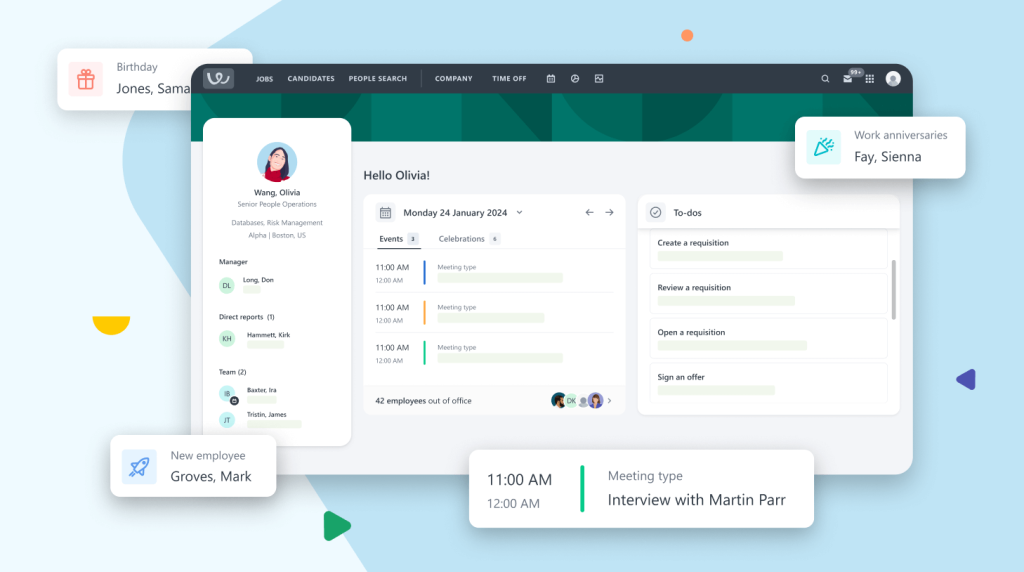
Workable provides a scalable environment for companies of all sizes to manage their recruitment pipeline.
The platform is built around a visual hiring pipeline that allows users to drag and drop candidates through different stages of the process.
It includes built in tools for automated job posting to over two hundred sites, AI powered candidate sourcing, and mobile capabilities for hiring on the go.
The pricing starts at $149 per month for the basic plan, which covers smaller teams needing essential hiring tools.
| Positive Aspects | Areas for Improvement |
| Fast job board distribution | Higher price for premium |
| Intuitive mobile application | Limited report customization |
| Strong AI sourcing tools | Integration setup takes time |
| Clean candidate communication | Bulk actions are restricted |
| Simple offer management flow | Some features cost extra |
3. Why You Can Trust Us
We evaluate software by looking at how it performs under actual daily workloads. Our analysis is based on a technical breakdown of features, a comparison of market pricing, and a deep look into user interface efficiency.
We avoid marketing claims and focus on the practical reality of using these tools. This review is built on objective data points and a thorough examination of the recruitment workflow to ensure you receive a clear, factual assessment of how the software functions in a professional environment.
4. Key Features
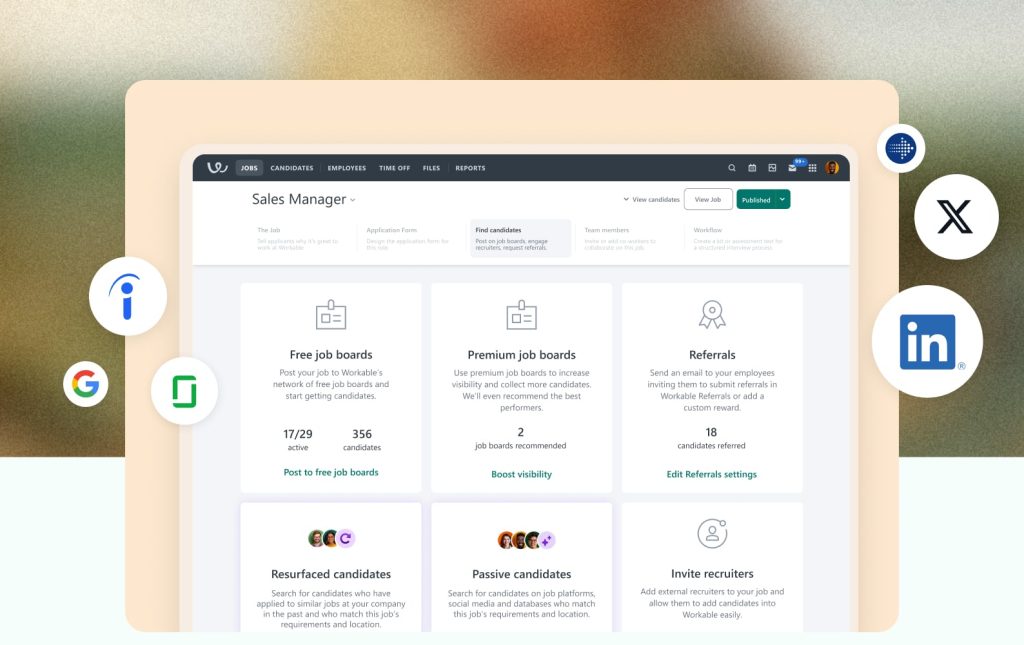
The candidate sourcing capability stands out because it does not just wait for people to apply. The tool scans millions of public profiles to find individuals who match the job description but might not be looking for a new role. This proactive approach helps build a pipeline before a position even becomes urgent.
Automated job posting is another major component. Instead of logging into dozens of individual job boards, you write the description once and push it out to LinkedIn, Indeed, and Monster simultaneously. This saves hours of manual entry and ensures that the formatting remains consistent across every site.
Video interviewing tools have been integrated directly into the platform. This means you can send out requests for one way video interviews where candidates record their answers to specific questions.
It acts as a great screening layer before you commit to a live call, helping to identify strong communicators early in the sequence.
The mobile app is surprisingly capable. Most HR software has a stripped down mobile version, but here you can actually review resumes, leave comments for your team, and move candidates through the pipeline while away from your desk.
It feels responsive and does not sacrifice functionality for portability.
E-signatures and offer letters are handled within the system. Once you find the right person, you can generate an offer letter using a template, send it out for a digital signature, and track its status.
This eliminates the need for external document signing services and keeps the entire hiring history in one record.
5. User Experience
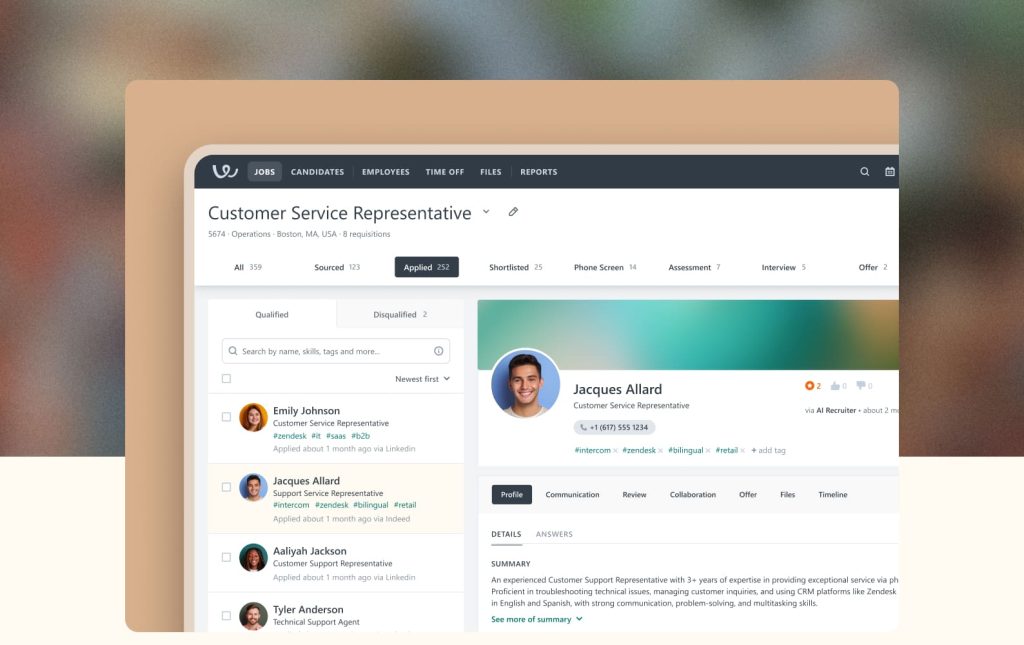
Navigating the interface feels natural because the layout follows a logical progression. From the moment you log in, the dashboard shows you exactly which jobs are active and how many new applicants need attention.
The use of a Kanban style board for the hiring pipeline makes it easy to see where bottlenecks are happening.
Adding team members to a hiring loop is straightforward. You can tag colleagues in comments, share candidate profiles, and collect feedback in a centralized thread.
This prevents the common problem of feedback being lost in internal emails or chat messages.
The candidate experience is also a priority. The application forms are short and mobile friendly, which reduces the number of people who quit halfway through the process.
Clear communication templates allow you to send updates to candidates quickly, which helps maintain a professional reputation even when you are rejecting applicants.
There is a distinct lack of clutter in the menus. Many enterprise tools suffer from over-engineering, but this platform stays focused on the task at hand.
Everything you need for a specific job is housed under that job’s tab, including the description, the applicants, and the team members involved.
6. Performance and Reliability
Speed is a critical factor when dealing with large databases of candidates. The search function reacts quickly, even when filtering through thousands of profiles using complex criteria like location, skills, and experience levels.
Page loads are consistent, and we rarely see the lag that often plagues cloud based HR tools during peak hiring seasons.
Data security is handled through standard encryption and compliance protocols like GDPR. This is vital for any company operating internationally or in sensitive industries.
The platform maintains high uptime, ensuring that job listings remain live and accessible to applicants at all times.
The synchronization between the desktop version and the mobile app is seamless. If you move a candidate to the interview stage on your phone, the change is reflected instantly on the desktop. This real time update system prevents double booking or sending conflicting messages to candidates.
Reporting performance is stable, though it can take a moment to generate very large exports. The visual reports provide a quick look at time to hire and source quality.
These metrics are processed accurately, giving the leadership team a reliable view of the recruitment budget’s effectiveness.
7. Products
The core offering is the Applicant Tracking System. This is the main engine used to create jobs, manage pipelines, and hire employees.
It is designed to be the central point of contact for all recruitment activities, from the initial draft of a job post to the final signature on a contract.
Workable Video Interviews is a standalone or integrated product that facilitates remote screening.6 It allows for both live and recorded sessions.
This is particularly useful for global companies or roles with a high volume of initial applicants where face to face meetings are not yet practical.
Branded Career Pages allow companies to create a professional looking hiring site without needing a web developer.
These pages are hosted by the platform and automatically update as you add or remove job openings. They provide a space to showcase company culture through images and text.
Employee Onboarding is a newer addition to the suite. Once a candidate is hired, this product helps transition them into the company.
It manages new hire paperwork, introductory tasks, and team introductions, ensuring that the first day is organized and productive.7
8. Pricing and Plans

Pricing for Workable is structured to grow with the company. The Starter plan is aimed at small teams with infrequent hiring needs.
It provides the basic tools required to get a job posted and manage a small number of applicants without a massive upfront investment.
The Standard plan is the most common choice for growing businesses. It includes more advanced features like AI sourcing and automated actions.
This plan is designed for companies that are constantly hiring and need to move faster than the manual processes allow.
The Premier plan is built for large organizations with complex needs. It offers advanced security, dedicated account management, and deep reporting. This tier is for those who need to integrate the hiring process into a much larger corporate infrastructure.
| Plan Name | Starting Price | Best For |
| Starter | $149 per month | Small businesses |
| Standard | Custom Quote | Growing companies |
| Premier | Custom Quote | Large enterprises |
9. Integrations and Compatibility
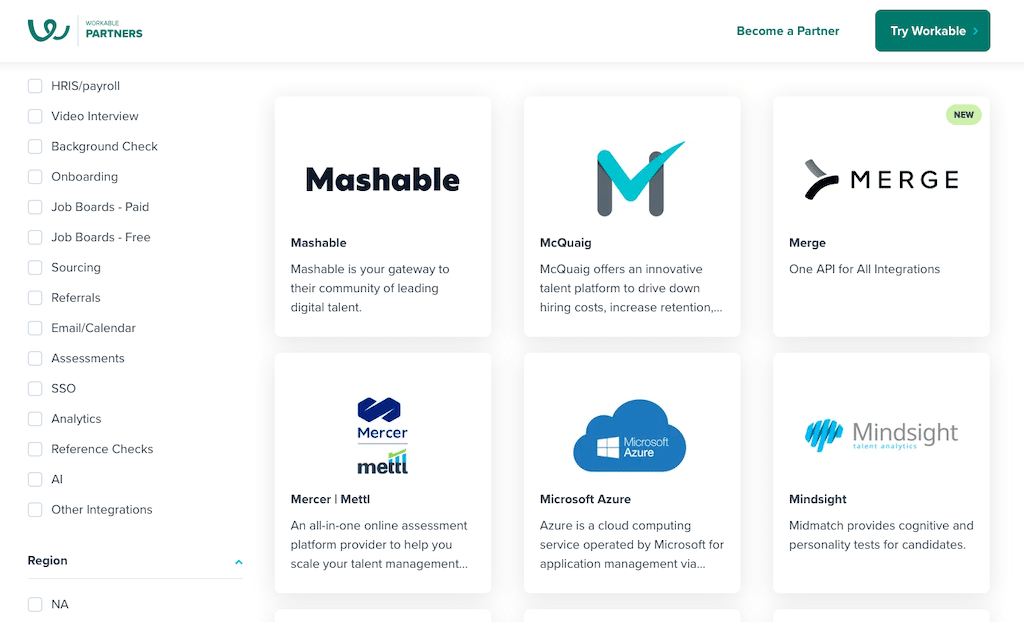
The platform connects with a wide range of third party tools to extend its functionality.
This includes background check services like Checkr, which allows you to run screenings directly from the candidate’s profile. You do not have to export data and re enter it into another system.
Email and calendar integration is a core requirement. It works with Gmail and Outlook, ensuring that when you schedule an interview in the software, it appears on your professional calendar.
It also tracks email conversations with candidates so the whole hiring team can see the latest updates.
For companies using Slack or Microsoft Teams, notifications can be sent directly to specific channels.
This keeps the team informed about new applications or scheduled interviews without them needing to constantly check the hiring dashboard.
Payroll and HRIS integrations are also available. Once someone is hired, their data can be pushed to platforms like BambooHR or HiBob.
This reduces the risk of data entry errors and speeds up the process of getting a new employee into the payroll system.
10. Product Specification
| Feature | Details |
| Deployment | Cloud based SaaS |
| Mobile Access | iOS and Android apps |
| Candidate Sourcing | AI powered search |
| Job Distribution | 200 plus job boards |
| Compliance | GDPR and CCPA |
| Support | 24 7 email and chat |
| Interviewing | Built in video tools |
| Languages | Multi language support |
11. Pros and Cons
The automated sourcing tool is a significant advantage. It identifies potential candidates who have the right skills but might not be actively looking, giving you a head start on difficult roles.
This reduces the reliance on expensive external recruiters for hard to fill positions.
The mobile app is one of the best in the industry. It provides a full range of actions, allowing hiring managers to stay productive during travel or between meetings.
The interface is clean and does not feel like a compromised version of the desktop experience.
On the downside, the cost can escalate quickly. While the starter price is reasonable, many of the more powerful features are locked behind higher tiers or require add on fees.
This can make budgeting difficult for mid sized companies with fluctuating hiring needs.
Reporting features are functional but somewhat rigid. If you need highly specific or unusual data visualizations, you might find the built in reports limiting.
You often have to export the data to another tool like Excel to get the exact view you want.
The setup process for integrations can be technical. While the software connects to many tools, getting everything configured correctly to match your existing workflows requires some time and attention. It is not always a one click solution.
12. Customer Support
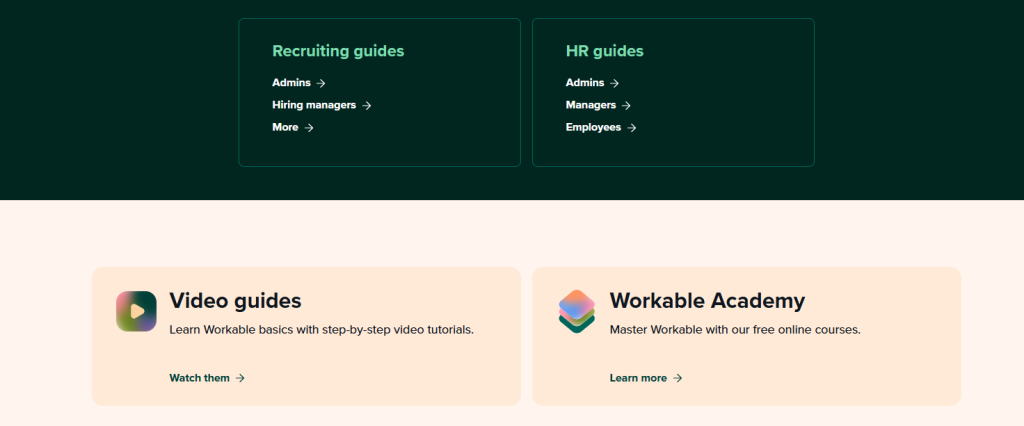
Support is available through multiple channels, including a comprehensive help center and direct contact options.
The help center is well organized, with articles that cover everything from setting up your first job to advanced API configurations. It is a good first stop for common questions.
Email support is responsive, with most queries receiving a detailed answer within a few hours.
The staff seems knowledgeable and avoids using scripted responses, which makes the interaction feel more productive. They can guide you through specific technical issues without a lot of back and forth.
Live chat is available on higher tier plans, providing immediate assistance during business hours.
This is useful for urgent issues, such as a job post not appearing correctly or a problem with a scheduled interview. The wait times are generally short.
For enterprise customers, a dedicated account manager is provided. This person acts as a single point of contact for the company, helping with onboarding, training new staff, and ensuring that the platform is being used to its full potential.
13. Ideal Use Cases

High growth startups find this platform particularly useful. When you need to hire dozens of people in a short period, the automation tools prevent the HR team from becoming overwhelmed.
The ability to quickly scale up hiring efforts is a major benefit in a fast paced environment.
Mid sized companies that have outgrown spreadsheets but are not ready for a massive enterprise resource planning system will find a good balance here.
It provides enough power to be professional without the complexity and long implementation times of older HR software.
Remote first companies benefit from the integrated video interviewing and digital offer management.
Since the entire process can be handled online, it supports a global hiring strategy perfectly. The mobile app also helps managers who are working across different time zones stay in the loop.
Retail and hospitality businesses with high turnover roles can use the automated screening tools to manage large volumes of applicants.
By setting up disqualifying questions, the system can automatically filter out candidates who do not meet basic requirements, saving the manager’s time for qualified leads.
14. Alternatives
| Software | Primary Focus | Best For |
| Greenhouse | Structured hiring | Large tech firms |
| Lever | Relationship management | Sourcing focus |
| BambooHR | General HR suite | Small businesses |
| JazzHR | Affordable ATS | Budget conscious |
15. Bottom Line: Our Verdict
Workable is a strong contender for any business that needs to professionalize its recruitment process. It strikes a good balance between powerful automation and ease of use.
While the pricing can be a bit steep for the premium tiers, the time saved on manual tasks and the quality of the sourcing tools often justify the investment.
It is a reliable, modern system that handles the complexities of hiring without making the process feel overly corporate or technical.
If your priority is a fast, mobile friendly pipeline with strong candidate discovery, this is one of the better options on the market.
You May Also Like:
- Top 40 Best Applicant Tracking System ATS Software 2026
- Folks RH Review 2026 – Features, Pricing & Verdict
- AvaRH Review 2026 – Features, Pricing & Verdict
Frequently Asked Questions
Is Workable easy to set up?
The initial setup is very fast. Most users can have their first job posted and their careers page live within an hour. The interface is intuitive, so there is not a steep learning curve for the hiring team.
Does it post to Indeed?
Yes, it automatically distributes your job listings to Indeed along with over two hundred other job boards. You can manage all the responses from these different sites within the single dashboard.
Can I use it on mobile?
Workable has a highly rated mobile app for both iOS and Android. It allows you to review resumes, leave feedback, and communicate with candidates from anywhere, making it very flexible for busy managers.
Is the sourcing tool included?
The AI sourcing tool is included in the Standard and Premier plans. It helps you find passive candidates by searching millions of online profiles based on the specific skills and experience you need for a role.
Does it handle offer letters?
The platform includes tools for creating and sending offer letters. You can use templates to ensure consistency and use digital signatures to finalize the hiring process without needing external software.
Workable
A powerful and intuitive hiring platform that excels in candidate sourcing and mobile management for modern teams.
Price: 299
Price Currency: USD
Operating System: Windows, macOS, iOS, Android
Application Category: BusinessApplication
8.9
Pros
- Fast job board distribution
- Intuitive mobile application
- Strong AI sourcing tools
- Clean candidate communication
- Simple offer management flow
Cons
- Higher price for premium
- Limited report customization
- Integration setup takes time
- Bulk actions are restricted
- Some features cost extra