

Greenhouse ATS Review 2026: Powerful Hiring Tools
 Published byNoura Mint ElySenior Technology ReporterNoura Mint ElySenior Technology Reporter Verified authorNoura Mint Ely is a Senior Technology Reporter at Desking, covering the latest developments in technology, artificial intelligence, enterprise software, cybersecurity, a…Author Profile

Ad disclaimer For links on this page, DESKING APP may earn a commission from the provider. This supports our work and has no influence on our editorial rating.
Greenhouse is a serious recruiting platform for companies that need hiring decisions to be consistent, measurable and accountable. Its strongest case is structured interviewing at scale, supported by a mature integration ecosystem and increasingly capable AI tools. The tradeoff is commercial: pricing is quote based, and smaller employers may pay for more process than they need.
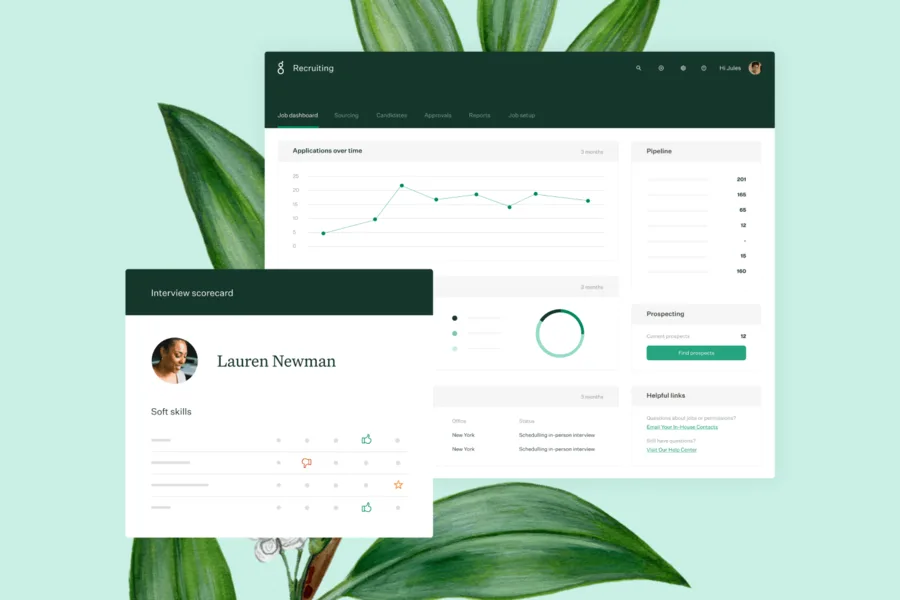
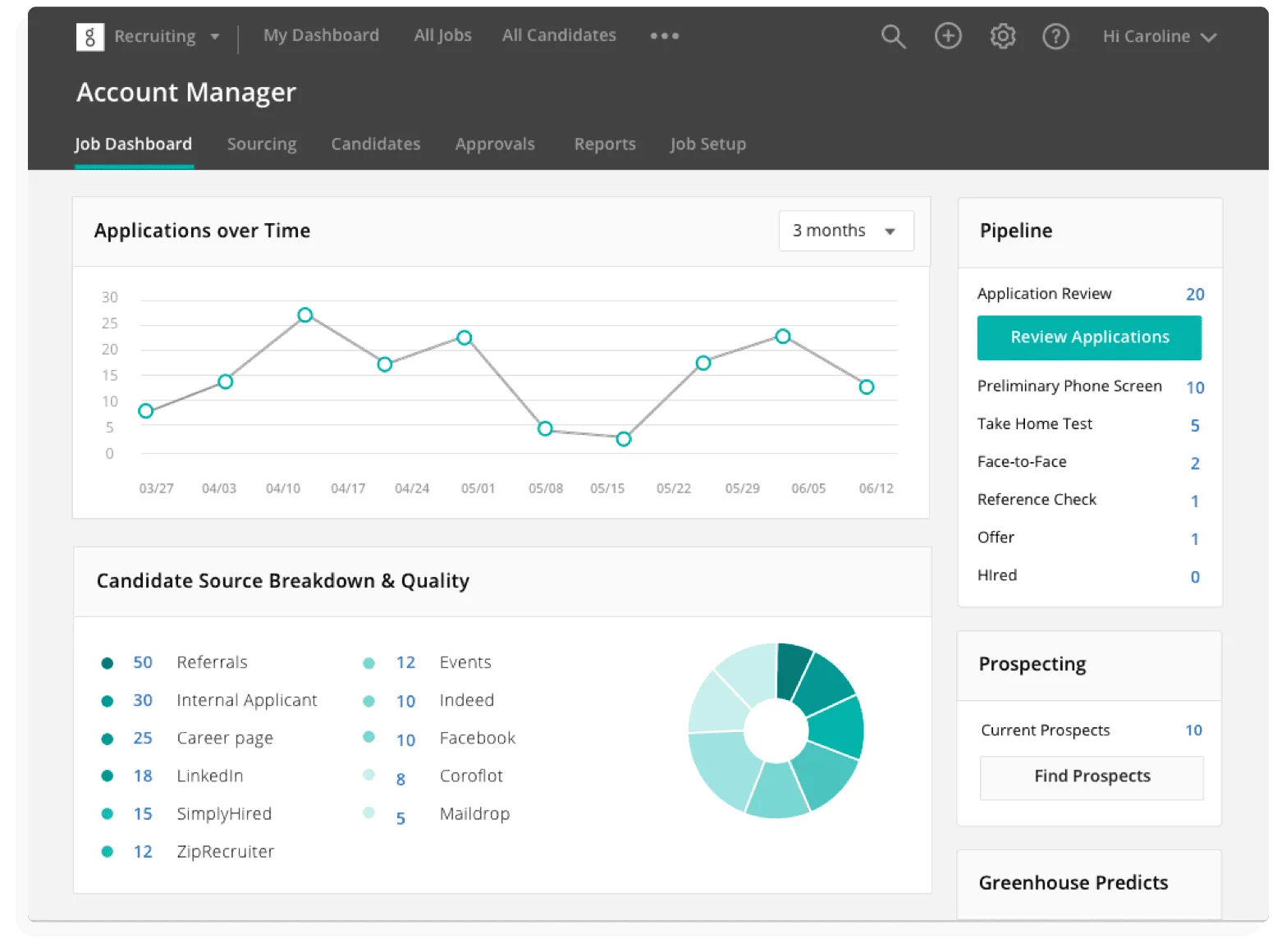
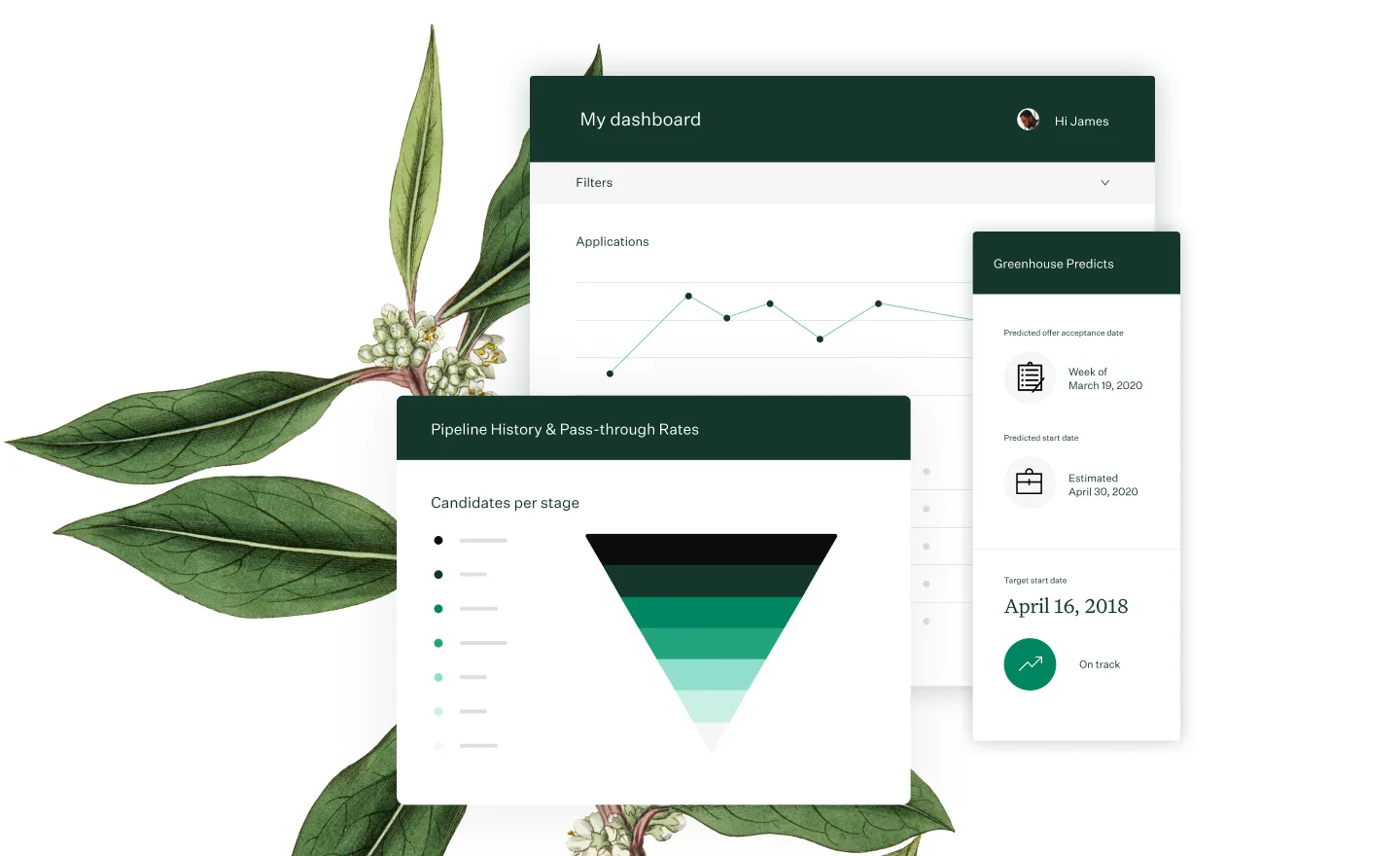
Table of contents
- 1. What is Greenhouse ATS
- 2. Why structured hiring matters
- 3. Candidate tracking and pipelines
- 4. Interview kits and scorecards
- 5. Sourcing and candidate CRM
- 6. Scheduling and interviewer coordination
- 7. AI tools and Notetaker
- 8. Reporting and recruiting analytics
- 9. Job boards and candidate experience
- 10. Integrations and APIs
- 11. Permissions and administration
- 12. Security and candidate privacy
- 13. Implementation and migration
- 14. Customer feedback and common complaints
- 15. Greenhouse pricing and plans
- 16. Greenhouse compared with alternatives
- 17. Who should buy Greenhouse?
- 18. Support and service commitments
- 19. The final buying decision
- Frequently Asked Questions
1. What is Greenhouse ATS
Greenhouse ATS is an applicant tracking and recruiting platform developed by Greenhouse Software, a New York based company founded in 2012 by Daniel Chait and Jon Stross.
The platform manages recruitment from candidate sourcing and job applications through interviews, offers and onboarding, with a particular emphasis on structured hiring, consistent evaluation and recruiting data.
Greenhouse has grown well beyond its early startup market: the company says more than 7,000 businesses use its platform, including Adyen, Block, GoDaddy, Booking.com and Duolingo, and that one billion applicants have passed through its structured hiring process.
Greenhouse remains privately held and received a majority investment from TPG Growth and The Rise Fund in 2021.
The product's defining idea is that hiring should be treated as a repeatable business process rather than a collection of recruiter preferences.
A job begins with agreed requirements.
Interviewers receive a defined set of questions and evaluation criteria.
Feedback is recorded against those criteria, then reviewed by the hiring team before a decision is made.
Greenhouse turns that method into a working system, linking job setup, candidate records, interview plans, scorecards, scheduling and reporting.
That distinction is the reason Greenhouse has earned a place in the upper tier of applicant tracking software.
Many ATS products can store resumes, move candidates between stages and publish vacancies.
Greenhouse puts more weight on the decisions made between those stages.
It is designed to make the hiring process visible to recruiters, hiring managers and interviewers, and to preserve a record of how candidates were evaluated.
I see the strongest case for Greenhouse in organizations where several people influence each hiring decision.
A company hiring a handful of employees each year may not need its level of process control.
A business hiring across departments, locations and job families has a different problem: it needs a consistent way to define roles, coordinate interviewers, compare candidates and understand where recruitment slows down.
Greenhouse is built for that second situation.
The product has also moved beyond the traditional ATS and CRM boundary.
Its current platform includes sourcing and candidate relationship management, structured interviews, AI assisted notes, talent matching, scheduling, reporting, candidate experience tools and onboarding capabilities.
The precise availability of advanced functions varies by subscription tier or add on.
That packaging matters because the platform's value is not determined by the number of features in a demonstration.
It depends on which capabilities are included in the contract and whether they solve problems the recruiting team actually has.
The central buying question is therefore straightforward: does the discipline Greenhouse introduces improve hiring enough to justify a custom priced platform and the work required to administer it?
My answer is yes for established recruiting operations that need consistency and oversight.
For a small employer that mainly wants to publish vacancies and track applicants, the answer is much less certain.
2. Why structured hiring matters
Greenhouse's strongest product decision is its insistence that the evaluation criteria for a role should be established before interviews begin.
The structured hiring model starts with a job kickoff, where the hiring manager and recruiting team agree on the role's objectives, the attributes associated with success and the responsibilities of each participant.
Those requirements are then reflected in the interview plan and scorecard.
This is more than a tidy way to organize recruitment.
It addresses a recurring weakness in interview processes: candidates can be judged by different standards depending on who interviews them.
One interviewer may focus on technical depth, another on communication and another on whether the candidate feels like a good cultural fit.
Without agreed criteria, the final discussion can become a contest of impressions rather than an assessment of evidence.
Greenhouse gives the hiring team a common framework.
A scorecard can contain skills, traits, qualifications and other attributes relevant to the position.
Those attributes can be grouped into categories, and specific focus attributes can be assigned to individual interviews.
Interviewers then submit feedback against the criteria rather than relying entirely on unstructured notes.
I consider this the product's most defensible advantage.
The value is not simply that a recruiter can collect feedback in one place.
The value is that the organization can establish what it is evaluating, make interviewers accountable for assessing it and compare feedback from different stages.
That is particularly useful when hiring managers are busy, interview panels are large or several departments use different recruitment practices.
There is a limitation, and it is an important one.
Structured hiring does not automatically make a hiring process fair.
Poorly chosen criteria can formalize poor judgement.
Interviewers can still apply inconsistent standards, ignore evidence or give inflated scores.
A scorecard can make those problems easier to identify, but it cannot remove the need for sound job design, interviewer training and management oversight.
Greenhouse's own guidance recommends a focused set of categories and attributes rather than an excessively long scorecard.
The practical lesson is to define a small number of meaningful evaluation areas for each role.
If an interviewer must complete dozens of fields after a 45 minute conversation, feedback quality may fall and completion may be delayed.
I would not buy Greenhouse simply because an organization wants a more modern ATS.
I would buy it when leadership is prepared to standardize how hiring decisions are made.
Without that commitment, the platform risks becoming an expensive record keeping system with elaborate scorecards that employees complete mechanically.
3. Candidate tracking and pipelines
The ATS portion of Greenhouse manages candidates as they progress through recruitment.
Recruiters can associate applications with jobs, organize candidates by hiring stage, review resumes, communicate with applicants and maintain a record of activity.
Hiring managers and interviewers can participate through permissions and assigned tasks, rather than receiving every candidate update through separate email conversations.
The pipeline is where the platform becomes operationally useful.
A recruiter needs to know which candidates have applied, which require screening, who is waiting for an interview and which decisions remain outstanding.
Greenhouse keeps those stages connected to candidate profiles and job records.
That gives the recruiting team a common view of progress and makes it easier to identify applications that have stopped moving.
The candidate record is also important beyond the current vacancy.
A person who was not selected for one position may be suitable for another later.
Greenhouse's sourcing and CRM capabilities allow recruiting teams to maintain relationships with prospects and candidates, rather than treating every application as a disposable record.
Its current plan structure includes sourcing and CRM in Core, while Plus adds capabilities such as sourcing automation and texting.
I would pay attention to duplicate records during any evaluation.
Candidate duplication is a recurring issue in ATS products because the same person may apply through different job posts, use another email address or be entered by a recruiter after being found through sourcing.
One Capterra reviewer described duplicate candidate tracking as a problem that made pipeline management harder.
The same reviewer also reported that resume parsing sometimes required manual correction.
That feedback matters because candidate records are only useful when they are accurate.
Duplicate profiles can split communication history, create confusion about application status and distort reporting.
Resume parsing errors can leave recruiters correcting information that should have been captured automatically.
Neither issue makes the platform unsuitable, but both deserve a place in a pilot acceptance checklist.
A sound evaluation should test how Greenhouse handles an existing candidate who applies for a second role, a referral who is already in the database and a resume with an unusual layout.
The recruiting team should also establish who is responsible for merging duplicates and correcting candidate information.
These are ordinary operational tasks, not edge cases.
The pipeline itself is not the differentiator.
Most serious ATS products have one.
Greenhouse's case is that pipeline activity is connected to structured evaluation, interview coordination, reporting and the candidate relationship record.
That creates a more coherent recruitment process, provided the organization maintains clean data and gives users appropriate access.
4. Interview kits and scorecards
Interview kits are the part of Greenhouse that hiring managers and interviewers are likely to notice most.
A kit brings together the information needed to conduct a particular interview, including job details, the candidate's resume, interview instructions, questions and a scorecard.
Interviewers can access the kit from the calendar invitation or through their Greenhouse dashboard.
This reduces the preparation burden on people who interview candidates occasionally.
A department head should not have to search through email threads to find the job description, candidate resume and questions for an upcoming conversation.
The kit places those materials in the same context as the interview task.
The scorecard then gives the interviewer a defined place to record feedback.
Greenhouse supports key takeaways, private notes and information intended for other interviewers, with permissions controlling who can see certain content.
Scorecards are required by default for each interview, although administrators can make them optional.
I regard the default requirement as a useful design choice.
When feedback is optional, busy interviewers often postpone it or submit vague comments after the hiring team has already formed an opinion.
Requiring a scorecard establishes an expectation that feedback is part of the interviewer's responsibility.
It also gives the recruiter a clearer way to identify missing evaluations before a candidate roundup.
The danger is turning the scorecard into a compliance exercise.
If interviewers are asked to rate too many attributes, they may fill in scores without writing meaningful evidence.
Hiring teams should keep questions relevant to the role and train interviewers to record examples from the conversation.
Greenhouse supplies the structure; the company still has to establish the quality standard.
The candidate roundup is where the collected feedback becomes a decision.
The hiring team reviews submitted scorecards, examines agreement and disagreement, and decides whether to progress, reject or make an offer.
Greenhouse's structured hiring guidance emphasizes discussing candidate attributes and asking interviewers to support vague assessments with examples.
I would make this workflow a central part of the buying demonstration.
Ask the vendor to show a job kickoff, the creation of a scorecard, the assignment of interview focus attributes, the interviewer experience and the final roundup.
If the people who make hiring decisions find the process cumbersome, the recruiting team will spend its time chasing feedback instead of improving hiring quality.
The best implementation is not the one with the most elaborate interview kit.
It is the one that produces useful, timely feedback without asking interviewers to complete unnecessary administration.
5. Sourcing and candidate CRM
Greenhouse includes sourcing and CRM functions, which means recruiters can work with people who have not yet applied for an open position as well as applicants already moving through a hiring process.
That distinction matters for businesses that recruit specialist or senior roles, where the strongest candidates may not be actively searching for a job.
A recruiting CRM stores relationships with prospects, tracks engagement and gives recruiters a way to return to people who may be relevant for future vacancies.
Greenhouse's plan comparison includes sourcing and CRM in Core.
Plus adds Greenhouse Sourcing Automation, contact lookups and email automation, while the current product also describes prospect management and talent discovery capabilities.
I would distinguish the presence of a CRM from the depth of outreach automation.
A candidate database can preserve useful relationships, but it does not automatically replace a dedicated sourcing engagement platform.
One Capterra reviewer specifically criticized the lack of native candidate outreach sequences in their experience, explaining that recruiters may need another tool for multi step follow up campaigns.
That is a meaningful consideration for teams running sustained outbound recruitment.
If recruiters regularly build campaigns, personalize messages, schedule follow ups and measure response rates, they should verify exactly what Greenhouse Sourcing Automation includes and whether it meets their workflow.
The presence of sourcing and CRM in Core should not be interpreted as proof that every advanced outreach feature is included in that tier.
The Plus plan adds more explicit automation capabilities.
The value of that upgrade depends on the volume of proactive sourcing and the extent to which recruiters currently use separate tools.
A team that mainly processes inbound applications may not need the additional functionality.
A recruiting operation that maintains talent pools and regularly contacts passive candidates may benefit more.
There is also a data governance question.
Prospect records can remain in a recruiting database long after a vacancy closes.
The company should define retention periods, consent practices and rules for removing or updating outdated information.
A larger CRM can improve candidate relationships, but it also creates more responsibility for keeping those records accurate and appropriate.
Greenhouse's sourcing model is strongest when the CRM is connected to the rest of the hiring process.
A prospect can move into an active application without the recruiting team rebuilding the person's record in another system.
That continuity is useful, but the organization should still compare the depth of Greenhouse's outreach tools with specialist sourcing products before retiring an existing platform.
6. Scheduling and interviewer coordination
Interview scheduling is one of the most visible administrative costs in recruitment.
A single candidate may need conversations with a recruiter, hiring manager, technical interviewer and department leader.
Each participant has a calendar, availability constraints and sometimes a different time zone.
Coordinating those meetings manually can consume a surprising amount of recruiter time.
Greenhouse includes scheduling capabilities and candidate self scheduling.
Its product information describes scheduling links, interviewer limits and preferences, while its interview workflows connect the scheduled event with the interview kit.
The platform also supports integrations with calendar and scheduling services.
Self scheduling can reduce the back and forth between recruiter and candidate.
Instead of exchanging several messages to find a suitable time, the candidate can select from available slots.
Interviewer preferences and limits help the recruiting team avoid assigning too many interviews to the same person or booking meetings outside agreed availability.
The details matter.
Buyers should establish which calendar systems are supported in their contract, whether synchronization is one way or two way, how rescheduling works and what happens when an interviewer becomes unavailable.
They should also test time zone handling for candidates and interviewers in different regions.
One Capterra reviewer described rescheduling as tedious, saying that the process required setting up a new interview manually rather than using a native reschedule action.
The same reviewer found that some job description details were buried in multiple menus.
That is a useful reminder that scheduling automation should be judged by the full lifecycle, not just the initial booking.
A system may create calendar invitations efficiently and still make changes awkward.
Recruiters handle cancellations, interviewer substitutions and candidate requests throughout the week.
Those exceptions need to be as manageable as the first appointment.
I would ask for a live demonstration of a multi stage interview with at least three participants.
Then change the time, replace an interviewer and ask the vendor to show how the candidate and internal calendars are updated.
The recruiting team should also check whether the updated interview kit remains connected to the correct candidate and job stage.
Greenhouse is designed to keep scheduling within the wider recruiting record.
That is a better arrangement than treating the calendar as a separate administrative system.
However, the user experience should be tested carefully because a small amount of friction repeated across hundreds of interviews can become a material operating cost.
7. AI tools and Notetaker
Greenhouse has expanded its AI capabilities across interview preparation, scorecard completion, candidate matching, reporting and sourcing.
The current AI feature documentation lists scorecard summaries, keyword suggestions, interview question suggestions, scorecard attribute suggestions, job notes summarization, email generation and offer forecasting.
Some capabilities are available across all subscription tiers, while others depend on an add on or a higher plan.
Greenhouse Support
Greenhouse Notetaker is one of the more consequential additions.
It can record and transcribe supported interviews, then draft notes and summaries organized around the scorecard questions.
The aim is to let interviewers concentrate on the conversation while retaining a more complete record of what was discussed.
It can join supported Zoom, Google Meet and Microsoft Teams interviews, subject to configuration and candidate consent.
I like the connection between the transcript and the scorecard.
A generic AI meeting summary can be convenient, but it often produces a broad recap that does not help a hiring team evaluate a candidate against the requirements of a specific role.
Greenhouse's approach maps generated notes to the questions and attributes already defined for the interview.
That makes the output more relevant to the hiring decision.
The human review requirement remains important.
AI notes can misinterpret an answer, miss context or give disproportionate weight to a particular phrase.
Interviewers should review the transcript and generated content before adding it to a scorecard.
Greenhouse positions the scorecard as the formal evaluation record and leaves hiring decisions with people.
The Notetaker also introduces privacy and consent requirements.
Candidates provide consent through the relevant scheduling or availability request flow and can withdraw consent.
Permissions govern access to recordings, transcripts and notes, and administrators can configure retention up to 60 days.
These controls should be reviewed against the organization's legal and data retention policies before the feature is enabled.
Other AI functions have different purposes.
Scorecard summaries can surface agreement, disagreement and key quotes across interviewer feedback.
Keyword suggestions can help recruiters filter applications against role criteria.
Interview question suggestions and scorecard attribute suggestions can speed up job setup, while job notes summarization can reduce the effort involved in reviewing internal discussion.
Talent Matching compares resumes with a defined calibration, while its assistant can draft a calibration and filters from a plain language role description.
Greenhouse documents these functions as requiring the Real Talent add on across Core, Plus and Pro.
I would not evaluate Greenhouse AI by counting how many buttons contain the word AI.
The important question is whether each feature improves a decision or removes a task without introducing a new review burden.
Notetaker has a clear workflow benefit.
AI generated job descriptions and interview questions are more dependent on the quality of the input and the judgment of the recruiter.
The company also states that its AI system does not use personal customer data to train AI models.
That is a useful commitment, but buyers should still review the AI privacy documentation, data flows, subprocessors and retention settings.
A hiring system processes sensitive candidate information, and an AI feature should receive the same governance attention as any other service that handles applicant data.
8. Reporting and recruiting analytics
Recruiting reports are useful only when they answer questions that influence staffing decisions.
A talent acquisition leader may need to understand time to hire, source effectiveness, conversion between interview stages, recruiter workload, offer acceptance or the performance of individual hiring departments.
Greenhouse includes reporting and analytics in Core, with additional reporting capabilities and a Business Intelligence Connector in Plus.
Pro adds more advanced enterprise configuration and governance.
The distinction between standard reporting and advanced analysis is important.
Standard reports help teams monitor activity inside the recruiting process.
A Business Intelligence Connector is more relevant when the organization wants to combine recruiting information with data held in a separate analytics environment.
That could support workforce planning, finance reporting or broader human resources analysis, provided the required fields and data flows are available.
Greenhouse's newer AI report filters allow users to describe the information they want in natural language and receive suggested report filters.
The user can then review and adjust those filters.
The feature is available in Plus and Pro, not Core.
I would be careful about treating AI report filters as a replacement for a proper reporting model.
They may make it easier to find relevant records, but they do not resolve unclear definitions or inconsistent data entry.
If one department records a candidate rejection differently from another, a report can still produce misleading conclusions.
The organization needs agreed definitions for each stage and metric before it relies on cross department comparisons.
Customer feedback gives this area a mixed picture.
A Capterra reviewer from a financial services organization with 1,001 to 5,000 employees said that custom reports existed but still required several separate reports to be assembled manually.
The reviewer described limitations that made it difficult to produce the desired view in one report.
That complaint matters more in a large recruiting operation than in a small one.
A company with a few recruiters may be able to work around reporting gaps with spreadsheets.
A business managing hundreds of open roles may find manual report assembly expensive and difficult to govern.
The value of Plus or Pro therefore depends partly on whether the added reporting functions address the specific gaps the buyer has today.
A proper demonstration should include the reports the company actually needs.
Ask the vendor to show a source of hire report, stage conversion, time to fill, recruiter workload and a view segmented by department or location.
Then ask how those reports can be exported, scheduled and combined with external data.
I would also ask how historical data is treated when a job stage or reporting field changes.
Analytics become less reliable when definitions change without a clear record of the change.
Greenhouse has an extensive recruiting data model, but the buyer should understand which fields are configurable and how those changes affect existing reports.
The platform has the foundations for recruiting operations that want measurable processes.
The main purchasing risk is assuming that a long list of reports guarantees the exact analysis leadership expects.
Reporting requirements should be written into the evaluation, demonstrated with realistic data and confirmed against the plan being quoted.
9. Job boards and candidate experience
Greenhouse supports the publication of job opportunities and the collection of applications through the employer's recruitment process.
The candidate experience includes application workflows, job alerts, self scheduling and MyGreenhouse, where job seekers can maintain a profile and express interest in opportunities.
The product also supports candidate details such as name pronunciation, personal pronouns and preferred first name.
This matters because the application process is often the candidate's first direct interaction with an employer.
A confusing form, repeated requests for the same information or unclear communication can create friction before a recruiter has reviewed the application.
A well managed application process should make it clear what information is required, what happens after submission and how the candidate can stay informed.
Greenhouse's candidate experience tools are connected to the recruiting record, which can reduce the need for separate systems to manage application status and communication.
Candidate self scheduling also gives applicants more control over interview availability.
The organization still has to write clear job descriptions, avoid unnecessary application questions and set reasonable response expectations.
The employer's careers site and job distribution process should be examined separately from the ATS pipeline.
Buyers should ask which job boards are included, which require separate agreements and whether posting rules differ by location.
They should also check how job descriptions are formatted across external boards and how changes to a vacancy are synchronized.
A candidate experience can be weakened by internal process delays even when the application interface is well designed.
If interviewers do not submit scorecards or hiring managers take several days to make decisions, candidates may wait without meaningful updates.
Greenhouse can help expose those delays, but it cannot force a department to respond promptly.
I would include a candidate journey in the evaluation, from finding a vacancy to receiving an application confirmation and choosing an interview time.
The team should check how the process works on a phone as well as a desktop, because applicants may complete the entire application on a mobile device.
The platform's candidate experience features are a useful part of its broader hiring model.
They should not be mistaken for a guarantee of a good candidate experience.
The quality of communication, speed of decisions and clarity of the recruitment process remain responsibilities of the employer.
10. Integrations and APIs
Greenhouse has a broad integration ecosystem covering HR systems, onboarding, job distribution, sourcing, screening, productivity, candidate experience and analytics.
The company describes hundreds of prebuilt partner integrations, while its integration guidance also supports custom connections through APIs and webhooks.
This ecosystem is one of the reasons Greenhouse is more suitable for established recruiting operations than for businesses that want a completely isolated ATS.
Recruitment rarely ends inside the ATS.
Candidate information may need to move to an HR information system after an offer is accepted.
Background checks, assessments, scheduling, sourcing and analytics may be handled by specialist products.
Integrations reduce the need for recruiters to copy information between those services.
The platform documents five APIs: Harvest, Job Board, Assessment, Ingestion and Onboarding.
These support different directions of data movement and different recruiting workflows.
The Harvest API is used to access and work with recruiting data, the Job Board API supports job board experiences, the Assessment API connects external candidate assessments, and the Ingestion and Onboarding APIs support additional data flows.
I would treat API access as a technical procurement issue rather than a simple feature checkbox.
The organization should identify which systems need to exchange data, what objects must be synchronized and which side owns each record.
It should also confirm authentication, permissions, rate limits, webhook behaviour and version support with its technical team.
Greenhouse's API documentation notes that older Harvest API versions are being retired.
That makes version management important for companies with custom integrations.
A custom connection that works today may need engineering work when an API version is deprecated.
The buyer should ask who maintains each integration and how the vendor communicates changes that affect production systems.
The Assessment API is a good example of how integrations extend the product.
It can connect external take home tests, coding assessments, video interviews and personality assessments to the recruitment workflow.
When a candidate reaches a configured stage, the external assessment service can be triggered, and its status can be reflected in Greenhouse.
For IT teams, this is a meaningful advantage.
The ATS can remain the main recruiting record while specialist tools perform their own functions.
However, integration availability does not mean every connection is included in every subscription or can be enabled without configuration.
Buyers should confirm the partner's fees, implementation work, data permissions and support responsibilities.
A practical integration inventory should identify each required connection, its business owner, technical owner, data fields, direction of synchronization and fallback procedure.
I would ask Greenhouse to demonstrate the two or three integrations that matter most to the organization rather than accepting a general marketplace presentation.
11. Permissions and administration
Recruiting software contains information that should not be visible to every employee.
A hiring manager may need access to candidates for a particular department, an interviewer may need only the materials for an assigned interview, and a recruiter may need broader access across open roles.
Greenhouse supports granular user permissions, interviewer groups and role based access controls.
This is especially important in larger organizations.
A business may have separate brands, subsidiaries, regional recruiting teams and different approval responsibilities.
The platform needs to support those boundaries without making routine collaboration difficult.
Greenhouse positions Plus for organizations adding teams, locations or brands, while Pro adds enterprise level data configuration, audit logs and developer sandbox capabilities.
I would ask the administrator to demonstrate the permission model using real job roles.
The exercise should include a recruiter, hiring manager, interviewer, department leader and system administrator.
Each account should be tested against the information it should be able to see, edit, approve or export.
Private notes deserve particular attention.
Interviewers may need a space for notes that are not shared with the full panel, while administrators may have specific permissions to view sensitive information.
The organization should define what belongs in private notes and establish a policy for handling sensitive or potentially inappropriate comments.
Technical permissions are not a substitute for clear recruiting standards.
Pro includes an audit log and developer sandbox with sync, features that become more relevant when the organization needs tighter governance and controlled integration development.
The audit log can support oversight of changes, while a sandbox gives technical teams a place to work on integrations and configuration without experimenting in the live recruiting environment.
The Pro tier is therefore not simply a larger version of Core.
Its value is tied to operational governance.
A company with several recruiters and one office may never need a developer sandbox.
A global organization with multiple business units, strict access requirements and custom integrations may find those controls necessary.
12. Security and candidate privacy
Greenhouse processes candidate resumes, contact details, employment histories, interview notes, recordings and other information that can be sensitive.
Security should therefore be evaluated as part of the procurement decision, not postponed until after the recruiting team has selected its preferred workflow.
The company's published security information lists single sign on, SCIM user provisioning, audit log API, permissions approvals, encryption in transit and at rest, annual third party penetration testing and a bug bounty program.
It also identifies annual SOC 1 Type 2 and SOC 2 Type 2 audits, alongside ISO 27001, ISO 27701 and ISO 42001 certifications.
These are meaningful controls, but a buyer should still review the actual security documentation and contractual commitments.
A certification does not answer every question about the specific service, data location, retention period or configuration used by an individual customer.
The security team should request the current audit reports or trust portal access, data processing agreement, subprocessor list and incident response commitments.
The AI features add another layer.
Notetaker processes interview content, while matching and screening related functions may process resumes, job descriptions and candidate information.
The organization should know which data is sent to each AI provider, what is retained and how access is controlled.
Greenhouse documents the providers and categories of data involved for its AI features, which gives buyers a useful starting point for that review.
I would make interview recording a separate approval decision.
Even when the feature is available, the employer needs a clear consent process, a retention policy and rules about who can access transcripts and recordings.
Greenhouse Notetaker supports candidate consent and configurable retention up to 60 days, but the employer must still determine whether that setting meets its own legal and policy requirements.
Privacy also extends to candidate deletion and data portability.
A recruiting database can contain people who applied several years ago, prospects who never applied and employees who were once candidates.
The organization should establish retention rules and ensure that requests to access, correct or delete information can be handled through a documented process.
For US employers, equal employment opportunity reporting and the handling of demographic information may also be relevant.
For UK and European operations, GDPR obligations and cross border data transfers need to be considered.
Greenhouse lists GDPR and other privacy frameworks among its compliance commitments, but the employer remains responsible for configuring and using the platform in accordance with applicable law.
Greenhouse's published security posture is a strength.
It does not remove the need for a formal vendor risk assessment, especially when the organization plans to use interview recording, AI matching or extensive custom integrations.
13. Implementation and migration
Greenhouse is a process platform, so implementation quality has a direct effect on the value the organization receives.
The company should not begin by importing every candidate record and reproducing every existing workflow.
It should first decide which hiring practices need to be standardized and which differences between departments are genuinely necessary.
I would start with a recruitment process map.
List the job approval stages, candidate stages, interview types, scorecard requirements, offer approvals and onboarding handoffs.
Identify which steps are common across the business and which need separate treatment.
This gives the implementation team a basis for designing job templates and permissions.
The next step is data preparation.
Candidate records, job histories, resumes, attachments and existing pipeline statuses need to be assessed before migration.
Duplicate records and inconsistent stage names should be resolved where possible.
Importing poor data into a new ATS does not make it clean; it simply moves the problem.
A practical rollout should proceed in a controlled sequence:
- Define the hiring process and agree on the standard stages for each major job family.
- Create job templates, scorecards, interview kits and approval rules using real recruitment requirements.
- Configure user roles, permissions, interviewer groups and single sign on.
- Map the required integrations, including calendar, assessment, background check and HRIS connections.
- Prepare candidate and job data, then agree on the migration scope and validation process.
- Train recruiters, hiring managers and interviewers on the tasks each group must complete.
- Pilot the system with a limited number of roles, review problems and correct the configuration before wider rollout.
The pilot should measure more than whether users can log in.
It should test whether recruiters can create jobs, move candidates, arrange interviews, collect feedback and generate the reports leadership expects.
Hiring managers should be able to review candidates without needing unnecessary administrator permissions.
Interviewers should understand the kit and scorecard without requiring repeated assistance.
Migration is also a contractual issue.
The organization should clarify what data can be exported, which fields and attachments are included and whether the vendor charges for assistance after the subscription ends.
A third party analysis of ATS contract terms has highlighted the importance of requesting Greenhouse data exports within the applicable contractual window and understanding the difference between a basic report and a complete record containing resumes and attachments.
I would make data portability a condition of purchase.
The contract should identify the available export methods, the time allowed after termination, any migration fees and the format in which candidate records will be delivered.
An ATS becomes a long term system of record, and leaving it should not depend on informal promises made during a sales conversation.
Implementation costs should also be separated from subscription costs.
The vendor should specify onboarding, configuration, training, integration development and migration services in the proposal.
If a business needs custom APIs or complex permissions, it should not assume that those tasks are included in the base subscription.
14. Customer feedback and common complaints
Greenhouse has a substantial independent review footprint compared with many recruiting platforms.
Capterra displays a 4.5 out of 5 rating from 786 reviews in its captured listing, while Gartner Peer Insights shows 4.3 out of 5 from 93 ratings.
TrustRadius lists 142 reviews.
These figures come from different platforms and should not be combined into a single score, but they provide a broader evidence base than a handful of isolated testimonials.
Positive feedback commonly focuses on candidate organization, interview kits, collaboration and the ability to keep hiring activity in one place.
One Capterra reviewer described the structured interview kits and integrations as useful for keeping searches organized when everyone follows the process.
“The structured interview kits make it easy to standardize feedback, and the integrations with our existing tools fit into the workflow without much friction.”
Verified reviewer on Capterra, senior recruiter, staffing and recruiting, 51 to 200 employees.
Capterra
That comment captures the product's central proposition.
Greenhouse works best when the hiring team adopts the same process.
The reviewer also makes the condition explicit: consistency depends on people using the system consistently.
The software cannot impose good hiring discipline simply by being installed.
Reporting is one of the more persistent criticisms.
A reviewer from financial services described the effort involved in combining several reports to produce the required analysis.
“There are many limitations that cause me to have to pull multiple reports and put them together instead of just doing one report.”
Verified reviewer on Capterra, HR senior coordinator, financial services, 1,001 to 5,000 employees.
Capterra
I take this complaint seriously because reporting limitations become more expensive as hiring volume increases.
A small company can tolerate manual exports.
A large talent acquisition function needs dependable reporting across departments, locations and job families.
Greenhouse's newer Plus and Pro reporting capabilities may address some requirements, but buyers should test the actual reports rather than assume that a plan upgrade solves every reporting problem.
Ease of use receives positive comments, although the interface is not free from friction.
A Capterra reviewer who had used the platform for several years praised the candidate workflow but found rescheduling and locating job details unnecessarily complicated.
“Rescheduling interviews is tedious”
Verified reviewer on Capterra, total reward lead.
Capterra
This is a small point in isolation, but recruiting involves repeated scheduling changes.
I would test rescheduling early in a trial or demonstration, especially if the company conducts a high volume of panel interviews.
TrustRadius feedback adds a different perspective from a hiring manager and interviewer.
One reviewer described the feedback process as simple for engineers who were participating in interviews and highlighted referral visibility.
“Greenhouse super simple when it comes to feedback on interviews”
Verified reviewer on TrustRadius, head of engineering.
TrustRadius
That is a useful sign that the platform is not designed only for full time recruiters.
Occasional interviewers can participate without learning an entirely separate recruiting system.
The same TrustRadius review, however, mentioned slow support responses and a desire for native video interviews at the time of writing.
Greenhouse has since added Notetaker support for video interviews through connected meeting services, so older feedback should be interpreted in the context of product changes.
Candidate data quality is another issue to test.
A Capterra reviewer reported duplicate candidate records and resume parsing that sometimes needed manual correction.
Those are practical problems because the ATS database becomes less useful when recruiters cannot trust the completeness of a profile.
The review evidence supports a balanced conclusion.
Greenhouse is valued for structured recruitment and collaboration, but buyers should pay particular attention to reporting, scheduling details, candidate record quality and support commitments.
The volume of reviews gives a better indication of recurring experience than a single testimonial, but each organization's configuration and recruiting practices still influence the result.
15. Greenhouse pricing and plans

Greenhouse sells three main subscription tiers: Core, Plus and Pro.
It does not publish fixed prices for these plans.
Pricing is customized according to hiring volume, organizational complexity and the capabilities required, with prospective customers directed to request a demonstration and quote.
The absence of public pricing makes direct comparison harder.
A buyer cannot calculate a reliable annual cost from the website alone, and a quote from one company may not be comparable with another company's proposal.
The procurement process should therefore begin with a clear description of hiring volume, number of users, locations, integrations, reporting needs and required service levels.
The table below summarizes the published plan structure.
It separates the capabilities identified for each tier from features that require an add on or a more advanced subscription.
| Capability | Core | Plus | Pro |
|---|---|---|---|
| Sourcing and CRM | Yes | Yes | Yes |
| Structured interview kits | Yes | Yes | Yes |
| Scorecards | Yes | Yes | Yes |
| AI Notetaker | Yes | Yes | Yes |
| Scheduling | Yes | Yes | Yes |
| Reporting and analytics | Yes | Yes | Yes |
| Single sign on | Yes | Yes | Yes |
| AI report filters | No | Yes | Yes |
| Business Intelligence Connector | No | Yes | Yes |
| Sourcing Automation | No | Yes | Yes |
| Texting | No | Yes | Yes |
| Unlimited CRM events | No | No | Yes |
| Enterprise data configuration | No | No | Yes |
| Audit log | No | No | Yes |
| Developer sandbox and sync | No | No | Yes |
The table reflects the published Core, Plus and Pro comparison, not a promise that every optional service or integration is included without additional charges.
Greenhouse's own plan descriptions position Core around consistent hiring, Plus around automation and broader reporting, and Pro around enterprise governance and extensibility.
Core
Core is the entry subscription for organizations that want a formal recruiting process.
It includes sourcing and CRM, structured interview kits and scorecards, AI Notetaker, scheduling, reporting and analytics, single sign on and Talent Matching through Real Talent.
The plan is aimed at establishing consistent hiring practices without requiring the more advanced controls of Plus or Pro.
I would start with Core if the main objective is to replace fragmented candidate tracking and standardize interviews.
It contains the basic architecture that makes Greenhouse useful.
The key question is whether its reporting and sourcing capabilities are sufficient for the organization or whether the team would immediately need Plus features.
Plus
Plus includes everything in Core and adds AI powered report filters, the Business Intelligence Connector, Greenhouse Sourcing Automation and texting.
Its Real Talent capabilities also include fraud and spam detection.
Greenhouse positions this tier for companies adding teams, locations or brands and needing more automation and process control.
For a growing talent acquisition department, Plus may be the most practical tier.
Sourcing automation and texting can reduce manual follow up, while the BI Connector can support organizations that already use a separate analytics environment.
I would not pay for Plus simply to obtain a longer feature list.
The upgrade should be tied to measurable needs such as outreach volume, reporting consolidation or fraud prevention.
Pro
Pro is designed for complex organizations that need more extensive configuration and governance.
It includes everything in Plus, then adds unlimited CRM events, enterprise level data configuration and security, an audit log, developer sandbox and sync, and further enterprise Real Talent capabilities.
The value of Pro is operational control.
A global employer with several business units may need more advanced data configuration, auditability and a controlled environment for custom integrations.
A company with a small recruiting team and straightforward workflows is unlikely to benefit from every enterprise feature.
Paid and premium capabilities
Some of Greenhouse's capabilities are attached to higher tiers or an add on rather than being available in the same form to every subscriber.
This matters because a buyer may see a feature in a demonstration and assume it is part of the quoted Core subscription.
The table identifies the published tier or condition associated with important premium functions.
| Capability | Availability | Buying implication |
|---|---|---|
| AI powered report filters | Plus and Pro | Upgrade for natural language report filtering |
| Business Intelligence Connector | Plus and Pro | Connect recruiting data to BI workflows |
| Greenhouse Sourcing Automation | Plus and Pro | Adds automated prospect outreach |
| Texting | Plus and Pro | Adds candidate text communication |
| Fraud and spam detection | Plus and Pro | Adds applicant integrity signals |
| Unlimited CRM events | Pro | Removes the stated CRM event limit |
| Audit log | Pro | Adds enterprise activity oversight |
| Developer sandbox and sync | Pro | Supports controlled development work |
| Resume anonymization | Pro | Hides identifying resume details |
| Talent Matching | Real Talent add on | Requires separate add on |
| Talent Matching assistant | Real Talent add on | Requires separate add on |
The AI feature documentation identifies Talent Matching and its assistant as requiring the Real Talent add on, while other AI features such as scorecard summaries and interview question suggestions are available across subscription tiers.
Resume anonymization is listed for Pro.
The most important pricing question is the complete annual cost, not the headline subscription.
Ask the vendor to separate the base plan, add ons, implementation, migration, integration work, training and support.
Also confirm whether pricing changes with employee count, hiring volume, number of users, CRM activity or the number of business units.
I would request quotes for Core and Plus even if the initial preference is Pro.
That makes the incremental cost of the advanced features visible.
It also gives the buying team a basis for deciding whether the enterprise controls are needed immediately or can be introduced later.
16. Greenhouse compared with alternatives
Greenhouse competes with applicant tracking systems that take different approaches to recruitment.
Ashby puts considerable emphasis on recruiting analytics and an integrated talent acquisition workflow.
Lever combines ATS and CRM functionality in one platform.
Workable targets employers that want recruiting software with a broader HR offering and published entry prices.
The comparison below uses public starting prices where available.
Greenhouse and Lever require custom quotes, while Ashby publishes a Foundations price for companies with up to 100 employees and Workable publishes a Standard price for its smallest employee band.
The prices are not directly equivalent because each vendor uses a different pricing model and feature package.
| Product | Published starting price | Free plan | Main distinction |
|---|---|---|---|
| Greenhouse | Contact sales | No published free plan | Structured hiring and governance |
| Ashby | $400 per month | No published free plan | Recruiting analytics and automation |
| Lever | Contact sales | No published free plan | Combined ATS and CRM |
| Workable | $299 per month | No free plan, 15 day trial | Recruiting and HR platform |
Sources for competitor pricing and packaging: Greenhouse, Ashby, Lever and Workable.
Ashby
Ashby is the most relevant comparison for organizations that place a high value on recruiting analytics and operational visibility.
Its Foundations plan is listed at $400 per month for companies with up to 100 employees, with a 10% discount available for annual commitments.
Plus and Enterprise are quote based and are aimed at larger organizations.
I would put Ashby ahead of Greenhouse on the shortlist when the recruiting team wants a more analytics centered platform and prefers to see an entry price before requesting a quote.
Greenhouse has a longer established market presence and a particularly recognizable structured hiring approach.
Ashby deserves serious attention from teams that want to compare reporting, automation and pricing before making a commitment.
The important question is not which product has more dashboards.
It is whether the reporting model answers the questions the company's talent leaders actually ask.
Ask both vendors to produce the same hiring funnel report, source effectiveness view and recruiter workload analysis.
Then compare how much configuration or manual work is required.
Lever
Lever combines applicant tracking and candidate relationship management in its core platform.
Its public pricing page does not display a fixed subscription price, instead offering customized quotes based on hiring needs.
Lever also promotes reporting, AI powered screening, interview transcripts and summaries, with additional capabilities available as add ons.
Lever is a natural comparison for companies that want sourcing, nurturing and applicant management in one environment.
Greenhouse also includes sourcing and CRM, but its identity is more closely tied to structured interviewing and consistent evaluation.
I would favor Lever for a recruiting team whose main priority is managing candidate relationships and sourcing activity as part of one platform.
Greenhouse is the stronger candidate when interview design and evaluation discipline are central to the purchase.
Both vendors use quote based pricing, so a fair comparison requires identical assumptions about users, hiring volume, integrations, onboarding and support.
A lower initial quote is not necessarily better if the required sourcing or analytics capabilities are separate purchases.
Workable
Workable is a broader recruiting and HR platform with public pricing.
Its Standard plan starts at $299 per month for companies with 1 to 20 employees, with Premier at $599 and Enterprise at $719 per month for the same smallest employee band.
A 15 day trial is available without a credit card.
Pricing increases with company size.
Workable's advantage is accessibility.
Buyers can see an entry price and evaluate a trial without beginning a custom enterprise sales process.
Its recruiting package includes candidate sourcing, ATS functions, job distribution, interview kits, scorecards and reporting.
The broader platform also includes HR functions such as onboarding, employee profiles and time off management.
I would choose Workable over Greenhouse for a smaller employer that wants a public price, a trial and recruiting software connected to basic HR administration.
Greenhouse is more compelling when structured hiring, permissions and complex recruiting governance justify a dedicated enterprise procurement process.
Choosing between them
The strongest comparison depends on the reason the organization is replacing its current ATS.
- Choose Greenhouse when structured interviews, scorecard discipline and recruiting governance are the main requirements.
- Choose Ashby when analytics, recruiting operations and visible entry pricing carry greater weight.
- Choose Lever when a combined ATS and CRM workflow is the central requirement.
- Choose Workable when a smaller company wants published pricing, a trial and broader HR functionality.
I would not make the decision from a feature matrix alone.
Give each vendor the same job requisition, candidate pipeline, interview panel and reporting request.
Ask the recruiting team to complete the same tasks in each product.
The difference in administration and clarity will be more useful than a sales presentation built around each vendor's preferred features.
17. Who should buy Greenhouse?
Greenhouse is best suited to companies with an established recruiting function, several people involved in hiring decisions and a genuine need for consistent processes.
It has a particularly strong fit where hiring managers, recruiters and interviewers need to work from shared job requirements and evaluation criteria.
Midmarket businesses moving away from spreadsheets or a basic ATS may benefit from the structure.
Larger companies may benefit from permissions, multi team workflows, reporting and the additional governance available in Pro.
The platform's integration ecosystem also makes it relevant to businesses that already use specialist products for assessments, background checks, HRIS administration and analytics.
I would put Greenhouse on the shortlist for:
- Companies with multiple departments hiring against different role requirements.
- Recruiting teams that need consistent interview kits and scorecards.
- Employers that want hiring managers to participate without giving them unrestricted access.
- Businesses that need candidate sourcing and CRM connected to applicant tracking.
- Organizations with reporting requirements across several teams or locations.
- Employers that need documented controls for recruiting data and AI assisted workflows.
There are also buyers who should pause before requesting a quote.
A small company hiring occasionally may not need a dedicated enterprise recruiting platform.
A founder who mainly posts vacancies, reviews resumes and arranges a few interviews could find a simpler product easier to manage and less expensive.
A company that depends heavily on outbound sourcing should examine the exact depth of Greenhouse's outreach automation.
Core includes sourcing and CRM, but the more advanced Sourcing Automation and texting capabilities are associated with Plus.
A business expecting sophisticated campaign management should compare that package with dedicated sourcing tools and the capabilities included in Lever.
Organizations with demanding analytics requirements should make reporting a condition of purchase.
The presence of a Business Intelligence Connector in Plus does not automatically guarantee that every required metric or data model is available without configuration.
A buyer should provide sample reporting questions and ask for a demonstration using the proposed subscription.
I would also be cautious about choosing Pro simply because the organization is large.
Company size alone does not establish the need for a developer sandbox, audit log or enterprise data configuration.
The right tier depends on the complexity of the recruiting operation, its integration requirements and the level of governance expected by IT and legal teams.
18. Support and service commitments
Greenhouse is a business critical platform for recruiting teams.
A problem with candidate access, interview scheduling, permissions or integrations can delay hiring activity and affect the candidate experience.
Buyers should therefore evaluate support as part of the commercial agreement rather than treating it as an administrative detail.
Public customer feedback includes both positive experiences with the platform and complaints about support response times.
A TrustRadius reviewer described support as slow to respond when issues arose.
That comment is one customer's experience and does not establish the service level every subscriber receives, but it is a reason to ask for clear response commitments.
I would ask the vendor to document support hours, channels, severity levels, initial response targets, escalation procedures and the process for urgent incidents.
The buyer should also establish whether support differs between Core, Plus and Pro, and whether implementation assistance or a named customer success contact is included.
Implementation support should be distinguished from ongoing technical support.
A company may receive help with initial setup but still be responsible for maintaining job templates, permissions, integrations and reporting definitions.
The contract should make clear which configuration tasks are included and which require professional services.
For organizations with custom integrations, support ownership is especially important.
If a connection to an HRIS or assessment provider stops synchronizing, the company needs to know whether Greenhouse, the integration partner or its own engineering team is responsible for diagnosis.
The same question applies when an API version changes or a third party modifies its authentication process.
The buyer should also ask how product updates are communicated.
Greenhouse's AI and API capabilities are changing, and administrators need to understand when a new feature affects candidate data, permissions or established workflows.
A release communication process is particularly important for organizations with formal change management.
The public review record is not enough to guarantee a particular support experience.
Put service expectations in the contract, obtain named escalation contacts where appropriate and make the vendor demonstrate how support requests are submitted and tracked.
19. The final buying decision
Greenhouse is a mature recruiting platform with a clear philosophy: define what a successful candidate looks like, use structured interviews to assess those requirements and preserve the evidence behind hiring decisions.
Its strongest capabilities are connected rather than isolated.
Scorecards work with interview kits, interview kits connect to scheduling, candidate records feed reporting and the CRM helps recruiters maintain relationships beyond a single vacancy.
That design gives Greenhouse an advantage over basic applicant tracking products when the recruiting process involves several departments and interviewers.
The platform's newer AI features add useful assistance, especially Notetaker, which connects interview transcripts and generated notes to the existing scorecard process.
Its API and integration ecosystem also make it a credible option for organizations with an established HR technology stack.
The commercial weakness is clear.
Greenhouse does not publish subscription prices, and buyers must establish the cost of the required plan, add ons, implementation and services through a sales process.
Some useful capabilities sit in Plus or Pro, while Talent Matching requires the Real Talent add on.
Smaller employers may find that a simpler product meets their needs at a lower and more predictable cost.
I would choose Core as the starting point for a company that wants structured hiring without advanced governance requirements.
Plus is the better fit when sourcing automation, texting and expanded reporting are necessary.
Pro is justified when auditability, developer tooling and enterprise data configuration are genuine requirements.
Do not buy a higher tier based on company size alone.
Greenhouse is a strong choice for established recruiting teams that want a consistent hiring method and are prepared to maintain it.
Smaller employers should compare Workable, while analytics focused teams should put Ashby beside it.
Request a Core and Plus quote, then test the same hiring workflow in both before signing.
Key features
- Structured interview plans for vacancies
- Customizable candidate stages and workflows
- Standardized interview kits and scorecards
- Centralized candidate profiles and activity
- Collaborative hiring team coordination tools
- Application review and screening workflows
- Candidate rejection reasons and communications
- Recruitment notifications for key events
- Prospect pools for future hiring
- Candidate sourcing and CRM capabilities
- Browser based prospecting support tools
- Automated candidate sourcing in Plus
- Interview scheduling and calendar integrations
- Recruitment reporting and analytics dashboards
- Standardized milestones across different vacancies
- AI Notetaker for interview documentation
- AI powered reporting filters in Plus
- Business Intelligence Connector in Plus
- Candidate testing and assessment integrations
- Background screening provider integrations
- Electronic signature workflow integrations
- HRIS and onboarding system integrations
- Custom integrations through available APIs
- Webhook support for event driven workflows
- Configurable user roles and permissions
- Scorecard visibility and editing controls
- Job approval and offer workflows
- Advanced governance features in Pro
- Audit log capabilities in Pro
- Developer sandbox and synchronization in Pro
- Candidate privacy and access controls
Pricing
- Structured interview kits and scorecards
- Candidate sourcing and CRM tools
- Interview scheduling and coordination
- Recruitment reporting and analytics
- AI Notetaker and single sign on
- Everything included in the Core plan
- AI powered report filtering capabilities
- Greenhouse sourcing automation tools
- Candidate texting and engagement features
- Business Intelligence Connector access
- Everything included in the Plus plan
- Unlimited CRM events for recruitment
- Enterprise data configuration and security
- Audit log for administrative oversight
- Developer sandbox and synchronization tools
Pros & cons
Pros
- Structured interviews support consistent evaluation
- Scorecards clarify candidate assessment criteria
- Centralized profiles improve hiring visibility
- Configurable workflows suit varied vacancies
- Candidate activity remains organized centrally
- Prospect pools support ongoing recruitment
- Broad integrations connect recruitment systems
- Calendar integrations support interview coordination
- Milestones improve cross job reporting
- Permission controls support role separation
- Sourcing tools extend talent discovery
- Advanced plans support enterprise governance
- AI features assist selected workflows
- Reusable stages reduce repeated configuration
Cons
- Pricing requires a customized vendor quote
- No publicly listed standard subscription price
- No free recruiting plan is listed
- Advanced features depend on subscription tier
- Reporting flexibility needs careful evaluation
- Data quality affects analytics reliability
- Implementation requires internal process ownership
- Complex workflows may increase setup effort
- Integration setup can require technical work
- External integrations may add separate costs
- Small hiring teams may overspend
- Recruiters must maintain accurate records
- AI outputs require human review
- Feature availability needs contractual confirmation
Greenhouse specs
- Platforms: Web based application
- Free plan: No
- Starting price: Custom quote, contact sales
- Integrations: Hundreds of prebuilt integrations
- Support: Vendor support and help resources
- Best for: Structured hiring and recruitment teams
Our verdict
Greenhouse is a strong applicant tracking system for organizations that need structured interviews, coordinated hiring workflows, and reliable visibility across multiple vacancies. Its combination of interview plans, scorecards, candidate tracking, sourcing, integrations, and analytics is most valuable when recruiters and hiring managers follow a consistent process. The main reservations are customized pricing, implementation effort, and the need to verify reporting requirements and plan specific features before signing. Smaller employers with occasional hiring may prefer a simpler system. For teams where recruitment coordination and structured evaluation are business priorities, Greenhouse merits serious consideration.
View PlansFrequently Asked Questions
What is Greenhouse ATS used for?
How much does Greenhouse cost?
Does Greenhouse offer a free plan?
Is Greenhouse good for small businesses?
Does Greenhouse integrate with other tools?
How do I enable Greenhouse Notetaker?
What is included in Greenhouse Core?
Does Greenhouse have an API?
Reader reviews
Be the first to review