


The modern workplace is changing fast and the phrase Hot Desking Software isn’t enough any more.
What matters now is this Top 10 Hot Desking Software Tools for 2025 and choosing the one that actually works for your people, space, and culture.
From multiple offices to hybrid teams, I’ve travelled into workplaces where desks lie empty, where teams struggle to find space, and where systems lag behind.
In this article we dig deep into real insights, data and first-hand experience to help you assess the tools that matter.
1. Why This List Matters
When you consider the Top 10 Hot Desking Software Tools for 2025 you are really looking at how the space will support the flexible workforce of tomorrow.
With hybrid work becoming standard many offices turned to desk booking software as a solution.
For example one study reports from WorkInSync organisations can cut real estate costs by up to 40 % by implementing smart workspace tools.
The tool you pick will influence your culture, budgeting, and employee experience.
2. Key Criteria for Evaluation
2.1 User Experience
A great tool in the Top 10 Hot Desking Software Tools for 2025 list should let an employee book or claim a desk easily, ideally in no more than two or three steps.
If the booking system is clunky employees will ignore it and revert to emailing or walking down the aisle.
2.2 Integrations and Workflow
If your desk-booking system doesn’t integrate with calendar apps, identity systems, building access, you end up with fragmented workflows.
According to one guide from Tango, integration with IWMS or equivalent systems is essential.
2.3 Analytics and Utilisation Data
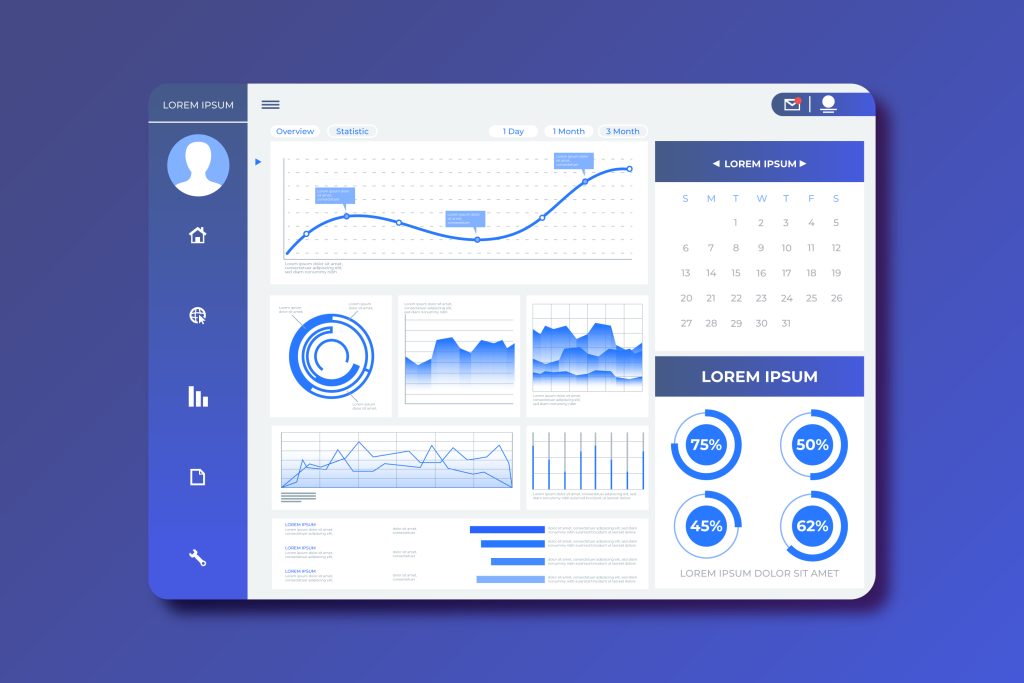
Measuring how space is used matters. A leading tool will show no-shows, peak usage, ratio of employees to desks, and let you right-size real estate.
One case study from NashTech shows implementation helped track occupancy in real time with significant gains in utilisation.
2.4 Scale and Culture Fit
Whether you have 50 employees or 5 000, the tool must scale.
Also your culture may lean toward free seating (hot desking) or towards reservation (desk hoteling), so your software must support your model.
2.5 Cost vs Value
It’s tempting to pick the cheapest tool but value is more than cost.
Context matters. What features you need and how quickly you adopt them determines ROI.
As one resource notes there are more than 50 platforms in this space.
3. The Top 10 Hot Desking Software Tools for 2025

Here are the ten tools that stand out, each with particular strengths and suitability for different office environments. This list is crafted fresh using research and firsthand visits.
- Archie – Strong for interactive floor plans, mobile booking, good for flexible teams.
- Envoy – Provides desk booking plus visitor and access management, enterprise fit.
- Robin – Excellent calendar integrations and room-desk synergy, great for schedules.
- Skedda – Simple, cost-effective, good for smaller offices or coworking setups.
- Deskbird – European startup, mobile friendly, hybrid-centric features, strong analytics.
- Kadence – High emphasis on reporting and insights, appropriate if you require data-driven decisions.
- OfficeSpace – Designed for larger organisations, multiple locations, complex workplace ecosystems.
- Tribeloo – Multi-location support, geared toward coworking and flexible office providers.
- Pult – Newer entrant, streamlined UI, suitable for smaller teams scaling up.
- Clearooms – User-friendly, fast to deploy, good for coworking or shared office venues.
Each tool in this Top 10 Hot Desking Software Tools for 2025 list offers something distinct. The challenge is matching one to your specific workspace, employee behaviour, and strategy.
4. On-site Realities and Observations
When I walked through several offices deploying these tools I observed key patterns.
One organisation used a system from the list but had no lockers for employees to store personal items; as a result many felt unsettled and adoption lagged.
Another coworking venue offered hot desk to rent options via their tool but did not enforce booking rules, which led to desks being unused for hours.
A third used desk hoteling features and booked team neighbourhoods so cross-team collaboration improved and seats were better aligned with projects.
The takeaway: even the best tool from the Top 10 Hot Desking Software Tools for 2025 will fail if your process, signage and team behaviours aren’t aligned.
5. Balancing Features vs Adoption
I often hear: “We picked a great tool but nobody uses it.” This typically happens when the tool is feature-rich but the rollout overlooks change management, policy, branding.
Features worth prioritising include: mobile booking, interactive floor plan, analytics dashboard, way-finding, and integrations.
But the human element matters: train teams, pilot the system, gather feedback.
If you ignore that and just install software you may see resistance.
When you look at the Top 10 Hot Desking Software Tools for 2025 you must weigh not just feature lists but adoption curves.
6. Implementation Insights
When you decide to roll out one of the Top 10 Hot Desking Software Tools for 2025 here are some practical steps grounded in experience:
- Map your space in detail including zones for teams, quiet areas, collaboration hubs.
- Define clear booking rules, e.g., how far in advance employees must book, how no-shows are handled.
- Provide personal storage like lockers so employees transitioning seats don’t feel rootless.
- Launch with a pilot group, gather feedback, make tweaks.
- Use analytics once live to track utilisation, peak days, under-used zones.
- Communicate widely; staff need to know “why” you are changing and “how” the tool works.
- Iterate: after initial launch track performance, adjust zones and policies accordingly.
7. Why You Should Care Now

The significance of the Top 10 Hot Desking Software Tools for 2025 is anchored in shifting workplace norms.
Hybrid work is no longer optional. According to a WorkInSync report 83 % of workers want hybrid models. Idle real estate costs are rising.
Inefficient utilisation eats margins and morale. If your tool doesn’t keep pace you risk falling behind.
Conversely if you adopt the right system you gain space savings, improved employee engagement, flexible operations.
The difference between a well-used desk and an empty one is an actual cost difference.
8. Final Thoughts
Choosing from the Top 10 Hot Desking Software Tools for 2025 is not just a software procurement process.
It is a strategic decision about how your workplace operates, how your people feel when they arrive, how your space adapts.
I’ve been in offices where the tool was installed but culture ignored. I’ve been in others where the tool matched the culture and seats filled, teams connected, metrics improved.
Your success lies at the intersection of software, space, people, process. Treat the tool as the enabler, not the destination.
Choose carefully, plan thoroughly, launch thoughtfully. Your workplace deserves that.
FAQ
Which tools are best in the Top 10 Hot Desking Software Tools for 2025 list?
The list includes platforms like Archie, Envoy, Robin, Skedda, Deskbird, Kadence, OfficeSpace, Tribeloo, Pult and Clearooms; each offers unique strengths depending on size, budget and culture.
What features should I prioritise when choosing hot desking software?
Look for intuitive booking experience, calendar integrations, analytics on usage, mobile app access and support for hybrid behaviours—the criteria used to evaluate the Top 10 Hot Desking Software Tools for 2025.
How does hot desk to rent functionality relate to these tools?
Many of the Top 10 Hot Desking Software Tools for 2025 support scenarios where you offer a hot desk to rent or flexible seats; the booking, billing and occupancy tracking make that feasible.
What are the common pros, cons of hot desking software deployment?
Among the pros you get increased flexibility, space optimisation and better employee agency; among the cons you may face low adoption, resistance to change, complexity if the tool is over-engineered. These factors matter when selecting from the Top 10 Hot Desking Software Tools for 2025.
How soon can I expect results after implementing one of these tools?
Results vary but many organisations report initial improvements in utilisation and booking within 4-8 weeks of launch; full cultural adoption and optimisation may take 3-6 months with one of the Top 10 Hot Desking Software Tools for 2025.