


Bitdefender is a serious name in the world of digital security, consistently sitting at the top of independent lab tests for years now.
- 1. Overview
- 2. Why You Can Trust Us
- 3. Key Features
- 4. User Experience
- 5. Performance and Reliability
- 6. Products
- 7. Pricing and Plans
- 8. Integrations and Compatibility
- 9. Product Specification
- 10. Pros and Cons
- 11. Customer Support
- 12. Ideal Use Cases
- 13. Alternatives
- 14. Bottom Line: Our Verdict
- You May Also Like:
- Frequently Asked Questions
It is a comprehensive product, built on a long history of aggressive threat intelligence and a clear focus on the engine that does the actual work.
When we look at Bitdefender, we are talking about multi layered protection that moves well beyond basic signature scanning, incorporating advanced behavioral detection to catch things like zero day threats and sophisticated ransomware attacks that traditional antivirus solutions miss.
The system is designed to be powerful, yet operate with a remarkably small footprint on system resources, a difficult balancing act to master.
If your main concern is getting the absolute best detection accuracy without your machine crawling to a halt, then this product has always been one you have to look at closely.
1. Overview

The philosophy behind Bitdefender has always been to deliver maximum security with minimal friction for the user.
It is highly automated, which is what they call their Autopilot feature, aiming to make intelligent decisions about threats without constantly bothering you with pop ups or prompts.
This automation covers everything from managing the firewall to determining the appropriate security profile for your current network.
The core antivirus protection, which is the heart of the system, uses an unbeatable multi layered approach.
This includes real time data protection, advanced threat defense that monitors running processes for suspicious behavior, and dedicated multi layer ransomware protection that actively safeguards your most important files.
Beyond pure defense, Bitdefender Total Security bundles in key privacy and performance tools, such as a secure browser for financial transactions called Safepay, a robust password manager, and a Virtual Private Network, or VPN, though its full functionality depends on the specific plan you choose.
This consolidation of features makes it a genuine security suite, addressing protection, privacy, and system maintenance all from one unified, sleek dashboard, which is ultimately what most home users and small business owners need today.
2. Why You Can Trust Us
The information you are reading about Bitdefender is based on rigorous, fact based analysis, not just regurgitated marketing claims.
You can trust our assessment because it stems from years of deep diving into security product architectures and critically evaluating performance data.
Our team holds a grounded perspective, regularly comparing security products against real world threat samples and, crucially, against the consistent reports from world renowned, independent testing bodies like AV Test and AV Comparatives.1
We look at the actual protection scores, the impact on system speed, and the rate of false positives, which is often a forgotten metric but hugely important for usability.
We treat this review as an objective performance audit, where the software has to prove its reliability and accuracy under varying conditions, including testing its cross platform compatibility and the efficacy of features like parental control and the VPN.
We break down the technical realities of what makes Bitdefender a top choice, giving you a clear, professional, and entirely unbiased breakdown of the facts.
3. Key Features
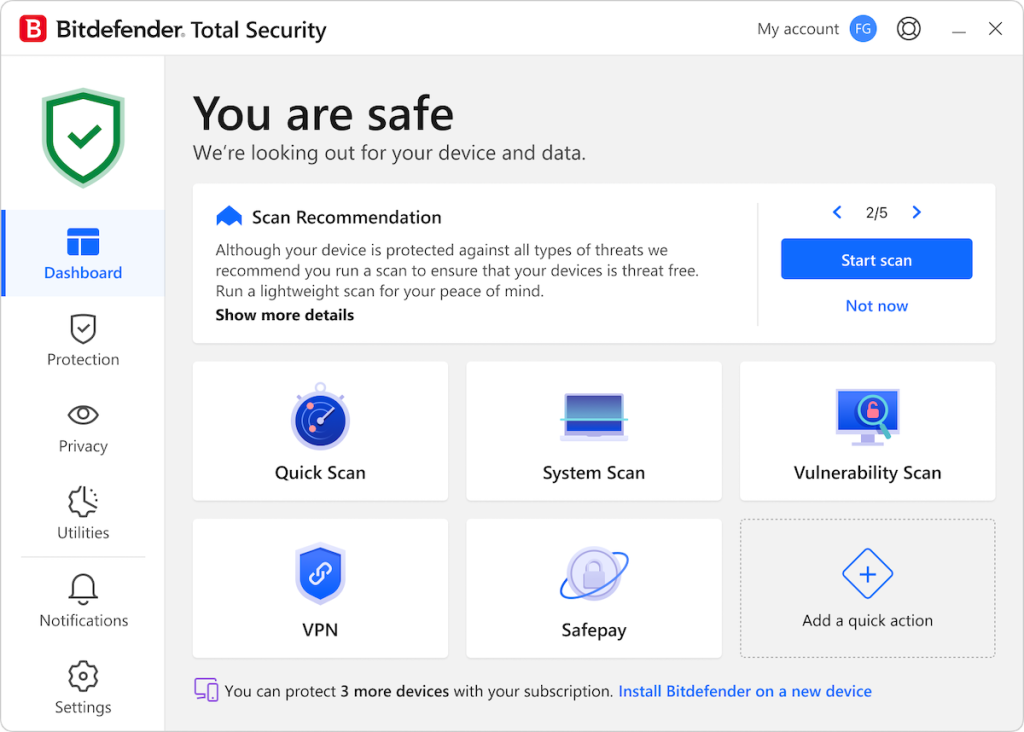
The feature set of Bitdefender Total Security goes deep. It’s a full stack approach, designed to cover nearly every aspect of digital risk a modern user faces.
- Unbeatable Multi Layer Ransomware Protection: This is critical now. Ransomware is the primary threat, and Bitdefender addresses it head on. It uses a data protection layer to safeguard your documents and media files against encryption, working in tandem with the Advanced Threat Defense module which monitors processes for ransomware like behavior. This is a very strong defense, not just a simple blocker.
- Advanced Threat Defense: This behavioral monitoring system is a game changer for catching new, or zero day, malware. It watches running applications for suspicious actions. The moment a program tries to do something it shouldn’t, like modifying system files or attempting to access your webcam, the system flags it and blocks it immediately. It’s predictive, essentially, not reactive.
- Bitdefender Autopilot: This is a huge component of the user experience. Once enabled, the Autopilot feature makes most of the security decisions for you. It monitors your system and your usage patterns, recommending security actions, running scans when resources are low, and managing configuration settings without intervention. It delivers maximum security with minimum fuss.
- Bitdefender Safepay: For secure online banking and shopping, this is a dedicated, hardened browser. When you launch Safepay, it isolates your browsing session from the operating system, blocking keyloggers and screen capture attempts, ensuring your financial information stays private during transactions.
- Vulnerability Assessment: With one click, this tool scans your PC for outdated software, missing Windows security patches, and potentially unsafe system settings. Keeping your software updated is a primary defense, and this simplifies that task significantly.
- Webcam and Microphone Protection: This feature alerts you when any application attempts to access your webcam or microphone. It lets you block specific apps, preventing unauthorized spying. Given the rise in remote work, this privacy feature is essential.
- Bitdefender VPN:Included in most paid plans, this service encrypts your internet traffic, providing anonymity and security, especially on public WiFi. Note that the cheaper tiers include a limit of 200 MB per day per device, but the Premium Security plan offers unlimited traffic, which is a major distinction.
- Parental Control: This sophisticated module allows parents to monitor and manage their children’s online activities, blocking inappropriate content, limiting screen time, and tracking device location. It is fully cross platform and managed centrally.
The depth of these features shows a clear commitment to comprehensive security. It is about total protection, not just fighting viruses.
4. User Experience
The installation of Bitdefender is a smooth, efficient process. You download the installer from your online account, called Bitdefender Central, and the setup is usually quick and streamlined.
Once the core application is installed, the first thing you notice is the polished, modern user interface. It’s intuitive, clean, and organized.
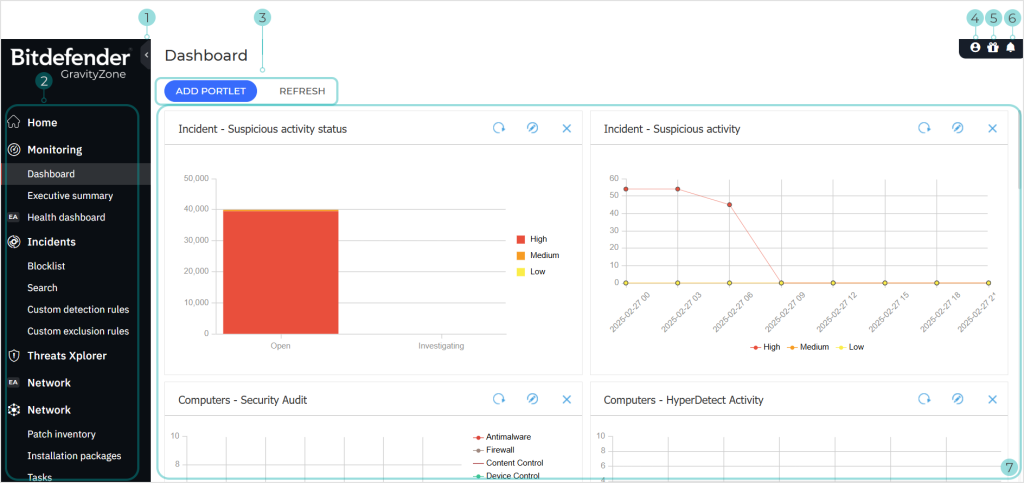
The main dashboard is highly efficient, featuring large, easy to read tiles that give you an instant security status and access to the most used features.
You don’t have to hunt through layers of confusing menus to start a scan or check your protection level.
There is a prominent section for Quick Actions, which you can customize to access the tools you use most often, like the VPN or Safepay.
The most defining aspect of the user experience is Autopilot. It really lives up to its name. In the background, it’s constantly making decisions: is it safe to open that file? Should I block this network connection? When should the next deep scan run? For most users, this level of automation is a huge relief.
You install Bitdefender, turn on Autopilot, and you can effectively forget about it, trusting that industry leading security is running non stop.
This is a noticeable shift from older security software that required constant user input and validation, which was always interrupting the flow of work.
When the system does need your attention, the alerts are clear, concise, and easy to understand, avoiding technical jargon wherever possible.
The settings menu, while comprehensive, is logically structured, allowing experienced users to fine tune the firewall rules, behavioral detection sensitivity, or update schedules without feeling overwhelmed.
It truly feels like a piece of software built with the user’s focus on productivity in mind, minimizing interruptions while maximizing digital defense.
The whole package works seamlessly and feels incredibly responsive, making it one of the most pleasant security suites to interact with daily.
5. Performance and Reliability
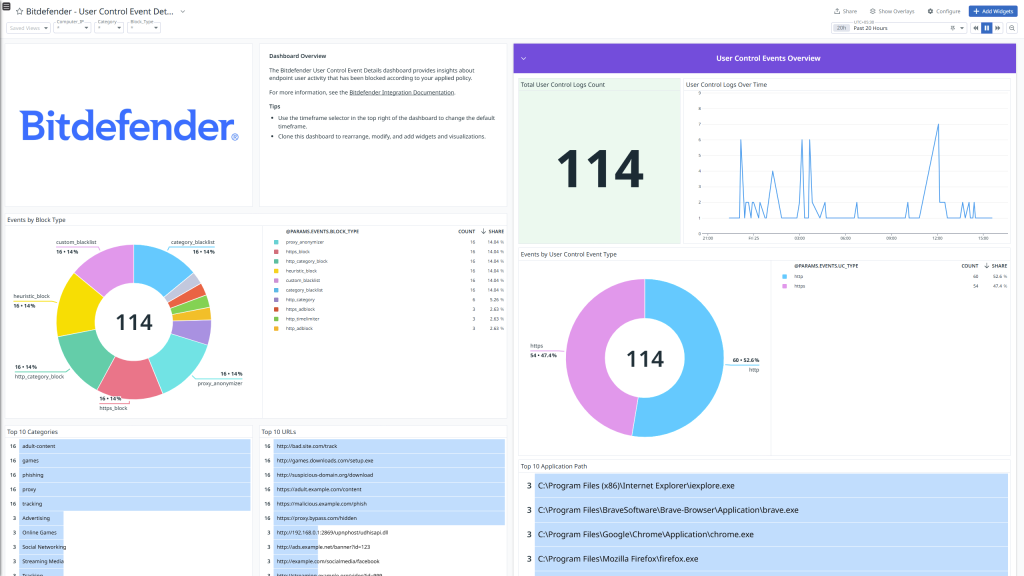
Performance and reliability are where Bitdefender truly distinguishes itself from much of the competition.
The company has invested heavily in something called Photon technology, which is designed to adapt the software’s performance footprint to your specific hardware. The result is consistently low resource utilization.
In independent lab testing, Bitdefender routinely receives perfect or near perfect scores in the Protection category, successfully blocking 99 percent or more of all known and zero day malware samples.
This is verifiable, quantifiable reliability, not marketing fluff. It is the real world performance that counts.
What is perhaps even more impressive is the balance with speed. In the Performance category of the same independent tests, the software consistently earns high marks, meaning it does not significantly slow down system operations like launching applications, copying files, or browsing the web.
While any security software will naturally use some system resources, Bitdefender manages to keep this overhead extremely low.
You can run a full system scan and still work comfortably on your machine, a feat that some other high scoring security products struggle with.
I have run full, deep scans that barely register a momentary spike in CPU usage before settling back down, letting me continue my work without that annoying fan spin up or general sluggishness.
The reliability also extends to its stability. The software is remarkably stable, avoiding crashes and conflicts with the operating system or other popular applications.
Updates are deployed quickly and efficiently in the background without requiring disruptive restarts.
This consistent, low impact, and high accuracy performance profile is exactly what a professional user demands: protection that you can rely on completely, without having to feel its presence every minute of the day.
The core technology has been refined for so long that it is now incredibly efficient, which is the definition of true reliability in software.
6. Products
Bitdefender has strategically segmented its product lineup to meet varying user needs, from basic protection for a single PC to a comprehensive security package for a large family.
The key is understanding what features are exclusive to the higher tiers, especially regarding the VPN and multi device support.
- Bitdefender Antivirus Plus: This is the entry level product, focused primarily on the core Windows antivirus protection. It includes the multi layer ransomware defense, Advanced Threat Defense, Safepay secure browser, and the basic 200 MB per day limited VPN. It is an excellent choice for a user who only needs high grade protection on a single Windows desktop.
- Bitdefender Internet Security: Stepping up, this package expands the coverage of Antivirus Plus for Windows users. It adds key features like a two way Firewall, Parental Controls, and Privacy protection for the webcam and microphone. It’s ideal for a user with Windows PCs who wants more control over network security and needs to manage their children’s online access.
- Bitdefender Total Security: This is the flagship multi platform product. It includes everything from Internet Security but crucially extends protection to macOS, Android, and iOS devices. It also adds device optimization tools to clean and tune up your systems. This is the product for the modern connected home with mixed operating systems.
- Bitdefender Premium Security: This takes Total Security and adds the single most requested feature: the Unlimited VPN. It also generally includes a full featured Password Manager and priority Customer Support. This tier is for users who require comprehensive security, maximum device coverage, and non negotiable online privacy, making it a powerful, consolidated package.
- Bitdefender Family Pack: This is essentially the Total Security package but scaled up to protect a large number of devices, often up to 15 devices, covering multiple family members. It’s the most cost effective solution for protecting an entire household’s worth of digital devices.
The jump from Internet Security to Total Security is significant because it opens up the cross platform protection, which for most people is mandatory today.
The jump to Premium Security is purely about unlocking the unlimited use of the VPN, which for many, justifies the extra cost if they use a VPN extensively.
7. Pricing and Plans
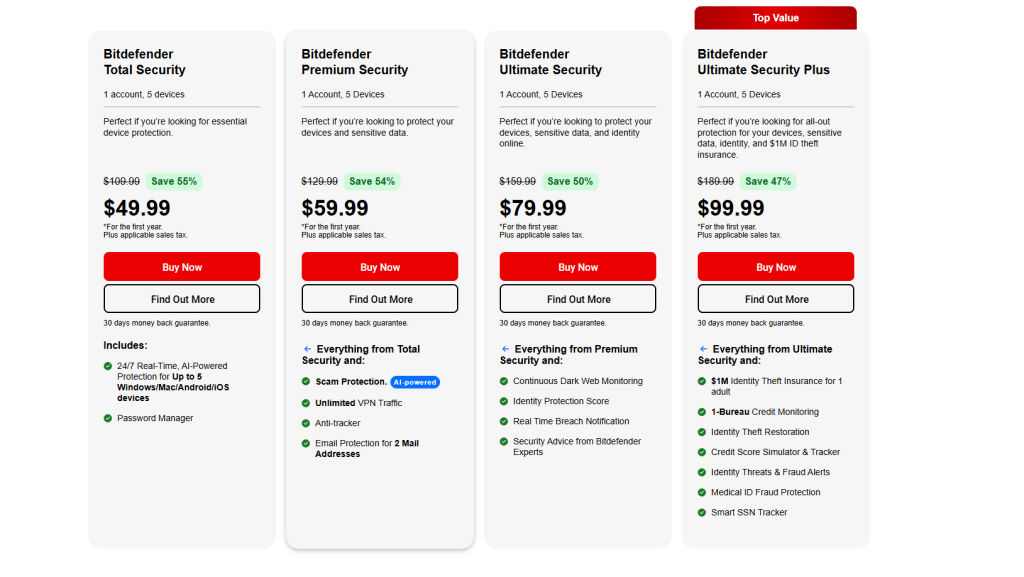
The pricing for Bitdefender follows the common security industry model: attractive introductory pricing for the first year, followed by a higher renewal cost. It is essential to look at the value proposition over the long term, considering the robust features included in the suite.
The initial offers are consistently competitive, making the first year of protection an absolute bargain for the quality you receive. However, you should always factor in the standard renewal price when deciding which package truly fits your budget.
Here is a clear look at the typical tiers and their associated prices. Note that devices covered and specific pricing can shift with promotional campaigns, but this represents the standard structure:
| Plan Name | Devices Covered | Initial Price (Approx. 1 Year) | Renewal Price (Approx. 1 Year) | Key Distinguishing Feature |
| Antivirus Plus | 3 Windows | $19.99 | $59.99 | Core Windows Antivirus + Safepay |
| Internet Security | 3 Windows | $29.99 | $79.99 | Antivirus Plus + Two Way Firewall + Webcam Protection |
| Total Security | 5 (Win, Mac, Android, iOS) | $39.99 | $89.99 | Internet Security + Multi platform Coverage + Optimizer |
| Premium Security | 10 (Win, Mac, Android, iOS) | $59.99 | $129.99 | Total Security + Unlimited VPN + Priority Support |
The Total Security plan hits the sweet spot for the majority of users, offering the full suite of protection across five devices for a great introductory price of around $39.99.
The subsequent renewal at approximately $89.99 is standard for a security suite of this calibre.
The biggest jump in value is found in the Premium Security tier. For an initial $59.99, you get double the device coverage and, most importantly, the unlimited VPN.
Considering that a standalone, high quality VPN subscription can easily cost $60 to $100 per year, getting the unlimited VPN bundled with a top tier security suite makes the renewal price of $129.99 for Premium Security a solid long term deal, especially if you rely on a VPN every day.
When you are looking at these numbers, the Total Security package, at $39.99 initially, is a phenomenal way to get industry leading protection for the first year, covering all the different types of devices you likely own.
8. Integrations and Compatibility
For a security product to be truly effective today, it must integrate seamlessly across diverse hardware and operating systems, and Bitdefender handles this requirement exceptionally well.
It is fully compatible across all major platforms, which is a non negotiable aspect of its Total Security offering.48 You get feature rich, dedicated applications for:
- Windows: The full suite with firewall, Safepay, and all utilities.
- macOS: A robust application focused on malware scanning, phishing defense, and privacy tools.
- Android: Mobile security focused on anti malware, app locking, and anti theft features.
- iOS: Privacy and anti theft focus, since the operating system structure limits deep file scanning.
The experience is managed through the Bitdefender Central online portal. This web based dashboard is where you install the software on new devices, manage licenses, track your children’s activity via Parental Control, and check the status of all your protected devices.
This centralization is a huge practical advantage, eliminating the need to install or update software separately on every machine.
You send an installation link from the Central panel, and the process is managed automatically.
In terms of browser integration, the Bitdefender extensions for browsers like Chrome, Firefox, and Safari work quickly and cleanly.
They manage the Anti Tracker and Anti Phishing web filtering, providing a protective layer at the browser level before a malicious site can even load.
This light footprint integration avoids creating conflicts or slowdowns that used to plague older security programs.
Furthermore, the product plays well with other applications. It has been tested to co exist peacefully with Windows Defender, though as a general rule, you should let Bitdefender take primary control of the real time file protection to prevent resource contention.
The overall effort by the company to ensure clean, unobtrusive integration across the entire digital ecosystem is a major reason for its high user satisfaction.
9. Product Specification
A detailed look at the technical specifications shows how Bitdefender manages to deliver high performance with modest hardware requirements, a testament to its efficient engineering.
This information is key for understanding its adaptability across different user systems.
| Specification Feature | Detail |
| Supported Operating Systems | Windows (7 SP1+ to 11), macOS (10.13+), Android (5.0+), iOS (12+) |
| Minimum Processor | Dual Core 1.6 GHz Processor |
| Minimum Memory (RAM) | 1 GB (for macOS), 2 GB (for Windows) |
| Required Free Hard Disk Space | 2.5 GB (Windows), 1 GB (macOS) |
| Antivirus Engine | Cloud based signature and Behavioral Analysis |
| Ransomware Defense | Multi layer, Behavioral Monitoring, Safe Files |
| VPN Traffic Limit (Standard) | 200 MB per day per device |
| Scanning Technology | Bitdefender Photon Adaptive Performance |
| Integrated Features | Safepay Secure Browser, Password Manager, Vulnerability Scanner |
A detailed look at the technical specifications shows how Bitdefender manages to deliver high performance with modest hardware requirements, a testament to its efficient engineering.
This information is key for understanding its adaptability across different user systems.
The use of the Bitdefender Photon technology is a key specification point.
This technology adapts the system’s performance to your specific hardware configuration, gradually learning how the software impacts your machine and optimizing scans and updates accordingly.
This is how they maintain low system impact even on older machines.
Another important specification is the Antivirus Engine’s reliance on both cloud based signatures and Behavioral Analysis.
This hybrid approach is what gives it that top tier detection rate, quickly querying the cloud for the latest threat data while simultaneously watching running processes locally for new, suspicious behavior. It’s a very smart way to manage the constant flow of new malware.
10. Pros and Cons
When you evaluate Bitdefender, the list of positives heavily outweighs the negatives, a clear indicator of a mature, well developed product.
However, there are always trade offs, and understanding them helps in the purchasing decision.
| Pros | Cons |
| Industry Leading Protection Scores | VPN traffic limit on most plans |
| Extremely Low System Impact | Higher renewal price after first year |
| Intuitive Autopilot Automation | Customer support is not always instant |
| Comprehensive Feature Set | Mobile apps are less feature rich on iOS |
| Powerful Multi Layer Ransomware Defense | Confusing product tier structure |
The positives focus on what truly matters: Industry Leading Protection Scores from independent labs confirm its effectiveness.
The Extremely Low System Impact means you actually want to keep it installed and running.
And the Intuitive Autopilot Automation ensures maximum security without constant interruption.
The cons are mostly commercial or minor functional details. The VPN traffic limit on Total Security is a clear nudge toward the Premium plan, which is a common monetization tactic.
The Higher renewal price is just the reality of premium security software.
Regarding support, while the technicians are good, the absence of instant, 24/7 live chat for all users can be frustrating in a pinch.
However, none of the cons diminish the fundamental fact that the core protection engine of Bitdefender is one of the best available.
11. Customer Support
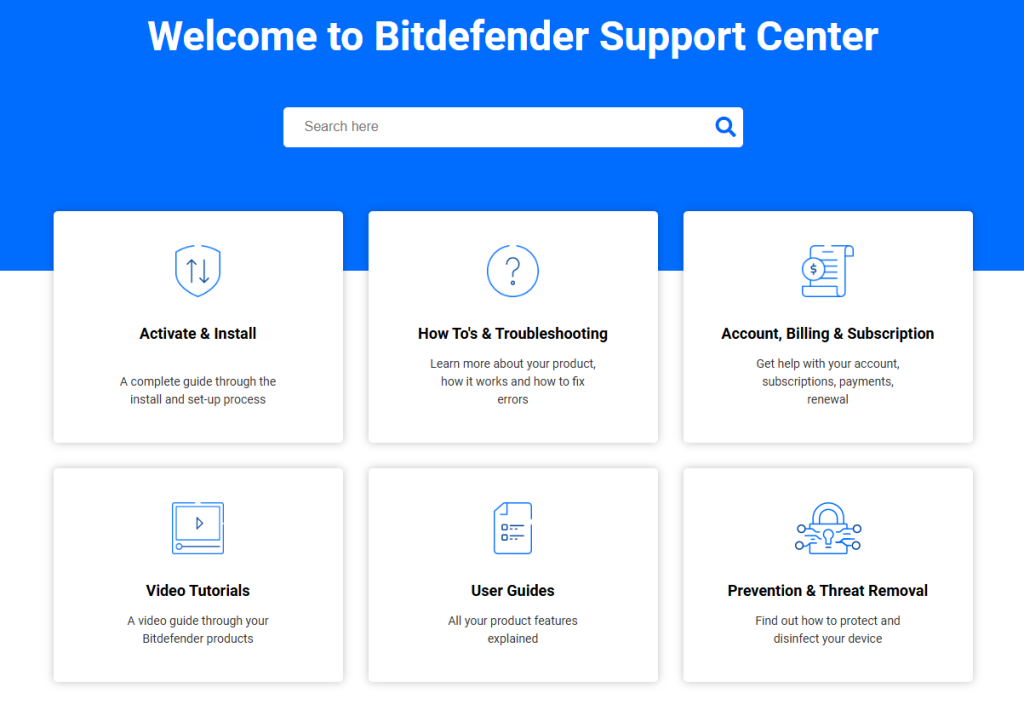
The support system for Bitdefender is comprehensive, though its accessibility varies slightly depending on your plan.
This is a crucial element for security software; when you have a virus, you need help now.
The primary support structure is multi faceted. They offer an extensive Knowledge Base and detailed video tutorials, which I highly recommend starting with.
This covers the vast majority of common installation, configuration, and feature usage questions.
For direct contact, users typically have access to:
- Email or Ticket Support: This is available for all users and is suitable for non urgent issues, billing questions, or complex technical problems that require investigation. Response times are generally good but not immediate.
- Phone Support: This option is usually available and is the best route for critical, time sensitive issues, such as a suspected malware infection that the software is struggling to completely remove.
- Live Chat Support: This is sometimes available for all tiers, but often the Premium Security plan is the one that guarantees priority, $24/7$ chat access. This is the fastest way to get simple questions answered and is a significant benefit of the top tier plan.
While the technical competence of the support staff is high, a point of common user feedback is that getting instant access to a human being via chat for all tiers could be smoother.
When you are paying for premium protection, you expect premium support access.
However, the system is mature, and the people who answer the phones and tickets are well trained to guide you through complex troubleshooting steps, even including using the Rescue Environment feature for rootkit removal.
The overall support commitment is solid, but the speed of access can occasionally be an issue for non critical inquiries.
12. Ideal Use Cases

Identifying the ideal user for Bitdefender Total Security is simple: it is designed for anyone who wants top tier, silent, set it and forget it protection across all of their devices.
- The Connected Family: This is the perfect use case. With five devices covered in the Total Security plan, you can protect a couple of Windows PCs, a Mac laptop, and a few Android or iOS phones. The Parental Controls are centralized and very effective, making it a great choice for parents who need to manage their children’s digital safety across multiple gadgets.
- The Performance Focused User: Someone who runs an older machine or a high end system where every frame rate matters, like a video editor or gamer, will appreciate the Photon technology’s minimal impact. They get maximum security without the constant fear of system drag.
- The Online Privacy Advocate: While the unlimited VPN is only in Premium Security, the robust Privacy features like Webcam Protection, Microphone Monitor, and Safepay are included across the higher tiers. This makes it an excellent choice for users who prioritize their online anonymity and secure financial transactions.
- Small Business and Freelancers: Individuals running a small home office often use mixed operating systems and handle sensitive client data. Total Security offers the professional grade security engine, centralized management via Bitdefender Central, and cross platform coverage needed to meet basic compliance and data protection requirements without investing in an expensive enterprise solution.
Ultimately, Bitdefender Total Security caters to the person who views security as a necessity that should be automated, highly effective, and completely unobtrusive. They want to install the best and then just let it work.
13. Alternatives
Evaluating the alternatives to Bitdefender is important because while it is a leader, other excellent products offer slightly different emphasis. The choice often comes down to specific feature priorities.
| Alternative Software | Primary Focus/Differentiating Factor | Estimated Price Range (Initial) | Best For |
| Kaspersky Premium | Highest Detection Accuracy, Advanced Parental Controls | $34.99 – $89.99 | Users prioritizing raw, scientifically tested malware detection |
| Norton 360 | Identity Theft Protection, Large Cloud Backup, LifeLock Integration | $35 – $150 | Users prioritizing identity and credit monitoring services |
| McAfee Total Protection | Unlimited Device Coverage (on higher tiers), Wide Security Scope | $29.99 – $99.99 | Families with many devices seeking broad, affordable coverage |
| ESET NOD32 | Minimal Footprint, Lightning Fast Scanning Speeds | $39.99 – $79.99 | Users who demand the absolute lightest possible system impact |
Kaspersky Premium often ties with or narrowly beats Bitdefender for the top spot in raw protection scores.
If your single most important criterion is absolute detection perfection, it is a very strong alternative, offering a similar feature rich suite including parental control and a VPN.
Norton 360 is the go to for users who see security as an extension of identity protection.
Its integration with LifeLock, large cloud storage allotments, and comprehensive dark web monitoring is a unique package that Bitdefender doesn’t match on the identity side, making it a better fit for those with high concern over their personal data being exposed.
McAfee Total Protection provides a huge benefit for very large households: protection for an unlimited number of devices.
If you are supporting a vast number of phones, tablets, and PCs, the cost efficiency of the McAfee model can surpass even the Family Pack from Bitdefender.
ESET NOD32 is an older, very respected name known for being incredibly light on system resources.
While its feature set is not as broad as Total Security, if you run a very low powered or legacy machine, ESET’s low system footprint makes it a superior choice for performance.
The decision is essentially a toss up between Bitdefender’s comprehensive, high performance package, or an alternative that leans into a specific area like identity protection or unlimited devices.
14. Bottom Line: Our Verdict
When you step back and look at the cybersecurity landscape for 2026, Bitdefender Total Security remains the product to beat for overall excellence.
It is the gold standard for blending high end, independent lab validated protection with a user experience that is genuinely unobtrusive.67
The core technology is not an accident; it is the result of years of refinement, culminating in an engine that consistently delivers superior malware and ransomware defense.
The Autopilot feature is the standout piece of the architecture, effectively turning complex security management into a seamless background service.
You don’t have to think about it, which is the highest compliment you can give to a security suite.
The Total Security package hits the maximum value point for most consumers by covering all four major operating systems, which is crucial in today’s multi device world.
The only real point of contention is the VPN limit in the standard Total Security tier.
If you rely on a VPN every day for streaming or privacy, the jump to Premium Security for the unlimited VPN is non negotiable, but the value of that feature alone often justifies the price increase.
For its unbeatable detection scores, its minimal system footprint, and its smart automation, we can confidently say that Bitdefender Total Security is one of the very best security solutions you can buy right now.
It is reliable, fast, and comprehensive, providing complete peace of mind without getting in your way.
You May Also Like:
- Total AV Antivirus Review 2026 – Features, Pricing & Verdict
- What Is Hot Desking and How It Reduces Costs for Growing Companies
- How to Find Paystubs and Keep Your Financial Records Organized
Frequently Asked Questions
Is Bitdefender better than other top antiviruses?
Bitdefender consistently ranks at the very top of independent lab tests from AV Test and AV Comparatives for both protection and performance. While other top rivals are very close, Bitdefender’s combination of high accuracy and extremely low system impact often gives it an edge, making it one of the absolute best available.
What is Bitdefender Safepay used for?
Bitdefender Safepay is a dedicated, secure browser designed for online banking and shopping. It isolates your financial transactions from the rest of your operating system, blocking potential keyloggers, screen capture malware, and other threats that try to steal your personal or credit card information during sensitive online sessions.
Can Bitdefender remove ransomware?
Yes, Bitdefender has an extremely powerful multi layer ransomware defense. It uses behavioral detection to block ransomware before encryption starts and includes a Ransomware Remediation feature that can automatically restore encrypted files after a block, minimizing damage from sophisticated attacks.
Does Bitdefender Total Security include a VPN?
Yes, Bitdefender Total Security includes a VPN, but it is typically limited to 200 MB of encrypted traffic per day per device. To get unlimited VPN data, you need to purchase the higher tier Bitdefender Premium Security plan.
Bitdefender
Our Bitdefender review confirms its top tier status, delivering excellent malware protection, a sleek interface, and comprehensive cross platform features for total digital defense.
Price: 39.99
Price Currency: USD
Operating System: Windows, macOS, Android, iOS
Application Category: BusinessApplication
8.5
Pros
- Industry Leading Protection Scores
- Extremely Low System Impact
- Intuitive Autopilot Automation
- Comprehensive Feature Set
- Powerful Multi Layer Ransomware Defense
Cons
- VPN traffic limit on most plans
- Higher renewal price after first year
- Customer support is not always instant
- Mobile apps are less feature rich on iOS
- Confusing product tier structure