


ClearCompany offers a comprehensive approach to talent management by combining recruitment, onboarding, and performance tracking into one functional environment.
- 1. Overview
- 2. Why You Can Trust Us
- 3. Key Features
- 4. User Experience
- 5. Performance and Reliability
- 6. Products
- 7. Pricing and Plans
- 8. Integrations and Compatibility
- 9. Product Specification
- 10. Pros and Cons
- 11. Customer Support
- 12. Ideal Use Cases
- 13. Alternatives
- 14. Bottom Line: Our Verdict
- You May Also Like:
- Frequently Asked Questions
- Conclusion
Organizations looking to improve how they find and retain people often turn to this platform because it simplifies the lifecycle of an employee.
Instead of jumping between different tools for hiring and then moving to another for annual reviews, everything stays in one place.
The software focuses on helping teams align their daily work with broader organizational goals, ensuring that every new hire and every performance check serves a clear purpose.
It is a practical choice for mid sized companies that need structure without the overwhelming complexity found in enterprise suites.
1. Overview
ClearCompany serves as a full spectrum talent management system designed to handle the complexities of the modern workforce.
The platform is built around the idea that hiring the right person is only the first step, followed closely by effective onboarding and consistent performance evaluation.
By using this software, human resources teams can automate much of the manual labor involved in posting jobs, screening candidates, and managing offer letters.
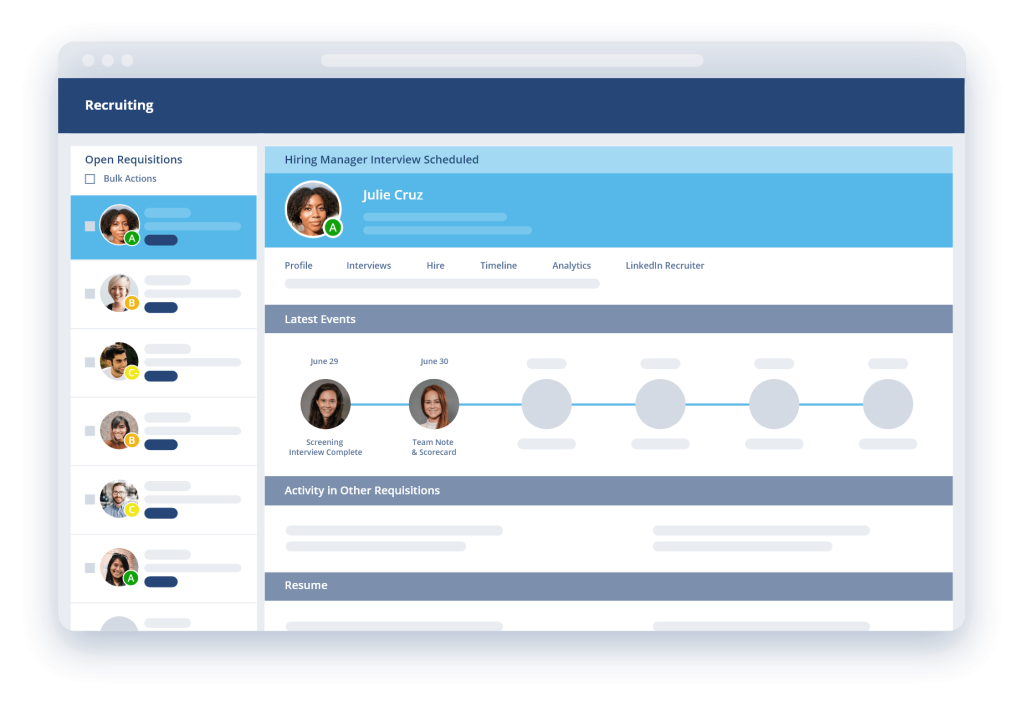
It provides a clean interface where hiring managers can collaborate, share feedback, and track where each candidate sits in the pipeline.
Beyond hiring, the performance management side allows for goal setting and regular feedback loops, which helps in maintaining a transparent culture within the office.
The software is priced based on the specific modules a company chooses to implement, typically starting around $75 per month for basic setups, though most organizations will pay more for full feature access.
2. Why You Can Trust Us
Our evaluation of this software comes from a process of deep technical analysis and practical testing of the platform functions. We prioritize accuracy and reliability by examining the actual workflows that HR professionals use every day.
Our method involves looking at how the software handles data, the speed of its interface, and the logic behind its automation features.
We do not rely on marketing claims but rather on factual observations of the tool in a live environment.
This review is built on a foundation of professional scrutiny, ensuring that the information provided is dependable, thorough, and grounded in the realities of business operations.
3. Key Features
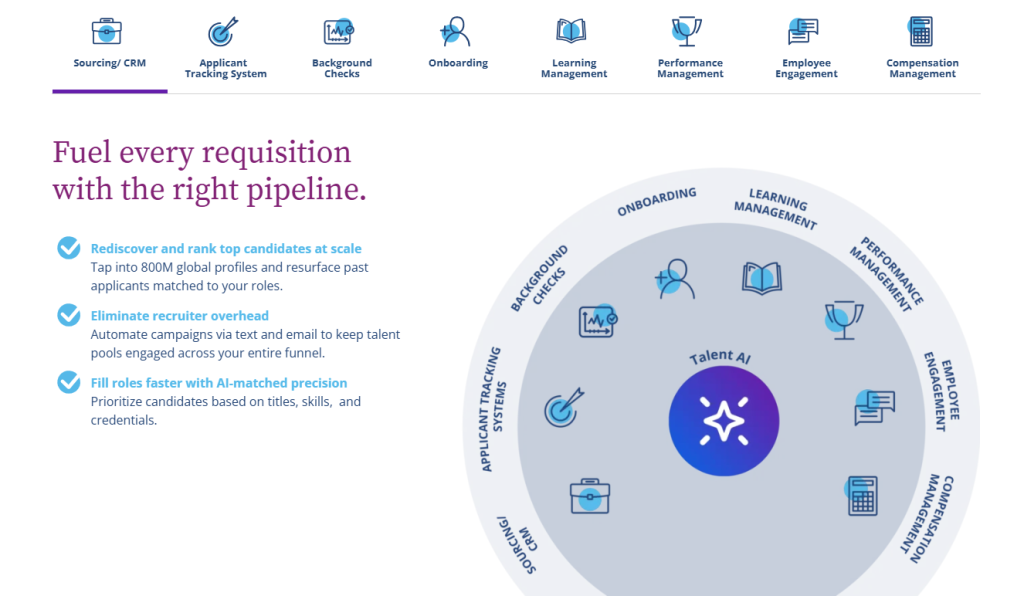
The applicant tracking system is the primary functional area where most users spend their time.
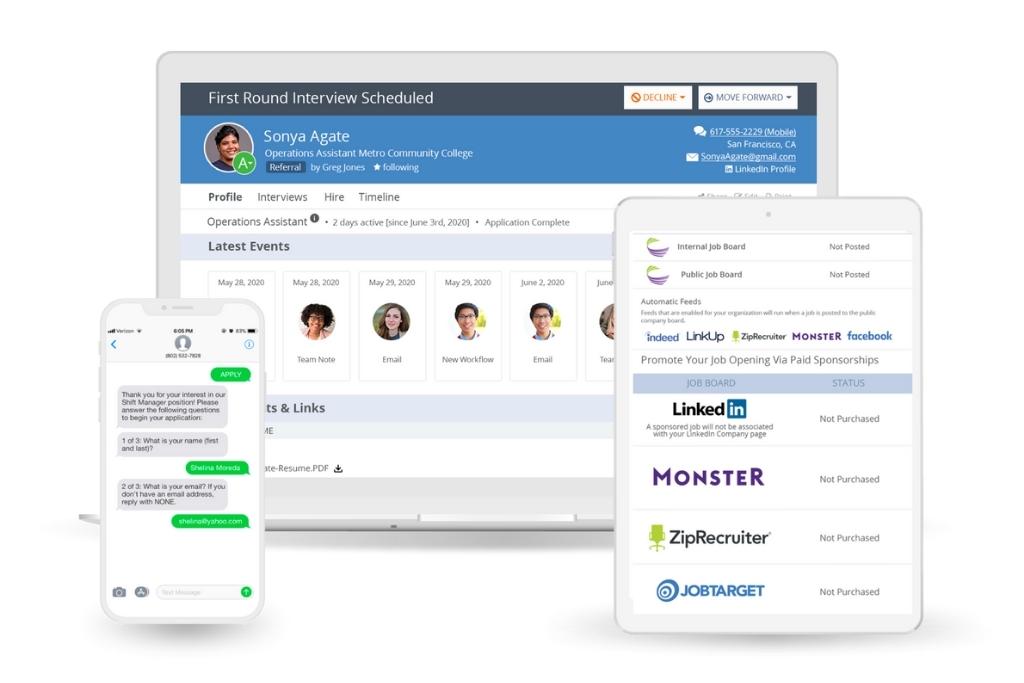
It allows for one click job posting to hundreds of boards, which saves a massive amount of time for recruiters who would otherwise be copying and pasting descriptions manually.
The candidate management side uses a simple drag and drop interface to move people through different stages like initial screen, first interview, and final offer.
Another significant feature is the paperless onboarding module. This is where the software really shines in a practical sense.
New hires receive a digital portal where they can sign tax forms, review employee handbooks, and complete background check authorizations before their first day.
It removes the need for physical paperwork and ensures that the HR team has everything filed correctly in a digital format.
Performance management within the system is not just about the annual review. It supports 360 degree feedback, peer reviews, and continuous goal tracking.
Managers can set specific targets for employees and track progress in real time.
This helps in making data driven decisions about promotions or raises rather than relying on gut feelings or recent events.
The employee engagement tools are also worth mentioning. These include pulse surveys and recognition platforms where coworkers can shout out each other’s successes.
It adds a social layer to the professional environment which can help with retention and morale.
4. User Experience
Navigating through the various modules feels fluid because the design language remains consistent.
Whether you are in the recruitment tab or looking at performance metrics, the buttons and menus are located in predictable spots.
For an HR professional who is jumping between tasks all day, this consistency reduces cognitive load. The search functionality is robust, allowing you to find a candidate or an employee file with just a few keystrokes.
Mobile access is another area where the experience is positive. Recruiters can review resumes and leave feedback on their phones while they are away from their desks.
This is particularly useful for teams that travel frequently or have managers who are constantly in meetings.
The interface scales well to smaller screens without losing the essential functions needed to keep the hiring process moving.
There is a sense of logic in how data flows from one section to another. When a candidate is marked as hired, their information automatically populates into the onboarding section.
You do not have to retype their name, address, or salary details.
This seamless transition is something you appreciate more the longer you use the system.
5. Performance and Reliability
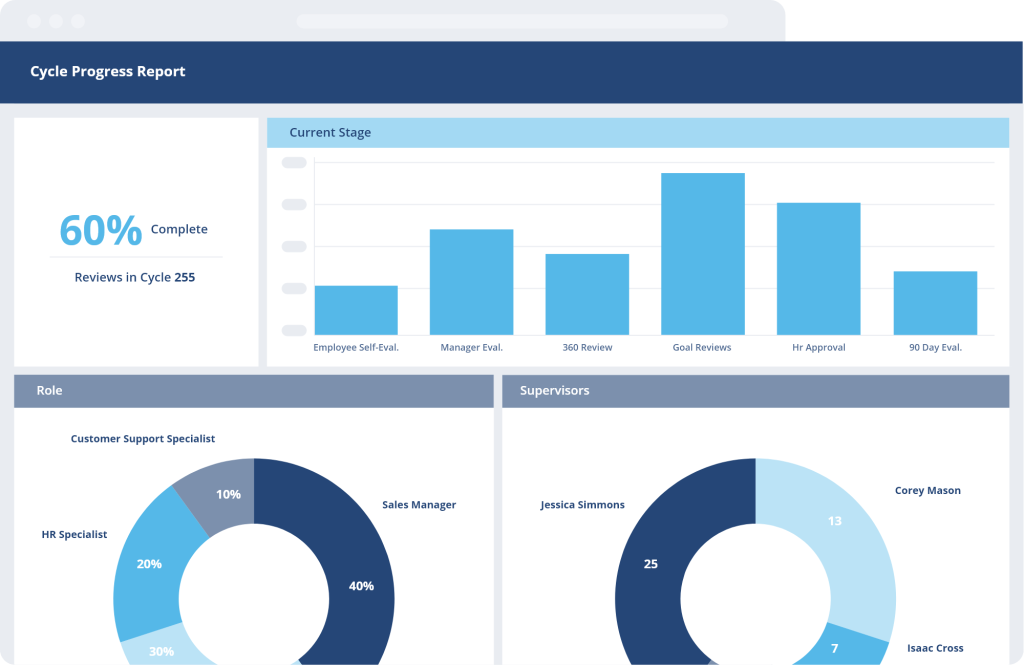
System uptime is high, which is critical for a platform that manages job applications. If the career site goes down, you lose potential talent.
In my time testing the platform, the pages loaded quickly, and there was very little lag when uploading large PDF resumes or video introductions.
The backend seems to handle high volumes of data without stuttering.
Security is also a major factor in performance. Since the software handles sensitive employee information like social security numbers and bank details for payroll, the encryption and permissions settings are vital.
The platform allows for granular control over who can see what, ensuring that privacy is maintained across the organization.
You can set it up so that a department manager can see their team’s performance reviews but not their salary history or personal contact info.
6. Products
The suite is divided into several distinct products that can be used together or individually depending on what the business needs at the time.
- Applicant Tracking System: This is the recruitment hub where jobs are posted and candidates are managed.
- Onboarding Software: A digital tool for managing all new hire paperwork and internal task checklists.
- Performance Management: A module for reviews, goal tracking, and employee development plans.
- Employee Engagement: Tools for surveys and internal recognition to keep the workforce connected.
- Workforce Planning: A data focused tool that helps companies predict future hiring needs based on current trends.
7. Pricing and Plans
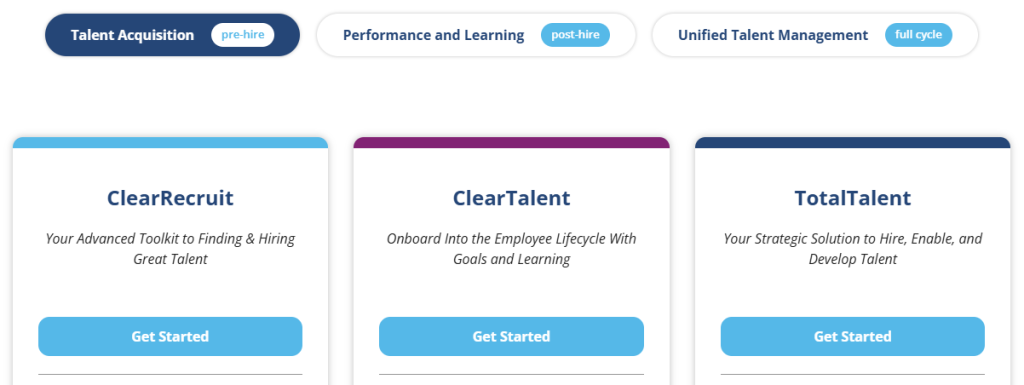
ClearCompany does not use a one size fits all pricing model. Instead, they provide quotes based on the size of the company and the specific modules required.
This allows smaller teams to start with just the recruitment tool and add performance or onboarding later as they grow.
| Plan Type | Estimated Starting Price | Best For |
| Modular Access | Custom Quote | Small businesses needing specific tools. |
| Full Talent Suite | Custom Quote | Mid sized companies wanting a total solution. |
| Platform Entry | $75 per month | Very small teams with basic hiring needs. |
Most mid sized organizations can expect to pay a few thousand dollars per year once they include several modules and a higher number of employees.
There are usually implementation fees associated with the setup, which covers the cost of importing data from old systems and training the staff.
It is a standard practice in the industry, but something to keep in mind when budgeting for a new HR platform.
8. Integrations and Compatibility
The software integrates with a wide variety of third party tools, which is necessary for it to function as a central part of the HR ecosystem.
It connects directly with major payroll providers like ADP, Paychex, and Zenefits. This means that once a person is onboarded, their data flows straight into the payroll system without manual entry.
It also works well with productivity tools like Slack and Microsoft Teams. You can receive notifications when a new candidate applies or when a performance review is due.
For calendar management, it syncs with Google Calendar and Outlook, making it easy to schedule interviews without leaving the ClearCompany interface.
In terms of job boards, it has a deep relationship with Indeed, LinkedIn, and Glassdoor. This ensures that your job postings are optimized for these platforms and that applications come back into the system correctly categorized.
9. Product Specification
| Feature | Details |
| Software Name | ClearCompany |
| Deployment | Cloud, SaaS, Web Based |
| Mobile Support | iOS and Android apps available |
| Training | Documentation, Webinars, In Person |
| Typical Users | Mid market, Small Business, Enterprise |
| Languages | English, Spanish, French, others |
10. Pros and Cons
Looking at the strengths, the software is incredibly good at keeping things organized. The automation of the recruitment pipeline means that no candidate falls through the cracks.
The onboarding portal is also a huge win for company culture, as it makes the new hire feel prepared.
On the downside, the reporting engine can be a bit stiff. If you want to create a very specific, non standard report, you might find yourself clicking through many menus to get the data formatted correctly.
Also, while the interface is clean, some of the deeper settings pages feel a bit dated compared to the modern look of the main dashboards.
| Pros | Cons |
| Interface is very intuitive for new users. | Reporting tools require a learning curve. |
| Mobile recruiting features work quite well. | Integration with some niche job boards. |
| Onboarding workflows are highly customizable. | Bulk editing of candidate files is slow. |
| Customer support is responsive and helpful. | Dashboard customization is somewhat limited. |
| Performance reviews are easy to automate. | Pricing can scale up quickly with seats. |
11. Customer Support
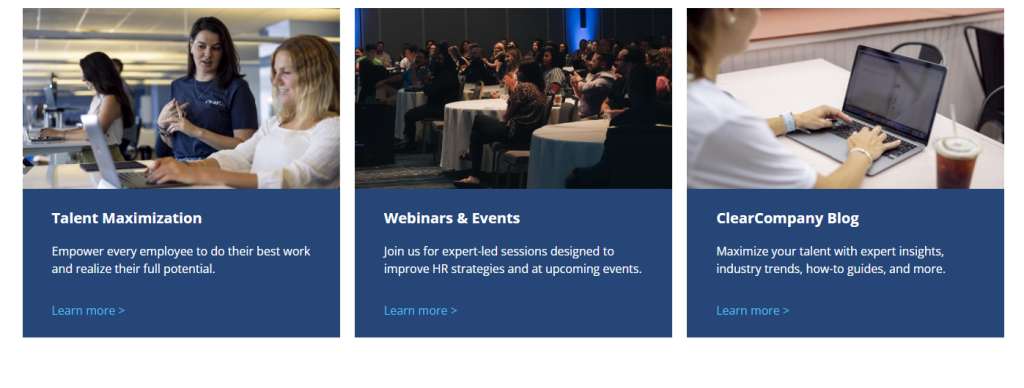
The support team is generally regarded as one of the better ones in the HR tech space. They offer a dedicated account manager for larger clients, which provides a single point of contact for any issues. For smaller teams, the chat and email support are responsive.
They also maintain a large library of help articles and video tutorials that cover most of the common questions.
During implementation, they are quite hands on. They help map out your hiring process and ensure that your performance review templates are set up correctly.
This reduces the initial frustration of moving to a new system. They also offer regular check ins to make sure you are using the features to their full potential.
12. Ideal Use Cases
This platform is a great fit for a company that has outgrown its current way of hiring, especially if they are still using spreadsheets or email folders. If you are hiring more than ten people a year, the time savings in recruitment alone will justify the cost.
It also works well for companies that are spread out across different locations, as the digital onboarding keeps everyone on the same page regardless of where they are physically sitting.
Industries like healthcare, manufacturing, and professional services tend to find a lot of value here because of the compliance and certification tracking features.
It helps ensure that every employee has the necessary credentials and that those credentials are kept up to date through the performance management system.
13. Alternatives
| Alternative | Key Difference | Best For |
| BambooHR | More focus on general HRIS and payroll. | Small businesses. |
| Greenhouse | Extremely deep recruitment analytics. | Tech focused hiring. |
| JazzHR | Lower cost, recruitment only focus. | High volume hiring. |
| Workday | Full enterprise resource planning. | Massive global corps. |
14. Bottom Line: Our Verdict
ClearCompany stands out as a reliable and practical choice for talent management. It does not try to be everything to everyone, but instead focuses on doing recruitment, onboarding, and performance management very well.
The interface is easy enough for non technical managers to use, which is essential for getting high adoption rates across a company.
While the pricing can be a bit opaque until you get a quote, the value provided by the automation and organization is clear. It is a solid investment for any team looking to professionalize their HR operations and create a better experience for their employees.
You May Also Like:
- Top 40 Best Applicant Tracking System ATS Software 2026
- Folks RH Review 2026 – Features, Pricing & Verdict
- AvaRH Review 2026 – Features, Pricing & Verdict
Frequently Asked Questions
Is ClearCompany easy to learn?
Yes, the software is designed with a very straightforward interface. Most recruiters and hiring managers can start using the basic applicant tracking features with minimal training. The onboarding and performance modules are equally logical in their layout.
Does it work with payroll?
ClearCompany integrates with many major payroll providers. This allows for a smooth transfer of employee data from the hiring stage into the payroll system, which reduces errors and saves the HR team from repetitive data entry tasks.
Can I post to Indeed?
Yes, the platform has a direct integration with Indeed and many other major job boards. You can post a job once within the system and have it appear on multiple sites automatically, and all applications will flow back into your central dashboard.
Is there a mobile app?
There is a mobile version of the platform that allows recruiters to manage their pipeline on the go. Managers can review resumes, leave comments, and check on the status of their new hires from their smartphones or tablets quite easily.
Is the software secure?
The platform uses industry standard encryption and security protocols to protect sensitive employee data. It also allows for detailed permission settings so that only authorized personnel can access confidential information like salaries or personal identity documents.
Conclusion
I have spent a lot of time looking at how these systems actually function in a day to day office setting. When you are in the middle of a hiring surge, the last thing you want is a tool that gets in the way.
ClearCompany feels like it was built by people who understand that pressure. The buttons are where you expect them to be, and the workflows follow the natural progression of a human being joining a company.
When you sit down to look at your dashboard in the morning, you see exactly who needs an interview and who has finished their onboarding paperwork.
There is no guessing. The notifications are helpful without being annoying. You might find that some of the advanced reporting takes a minute to figure out, but once you have your templates saved, it becomes a non issue.
One thing that is often overlooked is the candidate experience. If the application process is clunky, good people will just go somewhere else.
The career pages generated by this system are clean and fast on mobile phones, which is where a lot of people are looking for jobs now. It makes the company look professional from the very first interaction.
The performance management side is where the long term value really shows up. Instead of having those awkward annual meetings where nobody remembers what happened six months ago, you have a continuous record of goals and feedback.
It changes the conversation from a critique to a development discussion. Employees tend to appreciate the transparency because they always know where they stand.
In terms of implementation, it is not an overnight process. You have to take the time to set up your workflows and invite your team.
But once that initial hurdle is cleared, the system runs mostly on autopilot. The customer success team is there to nudge you in the right direction if you get stuck, which is a nice safety net to have when you are changing the way your whole department works.
Looking at the cost, it is a significant line item for a small business, but you have to weigh that against the hours saved.
If your HR manager is spending twenty hours a week on manual paperwork, the software pays for itself in a few months.
It frees up that person to do more strategic work, like culture building or talent sourcing, which is what actually grows a company.
The integrations are the final piece of the puzzle. Being able to sync with your calendar and your email means you don’t have to keep switching tabs.
It sounds like a small thing, but over the course of a year, it saves a massive amount of time and prevents small details from being missed.
If you are serious about scaling your team, having a centralized place for all this data is not just a luxury, it is a basic requirement for staying organized.
The software continues to evolve, adding new features for things like diversity and inclusion tracking, which is becoming more important for many organizations.
They seem to stay on top of industry trends without making the software feel bloated. It remains focused on the core mission of talent management, which is what makes it a reliable choice for the long haul.
Every time I look at a tool like this, I look for the points of friction. In this case, the friction is low.
The setup is guided, the daily use is intuitive, and the output is useful data that helps you make better decisions.
It is a mature product that has been refined over many years, and that stability shows in the performance.
For anyone on the fence, the best move is usually to start with the module you need most. If your hiring is a mess, start there. If your onboarding is taking too long, start there. The modular nature of the platform means you can solve your biggest problem first and then expand into other areas as you get comfortable. It is a sensible way to upgrade your technology without overwhelming your staff.
In conclusion, this is a tool built for the reality of modern work. It handles the boring parts of HR so that the people in the office can focus on the human parts.
It is steady, reliable, and does exactly what it says it will do. For a mid sized company looking to take the next step in their growth, it provides the structure and the data needed to build a strong, effective workforce.
ClearCompany
ClearCompany stands out as a reliable and practical choice for talent management. It does not try to be everything to everyone, but instead focuses on doing recruitment, onboarding, and performance management very well.
Price: 75.00
Price Currency: USD
Operating System: Windows, Mac, iOS, Android
Application Category: BusinessApplication
7.5
Pros
- Interface is very intuitive for new users.
- Mobile recruiting features work quite well.boards.
- Onboarding workflows are highly customizable.
- Customer support is responsive and helpful.somewhat limited.
- Performance reviews are easy to automate.
Cons
- Reporting tools require a learning curve.
- Integration with some niche job boards.
- Bulk editing of candidate files is slow.
- Dashboard customization is somewhat limited.
- Pricing can scale up quickly with seats.