
Are Passkeys Safer Than Passwords? Security Explained
By Noura Mint Ely · October 26, 2026
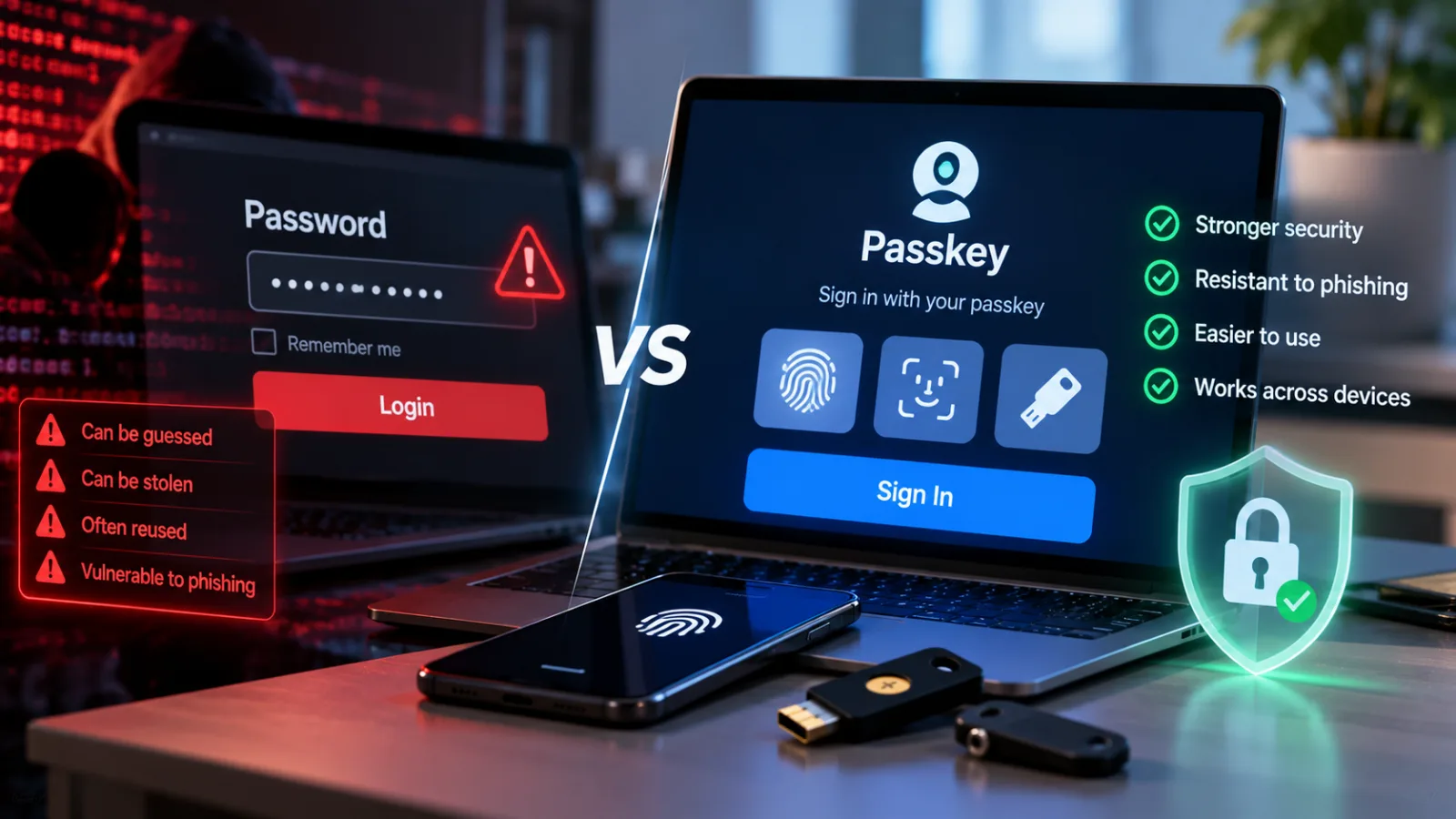
Table of contents
- Why Passkeys Are More Secure Than Passwords
- What New Cybersecurity Guidance Says About Passkeys
- Passkeys vs. Passwords: The Main Security Differences
- Can Passkeys Still Be Hacked?
- Are Passkeys More Secure Than Two-Factor Authentication?
- Where Can You Use Passkeys?
- What Businesses Need to Know About Passkey Security
- The Bottom Line on Passkey Security
- Frequently Asked Questions
Passwords have been the default way to protect online accounts for decades, but passkeys are emerging as a more secure alternative.
In April 2026, the UK's National Cyber Security Centre (NCSC) announced that it would begin recommending passkeys wherever websites and apps support them, with two-step verification as the alternative when passkeys are unavailable.
The recommendation reflects a shift in cybersecurity guidance toward authentication methods designed to prevent credential theft and phishing rather than relying on users to create and remember stronger passwords.
The central distinction is how the two methods verify identity.
A password is a secret that a user must remember and enter, while a passkey uses cryptographic credentials tied to a specific website or application.
This design makes passkeys significantly harder to steal and reuse through common attacks.
Why Passkeys Are More Secure Than Passwords
A passkey is a digital credential based on public-key cryptography, a system that uses a mathematically related pair of keys to verify identity.
When a user creates a passkey for an account, the device generates a public key and a private key.
The website stores the public key, while the private key remains under the protection of the user's device or passkey-management system.
During sign-in, the service challenges the device to prove possession of the private key.
The device completes the cryptographic operation without sending the private key to the website.
This approach reduces the value of data stolen from a website's authentication database.
An attacker who obtains a site's stored public keys cannot use them to reconstruct the corresponding private keys and sign in as the affected users.
Google's passkey documentation explains that the system also binds authentication to the identity of the website or application.
The browser or operating system checks that identity before allowing the passkey to be used, providing built-in protection against many phishing attacks.
Traditional passwords work differently.
Even a long, complex password can be stolen through a convincing fake login page, exposed by malware, or reused against another service if the same credentials protect multiple accounts.
Passkeys reduce these risks because authentication does not depend on manually entering a reusable secret.
What New Cybersecurity Guidance Says About Passkeys
The strongest recent endorsement comes from the UK's National Cyber Security Centre, which published its assessment of passkeys and traditional authentication methods in April 2026.
The agency compared FIDO2 credentials, including passkeys, with traditional multi-factor authentication methods such as passwords combined with SMS codes, authenticator-app codes or push notifications.
Its analysis concluded that FIDO2 credentials are as secure as or more secure than traditional multi-factor authentication against commonly observed credential attacks targeting individuals.
The NCSC also said that passkeys make large-scale attacks based directly on credential reuse or relay substantially less practical when the technology is implemented correctly.
This is significant because multi-factor authentication has long been recommended as a major improvement over passwords alone.
It typically requires users to provide a password and a second form of verification, such as a temporary code or an approval on another device.
However, some traditional second factors remain vulnerable to phishing.
An attacker can create a fake login page, collect a victim's password and verification code, and relay those details to the legitimate service before the code expires.
Passkeys are designed to prevent this type of attack by binding authentication to the legitimate website or application.
A fake website cannot simply collect a passkey in the same way it can collect a password and a one-time code.
The NCSC's recommendation is therefore not merely about convenience.
It reflects an assessment of how authentication systems withstand real-world attacks across the lifecycle of a credential, from creation and storage to recovery and revocation.
Passkeys vs. Passwords: The Main Security Differences
The difference becomes clearer when comparing how each method handles common threats.
Phishing: Passwords can be entered into fraudulent websites that imitate legitimate services.
Passkeys are tied to the identity of the website or application, helping prevent authentication on impostor sites.
Credential reuse: A password reused across multiple websites can expose several accounts when one service suffers a breach.
Passkeys use distinct credentials for individual services, preventing attackers from reusing one site's authentication credential to access another.
Website data breaches: Services must protect stored password verifiers, typically using salted password hashing to make stolen databases harder to exploit.
With passkeys, the service stores a public key rather than the private key needed to authenticate.
This reduces the value of a stolen authentication database, although it does not protect all other data held by the service.
Brute-force attacks: Weak passwords may be vulnerable to guessing attacks, depending on their length, complexity and the service's protections.
Passkeys rely on cryptographic operations rather than a human-selected secret that can be guessed in the same way.
Account recovery: Neither method is automatically safe if an attacker can exploit a weak recovery process.
Passkey recovery depends on how credentials are synchronized, backed up and restored, as well as how the user proves ownership of the account.
These differences explain why passkeys can improve security even when compared with passwords that meet conventional complexity requirements.
The advantage comes primarily from the authentication protocol, not from asking users to remember a more complicated secret.
Can Passkeys Still Be Hacked?
Yes.
Passkeys substantially reduce exposure to common credential attacks, but they do not make an account invulnerable.
The NCSC identifies several remaining risks, including malware on a compromised device, phishing attacks against the account used to synchronize passkeys, theft of a device protected by a weak PIN, and weaknesses in account recovery.
These risks depend on how the passkey is stored and used.
A passkey protected by a well-secured device and a reputable synchronization service has a different risk profile from one stored on a compromised device or associated with an account that has weak recovery protections.
Device theft and malware
A passkey is generally protected by the device's security controls.
Depending on the implementation, signing in may require the user to unlock the device with a fingerprint, facial recognition, a PIN or another supported method.
If an attacker steals an unlocked device or compromises its operating system, some protections may be weakened.
Users should therefore keep their devices updated, use a strong screen-lock PIN and protect access to their primary accounts.
Biometrics can make authentication convenient, but they are not the passkey itself.
The device uses the biometric check or screen-lock method to authorize the cryptographic credential.
Google's documentation also states that biometric information used for passkey authentication remains on the user's device rather than being sent to the website.
Synchronization and recovery
Many passkeys synchronize across authorized devices through an account or password manager.
This allows users to access their credentials when switching phones or computers.
Synchronization also creates another account that must be protected.
If an attacker takes control of the account that manages synchronized passkeys, the attacker may be able to compromise access to those credentials, depending on the provider's security controls and recovery procedures.
The NCSC recommends protecting synchronization accounts against phishing and ensuring that recovery options are secure.
For passkeys that exist only on a single device, users should register backup authentication methods where possible.
Otherwise, losing the device may leave them unable to access an account until they complete the service's recovery process.
Weak account recovery
A strong sign-in method cannot fully protect an account if an attacker can bypass it by exploiting a weak password-reset process or persuading customer support to transfer access.
Organizations adopting passkeys should therefore examine the entire authentication system, including account recovery, device registration, credential revocation and support procedures.
For users, the practical lesson is to secure the account that manages synchronized credentials and keep alternative recovery options current.
Are Passkeys More Secure Than Two-Factor Authentication?
Properly implemented passkeys can provide security comparable to or better than traditional two-factor authentication, according to the NCSC's 2026 assessment.
However, the comparison depends on the authentication methods involved.
A passkey is not automatically superior to every conceivable security key or authentication system, and implementation quality matters.
Traditional two-factor authentication adds another layer to a password.
This can significantly reduce account compromise, especially when the second factor is difficult to steal.
But SMS codes, email codes, authenticator-app codes and push approvals can still be vulnerable to certain forms of phishing, social engineering or account takeover.
Passkeys using FIDO2 standards are designed to resist credential phishing by binding authentication to the legitimate service.
When user verification is required during authentication, the NCSC considers FIDO2 authentication to provide multi-factor authentication properties.
The practical recommendation is straightforward: use a passkey when a trusted service supports it, and use two-step verification when it does not. That approach aligns with the NCSC's announced guidance for individual users in the UK.
For highly sensitive accounts, users should also follow the service provider's guidance on recovery, backup credentials and additional security controls.
Where Can You Use Passkeys?
Passkeys are supported by many modern phones, computers, operating systems, browsers and online services.
Availability varies by service, device and software version.
Google supports passkeys through compatible services and technologies, including Google Password Manager on supported Android devices and Chrome environments.
Passkeys can also be used across supported operating systems and browsers through implementations of the FIDO standards.
Apple devices and compatible password managers also support passkey workflows, although the available storage and synchronization options depend on the platform and the service being accessed.
Users generally create a passkey from the security settings of the relevant website or application.
After signing in through the existing authentication method, they can look for an option such as "Create a passkey" or "Passkeys" in the account's security settings.
Once registered, signing in typically involves selecting the account and approving authentication through the device's supported unlock method.
The exact steps vary between services.
Before creating a passkey, users should confirm that they can access the account-management system that stores or synchronizes it and understand how the service handles lost devices and account recovery.
What Businesses Need to Know About Passkey Security
The benefits extend beyond individual users.
Businesses that support passkeys can reduce their exposure to password-based phishing, credential stuffing and attacks that exploit reused credentials.
Credential stuffing occurs when attackers use usernames and passwords exposed in one breach to attempt access to other services.
Because passkeys do not rely on a reusable password shared between websites, they help eliminate this attack path for accounts that authenticate exclusively through properly implemented passkeys.
However, deploying passkeys requires more than adding a button to a login page.
Organizations need to secure registration and recovery, allow users to revoke credentials that are lost or no longer needed, and ensure that their websites correctly implement the relevant authentication standards.
The NCSC also notes that its 2026 comparison focuses on personal use and has not yet formally assessed every enterprise scenario.
Organizations should therefore consider their own access models, device policies, legacy systems and recovery requirements rather than assuming that consumer guidance automatically covers every business environment.
For developers, implementation guidance is available through Google's passkey documentation and the wider FIDO ecosystem.
Correct implementation is essential because the technology's security advantages depend on how websites, applications and authentication services handle credentials.
The Bottom Line on Passkey Security
Passkeys are generally more secure than passwords because they resist phishing, eliminate password reuse for authentication and reduce the risk associated with stolen website credential databases.
The UK's NCSC strengthened the case for adoption in April 2026 by announcing that it would recommend passkeys wherever services support them, with two-step verification as the alternative.
Its technical assessment found that FIDO2 credentials, including passkeys, provide protection against common credential attacks that is comparable to or better than traditional multi-factor authentication.
The remaining risks are concentrated in areas such as compromised devices, synchronization accounts and account recovery.
Users and organizations should address those weaknesses while adopting passkeys wherever trusted services make them available.
