
How to Start Artificial Intelligence Learning: 6 Smart Tips
By Afonso Macosso · October 19, 2026

Table of contents
Artificial intelligence is becoming part of everyday work, from analysing spreadsheets and writing software to preparing presentations, researching unfamiliar subjects, and automating repetitive tasks.
Learning it properly starts with understanding what these systems can do, where they make mistakes, and how to use them to solve practical problems.
If you are deciding how to start artificial intelligence learning, you do not need an advanced mathematics degree or an expensive computer on your first day.
You need a clear objective, a manageable study routine, reliable learning resources, and enough practical work to test what you understand.
The right starting point depends on whether you want to use AI professionally, build applications, or develop machine learning systems.
1. Decide What to Learn
Choose your direction
Artificial intelligence covers several areas of study.
Someone who wants to use AI in an office has different learning requirements from a software developer building an intelligent application or a researcher training machine learning models.
Before enrolling in a course, decide what you want to be able to do after three months of study.
A concrete goal makes it easier to select the right material and judge whether your progress is useful.
There are three sensible starting directions.
AI for everyday work: Learn how to write effective instructions, evaluate generated answers, summarise documents, analyse data, and use AI responsibly.
This path suits administrators, marketers, business owners, teachers, project coordinators, and professionals who want to improve existing workflows.
AI for software development: Learn programming, data handling, APIs, model integration, and the practical design of applications that use AI services.
This route suits developers and technically minded learners who want to build tools rather than only use existing ones.
Machine learning and research: Study statistics, linear algebra, probability, Python, datasets, model evaluation, and the principles behind training algorithms.
This path is appropriate for learners who want to understand how predictive models are developed and assessed.
You can move between these directions.
A person who begins by using AI for office tasks may later become interested in Python and application development.
Someone studying computer science may start by building simple AI features before learning how model training works.
The important decision is what you want to accomplish first.
Separate use from theory
Using an AI assistant and developing an AI model are related activities, but they require different skills.
When you ask a chatbot to summarise a document, you are working with an existing model through an interface.
You need to understand how to provide context, check the result, protect sensitive information, and recognise unreliable answers.
When you build an application that uses an AI API, you also need to understand authentication, requests, responses, error handling, usage limits, data protection, and the cost of processing requests.
When you train a machine learning model, you face additional questions about datasets, feature selection, training and validation, overfitting, performance metrics, and computational requirements.
Trying to learn all these subjects simultaneously can make the first weeks unnecessarily difficult.
Start with one practical objective and add technical depth as your work requires it.
Set a measurable goal
Avoid goals such as becoming an AI expert in thirty days.
They do not tell you what to study or how to measure improvement.
Choose something you can demonstrate.
You might want to produce a reliable research summary, analyse a sales spreadsheet, build a small chatbot for a website, or train a model that classifies a dataset.
A useful first goal could be: by the end of four weeks, create a Python program that loads a CSV file, cleans the data, and produces a basic analysis with a written explanation of the limitations.
Another learner might aim to build a documented customer support assistant that answers questions from a small collection of approved documents and declines to answer when the information is missing.
Both goals require learning, practice, and evaluation.
They also give you something concrete to show at the end.
2. Choose Six AI Tools
Six tools can support different parts of the learning process.
You do not need to subscribe to all of them.
Choose one main assistant, add a second when it serves a clear purpose, and spend most of your time practising rather than comparing products.
1. ChatGPT

Best for guided practice
ChatGPT can explain unfamiliar concepts, generate practice questions, review code, suggest exercises, and help you investigate errors.
Ask it to teach one concept at a time and then test your understanding without showing the answer immediately.
A beginner studying Python could request a short exercise involving lists, attempt it independently, and ask for feedback on the solution.
Check important technical claims against documentation and run code before relying on it.
2. Claude

Best for detailed explanations
Claude can help you work through longer explanations, review written reasoning, analyse supplied documents, and examine code.
It is useful when you want to compare two explanations of a difficult concept or ask for a detailed critique of a project.
For example, after writing a description of supervised learning, ask Claude to identify ambiguous statements, missing concepts, and examples that might mislead a beginner.
Treat its feedback as a review to evaluate, not an automatic verdict.
3. Google Gemini

Best for exploring concepts
Gemini can assist with explanations, brainstorming, coding questions, and analysis of supported inputs.
Its usefulness for a learner depends on the available model, account features, and task.
You could use it to compare possible approaches to a small data analysis project, then check the suggested methods using Python documentation or a trusted course.
Keep your questions specific so the answers address the actual problem.
4. Microsoft Copilot

Best for workplace learning
Copilot can be useful when your learning involves Microsoft products and workplace tasks.
Depending on the version and available licences, it may assist with documents, spreadsheets, presentations, research, or coding.
A learner could practise analysing a fictional monthly sales report and prepare a short management presentation from the results.
Verify calculations against the original data, especially when the output may influence a business decision.
5. Perplexity

Best for source based research
Perplexity is useful for researching AI terminology, locating technical explanations, and finding sources to investigate further.
When an answer includes citations, open the cited material and confirm that it actually supports the claim.
For instance, if you are studying retrieval augmented generation, use research tools to locate relevant technical documentation and introductory explanations.
Read the original sources instead of relying entirely on a generated summary.
6. Khanmigo
Best for guided study
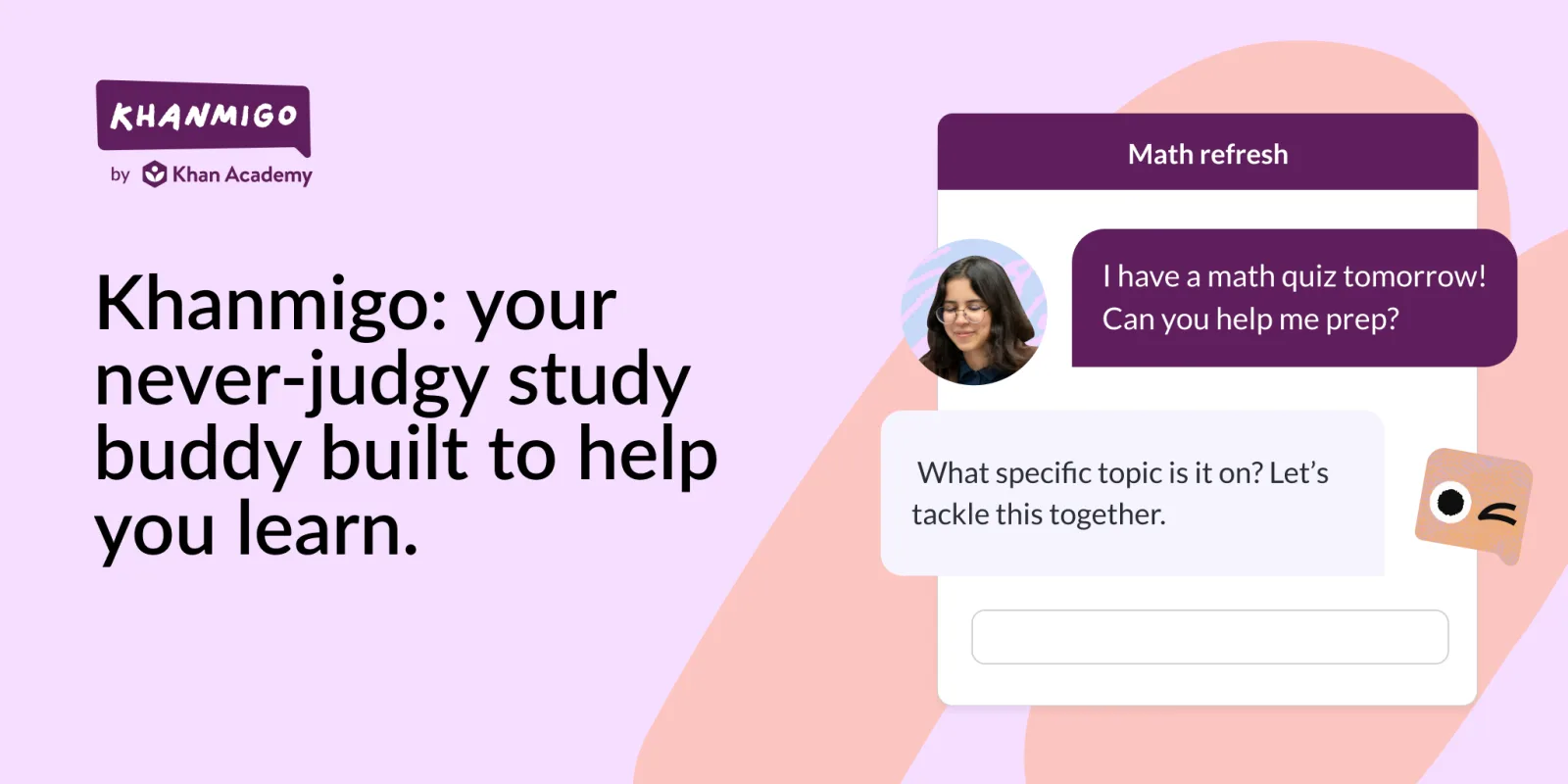
Khanmigo is Khan Academy's AI supported learning assistant.
Its educational approach can help learners work through questions, receive guidance, and develop understanding rather than immediately receiving a completed answer.
Availability, supported subjects, and access conditions may vary.
It can be useful when you are studying foundational mathematics or related subjects that support later work in machine learning.
Check the current offering to confirm that it fits your age group, location, and learning needs.
These six tools serve different learning needs, and their features change over time.
Their inclusion does not mean that one assistant is always more accurate than another.
Test the options against your own tasks, compare their answers with reliable sources, and choose the smallest set that helps you make consistent progress.
3. Build the Foundations
Understand the main concepts
Artificial intelligence is a broad field concerned with systems that perform tasks associated with abilities such as perception, language processing, prediction, planning, and decision making.
The term covers different methods, and understanding a few distinctions will make later study easier.
Machine learning is an area of AI in which systems learn patterns from data to make predictions or decisions.
A model trained on historical sales information, for example, may estimate future demand.
Its usefulness depends on the quality of the data, the way the model is trained, and how well its predictions hold up on new information.
Deep learning uses neural networks with multiple layers to learn complex patterns.
It supports many modern systems for image recognition, speech processing, language generation, and other demanding tasks.
You do not need to understand every detail of neural network mathematics before using an AI assistant, but those concepts become important when you move into model development.
Generative AI creates new content, such as text, images, audio, video, and code, in response to instructions or other inputs.
Chatbots and image generators are familiar examples.
Their output can be useful while still containing mistakes, fabricated details, or unsuitable material.
Large language models are trained to process and generate language.
They can answer questions, summarise documents, assist with coding, and follow instructions, although their capabilities and limitations vary.
Their fluent writing should not be treated as proof that every statement is correct.
These distinctions help you ask better questions.
If you want to classify customer messages, you are dealing with a different task from generating a product description or forecasting monthly sales.
Learn data literacy
Even learners who plan to use AI without programming need a basic understanding of data.
Models are developed, evaluated, and applied using information, and poor information can produce poor results.
Start with the difference between structured and unstructured data.
A spreadsheet containing dates, product names, quantities, and prices is structured.
Customer emails, photographs, audio recordings, and long documents are examples of less structured material.
Next, learn how missing values, duplicates, inconsistent labels, biased samples, and outdated records affect analysis.
Imagine a retailer who wants to predict which products will sell well.
If returns are recorded as sales, stockouts are ignored, or several product names refer to the same item, the dataset can lead to misleading conclusions.
A useful exercise is to take a small, fictional dataset and inspect it manually.
Check the column names, count missing values, identify inconsistent entries, and write down what the data can and cannot tell you.
This habit is valuable whether you eventually work with spreadsheets or train machine learning models.
Learn to question results
Good AI literacy includes knowing when a system's answer needs verification.
A model may provide a convincing explanation of a technical subject while mixing correct details with unsupported claims.
When an assistant answers a question, ask yourself three things.
What evidence supports the answer?
What assumptions has the system made?
What would happen if the answer were wrong?
For example, if an AI tool recommends a Python library for a project, check the official documentation, installation instructions, compatibility requirements, and recent release information.
If it explains a statistical result, verify the method and inspect the data.
If it summarises a policy, read the relevant sections of the original document.
You do not need to distrust every response.
You need a reliable method for checking claims that matter.
4. Learn Through Projects
Start with ordinary tasks
Practical work makes abstract ideas easier to remember.
Choose a task with a clear result, small enough to finish within a few study sessions.
A nontechnical learner could compare three AI generated summaries of the same public report and evaluate whether each preserves the report's key findings.
A marketing professional could classify a set of fictional customer enquiries by topic and identify recurring questions.
A programmer could create a simple interface that sends a question to an AI API and displays the response.
Each project should have a defined input, an intended output, and a way to judge quality.
If you cannot explain what a successful result looks like, the task is probably too vague.
Keep a learning notebook
Record the problem you attempted, the method you used, the result, and the issues you encountered.
Include mistakes.
A short note explaining why a generated answer was wrong may be more valuable than saving ten answers that worked immediately.
For a coding exercise, write down the error message, the cause you eventually identified, and how you tested the fix.
For a research exercise, record which source supported the final claim.
For a data project, keep a note of assumptions and any records excluded from the analysis.
This record helps you recognise recurring gaps.
You may find that your prompts are too broad, that you need more Python practice, or that you are making decisions before checking the available data.
It also gives you material for a portfolio.
Instead of listing AI as a skill on a CV without supporting evidence, you can show a small project, explain the decisions behind it, and describe its limitations.
Complete one project
Here is a practical project suitable for someone who wants to use AI in a professional setting without starting with advanced mathematics.
Imagine that a small training centre receives enquiries about course prices, schedules, entry requirements, and registration.
The owner wants to understand the most common questions and prepare clearer responses.
Use a set of fictional enquiries or public examples that do not expose private customer information.
Ask an AI assistant to group them into categories, then review the categories manually.
Look for messages that do not fit, ambiguous labels, and cases where the model misunderstood the request.
Next, prepare a short reference document containing verified answers to the centre's common questions.
Test whether an AI assistant can draft replies using only that information.
Include questions whose answers are absent from the document and check whether the assistant admits that it lacks the information.
This project teaches several important skills: task definition, data preparation, prompting, evaluation, error handling, and responsible use.
It also produces a practical result that can be explained to a potential employer.
5. Study Python and Mathematics
When Python matters
Python is a widely used programming language in machine learning and data science.
It has a large ecosystem of libraries for manipulating data, training models, evaluating results, and building applications.
If your objective is to use AI assistants for routine writing and research, programming can wait.
If you want to build AI applications, analyse datasets programmatically, or study machine learning in depth, Python should become part of your learning plan.
Begin with variables, strings, numbers, lists, dictionaries, conditional statements, loops, functions, and file handling.
Then practise reading CSV files and working with libraries such as pandas and NumPy.
You can progress to plotting, data cleaning, and basic statistical analysis.
Do not learn syntax only by watching tutorials.
Write small programs, run them, and change them to see what happens.
A short script that cleans a list of customer records teaches more than a long tutorial watched without practice.
When you reach machine learning, explore scikit learn for common workflows involving data preparation, classification, regression, and model evaluation.
Later, depending on your goals, you can study frameworks such as PyTorch or TensorFlow.
Use browser based practice
You do not need to buy an expensive computer to begin learning Python.
Browser based environments such as Google Colab allow you to run many educational notebooks without setting up a full development environment on your own machine.
Google's Machine Learning Crash Course provides lessons, interactive visualisations, and practical exercises covering core machine learning concepts.
Google recommends familiarity with Python, NumPy, pandas, and relevant mathematical foundations for learners who want to work through its technical material comfortably.
The course can help you identify what to learn next, even if you need to study some prerequisites first.
Start with small exercises and keep your code organised.
Give variables meaningful names, add comments where they clarify an important decision, and check the output against a known example.
When an AI assistant suggests code, make sure you understand what the code does before using it in a larger project.
Study mathematics gradually
Mathematics becomes increasingly important as you move from using existing AI products to understanding and developing machine learning systems.
Begin with basic algebra, functions, graphs, percentages, averages, and an understanding of variation in data.
These topics help you interpret datasets, understand simple models, and follow explanations of model performance.
Later, study probability and statistics.
You will need to understand concepts such as distributions, sampling, correlation, variance, uncertainty, and the difference between association and causation.
These ideas matter when you evaluate predictions or decide whether a model is suitable for a particular task.
Linear algebra becomes useful when studying vectors, matrices, embeddings, and neural networks.
Calculus can help explain optimisation and gradient based learning.
The amount of mathematical detail required depends on whether you want to use existing models, build applications around them, or conduct deeper technical work.
Avoid delaying every practical project until you have mastered mathematics.
Study the concepts needed for your current task, then return to the theory when a project gives you a reason to understand it more deeply.
6. Follow a Study Plan
Your first four weeks
A beginner can establish a useful routine in four weeks, provided the goal is to build a foundation rather than master the entire field.
The following schedule assumes roughly five to seven hours of study each week.
Adjust it to your existing responsibilities and technical background.
Step 1: Establish your baseline. During the first week, learn the basic terminology, try one AI assistant, and write down what you want to achieve.
Complete a small exercise that exposes your current strengths and weaknesses.
If you intend to use AI at work, choose a genuine but low risk task.
If you want to develop software, install or open a Python environment and run a simple program.
Step 2: Practise deliberate use. During the second week, work on giving clear instructions, supplying relevant context, and checking answers.
Compare generated responses with reliable sources.
If you are following the technical route, spend additional time on Python variables, conditions, loops, and functions.
Step 3: Build something small. During the third week, choose a project that can be completed in a few sessions.
Keep its scope narrow.
A document question answering exercise, a data cleaning script, or a structured analysis of public information can all work.
Record errors and improve the result instead of repeatedly starting new projects.
Step 4: Review your work. In the fourth week, finish the project, document what it does, and explain its limitations.
Ask someone else to test it if appropriate.
Write down what you would change with more time, then select the next topic based on the problems you encountered.
The objective is to finish the month with a clear understanding of one area and a piece of work that demonstrates what you learned.
A weekly routine
Consistency is more useful than an ambitious timetable that becomes impossible to maintain.
Divide your available study time between reading, guided exercises, independent practice, and review.
For example, a five hour week could include two hours of structured lessons, two hours of practical work, and one hour of reviewing mistakes and documenting progress.
If you have more time, expand the project rather than collecting more courses without completing them.
Keep one main course or learning path active at a time.
Additional resources can answer specific questions, but switching between several unrelated courses every few days makes it harder to build momentum.
OpenAI Academy offers introductory material on AI fundamentals and practical use, including instruction writing, adding context, reviewing outputs, and responsible use.
Its course catalogue includes options for different levels and purposes, so check the current descriptions and prerequisites before choosing a path.
7. Choose Reliable Courses
Start with official material
A structured course gives you a sequence of concepts, exercises, and checks that random online videos may not provide.
Official learning resources are particularly useful when studying a specific product, programming library, or technical platform because the documentation can clarify supported features and current requirements.
For introductory AI literacy, OpenAI Academy provides material on AI fundamentals and using AI in practical tasks.
It is a reasonable starting point for someone who wants to become more confident with existing tools before moving into application development.
For technical machine learning, Google's Machine Learning Crash Course offers a more demanding path with practical exercises.
Learners who are new to programming may need to work through Python and data handling first.
The course is most useful when you complete the exercises and check whether you can explain the results yourself.
Evaluate paid training
A paid course can be worthwhile when it provides structured assignments, meaningful feedback, a credible instructor, and a clear path toward your objective.
A certificate alone does not establish technical ability.
Before paying, inspect the syllabus.
Does it teach concepts you need?
Are there practical projects?
Is the material maintained?
Are prerequisites stated clearly?
Does the course explain how assignments are evaluated?
Can you see examples of the expected work?
Also consider your internet access, available study hours, payment method, and the cost of any required software.
A course that assumes a powerful GPU or expensive cloud resources may not be suitable for a beginner who only has access to a standard laptop.
If the course is self paced, create your own deadlines.
If it includes a community or instructor support, check whether questions receive substantive answers and whether feedback is part of the price.
Build a resource hierarchy
Use a small number of resource types for different purposes.
A structured course provides the learning sequence.
Official documentation explains how a tool or library works.
An AI assistant helps clarify concepts and generate practice questions.
Your own projects reveal whether you can apply the knowledge.
This combination is more dependable than relying on a single source.
If two resources disagree, investigate the difference.
One may describe an older version, a different model, or a method that applies under different conditions.
Record the date when you complete a course or follow a technical guide.
AI tools and software libraries change, and an old tutorial may contain instructions that no longer work.
8. Avoid Common Learning Mistakes
Do not collect courses
It is easy to spend weeks bookmarking tutorials, comparing certificates, and watching introductions without completing an exercise.
That activity can feel productive because you are constantly encountering new information, but it gives little evidence that you can apply what you have learned.
Choose a course and finish its essential exercises.
When a concept remains unclear, use another source to address that specific gap.
Return to the original project and apply the concept.
A completed small project is generally more useful for assessing progress than a long list of unfinished courses.
Avoid copying generated code
AI assistants can produce code that looks plausible but contains logical errors, insecure practices, outdated functions, or dependencies that do not exist.
Copying code without understanding it can turn a simple learning exercise into a confusing debugging session.
Ask the assistant to explain each major part of the solution.
Run the code in a controlled environment, inspect the output, and change one element at a time.
Read the relevant documentation when an unfamiliar function or library appears.
For projects that handle real data, pay attention to input validation, access controls, dependency updates, logging, and the handling of errors.
A demonstration script should not be treated as production software without further review.
Do not trust every metric
A machine learning model can perform well on a test that does not reflect the conditions in which it will be used.
For example, a classifier might achieve a high score on a dataset that contains duplicated records or fails to represent the people and situations encountered in practice.
Learn why training, validation, and test data are separated.
Understand the difference between accuracy, precision, recall, and other metrics when they are relevant to your project.
The appropriate metric depends on the consequences of false positives and false negatives.
For a system that flags suspicious financial transactions, missing a genuinely suspicious transaction may carry a different cost from incorrectly flagging a legitimate payment.
A single performance score may hide that distinction.
You do not need to master every evaluation method immediately.
You do need to know that a promising result on one dataset does not automatically establish reliability in every situation.
Keep expectations realistic
Learning AI is a continuing process because tools, models, and development practices change.
A beginner can become productive with existing assistants relatively quickly, while deeper competence in machine learning requires sustained work with programming, data, evaluation, and mathematics.
Do not judge your progress by how many technical terms you can repeat.
Judge it by whether you can explain a concept clearly, solve a problem independently, recognise a limitation, and justify the decisions you made.
9. Prepare for Real Work
Develop a portfolio
A portfolio gives employers, clients, and collaborators something concrete to evaluate.
It can contain small projects rather than a single complex application.
For each project, describe the problem, the tools used, the approach, the result, and the limitations.
Include enough detail for another person to understand what you actually did.
If you used an AI assistant to generate code or draft content, explain how you tested and reviewed the output.
Suitable projects depend on your intended career.
A business analyst might demonstrate a data cleaning and reporting workflow.
A developer might show an application that uses an AI API.
A learner focused on machine learning could present a model evaluation project with a documented dataset and a discussion of errors.
Never publish confidential company information, private customer data, or code that you do not have permission to share.
Use public datasets, fictional examples, or appropriately anonymised material.
Learn to explain decisions
Employers and clients often need to know why you selected a method, how you checked the result, and what risks remain.
Practise explaining those decisions without relying on product names as a substitute for technical understanding.
If you build a document assistant, explain how the source material is selected, how answers are checked, what happens when the information is missing, and how access to confidential documents is controlled.
If you create a forecasting model, explain the dataset, the evaluation method, and the conditions under which the forecast may become unreliable.
These explanations demonstrate that you understand the work beyond the interface used to produce it.
Continue with a specialisation
Once you have completed a few small projects, choose a direction that fits your interests and the work you want to pursue.
You might focus on AI application development, data analysis, machine learning engineering, natural language processing, computer vision, AI evaluation, or the use of AI in a specific industry.
Each area has its own technical requirements and opportunities.
Study job descriptions and project requirements for the role you want.
Identify recurring skills, then compare them with your current abilities.
This gives you a practical list of subjects to learn next, instead of attempting to study every AI discipline at once.
Frequently Asked Questions
Can beginners learn AI?
Yes.
Beginners can start with AI literacy, basic concepts, and practical exercises without advanced mathematics.
Programming and mathematical study become more important when building applications or developing machine learning models.
Do I need Python?
Python is useful for data analysis, machine learning, and AI application development.
You can begin using existing AI tools without programming, then learn Python when your goals require it.
Which AI tool is best?
The best choice depends on the task.
ChatGPT, Claude, Gemini, Microsoft Copilot, Perplexity, and Khanmigo support different types of learning and work.
Test tools against your own requirements and verify important answers.
How long does learning AI take?
You can learn basic AI concepts and useful workflows within weeks of consistent practice.
Developing strong programming and machine learning skills usually requires months or longer, depending on your starting point, study time, and project experience.
Can I learn AI free?
Yes.
Free courses, documentation, browser based coding environments, and free tiers of some AI tools can provide a useful starting point.
Check current usage limits and course requirements before committing to a learning path.
