
AVG Antivirus Review 2026 Features Pricing and Verdict

By Afonso Macosso & Nathan Cole · Reviewed by Zari M'Bale
AVG Antivirus provides robust malware protection and overall system performance, making it an excellent choice for securing professional devices easily.
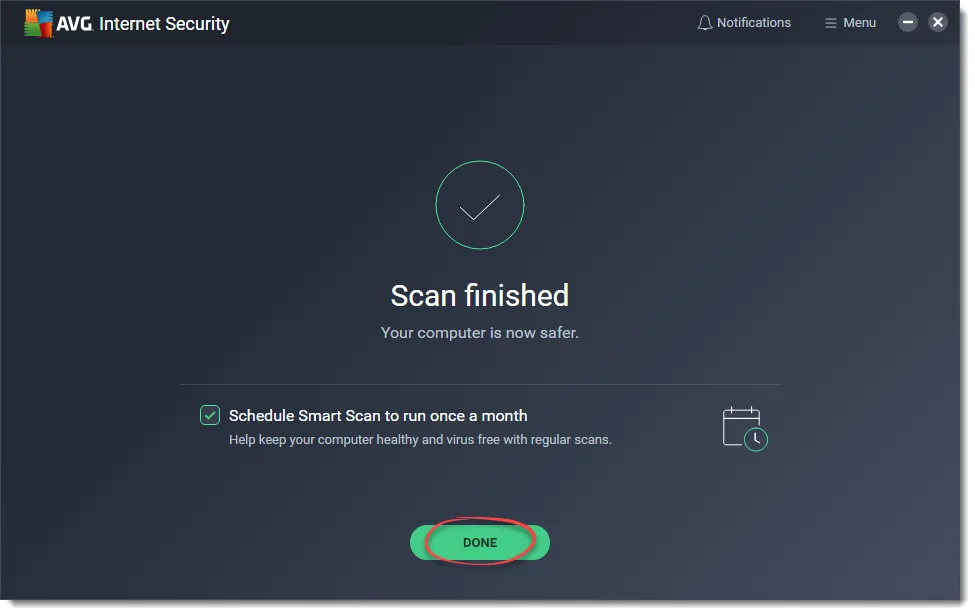
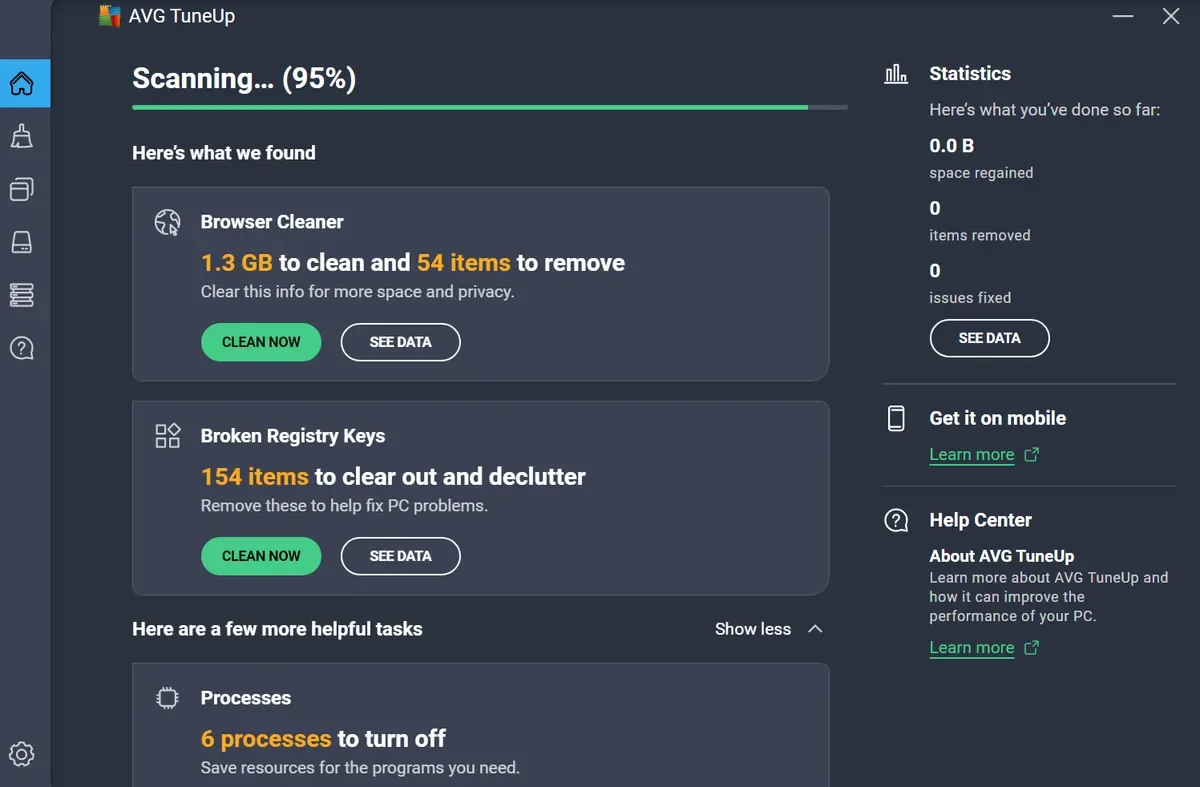
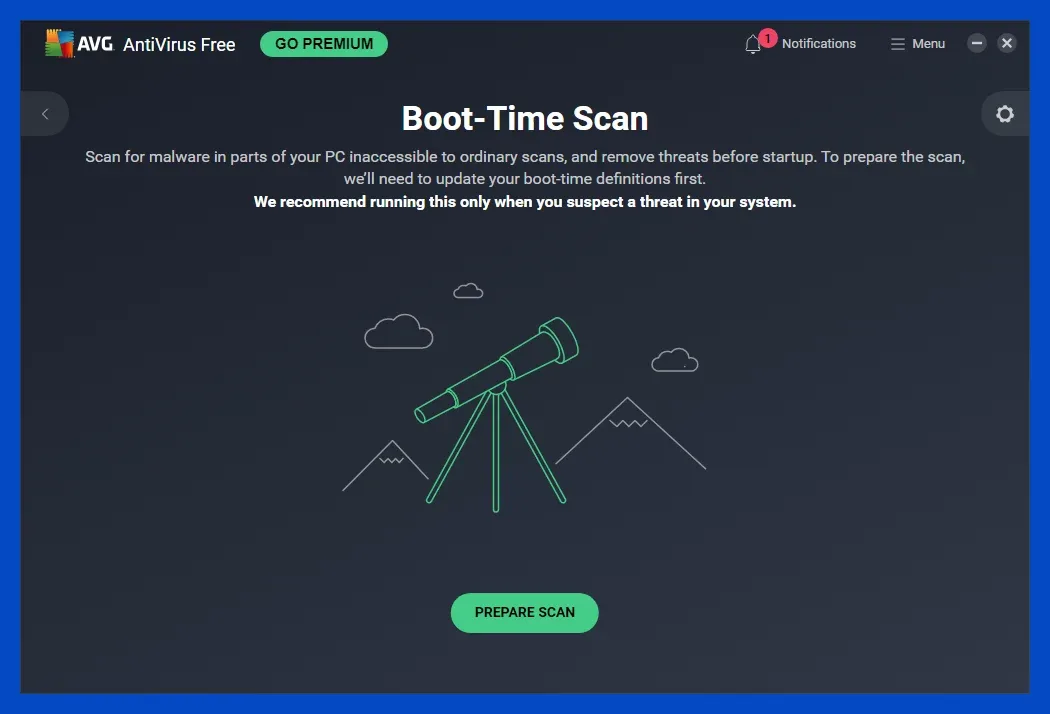
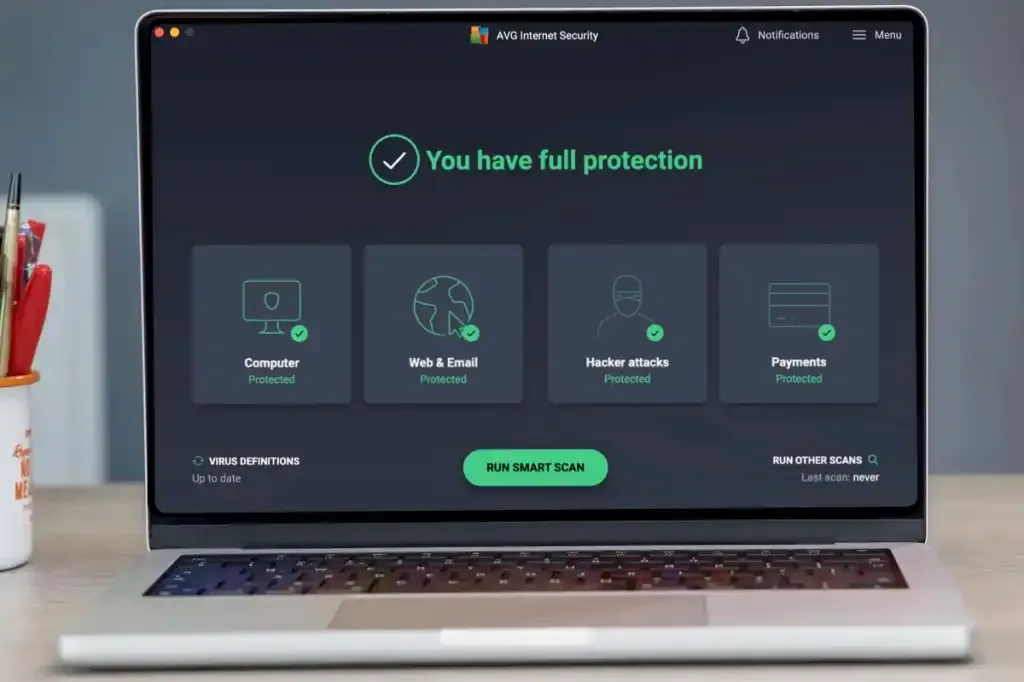
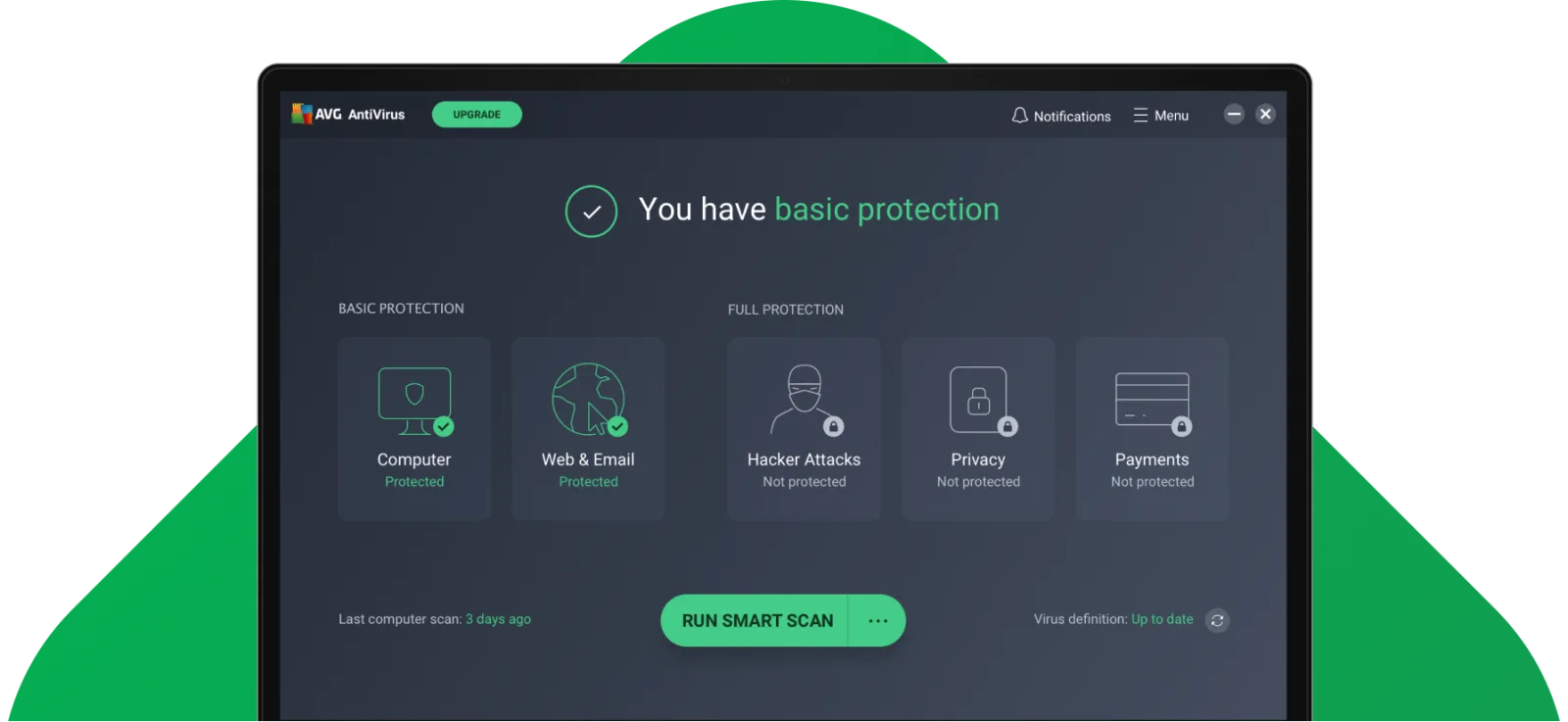
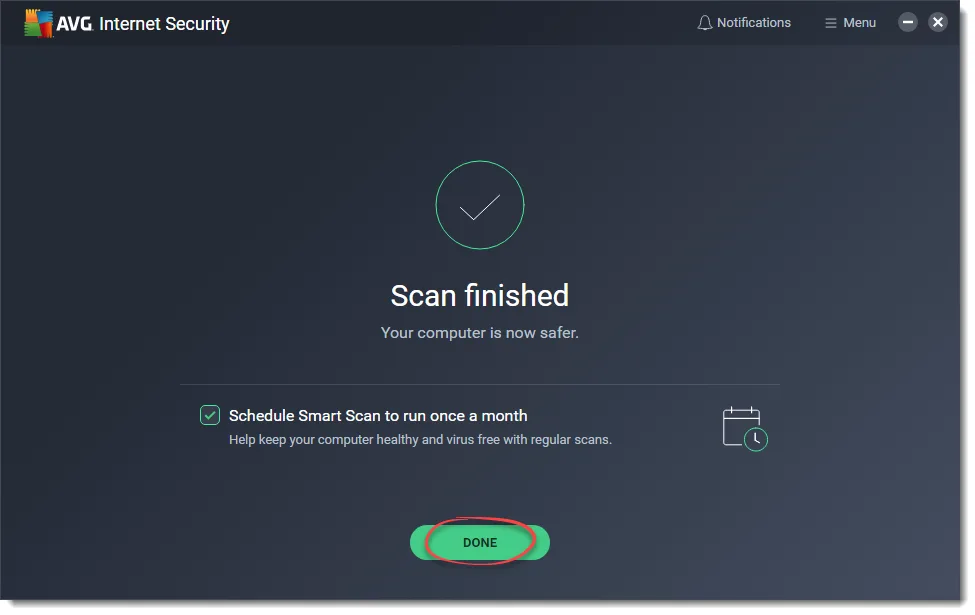
Table of contents
- 1. Introduction to the AVG Antivirus Review and Core Findings
- 2. Why You Can Trust Our Unbiased Testing Process
- 3. Comprehensive Malware Protection Mechanisms in AVG Antivirus
- 4. Evaluating System Performance and Resource Impact
- 5. Navigating the User Interface and Daily Management
- 6. Advanced Security Enhancements and Privacy Layers
- 7. Mobile Protection Capabilities Across Android and iOS
- 8. Strategic Pricing Packages and Subscription Value
- 9. Our Definitive Verdict on AVG Antivirus Capabilities
- 10. Frequently Asked Questions
1. Introduction to the AVG Antivirus Review and Core Findings
AVG Antivirus Review offers a comprehensive analysis of an industry standard security solution designed to protect modern computing environments from sophisticated digital threats.
Over the past several years, this platform has evolved significantly to deliver layered security mechanisms that safeguard personal files, network connections, and identity details.
In this thorough evaluation, we examine the true capabilities of its malware scanning engine, the performance overhead observed during intensive daily tasks, and the practical value of its paid upgrades.
By analyzing objective telemetry alongside hands on administrative deployment, we provide a clear roadmap to help professionals determine whether this suite satisfies their operational security requirements.
The modern threat landscape demands more than simple reactive scanning.
Malware developers continually refine their methods, leveraging automated generation tools and zero day vulnerabilities to bypass traditional signature based defenses.
Endpoint protection tools must therefore operate with predictive intelligence, deploying behavioral heuristics and cloud data networks to isolate anomalies before damage occurs.
This review systematically breaks down how the software architecture addresses these challenges across multiple operating systems.
We avoid standard marketing terminology and focus entirely on quantifiable protective performance, configuration flexibility, administrative ergonomics, and financial sense.
As remote work and distributed corporate structures remain prevalent, the boundary between organizational infrastructure and personal devices continues to dissolve.
Securing an endpoint now requires a suite that can monitor dangerous home network components, block intrusive web tracking, filter compromised email links, and defend vulnerable hardware components like integrated webcams.
Throughout this assessment, we analyze how the application scales from its famous free utility to its comprehensive premium packages, providing a transparent view of what each tier provides and where the limitations reside.
2. Why You Can Trust Our Unbiased Testing Process
Our review methodology relies on structured, repeatable testing protocols executed within isolated laboratory environments.
To maintain absolute objectivity, we deploy the security software onto standard hardware configurations that mirror typical professional workstations.
These setups include standard mid range processors, mainstream memory configurations, and standard solid state storage drives.
We explicitly avoid utilizing optimized high end testing hardware that could artificially mask software inefficiencies or resource hoarding.
Our threat library comprises thousands of active malware strains, including malicious executable files, obfuscated script documents, ransomware variants, and zero day exploits collected from public repositories and private security research channels.
Each sample is introduced into the testing environment under controlled conditions to observe the defensive posture of the agent in real time.
We monitor detection speed, isolation efficiency, system recovery fidelity, and the occurrence of false positives where legitimate administrative tools are erroneously flagged.
In addition to our independent local trials, we regularly cross reference our findings with statistical records published by respected long term testing institutions.
Organizations such as AV Comparatives supply invaluable empirical performance data across multi month evaluation cycles.
You can explore their extensive historical databases at
Combining our empirical observations with global telemetry allows us to deliver a balanced, accurate, and completely independent verdict.
3. Comprehensive Malware Protection Mechanisms in AVG Antivirus
The absolute core of any security suite is its foundational defensive engine.
The application utilizes a layered architecture that begins with traditional signature matching but relies heavily on advanced heuristic analysis and real time cloud processing.
When a file lands on the local storage system, the local agent immediately calculates its cryptographic hash and checks it against an internal database of known malicious entities.
This process happens in milliseconds, ensuring that recognizable threats are neutralized before they can initiate execution sequences.
For unknown or highly modified files, the software activates its dynamic heuristic layer.
This module analyzes the structural characteristics of the code, scanning for suspicious patterns or commands often found in malware payloads.
If the local system cannot definitively classify the file, the CyberCapture mechanism isolates the file inside a secure sandbox container.
A digital footprint of the application is then transmitted to the central threat laboratories, where cloud computing arrays execute the file within virtual environments to observe its intent.
This combination of local agility and cloud intelligence drastically reduces the window of vulnerability associated with newly minted threats.
Behavioral monitoring represents the final internal protective layer, remaining active constantly to watch for unauthorized system modifications.
Even if a piece of malware successfully circumvents initial filters by using advanced encryption, its actions will eventually expose its true intent.
The behavioral shield monitors critical system indicators, including unauthorized registry modifications, attempts to inject code into legitimate system processes, and sudden mass file modification patterns.
If an application begins altering system files or encrypting documents without explicit user consent, the shield immediately halts the process, isolates the executable, and attempts to roll back any structural alterations.
4. Evaluating System Performance and Resource Impact
An effective security solution must protect the system without introducing heavy operational delays.
Historically, endpoint security tools gained a negative reputation for hogging processing power, rendering systems sluggish during intensive computational workloads.
To evaluate the efficiency of this application, we recorded system performance across several operational baselines, including system startup durations, file duplication exercises, web browser responsiveness, and high demand application installations.
The findings indicate that the background monitoring service runs efficiently, requiring minimal random access memory and negligible processor utilization during standard office administration, document creation, and web browsing.
The primary security agent manages its memory foot print intelligently, avoiding the memory leaks that occasionally plague complex software suites left running for weeks at a time.
This lightweight background posture ensures that daily professional workflows proceed without perceptible lag or interruption.
Smart Scan Performance: This automated process checks the most vulnerable zones of the storage drive, including startup items, active memory, and primary browser directories.
It completes its cycle within a few minutes, making it ideal for daily maintenance checks.
Full System Scan Overhead: This operation conducts a deep sector by sector investigation of all connected storage media.
It causes a noticeable increase in processor and disk utilization, which can lengthen file export processes or code compilation tasks.
We advise scheduling these deep scans during off peak periods or overnight.
Boot Time Scanning: This feature executes a scan before the primary operating system components load completely, allowing the engine to eliminate persistent rootkits or stubborn malware strains before they can hook into system processes.
It increases that specific startup sequence duration but provides an invaluable tool for remediation.
5. Navigating the User Interface and Daily Management
The user interface employs a clean, dark design language that prioritizes immediate clarity for non technical users while keeping essential configuration toggles accessible for advanced administrators.
The primary dashboard utilizes a collection of card modules that indicate the protection status of major areas, including computer files, web browsing, hacking protection, personal privacy, and financial transactions.
A clear green status message confirms that the system is fully secure, shifting to amber or red notifications when an attention action or update is required.
Adjusting advanced parameters requires navigating into the deep settings menu, which is organized logically into components covering general application behavior, specific protection components, and exception lists.
Creating directory exclusions for specialized professional development software or proprietary databases is direct, preventing the engine from triggering false alarms during specific administrative operations.
The interface also supports granular control over firewall rules, permitting professionals to manage incoming and outgoing network paths based on specific port or application profiles.
A persistent point of friction within the daily user experience involves the integrated marketing elements embedded within the application interface.
Users operating the free version or mid tier subscription packages encounter frequent notifications suggesting upgrades to advanced optimization tools, private networks, or comprehensive identity theft protection bundles.
While these alerts can be managed or silenced by activating specific silent modes within the preferences panel, their initial frequency can frustrate professionals who prefer an entirely clean, quiet utility.
6. Advanced Security Enhancements and Privacy Layers
Beyond the standard anti malware engine, the paid editions incorporate several specialized security modules designed to handle modern privacy vectors.
The Ransomware Shield serves as an intentional barrier for user documents, preventing untrusted or newly installed applications from modifying files within designated folders such as documents, photographs, and desktop assets.
This stops unauthorized cryptographic software from holding sensitive business files hostage, ensuring an extra layer of structural resilience even if local system security is breached.
The Network Inspector module scans local wireless and wired network topology to identify attached hardware devices and highlight potential configuration vulnerabilities.
It flags weak encryption protocols on local routers, outdated firmware states on smart office hardware, and unauthorized network connections.
For remote professionals operating out of shared home offices or co working spaces, this utility provides clear visibility into peripheral hardware threats that could compromise the primary machine through lateral network movement.
Webcam Protection: This component intercepts peripheral access requests, forcing external applications to secure explicit user authorization before opening the camera feed, thereby blocking unauthorized visual surveillance.
Sensitive Data Shield: This layer scans local hard drives for files containing private financial information, tax documents, or employee records, placing those specific files into an encrypted vault that blocks unauthorized local user profiles.
Secure Data Shredder: This utility overwrites selected storage blocks with random binary data strings prior to deletion, ensuring that standard forensic file recovery utilities cannot reconstruct confidential corporate documents after disposal.
7. Mobile Protection Capabilities Across Android and iOS
The modern workplace relies heavily on mobile hardware, necessitating security coverage that extends to smartphones and tablets.
The application delivers dedicated mobile security agents tailored to the distinct architectural frameworks of Android and iOS platforms.
On Android, the software functions as a traditional real time scanning agent, inspecting newly downloaded application packages for malicious code blocks, tracking scripts, or systemic permission exploitation before installation completes.
The iOS application operates under tighter operating system sandbox rules, focusing its utility primarily on network and privacy protections rather than direct file scanning.
It includes a specialized wireless security scanner that alerts users when connecting to unencrypted public networks or networks utilizing compromised routing protocols.
Additionally, it integrates a web protection layer that filters out known phishing destinations and deceptive marketing links while users navigate via mobile safari or alternative browsers.
Both mobile variations include anti theft tools that allow users to locate, lock, or wipe their hardware components remotely through a centralized cloud web interface if a device is misplaced or stolen.
The mobile applications also provide photo vault features, allowing professionals to secure local imagery behind dedicated biometric authentication layers or custom secondary PIN codes.
This ensures that sensitive business visuals or personal media items remain private even if the primary mobile device is unlocked by an external party.
8. Strategic Pricing Packages and Subscription Value
The pricing strategy follows a multi tier model structured to balance entry level accessibility with comprehensive premium bundles.
The foundational free edition remains a highly popular choice globally, delivering the exact same core anti malware scanning engine found in the paid software editions.
It offers an excellent option for general users who require basic real time file security without ongoing financial commitments, though it lacks advanced network perimeter defenses and explicit ransomware protection frameworks.
Upgrading to the Internet Security package introduces the advanced bidirectional firewall, the automated ransomware shield, webcam privacy protections, and extensive multi device installation licenses.
This tier represents the most balanced value proposition for professional contractors, remote workers, and small office administrators who require comprehensive endpoint hardening without paying for auxiliary privacy utilities.
The pricing remains competitive with mainstream industry alternatives, though users must monitor initial discount periods to prepare for higher standard renewal rates in subsequent contract years.
The peak tier, labeled Ultimate, bundles the standard security components with an unmetered virtual private network utility and a system optimization toolset.
The integrated private network service uses industry standard encryption protocols to secure internet connections across public networks, while the optimization utility automates temporary file clearance and registry maintenance.
While buying the unified bundle is more economical than purchasing separate standalone tools, professionals who already utilize dedicated corporate private networks or alternative optimization systems may find this highest tier redundant.
9. Our Definitive Verdict on AVG Antivirus Capabilities
AVG Antivirus remains a highly competent, reliable endpoint protection suite that balances excellent core detection capabilities with an accessible operational layout.
Its primary malware engine performs consistently at the top tier of international independent evaluations, demonstrating that users do not need to sacrifice defensive capability when selecting an accessible or free deployment option.
The software manages real time threat remediation efficiently, isolating malicious actors before they can disrupt productivity or compromise sensitive corporate databases.
The primary criticisms of the software do not stem from its protective performance, but rather from its operational presentation and upselling architecture.
The frequent inclusion of marketing prompts within the interface and the separation of certain optimization tools can detract from an otherwise clean professional utility.
However, when evaluated strictly on its ability to block modern malware, thwart ransomware campaigns, and secure network perimeters, the application fulfills its promises completely.
It earns a high recommendation for independent professionals, small distributed teams, and domestic households seeking dependable security that operates quietly in the background.
10. Frequently Asked Questions
Is AVG Antivirus Free Safe
The free edition provides a highly secure and completely authentic protection utility that uses the exact same core threat identification databases as the premium editions.
It contains no malicious components and provides excellent real time defense against standard file threats.
Users will encounter ongoing upgrade notifications, but the core security mechanics remain thoroughly dependable and safe for daily deployment.
Does AVG Slow Down Computers
The background monitor is engineered to consume very few system resources, ensuring that standard daily workflows experience no noticeable performance drops.
Full system storage scans will naturally utilize more processing power and disk bandwidth, which can temporarily extend rendering or compilation times.
Scheduling deep scans to run during inactive hours entirely mitigates this operational resource impact.
How Does Ransomware Shield Work
The specialized ransomware defense module monitors chosen folders on your local storage drive and blocks unverified applications from altering or rewriting files.
This prevents unauthorized encryption routines from locking your professional documents or demanding financial payments for recovery.
Users can manually whitelist trusted tools within the configuration panel to maintain a smooth workspace.
Is AVG Internet Security Worthy
The intermediate paid plan delivers excellent value by adding an advanced custom firewall, automated webcam security, and dedicated file shields to the core engine.
It provides the necessary network protection required by remote professionals handling confidential corporate data over varied home connections.
The multi device licensing options further enhance its financial practicality for families.
Key features
- Real time malware detection blocks threats
- Enhanced firewall secures network traffic
- Ransomware shield protects personal files
- Webcam protection prevents unauthorized access
- Sensitive data shield locks documents
- Automated software updater fixes vulnerabilities
- Phishing protection blocks dangerous sites
- Email shield filters malicious attachments
- Performance tuneup optimizes system speed
- Secure browser ensures safe shopping
- Network inspector finds wireless weaknesses
- Anti tracking stops online profiling
- Data shredder permanently deletes files
- Smart scan detects system vulnerabilities
- Boot time scan removes deep malware
- CyberCapture uploads unknown threats instantly
- Do not disturb mode silences notifications
- Mobile security features protect smartphones
- Remote management control via dashboard
- Automated virus definition updates run daily
Pricing
- Basic malware blocking capabilities included
- Real time security updates provided
- Malicious download monitoring active constantly
- Simple user friendly interface design
- One device protection for Windows
- Advanced ransomware protection layers enabled
- Enhanced firewall blocks network attacks
- Secured shopping and banking tools
- Webcam protection prevents spying attempts
- Ten simultaneous device installations allowed
- Complete security and privacy bundle
- Unlimited secure VPN access included
- System tuneup and optimization tools
- Anti tracking software clears profiles
- Premium tech support available constantly
Pros & cons
Pros
- Excellent free version malware protection
- Minimal impact on system performance
- Simple interface is easily navigated
- Comprehensive ransomware protection shields files
- Robust firewall blocks network intrusions
- Useful automated software updater feature
- Clear dashboard displays protection status
- Highly effective phishing site blocking
- Secure data shredder deletes completely
- Smooth background operation avoids interruptions
- Excellent multi device protection packages
- Reliable real time threat detection
Cons
- Frequent upgrade prompts can irritate
- Full system scans run slowly
- Premium features require costly upgrades
- Support response times are sluggish
- Initial installation process takes time
- Browser extension slows down loading
- Mobile version contains advertisements
- Limited configuration options for experts
- Separate installation for optimization tools
- False positives occur occasionally
- Basic plan lacks parental controls
- High renewal prices after initial year
Our verdict
AVG Antivirus stands out as an incredibly dependable security solution for users who require robust protection without massive upfront investments. The free version offers industry grade security, while the paid tiers expand into highly useful network and privacy safeguards. Although the continuous cross selling notifications can feel intrusive, the core defense mechanism remains impeccable. It is perfectly suited for remote professionals, small businesses, and budget conscious families looking to preserve system integrity across multiple devices. The score reflects its superb core performance balanced against minor user experience friction.
Reader reviews
Be the first to review
