
ClickUp Review 2026 Detailed Feature Breakdown Results

By Zari M'Bale & Nathan Cole · Reviewed by Afonso Macosso
ClickUp provides an all in one workspace with tasks docs automation and AI tools. This ClickUp review evaluates capabilities pricing fit and practical tradeoffs for teams.
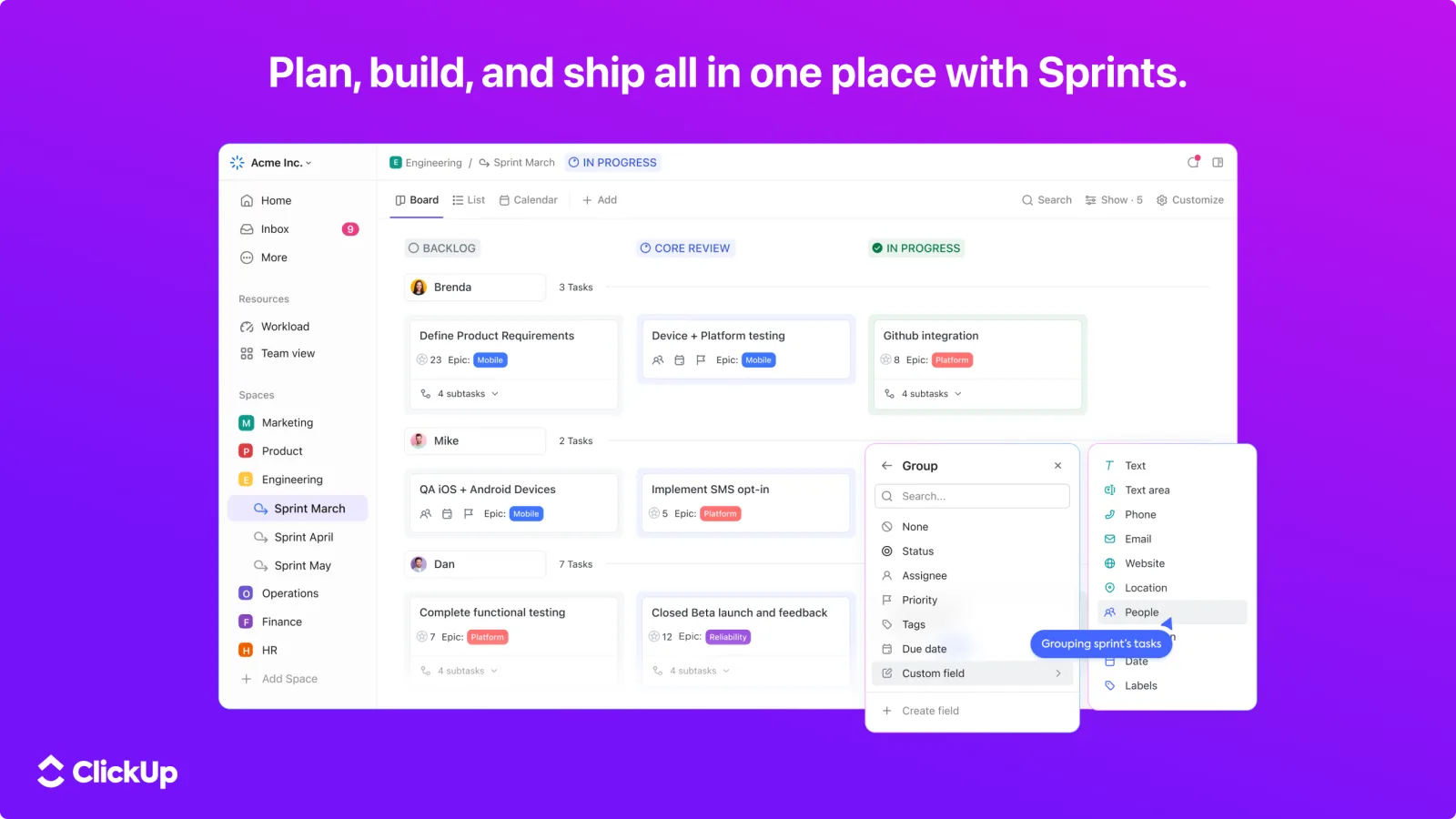
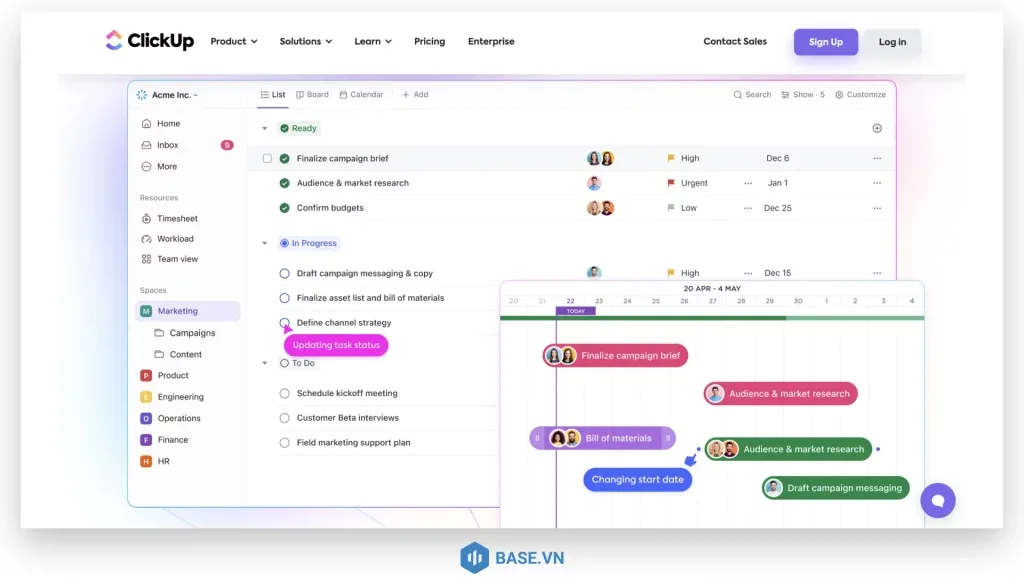
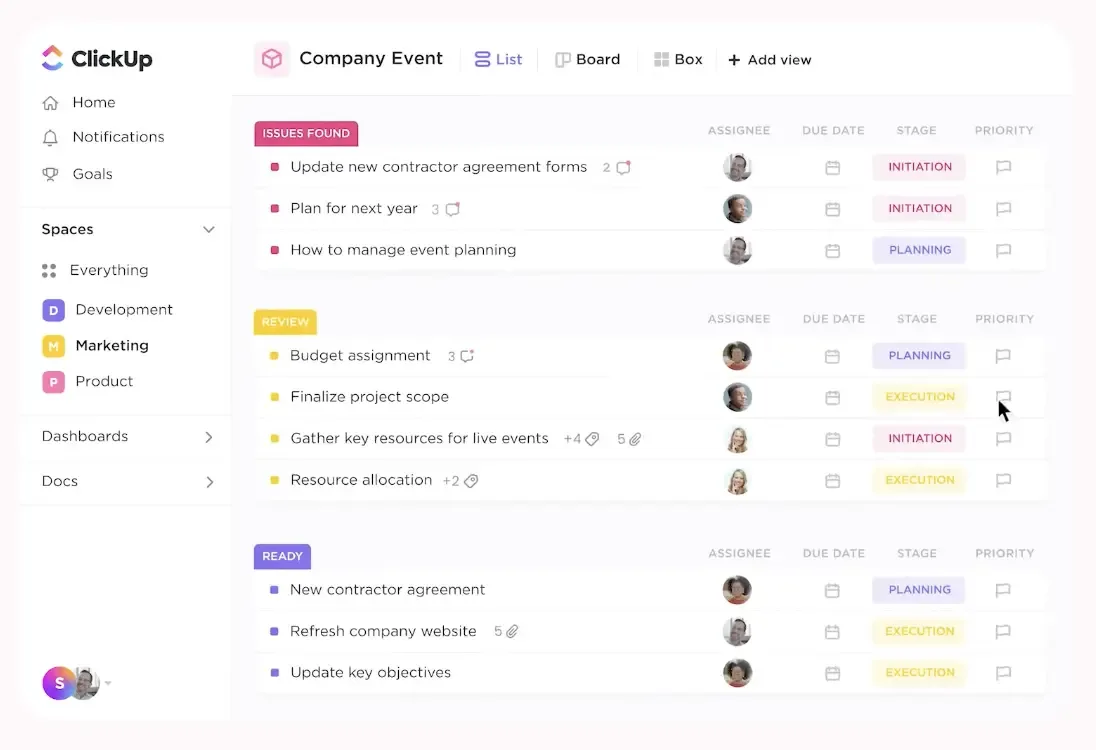
Table of contents
- ClickUp Review
- Why Trust This ClickUp Review
- ClickUp Task Structures
- Views and Visualization
- Automation Engine
- AI Integration
- Documents and Knowledge
- Goals and Performance
- Time and Resource Tools
- Collaboration Aspects
- Integrations and Extensibility
- Mobile and Accessibility
- Security and Governance
- Company Direction
- Frequently Asked Questions
ClickUp Review
ClickUp brings together tasks documents goals and team communication in a single workspace.
The platform aims to reduce switching between separate applications.
This evaluation stems from extended testing of workflows automation setups dashboard configurations and team simulations.
Analysis incorporated current 2026 platform behavior and official capabilities from https://clickup.com/features.
Why Trust This ClickUp Review
Practical testing covered project builds custom field usage AI interactions and reporting across different scales.
Methods emphasized real world application over surface demonstrations.
Verification against platform documentation ensured accuracy without exaggeration.
ClickUp Task Structures
ClickUp organizes work through hierarchical tasks subtasks and relationships.
Custom fields capture specific data points relevant to each team.
Multiple views including list board and calendar adapt to preferences.
Dependencies and assignees keep accountability clear.
Recurring tasks and checklists handle repetitive processes effectively.
Views and Visualization
The platform supports numerous perspectives on the same data.
Gantt charts suit timeline focused planning.
Mind maps help with brainstorming.
Dashboards compile key metrics visually.
Teams switch seamlessly between formats.
This adaptability accommodates diverse roles within one workspace.
Automation Engine
Rules trigger actions based on conditions like status changes or due dates.
Sequences handle multi step processes without manual intervention.
Business plans expand limits considerably.
Automations reduce errors and free time for higher value work.
Setup involves some trial but yields ongoing efficiency.
AI Integration
ClickUp Brain provides contextual assistance across tasks and documents.
It generates content summarizes information and suggests improvements.
Credits govern usage with options to purchase more.
The AI understands workspace content for relevant outputs.
Results improve with clear instructions and structured data.
Documents and Knowledge
Built in docs support rich formatting collaboration and version history.
Whiteboards enable visual collaboration.
Wikis organize reference materials connected to active projects.
Everything stays linked reducing fragmentation.
Search spans the entire workspace for quick retrieval.
Goals and Performance
Goal setting aligns individual contributions with broader objectives.
Progress tracking pulls directly from connected tasks.
Portfolios offer overview across initiatives.
Reporting dashboards visualize trends and bottlenecks.
These tools support data informed adjustments.
Time and Resource Tools
Native time tracking logs effort against tasks.
Workload views reveal capacity and allocations.
Resource management helps balance assignments.
Insights inform better planning and prevent overload.
Integration with external calendars maintains synchronization.
Collaboration Aspects
Chat occurs in context of specific items.
Comments facilitate discussion with mentions.
Real time editing keeps everyone aligned.
Forms standardize intake while permissions control visibility.
Guest access extends reach without full licenses.
Integrations and Extensibility
ClickUp connects with numerous external services through native links and Zapier.
Data flows maintain consistency across systems.
Custom API options support advanced needs.
This connectivity preserves existing tool investments where beneficial.
Mobile and Accessibility
Apps for major platforms enable on the go updates and reviews.
Core functions remain available though some complex views work best on desktop.
Notifications keep users informed but benefit from thoughtful configuration to avoid excess.
Security and Governance
Enterprise plans include advanced controls like SSO audit logs and compliance features.
Custom roles fine tune access.
Data options address residency requirements.
These elements support organizational standards without sacrificing usability.
Company Direction
ClickUp maintains aggressive development with frequent additions focused on AI and enterprise readiness.
The all in one philosophy continues driving consolidation benefits.
Frequently Asked Questions
What sets ClickUp apart from alternatives?
ClickUp combines extensive features into one platform with strong customization.
It reduces tool proliferation for teams comfortable with setup effort.
How difficult is ClickUp to learn?
ClickUp presents a learning curve due to its depth.
Templates and gradual feature adoption help teams ramp up effectively over time.
Does ClickUp suit small teams?
The free and Unlimited plans work well for smaller groups.
Larger feature sets become more valuable as complexity increases.
Is ClickUp pricing competitive?
ClickUp offers good value particularly with its free tier and feature density.
Higher plans justify costs through productivity gains for active users.
Who should consider ClickUp?
Ambitious teams wanting unified workspace benefit most.
Organizations prioritizing flexibility and scalability find strong alignment with ClickUp capabilities.
Key features
- Multiple task views options
- Custom hierarchies and fields
- AI powered brain assistant
- Whiteboards for ideation
- Built in document editor
- Goal and OKR tracking
- Dashboards with widgets
- Robust automation rules
- Time tracking native
- Chat inside context
- Mind maps visualization
- Sprints and iterations
- Forms for data capture
- Reporting and analytics
- Resource workload views
- Templates gallery access
- Integrations marketplace
- Custom roles permissions
- Mobile app full access
- Knowledge base wikis
Pricing
- Unlimited tasks members
- Custom fields views
- Unlimited storage
- Automations basic
- Time tracking
- Dashboards reports
- Docs whiteboards
- Goal tracking
- Integrations native
- Basic AI access
- Everything in Unlimited
- Advanced automations
- Custom roles permissions
- Guest access controls
- Priority support
- Advanced reporting
- Form branching
- Gantt timelines
- Portfolio views
- Enhanced AI credits
- Everything in Business
- SAML SSO SCIM
- Audit logs session control
- Data residency options
- Unlimited custom roles
- Dedicated success manager
- Enterprise API limits
- HIPAA compliance
- Advanced governance
- White label options
Pros & cons
Pros
- Extensive customization depth
- Strong free tier value
- Unified workspace approach
- Powerful automation engine
- AI features enhance speed
- Varied visualization options
- Good template starting point
- Scales with team growth
- Time tracking included
- Competitive pricing structure
- Connected search capability
- Frequent feature updates
Cons
- Steep initial learning curve
- Interface can feel busy
- Performance slows at scale
- Notification overload possible
- AI credits add costs
- Setup requires discipline
- Mobile experience limited
- Overwhelming for simple needs
- Permission complexity grows
- Some advanced features locked
- Training investment needed
- Occasional bugs reported
Our verdict
ClickUp excels as a comprehensive platform that consolidates tasks documents goals and collaboration into one workspace. It serves ambitious teams and growing organizations that benefit from deep customization and reduced tool sprawl. Marketing agencies product teams and knowledge workers often appreciate the flexibility once past the setup phase. Very small teams or those wanting immediate simplicity may prefer focused alternatives. The free tier offers genuine utility while paid plans unlock serious productivity gains. This ClickUp review confirms strong overall capability balanced against the commitment required for optimal results. It represents solid value for users who leverage its breadth.
View PlansReader reviews
Be the first to review
