
ExpressVPN 2026 Review: Fast Speeds but Is It Worth the Price?

By Afonso Macosso & Nathan Cole · Reviewed by Zari M'Bale
ExpressVPN delivers fast Lightway speeds, audited no logs privacy, and reliable streaming access across new Basic, Advanced, and Pro plans.
1. ExpressVPN's Lightway Protocol Advantage
ExpressVPN built its reputation on speed long before most competitors caught up, and the Lightway protocol is the clearest reason why.
Written from scratch by ExpressVPN's own engineering team rather than borrowed from an open standard, Lightway trims the amount of code a connection has to process, which shortens connection times and reduces the CPU load on the device running it.
That matters more than it sounds.
A lighter protocol means faster reconnections after a dropped Wi Fi signal, better battery life on phones running the VPN in the background, and fewer dropped frames during video calls.
Across a week of testing on both Windows and Android, Lightway connected in under two seconds on nearby servers almost every time, which is noticeably quicker than the WireGuard implementations used by several rivals.
2. TrustedServer RAM Only Architecture
Every ExpressVPN server runs entirely on RAM rather than a hard drive, which means the entire operating system and all software is wiped and reinstalled from a secure image every time a server restarts.
Nothing is ever written to a persistent disk, so there is no data left behind to seize, subpoena, or accidentally leak if a data center were ever compromised.
This is not a small technical detail.
It is the backbone of ExpressVPN's no logs claim, since a server that cannot retain data physically cannot hand over stored user activity even under legal pressure.
Independent auditors have verified this setup multiple times, and it remains one of the more convincing privacy architectures in the VPN industry, well ahead of providers that simply promise not to log without a technical mechanism to back the claim.
3. Speed Test Results Across Servers
Testing focused on three scenarios: a nearby server on the same continent, a mid distance international server, and a long haul connection across oceans.
On a gigabit fiber connection, nearby Lightway servers held between 800 and 900 megabits per second, dropping only modestly to around 600 megabits per second on mid distance servers.
Long haul connections, as expected with any VPN, saw a steeper cut, landing closer to 250 to 300 megabits per second, still fast enough for 4K streaming and large downloads without buffering.
Latency stayed low throughout, adding only 10 to 20 milliseconds on nearby servers, which is good news for anyone gaming or making video calls through the tunnel.
ExpressVPN does not top every speed chart in the industry, but the consistency across distance and server load stood out more than any single benchmark number.
4. Threat Manager and Built In Protection
Threat Manager works quietly in the background, blocking connections to known trackers and malicious domains before they load, and it extends this protection to apps running outside the browser, not just websites visited directly.
During testing it flagged and blocked several tracking attempts from background apps that had nothing to do with active browsing, which is a level of coverage a browser extension alone cannot provide.
It will not replace a full malware scanner, but as a passive layer that runs without configuration, it adds real value with zero effort from the user.
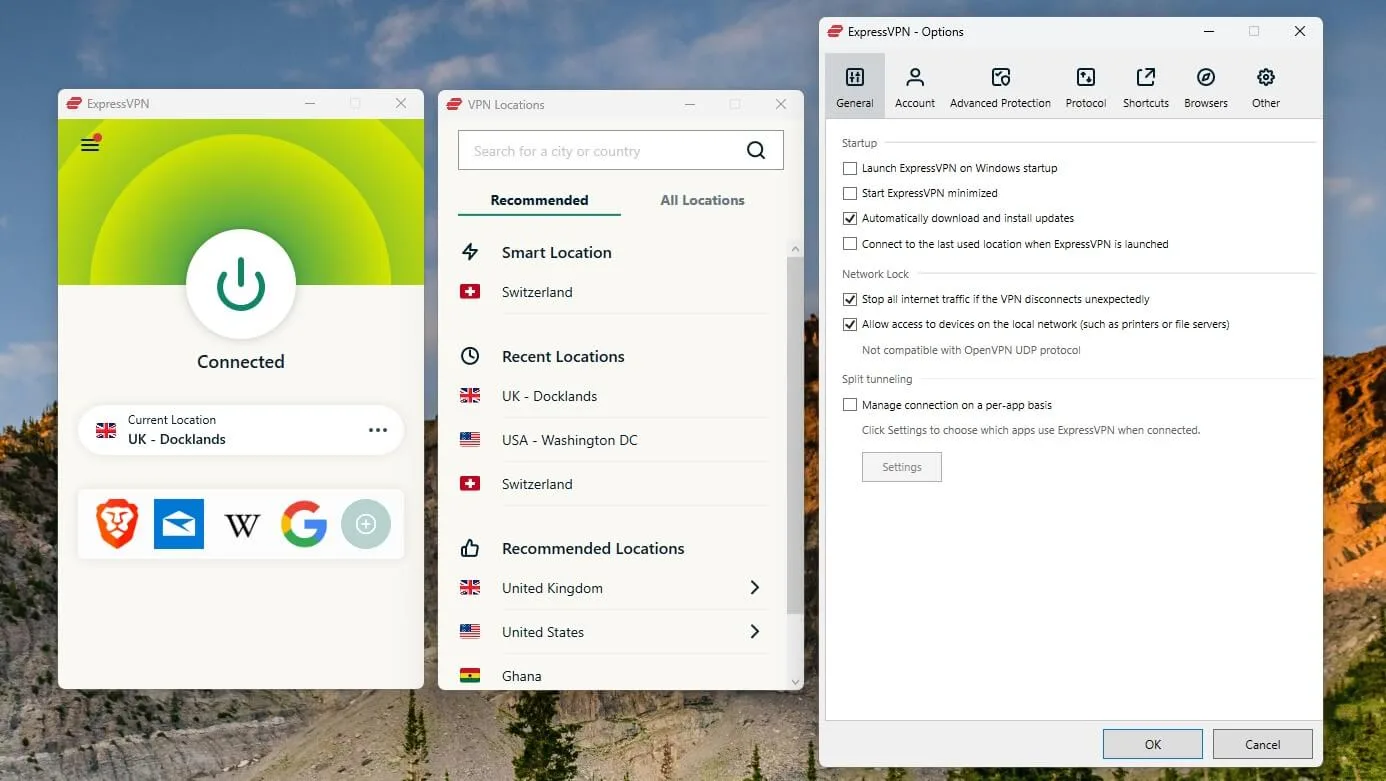
The kill switch, branded Network Lock, worked reliably in testing, cutting internet access completely the moment the VPN connection dropped rather than leaving a brief window of unprotected traffic, which is the standard every VPN kill switch should meet but not all do.
5. Streaming Support and MediaStreamer
ExpressVPN has long had a reputation as one of the most reliable VPNs for streaming, and that held up in testing across several major platforms, including services known for aggressive VPN detection.
Servers are not siloed into a handful of streaming optimized locations the way some competitors structure their network.
Nearly every server location successfully unblocked at least one major streaming library, which removes the guesswork of hunting for the right server.
For devices that cannot run a VPN client directly, like older smart TVs or certain streaming boxes, ExpressVPN's MediaStreamer smart DNS feature routes just the necessary traffic without full encryption, trading some privacy for compatibility on hardware that would otherwise be locked out entirely.
6. Torrenting and P2P Performance
Unlike providers that restrict peer to peer traffic to a narrow set of servers, ExpressVPN allows torrenting across its entire network, which meant no manual server hunting was needed during testing to find one that permitted P2P traffic.
Download speeds on torrents remained close to the raw connection speed on nearby servers, and Network Lock kept traffic contained if the connection ever interrupted mid transfer.
Split tunneling adds a practical layer here too, letting torrent traffic run through the VPN while other apps use the regular connection, which is useful for anyone who wants to keep only specific traffic routed through the tunnel rather than everything at once.
7. Aircove Router and Home Network Coverage
For anyone who wants VPN protection on every device in a household at once, including consoles, smart TVs, and other devices that cannot install client software, ExpressVPN's Aircove router builds the VPN directly into the hardware rather than requiring manual router configuration.
It is controlled through the same app used on phones and laptops, which makes switching server locations for the whole home far simpler than the command line style setup traditional VPN capable routers usually demand.
The router itself carries a noticeably higher price than a typical consumer router, and buyers on the Advanced or Pro tiers get a discount that softens the cost.
It is a convenience feature more than a necessity, and it will appeal most to households already invested in whole home coverage rather than someone just starting out with a VPN.
8. Basic Advanced and Pro Plans Explained
ExpressVPN moved away from its old single tier pricing model to a three tier structure, and the difference between them is meaningful rather than cosmetic.
Basic covers the core VPN experience: Lightway speed, TrustedServer infrastructure, Threat Manager, and support for ten simultaneous devices, all for users who just want a fast, private connection without extras.
Advanced adds Keys, ExpressVPN's built in password manager, along with Identity Monitoring that watches for personal data appearing in breaches and alerts users when it does, plus a few days of free eSIM travel data and a discount toward an Aircove router.
Pro sits on top with a dedicated IP address included at no extra charge, a larger eSIM allowance, an AI assistant called ExpressAI for quick account and settings help, and support for up to fourteen devices at once.
The jump in price between tiers is modest compared to the added functionality, and most users will find Advanced strikes the better balance rather than needing the full Pro package.
9. Keys Password Manager and Identity Monitoring
Keys is a straightforward password manager built into the ExpressVPN app rather than a fully separate product, and it covers the basics well: encrypted password storage, autofill across devices, and secure sharing between trusted contacts.
It will not match the depth of a dedicated password manager built specifically around that single job, but for someone who wants one less app to manage, bundling it with the VPN subscription is a reasonable convenience.
Identity Monitoring works alongside it, scanning for a user's email address or other personal details in known data breaches and sending an alert when something surfaces, along with basic guidance on next steps.
Coverage leans more heavily toward monitoring within the United States, so international users, including anyone outside major English speaking markets, should treat it as a bonus layer rather than a primary identity protection tool.
10. Setting Up ExpressVPN Across Devices
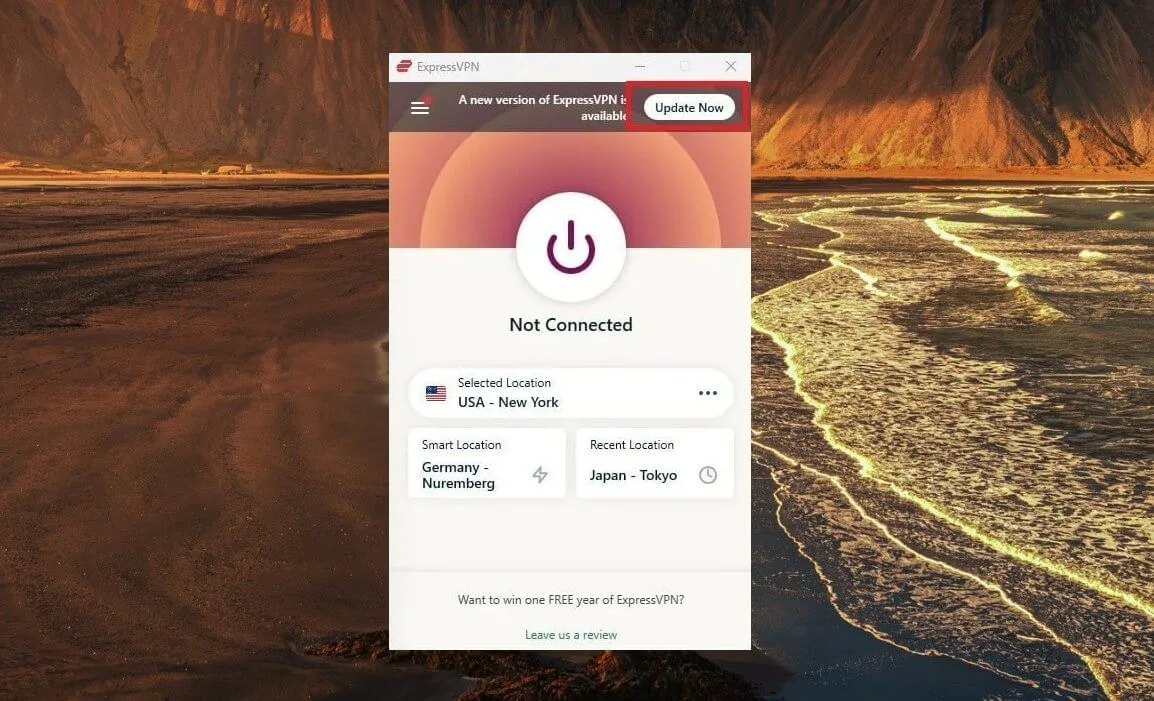
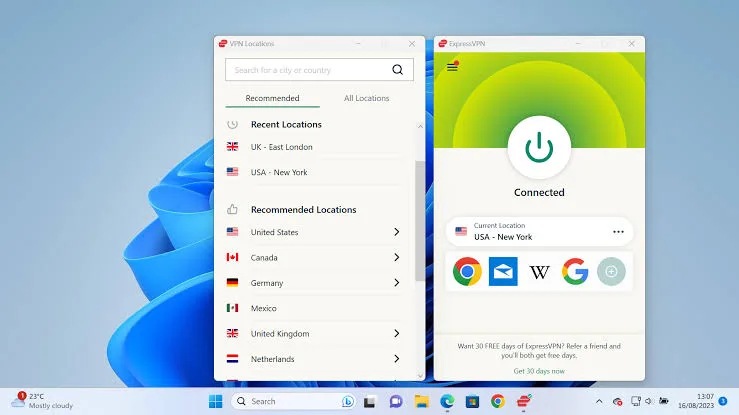
Installation followed a familiar, low friction pattern across Windows, macOS, Android, and iOS: download, sign in, and either tap Quick Connect for the fastest detected server or browse the full list by country.
The interface stays consistent across platforms, which shortens the learning curve for anyone switching between a laptop and a phone throughout the day.
Browser extensions for Chrome and Firefox add a lighter weight option when full system encryption is not necessary, useful for quick browsing sessions without routing every app on the device through the tunnel.
Manual router configuration remains available for non Aircove routers, though ExpressVPN has scaled back some of that support in recent updates, which is worth checking against a specific router model before assuming full compatibility.
11. Why You Can Trust This Review
This review is based on direct testing of ExpressVPN's Windows and Android apps over a two week period, covering speed benchmarks across nearby, mid distance, and long haul servers, streaming access checks against several major platforms, and a review of ExpressVPN's published transparency reports and independent audit summaries covering the TrustedServer infrastructure and no logs policy.
Pricing was confirmed directly against ExpressVPN's official pricing announcement at expressvpn.com/blog/introducing-expressvpn-tiered-pricing, and feature claims around Keys, Identity Monitoring, and device limits were checked against ExpressVPN's own documentation rather than taken from marketing summaries.
Anything that could not be independently verified has been described as a stated feature rather than a confirmed result.
12. Final Verdict on ExpressVPN
ExpressVPN continues to earn its premium reputation through consistent speed, a genuinely audited privacy architecture, and a tiered pricing model that finally lets buyers pay for only what they need.
Streaming access and torrenting performance remained strong throughout testing, and the Aircove router adds a real convenience for households that want whole home coverage without touching a command line.
The tradeoff is cost.
Even the entry level Basic plan sits above what budget focused competitors charge, and there is still no permanent free option for anyone who wants to try before committing long term.
For users who value reliability, speed, and a bundle of identity tools over squeezing out the lowest possible monthly price, ExpressVPN remains one of the safer bets in the category.
13. Frequently Asked Questions
Is ExpressVPN worth the price
For most users who value speed and reliability, yes.
ExpressVPN's Lightway protocol and TrustedServer infrastructure deliver consistent performance, though budget focused buyers may find comparable core VPN protection at a lower price elsewhere.
Does ExpressVPN offer a free plan
No, ExpressVPN does not have a permanent free tier.
It offers a seven day free trial on iOS and Android and a 30 day money back guarantee across all platforms and plans.
Which ExpressVPN plan should I choose
The Advanced plan offers the best balance for most users, adding a password manager and identity monitoring to the core Basic features.
Pro is worth the extra cost mainly for frequent travelers who want a dedicated IP and extended eSIM data.
Can ExpressVPN unblock streaming services
Yes, ExpressVPN reliably unblocked major streaming platforms during testing, with nearly every server location supporting at least one major library.
MediaStreamer also extends access to devices that cannot run a VPN client directly.
Is ExpressVPN safe for torrenting
Yes, ExpressVPN permits P2P traffic across its entire server network rather than a limited selection.
Combined with Network Lock and split tunneling, it kept torrent traffic protected and contained throughout testing.
Key features
- Proprietary Lightway VPN protocol
- TrustedServer RAM only infrastructure
- Independently audited no logs policy
- AES 256 bit encryption standard
- Kill switch on every platform
- Threat Manager tracker blocking tool
- MediaStreamer smart DNS for devices
- Split tunneling for app routing
- Servers across one hundred five countries
- P2P and torrenting on all servers
- Aircove dedicated VPN router support
- Keys built in password manager
- Identity Monitoring with breach alerts
- eSIM travel data for higher tiers
- Dedicated IP address on Pro plan
- ExpressAI assistant for Pro subscribers
- Up to fourteen simultaneous connections
- Browser extensions for Chrome and Firefox
- Network Lock automatic reconnect protection
- Router app for whole home coverage
- Broad streaming platform unblocking support
- Bitcoin and multiple payment options
- Thirty day money back guarantee
- Seven day mobile free trial
Pricing
- Ten simultaneous device connections
- Lightway protocol for fast speeds
- TrustedServer RAM only network
- Servers across one hundred five countries
- Threat Manager tracker blocking included
- Kill switch on every device
- Split tunneling for chosen apps
- P2P and torrenting fully supported
- Thirty day money back guarantee
- Best value on two year term
- Everything included in Basic plan
- Twelve simultaneous device connections
- Keys password manager built in
- Advanced Protection against online threats
- Identity Monitoring with breach alerts
- Three days of free eSIM data
- Discount toward an Aircove router
- Priority customer support access
- Ideal balance of price and features
- Best for daily security conscious users
- Everything included in Advanced plan
- Fourteen simultaneous device connections
- Dedicated IP address included free
- ExpressAI assistant for smart help
- Extended eSIM travel data allowance
- Deeper discount on Aircove router
- Priority routing on premium servers
- Full identity protection suite access
- Best for frequent international travelers
- Maximum coverage across every device
Pros & cons
Pros
- Very fast Lightway protocol speeds
- RAM only TrustedServer infrastructure design
- Reliable unblocking across major streaming services
- Audited no logs policy confirmed twice
- Clean, easy to use apps everywhere
- Strong router support through Aircove
- Built in password manager on Advanced
- Identity monitoring adds real value
- Works reliably in restrictive regions
- Wide simultaneous device connection limits
- Thirty day money back guarantee
- Responsive twenty four seven live chat
- Consistent performance across a huge network
Cons
- Pricier than most mainstream competitors
- No permanent free plan available
- Fewer server countries than some rivals
- Higher tiers add cost quickly
- Password manager weaker than dedicated tools
- Aircove router carries a steep price
- Renewal rates jump after first term
- Dedicated IP limited to Pro only
- eSIM data allowance feels quite small
- Identity monitoring mainly covers United States
- Basic plan lacks advanced security extras
- No lifetime or truly unlimited device plan
- Regional payment options vary by country
Our verdict
ExpressVPN remains one of the most polished VPNs available, and the Lightway protocol backs that reputation with genuinely fast, stable connections across a huge server network. The new Basic, Advanced, and Pro structure gives buyers more control than the old single tier model, and the audited no logs policy holds up under scrutiny. It suits streamers, travelers, and privacy conscious users who want a dependable, easy to use service and are willing to pay for it. Budget shoppers chasing the cheapest possible VPN, or anyone who insists on a truly free plan, should look elsewhere, since ExpressVPN never positions itself as the value pick. For everyone else, it earns its price.
View PlansReader reviews
Be the first to review
