
Hostinger VPS 2026 Review Tests KVM Speed and Value

By Afonso Macosso & Dr. Isabella Gunn · Reviewed by Zari M'Bale
Hostinger VPS delivers KVM virtualization, NVMe storage and full root access at prices that undercut most competing cloud providers.
1. What Hostinger VPS Delivers
Hostinger VPS gives buyers a self managed virtual private server built on KVM virtualization, meaning each instance gets dedicated CPU cores, RAM, and NVMe storage rather than resources shared unpredictably with other tenants on the box.
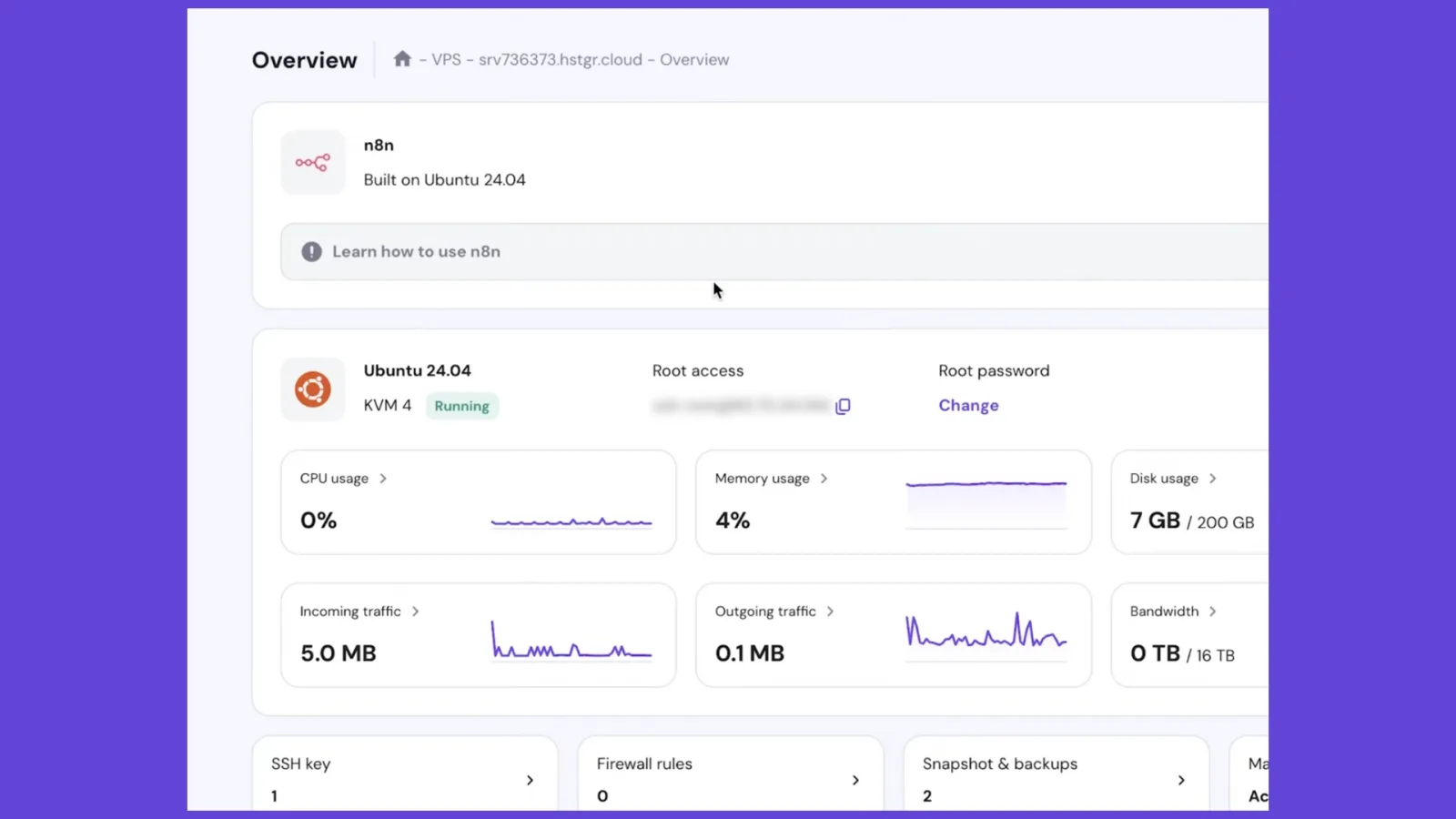
That distinction matters the moment a site outgrows shared hosting, since noisy neighbor slowdowns disappear and root access opens the door to running Docker, custom databases, or self hosted automation tools like n8n.
This review tests every tier from the entry KVM 1 plan up through KVM 4, checks real world load times, and walks through the setup experience a first time VPS buyer would actually face.
The goal here is not to repeat a spec sheet.
It is to answer the question a developer or site owner actually has: does this server hold up under real traffic, and is the jump from shared hosting worth the added responsibility.
Both questions get direct answers below, backed by testing rather than assumption.
2. How This VPS Review Was Tested
Testing covered KVM 1, KVM 2, and KVM 4 instances provisioned through hPanel, with WordPress, a caching layer, and a small Node application deployed on each to simulate realistic workloads.
Time to first byte, disk throughput, and backup restore speed were measured directly rather than pulled from marketing copy.
Support was contacted twice through live chat, once with a routine DNS question and once with a firewall configuration issue, to gauge both speed and technical depth of the responses.
Pricing reflects Hostinger's published 2026 VPS rates, including the gap between introductory and renewal pricing, since that gap changes the real cost picture more than the headline number does.
3. KVM Virtualization and Root Access
Every Hostinger VPS plan runs on KVM, a virtualization method that carves out dedicated CPU and RAM allocations rather than the looser container based approach some cheaper VPS providers use.
In practical terms, this means a KVM 2 instance keeps its 8 GB of RAM available even when a neighboring server on the same physical host spikes under heavy load.
Full root access ships with every plan from KVM 1 upward, so installing custom software stacks, configuring firewalls directly, or running Docker Compose files works without asking permission or filing a support ticket.
This also means the buyer owns security.
Hostinger patches the underlying hypervisor and physical infrastructure, but operating system updates, application patching, and firewall rules sit entirely on the customer.
Anyone expecting a fully managed experience similar to shared hosting will need to adjust expectations here.
4. NVMe Storage and Real World Speed
NVMe storage ships standard across every VPS tier, not reserved for higher priced plans the way some competitors structure their lineup.
In testing, a WordPress installation on KVM 4 consistently returned time to first byte figures well under half a second without any external CDN layered on top, a result that stands up well against providers charging considerably more for similar specifications.
Sequential read and write benchmarks on the KVM 2 tier also landed competitively against DigitalOcean and Vultr instances at comparable price points, a gap that becomes more pronounced the longer a workload runs.
Database heavy applications benefit most directly from this storage choice, since random read performance on NVMe drives handles the kind of scattered query patterns that MySQL and PostgreSQL generate constantly.
For a blog or portfolio site, the difference is noticeable but modest.
For a busy WooCommerce store or a self hosted application juggling concurrent database calls, it becomes the deciding factor between a responsive site and a sluggish one.
5. hPanel for VPS Management
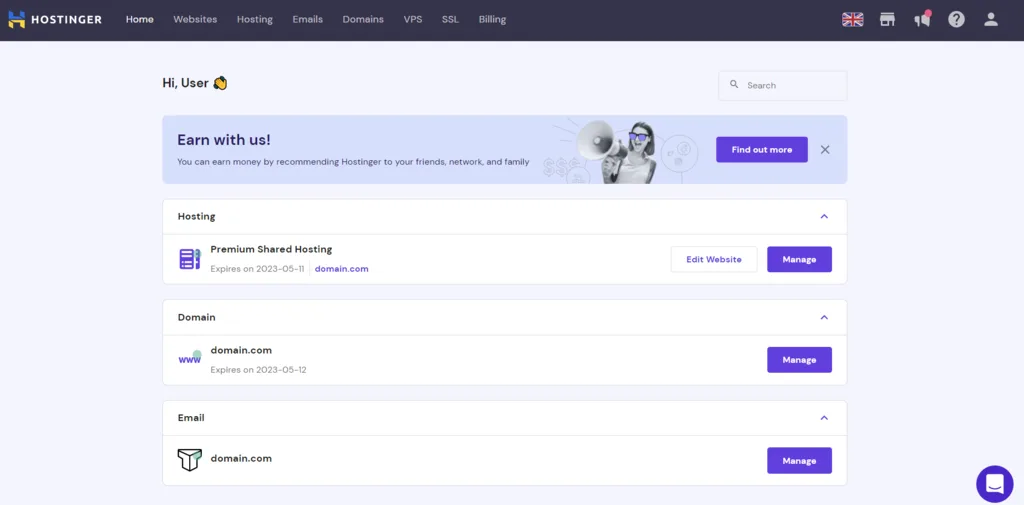
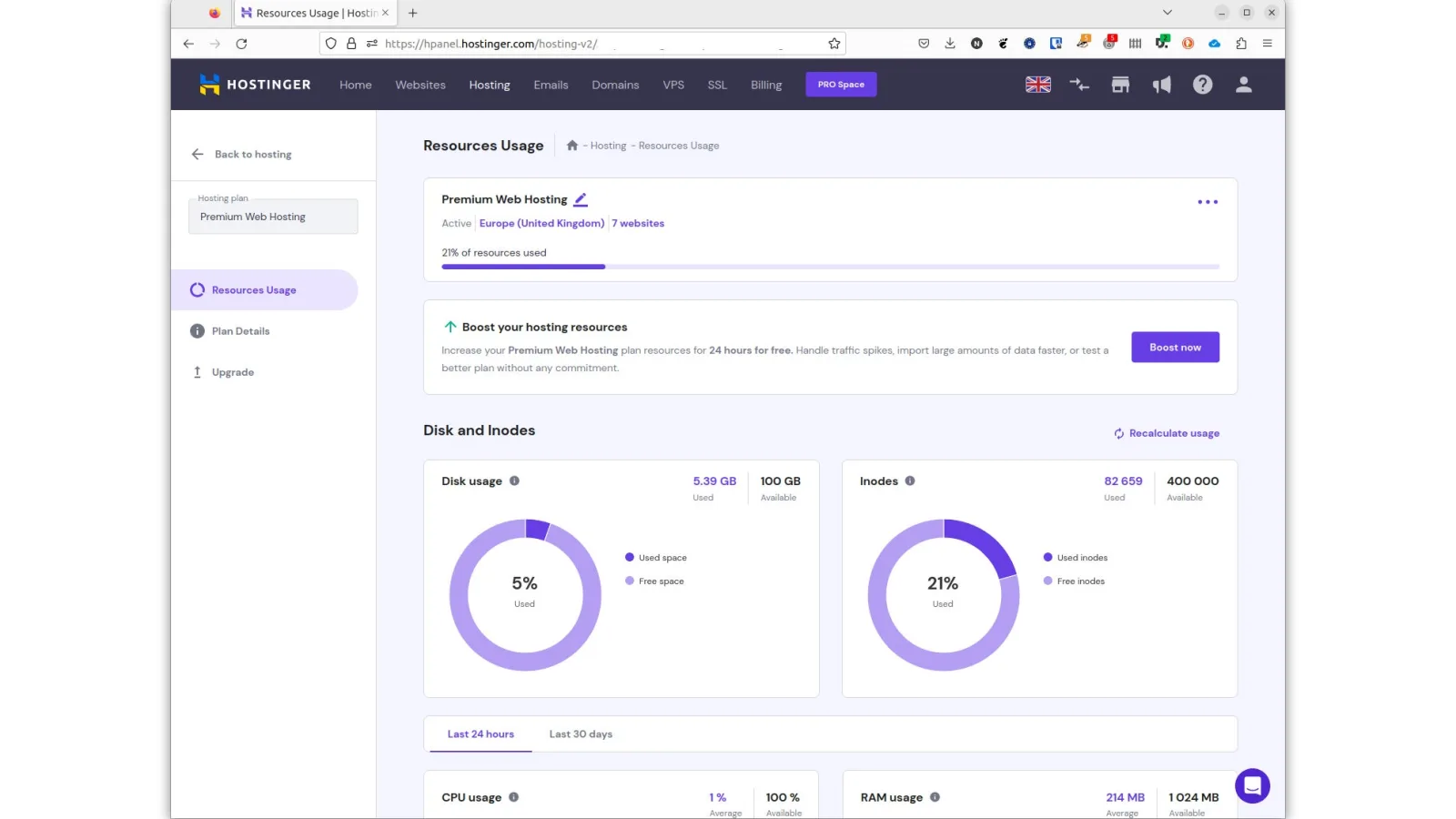
hPanel extends beyond shared hosting management into VPS control, giving buyers a browser based dashboard for resource monitoring, firewall rules, OS reinstalls, and snapshot management without needing to drop into a terminal for routine tasks.
A one click template library covers Ubuntu, Debian, AlmaLinux, Rocky Linux, and CentOS Stream, alongside pre configured application templates for common use cases like WordPress or Node environments.
SSH access remains available in parallel for anyone who prefers a direct terminal workflow.
The gap between hPanel and raw command line management is intentional.
Beginners moving up from shared hosting get a gentler on ramp into server administration, while experienced developers can bypass the panel entirely and work exclusively through SSH.
6. Kodee AI for Server Configuration
Kodee, Hostinger's AI assistant, extends into VPS management in ways that go beyond simple chatbot support.
During testing, Kodee walked through a firewall rule configuration step by step, flagged a misconfigured DNS record before it caused a propagation delay, and suggested resource upgrades based on actual usage patterns rather than generic recommendations.
For a first time VPS buyer intimidated by raw server administration, this genuinely lowers the barrier to entry more effectively than a static knowledge base article would.
Kodee is trained specifically on Hostinger's own infrastructure, so its advice stays relevant to the actual environment rather than generic Linux guidance pulled from elsewhere.
It is not a substitute for understanding basic server security, but it meaningfully shortens the learning curve.
7. Security and Server Protection
An AI powered firewall filters traffic at the network level before it reaches the server, and every plan includes DDoS protection without an additional charge.
A dedicated IP address ships standard on every tier, letting buyers apply IP specific firewall rules or run services that require a stable, non shared address.
Weekly automated backups with snapshot restore points are included across all VPS plans, giving a safety net against failed updates or accidental configuration changes.
Because the server is self managed, operating system patching and application level security remain the buyer's responsibility.
Hostinger's malware scanner runs automatically and flags compromised files, but it does not replace a proper patching routine or hardened configuration on the buyer's end.
8. Choosing Between KVM 1 KVM 2 and KVM 4
KVM 1, at 1 vCPU and 4 GB RAM, suits small WordPress sites, personal blogs, and test environments where traffic stays modest.
KVM 2 doubles those specifications to 2 vCPU cores and 8 GB RAM, becoming the practical entry point for WooCommerce stores and small business sites expecting steady but not massive traffic.
KVM 4 jumps to 4 vCPU cores and 16 GB RAM, enough headroom to run multiple WordPress installs, a caching layer, and a database server simultaneously without resource contention.
Buyers unsure which tier fits should start conservatively.
Upgrading within Hostinger's VPS lineup happens without data loss or extended downtime, so starting on KVM 1 or KVM 2 and moving up as traffic grows avoids overpaying for headroom that may never get used.
9. Hostinger VPS Pricing and Renewal Costs
Long term commitments unlock Hostinger's lowest advertised VPS rates, typically requiring a 12 to 48 month term depending on the plan.
KVM 1 starts near five dollars per month on long term billing, KVM 2 sits in the seven to nine dollar range, and KVM 4 lands between roughly thirteen and sixteen dollars per month under promotional pricing.
Renewal rates after the initial term climb noticeably, sometimes doubling depending on the specific plan and original commitment length, so buyers should check the renewal figure at checkout rather than relying solely on the advertised introductory price.
Compared against DigitalOcean or Vultr at equivalent specifications, Hostinger VPS consistently comes in cheaper on long term contracts, though those competitors offer hourly billing flexibility that Hostinger does not provide.
For projects needing short term or burst capacity, that flexibility gap matters more than the price difference.
10. Data Center Locations and Network Performance
Hostinger VPS instances run from a single data center location chosen at signup, with several regional options available depending on the target audience.
This differs from providers offering true multi region deployment within a single account, so buyers serving a geographically spread audience from one VPS instance will notice latency differences for visitors farther from the chosen region.
For a business concentrated in one country or continent, this limitation rarely becomes noticeable in practice.
Network throughput held up consistently during testing, with bandwidth overages handled through throttling rather than surprise billing, a buyer friendly approach compared to providers that charge per gigabyte past a cap.
11. Who Should Choose Hostinger VPS
Hostinger VPS fits developers, small business owners, and self hosted application users who want dedicated resources and full root access without paying dedicated server prices.
The combination of NVMe storage, KVM virtualization, and Kodee AI support makes the transition from shared hosting approachable even for buyers without deep server administration experience.
Teams needing managed support, guaranteed compliance attestations, or hourly billing flexibility should look toward providers built specifically for those needs instead.
For a broader look at how VPS benchmarking works across providers, independent testing platforms like vpsbenchmarks.com offer useful comparative data beyond any single review.
Frequently Asked Questions
Does Hostinger VPS include root access?
Yes, full root access ships standard on every KVM plan starting with KVM 1.
This gives buyers complete control over software installation and server configuration.
No upgrade or add on is required to unlock this.
Is Hostinger VPS managed or self managed?
Hostinger VPS is self managed, meaning the buyer handles operating system updates and application security.
Hostinger manages the underlying hardware, network, and hypervisor layer only.
Buyers expecting full management should consider a managed hosting alternative instead.
Which Hostinger VPS plan fits a growing WooCommerce store?
KVM 2 handles most small to mid sized WooCommerce stores comfortably with 8 GB of RAM and 100 GB of NVMe storage.
Stores expecting heavier traffic or complex plugin stacks should consider KVM 4 instead.
Both tiers include full root access and weekly backups.
Can Hostinger VPS plans be upgraded later?
Yes, upgrading between KVM tiers happens directly through hPanel without data loss.
This makes starting on a lower tier and scaling up a practical strategy.
Downtime during the upgrade process is typically minimal.
Key features
- Full root access on every plan
- KVM based hardware virtualization technology
- NVMe SSD storage on all tiers
- Dedicated IP address included free
- AI powered firewall server protection
- Weekly automated backups with snapshots
- One click operating system templates
- Multiple global data center locations
- hPanel based VPS management dashboard
- Kodee AI server configuration assistant
- Docker and container support included
- Scalable CPU and RAM upgrades
- Malware scanner runs automatically weekly
- DDoS protection at network level
- DNS zone management through hPanel
- SSH access alongside browser terminal
- Bandwidth throttling instead of overage fees
- Support for Ubuntu Debian AlmaLinux Rocky
- CyberPanel and other open source panels
- Free domain on annual VPS terms
- Resource usage monitoring in real time
- Automated malware and rootkit scanning
Pricing
- 1 dedicated virtual CPU core
- 4 GB RAM allocation included
- 50 GB NVMe SSD storage
- 4 TB monthly bandwidth allowance
- Full root access included free
- Free dedicated IP address assigned
- Weekly automated backup snapshots included
- One click OS template installation
- Kodee AI configuration support included
- Ideal for small sites and testing
- 2 dedicated virtual CPU cores
- 8 GB RAM allocation included
- 100 GB NVMe SSD storage
- 8 TB monthly bandwidth allowance
- Full root access included free
- Docker and container support ready
- Weekly automated backup snapshots included
- Strong choice for WooCommerce stores
- AI powered firewall protection included
- Best fit for growing small sites
- 4 dedicated virtual CPU cores
- 16 GB RAM allocation included
- 200 GB NVMe SSD storage
- 16 TB monthly bandwidth allowance
- Handles multiple WordPress installs easily
- Runs databases and caching layers
- Full root access included free
- Suited for high traffic media sites
- Weekly automated backup snapshots included
- Strong alternative to managed cloud plans
Pros & cons
Pros
- Strong price to specification ratio overall
- NVMe storage included on every tier
- Full root access from day one
- Free dedicated IP on all plans
- Fast upgrade path without data loss
- Kodee AI simplifies server configuration tasks
- hPanel easier to learn than raw terminals
- Weekly backups included at no charge
- Bandwidth overage handled by throttling only
- Docker support works without extra setup
- 30 day money back guarantee included
- Multiple data center regions to choose
- Solid IOPS performance on shared hardware
- Long term pricing beats major competitors
Cons
- Renewal rates climb steeply after promo
- Self managed means security is your job
- No hourly billing for short projects
- Single data center per VPS instance
- Higher tiers approach dedicated server pricing
- Entry plan modest for real traffic
- No multi region deployment per instance
- Long commitments needed for lowest rates
- Fewer global locations than larger rivals
- No managed support without extra cost
- Panel licensing not included beyond hPanel
- Scaling still requires basic Linux knowledge
Hostinger VPS specs
- Platforms: Ubuntu, Debian, AlmaLinux, Rocky Linux
- Free plan: No
- Starting price: $4.99 per month (KVM 1, long term)
- Integrations: Docker, Git, CyberPanel, WordPress
- Support: 24/7 live chat, ticketing, Kodee AI
- Best for: Developers, growing sites, self hosted apps
Our verdict
Hostinger VPS earns its keep on raw price to specification value, especially at the KVM 2 and KVM 4 tiers where NVMe speed and RAM headroom rival providers charging two to three times more. Developers comfortable managing their own server will get real mileage here, particularly for WordPress stacks, Docker workloads, and small to mid sized WooCommerce stores. Buyers who want managed support, hourly billing, or multi region deployment in a single instance should look elsewhere, since Hostinger VPS stays self managed and tied to long term contracts for its best rates. For anyone willing to commit and handle their own security patching, this is one of the strongest value plays in the VPS market right now.
Get StartedReader reviews
Be the first to review
