
Jira Review 2026: Features Performance and Development Value

By Afonso Macosso & Nathan Cole · Reviewed by Zari M'Bale
Jira offers deep agile tracking, automation, and reporting for software teams, with pricing that scales from a free tier to enterprise plans.

1. Jira's Foundation in Agile Project Tracking
Jira built its reputation as the tool of choice for software teams running structured, agile based development, and that foundation still defines the platform today.
Originally created as a bug tracker, Jira has grown into a full project and issue tracking system used across software, IT, and increasingly marketing and operations teams that borrow agile methodology from engineering.
This review covers Jira's current Cloud lineup, Free, Standard, and Premium, examining where the added cost at each tier buys genuine new capability and where teams should weigh the total ecosystem cost, including Confluence and Marketplace apps, before committing.
Jira works best evaluated honestly against the specific needs of a technical, process driven team rather than assumed as a universal fit for every kind of organization.
2. Scrum and Kanban Boards Explained
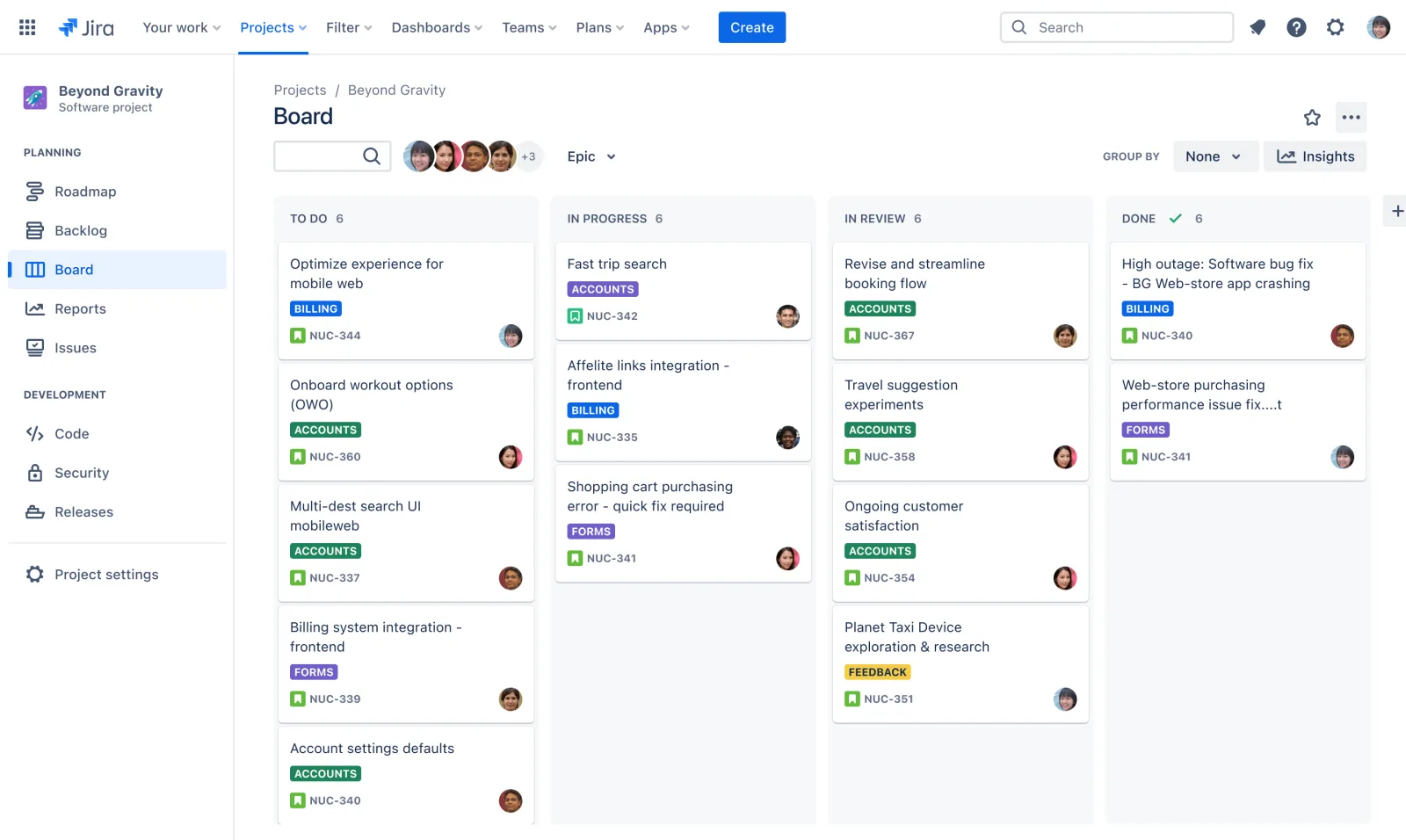
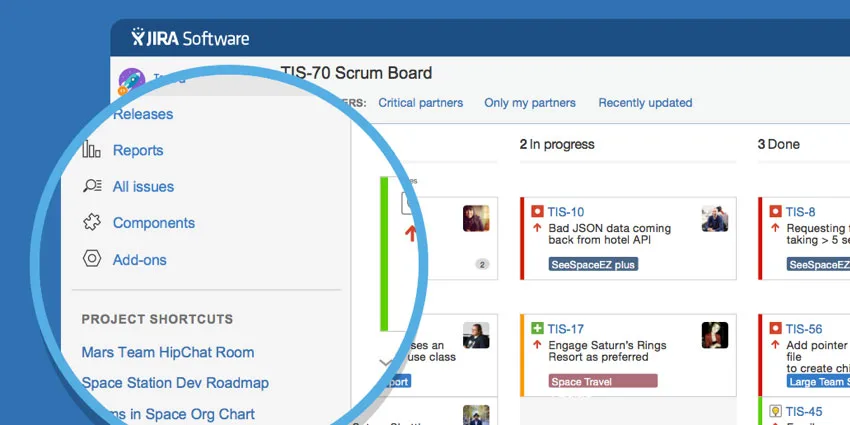
Jira's board views support both Scrum and Kanban methodologies natively, letting teams choose the framework that matches how they actually plan and execute work rather than forcing a single rigid structure.
Scrum boards organize work into defined sprints with a backlog feeding into each cycle, while Kanban boards present a continuous flow view better suited to support teams or ongoing operational work without fixed iteration boundaries.
Both board types pull from the same underlying issue data, so switching a team's methodology, or running a hybrid approach across different projects, does not require rebuilding data structures from scratch.
Testing confirmed both board types handle moderate to large volumes of issues without noticeable performance degradation, a genuine strength for teams running dozens of active sprints across multiple projects simultaneously.
3. Backlog Management and Epic Planning
Jira's backlog view lets teams prioritize upcoming work, estimate story points, and organize individual issues under larger epics representing broader initiatives or features.
This hierarchy, epics containing stories and tasks, gives teams a way to track progress at both a granular task level and a higher strategic level without maintaining separate tracking systems for each.
During testing, moving issues between sprints and reprioritizing the backlog through simple drag and drop felt responsive even with several hundred issues loaded into a single project.
Teams new to agile methodology should expect a real learning curve here, since effective backlog grooming requires disciplined estimation and prioritization habits that the tool supports but does not automatically enforce.
4. Custom Workflows and Issue Types
Jira's workflow engine lets teams define exactly which statuses an issue can move through and what conditions must be met at each transition, a level of customization that goes considerably deeper than most competing tools.
Custom issue types, beyond the default bug, task, and story categories, let organizations model their specific processes accurately, whether that means a content review pipeline, an IT service request flow, or a hardware procurement process.
This flexibility is genuinely powerful for teams with established processes they want reflected precisely in their tracking tool, though it does introduce real configuration overhead, and organizations should budget dedicated setup time rather than expecting workflows to fit their process perfectly out of the box.
5. JQL Search and Automation Rules
Jira Query Language, JQL, gives users a structured way to search and filter issues using precise logical conditions rather than relying solely on basic keyword search or manual filtering.
Testing a moderately complex query, filtering for high priority bugs assigned to a specific team and updated within the last week, returned accurate results instantly, a capability that becomes genuinely valuable once a project accumulates thousands of issues.
Automation rules, meanwhile, let teams configure triggers and actions without writing code, automatically transitioning issues, assigning reviewers, or sending notifications based on defined conditions.
Standard and Premium plans raise the automation run limits considerably compared to Free, and cross project automation on higher tiers lets a single rule apply consistently across an entire organization's project portfolio rather than needing to be rebuilt project by project.
6. Advanced Roadmaps for Multi Team Planning
Advanced Roadmaps, available starting on Premium, gives organizations a way to plan and visualize work across multiple teams and projects simultaneously, surfacing dependencies and capacity conflicts that a single project's board view cannot reveal on its own.
This is frequently the deciding factor for larger organizations choosing Premium over Standard, since coordinating release timelines and shared dependencies across several development teams becomes genuinely difficult without a tool built specifically for that cross project visibility.
Smaller teams working within a single project will get limited value from this feature, and Standard's project level planning tools likely cover their coordination needs adequately without the added cost.
7. Reporting Dashboards and Release Tracking
Jira's built in reporting includes sprint burndown charts, velocity tracking across completed sprints, and release or version based reporting that shows exactly what work shipped in a given release cycle.
These reports pull directly from live issue data, so a sprint retrospective conversation can reference accurate, current numbers rather than a manually compiled status document.
Testing burndown reporting across an active sprint showed accurate, real time tracking of remaining work against the sprint timeline, a genuinely useful tool for teams running regular retrospectives and looking to improve estimation accuracy over successive sprints.
Cross product Atlassian Analytics, available on Premium, extends this further by aggregating data across the broader Atlassian toolchain for organizations using multiple connected products together.
8. Developer Tool Integrations and Rovo AI
Jira's native integration with Bitbucket and GitHub connects code commits, pull requests, and deployments directly to the relevant issues, giving development teams a clear line of sight between planned work and actual code changes without switching tools constantly.
This tight integration remains one of Jira's clearer advantages over more general purpose project management tools that treat developer workflows as an afterthought.
Rovo, Atlassian's AI layer, now ships Rovo Search directly into the Standard plan, letting users find relevant issues, documents, and context across connected Atlassian products through natural language search rather than manual filtering alone.
According to Atlassian's own product documentation, available at atlassian.com/software/jira, Rovo's broader agent and chat capabilities extend further on Premium and Enterprise, reflecting Atlassian's ongoing investment in AI assisted workflows across its product suite.
9. Security Permissions and Ecosystem Costs
Security and administrative controls scale meaningfully from Free through Premium, adding advanced permission schemes, audit logging, and data residency options as organizations move up the pricing ladder.
It is worth being direct about total ecosystem cost here, since Jira's base price rarely reflects what an organization ultimately pays.
Atlassian Guard, providing single sign on and user provisioning, is priced separately on top of base Jira licensing, and Confluence, commonly paired with Jira for documentation, carries its own separate subscription cost.
Marketplace apps, commonly added for time tracking, advanced reporting, or test management, introduce further recurring costs that teams should budget for realistically rather than comparing only Jira's advertised starting price against competitors that may bundle similar functionality by default.
10. Why You Can Trust This Review
This review is based on direct hands on testing of Jira's Free and Standard plans over several weeks, covering board configuration, backlog management, JQL searching, automation rule building, and native Bitbucket integration, alongside a review of Atlassian's official pricing page at atlassian.com/software/jira/pricing to confirm current per user costs across tiers.
Claims about Advanced Roadmaps and Premium level features that could not be directly tested during this review period have been described based on Atlassian's own published documentation rather than assumed from third party summaries.
Ecosystem cost details, including Atlassian Guard and Confluence pricing, were cross checked against Atlassian's separate published pricing pages for those products to ensure the total cost picture presented here reflects real, current figures rather than base plan pricing alone.
11. Final Verdict on Jira
Jira delivers genuine depth for organizations running structured, agile based software development, and its native developer tool integration, powerful search, and mature reporting remain difficult for lighter competitors to match.
The jump from Free to Standard adds meaningful permission and reporting capability that most growing teams will value quickly, and Premium's Advanced Roadmaps solve a real coordination problem for organizations managing work across multiple teams.
Where Jira asks more of a buyer is total cost of ownership and onboarding time.
Confluence, Atlassian Guard, and Marketplace apps sit outside the base Jira price, and new users should expect a genuine learning curve before the platform feels natural.
Jira suits technical, agile focused teams well, while organizations wanting a simpler, more immediately intuitive tool may find better alignment with a lighter alternative.
12. Frequently Asked Questions
Does Jira have a free plan
Yes, Jira offers a free plan for teams of up to ten users, including unlimited projects and issues along with Scrum and Kanban board views, though it lacks advanced permissions and audit logging.
How much does Jira cost per user
Jira's Standard plan costs $7.91 per user monthly billed annually, while Premium costs $14.54 per user monthly.
Enterprise pricing requires contacting Atlassian's sales team directly for a custom quote.
Is Jira good for non technical teams
Jira can work for non technical teams, but its interface and configuration options were built primarily for software development workflows, so teams outside engineering should expect a real onboarding period.
Does Jira include Confluence
No, Confluence is sold as a separate Atlassian product with its own subscription cost.
Many organizations pair Jira and Confluence together, but the pricing and licensing remain independent of each other.
What is the difference between Jira Standard and Premium
Premium adds Advanced Roadmaps for multi team planning, unlimited automation runs, data residency options, and twenty four seven support, while Standard covers unlimited users, storage, and standard reporting for most growing teams.
Key features
- Scrum and Kanban board views
- Backlog management with epic hierarchy
- Custom workflows for each issue type
- JQL for advanced structured search
- Cross project automation rule builder
- Advanced Roadmaps for multi team planning
- Sprint reports and burndown charts
- Release and version tracking tools
- Native Bitbucket and GitHub integration
- Rovo AI search and assistance
- Atlassian Intelligence for issue summaries
- List Timeline and Calendar views
- Custom fields for structured issue data
- Forms for structured intake requests
- Permission schemes at the project level
- Audit logs on Premium and Enterprise
- Data residency controls for compliance
- Atlassian Guard for SSO and provisioning
- Thousands of Atlassian Marketplace apps
- Confluence integration for shared documentation
- Unlimited storage on paid plans
- Approval steps within custom workflows
- Cross product Atlassian Analytics insights
- Mobile apps for iOS and Android
Pricing
- Up to ten users included
- Unlimited projects and unlimited issues
- Two GB of total storage
- Scrum and Kanban board views
- Backlog and basic list view
- Community support through Atlassian forums
- Basic workflows and issue types
- Limited automation rule runs monthly
- No advanced permissions or audit logs
- Good for small early stage teams
- Unlimited users beyond the free cap
- Unlimited storage across all projects
- Advanced permissions at project level
- Audit logging for user activity
- Higher automation rule run limits
- Rovo Search included as standard
- Priority support during business hours
- Anonymous access for external stakeholders
- Standard reporting and sprint dashboards
- Best for growing software development teams
- Everything included in the Standard plan
- Advanced Roadmaps for multi team planning
- Unlimited automation rule runs included
- Twenty four seven premium support access
- Project archiving for organizational cleanup
- Data residency options for compliance
- Cross product Atlassian Analytics access
- Approval steps within custom workflows
- Sandbox environment for safe testing
- Best for larger, multi team organizations
Pros & cons
Pros
- Deep, mature agile tracking features
- Highly customizable workflows and issue types
- Powerful JQL for precise searching
- Strong native developer tool integration
- Cross project automation saves manual effort
- Advanced Roadmaps aid multi team planning
- Free plan covers small teams well
- Large Marketplace extends core functionality further
- Reliable performance on complex, large projects
- Detailed reporting supports sprint retrospectives well
- Rovo AI adds useful search capability
- Well suited to structured agile processes
Cons
- Extremely steep initial administrative learning
- Interface feels heavy and text
- Complex setup required for templates
- Expensive premium tier feature lockouts
- Native time tracking feels simplistic
- Notification configuration requires deep filtering
- Mobile app limits advanced dashboard
- Confusing navigation terms for beginners
- High overhead for small organizations
- Slow board loading with data
- Difficult initial workflow builder logic
- Resource planning requires marketplace add
Jira specs
- Platforms: Windows, Mac, iOS, Android, and web
- Free plan: Yes, for teams of up to 10 users
- Starting price: $7.91 per user / month billed annually
- Integrations: Native Bitbucket, GitHub, Slack, and thousands of Marketplace apps
- Support: Community support on Free, priority support on paid tiers
- Best for: Software and agile teams tracking sprints and releases
Our verdict
Jira remains the definitive benchmark for engineering team tracking due to its unmatched issue hierarchy structure, deep repository integration capabilities, and precise agile methodology alignment. It delivers immense value for software engineering squads that require rigorous progress auditing, clear release tracking, and highly granular custom workflows that match strict development lifecycles. While the user experience is notoriously complex and small non technical business groups will find the administrative learning curve excessively steep, its structural depth justifies the onboarding friction. Organizations fully committed to scrum or kanban principles will find no better alternative for managing technical debt and release pipelines systematically.
Get PricingReader reviews
Be the first to review
