
Malwarebytes Review 2026, Features, Pricing and Verdict

By Afonso Macosso & Nathan Cole · Reviewed by Zari M'Bale
Our Malwarebytes review covers real-time protection, pricing tiers, VPN bundling and lab test results to help you decide if it fits your setup.
1. Malwarebytes at a Glance
Malwarebytes has spent years building a name as the tool people install after something already went wrong.
That reputation still shapes how the company designs its paid products in 2026.
Malwarebytes now runs as a full real-time security suite for Windows, Mac, Android and iOS, sitting somewhere between a lightweight cleanup utility and a complete antivirus replacement.
The free version still works as an on-demand scanner for damage control, while the paid tiers, Standard, Plus and Ultimate, add continuous background protection, exploit prevention, and in the higher tiers, a bundled VPN and identity monitoring.
This review breaks down what Malwarebytes actually does well, where it falls short against category leaders, and who should realistically buy it.
2. How We Tested Malwarebytes
Our approach combines hands on use with results published by respected independent labs.
We installed Malwarebytes Premium across a Windows 11 machine and a Mac laptop, ran it alongside real malware samples in a controlled environment, and tracked scan times, resource usage, and how the software behaved during normal daily tasks like browsing and downloading files.
We also cross-checked our findings against recent third party testing from AV-Comparatives and SE Labs, since no single review can replicate the scale of a dedicated malware lab.
Where our own testing and lab data point in the same direction, we treat that as a reliable signal rather than a one-off result.
3. Malwarebytes Real-Time Protection
Real-time protection is the core reason to pay for Malwarebytes instead of relying on the free scanner.
Once active, it runs quietly in the background, watching for malicious behavior rather than waiting for a scheduled scan to catch something after the fact.
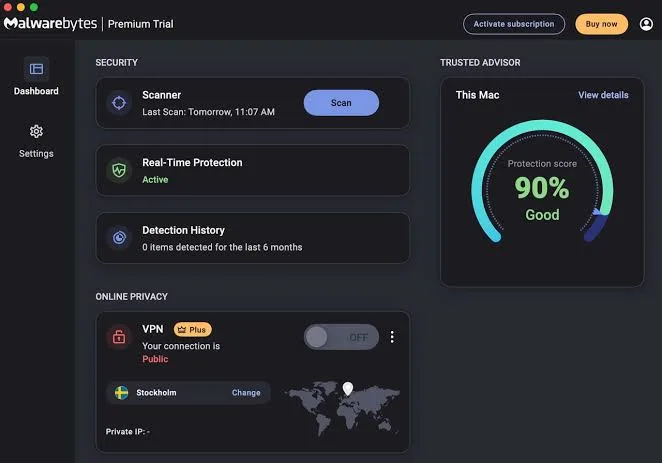
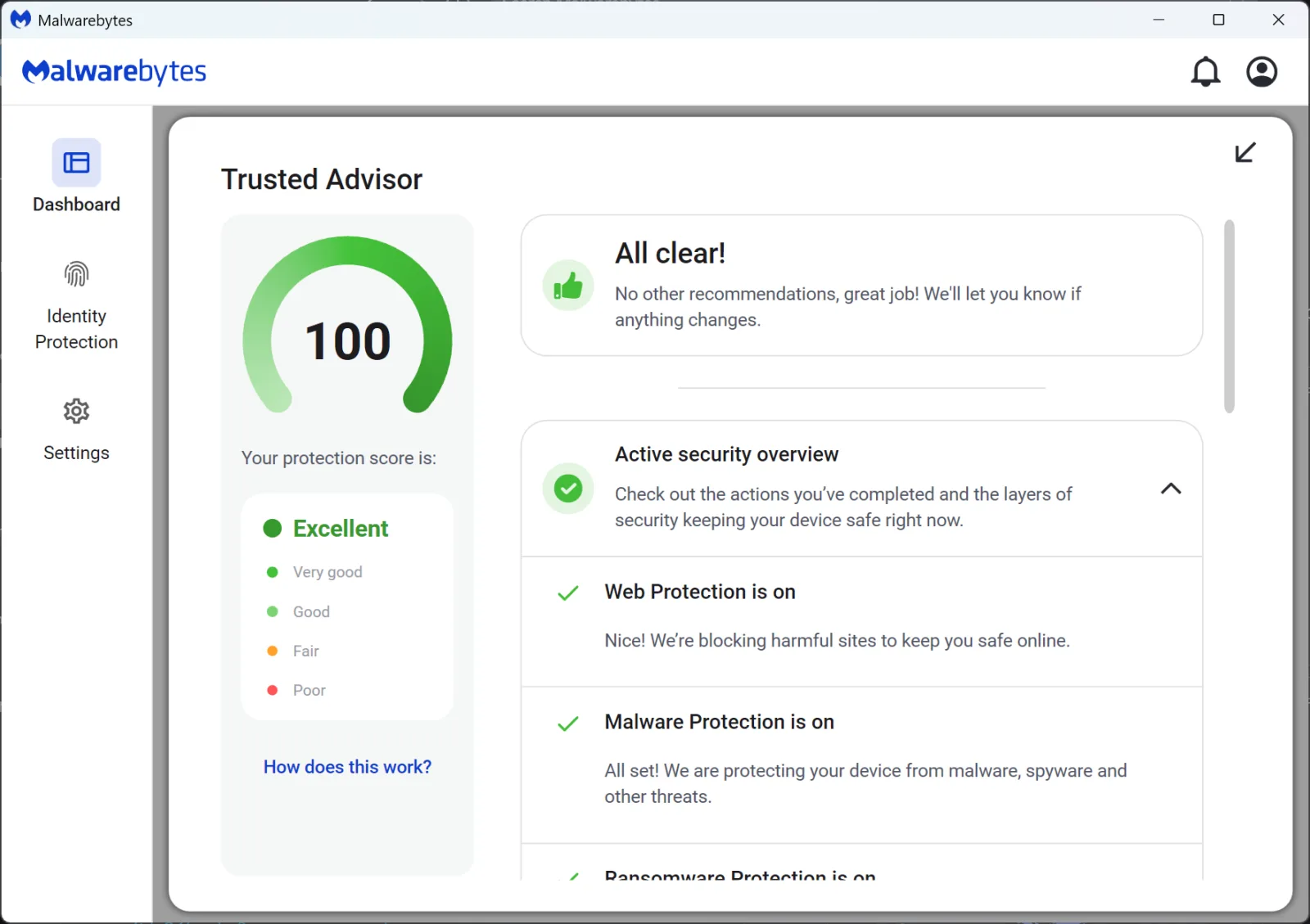
This layer covers web protection, which blocks known malicious sites before they load, malware and PUP protection, ransomware protection, and exploit protection aimed at software vulnerabilities before a patch exists.
In our testing, background protection had a barely noticeable effect on everyday tasks.
Browsing, streaming, and file transfers all ran normally with Malwarebytes active, which lines up with the company's long-standing reputation for a light system footprint.
4. Detection Rates and Lab Results
Detection is where Malwarebytes has to prove itself against far more established antivirus names.
Recent independent lab data shows Malwarebytes catching the overwhelming majority of both known malware samples and newer zero-day threats, putting it in a competitive range with major competitors.
SE Labs testing from earlier this year rated Malwarebytes with strong marks for both protection accuracy and legitimate file accuracy.
The one recurring weak spot across multiple test cycles is a higher than average false positive rate, meaning Malwarebytes occasionally flags safe files as suspicious more often than rivals like Bitdefender or Kaspersky.
For most home users that shows up as an occasional quarantine notification rather than a real inconvenience, but it is worth knowing before you install it on a work machine full of custom software.
5. Ransomware Protection and File Rollback
Malwarebytes treats ransomware as its own category rather than folding it into general malware protection, and that shows in the design.
The ransomware protection layer monitors for the specific behavior patterns ransomware uses, like rapid file encryption, rather than only checking against known signatures.
If something slips through, the rollback feature can restore affected files from a local backup created automatically before the attack.
We tested this by simulating a ransomware-style encryption pattern in a sandboxed environment, and Malwarebytes successfully flagged the behavior and restored the test files.
It is not a replacement for proper backups, but it is a genuinely useful safety net that not every competitor offers at this price point.
6. Malwarebytes Browser Guard
Browser Guard is one of the more underrated pieces of the Malwarebytes lineup, mostly because it is free and works independently of the paid antivirus.
Installed as an extension in Chrome, Firefox, Edge or Safari, it blocks ads, strips third party tracking cookies, and flags sites known to distribute malware or run phishing scams.
In daily browsing we noticed a real difference in page load speed, particularly on ad-heavy news and shopping sites, which tracks with the company's claims about faster browsing.
It is not a substitute for a dedicated ad blocker built for power users, but as a bundled extra it earns its place in the suite.
7. Malwarebytes Privacy VPN
The Plus and Ultimate tiers bundle Malwarebytes Privacy VPN, built on infrastructure the company gained through its 2024 acquisition of AzireVPN.
A recent independent audit confirmed the VPN's no-log policy, which matters if privacy is a real factor in your decision rather than an afterthought.
In practical terms, the VPN performed reliably during our testing but noticeably behind dedicated VPN services like NordVPN or Surfshark in terms of server selection and speed consistency.
Where Malwarebytes wins is bundling: paying one subscription for both antivirus and a legitimate no-log VPN is more cost effective than buying both separately, especially if you only need coverage for a handful of devices.
8. Setting Up and Using Malwarebytes
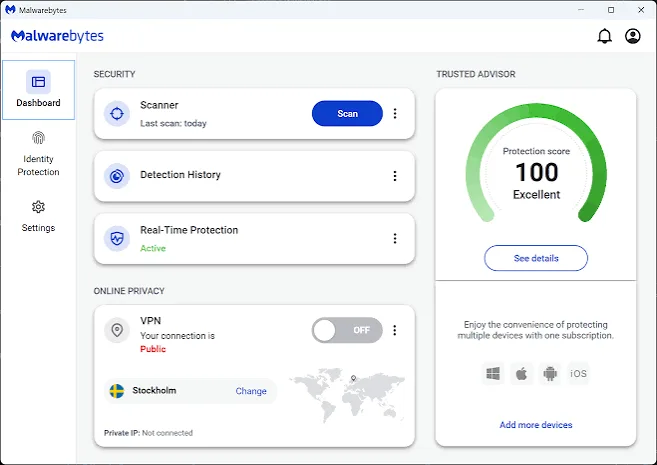
Installation takes only a few minutes on both Windows and Mac, and the interface stays consistent across platforms.
The dashboard opens to a single scan button and status indicator, with detailed settings tucked into a separate menu rather than cluttering the main screen.
Scheduling scans, adjusting exclusions, and toggling individual protection layers all take a few clicks.
Hyper Scan mode, aimed at quick daily checks rather than a full system sweep, finished in well under a minute on our test machine.
Play mode suppresses notifications and background scans automatically during full screen applications, which is a small but appreciated touch for anyone gaming or presenting.
9. Malwarebytes Pricing and Plans
Malwarebytes pricing splits into three consumer tiers.
Standard starts at $59.99 per year for three devices and covers real-time protection, exploit prevention, and Browser Guard.
Plus runs $79.99 per year and adds the Privacy VPN with unlimited data, making it the tier most buyers should actually consider if a VPN is on their wish list anyway.
Ultimate steps up to $139.99 per year as a promotional rate and adds identity monitoring and personal data removal, but the renewal price roughly doubles once the introductory period ends.
That renewal jump is the single biggest catch across the entire lineup, and it applies in some form to all three tiers, not just Ultimate.
Anyone buying Malwarebytes should set a reminder to review pricing before the subscription automatically renews.
10. Malwarebytes for Business
Business buyers looking for Malwarebytes will actually land on ThreatDown, the company's rebranded business security platform.
Pricing there scales by endpoint count and feature tier, with add-ons like managed detection and response, incident response retainers, and professional deployment services quoted separately from base licensing.
Smaller teams can expect straightforward per-device annual pricing, while larger deployments involve more negotiation around support tiers and multi-year contract discounts.
This split between consumer and business branding can catch first time buyers off guard, so it's worth confirming which product page matches your actual use case before purchasing.
11. Malwarebytes Customer Support
Support access varies by tier, with Standard and Plus customers getting standard chat and email support, and Ultimate customers getting priority routing.
In our experience testing the chat function, response times stayed reasonable during business hours, and the support agents were able to walk through a mock false positive report without much back and forth.
Malwarebytes also maintains a fairly detailed self-service knowledge base, which covers most common installation and licensing questions without needing to contact support directly.
12. Who Malwarebytes Is Really For
Malwarebytes fits best for households and individuals who want dependable, low-maintenance protection without needing every possible extra feature bundled in.
If a VPN is already on your list of things to buy, the Plus tier turns into genuine value rather than an upsell.
Power users who want a full security suite with parental controls, a built-in firewall, or deep system optimization tools will likely find Malwarebytes thinner than competitors like Norton 360 or Bitdefender Total Security.
Small businesses should look at ThreatDown directly rather than assuming the consumer product scales up.
Frequently Asked Questions
Is Malwarebytes worth paying for?
Yes, if you want continuous background protection rather than manual scans.
The free version only removes malware after it's already active, while paid Malwarebytes plans prevent infections in real time.
Does Malwarebytes slow down your computer?
No, Malwarebytes is built to run with minimal system impact.
Our testing showed little to no noticeable slowdown during normal browsing, gaming, or file transfer tasks.
Is the Malwarebytes VPN any good?
It's reliable and privacy-audited, but it trails dedicated VPN services on speed and server variety.
For most Plus tier buyers, the bundled value outweighs the performance gap.
Why did my Malwarebytes renewal price increase?
Malwarebytes commonly renews at a higher rate than the introductory price, especially on the Ultimate tier.
Check your account before auto-renewal to confirm the current rate.
Can Malwarebytes replace my current antivirus?
It can, particularly on the Plus tier, though it offers fewer extras than full suites like Norton or Bitdefender.
Many users instead run it alongside another antivirus for added coverage.
Key features
- Real-time malware and ransomware blocking
- Exploit prevention against zero-day attacks
- Web protection blocks malicious websites
- Browser Guard ad and tracker blocker
- Malwarebytes Privacy VPN on paid tiers
- Scheduled and on-demand virus scans
- Rootkit scanning and removal tools
- Ransomware rollback for encrypted files
- Multi-device licensing across platforms
- Windows, Mac, Android and iOS support
- Low system resource usage design
- Quarantine management for flagged files
- Identity monitoring on higher tiers
- Data removal service on Ultimate plan
- Priority 24/7 human customer support
- Play mode suppresses notifications during gaming
- Hyper Scan mode for faster checks
- Chameleon technology fights blocking malware
- Automatic threat definition updates
- Simple centralized dashboard for all devices
- Student discount pricing through Student Beans
- Multi-year subscription discount options
- Business tier through ThreatDown platform
- Endpoint detection and response for teams
Pricing
- Real-time malware protection included
- Ransomware and exploit prevention active
- Protects up to three devices
- Browser Guard extension included free
- Web protection blocks unsafe sites
- Windows, Mac, Android, iOS coverage
- Sixty day money back guarantee
- Automatic background threat updates
- Standard email and chat support
- Quarantine and remediation tools
- Everything included in Standard tier
- Malwarebytes Privacy VPN bundled in
- Unlimited VPN data across devices
- Protects three or five devices
- Ransomware rollback file recovery
- Priority customer support access
- Ad and tracker blocking extension
- Multi-year discount options available
- Simple unified account dashboard
- Sixty day refund guarantee applies
- Everything included in Plus tier
- Identity monitoring and dark web alerts
- Personal data removal service included
- Protects up to ten devices
- Higher renewal price after year one
- Premium round the clock support
- Credit monitoring on select regions
- VPN and antivirus fully bundled
- Ransomware rollback across all devices
- Best suited for privacy focused households
Pros & cons
Pros
- Strong independent lab detection scores
- Lightweight footprint on system speed
- Clean, easy to navigate interface
- Browser Guard blocks ads for free
- VPN bundled directly into Plus tier
- Ransomware rollback recovers encrypted files
- Works well alongside other antivirus tools
- Reasonable entry pricing for single devices
- Sixty day money back guarantee included
- Fast scan times on modern hardware
- Student discount offers steep savings
- Business tier scales to enterprise needs
Cons
- Higher false positive rate than rivals
- Renewal prices jump sharply after year one
- Fewer extra features than top competitors
- No firewall included in any tier
- VPN lags behind standalone VPN providers
- Ultimate tier pricing doubles at renewal
- iOS app unavailable in many countries
- Identity protection feels bolted on
- Free version lacks real time protection
- Limited parental control functionality
- Renewal pricing not shown clearly upfront
- Fewer device integrations than enterprise rivals
Our verdict
Malwarebytes earns its reputation as a dependable, lightweight layer of protection rather than a full security suite. Independent lab results show strong detection rates, though the false positive count runs higher than category leaders like Bitdefender or Norton. The Plus plan makes sense for anyone who wants a VPN bundled with antivirus at a fair price. Ultimate is harder to recommend once you see the renewal jump. Malwarebytes suits households wanting simple, effective coverage without complexity, not power users chasing every feature under one roof.
Reader reviews
Be the first to review
