
Monday Review 2026: Is It Best for Project Management?

By Afonso Macosso & Nathan Cole · Reviewed by Zari M'Bale
A comprehensive Monday review assessing its capabilities, project management tools, interface customization, team workflows, and corporate pricing plans.
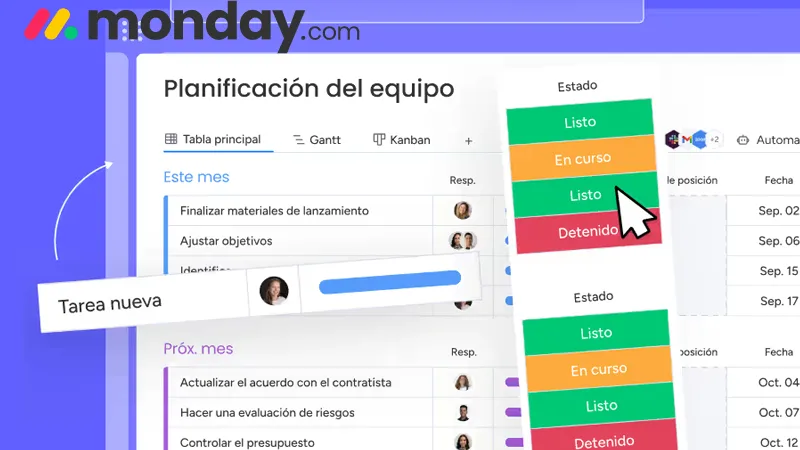
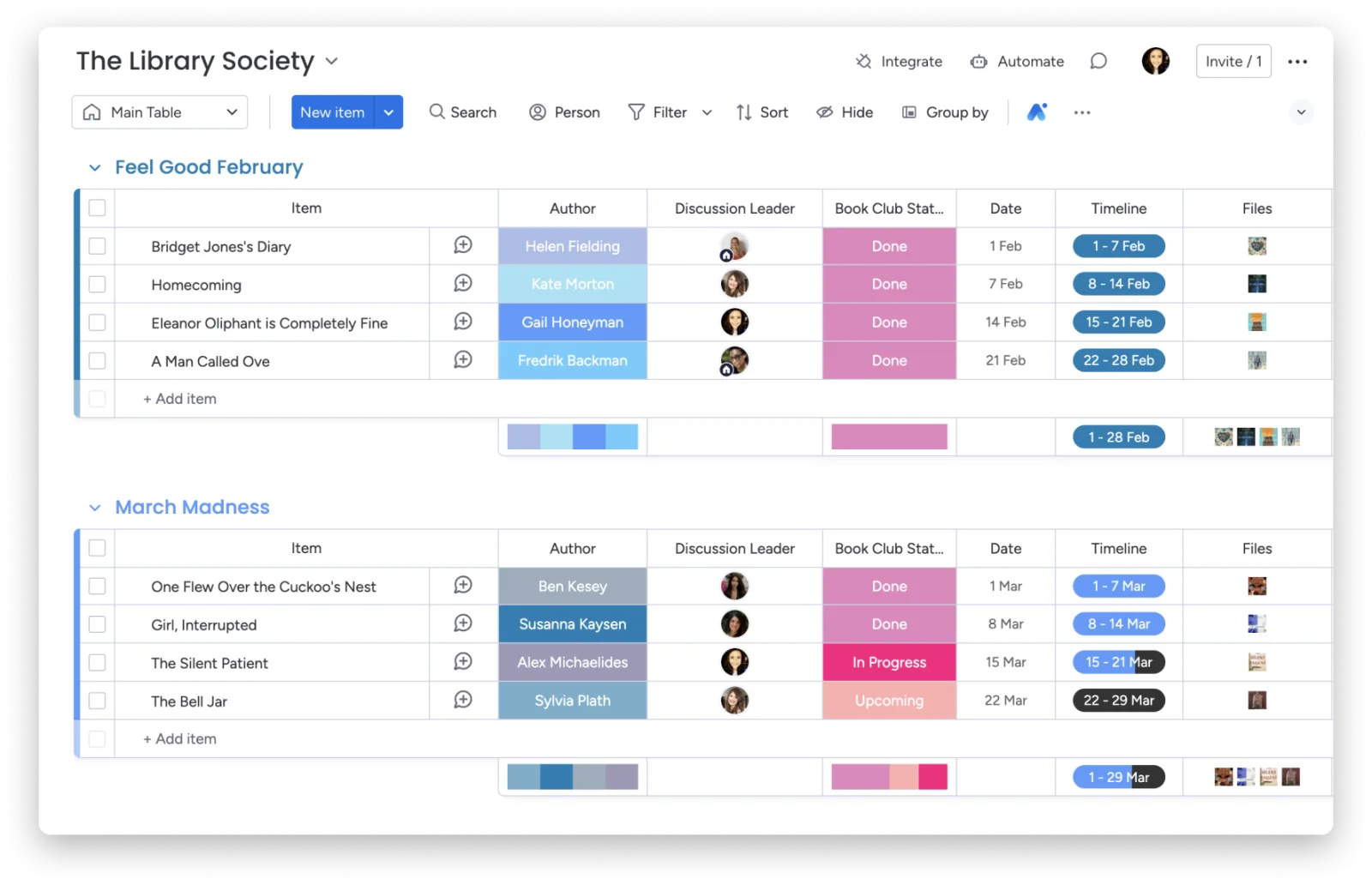
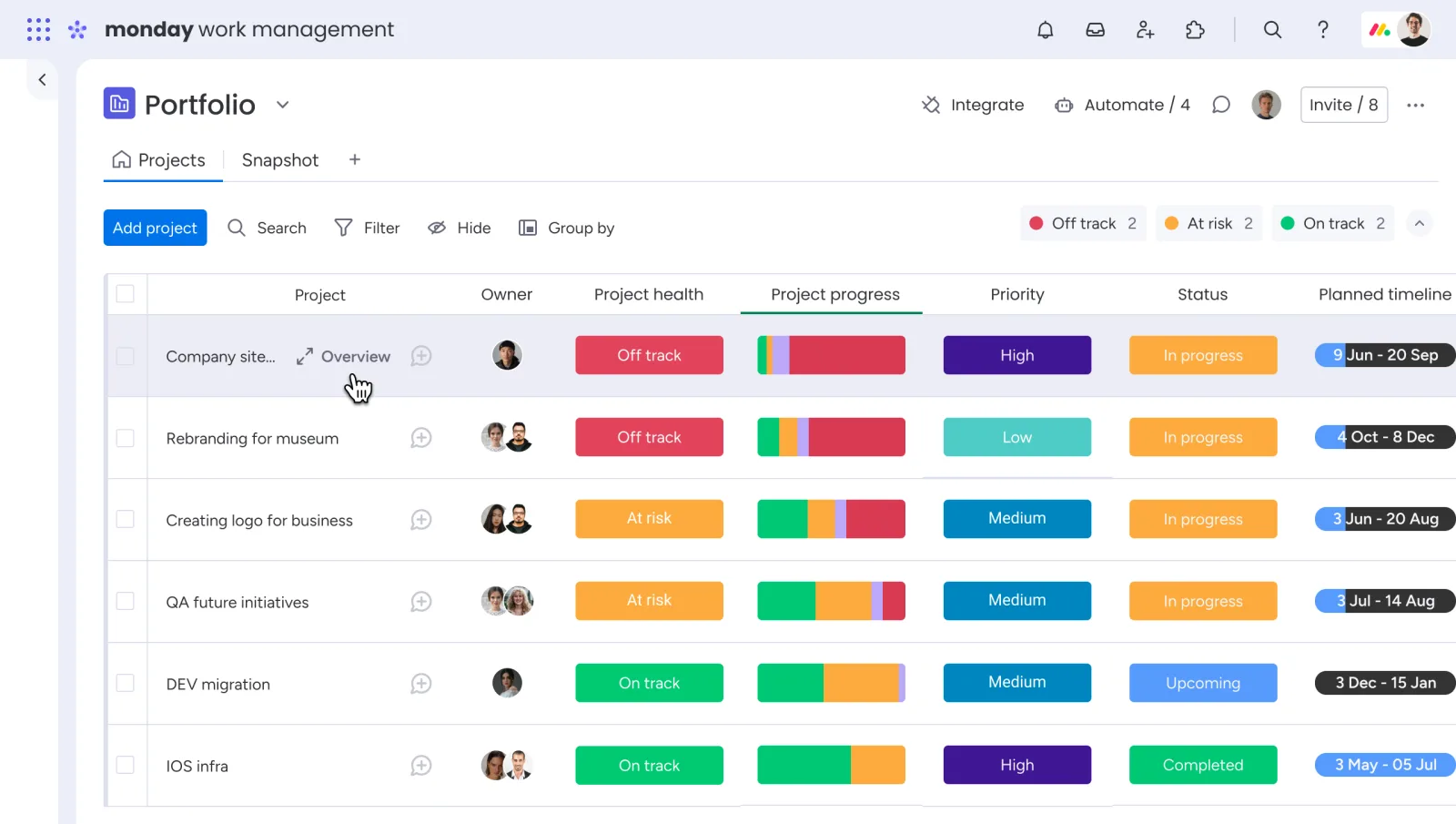
Table of contents
- 1. Monday Review
- 2. Methodology Behind This Assessment
- 3. Core Interface and Architecture
- 4. Automation and Workflow Optimization
- 5. Integration Ecosystem Capabilities
- 6. Dashboards and Strategic Reporting
- 7. Security Architecture and Governance
- 8. Collaboration and Document Management
- 9. Limitations and Operational Constraints
- 10. Pricing Logic and Tier Selection
- 11. Frequently Asked Questions
1. Monday Review
Monday review parameters show that modern project coordination requires tools that balance absolute data clarity with flexible interface adaptation.
The platform positions itself as a work operating system, aiming to replace fractured spreadsheets, isolated chat threads, and disconnected file repositories.
Teams using this system discover a highly visual, column based environment where almost any business process can be mapped, monitored, and scaled.
The environment operates on a modular architecture, meaning that boards form the foundation, columns define the attributes, and items represent the individual tasks or assets moving through a pipeline.
The initial experience when deploying Monday reveals an interface that is remarkably approachable for non technical personnel, yet deep enough to satisfy complex administrative requirements.
Navigating between workspace folders, main dashboards, and individual project tracking grids happens without significant latency.
The system handles large data sets with relative ease, showing updates across distributed teams in real time.
This immediate feedback loop ensures that project managers, individual contributors, and external stakeholders remain aligned on statuses, blockages, and impending deadlines.
Efficiency within the platform depends heavily on how well an organization structures its initial data architecture.
Monday provides a massive template library covering everything from creative production to software development sprints, giving teams a functional baseline from which to build.
However, the true value emerges when you strip away the generic templates and construct columns that match actual corporate key performance indicators.
The versatility of text, numbers, dates, people dropdowns, and status tags allows for precise tracking that mirrors real world operations.
2. Methodology Behind This Assessment
Our analysis of this platform relies on systematic, hands on evaluation over extended operational cycles rather than superficial feature list checking.
The assessment strategy involved building multiple high density workspaces designed to replicate actual corporate scenarios, including product launches, client onboarding sequences, and content marketing pipelines.
By generating hundreds of interconnected items, configuring complex automation loops, and processing various file uploads, we evaluated how the infrastructure holds up under everyday operational pressure.
Performance benchmarks focused on data synchronization speeds, automation execution reliability, and interface responsiveness when handling large datasets.
We tested user permissions, dashboard widget configurations, and the depth of third party application integrations to ensure our conclusions reflect real administrative challenges.
Pricing models, support response times, and feature availability across different subscription tiers were cross referenced against competitive market offerings to provide a grounded, practical perspective for buyers.
3. Core Interface and Architecture
The user experience within Monday centers entirely on the board structure, which serves as the primary canvas for all data management.
Each board is organized into groups, which can represent weeks, project phases, priority levels, or any logical division that fits the current operational framework.
Within these groups sit the items, which are highly customizable rows containing individual tasks, clients, assets, or events.
The horizontal layout allows users to scan a massive amount of contextual information quickly without feeling overwhelmed by dense text blocks.
Columns form the functional backbone of the board architecture, determining exactly what kind of data can be collected and manipulated.
Monday offers dozens of distinct column types, ranging from simple text inputs and numerical values to complex relational connections and formula calculations.
The status column, which uses vibrant color coding to denote progress stages like stuck, working on it, or done, provides an instant visual summary of project health.
This visual design allows managers to identify bottlenecks within seconds of opening a dashboard.
Beyond the standard main table view, the platform allows users to transform the exact same underlying data into multiple visual formats.
With a couple of clicks, a board converts into a Kanban view for agile tracking, a Timeline view for resource scheduling, or a Gantt chart for critical path analysis.
This multi view capability is crucial for cross functional organizations where executives require high level summaries while project coordinators need granular, date driven dependencies.
The transition between these views is seamless, preserving data integrity across all representations.
4. Automation and Workflow Optimization
Automating repetitive administrative tasks is where Monday delivers its most significant return on investment.
The native automation engine utilizes a straightforward, code free logic system based on triggers, conditions, and actions.
Users construct recipes using a simple sentence structure, such as when status changes to done, move item to completed group, and notify project manager.
This approach democratizes workflow automation, allowing department heads to optimize their operations without waiting for internal technical support.
The true operational power becomes apparent when configuring multi step automation sequences that bridge separate departments.
For example, when a sales representative marks a lead as won on a customer relationship board, Monday can automatically generate a brand new project board, populate it with standardized onboarding tasks, assign specific line items to account managers, and set rolling deadlines based on the closing date.
This eliminates manual data entry errors and ensures that project delivery teams kick off their processes instantly.
Resource management receives a major boost through automated workload monitoring metrics.
By combining task duration columns, person assignments, and automated capacity limits, the platform alerts managers when an individual team member has been overscheduled.
The system can then execute automated rebalancing, shifting lower priority items to open teammates based on predefined rules.
This level of operational governance minimizes burnout while ensuring that critical path milestones receive consistent, adequate staffing across concurrent initiatives.
5. Integration Ecosystem Capabilities
Modern enterprises rely on a sprawling network of specialized applications, making software interoperability a critical procurement factor.
Monday addresses this through a robust integration center that natively connects with hundreds of external tools, including Slack, Microsoft Teams, Google Workspace, Jira, Salesforce, and HubSpot.
These integrations operate bi-directionally, meaning that data flows smoothly into and out of the platform, maintaining a synchronized operational environment across disparate software suites.
Connecting external communication tools to specific boards dramatically reduces internal email clutter.
For instance, a Slack integration can be configured to automatically post a message to a specific channel whenever a high priority item is marked as stuck on a production board.
Team members can reply directly within that Slack thread, and the text is automatically captured inside the corresponding Monday item update section.
This keeps conversations contextualized, visible, and permanently archived alongside the actual work being performed.
For development and technical teams, the Jira and GitHub integrations allow for clean alignment between engineering sprints and high level business roadmaps.
When developers update an issue status or merge a pull request in their technical environment, those milestones reflect instantly on the executive tracking boards within Monday.
This bridges the communication gap between technical builders and non technical stakeholders, ensuring everyone views identical progress metrics without requiring direct access to specialized code repositories.
6. Dashboards and Strategic Reporting
Aggregating isolated project details into clear, executive level intelligence is handled through the custom dashboard module.
A dashboard functions as a centralized reporting canvas that extracts data points from multiple independent boards across the entire workspace.
By combining data from separate departments, leadership teams gain a macro view of organizational performance, financial expenditures, and resource distribution without digging through individual operational folders.
Reporting within these dashboards is powered by a wide array of specialized visual widgets.
The battery widget gives a quick percentage breakdown of task completion statuses across dozens of projects simultaneously, while the workload widget maps out staff capacity across the entire company calendar.
Numerical widgets can sum up project costs, calculate profit margins, or track total billable hours by querying specific columns across connected sheets.
This data visualization updates instantly as ground level contributors change details on their individual boards.
Advanced charting options allow for granular trend analysis over time.
Users can construct bar graphs, line charts, and pie diagrams that contrast planned project timelines against actual delivery dates, highlighting systemic operational delays.
Filters applied at the dashboard level allow managers to isolate specific parameters, such as viewing performance data for a single region, a specific product line, or an individual account director.
This dynamic filtering transforms static tracking sheets into powerful diagnostic tools for corporate strategy sessions.
7. Security Architecture and Governance
As organizations transition sensitive intellectual property, client portfolios, and operational data into cloud environments, underlying platform security becomes paramount.
Monday implements rigorous enterprise grade protection measures designed to satisfy strict compliance audits.
The infrastructure relies on advanced data encryption protocols both during transmission and while resting inside storage servers, ensuring that unauthorized parties cannot intercept or access company assets.
Administrative governance tools provide total control over data visibility and modification rights across the workspace.
System administrators can establish granular permissions at the account, workspace, folder, board, and even individual column level.
This means an organization can invite external freelancers or clients into a specific project board while completely hiding financial columns, internal strategy notes, or sensitive contact info on that very same screen.
These restrictions prevent accidental data leaks while maintaining collaboration pipelines.
Compliance certifications held by the platform include SOC 1, SOC 2, ISO 27001, and HIPAA, providing external validation of their data handling methodologies.
Large corporations benefit from single sign on integration via SAML providers like Okta or Azure Active Directory, ensuring that employee access adheres to existing corporate identity management policies.
Audit logs track every single user action across the account, creating a permanent, searchable history of who viewed, edited, deleted, or exported specific files and data points.
8. Collaboration and Document Management
Internal communication inside Monday shifts focus away from fragmented chat platforms and endless email chains by pinning discussions directly to the relevant work items.
Every single row on a board features an expandable update section that functions as a localized social thread.
Team members can tag colleagues, share feedback, attach relevant files, and leave structured notes regarding that specific task.
This architecture ensures that anyone stepping into a project late can read the entire contextual history of an item without requesting status updates.
The document management framework features integrated collaborative files known as Monday Docs.
These are not mere text editors, they are dynamic canvases that live inside the project workspaces.
Multiple users can co edit documents in real time, embedding functional boards, live charts, and automation buttons directly into the text body.
For example, a project brief written inside a doc can contain a live widget showing the actual execution timeline of the launch, and changes made on that timeline sync across both views instantly.
File handling columns support version control and clear visual previews for images, video files, text documents, and design assets.
Creative teams can utilize annotation tools to leave precise, timestamped or location specific feedback directly on creative assets, streamlining approval workflows.
Once feedback is addressed, a new version can be uploaded over the old one, preserving the historical trail of revisions while keeping the main board clean and up to date for stakeholders looking for final assets.
9. Limitations and Operational Constraints
Despite its considerable operational strengths, Monday possesses specific limitations that organizations must evaluate before committing to deployment.
The pricing structure is a frequent point of friction for expanding teams due to its rigid, user seat grouping model.
Instead of allowing companies to purchase individual licenses, the platform sells access in predetermined blocks, meaning a team of sixteen users might be forced to pay for a twenty seat plan, resulting in unnecessary overhead costs.
Another distinct constraint lies in the feature filtering applied to lower tier subscriptions.
Essential capabilities such as time tracking, formula columns, dependencies, and advanced Gantt views are completely locked out of the entry level plans.
Small businesses operating on tight budgets may find that the basic versions feel stripped of the exact functionality that makes the software famous, forcing an expensive upgrade to the Pro or Enterprise tiers to achieve true project optimization.
Furthermore, when boards grow to encompass thousands of rows with hundreds of interconnected cross board automation loops, performance degradation can occur.
The interface can experience loading delays, and massive automation queues can occasionally take several minutes to execute fully during peak business hours.
Organizations managing hyper complex, enterprise scale databases or highly specialized software engineering deployments may find that more rigid, specialized development tracking architectures suit their backend technical needs better.
10. Pricing Logic and Tier Selection
Selecting the correct subscription tier within Monday requires a clear understanding of your organization's mandatory feature requirements.
The Free plan is limited to two users and serves primarily as an electronic to do list for solo operators or micro businesses.
The Basic plan introduces unlimited items and viewers but keeps advanced views and automation triggers completely restricted, making it suitable only for straightforward task tracking without complex digital workflows.
The Standard tier represents the true entry point for collaborative teams, introducing timeline views, calendar layouts, guest access options, and a baseline allocation of three thousand automation and integration actions per month.
For the vast majority of mid sized departments, this tier provides the necessary tools to eliminate spreadsheet reliance.
However, organizations that require deep data manipulation, internal time tracking, or private board security protocols must ascend to the Pro tier to unlock those specific data modules.
For large enterprises requiring absolute security governance, the Enterprise plan offers advanced security analytics, individualized audit trails, higher automation thresholds, and dedicated customer success management.
When calculating the total cost of ownership, procurement officers must factor in not just the base seat cost, but also the volume of monthly automations required by their workflows.
Exceeding monthly automation quotas can halt active processes, requiring immediate tier adjustments or manual processing until the billing cycle resets.
11. Frequently Asked Questions
What is the exact pricing model?
The platform charges per user seat on a monthly or annual billing cycle, with plans organized into structured user blocks rather than single license increments.
Does Monday support offline data work?
The software operates primarily as a cloud based application requiring an active internet connection to synchronize board changes, execute automations, and update centralized team dashboards.
Can external clients view boards securely?
Yes, the Standard plan and above allow administrators to invite external guests to specific boards, using granular permission toggles to restrict access to sensitive internal data.
Is time tracking built in natively?
Native time tracking is available exclusively on the Pro and Enterprise tiers, allowing users to log working hours directly inside individual task columns without third party add ons.
How do automations save team time?
Automations eliminate manual administrative handoffs by instantly moving tasks, sending notifications, and updating statuses based on pre configured, logic driven behavioral rules.
Key features
- Customizable board layouts for teams
- Automated repetitive task execution paths
- Centralized data dashboards for projects
- Visual timeline tracking for milestones
- Gantt chart resource allocation views
- Kanban board drag and drop
- Integrated communication threads inside items
- Granular user permission control settings
- Cross platform notification management engines
- Extensive third party software integrations
- Custom documentation creation inside workspaces
- Time tracking tools for tasks
- Formula column calculation capabilities
- Advanced search and filtering mechanics
- Automated status updates for items
- File sharing and storage columns
- Workload management overview panels
- Lead tracking pipelines for sales
- Product roadmap planning visualization matrices
- Client onboarding onboarding sequence templates
Pricing
- Unlimited items on boards
- Prioritized communication update history
- Over twenty column types
- iOS and Android apps
- One board per dashboard
- Whiteboard tool for brainstorming
- Free viewer accounts inclusion
- Simple data architecture building
- Five hundred megabytes storage
- Two factor authentication setup
- Timeline and Gantt views
- Calendar view task management
- Guest access with limitations
- Three thousand automation actions
- Three thousand integration actions
- Five boards per dashboard
- Advanced filtering options available
- Activity log for six months
- Twenty gigabytes data storage
- Automated notifications for status
- Private boards and docs
- Chart views for analysis
- Time tracking columns included
- Formula columns for calculations
- Dependency tracking for tasks
- Twenty five thousand automations
- Twenty five thousand integrations
- Ten boards per dashboard
- One hundred gigabytes storage
- Activity log for one year
Pros & cons
Pros
- Highly intuitive visual interface layouts
- Fast automation building workflow setups
- Excellent tracking across separate boards
- Flexible columns for diverse data
- Clean dashboard reporting widget components
- Reliable real time synchronization speeds
- Strong templates for fast onboarding
- Centralized communication per action item
- Smooth scalability for growing teams
- Diverse visualization options for tasks
- Robust security controls for data
- Frequent feature rollouts and fixes
Cons
- Steep pricing steps for teams
- Basic plans lack advanced automation
- Advanced reporting requires top tiers
- Mobile application missing key features
- Formula columns require syntax knowledge
- Activity log retention is limited
- Interface becomes slow with massive
- Steep learning curve for administrative
- Notification management requires heavy filtering
- No native time tracking available
- Guest access limits on cheaper
- Calendar view lacks advanced scheduling
Monday.com specs
- Platforms: Web, Windows, macOS, iOS, Android
- Free plan: Yes
- Starting price: $9 per user / month
- Integrations: Over 200 apps supported
- Support: 24/7 web ticket system
- Best for: Cross functional team collaboration
Our verdict
Monday offers an exceptional, highly visual solution for organizations that require adaptable project tracking and automated cross functional workflows. It excels at breaking down complex initiatives into transparent, column based data points, making it an ideal choice for marketing, operations, and sales teams that value visibility over rigid methodology. While the pricing structure remains steep for small teams and the advanced features are locked behind higher tiers, the platform delivers verifiable productivity gains that justify its premium cost. Organizations needing strict, traditional agile engineering management might find it less specialized, but for general corporate project coordination, it stands as a premier market option.
View PlansReader reviews
Be the first to review
