
Paycom Review 2026: Payroll Tools and HR Features Explained

By Nathan Cole & Afonso Macosso · Reviewed by Zari M'Bale
Paycom combines payroll automation, employee self service and HR management in one platform, helping businesses coordinate workforce administration and payroll workflows.
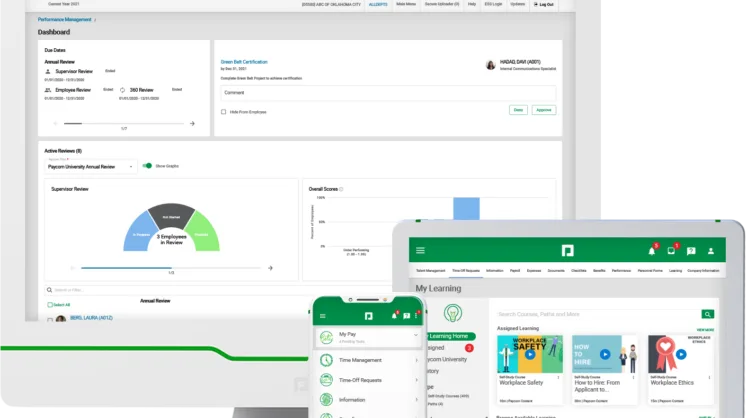
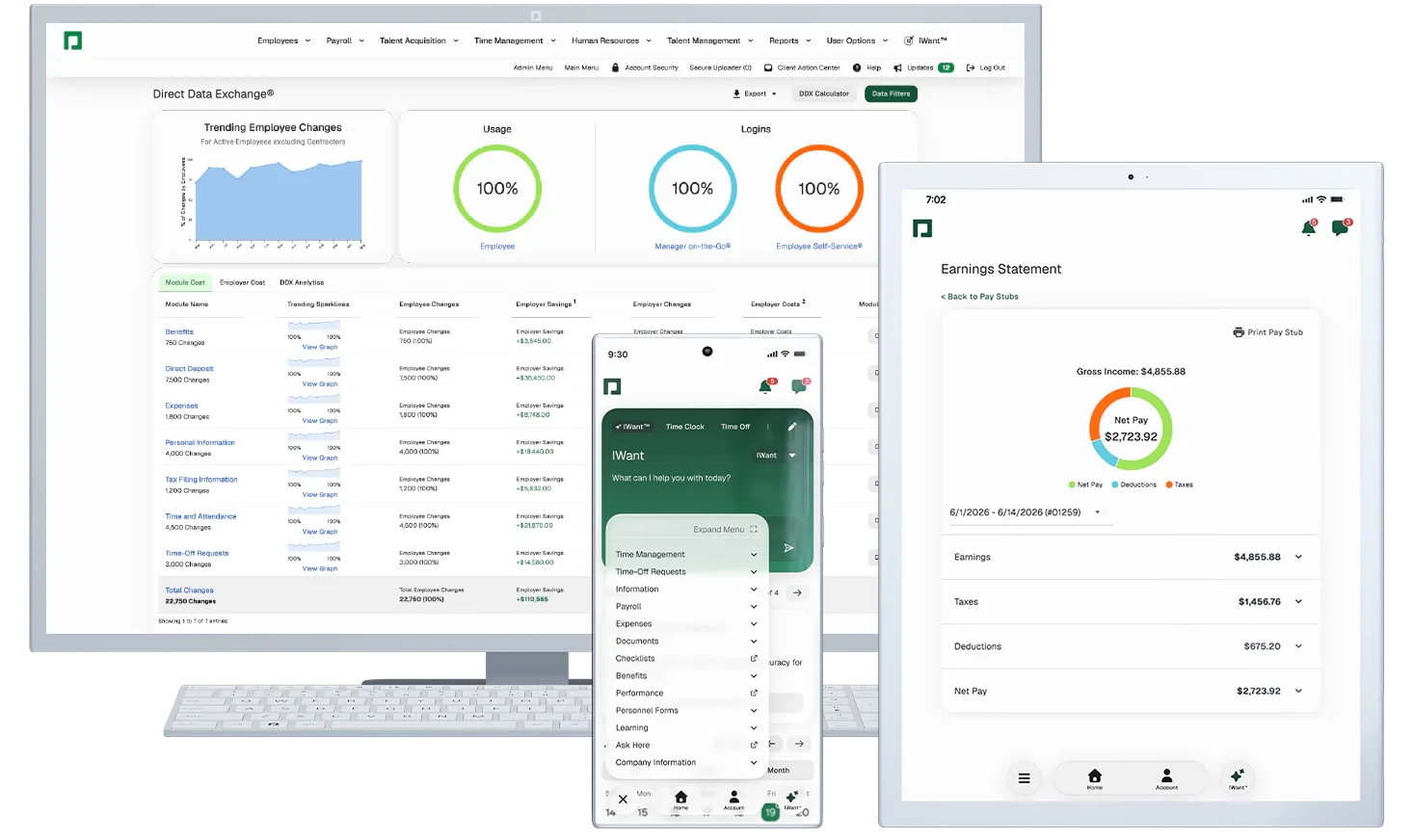
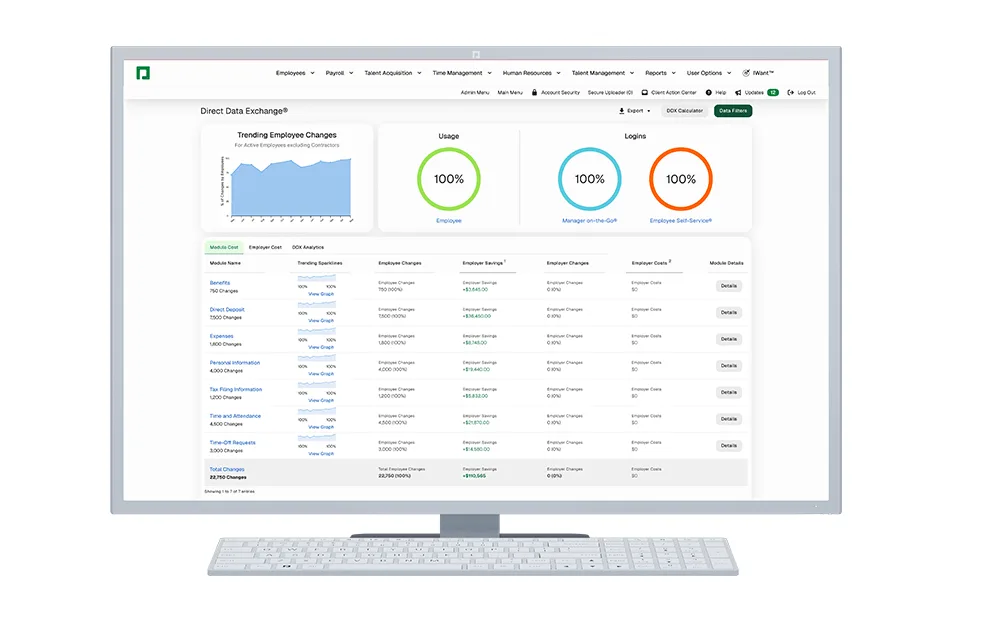
Table of contents
- 1. Paycom Connects Payroll and HR
- 2. Paycom Payroll and Beti
- 3. Timekeeping and Workforce Scheduling
- 4. Employee Records and HR Administration
- 5. Recruitment and Employee Onboarding
- 6. Benefits and Talent Management
- 7. Reporting and Labor Cost Analysis
- 8. Mobile Access and IWant AI
- 9. Paycom Security and Data Protection
- 10. Paycom Pricing and Contract Terms
- 11. Paycom Support and Implementation Risks
- 12. Who Should Choose Paycom?
- Frequently Asked Questions
1. Paycom Connects Payroll and HR
Paycom is a human capital management platform that combines payroll processing, employee records, timekeeping, benefits administration and talent management in one software environment.
Its approach is particularly relevant to employers that want workforce information to move between administrative processes without repeated manual entry.
The platform also offers Beti, which allows employees to review their pay information and resolve certain issues before payroll submission.
For businesses evaluating HR software, the main question is whether Paycom's connected workflows can simplify daily operations enough to justify its cost and implementation requirements.
Paycom is designed to manage several stages of employment, from recruiting and onboarding to payroll, performance management and employee departure.
Instead of treating each administrative task as an isolated process, it connects related information within a shared database.
That design can be useful when a business has multiple departments handling employee data.
HR may manage personal records, supervisors approve working hours, benefits administrators maintain enrollment information, and finance teams reconcile labor expenses.
When these activities happen in separate systems, information can become inconsistent or require repeated entry.
Paycom aims to reduce those handoffs.
Approved working hours can feed into payroll, employee benefit selections can affect relevant deductions, and changes to employee records can flow into connected workflows.
The potential benefit is straightforward, but it depends on implementation quality.
A connected system will not automatically eliminate errors if employees enter incorrect information, managers miss approvals or administrators configure policies incorrectly.
The platform is also primarily associated with the US employment market, although Paycom identifies additional supported countries for certain payroll capabilities.
Companies operating elsewhere must verify the exact services available to them rather than assuming that every local employment requirement is covered.
2. Paycom Payroll and Beti
Payroll is one of Paycom's principal capabilities.
The platform automates recurring payroll activities and connects employee information with working hours, expenses, deductions and other relevant records.
Traditional payroll administration can involve collecting information from several departments, checking timesheets, calculating wages, reviewing deductions and correcting discrepancies before payments are processed.
Each transfer introduces opportunities for mistakes or delays.
Paycom attempts to reduce this administrative burden by keeping relevant data within one environment.
Its payroll workflow can draw on approved information from other modules, while administrators monitor progress and resolve outstanding issues.
Employee guided payroll
Beti is a distinctive part of Paycom's offering.
It allows payroll to begin automatically for scheduled pay periods, using relevant employee information and notifying people when tasks require attention.
Employees can review their pay information before submission and address certain problems, such as missing time entries or other discrepancies that require correction.
Payroll administrators retain visibility into the process and can monitor outstanding tasks.
This approach distributes some verification work to the people who know their own hours, expenses and circumstances.
An employee may recognize a missing shift more quickly than an administrator reviewing hundreds of records.
However, employee verification is not a replacement for formal payroll controls.
Workers can overlook errors, misunderstand deductions or fail to complete reviews on time.
Managers and payroll professionals still need defined responsibilities, deadlines and escalation procedures.
Payroll taxes and accounting
Paycom also provides payroll tax management and filing services for supported operations.
These capabilities can help employers coordinate payroll calculations with applicable tax responsibilities, although the exact scope of the service should be confirmed contractually.
General ledger reporting is another important function.
Finance teams can use payroll information to support accounting entries and reconcile labor costs with their financial records.
Before purchasing, ask the vendor to demonstrate how payroll transactions map to the organization's chart of accounts.
Confirm whether the required reports can be exported in the format used by the accounting team.
Paycom's official payroll information is available.
3. Timekeeping and Workforce Scheduling
Paycom's time and labor management tools connect employee attendance, working hours, scheduling and related workforce information with payroll.
For businesses that employ hourly workers, this connection can reduce repetitive data entry.
Employees record their hours, supervisors review the relevant records, and approved time can flow into payroll.
This is especially useful in organizations with multiple departments, changing shifts or employees working at different locations.
When timekeeping and payroll are disconnected, staff may need to export spreadsheets, correct formatting problems and manually transfer approved hours.
Time and attendance controls
Employers should evaluate how the system handles missed punches, overtime, shift changes, break policies and corrections to submitted timecards.
These details can have a direct effect on employee pay and labor costs.
Paycom also describes time clock options and controls intended to support accurate attendance records.
Depending on the selected configuration, employers should investigate whether location restrictions, geofencing and other controls suit their operating environment.
Such controls need to be balanced against privacy, employee relations and applicable employment requirements.
A feature that is useful for a mobile workforce may be unnecessary in a conventional office.
Scheduling and leave management
Scheduling tools help managers organize shifts and align staffing with operational demand.
Employees can access supported scheduling functions, while managers coordinate changes and review staffing requirements.
Paycom also offers automated time off workflows.
Configured rules can help determine whether requests meet company policies and update relevant leave balances.
The quality of these processes depends on accurate policy configuration.
Accrual rates, carryover rules, eligibility conditions and approval responsibilities should be tested before the system becomes the authoritative record.
A business with complex rotating shifts should request a demonstration using actual scheduling examples.
A general presentation may not reveal whether the platform handles the organization's specific staffing rules.
4. Employee Records and HR Administration
Paycom provides HR management functions for maintaining employee records and coordinating recurring administrative tasks.
A centralized employee record can contain relevant personal details, employment information, compensation data and documents.
Access to these records should be governed by permissions that reflect each user's responsibilities.
This arrangement can reduce the number of spreadsheets and separate databases used to manage employee information.
It can also help HR teams maintain more consistent records when employees change positions, receive promotions or update personal details.
Employee self service
Employee self service allows workers to complete supported tasks without contacting HR for every request.
Depending on the employer's configuration, employees can review payroll information, access documents and manage selected personal details.
The practical benefit is a reduction in routine administrative questions.
HR staff can devote more attention to employee relations, policy decisions and complex cases.
However, self service only works well when employees can find the relevant information and understand the available actions.
Organizations should test common tasks on both desktop and mobile devices before rollout.
Account recovery, access permissions and support procedures also matter.
An employee who cannot access a payslip or update a required record needs a clear route to assistance.
Documents and approvals
Digital records and workflow checklists can help HR teams coordinate recurring tasks and monitor completion.
They can also provide a clearer record of who approved a change and when the action occurred.
Before implementation, confirm document retention rules, export capabilities, electronic signature requirements and the treatment of records after an employee leaves.
These requirements become particularly important when the organization operates in multiple jurisdictions or must retain employment records for specific periods.
5. Recruitment and Employee Onboarding
Paycom includes talent acquisition capabilities that help organizations manage recruitment information and candidate progress.
An applicant tracking process can organize applications, job openings and recruitment stages in a shared environment.
This can be useful for businesses that regularly recruit across departments or locations.
A smaller employer hiring only a few people each year may need less extensive recruitment functionality.
The value increases when multiple hiring managers need a consistent process and HR must track a substantial volume of candidates.
Candidate management
Recruitment workflows should make it clear who is responsible for reviewing applications, scheduling interviews and approving hiring decisions.
Paycom's proposed configuration should be evaluated against those actual responsibilities.
Organizations should also check which recruitment reports are available and whether they support internal hiring targets.
Useful information may include the status of vacancies, candidate progression and outstanding hiring tasks.
Candidate records contain personal information, so permissions and retention practices require attention.
Hiring managers should only have access to information appropriate to their roles.
Onboarding workflows
Once a candidate accepts an offer, onboarding involves collecting employee information, completing required documents and coordinating responsibilities across HR, payroll and management.
Digital checklists can help standardize these tasks and identify outstanding requirements before the employee begins work.
The implementation team should test the process using realistic cases, including a new employee, a rehire and a worker whose employment conditions require additional documentation.
Local requirements must be verified separately.
US employment eligibility procedures and tax documentation should not be assumed to satisfy the laws of another country.
6. Benefits and Talent Management
Paycom offers benefits administration tools that help employers coordinate employee elections and related information.
Benefits workflows can involve eligibility rules, enrollment periods, employee contributions and changes that affect payroll deductions.
Keeping these records connected can reduce duplicate entry and improve consistency.
During a demonstration, ask the vendor to show how a new employee enrolls in benefits, how a qualifying life event is processed and how approved elections affect payroll.
Confirm which benefit providers and external services are supported by the proposed configuration.
Errors in benefits administration can have financial consequences for both the employer and the employee.
The organization should validate effective dates, contribution amounts and eligibility conditions before launching a live enrollment period.
Performance and development
Paycom also supports talent management processes, including performance goals and employee evaluations.
These tools can help managers coordinate review cycles, record objectives and track completion.
A consistent process may make it easier to identify development needs and ensure that employees receive scheduled reviews.
The system still depends on sound management practices.
Software can organize a review, but it cannot replace meaningful feedback, clear objectives or appropriate training for managers.
Training requirements
Businesses should verify the specific training and development capabilities included in their proposed configuration.
Organizations with extensive learning requirements may need a specialist learning management system alongside their HR platform.
The important consideration is whether Paycom supports the company's actual process without introducing unnecessary duplication.
7. Reporting and Labor Cost Analysis
Paycom provides reporting capabilities across payroll and workforce management.
These can help HR and finance teams review employee information, payroll expenses and selected operational trends.
Useful reporting areas may include overtime, headcount, labor allocation, leave activity and payroll costs.
The exact reports available depend on the modules implemented and the data maintained by the organization.
Finance teams should evaluate whether payroll reports support their accounting procedures.
HR teams may be more interested in workforce trends, recruitment progress and administrative completion rates.
Report configuration
Standard reports are valuable when they answer recurring questions without requiring extensive preparation.
Custom reporting becomes more important when an organization needs specific combinations of fields, internal classifications or departmental views.
Ask Paycom to demonstrate the reports that managers will actually use.
Confirm available filters, date ranges, export formats and access restrictions.
A general claim about analytics does not establish that every desired report is available in the required form.
Data accuracy
Reporting quality depends on the quality of the underlying records.
Incorrect employee classifications, missing time entries and inconsistent department codes can distort the results.
Organizations should assign ownership for critical data fields and define a process for correcting discrepancies.
Payroll reports used for financial decisions should also be reconciled with accounting records during implementation.
8. Mobile Access and IWant AI
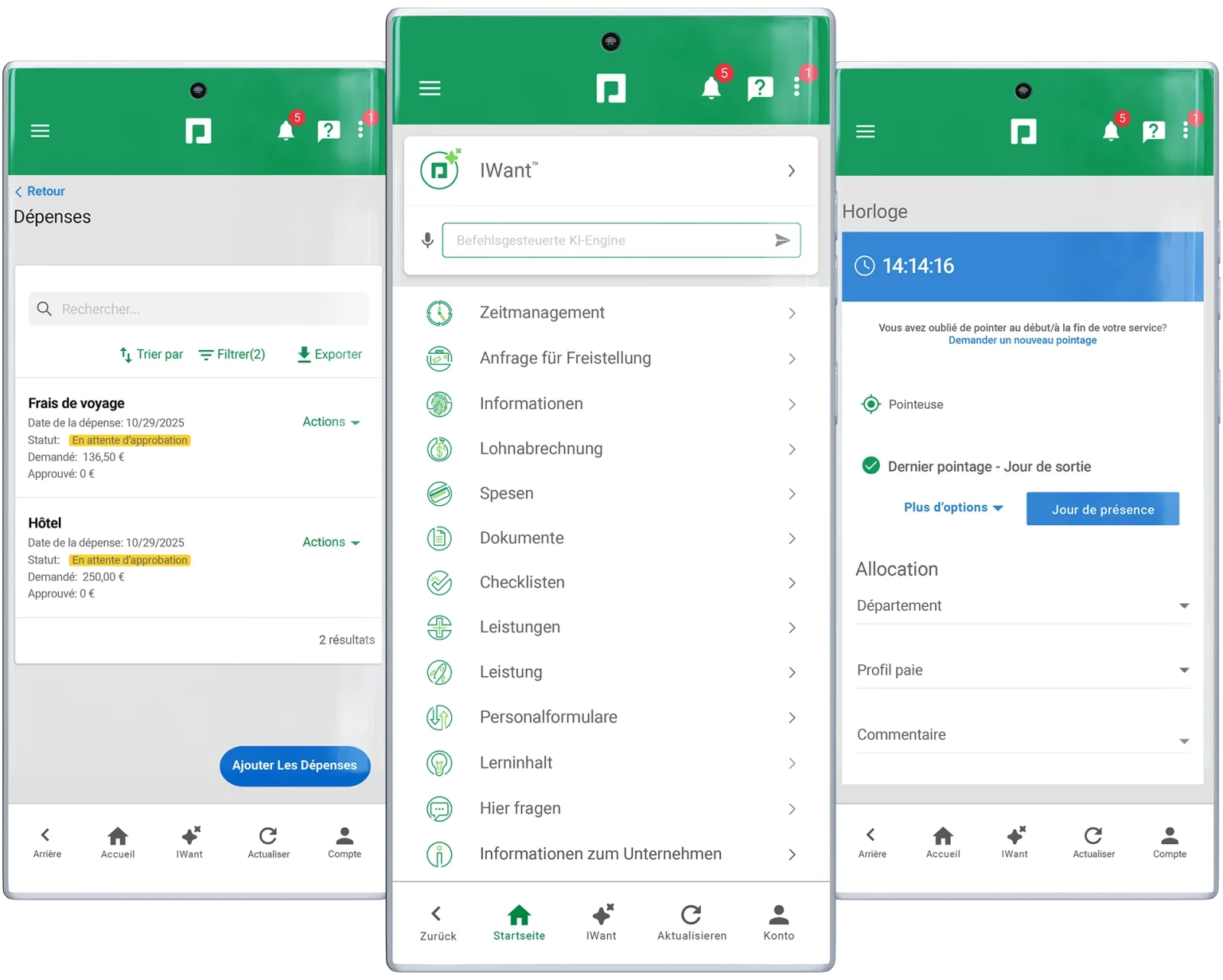
Paycom offers mobile access for employees and managers, allowing users to complete supported HR and payroll tasks without relying exclusively on a desktop computer.
Depending on the employer's configuration, employees can review payroll information and access relevant records.
Managers can handle selected approvals and workforce tasks through supported mobile workflows.
This can be particularly useful for frontline workers, field employees and managers who supervise teams across several locations.
Mobile availability does not mean every administrative task will be equally convenient on a phone.
Complex reports and detailed configuration may still be easier to manage through a desktop browser.
Organizations should test the tasks employees perform most often and establish procedures for lost devices, account recovery and authentication problems.
Command driven AI assistance
Paycom offers IWant, a command driven AI tool that helps users locate supported HR and payroll information through requests rather than navigating every menu manually.
The intended benefit is faster access to employee information, company policies and management dashboards.
Its usefulness depends on the requests supported, the permissions applied and the accuracy of the returned information.
Buyers should test representative questions and confirm how the tool handles requests that involve restricted records or actions requiring approval.
AI assistance should not bypass payroll controls or established approval procedures.
Sensitive changes must remain subject to the organization's access policies and authorization requirements.
9. Paycom Security and Data Protection
Payroll and HR platforms store sensitive information, including employee identities, compensation details, tax records and employment documents.
Security must therefore be part of the purchasing evaluation.
Paycom describes its security practices and formal auditing on its official website.
Buyers should request current documentation explaining the controls relevant to their proposed service, rather than relying solely on general product statements.
Access controls
Role based permissions help restrict access to the information required for each job.
Employees, supervisors, HR administrators and payroll specialists should not automatically receive identical access.
The implementation team should define permissions before migrating live records.
It should also review access when employees change roles or leave the organization.
Where supported, multifactor authentication and single sign on can form part of the organization's access strategy.
Compatibility with existing identity systems should be confirmed during technical evaluation.
Data retention and recovery
The organization should understand how data is stored, protected, backed up and recovered after an incident.
Contractual terms should clarify data export, retention, incident notification and responsibilities at the end of the agreement.
Integrations and external service providers also require scrutiny.
Access granted to connected systems should be limited to what is necessary for their intended purpose.
Regulatory coverage
Compliance depends on the employer's location, workforce and applicable legislation.
Paycom's established US payroll capabilities do not automatically establish compliance with Angolan tax rules, employment requirements or local reporting obligations.
Businesses operating in Angola should obtain explicit confirmation of local payroll coverage and identify who is responsible for calculations, statutory filings and corrections.
The same approach applies to every additional country in which the organization employs people.
10. Paycom Pricing and Contract Terms
Paycom does not publish a universal price for its complete platform.
Its official pricing information states that quotations are customized according to the tools and services an organization requires.
The vendor describes a core offering and additional functionality that customers can select according to their needs.
This is more informative than assuming that Paycom offers three fixed public subscriptions with published monthly rates.
The absence of standard public prices makes direct comparison more difficult.
Prospective customers should request an itemized quotation that identifies included modules, employee counts, implementation charges and ongoing service costs.
What the quotation should include
Ask the vendor to identify the pricing basis, the modules covered and any minimum charges.
Confirm whether costs change with headcount, additional legal entities or changes to the selected functionality.
The agreement should also clarify renewal dates, notice periods, price adjustments and any charges associated with data exports or termination.
Do not assume that every feature shown in a demonstration is included in the proposed package.
The commercial scope should be documented in writing.
Implementation and training
Implementation can involve data migration, payroll configuration, policy setup, employee permissions, report validation and staff training.
The effort depends on the existing environment.
A business moving from spreadsheets may face different challenges from an enterprise replacing several established systems.
Payroll deserves particular attention.
Before going live, compare expected results with the existing payroll process and investigate discrepancies.
A controlled validation period can help reveal configuration problems before the new system becomes the primary payroll platform.
Calculating value
The total investment includes more than the software fee.
Internal project time, data cleanup, training and process changes can affect the real cost.
Businesses should identify which manual activities they expect to reduce and measure the results after implementation.
Savings should be based on observed improvements rather than assumed from a vendor presentation.
Paycom is easier to justify when the organization needs several connected workforce functions.
A company seeking only basic payroll processing should compare simpler alternatives before committing.
11. Paycom Support and Implementation Risks
Paycom advertises a dedicated client specialist who provides assistance with implementation and ongoing use.
This can be useful for organizations that want a consistent contact for payroll and HR questions.
However, buyers should clarify the service arrangement before signing.
Ask how support requests are submitted, what response expectations apply and how urgent payroll problems are escalated.
The organization should also determine who will manage the relationship internally.
A named vendor contact cannot replace an internal owner who understands payroll deadlines, employee data and approval responsibilities.
Preparing the workforce
A successful implementation requires cooperation between HR, payroll, finance, IT and the managers who approve workforce transactions.
Employees need clear instructions about accessing the system, reviewing pay information and completing required tasks.
Managers need training on approvals, exceptions and reporting.
The rollout plan should identify key milestones, data owners and acceptance criteria.
Payroll validation should be completed before the organization relies on the new system for live payments.
Migration and exit planning
Before transferring employee records, identify duplicate entries, missing fields and inconsistent historical information.
Cleaning the data beforehand can reduce the number of problems that must be resolved after migration.
The organization should also plan for the possibility of changing providers in the future.
Confirm which records can be exported, how they will be delivered and what assistance is available during an exit.
These questions are standard procurement precautions for any workforce platform.
They are especially important when payroll, benefits and employee records are being consolidated into one system.
12. Who Should Choose Paycom?
Paycom is worth evaluating when an organization wants to coordinate payroll, employee information, timekeeping and HR administration through one platform.
Businesses with substantial hourly workforces may benefit from connecting approved hours with payroll.
Employers with frequent hiring may value structured recruitment and onboarding workflows.
HR and finance teams may also appreciate having access to consistent employee records and workforce reports.
The value depends on the number of processes the company will actually use.
Buying a broad platform for a narrow requirement can add cost and implementation work without delivering enough practical benefit.
Smaller businesses with straightforward payroll needs should compare focused payroll services.
Organizations with complex international operations should verify local payroll coverage before proceeding.
The best evaluation is a demonstration built around the company's real workflows.
Ask the vendor to process a representative employee change, approve working hours, review a payroll discrepancy and produce a required report.
The buyer should then compare the demonstrated results with the proposed contract, implementation plan and total cost.
Key features
- Automated payroll processing
- Employee guided payroll verification
- Payroll tax filing management
- General ledger payroll reporting
- Employee self service access
- Centralized employee record management
- Digital onboarding document workflows
- Applicant tracking and recruitment
- Benefits enrollment and administration
- Employee time and attendance
- Automated leave request decisions
- Workforce scheduling and shift management
- Labor allocation and cost tracking
- Expense management and reimbursements
- Performance goals and evaluations
- Employee training and development
- Position and compensation management
- Workforce analytics and reporting
- Mobile employee account access
- Command driven AI assistance
- Role based access permissions
- Employee payroll task notifications
- Integrated HR data workflows
- Dedicated client support specialist
Pricing
- Automated payroll processing
- Payroll tax administration and filing
- General ledger reporting
- Employee payroll verification
- Dedicated client support
- Automated payroll processing
- Employee time and attendance
- Workforce scheduling and leave
- Labor cost reporting
- Employee payroll verification
- Core payroll administration
- Recruitment and applicant tracking
- Benefits enrollment management
- Performance and talent management
- Workforce analytics and reporting
Pros & cons
Pros
- Connected payroll and HR records
- Employee guided payroll verification
- Automated payroll data collection
- Integrated timekeeping and payroll
- Centralized employee information management
- Employee self service capabilities
- Automated leave request workflows
- Broad employee lifecycle coverage
- Dedicated client support specialist
- General ledger reporting capabilities
- Mobile workforce administration access
- Flexible workforce management functionality
- Centralized payroll task monitoring
- Reduced repetitive administrative data entry
Cons
- Public pricing lacks standard rates
- Customized quotations complicate comparisons
- Implementation requires careful planning
- Configuration demands internal ownership
- Payroll coverage varies by country
- External integrations require verification
- Employee adoption affects efficiency
- Migration requires accurate source records
- Complex workflows need thorough testing
- Contract terms require advance review
- Specialized learning needs may require alternatives
- Local compliance requires independent confirmation
- No publicly advertised free tier
- Broad functionality may exceed basic needs
Paycom specs
- Platforms: Web browsers, Android and iOS
- Free plan: No publicly advertised free plan
- Starting price: Custom quotation, public starting price unavailable
- Integrations: Native modules share a common database, external integrations require confirmation
- Support: Dedicated client specialist and online resources
- Best for: US employers consolidating payroll and HR operations
Our verdict
Paycom is a strong candidate for organizations that want payroll, timekeeping, employee records and HR administration connected within one platform. Its employee guided payroll workflow is a meaningful differentiator because it gives workers an opportunity to identify certain discrepancies before payroll submission. The system is particularly relevant to employers managing multiple workforce processes and recurring administrative workloads.
The main purchasing considerations are customized pricing, implementation effort and the availability of the required functionality in each operating country. Smaller businesses with basic payroll needs should compare simpler alternatives, while international employers should confirm local compliance coverage before committing. Paycom deserves a place on the shortlist when its connected workflows solve several real operational problems, but the final decision should depend on a successful demonstration, a clear implementation plan and a written commercial proposal.
Frequently Asked Questions
What does Paycom software do?
How much does Paycom cost?
Does Paycom offer a free plan?
Can Paycom support international payroll?
Is Paycom suitable for small businesses?
Reader reviews
Be the first to review
