

Rippling starts at $8 per employee, but HR, payroll and IT cost more
 Published byEvander ThorneSoftware ReviewerEvander ThorneSoftware Reviewer Verified authorEvander Thorne is a Software Reviewer and IT Management Specialist at Desking, specializing in enterprise software, IT service management, project management, and busine…Author Profile

Ad disclaimer For links on this page, DESKING APP may earn a commission from the provider. This supports our work and has no influence on our editorial rating.
The central issue with Rippling is pricing architecture, not feature count. Its strongest proposition is that one employee record can drive HR, payroll, IT access, devices and finance workflows. But the advertised entry price of $8 per employee per month is only part of the bill: Rippling also charges a monthly base fee, and the final cost depends on the modules selected.
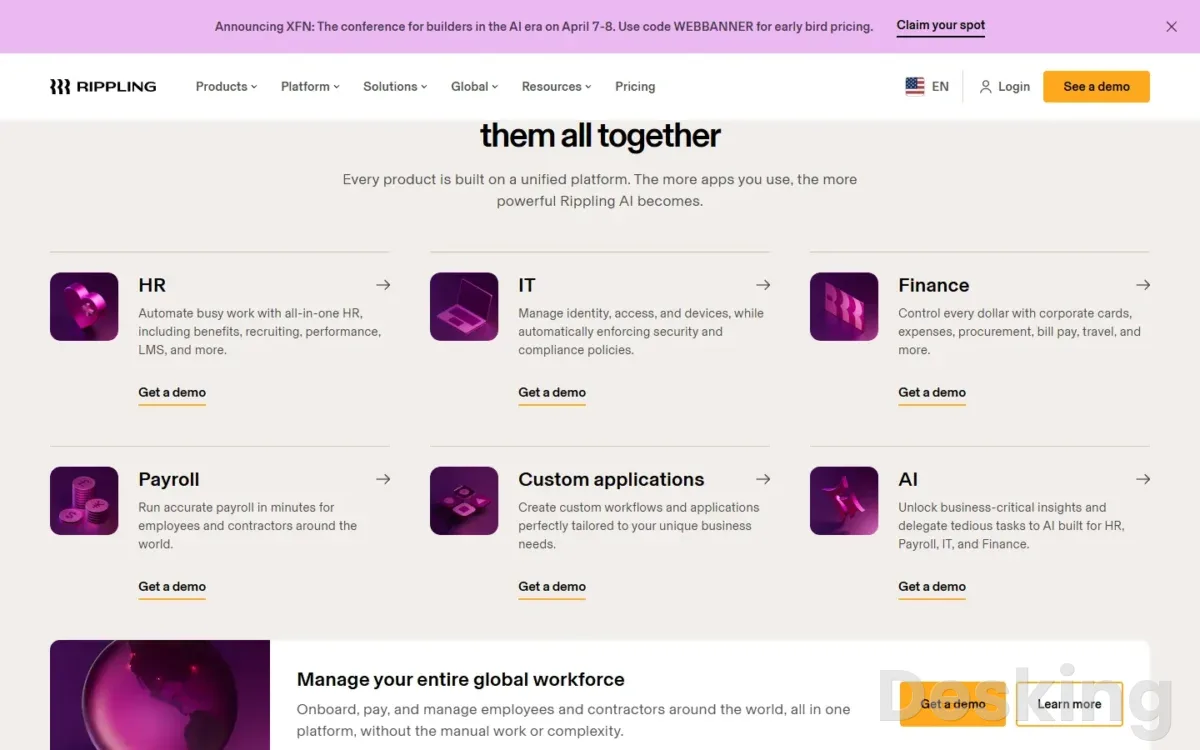
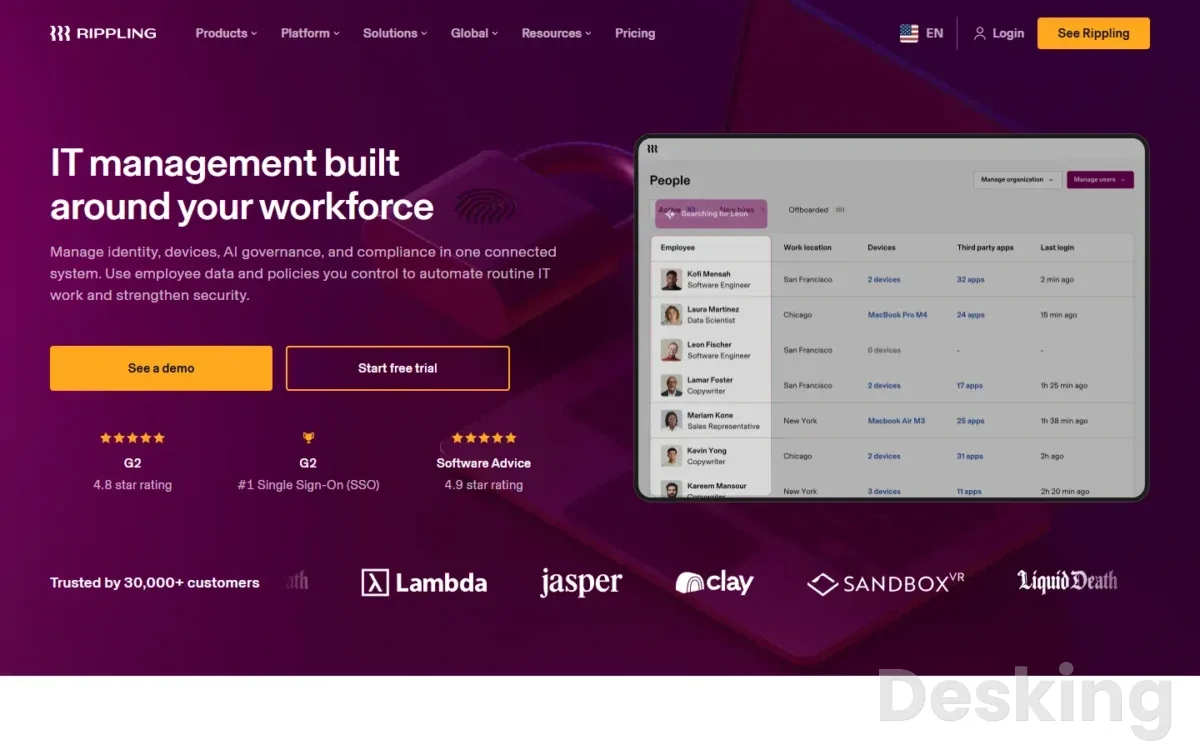
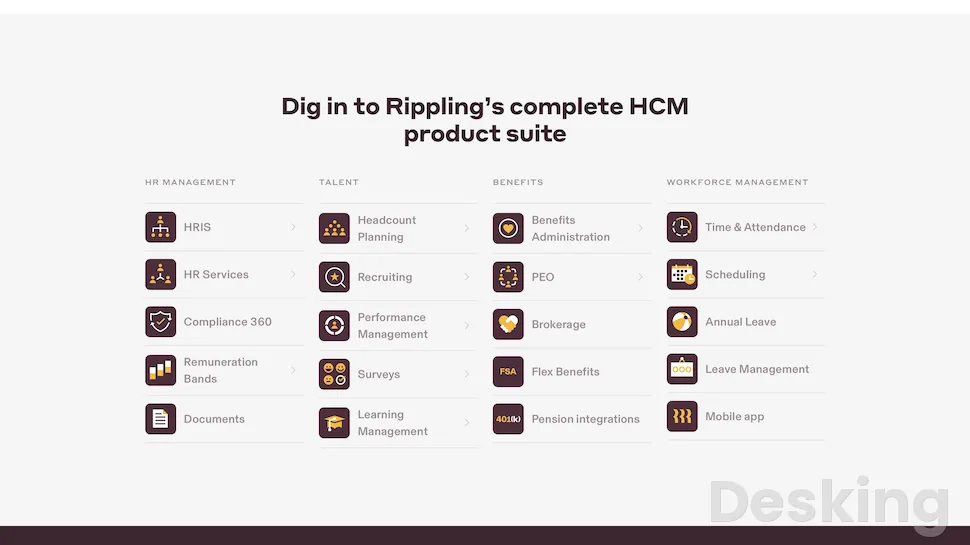
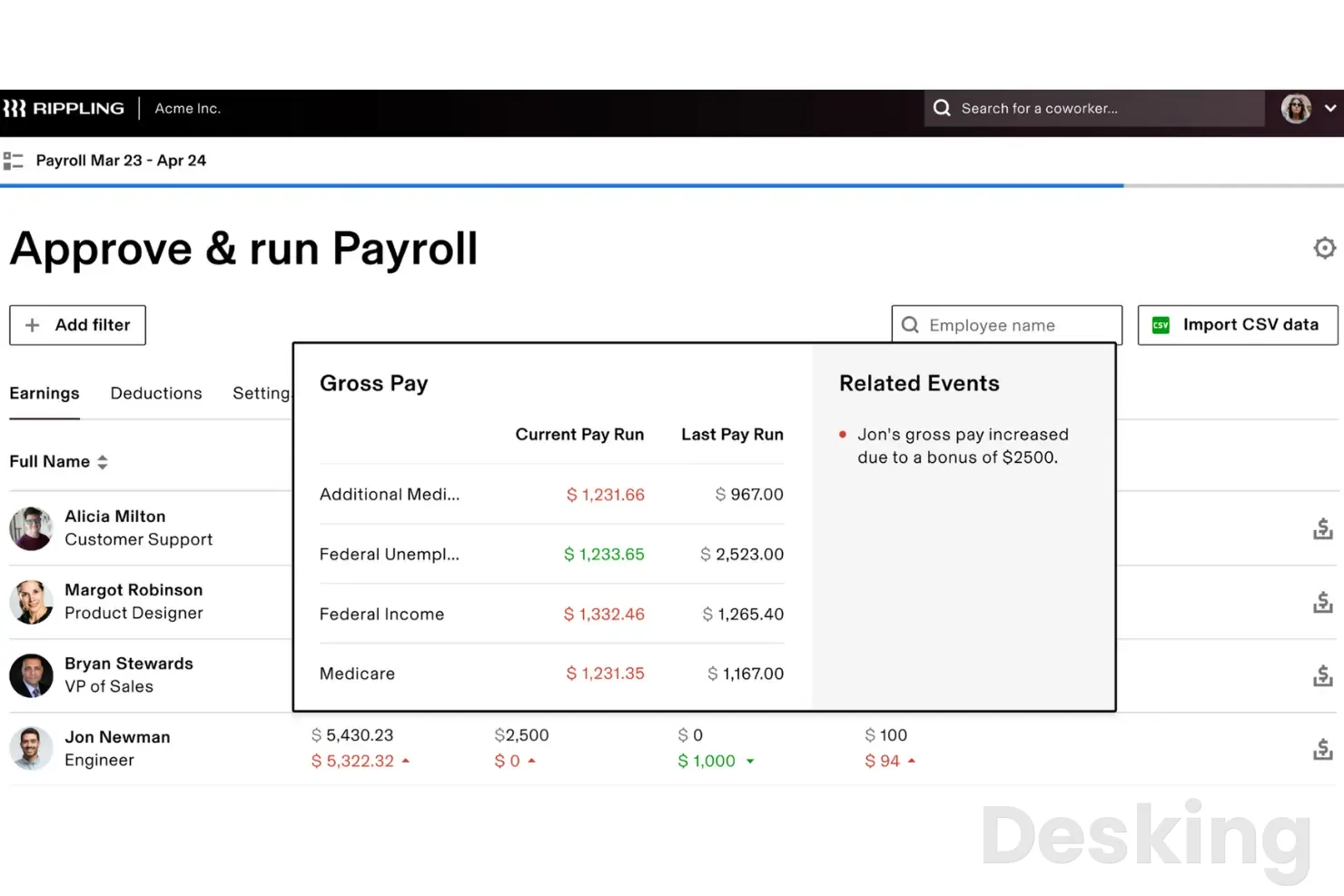
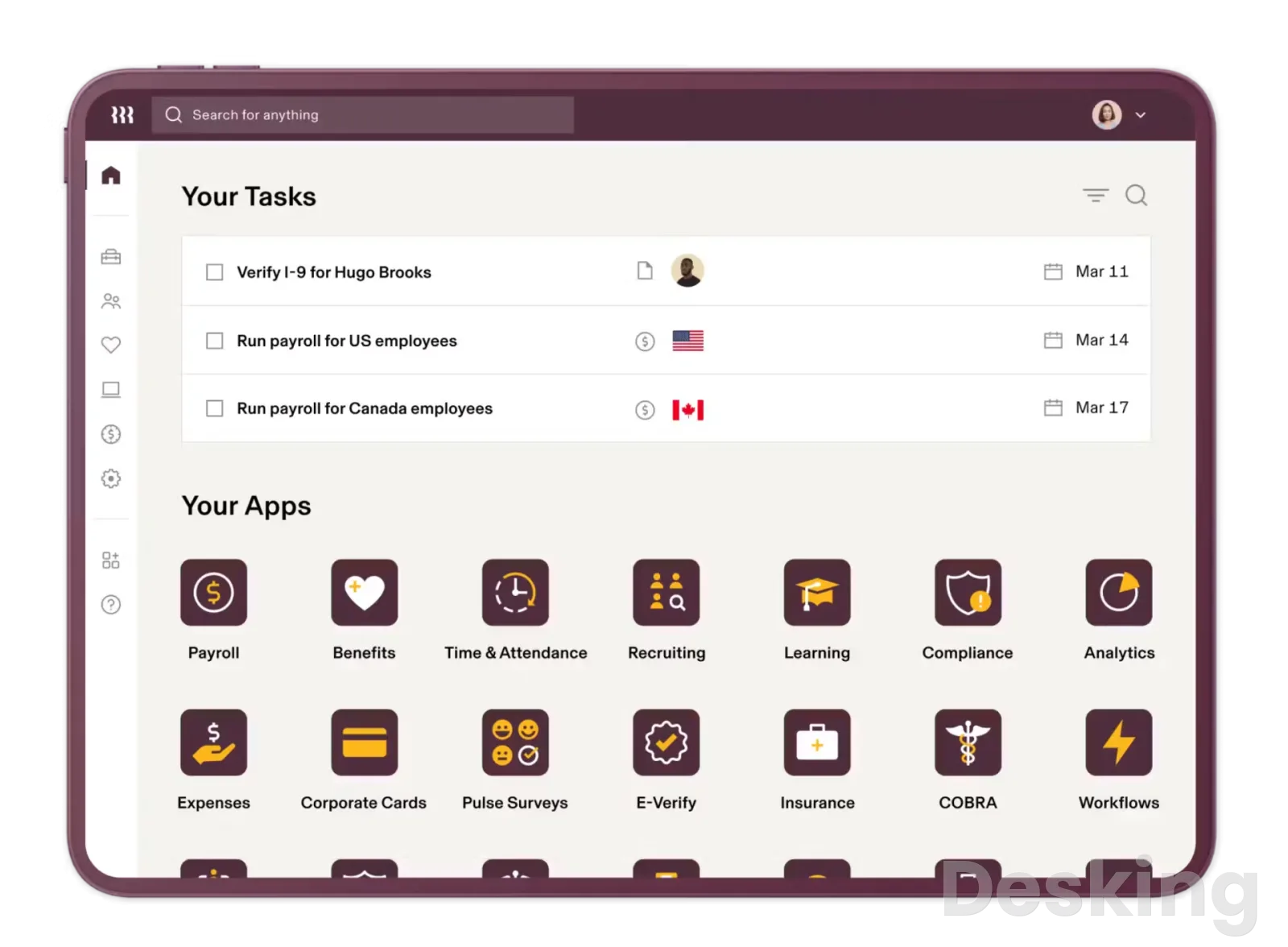
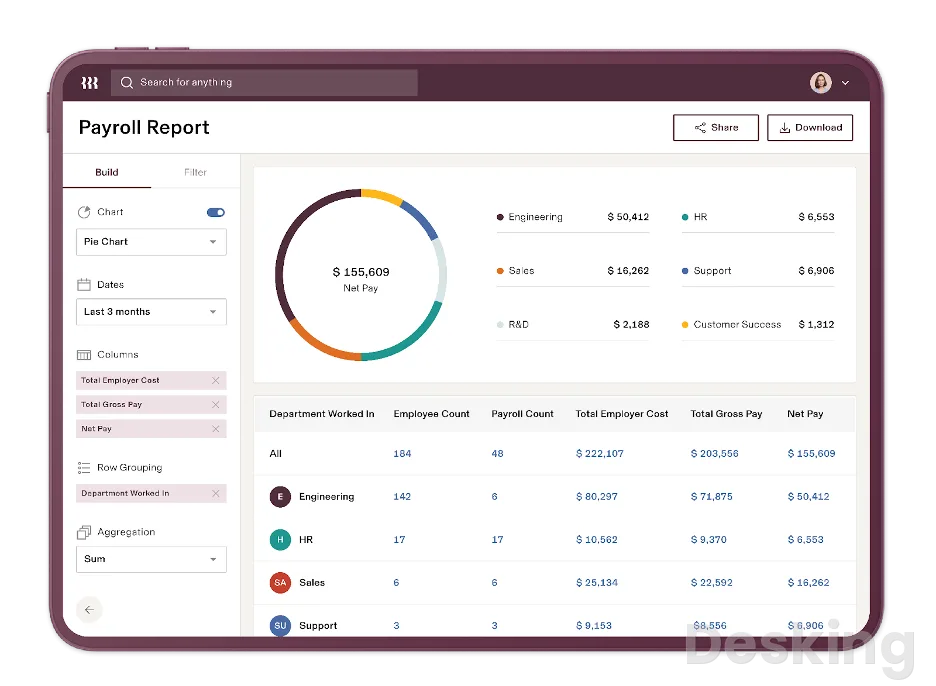
Table of contents
- 1. What is Rippling
- 2. How the shared employee record works
- 3. HR and employee administration
- 4. Payroll and benefits
- 5. IT and identity management
- 6. Finance and spend management
- 7. Automation, analytics and AI
- 8. Integrations and API strategy
- 9. Security and compliance
- 10. Implementation and administration
- 11. Customer feedback
- 12. Rippling pricing
- 13. Rippling alternatives
- 14. Who should use Rippling
- Frequently Asked Questions
1. What is Rippling
Rippling is a cloud based workforce management platform that connects human resources, payroll, IT administration and finance through shared employee data.
Founded in 2016 by Parker Conrad and Prasanna Sankar, the privately held company is headquartered in San Francisco, California.
Its first product went live with customers in 2018, and the business has since expanded into a broad software ecosystem.
Sacra estimates that Rippling serves more than 20,000 customers and reached $1 billion in annualized revenue in March 2026.
TechCrunch reported a $450 million Series G funding round in May 2025, valuing the company at $16.8 billion.
The product's defining idea is that employee information should drive more than HR records.
A change in someone's department, manager, job status or location can affect payroll, benefits, software permissions, device access, corporate spending and reporting.
Rippling attempts to make those changes in one place and propagate them through connected applications.
This is a broader proposition than a conventional human resources information system, and it explains why the company sells separate products across HR, IT, payroll and finance rather than treating the platform as a single fixed package.
That architecture is its greatest advantage and its main purchasing risk.
Companies that currently maintain separate HR, payroll, identity management and device administration systems may be able to reduce duplicate work by consolidating them.
However, the financial case depends on which modules are required, how many employees need them and what the existing systems already cost.
Rippling's starting price is $8 per employee per month, plus a $40 monthly base fee on its small business pricing page, but the company requires a custom quote for the selected products.
The entry figure is not the price of the complete platform.
Rippling is best evaluated as an operating system for employee administration, not simply as payroll software with an HR module attached.
Its shared data model can connect an employee's lifecycle to systems that would otherwise be managed by different departments.
That makes it particularly interesting to growing companies with internal IT responsibilities, multiple applications and a need for tighter control over access.
A small business looking only for basic payroll, on the other hand, may find that Gusto is easier to price and deploy.
2. How the shared employee record works
The employee record is the central organizing element.
HR administrators maintain information such as job title, department, manager, location and employment status.
Rippling can use those attributes to determine which policies apply, what permissions an employee receives and which connected systems should be updated.
The practical difference is that HR data becomes an input for operational rules rather than a collection of details that only the HR department consults.
Consider an employee moving from one department to another.
In a disconnected setup, HR may update the personnel database, IT may change software access, a manager may request new permissions and finance may adjust spending controls separately.
Rippling's model allows those changes to be driven by the employee's updated attributes and the policies attached to them.
The result depends on the relevant applications being connected and the automation rules being configured correctly.
A shared record does not remove the need to define who approves changes or which system owns each piece of information.
The same logic applies to onboarding and offboarding.
A new hire can trigger a sequence of HR tasks, payroll setup, benefits enrollment, application access and device provisioning.
A departure can trigger the reverse process, including removal of access and the completion of administrative tasks.
Rippling's proposition is strongest when a company has enough systems for these handoffs to create a measurable workload.
For a business with a small number of employees and only a few applications, the additional configuration may outweigh the time saved.
The product catalogue reflects this approach.
Rippling sells HRIS, HR services, recruiting, performance management, learning management, benefits administration, time and attendance, scheduling, payroll, global payroll, contractor services, identity and access management, device management, corporate cards, expense management, bill pay and other products.
The modules share a platform, but they are not all included in one low priced subscription.
Buyers must decide which operational areas they want to consolidate before evaluating the total cost.
3. HR and employee administration
Rippling's HRIS manages employee records, organizational structures, documents, onboarding and offboarding.
Employee information can be used across the wider platform, which reduces the need to maintain separate copies of the same details in different applications.
This is particularly useful when a company has several departments, locations or employment types and wants consistent information for payroll, benefits and access management.
Organizational charts and employee profiles give managers and HR staff a view of reporting relationships and employment information.
The value is not merely having a directory.
The same information can support approval policies, role based permissions and automated processes.
If an employee changes manager, for example, the company can use the updated reporting relationship to determine who should approve future requests.
That is more useful than a static chart, but only if the organization's reporting data is maintained accurately.
Onboarding is one of the clearest examples of the shared data approach.
A company can coordinate employee information, documents, payroll setup, benefits and IT tasks as part of the hiring process.
The HR department can manage the employee lifecycle while IT handles device and application access through the same platform.
This can reduce handoffs between departments, although each organization still needs to define its own checklist, approval responsibilities and timing requirements.
Offboarding is equally important because an employee's departure affects more than the personnel file.
Access to business applications, devices, corporate cards and other services may need to be removed or reassigned.
Rippling's connection between HR and IT is valuable here: a change in employment status can be used to initiate related access and device workflows.
Companies should nevertheless verify which actions are automated in their chosen configuration and which require a separate product or administrator approval.
4. Payroll and benefits
Rippling Payroll handles employee and contractor payments, tax calculations and payroll administration.
The platform connects payroll information with employee records and benefits data, reducing the need to re-enter changes in separate systems.
When an employee's benefit elections or personal details change, connected payroll processes can reflect the relevant information.
This is a practical advantage for companies that want HR and payroll to share the same employee data rather than reconcile separate databases every pay period.
Benefits Administration covers areas such as medical, dental and vision plans, along with retirement and other employee benefits.
Rippling describes a connection between benefits elections and payroll deductions, so changes such as a qualifying life event can update the associated deductions.
This matters because benefits administration is often where small data errors become expensive.
A missed deduction or an incorrect employee contribution can create follow up work for HR, payroll and the employee.
Payroll is also a natural point where the platform's modular pricing becomes important.
The $8 starting price should not be treated as a confirmed payroll subscription price.
Rippling's pricing page says the total depends on the products selected and the number of employees, and payroll pricing is provided through a custom quote.
Buyers should request a proposal that identifies payroll processing, tax filing, benefits administration, time tracking and any service fees separately.
For companies operating only in the United States, Gusto is a useful comparison because its pricing is more explicit.
Its Simple plan costs $49 per month plus $6 per person, while Plus costs $80 plus $12 per person and Premium costs $180 plus $22 per person.
Gusto's approach is easier to budget before speaking to sales, especially for smaller businesses.
Rippling's advantage is the ability to connect payroll to IT and finance workflows, which Gusto does not position as the same integrated operating model.
5. IT and identity management
IT administration is where Rippling separates itself most clearly from HR first competitors.
The platform includes identity and access management, device management, application provisioning and related policies.
Rather than treating IT access as a separate process that begins after HR finishes onboarding, Rippling connects access decisions to employee attributes and lifecycle events.
A new employee's role and department can determine which applications and permissions are assigned.
Identity management is particularly useful for businesses with a large collection of cloud applications.
Administrators can define access rules around employee attributes, then use those rules to govern access as people join, change roles or leave.
Rippling advertises more than 650 integrations, including connections to widely used business applications.
The important point is not the raw integration count but whether the specific applications used by the company support the required provisioning, deprovisioning and data synchronization actions.
Device management extends the same logic to company hardware.
IT administrators can manage employee devices and connect device policies to the employee lifecycle.
When a worker leaves, the company can coordinate access removal and device recovery rather than relying on an informal chain of emails.
The value is greater for businesses issuing laptops and managing application access across a distributed workforce than for companies where employees use only a small number of centrally managed systems.
There is a trade off.
A business buying Rippling only for HR may not need the IT modules, while a business buying both HR and IT must budget for the relevant products and implementation.
The strongest reason to purchase the platform is therefore not that it has many features.
It is that the same employee data can trigger actions across departments.
If the organization does not intend to use those connections, a conventional HRIS may be cheaper and easier to maintain.
6. Finance and spend management
Rippling's finance products include corporate cards, expense management, bill pay, travel, procurement and banking related services.
These capabilities extend the employee record into spending controls.
A company can define policies based on employee attributes and use approval workflows to govern purchases and reimbursements.
This is useful when spending authority depends on a person's department, role, manager or location.
The operational benefit is the connection between employee information and financial permissions.
When an employee changes roles, the company may need to update card limits, spending policies or approval responsibilities.
A platform that uses shared employee data can make those changes easier to coordinate.
However, finance teams should assess the depth of each module independently.
A unified interface does not automatically mean that every function matches a dedicated expense management, procurement or accounting application.
Rippling also promotes reporting across connected systems.
Its Data Cloud, Analytics and AI products are designed to bring information from different parts of the platform into reports and workflows.
This can help finance and HR teams examine employee costs alongside payroll, benefits and spending data.
The benefit depends on accurate data, appropriate permissions and the availability of the necessary modules.
Buyers should request demonstrations using the reports they actually need rather than accepting a generic dashboard presentation.
For a smaller company, finance products may be an unnecessary expansion.
A business with a standalone accounting system and a basic corporate card program may not gain enough from consolidating those tools.
Rippling makes more sense when the finance team has a clear reason to connect spending policies and approvals to HR and IT data.
7. Automation, analytics and AI
Automation Studio lets administrators create workflows using employee information, application data, triggers and actions.
This is more flexible than a fixed list of onboarding tasks because workflows can respond to changes in the business.
For example, a department change can initiate a sequence of approvals or application access updates.
The platform also includes policy and permission controls that determine how employees interact with different systems.
The advantage of automation depends on the quality of the underlying rules.
A workflow that assigns the wrong access because an employee's department field is outdated can create more work than it removes.
Administrators need to define reliable data ownership, test conditions and exception handling before automating sensitive processes.
Rippling's flexibility is a strength for companies with complex needs, but it also creates a learning curve for teams without a dedicated systems administrator.
Analytics and Data Cloud extend reporting beyond one department.
Rippling describes dashboards and reports that can draw on data from its own modules and connected third party applications.
This is useful when a company wants to analyze payroll, employee headcount, benefits and spending in a shared reporting environment.
It is less compelling if the business only needs standard HR reports and does not plan to consolidate its systems.
Rippling AI is designed to answer questions and assist with tasks using data from across the platform.
The company positions it as a way to generate insights, build reports and delegate administrative work.
This could be useful when the underlying data is consistent and the employee permissions are correctly configured.
Buyers should still establish what AI actions can be taken automatically, which require human approval and how access controls apply to sensitive employee and payroll information.
8. Integrations and API strategy
Rippling advertises more than 650 out of the box integrations.
Its integration model is intended to do more than pass basic employee details between applications.
Attribute mapping can update fields such as an employee's department, preferred name or job title across connected systems.
Access rules can also use employee attributes to manage permissions in supported applications.
This is a stronger proposition than a simple one way data export, but integration depth differs by application.
The integration catalogue should be assessed against the company's actual software inventory.
A listing alone does not establish that every required workflow is supported.
Buyers should confirm whether the connection supports single sign on, user provisioning, deprovisioning, field synchronization, payroll data transfer or automated actions.
These functions have different technical and operational implications, especially when an employee's access needs to be revoked promptly after termination.
The platform's API and workflow capabilities are relevant to companies with internal developers or specialist applications.
Rippling can act as a central employee data layer, while custom integrations connect internal systems to the workforce record.
That flexibility is useful for organizations with unusual approval paths or data requirements.
It is less attractive to small businesses that want a product they can configure without engineering involvement.
A proper integration assessment should document four things before the contract is signed:
- Data ownership: Decide which application is authoritative for employee details, payroll information and department structures.
- Synchronization: Confirm which fields move between systems, in which direction and how often.
- Access control: Establish how roles and permissions are created, changed and revoked.
- Failure handling: Determine what happens when a sync fails, an account is duplicated or an employee record is incomplete.
The last point is often overlooked.
If an employee's title changes but the update fails to reach a connected application, the company needs a way to detect and resolve the mismatch.
Rippling's unified architecture can reduce fragmented administration, but the integrations still need monitoring and clear ownership.
9. Security and compliance
Rippling handles sensitive employee, payroll, identity and financial information, so security is a purchasing requirement rather than a secondary feature.
The company lists SOC 1 Type II, SOC 2 Type II, SOC 3, CSA STAR Level 2, ISO 27001 and ISO 27018 among its security and compliance credentials.
It also states that it complies with applicable data protection laws including GDPR and CCPA.
These controls provide a useful starting point for vendor assessment, but enterprise buyers should request the relevant reports and confirm which products and legal entities are covered.
Role based permissions are especially important because Rippling connects data across departments.
An HR administrator may need access to employee records but not every finance function.
A manager may need to approve time off without viewing confidential compensation information.
A finance administrator may need payroll and spending data but not sensitive employee documents.
The platform's permission model is designed to control what users can see and do, but organizations must configure those rules around their own responsibilities.
The wider platform also creates a larger concentration of operational risk.
Consolidating HR, payroll, IT and finance can reduce the number of vendors and manual handoffs, but it increases the importance of the central system's availability and access controls.
A serious configuration error or account compromise could affect several business processes at once.
Companies should examine audit logging, administrative access, incident response, data retention, export procedures and recovery commitments during procurement.
International companies should also separate software security from employment compliance.
Rippling can support workflows and records across jurisdictions, but the employer remains responsible for understanding its legal obligations unless a specific service contract transfers a defined responsibility to the provider.
Payroll, benefits and employment services have different legal scopes.
Buyers should ask which entity provides each service and which obligations remain with their own company.
10. Implementation and administration
Rippling's implementation effort depends on how much of the platform is being deployed.
An HRIS migration requires employee records, reporting structures, documents, leave policies and permissions to be mapped.
A wider implementation may also involve payroll history, benefits enrollment, devices, application access, corporate cards and finance workflows.
The more systems being consolidated, the more important it becomes to plan the migration as a business process project rather than a software installation.
The safest rollout begins with a systems inventory.
HR, finance and IT should identify the applications being replaced, the applications that will remain and the data each one owns.
They should then map employee attributes, approval paths and access rules before importing records.
This prevents the common mistake of transferring data into a new system without agreeing how it will be maintained afterward.
A practical implementation sequence looks like this:
- Inventory the current HR, payroll, benefits, identity, device and finance applications.
- Identify the authoritative source for employee, payroll and access information.
- Map employee fields, departments, locations, reporting lines and employment types.
- Configure permissions, approval chains, policies and onboarding workflows.
- Import a sample group and verify records, balances and connected application behavior.
- Run payroll and critical workflows in parallel where appropriate before switching systems.
- Train HR, finance, IT and managers according to their responsibilities.
- Review failed automations, access changes and employee requests after launch.
The G2 review pattern supports the need for careful setup.
Users frequently praise the product's day to day usability, but learning curve and setup complexity also appear among its recurring drawbacks.
Capterra reviewers describe custom workflow configuration and report building as challenging for nontechnical administrators.
That is a real consideration for a small HR department without systems expertise.
Rippling is therefore not automatically a low effort implementation just because it is delivered through a web interface.
The platform's value comes from the rules and connections built around employee data.
Companies should ask for a clear implementation scope, migration responsibilities, training commitments and post launch support arrangements in the commercial proposal.
11. Customer feedback
Rippling receives strong ratings on major software review platforms.
G2 listed a 4.7 out of 5 rating from more than 15,000 reviews in November 2026, while Capterra listed 4.8 out of 5 from more than 5,800 reviews.
Those scores indicate broad satisfaction, but the written feedback is more revealing because users may be reviewing payroll, HR, time tracking or other parts of the wider platform.
One Capterra reviewer working in human resources at a company with 201 to 500 employees praised the consolidation:
impressive centralization of all HR functions on a single platform, automated and reliable payroll management, greatly simplified onboarding for new employees
Verified reviewer on Capterra, Human Resources, 201 to 500 employees
This is the experience Rippling is designed to deliver.
The combination of HR, payroll and IT can reduce duplicate data entry and make employee changes easier to coordinate.
It is particularly relevant for a midmarket company where several departments participate in hiring and employee administration.
The commercial concern is visible in another Capterra review from an education management leader at a company with 501 to 1,000 employees:
The module add-ons get incredibly expensive, customer support wait times can stall urgent payroll questions, and contract renewals feel rigid.
Verified reviewer on Capterra, Education Management, 501 to 1,000 employees
This criticism goes directly to the purchasing model.
Modular pricing gives customers control over which products they select, but the cost can rise as more departments adopt the platform.
The complaint about payroll support is particularly relevant because payroll delays have direct consequences for employees.
Buyers should negotiate support terms, renewal conditions and a complete module schedule before signing.
A Capterra reviewer in software engineering at a company with 501 to 1,000 employees highlighted the security controls:
role-based access controls, SSO, MFA, and comprehensive audit logging
Verified reviewer on Capterra, Computer Software, 501 to 1,000 employees
That feedback supports the platform's appeal to companies where HR and IT have to coordinate access to sensitive systems.
It does not replace a security review, but it shows why the permission model matters to buyers managing employee data and payroll information.
A G2 reviewer identified a different weakness in the employee workflow:
Manual entries or requests don’t always show up for my manager.
Verified reviewer on G2, Senior Manager, Mid Market
This is a small but meaningful operational failure.
Approval systems are only useful when requests reach the right person reliably.
Companies should test manager notifications, request visibility and escalation rules during implementation, especially for time off and time tracking.
12. Rippling pricing
Rippling's pricing is modular and quote based.
The company advertises a starting price of $8 per employee per month, with a $40 monthly base fee on its small business page.
The actual quote depends on the products selected and the number of employees.
Most products are priced per employee, while some carry additional monthly fees.
Payroll pricing is not published as a universal fixed rate.
That structure makes a direct comparison with a conventional HRIS difficult.
A business purchasing only HR software should not compare Rippling's starting price with a competitor's complete HR package without checking which features are included.
Similarly, a company comparing payroll providers should include tax filing, benefits, time tracking, contractor payments and implementation services in the same quote.
For illustration, the published $8 starting rate plus the $40 monthly base fee would produce a $440 monthly starting calculation for 50 employees, before additional modules or services.
At 100 employees, the equivalent starting calculation is $840 per month.
These are arithmetic illustrations of the advertised entry structure, not quotes for a complete Rippling configuration.
The actual contract may cost more depending on the products and services selected.
The three configurations below are useful ways to structure a quote request.
They are not official Rippling plan names or fixed bundles, because Rippling sells products modularly and requires customers to request a custom proposal.
| Configuration | Starting reference | What to request |
|---|---|---|
| HR configuration | $8 per employee/month plus $40 base | HRIS and employee administration |
| HR and payroll configuration | Custom quote | HRIS, payroll and tax services |
| HR, payroll and IT configuration | Custom quote | HRIS, payroll, identity and devices |
The first configuration is appropriate for companies that want to centralize employee records and HR administration.
The second should be priced when payroll processing and tax filing are part of the project.
The third is the more distinctive Rippling proposition, but it should only be selected when the company has a genuine need to connect employee changes with application access and device management.
Before accepting a quote, request a breakdown covering:
- Base fee: Confirm the monthly platform charge and whether it changes with headcount.
- Per employee fees: Identify the rate for every selected module.
- Payroll charges: Separate payroll processing, tax filing and any additional service fees.
- Implementation: Confirm migration costs, setup support and training.
- Contract terms: Review minimum commitments, renewal conditions and cancellation requirements.
The modular model is not inherently a disadvantage.
It can prevent a company from paying for products it does not need.
The problem is that buyers cannot reliably calculate the total cost from the headline starting price alone.
Rippling should be evaluated using a written quote that reflects the complete workflow the company intends to operate.
13. Rippling alternatives
Rippling's competitors do not all sell the same category of software.
BambooHR focuses on HR administration, Gusto is payroll first, and Deel is particularly relevant to international hiring and employment.
The correct comparison depends on which part of Rippling a company intends to replace.
A business should not compare a payroll subscription with a full HR and IT configuration as if they were equivalent products.
| Product | Published starting price | Free plan | Main strength | Best fit |
|---|---|---|---|---|
| Rippling | $8 per employee/month plus $40 base | No | HR, IT and finance automation | Growing businesses consolidating systems |
| BambooHR | $10 per employee/month | No | HR records and people management | US focused HR departments |
| Gusto | $49/month plus $6/person | No | Payroll and tax administration | Small US businesses |
| Deel | HR Core from $5/person/month | No | International workforce services | Global teams and contractors |
BambooHR
BambooHR is a strong alternative for companies that want a dedicated HR platform without making IT and finance consolidation part of the project.
Its published Core price starts at $10 per employee per month, Pro at $17 and Elite at $25.
Core includes employee records, reporting, workflows, hiring and onboarding, while higher tiers add performance management, engagement, compensation planning and analytics.
Payroll, benefits administration and time and attendance are available as separate solutions.
BambooHR is the more straightforward choice for an HR department focused on employee records and people processes.
Rippling is more compelling when HR information needs to control application access, devices and spending policies.
A company that does not need those connections may find BambooHR easier to scope and price.
Gusto
Gusto is designed around US payroll, tax filings and employee benefits.
Its public pricing makes it easier for small companies to estimate the cost before speaking to a sales representative.
Simple costs $49 per month plus $6 per person, Plus costs $80 plus $12 per person, and Premium costs $180 plus $22 per person.
Higher tiers add multi state payroll, time tracking, contractor invoice management and premium support.
Gusto is the better choice for a small US employer whose main requirement is paying employees accurately and handling payroll tax administration.
Rippling is the stronger candidate when the company wants payroll connected to HR, IT and finance workflows.
The choice should be based on the actual systems being replaced, not simply on which starting rate looks lower.
Deel
Deel is a closer competitor when international employment is central to the buying decision.
Its products cover HR, contractor management, employer of record services and global payroll.
Deel HR Core has a published starting price of $5 per person per month, while its international employment services are priced separately.
This makes Deel particularly relevant to businesses managing direct employees and contractors across multiple countries.
Rippling has a stronger case when the company wants HR, IT access, device management and finance workflows under one platform.
Deel is a more natural alternative when global hiring and employment services are the primary requirements.
Companies should compare the countries supported, worker types, payroll responsibilities and total employment costs before choosing either platform.
14. Who should use Rippling
Rippling is a strong fit for growing companies that have outgrown separate HR, payroll and IT administration tools.
It is particularly relevant when employee changes need to trigger actions across several applications, when devices and identity access are managed centrally, or when finance needs employee data for spending controls.
The platform's breadth is most valuable when several departments will use it.
A smaller company with a basic payroll requirement should be more cautious.
Gusto has simpler public pricing and a payroll first structure, while BambooHR is a sensible choice for companies that mainly need HR records and employee management.
Buying Rippling for its full ecosystem and then using only one or two modules is unlikely to produce the strongest return.
IT leaders should also have a seat at the buying table.
Rippling's identity and device capabilities can affect access policy, security operations and employee provisioning.
HR should not select the platform without understanding how IT will configure and maintain those rules.
Finance should participate as well if the project includes payroll, benefits, expenses or corporate cards.
The decision should come down to one test: will the company use the shared employee record to remove real administrative handoffs across departments?
If the answer is yes, Rippling deserves a serious shortlist position.
If the goal is simply to replace an HR spreadsheet or find a lower cost payroll service, a more focused competitor is likely to be the better purchase.
Price as listed by the vendor when we checked. It can change, so confirm it on the official page.
Key features
- Employee information management
- Organizational chart and directories
- Automated employee onboarding workflows
- Employee offboarding and provisioning
- Payroll processing and tax filing
- Global payroll administration
- Employee benefits administration
- Health and retirement benefits
- Time and attendance tracking
- Workforce scheduling and leave
- Performance review cycle management
- Employee learning management system
- Recruitment and applicant tracking
- Compensation bands and planning
- Headcount planning and forecasting
- Identity and access management
- Employee device management
- Application provisioning and permissions
- Corporate cards and expenses
- Bill payment and procurement
- Automation Studio workflow builder
- Rippling AI business assistance
- Data Cloud reporting and analytics
- 650 plus application integrations
- Custom employee data policies
- Role based approval controls
Pros & cons
Pros
- Shared employee data across systems
- Extensive HR and IT coverage
- Automated employee lifecycle workflows
- Payroll and benefits integration
- Centralized identity and access controls
- Device provisioning and management
- 650 plus application integrations
- Custom workflow automation capabilities
- Flexible workforce reporting tools
- Strong security certifications and controls
- Modular product selection
- International workforce management options
- Employee lifecycle approval automation
Cons
- Final pricing requires custom quotes
- Monthly base fee increases costs
- Additional modules can become expensive
- Implementation requires careful planning
- Advanced workflows require technical knowledge
- Reporting configuration can confuse administrators
- Support response times draw complaints
- Contract renewal terms need scrutiny
- Integration depth varies by application
- Payroll support delays affect operations
- Platform outages are occasionally reported
- Broad feature set creates complexity
Who makes Rippling
Desking App is an independent publication. We are not the developer or publisher of Rippling and we never collect personal or payment details for it. Sign up and pay only on the official site.
Rippling specs
- Platforms: Web browser, iOS and Android
- Free plan: No
- Starting price: $8 per user / month plus $40 base fee
- Integrations: 650 plus out of the box integrations
- Support: Help center, chat and customer support
- Best for: Growing businesses consolidating HR, IT and payroll
Our verdict
Rippling is an excellent choice for growing companies connecting HR, payroll and IT, but its modular pricing demands careful negotiation. Choose it when shared employee data will replace real administrative work. BambooHR suits HR focused businesses, while Gusto fits payroll first employers. We rate it 9.0 out of 10. Request an itemized quote before committing.
Get StartedFrequently Asked Questions
What is Rippling used for?
How much does Rippling cost per employee?
Does Rippling include payroll in its base price?
How many integrations does Rippling support?
Can Rippling manage employee devices?
What is the difference between Rippling HR and Rippling IT?
Is Rippling suitable for international companies?
Is Rippling better than BambooHR?
Reader reviews
Be the first to review