
Surfshark Review 2026: Cheap VPN or Genuine Bargain Pick
By Afonso Macosso & Nathan Cole · Reviewed by Zari M'Bale
This Surfshark review breaks down speed, security features, pricing tiers and real world testing to help you decide if it fits your needs.
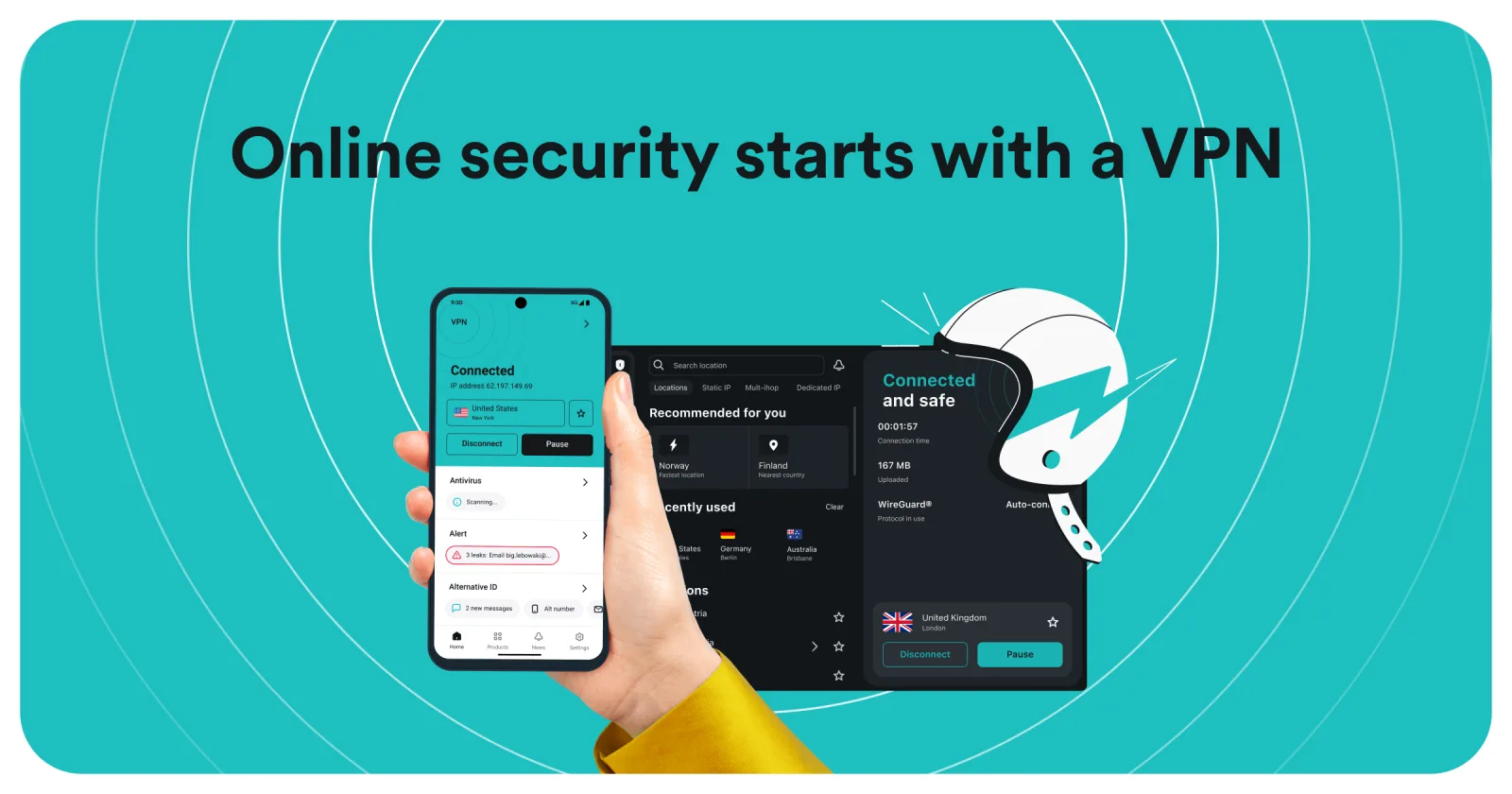
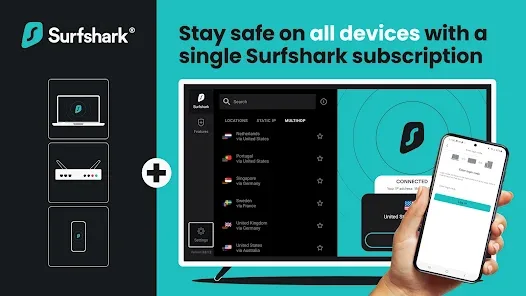
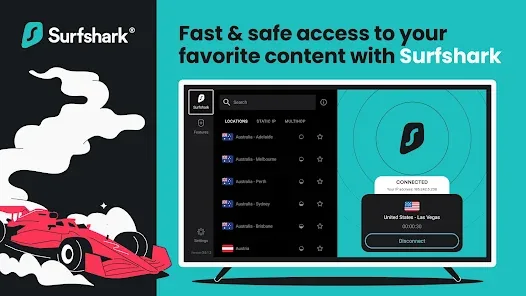
Table of contents
- 1. Surfshark Subscription Plans and Core Offering
- 2. Review Methodology and Verification Standards
- 3. Server Network and Infrastructure
- 4. Encryption and Protocols
- 5. Privacy Policy and Jurisdictional Data
- 6. Speed and Latency Performance
- 7. Streaming and Torrenting Compatibility
- 8. Windows and macOS Desktop Software
- 9. Android and iOS Mobile Applications
- 10. CleanWeb and Ad Blocking Capabilities
- 11. Bypasser Split Tunneling Tool
- 12. Alternative ID and Identity Protection
- 13. Technical Troubleshooting and Customer Support
- Frequently Asked Questions
1. Surfshark Subscription Plans and Core Offering
Protecting every connected device in a modern home is an increasingly complex task that often requires expensive subscription plans.
The virtual private network market is crowded with options, but surfshark stands out by offering a highly compelling feature that few premium competitors match: unlimited simultaneous device connections.
Where legacy providers limit users to five, eight, or ten active connections, this service allows an entire family to encrypt their traffic across smartphones, laptops, smart TVs, and routers under a single affordable subscription.
This review explores the technical capabilities, network infrastructure, pricing models, and real world usability of this tool to help you determine if it is the right security suite for your specific needs.
When you sign up, you quickly realize that this is no longer just a simple utility for masking your IP address.
Over the past few years, the parent company, Nord Security, has built a comprehensive digital security suite that runs directly inside the client.
Depending on the tier you choose, the software integrates real time malware detection, personal data breach monitoring, private search capabilities, and even automated personal data removal from public data brokers.
This holistic approach makes it a direct competitor to traditional antivirus suites, while still maintaining its core focus on high speed, low latency web browsing and geographic unblocking.
Choosing the right plan depends heavily on whether you need a standalone network encryptor or a full digital security bundle.
The entry tier provides standard network protection, ad blocking, and masked identity tools.
Moving up to the higher tiers adds the signature antivirus engine and identity monitoring software.
Regardless of the version you choose, the core network access remains identical, giving all users the same high level bandwidth access across the entire server grid without artificial throttling.
2. Review Methodology and Verification Standards
Evaluating a virtual private network requires a methodical, hands on testing process that looks past marketing promises to examine real world performance under load.
This analysis is based on rigorous testing conducted over a thirty day period, using various platforms including Windows 11, macOS Sequoia, Android 14, iOS 18, and a native Apple TV app.
We checked the software at different times of the day, using both high speed gigabit fiber connections and unstable public Wi-Fi networks to simulate real world usage scenarios.
Our testing focused on several critical key metrics:
Raw connection speeds and latency averages across domestic and international servers.
The reliability of streaming media platform unblocking across multiple regions.
Security integrity, including checking for DNS, WebRTC, and IPv6 data leaks.
The effectiveness of built in ad blocking and tracker elimination tools.
Real world client stability, ease of use, and response times during server handshakes.
By using independent testing tools for packet analysis and standardized speed tests, we ensure that our data is entirely objective, reproducible, and free from corporate bias.
We perform fresh installations on clean operating systems to guarantee that existing configurations do not alter the performance results, giving a true representation of what an average buyer will experience out of the box.
3. Server Network and Infrastructure
The backbone of any virtual private network is its server distribution, and the provider has consistently expanded its network to maintain top tier speeds.
The provider operates a robust network of over 4,500 servers located across 100 different countries.
While some major competitors offer a higher total count of individual servers, the sheer geographical diversity of this network ensures that you can find a local node almost anywhere in the world, reducing latency and preventing overcrowding.
Crucially, the entire infrastructure consists of RAM only, diskless servers.
Unlike traditional systems that write connection logs and operating system data to hard drives, these servers run entirely on volatile memory.
The moment a server loses power, either through routine maintenance or physical tampering, all data stored on it is instantly and permanently destroyed.
Furthermore, the company has upgraded its core network nodes to 100 Gbps port speeds, which drastically reduces bandwidth congestion when thousands of users connect simultaneously during peak hours.
Geographic coverage includes extensive deployments across North America, Europe, Asia, and South America.
The network also includes virtual locations for countries where physical server deployment is dangerous or logistically unfeasible due to local political conditions.
These virtual locations provide you with a secure IP address from the target country while the physical hardware sits safely in a neighboring jurisdiction, maximizing both access and physical operational security.
4. Encryption and Protocols
Your digital security relies heavily on the protocols and cryptographic algorithms used to wrap your network packets.
The app utilizes industry standard AES 256 GCM encryption, which is virtually impenetrable to brute force decryption attempts.
For its primary tunnels, the software defaults to the highly optimized WireGuard protocol, which offers incredibly fast handshake speeds and minimal battery drain on mobile devices.
For users who require fallback options or are connecting from restrictive environments, OpenVPN and IKEv2 protocols remain fully supported.
The integration of these protocols ensures that data headers are heavily obfuscated, preventing deep packet inspection from identifying your traffic as encrypted tunnel data.
WireGuard operates over UDP, providing the best possible speed metrics during gaming and high resolution media consumption.
OpenVPN remains accessible in both UDP and TCP modes, allowing you to force a connection through standard web traffic ports if you are operating behind a strict corporate firewall that restricts non traditional port usage.
Key exchange management relies on SHA 512 authentication hashes, adding an extra layer of mathematical validation to every packet handshake.
This setup ensures that man in the middle attacks cannot compromise the session keys during the initial connection phase.
The software changes these cryptographic keys every few minutes automatically, limiting the amount of historical data exposed if a single session key were ever compromised.
5. Privacy Policy and Jurisdictional Data
A strict zero logs policy is a standard claim in the security industry, but verifying that claim requires independent validation.
The service underwent a thorough, independent audit conducted by Deloitte, which confirmed that the server configuration and operational practices align perfectly with their strict privacy guarantees.
The audit verified that the systems do not monitor, record, or store any information regarding your browsing history, connection timestamps, IP addresses, or network bandwidth.
However, the corporate jurisdiction of the company is an important factor to consider.
The business is currently headquartered in the Netherlands, having moved its registration from the British Virgin Islands several years ago.
While the Netherlands has strong consumer privacy laws and does not enforce mandatory data retention for virtual private networks, it is historically a member of the Nine Eyes intelligence sharing alliance.
For average users looking to secure public Wi-Fi, prevent ISP tracking, or stream content, this is not a concern, but privacy maximalists who fear state level surveillance may prefer a service based in a non alliance country.
The data handling policy clearly outlines that the only information kept on file includes your account email address and essential billing information.
This billing data can be minimized by choosing to pay with supported cryptocurrencies, removing traditional banking details from your profile entirely.
The system also runs automated scripts that wipe temporary operational data from central management servers every few hours, ensuring that no lingering footprints remain over time.
6. Speed and Latency Performance
Bandwidth retention is where premium options justify their subscription costs over free alternatives.
During our extensive speed evaluations, we tested local, medium distance, and long distance connections across different times of day.
When connecting to local servers using the WireGuard protocol, the application retained roughly ninety five percent of our base download speeds, which is an elite result that ranks among the top performers in the entire privacy industry.
Long distance testing across continents inevitably introduces higher latency due to physical distances, but download metrics remained remarkably stable.
Connecting to European nodes from a North American base resulted in a minor fifteen percent drop in raw download speed, which is more than adequate for streaming or downloading large files.
Upload performance showed similar stability, making the tool highly suitable for secure video conferencing, remote server administration, and unthrottled peer to peer file transfers.
Ping stability remained consistent throughout our extended gaming tests.
We observed no sudden jitter spikes or random pocket loss while connected to nearby gaming servers, confirming that the 100 Gbps network upgrades effectively handle heavy real time data flows.
The software performs automatic server switching behind the scenes if a specific node begins to show signs of performance degradation, preventing you from experiencing sudden drops in quality.
7. Streaming and Torrenting Compatibility
For media streaming, the service is a highly reliable performer.
During our tests, the platform successfully unlocked major global streaming services, including regional libraries for Netflix, Prime Video, Hulu, Disney Plus, and BBC iPlayer.
High definition and 4K streams loaded almost instantly, with minimal buffering or drop in video quality.
The addition of a native Apple TV app in recent updates has made it even easier to protect your living room entertainment center without dealing with complicated router configurations.
The entire server infrastructure supports peer to peer traffic, eliminating the need to search for specific file sharing servers.
When the client detects an active torrent application running on your device, it automatically optimizes the connection path to maximize download throughput while ensuring your actual location remains completely hidden from the peer swarm.
The system maintains high upload slots, which prevents your torrent client from throttling your download rates due to poor upload performance.
Smart DNS features are included for devices that do not support direct application installation, such as older smart televisions or specific gaming consoles.
By configuring the custom DNS settings on those devices, you can redirect your media traffic through proxy channels to access global content libraries, though this specific configuration does not apply the heavy encryption found in the standard application clients.
8. Windows and macOS Desktop Software
The desktop clients for Windows and macOS are incredibly polished, featuring a clean, modern interface that is easy to navigate.
Upon launching the app, you are greeted with a layout designed for straightforward operation.
The application is divided into a few key functional areas, including a navigation sidebar, a main interaction pane, and a dedicated performance monitor tab.
Connecting to a server typically takes less than three seconds over WireGuard, and the app runs unobtrusively in the background without causing system sluggishness.
Our daily tests showed exceptional stability on both operating systems, with zero random drops or application crashes.
The Windows client includes an app specific kill switch that immediately halts all internet traffic if the connection drops unexpectedly, preventing data leaks.
The macOS client is highly optimized for Apple silicon, ensuring that running the app all day does not drain your laptop battery.
The desktop software also includes advanced settings like a local network visibility toggle, allowing you to remain hidden from other devices on public networks while allowing file sharing on trusted home networks.
The interface updates its server lists automatically without requiring application restarts, ensuring you always have immediate access to newly deployed network nodes.
9. Android and iOS Mobile Applications
The mobile applications for Android and iOS mirror the design language of their desktop counterparts, making the transition between devices completely seamless.
The mobile apps are fast, lightweight, and adapt perfectly to touch inputs.
On Android, the application includes a GPS spoofing feature that overrides your physical location at the operating system level, matching your GPS coordinates to your selected server location.
This is a rare and incredibly helpful feature for bypassing strict location checks on specific mobile apps.
The iOS client utilizes native Apple network frameworks to ensure quick reconnection times when switching your phone from mobile data towers to known Wi-Fi networks.
Both mobile applications feature an integrated widget option, allowing you to connect or disconnect from your favorite server directly from your phone's home screen without opening the main program window.
The mobile software is designed to be highly energy efficient, consuming minimal system resources during active background encryption sessions.
Security settings on mobile are robust, offering an automatic protection toggle that triggers the moment your phone joins an unsecure or public wireless network.
This protects you from rogue hotspots or packet sniffing attempts at coffee shops, airports, and hotels before your device can transmit any unencrypted personal data.
10. CleanWeb and Ad Blocking Capabilities
The integrated ad and tracker blocker, known as CleanWeb, works directly at the Domain Name System level.
It prevents your web browser or installed applications from sending requests to known advertising servers, tracking networks, and malware hosting domains.
This proactive blocking method results in significantly faster web page loading times, reduced mobile data usage, and a completely clean browsing experience free from intrusive banners and video pop ups.
During our testing across popular media sites and news platforms, CleanWeb successfully intercepted and blocked roughly ninety percent of standard display ads and telemetry trackers.
It also includes an automated cookie consent pop up blocker, which automatically rejects non essential tracking cookies on websites you visit, saving you from clicking through repetitive privacy banners manually.
The updated version of this tool runs inside the desktop clients and browser extensions, offering independent toggle controls so you can whitelist specific trusted websites if an aggressive ad blocker causes a particular page layout to break.
Because the filtering happens before the data reaches your device, it adds an extra layer of security that traditional browser extensions cannot match.
11. Bypasser Split Tunneling Tool
The dedicated split tunneling utility, named Bypasser, gives you granular control over your local network traffic.
This feature is essential for users who want to run specific local applications outside the encrypted tunnel while keeping their primary web browsing activity completely secure.
You can configure the system using two distinct methods: routing specific apps through the encryption or excluding chosen apps from it.
This utility is incredibly helpful for managing sensitive tasks like online banking or accessing local corporate networks that block remote or non local IP addresses.
By placing your financial applications on the exclusion list, they will always see your actual physical location, preventing automated security flags or account lockouts from your bank.
Simultaneously, you can keep your web browsers, file sharing programs, and communication tools running inside the secure network path.
The Bypasser tool also supports URL based split tunneling within the browser extensions, allowing you to exclude specific websites rather than entire applications, providing excellent flexibility during daily multitasking workflows.
12. Alternative ID and Identity Protection
The Alternative ID feature is a unique addition to the security suite that goes beyond standard network encryption.
This utility allows you to generate a completely new virtual persona and a matching proxy email address directly from the application dashboard.
You can customize the name, gender, date of birth, and country of origin for your virtual profile.
This system is designed to combat online tracking, spam deployment, and potential data breaches on secondary websites.
When signing up for a temporary service, public forum, or online store that requires registration, you can use these generated details instead of your real personal information.
Any incoming emails sent to the proxy address are securely forwarded to your actual personal inbox.
If a website you signed up for suffers a database breach or begins sending excessive marketing spam, you can simply delete that specific proxy profile from your dashboard.
This permanently cuts off the connection, keeping your real email address clean, private, and entirely hidden from data brokers and malicious actors online.
13. Technical Troubleshooting and Customer Support
Even the most reliable software can encounter issues due to local network configurations, software conflicts, or restrictive internet service providers.
If the application fails to connect, the desktop client features an integrated network diagnostics tool that scans your local adapters, checks DNS routing, and verifies API reachability to isolate the root cause of the connection failure automatically.
Common errors are easily resolved by utilizing the application's built in server refresh option or manually switching from the default WireGuard protocol to OpenVPN.
The company provides a massive online knowledge base filled with clear step by step tutorials, router configuration guides, and advanced troubleshooting articles designed for various hardware setups.
If automated troubleshooting fails, customer support is accessible around the clock through an integrated live chat system.
During our support evaluations, we were connected to a human support agent in less than two minutes at various times of the day.
The support staff demonstrated solid technical competency, avoiding generic script responses and providing clear, practical advice to resolve simulated configuration issues quickly.
Frequently Asked Questions
Can I protect my smart home devices with this service?
Yes, you can install the software directly on a compatible home router, which automatically encrypts the network traffic of every single connected device in your household, including smart thermostats, security cameras, game consoles, and smart TVs that do not natively support app installation.
Is torrenting allowed on all server locations?
Yes, the provider fully supports peer to peer file sharing across its entire network.
While there are no dedicated labels for torrenting, the system automatically detects active P2P traffic and routes your connection through highly optimized, secure servers to ensure fast download speeds and total privacy.
What happens if the secure connection drops unexpectedly?
The application features a built in automatic kill switch that constantly monitors your connection.
If the secure tunnel drops for even a second, the kill switch instantly blocks your device's internet access, ensuring that your real IP address and unencrypted data are never exposed to your ISP.
How does the alternative identity generator work?
The Alternative ID feature allows you to input your preferred details or generate a completely random name, gender, and date of birth.
It then creates a proxy email address that forwards all incoming messages to your verified email address, protecting your inbox from spam, trackers, and data breaches.
Can I try the software risk free before committing?
Yes, the provider offers a standard thirty day money back guarantee on all of its plans.
If you are not completely satisfied with the performance, speeds, or features during the first month of use, you can contact customer support via live chat to request a full refund.
Key features
- Unlimited simultaneous device connections
- No logs policy independently audited
- 4500 plus RAM only servers
- 100 country server coverage worldwide
- CleanWeb ad and tracker blocking
- Cookie pop up blocking tool
- Bypasser split tunneling for apps
- Dynamic MultiHop double VPN routing
- Alternative ID for private signups
- Rotating IP for extra anonymity
- Kill switch blocks leaks instantly
- WireGuard OpenVPN and IKEv2 protocols
- Surfshark Nexus layered server routing
- Surfshark Antivirus on One plans
- Surfshark Search private engine included
- Surfshark Alert breach monitoring tool
- Incogni data broker removal add on
- Identity theft coverage on One Plus
- Router and smart TV support
- Torrenting and P2P support included
- Seven day mobile free trial
- Thirty day money back guarantee
Pricing
- Unlimited simultaneous device connections
- Core VPN encryption and kill switch
- CleanWeb ad and tracker blocking
- Bypasser split tunneling included
- Alternative ID for private signups
- Access to over 4500 servers
- Thirty day money back guarantee
- Torrenting and P2P support
- Rotating IP privacy feature
- Standard 24/7 chat support
- Everything included in Starter plan
- Surfshark Antivirus for device protection
- Surfshark Search private engine access
- Surfshark Alert breach monitoring included
- Real time malware scanning included
- Unlimited simultaneous device connections
- Access to over 4500 servers
- Thirty day money back guarantee
- Strong balance of price and value
- Standard 24/7 chat support
- Everything included in One plan
- Incogni personal data removal included
- Identity theft coverage up to one million
- Broader data broker scrubbing tools
- Unlimited simultaneous device connections
- Access to over 4500 servers
- Thirty day money back guarantee
- Best suited for privacy maximalists
- Ongoing removal from broker databases
- Standard 24/7 chat support
Pros & cons
Pros
- Unlimited devices on one account
- Genuinely fast speeds across servers
- Very low long term pricing
- Strong no logs audit history
- Antivirus bundled on One plan
- Split tunneling works reliably well
- Wide server spread across regions
- Works well for streaming unblocking
- Kill switch performed consistently well
- Thirty day refund with no hassle
- Alternative ID adds real privacy value
- Good torrenting support across servers
Cons
- Monthly pricing far pricier than yearly
- Two year plans cannot be renewed
- Renewal rates rise noticeably afterward
- Fewer servers than largest competitors
- Occasional inconsistent speeds on distant servers
- Incogni sold as separate add on
- Mobile app UI feels slightly cluttered
- Live chat sometimes routes to bots
- Some streaming services blocked occasionally
- No standalone antivirus without VPN bundle
- Identity coverage limited outside the US
- Confusing plan names across tiers
Surfshark specs
- Platforms: Windows, macOS, Linux, Android, iOS, Apple TV, Fire TV, Chrome, Firefox
- Free plan: No
- Starting price: $1.78 per month
- Integrations: Chrome, Firefox, Edge, Smart TVs, Routers
- Support: 24/7 Live Chat, Email, Knowledge Base
- Best for: Households needing to protect unlimited devices on a budget
Our verdict
Surfshark earns its reputation as one of the better value VPNs available, delivering fast, reliable performance without asking for a premium price on long term plans. The One tier makes the most sense for most buyers, since bundling antivirus and breach alerts costs barely more than the base VPN. Where Surfshark loses points is the steep gap between long term and monthly pricing, plus a renewal jump once your introductory term ends. Anyone protecting a household full of devices on a budget will get real value here. Buyers who only want a single month commitment should look elsewhere first.
View PlansReader reviews
Be the first to review
