
Best Apps for Microlearning: 9 Powerful Tools for Daily Use
By Afonso Macosso · October 18, 2026

Table of contents
- 1. Choosing The Right App
- 2. Duolingo For Languages
- 3. Quizlet For Active Recall
- 4. Headway For Book Summaries
- 5. Blinkist For Short Learning
- 6. Elevate For Cognitive Skills
- 7. Khan Academy For Study
- 8. Brilliant For Problem Solving
- 9. LinkedIn Learning For Careers
- 10. Comparing The Options
- 11. Building A Daily Routine
- 12. Avoiding Common Mistakes
- 13. Frequently Asked Questions
The best apps for microlearning help you develop useful knowledge through short, focused learning sessions that fit around work, study, and everyday responsibilities.
They cover different goals, including learning a language, remembering technical concepts, improving general knowledge, practising mathematics, and developing professional skills.
The right choice depends on what you want to learn, how much time you can commit, and whether you need structured lessons, interactive exercises, or regular revision.
Some applications are designed around five minute activities, while others divide larger courses into manageable sections.
This guide examines nine useful options, explains their strengths, and shows how to choose an app that supports real progress rather than simply filling spare time.
1. Choosing The Right App
Microlearning divides a learning objective into small activities that can be completed in relatively short sessions.
A session might involve practising ten vocabulary words, answering a short quiz, reviewing a concept from a business book, or completing one lesson in a technical course.
The approach works across many subjects because a large topic can often be divided into smaller skills.
Someone learning English, for example, can practise pronunciation, review vocabulary, and complete a short listening exercise separately.
A person studying networking can review subnetting, answer questions about routing protocols, and revisit the difference between TCP and UDP without needing to complete an entire course in one sitting.
However, the duration of a lesson tells you very little about its educational quality.
A five minute activity can be useful when it requires you to recall information, solve a problem, or apply a concept.
Five minutes spent tapping through explanations without remembering anything afterwards may have limited value.
Start With A Specific Goal
Before installing an application, identify the result you want.
General goals such as becoming smarter or learning more are difficult to measure.
Specific goals provide a clearer way to choose the right tool.
Consider these examples:
Language development: Learn and use twenty new English words each week.
Technical knowledge: Explain common networking protocols and answer practical questions about their operation.
Business reading: Understand the main arguments of selected management books and recall their most useful ideas.
Professional development: Complete short lessons on communication, project management, or leadership.
Academic study: Practise mathematics, review scientific concepts, and test your understanding regularly.
Each objective calls for a different type of application.
A language learning platform may be excellent for vocabulary but unsuitable for learning cloud architecture.
A book summary application can introduce management ideas, although it will not necessarily teach you how to apply them in a difficult workplace situation.
Check The Learning Method
Look for features that make you actively participate.
Quizzes, flashcards, pronunciation exercises, coding challenges, worked examples, and progress reviews can all make short sessions more useful.
Spaced repetition deserves particular attention.
This technique schedules reviews across time, allowing you to revisit information after an interval rather than repeatedly studying the same material in one sitting.
Retrieval practice also matters because attempting to remember an answer strengthens learning more effectively than simply looking at the answer again in many situations.
A review published in Nature Reviews Psychology by Shana Carpenter, Steven Pan, and Andrew Butler examines evidence for spacing and retrieval practice as effective learning strategies.
These principles are useful when evaluating microlearning applications because the quality of practice matters as much as lesson length.
2. Duolingo For Languages
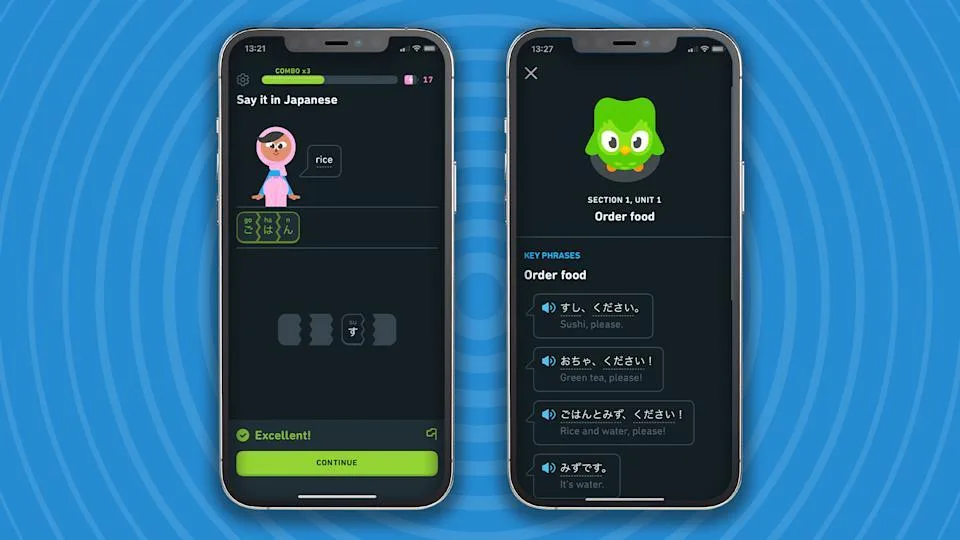
Duolingo is a strong option for people who want to learn or practise a language through short, guided activities.
Its lessons combine vocabulary, sentence construction, listening, translation, and other exercises, depending on the language course and features available to the learner.
The application is especially suitable for beginners who need a manageable daily routine.
Instead of setting aside an hour for a language class every evening, you can complete a short lesson during a break, while waiting for an appointment, or before starting work.
The structured sequence also helps reduce the effort required to decide what to study next.
What Makes It Useful
Duolingo uses progression, reminders, rewards, and daily activity tracking to encourage regular practice.
These features can help learners establish a routine, particularly when they are starting from zero and have little confidence in the language.
Short exercises also provide repeated exposure to vocabulary and sentence patterns.
Seeing a word in different contexts can help you recognise it more quickly, while listening exercises introduce the relationship between written words and spoken language.
The application can be useful for learning English, Spanish, French, German, and other supported languages.
Availability and course depth vary by language, so check whether the course covers the skills you need.
Where It Falls Short
Completing lessons does not automatically mean you can hold a natural conversation.
Recognising a sentence in a multiple choice exercise is easier than producing the same sentence when speaking to another person.
Learners should supplement app practice with listening to real conversations, reading material suited to their level, speaking exercises, and writing.

Hostinger VPS
Hostinger VPS delivers KVM virtualization, NVMe storage and full root access at prices that undercut most competing cloud providers.
- Strong price to specification ratio overall
- NVMe storage included on every tier
- Renewal rates climb steeply after promo
- Self managed means security is your job
If your objective is professional English, for example, you will also need to practise writing emails, participating in meetings, and explaining technical problems.
Best for: Beginners and regular language practice.
Pricing: A free version is available, with paid plans and features depending on the market.
3. Quizlet For Active Recall
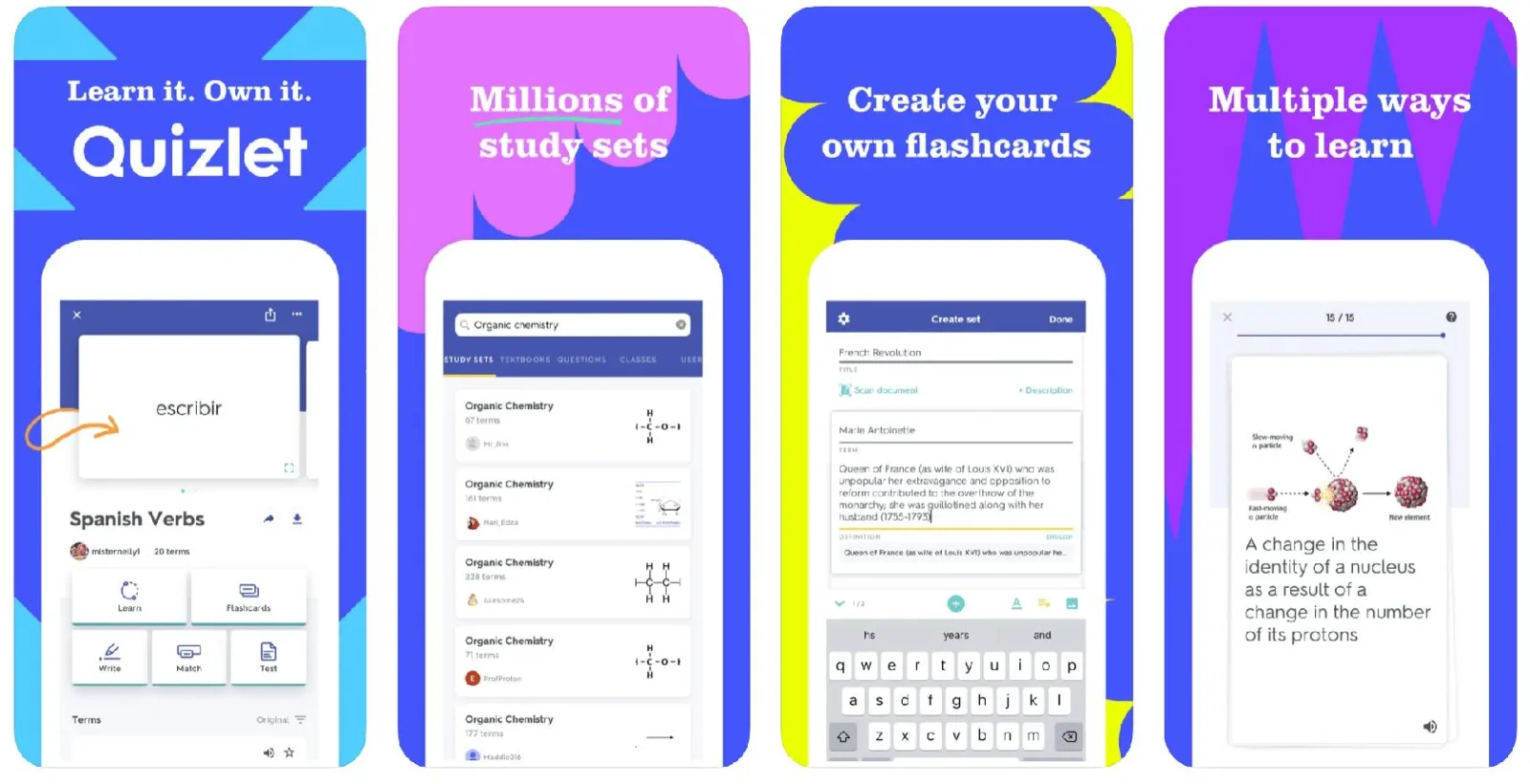 Quizlet is useful when you already have material to learn and need a practical way to remember it.
The platform supports digital flashcards, study sets, and different review activities that help learners work through vocabulary, definitions, concepts, and other information.
This makes it relevant to students preparing for examinations, professionals studying certification material, and anyone who needs to retain terminology.
A networking student, for example, can create cards covering DNS, DHCP, VLANs, routing, and common port numbers.
Each card becomes a small review activity that can be completed in a few minutes.
Build Better Flashcards
The quality of the cards has a major influence on the results.
A card containing a long paragraph is difficult to review efficiently.
A focused question that tests one concept is easier to understand and answer.
For example, a card could ask, "What problem does DNS solve?" The answer should explain that DNS translates domain names into the information needed to locate internet resources, commonly including IP addresses.
Another card could ask how DNS differs from DHCP.
This format requires you to retrieve information from memory.
It also makes gaps in your understanding easier to identify.
Useful flashcard principles include:
One main idea per card: Avoid combining several unrelated definitions in one question.
Specific questions: Ask something that has a clear and meaningful answer.
Practical examples: Include scenarios that require you to apply a concept.
Regular review: Return to difficult cards instead of spending all your time on information you already know.
When Quizlet Works Best
Quizlet is particularly helpful when the material contains facts, terminology, definitions, vocabulary, or clearly distinguishable concepts.
It can also support learning when you create your own cards from course notes.
It has limitations when a subject requires substantial practical work.
Flashcards can help you remember networking commands, for instance, but they cannot replace configuring a router, troubleshooting connectivity, or interpreting logs in a real environment.
Best for: Exam preparation, vocabulary, technical terminology, and memory practice.
Pricing: Free access and paid features are available, with current limits depending on the plan.
4. Headway For Book Summaries
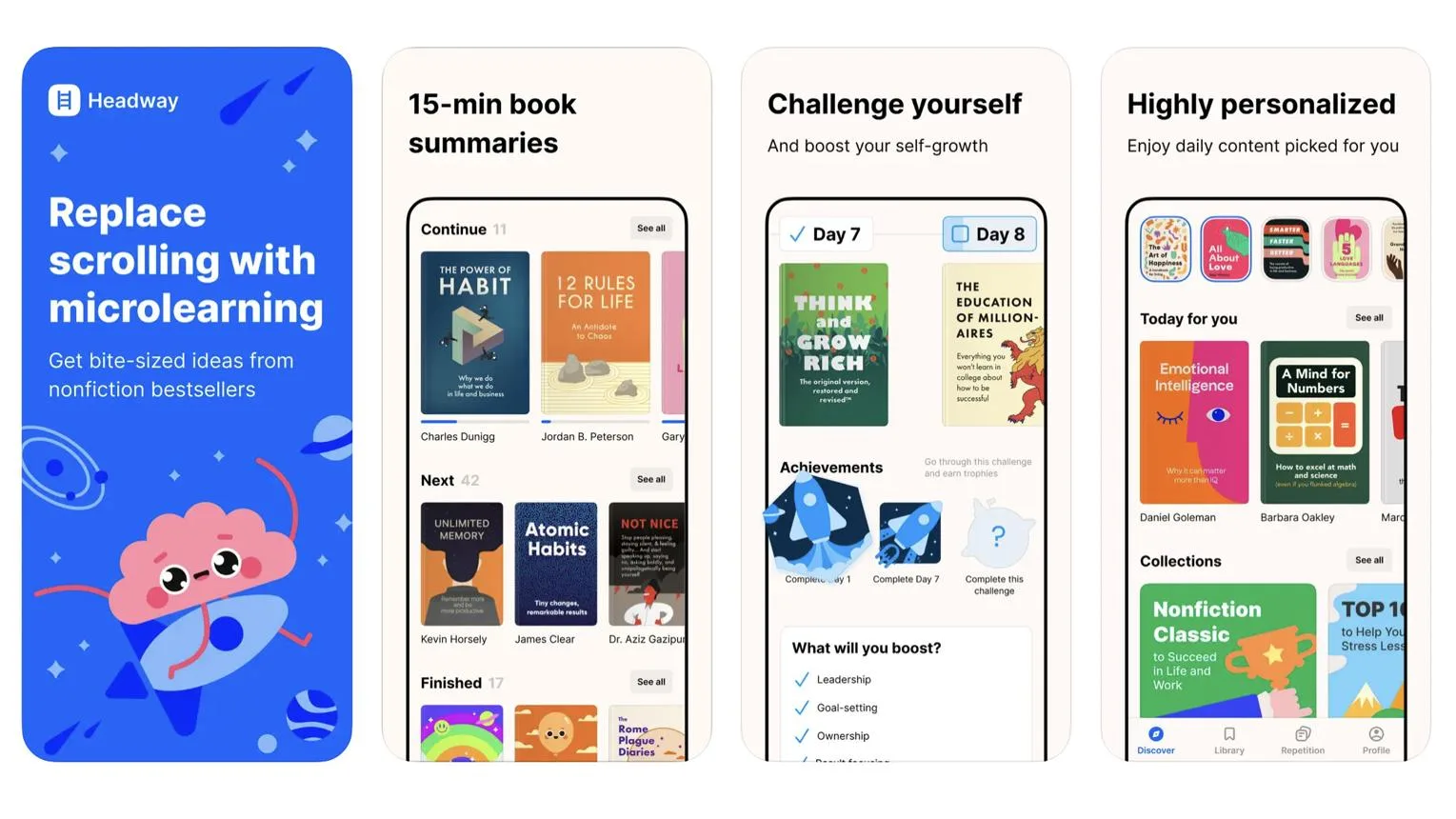
Headway focuses on condensed versions of nonfiction books, particularly in areas such as productivity, psychology, business, personal development, and communication.
It is useful for readers who want an introduction to an idea without committing to a full book immediately.
The application presents selected ideas in shorter reading or listening sessions.
This can help you identify subjects worth exploring, review familiar concepts, or build a regular habit of reading educational material.
Use Summaries With Purpose
A summary can introduce an argument quickly, but it cannot preserve every example, qualification, research detail, or disagreement contained in a full book.
That distinction matters when a subject is complex or when you intend to use the material to make an important decision.
Suppose you are exploring leadership.
A summary may explain a framework for giving feedback or managing a team.
To apply that framework effectively, you still need to consider your team's circumstances, the quality of the underlying evidence, and the practical consequences of using the advice.
A useful approach is to select one idea from each session and write down how you might apply it.
You could also revisit your notes after several days and try to explain the concept without reopening the summary.
Who Should Use It?
Headway suits people who enjoy reading but struggle to reserve long periods for it.
It can also help professionals explore unfamiliar subjects before choosing a full length book, course, or more detailed resource.
The main limitation is depth.
If you need to understand a complex financial model, scientific theory, or engineering method, a condensed summary should be treated as an introduction rather than complete training.
Best for: Nonfiction reading, personal development, and introductory business knowledge.
Pricing: Paid subscriptions and any available free access should be checked in the current app listing.
5. Blinkist For Short Learning
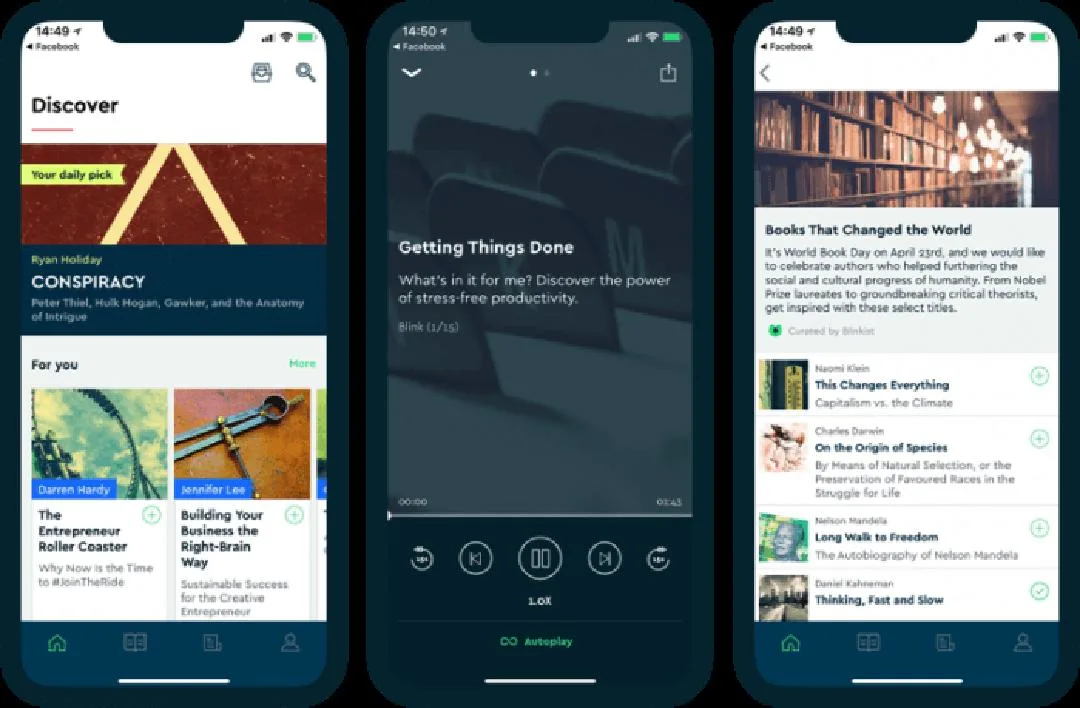
Blinkist provides concise summaries of nonfiction books and selected podcasts.
It is aimed at readers who want to explore ideas from business, science, psychology, society, and personal development in shorter sessions.
Its reading and audio formats make it useful in different situations.
You might read a summary during lunch or listen while travelling, provided the activity does not require your full attention.
The short format can make it easier to explore subjects outside your normal area of expertise.
Reading And Listening
Audio can be convenient when you cannot comfortably look at a screen.
However, convenience should not determine every learning decision.
A complicated idea may require you to pause, reread a passage, compare examples, or take notes.
In those situations, reading may offer more control than listening continuously.
Blinkist can also help you decide which books deserve more attention.
If a summary introduces a subject that directly affects your work, you can use it to identify the questions you want answered before reading the original book.
Retention Needs Review
Listening to several summaries in succession may feel productive, but the number of summaries completed is a weak measure of what you have learned.
After each session, try to recall the main argument and identify one point you agree or disagree with.
Keep a short note containing the title, the central idea, and a practical question.
A few days later, return to the note and explain the idea in your own words.
This extra activity takes little time and gives you a better indication of whether the content remains accessible in memory.
Best for: Busy readers, audio learning, and exploring nonfiction topics.
Pricing: Subscription based, with plan details subject to change.
6. Elevate For Cognitive Skills
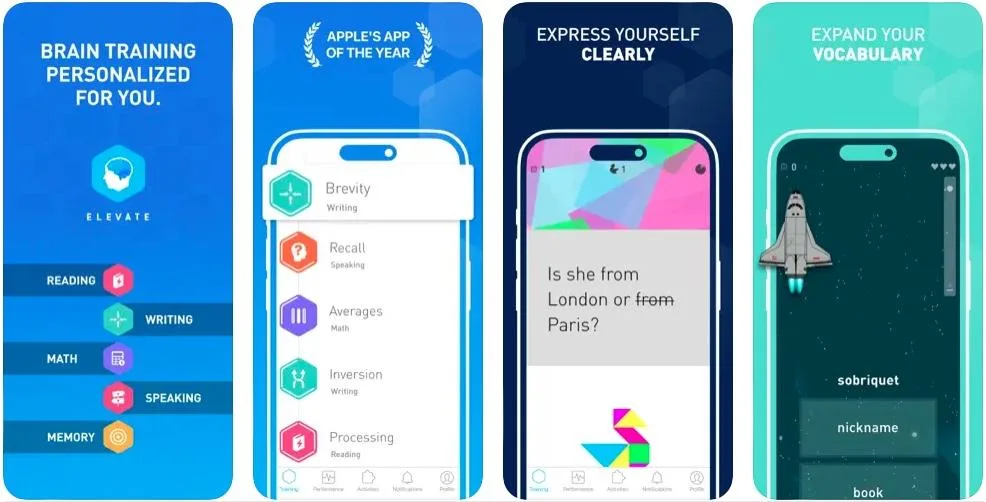
Elevate offers short interactive exercises focused on skills such as reading, writing, mathematics, and selected forms of cognitive practice.
Its format suits people who prefer completing a quick activity rather than reading a lesson or watching a long video.
Exercises can provide repeated practice with calculations, word usage, comprehension, and other tasks.
The application tracks performance and can adjust activities according to its learning design and available features.
What The Exercises Develop
The usefulness of Elevate depends on the skill you are practising.
Repeated work with reading comprehension may help you become more comfortable answering questions about short passages.
Arithmetic exercises can give you additional practice with calculations, while writing activities may draw attention to vocabulary and sentence construction.
It is important to keep the scope of the results realistic.
Strong performance in a brain training application does not prove that every aspect of memory, intelligence, or general problem solving will improve.
A skill usually benefits most when the practice resembles the task you want to perform better.
If your objective is professional writing, for example, practising grammar and word choice can be useful, but you should also write real reports and emails.
If you want to improve mathematics, use the application alongside exercises that reflect the level and type of mathematics you actually need.
Making Progress Measurable
Choose one skill to monitor instead of treating a general application score as a complete measure of development.
Record whether you answer questions more accurately, complete tasks with fewer mistakes, or understand material that previously caused difficulty.
Best for: Short exercises in reading, writing, and mathematics.
Pricing: Free access and paid options may be available depending on the current plan.
7. Khan Academy For Study
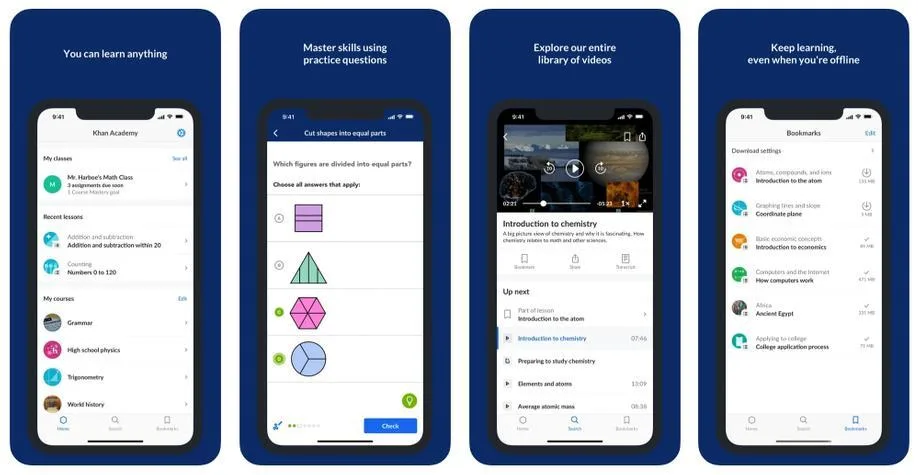
Khan Academy is a useful choice for learners who need structured instruction in mathematics, science, economics, computing, and other academic subjects.
Its lessons, explanations, exercises, and progress tracking allow you to study a small concept at a time while maintaining a connection to a broader subject.
The platform is particularly valuable when you need to understand a concept before moving to more advanced material.
Someone learning algebra can work through individual topics, answer practice questions, and revisit earlier explanations when a later exercise exposes a gap in understanding.
Learn In Small Sections
A practical way to use Khan Academy is to select one lesson and complete the related exercises before moving on.
If you are studying percentages, for example, you could review the explanation, solve several questions, and then attempt a different problem without looking at the worked example.
This process makes it easier to distinguish between recognising a solution and being able to produce one.
If you can follow an explanation but struggle to solve a similar question independently, you may need more practice with the underlying concept.
Short sessions are particularly effective when you have a defined topic and a clear stopping point.
You can work through one concept during a break and continue with the next lesson later, provided you return to the material regularly.
Suitable For Independent Learners
Khan Academy is useful for students, adults returning to education, and professionals who need to refresh foundational knowledge.
Its educational content is also helpful when a subject requires a logical progression, since later concepts often depend on earlier ones.
The platform does not eliminate the need for longer study sessions when the subject becomes demanding.
A short lesson can introduce a concept, but advanced mathematics, programming, and scientific subjects require enough time to solve problems and understand why particular methods work.
Best for: Academic subjects, foundational mathematics, science, and structured self study.
Pricing: Khan Academy offers free educational resources.
8. Brilliant For Problem Solving
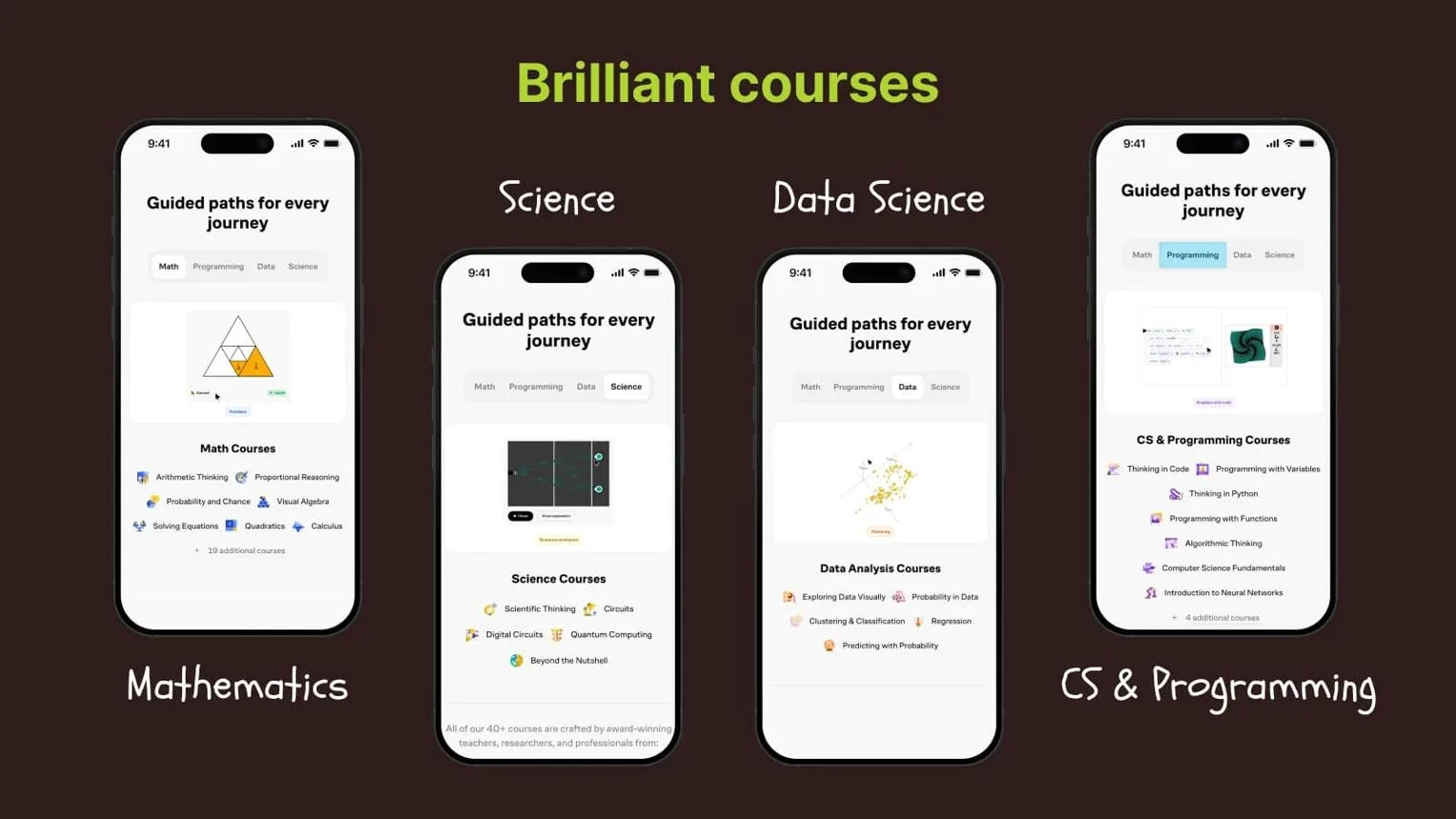
Brilliant focuses on interactive learning in areas such as mathematics, logic, science, and computer science.
Its lessons often ask learners to manipulate examples, solve problems, or make decisions as they progress through a concept.
This approach is useful when reading an explanation alone does not provide enough practice.
Instead of passively following a lesson, you are asked to apply what you have just learned and see whether your reasoning produces the correct result.
Practice Before Advancing
Imagine you want to understand a programming concept such as conditional logic.
A useful exercise might present several conditions and ask which one produces a particular outcome.
You have to examine the rules and determine how they work together.
Hostinger VPS
Hostinger VPS delivers KVM virtualization, NVMe storage and full root access at prices that undercut most competing cloud providers.
- Strong price to specification ratio overall
- NVMe storage included on every tier
- Renewal rates climb steeply after promo
- Self managed means security is your job
That activity tests understanding more directly than memorising a definition.
The same principle applies to probability, mathematical reasoning, and logic puzzles.
You learn by working through the problem, checking the result, and correcting your reasoning when necessary.
Brilliant can be particularly useful for people who enjoy technical subjects but want a guided starting point.
The interactive format breaks concepts into smaller stages and gives you opportunities to practise before proceeding.
Know Its Limits
Interactive exercises are most valuable when they connect to the skill you want to develop.
If you are studying software development, you will still need to write and debug code in a real development environment.
If your goal is to work in cybersecurity, you will need practical exercises involving operating systems, networks, security controls, and troubleshooting.
A learning application can prepare you for those tasks by improving your understanding of the relevant concepts.
It cannot replace the experience of applying that knowledge to realistic problems.
Best for: Mathematics, logic, computer science, and analytical problem solving.
Pricing: Free access may be limited, with paid subscriptions available for additional content.
9. LinkedIn Learning For Careers
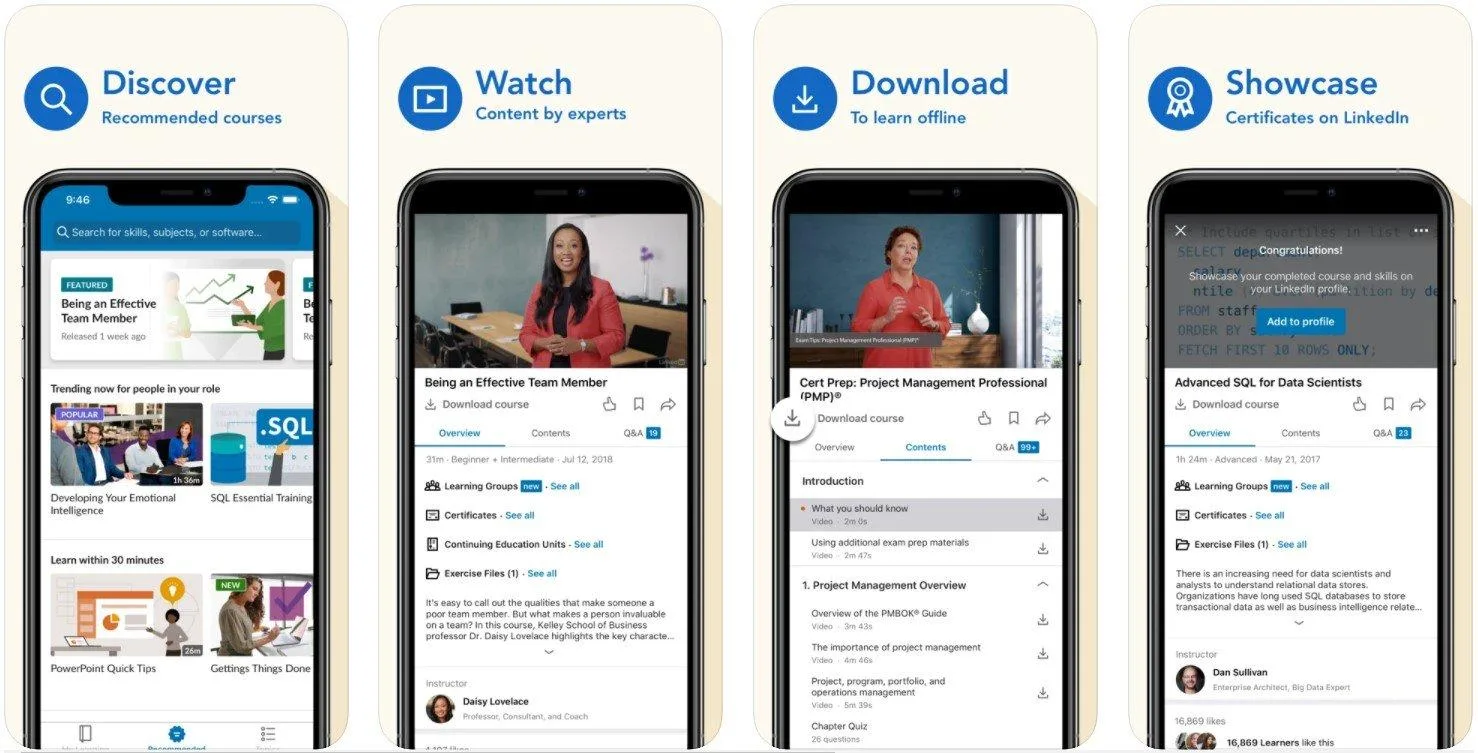
LinkedIn Learning provides professional courses covering subjects such as project management, leadership, software, business communication, data analysis, and information technology.
Many courses are divided into short video lessons, making it possible to study one part of a larger course without completing everything in one sitting.
This format is useful when you have a specific professional objective.
You might want to improve your Excel skills, understand a cloud computing service, learn the basics of project management, or strengthen your presentation skills.
Select Courses Carefully
A course title should connect to a skill you actually need.
Before enrolling, examine the syllabus, the expected level, the instructor's qualifications, and the practical content included.
For example, someone preparing for an IT management role could select lessons covering service management, budgeting, stakeholder communication, and team leadership.
Studying one subject per session makes the course easier to fit into a working week.
However, watching videos alone does not establish competence.
After a lesson on project planning, create a simple project schedule.
After a lesson on Excel, build a spreadsheet using the functions covered.
After studying cloud security, explain how the relevant controls would apply to a real deployment.
Connect Learning To Work
The best results come when you use the material soon after learning it.
Keep a note of the task you intend to complete, the concept you need to understand, and the evidence that will show whether you can apply it.
LinkedIn Learning is also relevant to professionals who need to update their skills as software, tools, and business practices change.
Check the publication date and course content when studying subjects that evolve quickly.
Best for: Career development, workplace software, business skills, and technology training.
Pricing: Access is generally subscription based, with availability and plan options depending on the account and region.
10. Comparing The Options
The nine applications serve different learning needs.
The most useful choice is the one that matches your intended outcome and gives you an appropriate way to practise.
App | Main purpose | Useful for | Learning format |
|---|---|---|---|
Duolingo | Language learning | Vocabulary and daily language practice | Short interactive lessons |
Quizlet | Memorisation | Exams, definitions, and terminology | Flashcards and quizzes |
Headway | Book summaries | Personal development and business ideas | Short reading and listening |
Blinkist | Condensed nonfiction | Exploring books and selected podcasts | Reading and audio |
Elevate | Cognitive exercises | Reading, writing, and mathematics practice | Interactive activities |
Khan Academy | Academic learning | Mathematics, science, and foundational concepts | Lessons and exercises |
Brilliant | Problem solving | Mathematics, logic, and computer science | Interactive challenges |
LinkedIn Learning | Professional development | Career skills and software training | Video lessons and courses |
One application may be enough if you have a narrow objective.
A person learning French can begin with Duolingo and add conversations or reading practice as their ability improves.
Someone preparing for a technical certification may benefit more from Quizlet for recall and a structured course for deeper instruction.
You can also combine applications when each one has a distinct purpose.
For example, LinkedIn Learning can introduce a professional topic, while Quizlet helps you review its terminology.
Khan Academy can teach a mathematical concept, while additional exercises help you apply it independently.
Avoid installing several applications simply because they appear in a recommendation list.
Each new tool introduces another interface, set of reminders, and progress system to manage.
A small number of well chosen tools is usually easier to maintain.
11. Building A Daily Routine
An application can provide lessons and reminders, but you still need a routine that makes learning consistent.
The schedule should fit your normal day, including periods when work, family responsibilities, or travel reduce the time available.
A useful starting point is ten to fifteen minutes per day.
This is enough to complete a short lesson, answer several questions, or review previously studied material.
You can increase the duration when the subject requires deeper work.
A Simple Daily Pattern
Use the following sequence as a starting point and adjust it to your subject.
Step 1: Choose one objective. Decide what you want to understand or remember during the session.
Keep the goal small enough to complete.
Step 2: Study a short lesson. Read an explanation, watch a focused video, or complete an interactive activity.
Pay attention to the main concept rather than trying to cover too much material.
Step 3: Recall the information. Close the lesson and explain the idea in your own words.
If the app offers a quiz, answer the questions before checking the explanations.
Step 4: Apply the concept. Write a sentence using a new word, solve a different problem, create a small spreadsheet, or explain how a technical feature works.
Step 5: Review later. Return to important material after a suitable interval.
Revisit difficult questions and spend less time on information you can already recall reliably.
This pattern gives each session a purpose.
It also provides a natural way to measure progress because you can see whether you can answer questions or complete tasks without relying on the original explanation.
Choose A Consistent Time
The best time depends on your schedule.
Some people prefer studying before work because their attention is less divided.
Others find a short session during lunch more realistic.
Evening study can also work, provided you are alert enough to concentrate.
A regular time reduces the number of decisions required to begin.
However, the routine should remain practical.
If a planned session becomes impossible, complete a shorter one later rather than treating the entire week as a failure.
Keep Track Of Results
Record what you studied and whether you could use the information afterwards.
A simple note can include the topic, the date, the questions you missed, and the next review date.
Avoid relying exclusively on streaks, points, badges, or total time spent in an application.
These figures may encourage participation, but they do not necessarily show whether you have acquired a useful skill.
A better measure is performance.
Can you remember the terminology?
Can you solve a similar problem?
Can you explain the idea clearly?
Can you apply the method without following the original example?
Those questions provide a more meaningful assessment of progress.
12. Avoiding Common Mistakes
Microlearning is easy to start because individual sessions are short.
Maintaining progress requires more care, especially when the application makes it tempting to keep completing activities without checking what you have learned.
Chasing Daily Streaks
Streaks can encourage consistency, but they should remain secondary to learning.
Completing a lesson solely to protect a streak may be harmless occasionally, although it becomes a problem if the number of completed activities matters more to you than understanding the material.
Hostinger VPS
Hostinger VPS delivers KVM virtualization, NVMe storage and full root access at prices that undercut most competing cloud providers.
- Strong price to specification ratio overall
- NVMe storage included on every tier
- Renewal rates climb steeply after promo
- Self managed means security is your job
Set a learning objective for each session.
If you are practising English, you might aim to use five new words correctly.
If you are studying IT, you might aim to explain a protocol or solve a configuration problem.
Consuming Without Practising
Reading summaries and watching lessons can create familiarity with a topic.
Familiarity, however, can make information seem easier to remember than it actually is.
After studying, put the material aside and attempt to recall the main points.
Write a short explanation, answer a question, or solve a problem without consulting the lesson.
Then check your answer and correct any mistakes.
This approach is especially useful for technical subjects.
Knowing what a command does is different from remembering its syntax and using it correctly when troubleshooting a server.
Switching Apps Too Often
Installing a new application every week can interrupt your progress.
You may spend more time exploring features and setting up accounts than studying.
Choose one primary application and use it consistently for a reasonable period.
Add another only when you identify a clear gap.
For example, if a language application helps with vocabulary but provides insufficient speaking practice, arrange conversation exercises rather than installing several applications that teach the same introductory material.
Expecting Instant Results
Short sessions accumulate, but complex skills require sufficient practice.
A few weeks of vocabulary exercises may improve recognition, while fluent conversation requires listening, speaking, grammar, and regular interaction.
Similarly, a short cloud computing course may explain the main services, but designing a secure production environment requires deeper study and practical work.
Set realistic milestones and assess your progress periodically.
If your current method is not improving your ability to perform a task, change the exercises, seek more detailed instruction, or spend longer on the difficult concepts.
13. Frequently Asked Questions
What Is Microlearning?
Microlearning is an approach that divides learning into small, focused activities.
These activities may include short lessons, quizzes, flashcards, demonstrations, or practical exercises.
It is useful when the material can be divided into manageable objectives and revisited over time.
Which App Is Best?
The best apps for microlearning depend on your goal.
Duolingo suits language practice, Quizlet supports active recall, Headway and Blinkist provide book summaries, and Khan Academy supports academic study.
Brilliant and LinkedIn Learning are useful for different forms of technical and professional development.
Are Free Apps Enough?
Free applications can provide substantial learning opportunities, especially for languages, academic subjects, and basic revision.
Whether they are sufficient depends on the content available, the level of instruction you need, and whether you require advanced features, certificates, or professional support.
How Long Should I Study?
Start with ten to fifteen minutes per day and adjust the duration to your subject.
Short sessions can support regular practice, but difficult concepts may require longer periods for problem solving, projects, and detailed review.
Do Microlearning Apps Work?
Microlearning applications can support learning when they combine clear explanations, active practice, and regular review.
Their effectiveness depends on the subject, the quality of the material, and the learner's consistency.
Completing lessons alone does not guarantee long term retention or practical competence.
