
How to Create an AI Chatbot That Actually Works
By Nathan Cole · October 21, 2026
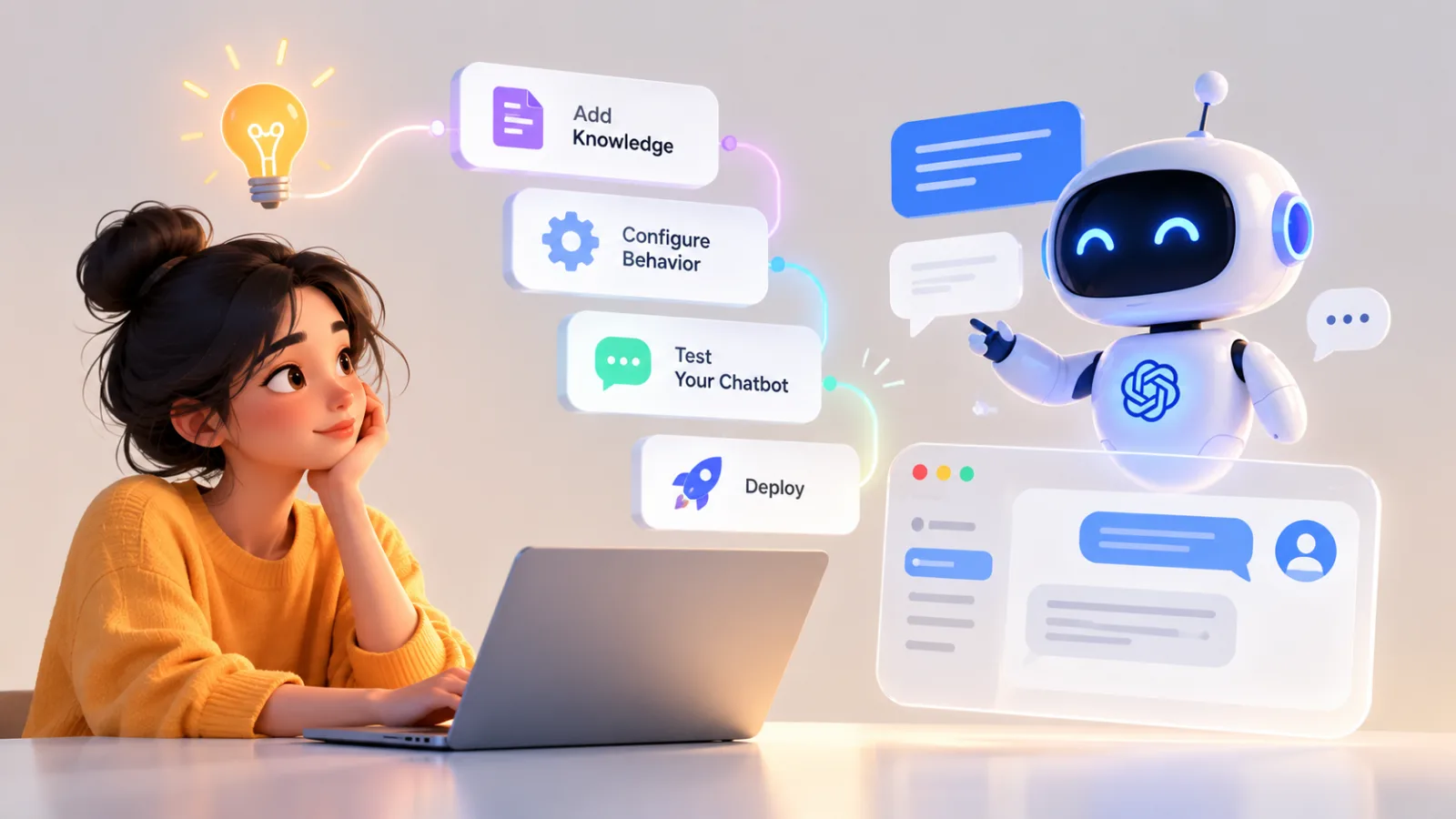
Table of contents
- 1. Define the Job Before Choosing Tools
- 2. Choose the Right Chatbot Platform
- 3. Decide How the Chatbot Will Answer
- 4. Prepare Reliable Knowledge Sources
- 5. Write Instructions That Set Clear Limits
- 6. Connect the Chatbot to Useful Data
- 7. Design a Conversation People Can Follow
- 8. Test Real Questions Before Launch
- 9. Protect Users and Business Information
- 10. Publish the Chatbot and Monitor Its Performance
- 11. Build Around a Real User Need
- Frequently Asked Questions
1. Define the Job Before Choosing Tools
How to create an AI chatbot starts with one practical decision: determine exactly what the chatbot should help someone accomplish.
A customer support assistant, an online store shopping guide, and an internal company knowledge assistant may all use artificial intelligence, but they require different information, integrations, permissions, and testing procedures.
Write down the problem in one sentence.
For example, “The chatbot helps customers understand our return policy and find the next step for a refund.” This is much easier to build and evaluate than a vague goal such as “answer every customer question.”
Next, identify the people who will use it, the questions they are likely to ask, and the actions the chatbot is allowed to perform.
Decide what counts as a successful conversation.
A useful customer service bot might resolve routine questions without a human agent, while a sales assistant might help visitors identify a suitable product and request a demonstration.
Set clear limits as well.
Your chatbot may explain a policy but lack permission to approve a refund.
It may summarize product information but should not invent stock availability.
It may help employees find a document without exposing confidential files to unauthorized users.
These decisions influence every technical choice that follows.
They also prevent a common mistake: building an impressive demonstration that cannot reliably handle the everyday requests it was created to solve.
Start with one narrow use case, measure how well it works, and expand only when the evidence supports doing so.
2. Choose the Right Chatbot Platform
The best platform depends on how much control you need, what systems the chatbot must connect to, and whether you want to build it yourself or use a visual interface.
For a first project, a no code platform can be enough.
These tools let you configure instructions, upload reference documents, connect certain applications, and publish a chatbot without building the entire application from scratch.
OpenAI offers models and developer tools for building conversational applications.
Its API approach is suitable when you need custom behavior, integration with your own application, or more control over how conversations are handled.
The development route requires technical work, and model usage may incur costs.
Microsoft Copilot Studio is worth considering for organizations that rely on Microsoft 365 and related business systems.
It provides a visual environment for creating agents and connecting supported services, subject to the organization's licensing, configuration, and access permissions.
Google Dialogflow is designed for conversational experiences that require structured intents, integrations, and controlled conversation flows.
It can be useful when the chatbot needs to recognize specific types of requests and respond through defined paths.
Botpress provides a visual environment for creating AI agents and managing conversational workflows.
It can suit teams that want a more configurable chatbot experience without building every component themselves.
Voiceflow is useful for planning and designing conversational experiences, particularly when teams want to map interactions before deploying them.
These platforms are not interchangeable.
Some are better suited to structured customer service flows, while others provide more flexibility for model driven applications.
Their pricing, integrations, deployment options, and available features can change, so verify the current product documentation before committing to a platform.
If you are unsure, begin with the simplest option that supports your intended use case.
A small chatbot that solves one problem reliably is a better starting point than a complex system with features you do not yet need.
3. Decide How the Chatbot Will Answer

Before adding documents or connecting business systems, decide how the chatbot will produce its answers.
This choice affects accuracy, maintenance, cost, and the amount of development work involved.
A basic chatbot can follow predefined rules.
For example, when someone asks about opening hours, it retrieves an approved answer.
Rule based systems are predictable and can work well for narrow tasks, but they become cumbersome when users express the same request in many different ways.
An AI model can interpret natural language and generate responses that adapt to the question.
This makes conversations more flexible, but it also introduces a risk: a model may produce an answer that sounds convincing without being correct.

Paycom
Paycom combines payroll automation, employee self service and HR management in one platform, helping businesses coordinate workforce administration and payroll…
- Connected payroll and HR records
- Employee guided payroll verification
- Public pricing lacks standard rates
- Customized quotations complicate comparisons
For many business chatbots, a useful design combines the two approaches.
The model interprets the user's question, while approved information and explicit rules determine what the system may say or do.
A chatbot that answers questions about a return policy, for example, can use AI to understand different phrasings of the question while retrieving the actual policy from an approved source.
If the user requests a refund, the system should follow the organization's authorized process rather than inventing a decision.
You should also decide whether the chatbot needs access to current information.
A bot answering general questions about a product catalog may need an updated data source.
A bot explaining a fixed internal procedure may work with a maintained set of documents.
Avoid fine tuning a model as your first response to every accuracy problem.
Fine tuning can be useful for certain specialized behaviors, but it is not usually the simplest way to keep changing policies, prices, product details, or internal documents current.
A retrieval system connected to approved information is often more appropriate for those needs.
4. Prepare Reliable Knowledge Sources
A chatbot is only as useful as the information it can access and the rules governing its responses.
If you provide incomplete, contradictory, outdated, or poorly organized documents, the system may struggle even when the underlying AI model is capable.
Start by collecting the material the chatbot is expected to use.
Depending on the purpose, this might include product descriptions, support articles, return policies, onboarding guides, technical documentation, or approved answers to frequently asked questions.
Review the material before uploading it.
Remove obsolete versions, resolve contradictions, and identify information that should not be available to every user.
A document repository may contain confidential employee information or customer details that do not belong in a general chatbot knowledge base.
Organize the remaining content around real questions.
A document called “Returns and Refunds” should clearly explain eligibility, deadlines, required evidence, exceptions, and the next step for a customer.
Vague wording leaves too much room for interpretation.
Where policies differ by region, product, or customer type, make those distinctions explicit.
A chatbot should not apply a policy from one market to every customer simply because both policies appear in the same folder.
For larger collections, consider retrieval augmented generation, often called RAG.
This approach searches a knowledge source for relevant passages and provides them to the AI model as context for an answer.
The model then generates a response using the retrieved material.
RAG can improve access to changing information without requiring the model to be retrained every time a document changes.
However, it does not guarantee accuracy.
If retrieval finds the wrong document, misses an important exception, or returns a passage without sufficient context, the final answer can still be wrong.
Test the knowledge source using realistic questions, including questions about exceptions and edge cases.
If the chatbot cannot locate the correct information, improve the documents or retrieval configuration before adding more complicated features.
5. Write Instructions That Set Clear Limits
The chatbot's instructions define its role, its communication style, and the boundaries of its behavior.
Good instructions are specific enough to guide difficult conversations, not just easy demonstrations.
Begin with a concise description of the assistant's job.
Explain who it serves, what information it may use, and which tasks it is expected to complete.
Then define how it should handle uncertainty.
If the answer is not available in the approved sources, it should say so rather than inventing a policy or presenting a guess as a fact.
If two documents conflict, it should follow an established source priority or ask for human assistance.
Specify what the chatbot must never do.
A support assistant might be prohibited from promising refunds, changing account details without authorization, requesting passwords, or revealing another customer's information.
Also define when the conversation should be transferred to a person.
Common triggers include a complaint involving a serious dispute, repeated failure to answer the question, a request for a decision outside the chatbot's authority, or a situation involving sensitive personal information.
You can establish a consistent response style without forcing every answer into the same format.
Simple questions deserve concise answers.
Complex problems may require an explanation, a sequence of steps, and a clear indication of what the user should do next.
Finally, test the instructions against attempts to bypass them.
A user may ask the chatbot to ignore its rules, reveal confidential information, or treat untrusted text in a document as a new instruction.
The chatbot should maintain its authorized role and avoid following requests that conflict with its security requirements.
Instructions help, but they are not a complete security system.
Sensitive actions must also be controlled by application permissions, authentication, validation, and other technical safeguards.
6. Connect the Chatbot to Useful Data
A chatbot becomes more useful when it can access information relevant to the task.
The right integrations depend on whether it needs to answer questions, retrieve records, or perform actions.
A product assistant might need access to a catalog.
An internal help assistant might search company documentation.
A customer service chatbot might need to retrieve an order's delivery status after the customer has been authenticated.
Start with read only access wherever possible.
Allowing the chatbot to retrieve information is generally easier to control than allowing it to change records, issue refunds, or modify accounts.
When an action is necessary, define the permitted operation precisely.
For example, the chatbot might be allowed to create a support ticket containing the user's issue, but not to close existing tickets or change account permissions.
Use authentication and authorization to ensure that users can access only the information they are entitled to see.
The chatbot must not become a shortcut around the access controls already protecting your business systems.
Validate important actions before executing them.
If the chatbot is preparing to cancel an order, the application should confirm that the order exists, that the user has permission to cancel it, and that the cancellation meets the relevant conditions.
For actions with financial, legal, or operational consequences, consider requiring explicit user confirmation or approval from a qualified employee.
Keep records of important actions, including what was requested, what the system attempted, and whether the operation succeeded.
Logs should be designed with privacy in mind and should not unnecessarily retain passwords, payment details, or other sensitive information.
The principle is straightforward: give the chatbot only the access it needs, and keep consequential decisions under appropriate control.
7. Design a Conversation People Can Follow
A technically capable chatbot can still frustrate users if conversations are confusing.
Good conversational design makes the next step obvious, handles misunderstandings gracefully, and avoids forcing users through unnecessary questions.
Start with the most common request.
If a customer asks how to return an item, the chatbot should explain the relevant procedure rather than immediately asking for unrelated information.
Paycom
Paycom combines payroll automation, employee self service and HR management in one platform, helping businesses coordinate workforce administration and payroll…
- Connected payroll and HR records
- Employee guided payroll verification
- Public pricing lacks standard rates
- Customized quotations complicate comparisons
Ask follow up questions only when the answer depends on them.
A delivery inquiry might require an order number, while a general question about delivery times may not.
Collecting unnecessary details increases friction and may expose information that the system does not need.
When the request is ambiguous, ask one clear question at a time.
If a user says, “I need help with my account,” the chatbot could ask whether the problem involves signing in, changing account information, or understanding a charge.
Explain what happens next.
If the chatbot cannot complete the request, tell the user whether it can create a support ticket, transfer the conversation, or provide the appropriate next step.
Never imply that an action has been completed unless the underlying system confirms success.
Provide a clear route to human assistance.
Users should not have to repeat the same question endlessly or discover a secret phrase to escape an unhelpful conversation.
Test conversations on mobile devices as well as desktop screens.
Long answers, poorly formatted instructions, and repeated questions can be especially difficult to use on smaller displays.
A good conversation feels responsive because the chatbot understands the immediate task, asks only necessary questions, and makes its limitations clear.
8. Test Real Questions Before Launch
Do not launch an AI chatbot simply because it performs well during a demonstration.
Test it against the situations it will encounter in ordinary use, including incomplete requests, unusual wording, conflicting information, and questions it should refuse to answer.
Build a test set from actual support requests, sales inquiries, employee questions, or other examples relevant to the intended use.
Remove personal information before using real conversations for testing unless you have an appropriate legal basis and safeguards.
Include several categories of questions:
Common questions with clear answers.
Questions that require information from more than one source.
Ambiguous questions that need clarification.
Questions for which the approved information provides no answer.
Requests involving private information or restricted actions.
Attempts to override the chatbot's instructions.
Conversations that should be transferred to a human.
Evaluate whether each answer is factually correct, relevant, understandable, and supported by the available information.
Check whether the chatbot invents details, omits important exceptions, or claims to have completed actions that failed.
Test variations in wording.
Users may misspell words, use slang, switch languages, or describe a problem without knowing the correct technical term.
Measure more than response speed.
Useful indicators include successful resolution rate, factual error rate, escalation rate, repeated questions, user satisfaction, and the proportion of conversations that require human correction.
A high resolution rate is not necessarily good if the chatbot gives incorrect answers to avoid escalating.
Metrics should reward correct outcomes, appropriate refusals, and useful handoffs rather than simply minimizing human involvement.
Keep a record of failures and use them to improve the instructions, knowledge sources, retrieval settings, or workflow.
Retest important cases after each significant change.
9. Protect Users and Business Information
Privacy and security should be considered before a chatbot receives real customer or employee information.
Fixing a privacy problem after launch can be far more difficult than designing appropriate controls from the beginning.
Determine what information the chatbot actually needs.
Avoid collecting sensitive details merely because a form or conversation could request them.
If authentication can be handled by an existing account system, do not ask users to send passwords directly in the chat.
Review how the chosen platform processes submitted information, how long it retains conversation data, what logging options are available, and whether the configuration meets your organization's legal and contractual requirements.
Restrict access to knowledge sources and connected applications.
Internal documents should be available only to users who have permission to read them.
A chatbot that retrieves company information must preserve those permissions rather than treating every document as public content.
Also consider prompt injection, in which malicious instructions in user messages or retrieved content attempt to change the chatbot's behavior.
Treat retrieved documents and user supplied material as information to evaluate, not as automatic authority to override system rules.
For high impact actions, enforce permissions outside the language model.
The application itself should validate the user, check the requested operation, and reject unauthorized actions even if the model attempts to initiate them.
Create a process for reporting security incidents and correcting harmful answers.
Assign responsibility for reviewing changes to the knowledge base, access permissions, and model configuration.
The level of protection should match the risks of the use case.
A public FAQ assistant and a chatbot that accesses medical records or financial accounts require very different controls.
10. Publish the Chatbot and Monitor Its Performance
Once the chatbot passes testing, choose a deployment method that matches where people need to use it.
Common options include a website chat interface, an internal company portal, a messaging application, or an existing customer support system.
For a website, check how the chatbot appears on desktop and mobile devices.
Make sure the interface does not obscure important page content, that users can start and end conversations easily, and that the assistant clearly identifies itself as an AI system where appropriate.
Before publishing, confirm that the knowledge sources are current, the escalation process works, and any connected actions have been tested with authorized accounts.
Decide who owns ongoing maintenance.
A chatbot without a responsible owner can quickly become unreliable as policies, products, and business processes change.
Monitor real conversations after launch, subject to appropriate privacy controls.
Look for recurring unanswered questions, incorrect responses, repeated user corrections, abandoned conversations, and cases where the chatbot should have transferred the issue to a human.
Review these failures by category.
If the same product question repeatedly produces poor answers, the knowledge source may be incomplete.
Paycom
Paycom combines payroll automation, employee self service and HR management in one platform, helping businesses coordinate workforce administration and payroll…
- Connected payroll and HR records
- Employee guided payroll verification
- Public pricing lacks standard rates
- Customized quotations complicate comparisons
If the chatbot understands the question but cannot complete the task, the integration may need improvement.
If it confidently invents information, its response rules and retrieval process need closer examination.
Make improvements in controlled stages.
Change one important component, test the relevant scenarios, and compare the results before making additional changes.
This makes it easier to understand which adjustments genuinely improve performance.
Also establish a process for retiring outdated content, reviewing permissions, and responding to reported errors.
An AI chatbot is an ongoing software product, not a one time publishing task.
The goal is not to eliminate every unusual conversation.
It is to create a system that handles common requests reliably, recognizes its limitations, and provides a clear route to further assistance when needed.
11. Build Around a Real User Need
A successful AI chatbot begins with a clearly defined problem, dependable information, and a realistic understanding of what automation can accomplish.
The technology matters, but the decisions surrounding it determine whether the final product is genuinely useful.
Start with one recurring task, select a platform that fits your requirements, and build the smallest version capable of handling that task responsibly.
Test it against real questions before allowing it to interact with customers or internal systems.
As usage grows, improve the chatbot using evidence from its failures and successes.
Expand its capabilities only when its current behavior is reliable enough to support additional responsibilities.
Most importantly, keep the user outcome at the center of every decision.
A chatbot should make it easier to find information, resolve a problem, or complete a task.
When it cannot do so, it should explain its limitations and provide a practical alternative.
That is the difference between a chatbot that merely generates conversation and one that earns a place in a real workflow.
Frequently Asked Questions
Can I create an AI chatbot without coding?
No code does not mean no planning. You still need to define the chatbot's purpose, prepare accurate information, establish its limitations, and test how it responds to real questions.
What is the best platform for creating an AI chatbot?
Compare the platforms against your required integrations, technical skills, security needs, deployment environment, and budget before choosing one.
Does an AI chatbot need its own training data?
Specialized training may be useful for particular behavior or domain requirements, but it is not automatically necessary to build a useful chatbot.
How much does it cost to create an AI chatbot?
Check current pricing and calculate expected usage before committing. Include ongoing maintenance and human support costs rather than budgeting only for the initial build.
How do I stop an AI chatbot from making up answers?
These measures reduce the risk of unsupported answers but cannot guarantee that every response will be correct. Continue monitoring performance after deployment.
Can an AI chatbot connect to my website or business software?
Verify authentication, access permissions, data handling, and error management before connecting the chatbot to sensitive systems or allowing it to perform consequential actions.
How do I know whether my chatbot is working well?
Evaluate quality alongside speed and cost. A fast chatbot that gives incorrect information is not performing well.
