

Grand Theft Auto VI: How to start playing on PS5 and Xbox consoles
 Published byNoura Mint ElySenior Technology ReporterNoura Mint ElySenior Technology Reporter Verified authorNoura Mint Ely is a Senior Technology Reporter at Desking, covering the latest developments in technology, artificial intelligence, enterprise software, cybersecurity, a…Author Profile
Ad disclaimer For links on this page, DESKING APP may earn a commission from the provider. This supports our work and has no influence on our editorial rating.
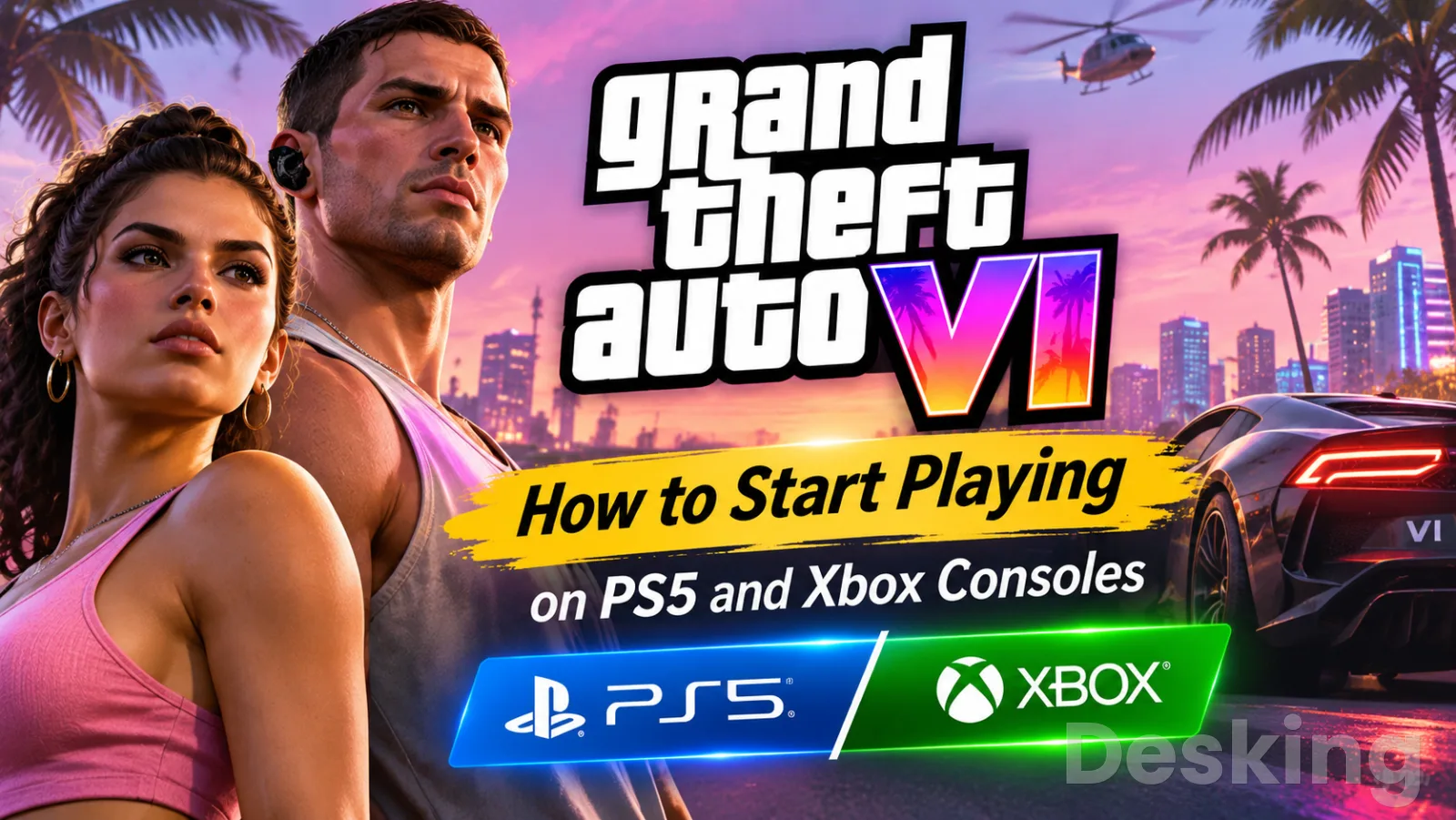
Table of contents
- 1. Choose the right gaming platform
- 2. Purchase and install the game
- 3. Start the story with Jason and Lucia
- 4. Master the basic game controls
- 5. Learn the world and its systems
- 6. Drive vehicles across Leonida
- 7. Make money and manage robberies
- 8. Deal with police investigations
- 9. Explore activities outside missions
- 10. Travel efficiently across the map
- 11. Adjust accessibility and gameplay settings
- 12. Understand multiplayer and online availability
- 13. Learn from professional gameplay reviews
- Frequently Asked Questions
Grand Theft Auto VI is available on PlayStation 5 and Xbox Series X|S, with its opening campaign placing players in the fictional state of Leonida.
Developed by Rockstar Games, the sixth main installment of the franchise follows Jason Duval and Lucia Caminos, two criminal partners whose decisions shape a story involving robberies, police investigations, relationships and an expanding criminal operation.
Getting started involves choosing a supported console, purchasing the correct edition, installing a substantial game download and learning its controls.
Once inside the game, players must understand the relationship between the two protagonists, the mission structure, the wanted system, the economy and the activities available outside the main storyline.
These systems influence how efficiently you progress and how much freedom you have during exploration.
There is also an important distinction for PC players.
Although Grand Theft Auto VI is available through Xbox and PlayStation hardware, Rockstar has not announced a native Windows version or published PC system requirements.
Consequently, players should avoid unofficial downloads claiming to offer the complete PC game.
1. Choose the right gaming platform

Grand Theft Auto VI launched on November 19, 2026, for PlayStation 5 and Xbox Series X|S.
These are the officially supported platforms at launch, and players need compatible hardware to access the game.
PlayStation 4, Xbox One and Windows PCs are not listed as supported native platforms in Rockstar's current platform information.
The choice of console matters because the game requires substantial storage and uses hardware features associated with the current generation.
On PlayStation 5, the DualSense controller provides haptic feedback and adaptive triggers, while the console's SSD supports faster loading.
Xbox Series X|S owners can also play the game through their respective console hardware.
PlayStation 5 and PS5 Pro
The PlayStation 5 provides access to the complete single-player experience, including Jason and Lucia's campaign across Leonida.
The game also supports PS5 Pro enhancements, with PlayStation advertising PlayStation Spectral Super Resolution and improved ray-traced shadows for compatible displays.
These features make the PS5 Pro an option for players who prioritize visual quality and already own the more powerful console.
The standard PS5 remains a supported platform, so purchasing the Pro model is not a requirement.
Both consoles support the DualSense controller, including its vibration and adaptive trigger functions.
Players can also use PlayStation Remote Play, subject to the network and device requirements of the service.
Xbox Series X and Series S
Xbox Series X and Series S owners can purchase and play GTA VI through the Microsoft ecosystem.
The two consoles belong to the officially supported Xbox family, although their hardware capabilities and storage configurations differ.
Players should check the available space on their individual console before starting the installation.
Xbox Cloud Gaming is another officially documented option within the Xbox ecosystem.
Rockstar's platform information identifies support through Xbox Cloud Gaming on Xbox Series X|S and Xbox One consoles, using Series S graphics settings.
This should not be confused with a native Windows PC release or a general browser version of the game.
Rockstar Games Customer Support
Platform compatibility at a glance
The following table separates the supported launch platforms from hardware that does not have a confirmed native version.
| Platform | GTA VI availability | Requirements |
|---|---|---|
| PlayStation 5 | Available | Supported console and game purchase |
| PlayStation 5 Pro | Available | Supported console and game purchase |
| Xbox Series X | Available | Supported console and game purchase |
| Xbox Series S | Available | Supported console and game purchase |
| PlayStation 4 | Not supported | No compatible native version |
| Xbox One | Not supported natively | Cloud Gaming availability is separate |
| Windows PC | Not announced | No official PC specifications |
| Mac | Not announced | No official native version |
| Nintendo Switch | Not announced | No official version |
The distinction between native support and cloud streaming is important.
A service can stream a game through a supported console ecosystem without making the game available for installation on every device capable of accessing that service.
Players should therefore check the actual supported hardware before spending money on a new system.
Is GTA VI available on PC?
As of November 25, 2026, Rockstar Games has not announced a Windows PC release date, minimum requirements or recommended specifications.
The company currently lists PlayStation 5 and Xbox Series X|S as the game's supported platforms.
There is consequently no official GTA VI PC installer available through Steam, Epic Games Store or Rockstar Games Launcher.
PC Gamer's November 2026 reporting examines Rockstar's previous release schedules to estimate when a PC version might arrive.
Its analysis points to November 2027 or later as a possibility, based on historical console-to-PC delays.
That date is an editorial prediction, not a confirmed Rockstar release commitment.
Players should be particularly careful with websites advertising free PC downloads, early access versions, unofficial launchers or modified installers.
A downloadable file carrying the GTA VI name does not establish that it contains the actual game.
Security researchers and technology publications have previously documented malware campaigns that imitate popular game releases to distribute malicious software.
The safest approach is to wait for an announcement through Rockstar's official channels.
2. Purchase and install the game

Once you have a supported console, the next task is purchasing the correct edition and preparing sufficient storage.
GTA VI is distributed digitally and physically, but the physical retail package does not contain a conventional game disc.
Rockstar's platform information describes the physical version as a box containing a download code.
This distinction affects installation, especially for people who prefer buying boxed games.
A physical purchase still requires an internet connection and a substantial download.
Players should also consider their console account region because digital activation codes can have regional restrictions.
Standard Edition or Ultimate Edition?
Rockstar lists two principal editions: Standard Edition and Ultimate Edition.
The Standard Edition provides the base game, while the Ultimate Edition includes additional content.
Standard Edition owners can subsequently purchase the Ultimate Edition Upgrade through the relevant PlayStation or Microsoft store.
The right choice depends on how much additional content you intend to use.
A player primarily interested in the main campaign may find the Standard Edition sufficient, while someone who values additional vehicles, weapons, clothing and customization options may prefer the Ultimate Edition.
| Edition | Main contents | Suitable player |
|---|---|---|
| Standard Edition | Base game | Players interested in the main experience |
| Ultimate Edition | Base game and additional content | Players interested in additional in-game items |
| Ultimate Edition Upgrade | Additional Ultimate Edition content for Standard owners | Existing Standard Edition owners |
The Ultimate Edition should not be confused with a separate campaign or a different version of the story.
Its additional content is intended to expand the available items and activities.
Before purchasing, check the current store description because the exact contents and regional pricing should be verified against the store where you intend to buy.
Prepare the console storage
Storage is one of the first practical obstacles players may encounter.
Rockstar announced that the pre-load would require up to 212 GB, depending on the device.
PlayStation also advised PS5 owners to clear a minimum of 212 GB before downloading the game.
This figure is a useful planning requirement, not a guarantee that every installation will occupy precisely the same amount of space.
Updates and subsequent patches can change the final installation footprint.
Keeping some additional free space is sensible, particularly on consoles with smaller internal storage capacities.
Before downloading, follow these steps:
- Check available storage: Open your console's storage management menu and inspect the free space available on the internal drive.
- Remove unnecessary installations: Uninstall games that you no longer play, or move compatible games to supported external storage.
- Purchase the correct edition: Use the official PlayStation Store, Microsoft Store or an authorized retailer.
- Redeem the activation code: If you purchased the physical package, follow the instructions supplied with the download code.
- Download the game: Open your game library or store purchase and select the installation option.
- Install available updates: Allow the console to download the latest game version before starting the campaign.
The installation process can take several hours depending on your internet connection, console storage and download traffic.
A stable wired Ethernet connection is generally preferable to Wi-Fi when downloading a large game, particularly when the wireless signal is weak or several devices share the connection.
Avoid regional activation problems
Digital codes are not universally interchangeable across all PlayStation account regions.
Rockstar's support documentation identifies regional restrictions for PlayStation product codes and recommends purchasing from a retailer that corresponds to the country associated with the platform account.
This matters when buying from international retailers or receiving a game code from another country.
A code purchased in one region may not activate on an account registered in another region.
Xbox codes have different regional conditions, with Rockstar stating that purchased Xbox codes are not region-locked.

ClickUp
ClickUp provides an all in one workspace with tasks docs automation and AI tools. This ClickUp review evaluates capabilities pricing fit and practical tradeoff…
- Extensive customization depth
- Strong free tier value
- Steep initial learning curve
- Interface can feel busy
Before completing a purchase, verify the product region, edition and activation conditions.
This is especially relevant for buyers who use accounts registered in a country different from their current residence.
Rockstar Games Customer Support
3. Start the story with Jason and Lucia

The campaign follows Jason Duval and Lucia Caminos, two protagonists whose relationship drives the central narrative.
Both characters are involved in criminal activities, and an operation that goes wrong places them inside a wider conspiracy across Leonida.
The setting includes Vice City and surrounding regions inspired by Florida.
The game uses this environment to combine urban exploration, rural locations, coastal areas, criminal operations and everyday activities.
The result is a single-player experience in which the main story provides direction while the open world offers opportunities to explore independently.
Understand the opening chapters
The opening section introduces the protagonists, the game's basic controls and the circumstances surrounding their criminal partnership.
Players are guided through missions that establish the narrative and demonstrate the fundamental mechanics.
It is worth following these early objectives carefully because they introduce systems that become more relevant as the campaign progresses.
IGN's launch coverage describes the first hours as an extended introduction to the wider experience.
Its analysis identifies the early missions and the transition into Jason's activities as the point where the familiar open-world structure begins to take shape.
Players should expect a gradual introduction rather than immediate access to every activity and location.
Learn the character switching system
One of the defining mechanics is the ability to play as Jason and Lucia.
Each protagonist has an individual identity, relationships and place in the story.
Switching between them provides a different perspective on the surrounding world and can also affect how players approach exploration and activities.
The character system is relevant beyond the narrative.
Red Bull's beginner guide describes switching characters as one of the ways to reduce travel time across Leonida.
The character not currently controlled generally remains near the relevant safehouse, which can make changing protagonists useful when the active character is far from the desired destination.
Players should pay attention to mission instructions before switching characters.
Some activities require a particular protagonist or a specific stage of the campaign.
The availability of characters and certain cooperative activities can also change as the story progresses.
Follow the mission markers
Main missions are the most direct way to advance the story.
They introduce new characters, locations, criminal operations and gameplay systems.
Players can identify available objectives through the game's map and mission indicators.
A practical approach is to prioritize the main story during the opening hours.
This helps unlock additional features and makes the broader world easier to understand.
Once new regions and activities become available, players can divide their time between campaign missions and optional content.
Side activities can be completed at a slower pace.
There is no need to rush through every optional interaction simply because it appears on the map.
Some activities become more convenient after additional areas, characters or transport options have been unlocked.
Explore Leonida beyond Vice City
Vice City is the central urban environment, but the game extends into a wider fictional state.
The Leonida Keys and other surrounding regions provide different environments, characters and activities.
Players who restrict themselves to the main streets of Vice City will miss a significant part of the game's world.
Exploration also has a practical purpose.
It helps players discover shops, useful locations, available interiors and activities that may support campaign progression.
Red Bull's guide specifically highlights the importance of exploring Key Lento during the opening section, including locations that contain accessible interiors and optional activities.
4. Master the basic game controls

The controller is the primary interface for movement, combat, driving and interaction.
GTA VI includes different control layouts for activities such as walking, aiming, melee combat, land and water vehicles, aircraft, bicycles, swimming and parachuting.
Rockstar provides a dedicated Control Scheme section inside the Settings menu.
This is important because the controls are not identical across every activity.
Players who already know GTA V should still spend time learning the new layouts instead of assuming that every button performs the same action.
Access the control settings
To inspect the available controls, follow this procedure:
- Start GTA VI and allow the game to load into the current session.
- Open the Pause Menu using the appropriate controller button.
- Select Settings.
- Open Control Scheme to inspect the available controller layouts.
- Select the relevant activity, such as On Foot, Aiming or Land / Water Vehicles.
- Review the available button assignments and choose the layout that suits your preferences.
- Return to the game and test the selected configuration in a safe environment.
Rockstar also provides sensitivity, camera, gameplay and accessibility settings.
If you make several changes and want to return to the original configuration, the Settings menu includes Restore All and Restore Default options.
Understand movement and interaction
Movement is one of the first mechanics to master because it affects almost every activity.
Walking, running, entering buildings, climbing, swimming and interacting with objects are all part of the normal gameplay experience.
Players should become familiar with the following categories:
- Movement: Walking, running, sprinting and changing direction.
- Interaction: Opening doors, entering buildings, using objects and interacting with characters.
- Camera: Adjusting the viewing angle and changing perspectives.
- Combat: Selecting weapons, aiming, shooting and taking cover.
- Navigation: Opening the map, following routes and using the in-game phone.
The default button assignments should be checked directly in the game because control layouts can vary between platforms and configurations.
A player using a customized layout should not rely on a control combination copied from another person's settings.
Configure aiming and combat
Combat settings deserve particular attention because the game offers different ways to aim.
Some players prefer assisted aiming, which helps keep the targeting process manageable, while others prefer more manual control.
Rockstar includes dedicated settings for aiming and looking sensitivity.
These controls can be adjusted to suit different controller preferences.
Players who find that the camera moves too quickly should reduce sensitivity and test the result before making further adjustments.
A useful starting point is to choose a comfortable sensitivity, practise aiming in low-pressure situations and gradually adjust the configuration.
Changing several sensitivity values simultaneously makes it harder to identify which adjustment actually improves accuracy.
Customize camera behavior
Camera movement can influence comfort during long gaming sessions.
GTA VI provides camera settings for on-foot movement, land and water vehicles, aircraft, underwater activities and cinematic sequences.
Players who experience discomfort from excessive camera movement should inspect the available comfort options.
The PS5 version also lists visual comfort features, including the ability to reduce camera movements and effects that may cause discomfort.
The available settings are not limited to camera angles.
Players can adjust interface readability, subtitles, visual effects and audio configuration.
These changes can make the game easier to follow without altering the main narrative.
5. Learn the world and its systems

The open world is central to the GTA VI experience.
Leonida contains urban neighborhoods, rural communities, coastal areas, businesses, transport networks and locations connected to the criminal economy.
Understanding how these elements interact helps players make better decisions during exploration.
Rockstar's latest installment also introduces several interconnected systems involving character condition, money, vehicle ownership, criminal activity and police response.
These systems influence everyday gameplay and reward players who pay attention to their surroundings.
Monitor health and physical condition
Health determines how much damage a character can withstand.
Stamina affects activities involving physical exertion, while Focus influences certain aiming and observation mechanics.
These characteristics make physical condition relevant to activities outside conventional combat.
Red Bull's November 21 beginner guide identifies three principal attributes: Health, Stamina and Focus.
It reports that lifting weights improves Health, activities such as running and cycling improve Stamina, and activities including fishing and playing pool improve Focus.
Players should pay attention to the difference between permanent progression and temporary bonuses.
The guide reports that Focus improvements are permanent, whereas Health and Stamina gains can fade without continued training.
Eating, sleeping and showering can also provide temporary benefits.
This makes physical activities worth considering between missions.
They can support character development while providing a change of pace from driving and combat.
Use Focus Mode effectively
Focus Mode is a mechanic that helps players identify important objects and improve their awareness of nearby activity.
Red Bull's guide explains that pressing both analog sticks activates Focus Mode.
With a weapon equipped, the feature temporarily slows time, allowing the player to line up shots.
Outside combat, it can also help identify objects and interactive elements.
The guide describes different visual indicators for enemies, interactable objects and cash.
It also explains that the mechanic can reveal information about doors and certain hidden valuables.
The practical advantage is situational awareness.
Players who enter unfamiliar buildings or investigate potential robbery locations can use Focus Mode to identify details that might otherwise be overlooked.
It is particularly useful when the environment contains multiple interactive objects.
Understand the day and night cycle
Leonida operates on a day and night cycle that affects the availability of certain activities.
Some businesses close during particular hours, and certain missions require players to arrive at a specific time.
Red Bull reports that players can check the current time through the in-game phone and advance time by sleeping at Jason's house.
This makes time management relevant when planning optional activities or attempting missions with specific availability conditions.
Players should avoid treating the clock as a purely decorative feature.
If a business is closed or an activity is unavailable, checking the time may provide a straightforward explanation.
Adjusting the time through an appropriate safehouse can be more efficient than repeatedly visiting the same location.
Identify accessible buildings
Exploration becomes more useful when players learn which buildings contain accessible interiors.
According to Red Bull's guide, the map and minimap provide visual information that helps distinguish buildings with accessible spaces from buildings used primarily as scenery.
The guide describes dark blue map shading for buildings with accessible entrances or interiors and lighter blue shading for locations that are primarily scenery.
Nearby entrances can also appear on the minimap.
This information helps players avoid wasting time trying to enter inaccessible locations.
It also encourages a more systematic approach to exploration, particularly when searching for optional rooms, valuables or activities.
6. Drive vehicles across Leonida

Driving is one of the most recognizable parts of Grand Theft Auto.
Cars, motorcycles and other vehicles provide transportation, support missions and allow players to explore the map at their own pace.
GTA VI gives vehicles a more detailed role in the wider gameplay system.
Players must consider vehicle security, registration, modifications and ownership.
Stealing a vehicle may be straightforward in some circumstances, but keeping it permanently can involve additional steps.
Understand vehicle security
Not every vehicle is equally easy to steal or retain.
Red Bull's beginner guide describes different vehicle security systems, including alarms, standard trackers and advanced trackers.
These systems influence the consequences of stealing a vehicle.
An alarm can alert nearby characters, while tracking systems can complicate attempts to keep a stolen vehicle.
Some higher-end vehicles may require additional equipment before players can access them successfully.
The Waink application is identified in the guide as a way to inspect vehicle information.
Players can use it to check details such as security systems and registration costs.
Learning to inspect these details before taking a vehicle can prevent unnecessary problems.
Register and keep your vehicles
Finding a desirable car does not automatically make it a permanent part of your collection.
Players may need to visit Pay 'n' Spray and pay the relevant registration fee.
Once registered, a vehicle can be managed through the game's vehicle services.
Red Bull identifies Scooter Bros as the application used to retrieve owned vehicles and access related services.
This creates a useful distinction between temporary transportation and a vehicle worth keeping.
A stolen car can help complete an immediate objective, but a registered vehicle offers greater convenience over the longer term.
Modify your preferred vehicles
Vehicle customization remains an important part of the series.
ClickUp
ClickUp provides an all in one workspace with tasks docs automation and AI tools. This ClickUp review evaluates capabilities pricing fit and practical tradeoff…
- Extensive customization depth
- Strong free tier value
- Steep initial learning curve
- Interface can feel busy
Players can use modification locations to change the appearance and characteristics of their vehicles, depending on the available services and progression.
The best approach is to avoid spending all available money on cosmetic changes during the opening hours.
Prioritize practical upgrades when they offer a clear benefit to your preferred driving style or campaign objectives.
Players who enjoy collecting cars should also pay attention to garages and available storage.
Red Bull reports that additional garages become available as the story progresses beyond the starting region.
These locations can provide storage and additional vehicle management options.
7. Make money and manage robberies

Money influences what players can purchase, customize and access throughout the campaign.
It is used for weapons, vehicles, modifications and other expenses associated with criminal operations and everyday activities.
GTA VI also introduces several considerations surrounding the handling of cash.
Players should understand when their money is vulnerable, when banking becomes available and how robbery planning can affect the outcome of an operation.
Protect your early cash
One detail worth understanding early concerns the difference between carrying money and storing it.
Red Bull's beginner guide reports that the first bank account becomes available during the mission Buck Me, approximately one or two hours into the game.
Before that point, cash carried by the character can be lost when the player dies or is arrested.
The guide identifies a hiding place beneath loose floorboards in Jason's bedroom, which provides a way to store money before banking becomes available.
This is a useful early-game consideration because unnecessary financial losses can make purchasing equipment more difficult.
Players should avoid carrying large amounts of cash when they have access to a suitable storage option.
Plan robberies before entering
Robberies are a major source of income, but the outcome depends on the target, available security and the preparation undertaken before entering a location.
Red Bull's guide recommends checking potential targets and their security levels before starting an operation.
It explains that some locations in the starting area have relatively low security, while more heavily protected targets can benefit from having both protagonists involved.
A sensible robbery preparation process includes the following:
- Inspect the target: Check the location and available information before deciding whether to proceed.
- Assess security: Identify potential cameras, alarms and armed guards.
- Prepare equipment: Select suitable weapons and equipment for the intended operation.
- Consider assistance: Use the second protagonist when the activity supports a two-character approach.
- Plan the exit: Identify a practical escape route before beginning the robbery.
The objective is to reduce unnecessary exposure and avoid entering an operation without understanding its requirements.
Players should also consider the potential consequences of attracting police attention.
Understand the criminal economy
The criminal economy involves more than simply collecting money from missions.
Players can encounter opportunities to acquire vehicles, manage illegal goods, obtain equipment and invest in resources that support future activities.
Garages are particularly relevant because Red Bull identifies them as locations where players can store vehicles, access weapon loadouts and deposit stolen goods for other characters to sell.
This creates a relationship between exploration and financial progression.
Finding useful locations can make future activities easier, while spending money without considering its purpose can leave players short of resources when they need them.
Players should therefore distinguish between necessary purchases and optional expenses.
Weapons and useful vehicle modifications can support campaign progression, while purely cosmetic purchases can wait until there is sufficient money available.
8. Deal with police investigations
Police response is an important part of the Grand Theft Auto experience.
Criminal activities can attract law enforcement, creating situations in which players must escape, avoid detection or manage the consequences of their actions.
The wanted system should be understood as a gameplay mechanic with practical consequences.
Players who attract police attention need to consider their surroundings, available vehicles and the likelihood of being identified.
Understand wanted levels
A wanted level indicates that the player has attracted police attention.
The exact circumstances surrounding an incident influence how law enforcement responds.
Players should pay attention to the environment after a criminal activity.
Busy streets, witnesses and visible police presence can complicate an escape.
A vehicle that is easy to identify can also make it harder to avoid continued attention.
The most effective approach is to think about escape before starting an activity that could attract law enforcement.
Choosing an appropriate vehicle and understanding the surrounding streets can make a significant difference.
Reduce police attention
Changing the circumstances surrounding an escape is important.
Players should avoid assuming that simply driving faster will always solve the problem.
Red Bull's beginner guide discusses the importance of changing appearance and managing the Criminal Profile as part of understanding the wanted system.
Its recommendations include paying attention to clothing and other identifying characteristics.
Players should also consider the following principles:
- Avoid remaining in the immediate area of a criminal incident.
- Use alternative routes instead of repeatedly driving through heavily monitored streets.
- Pay attention to the vehicle being used and whether it can be identified.
- Avoid unnecessary confrontations when the objective is simply to escape.
- Review the available appearance and clothing options when identification becomes a problem.
These principles help reduce avoidable mistakes.
They also encourage players to consider the wider consequences of criminal activity rather than focusing exclusively on the immediate objective.
Understand the Criminal Profile
The Criminal Profile is another system discussed in Red Bull's beginner coverage.
It contributes to the game's broader approach to criminal activity and the consequences associated with the player's actions.
Players should pay attention to how the system relates to their activities rather than assuming that every incident is treated independently.
The information available through the game can help players understand the consequences of their decisions and adjust their approach.
This is particularly relevant for players who prefer careful planning.
A more deliberate approach to criminal activities can reduce unnecessary confrontations and make progression more manageable.
9. Explore activities outside missions
The main campaign provides the central storyline, but optional activities contribute considerably to the experience.
Players can spend time fishing, exercising, visiting businesses, exploring interiors, discovering hidden locations and interacting with other characters.
These activities serve different purposes.
Some improve character attributes, others provide opportunities to earn money, and several exist primarily to make the world more interactive.
Players should identify which activities support their current objectives and which are simply enjoyable diversions.
Fishing and outdoor activities
Fishing is one of the activities highlighted in early-game coverage.
Red Bull identifies fishing as a way to improve Focus, making it useful for players who want to develop that attribute while taking a break from the main campaign.
Outdoor activities also provide opportunities to explore areas away from the main roads.
Players can discover different environments and spend time learning the geography of Leonida.
This knowledge becomes useful when missions require travel through unfamiliar regions.
Exercise and fitness activities
Exercise has a more developed role in GTA VI than in some earlier installments.
The game connects physical activities with character attributes, which means that visiting gyms and participating in exercise can contribute to progression.
Red Bull's guide explains that strength exercises can improve Health, while cardiovascular activities help improve Stamina.
It also describes how different workouts and activities can influence the characters' physical condition.
Players should pay attention to the fitness indicators rather than repeating exercises without checking their progress.
The guide reports that exercise windows reopen approximately every in-game day, making regular sessions a practical approach.
Discover optional interiors
Accessible buildings provide opportunities to discover details that are not necessarily connected to the main storyline.
Some interiors contain characters, activities or objects that players might otherwise overlook.
The minimap is particularly useful when exploring shops and other buildings.
Red Bull recommends watching the minimap while moving through interiors because it can indicate additional accessible areas and entrances.
Players should make exploration part of their normal routine rather than treating every building as a location that must be investigated.
The objective is to discover useful content without allowing optional activities to interrupt the campaign unnecessarily.
10. Travel efficiently across the map
Leonida is a large environment, and travelling between locations can consume considerable playing time.
Players should become familiar with the available transportation methods and understand when each option is appropriate.
The game includes conventional driving, public transport and character switching.
These options offer different advantages depending on the destination, available money and current story progression.
Use the available transport services
Driving remains an effective way to explore the environment, particularly when players want to visit several locations during the same trip.
However, travelling long distances by car is not always the most efficient choice.
Red Bull identifies RydeMe and public transport as options for moving around Leonida.
The RydeMe service allows players to request a vehicle and travel as a passenger.
The guide also describes an additional payment option that skips the journey and takes the player directly to the destination.
Public transportation provides another alternative.
Buses and trains operate across the state, although players must consider their schedules.
It can be particularly convenient when travelling through urban areas.
Switch characters when appropriate
Switching protagonists can reduce unnecessary travel.
The two characters generally remain near their respective safehouses when they are not being controlled.
This can provide a faster way to reach another area, depending on where each protagonist is located.
It also creates an additional reason to understand the relationship between character progression and the geography of the map.
Players should consider switching characters when the alternative involves a particularly long journey.
However, mission requirements and the availability of certain activities may limit when switching is possible.
Learn the map before travelling
The map is one of the most useful tools available to players.
It provides information about destinations, activities and the wider geography of Leonida.
A good practice is to inspect the map before starting a long journey.
Identify the destination, consider nearby services and choose a route that makes sense for the vehicle or transport method being used.
Players can also use exploration to become familiar with the locations surrounding important missions.
This reduces uncertainty when objectives involve unfamiliar neighborhoods or longer journeys.
11. Adjust accessibility and gameplay settings
GTA VI provides several options for adapting the experience to different preferences and accessibility requirements.
These include interface readability, subtitles, audio configuration, controller adjustments, camera behavior and gameplay assistance.
These settings should be considered before starting a long session.
A comfortable configuration can make the experience easier to follow and reduce unnecessary difficulty caused by small interface elements or unsuitable controller sensitivity.
Improve subtitles and interface readability
Players who prefer reading dialogue should inspect the subtitle and caption settings.
Rockstar provides options for adjusting the presentation and readability of interface elements, including subtitles, captions, notifications and other on-screen information.
The PS5 accessibility information also identifies clear text, large text and alternative visual settings.
These options can help players who have difficulty reading small text or distinguishing certain visual elements.
It is worth checking these settings before progressing too far into the campaign.
Changing them later is possible, but setting them correctly at the beginning avoids unnecessary interruptions.
Configure audio and visual comfort
Audio configuration allows players to adjust different volume levels and select available accessibility features.
PlayStation lists mono audio, screen reader support and alternatives for presenting audio cues through visual information or controller vibration.
Visual accessibility options include high-contrast presentation, color alternatives and features designed to improve visual comfort.
These settings can be particularly useful when environmental effects make important objects difficult to identify.
Players should experiment with the available options rather than assuming the default configuration is appropriate for every display and listening environment.
Adjust gameplay difficulty
Accessibility and gameplay assistance can also influence the challenge of certain activities.
PlayStation's published information identifies adjustable difficulty, simplified quick-time events, gameplay speed adjustments and control reminders.
These features can help players who prefer a less demanding experience or need additional assistance with particular gameplay mechanics.
Their availability should be checked within the relevant settings menu, since the precise options can differ according to the platform and configuration.
Reduce repetitive controller actions
Some accessibility options reduce the need for rapid button presses or particular controller movements.
PlayStation identifies support for playing without rapid button presses, motion controls, touch controls, controller vibration and adaptive trigger effects.
This is useful for players who prefer conventional controller input or find certain physical feedback features uncomfortable.
ClickUp
ClickUp provides an all in one workspace with tasks docs automation and AI tools. This ClickUp review evaluates capabilities pricing fit and practical tradeoff…
- Extensive customization depth
- Strong free tier value
- Steep initial learning curve
- Interface can feel busy
The availability of these options means that players can customize the experience without abandoning the standard campaign.
12. Understand multiplayer and online availability
Players familiar with GTA Online may expect the new installment to provide an equivalent multiplayer environment.
However, the launch version of GTA VI is identified as a single-player experience.
PlayStation's official product information explicitly describes the game as single-player.
Players purchasing it at launch should therefore approach it as a campaign experience involving Jason and Lucia, rather than expecting an established multiplayer mode similar to GTA Online.
Is GTA Online included?
GTA Online should not be confused with the GTA VI campaign.
The online component associated with Grand Theft Auto V is a separate experience, with its own characters, activities and progression.
As of November 25, 2026, Rockstar has not published a confirmed launch schedule or complete feature list for a GTA VI multiplayer mode.
Reports and speculation about future online features should not be treated as official product information.
PC Gamer's November 2026 coverage also identifies the absence of a confirmed GTA VI online offering at launch.
It discusses possible future developments but makes clear that Rockstar has not established the details.
Can you play with friends?
The confirmed launch experience does not provide a conventional multiplayer campaign in which two friends control Jason and Lucia together.
The two protagonists are part of the single-player narrative, with the player controlling their progression.
Players who specifically want multiplayer gameplay should verify the availability of an officially announced online product before making a purchase based on that expectation.
A single-player purchase should be evaluated on the campaign and its available activities.
13. Learn from professional gameplay reviews
One of the most useful ways to understand a new game is to examine the experience of journalists who have spent substantial time playing it.
This provides practical context about pacing, controls, exploration and the systems that become relevant after the opening missions.
TechRadar's gaming editor Rob Dwiar published a detailed review after spending almost 100 hours playing GTA VI, primarily on PS5 Pro.
His account documents completing the main story, exploring a substantial part of the map, testing money-making activities, customizing vehicles and experimenting with different controllers.
His experience offers a useful reference for new players because it covers both the central campaign and the activities available outside the main missions.
What extended play reveals
Dwiar's review highlights the importance of the relationship between Jason and Lucia.
The two protagonists provide different perspectives on the narrative, and their partnership influences the progression of the campaign.
His account also describes the value of spending time outside missions.
He reports encountering memorable events during ordinary exploration, including activities and environmental details that were not necessarily part of the central storyline.
This is an important observation for players who intend to rush through the campaign.
A substantial part of the experience comes from exploring the environment and discovering events that occur outside the main mission structure.
Understand the performance trade-off
The same review identifies a technical limitation that players should consider.
The reviewed console experience targets 30 frames per second, which may disappoint people who are accustomed to higher frame rates.
A 30fps target does not automatically make the game unplayable.
However, players who are particularly sensitive to motion smoothness should consider this before purchasing the game.
Dwiar's review also discusses the weapon wheel interface and some slower sections of the narrative.
These observations illustrate why professional reviews are useful: they identify strengths and limitations that may not be obvious from promotional material.
Choose your preferred playing style
Players can approach GTA VI in several ways, depending on what they enjoy most:
- Story focused: Prioritize the main missions and follow Jason and Lucia's narrative.
- Exploration focused: Spend more time discovering Leonida, accessible buildings and optional locations.
- Vehicle focused: Explore driving, vehicle collection, registration and customization.
- Activity focused: Participate in fishing, exercise and other optional activities.
- Completion focused: Progress through the campaign while investigating additional content and available objectives.
These approaches are not mutually exclusive.
Players can change their priorities throughout the campaign and spend more time on the activities they find interesting.
Frequently Asked Questions
Can you play GTA VI on PS4?
Does GTA VI require an internet connection?
Can you play GTA VI using Xbox Cloud Gaming?
Is GTA VI suitable for children?
Can you play as Lucia throughout the game?
How much storage does GTA VI need?
Will GTA VI eventually come to PC?
Sources6
- PlayStation on GTA VI console features
- Rockstar Games on GTA VI platforms and editions
- The Verge on GTA VI storage requirements
- PC Gamer on GTA VI PC release timing
- TechRadar on Grand Theft Auto VI gameplay
- Red Bull on GTA VI beginner gameplay
External pages are independent third-party sources. Desking App does not control or endorse their content and accepts no responsibility for it. Visiting them is at your own responsibility and risk.