
Table of contents
- 1. Is Asana Good for Personal Use Today
- 2. Why Trust Our Solo Productivity Research
- 3. Map Out Daily Personal Checklists
- 4. Organize Home Renovations with Kanban
- 5. Build Comprehensive Personal Content Calendars
- 6. Schedule Important Recurring Annual Milestones
- 7. Track Extended Travel Planning Logistics
- 8. Monitor Fitness Goals and Training Routines
- 9. Connect External Applications for Streamlined Data
- 10. Understand the True Limitations for Solo Users
- 11. Our Final Solo Workspace Recommendation
- 12. Frequently Asked Questions
1. Is Asana Good for Personal Use Today
Is asana good for personal use is a highly relevant question for individuals who want to organize their busy domestic schedules, coordinate freelance side projects, or track complex long term personal goals using a professional grade productivity tool.
Most people recognize this platform as a heavy duty corporate application designed for massive corporate teams and intricate enterprise project tracking, but its foundational structure scales down beautifully for solo operators.
The complimentary personal plan provides an array of flexible task tracking features that cost absolutely nothing, making it highly attractive for managing household maintenance checklists, personal fitness programs, and creative hobbies.
If you require a structured, clean digital workspace to declutter your thoughts and map out daily personal targets, adapting this enterprise software for individual routines offers an exceptionally stable and efficient solution.
2. Why Trust Our Solo Productivity Research
Our platform evaluations are rooted completely in independent hands on implementation across real life everyday scenarios over several consecutive months.
We do not simply run through automated product feature tours or paraphrase existing corporate marketing materials, we actively manage personal budgets, wedding planning timelines, academic study routines, and home renovation schedules using the software.
We systematically stress test the user mobile interface, offline data synchronization capabilities, calendar notification accuracy, and overall layout flexibility to observe where limitations might frustrate an individual user.
Every recommendation we share comes directly from genuine solo operating experience and official technical documentation found on the
3. Map Out Daily Personal Checklists
Managing your household responsibilities, vehicle maintenance routines, and immediate errands requires a centralized space that prevents simple tasks from slipping through the cracks.
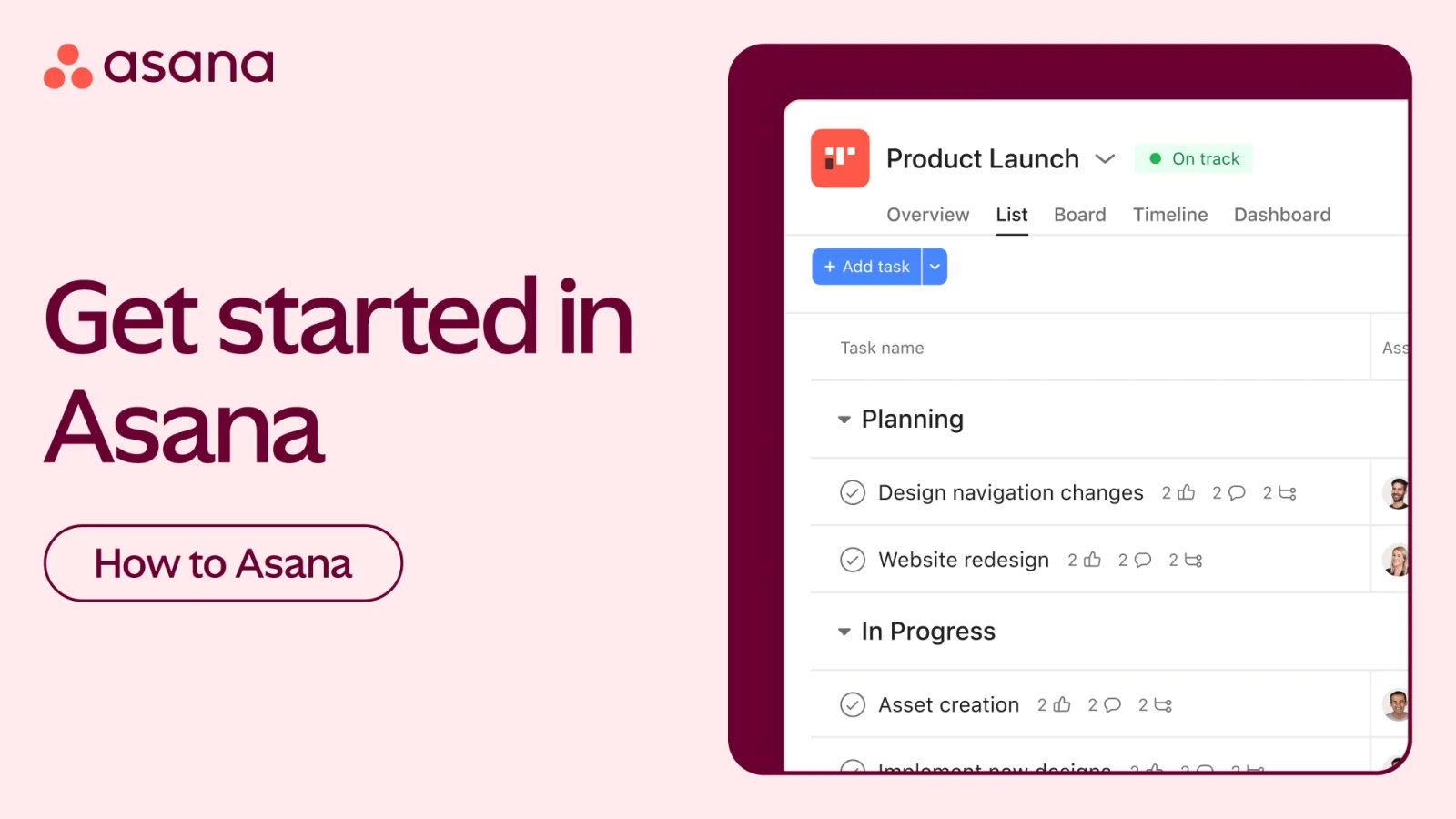
Individuals use the traditional list layout within the personal workspace to create highly structured, digital to do lists that bring instant clarity to a hectic morning.
Asana
Asana organizes team work through tasks projects and automation. This Asana review examines its strengths limitations pricing and suitability for different tea…
- Clean intuitive interface
- Strong task organization
- Learning curve for setup
- Higher tiers cost more
You can build specific sections within your personal project board to separate urgent daily actions from low priority chores, ensuring your focus remains on immediate deadlines.
This approach eliminates the reliance on easily lost physical paper notes or fragmented text threads, replacing them with an organized digital record that keeps your domestic obligations running smoothly.
4. Organize Home Renovations with Kanban
Executing a multi stage home improvement project or tracking an extensive property repair checklist demands a visual layout that highlights active progress.
Solo users employ the visual board view to arrange their home construction tasks as distinct cards moving through progressive, horizontal stages of completion.
You can easily title your custom columns as To Do, In Progress, Waiting on Contractors, and Completed, giving you a clear visual look at your real estate project status.
Sliding a kitchen tiling or painting task from left to right as the work happens provides an incredibly satisfying sense of momentum while keeping material orders and contractor notes completely centralized.
5. Build Comprehensive Personal Content Calendars
Freelance writers, digital creators, and academic students often struggle to balance their publishing deadlines, study blocks, and research submission dates without a clear visual timeline.
The platform allows individual creators to establish deep editorial project tracking boards that display progress across every phase of production.
By using detailed text fields inside each task, you can store content outlines, research website links, reference quotes, and rough draft paragraphs directly alongside the deadline date.
This keeps your creative assets unified in one location, allowing you to transition from brainstorming ideas to polishing final manuscripts without switching between separate word processors and calendar applications.
6. Schedule Important Recurring Annual Milestones
Forgetting to pay your annual vehicle registration fee, schedule your biannual dental checkup, or renew your home insurance policy can result in expensive financial penalties.
You can easily eliminate this stress by setting up automated recurring tasks within your personal project boards that trigger at specific intervals.
Instruct the software to automatically recreate a task every single twelve months, every three months, or even every week on a Tuesday morning.
Once you check the active task as complete, the system instantly handles the administrative work by generating the next chronological reminder date, freeing your mind from carrying heavy mental clutter.
7. Track Extended Travel Planning Logistics
Coordinating an international vacation or planning a detailed cross country road trip involves tracking flight numbers, hotel reservation confirmations, activity bookings, and packing checklists simultaneously.
Solo travelers can create a dedicated vacation project board to store their entire travel itinerary chronologically within task descriptions.
You can use the mobile application while traveling to access your digital confirmation codes, look up museum address details, and tick off your clothing packing lists directly on the go.
Having this critical data cached inside a clean mobile app prevents the anxiety of digging through a cluttered email inbox at a noisy airport terminal.
8. Monitor Fitness Goals and Training Routines
Sustaining a long term health transformation or following a strict athletic conditioning plan requires consistent documentation to track personal progress accurately.
Asana
Asana organizes team work through tasks projects and automation. This Asana review examines its strengths limitations pricing and suitability for different tea…
- Clean intuitive interface
- Strong task organization
- Learning curve for setup
- Higher tiers cost more
You can build an individualized athletic tracking board to map out your weekly exercise splits, rest days, macro nutrition targets, and hydration logs.
Attaching workout descriptions or stretching diagrams directly to your daily fitness tasks ensures you know exactly what movements to execute the moment you enter the gym.
This approach turns your productivity system into a customized fitness journal where you can review your consistency over previous months and adjust your targets based on past performance.
9. Connect External Applications for Streamlined Data
Solo users can significantly expand their personal workspace capabilities by linking the software to the other everyday digital applications they already use.
Sync your project calendar views directly with Google Calendar or Apple Calendar to display your personal project deadlines alongside your main social commitments and work appointments.
You can also connect cloud storage accounts to seamlessly link digital receipts, recipe documents, or medical records directly to specific tracking tasks.
According to the setup options outlined on the
10. Understand the True Limitations for Solo Users
While the platform is incredibly robust, individual users must recognize that certain highly marketed features are locked tightly behind expensive corporate paywalls.
The complimentary personal tier completely excludes advanced capabilities like automated timeline views, native formula columns, and granular workload management statistics.
If you require complex financial math calculations or automated dependencies where shifting one personal task automatically rearranges your entire month, the free version will feel limited.
Furthermore, because the pricing model is designed for commercial teams, upgrading as an individual to unlock a single advanced feature is rarely cost effective for a personal budget.
11. Our Final Solo Workspace Recommendation
The platform is an outstanding, stable choice for individual productivity when utilized within the boundaries of the free personal plan tier.
It delivers an incredibly clean interface, robust task tracking capabilities, and superb cross platform mobile synchronization that easily outperforms standard built in smartphone notes apps.
If you keep your setups simple and avoid over engineering your workflows with deep subtask layers, you can manage almost every aspect of your personal life completely free forever.
For individuals who require heavy data calculations or visual Gantt charts, alternative consumer tools might fit better, but for standard task, project, and routine tracking, this software provides a premier personal organization experience.
12. Frequently Asked Questions
Is Asana free personal use forever?
Yes, the personal plan tier remains completely free forever and provides all the foundational task management capabilities an individual needs.
You will not face hidden monthly fees, countdown trial timers, or credit card requirements as long as you stay on this basic tier.
Can I plan a wedding with Asana?
Yes, many individuals organize large events like weddings by using the board view to track guest invitations, catering quotes, venue options, and apparel fittings.
Asana
Asana organizes team work through tasks projects and automation. This Asana review examines its strengths limitations pricing and suitability for different tea…
- Clean intuitive interface
- Strong task organization
- Learning curve for setup
- Higher tiers cost more
Storing vendor contracts and decoration images inside specific task cards keeps your wedding logistics highly organized and easily accessible.
Does the free version sync across devices?
Yes, the software synchronizes your data in real time across the web application, desktop client, and native mobile apps for iOS and Android devices.
This cross platform access ensures you can update your grocery lists or check your daily chores whether at home or out running errands.
Can I share personal projects with family?
Yes, the free personal plan allows you to invite up to ten separate individuals into your workspace to collaborate on shared initiatives.
This capability makes it simple to coordinate weekly grocery shopping lists, home chore charts, and family vacation itineraries with your spouse or relatives.
