

How to contact Amazon customer service on Black Friday
By Afonso Macosso · November 17, 2026

Table of contents
- How to reach Amazon support during Black Friday
- 1. Start with your order
- 2. Choose the right channel
- 3. Reach a person
- 4. Prepare before contacting support
- 5. Resolve delivery problems
- 6. Handle payment disputes
- 7. Manage returns and refunds
- 8. Contact marketplace sellers
- 9. Avoid fake support
- 10. Escalate unresolved cases
- 11. Plan around Black Friday
- Frequently Asked Questions
How to reach Amazon support during Black Friday
Amazon offers customer support around the clock, including phone and chat assistance, but the route you choose can determine how quickly you reach someone who can actually resolve your problem.
During the 2026 holiday shopping season, Amazon's Black Friday event runs from November 19 through November 30, with Black Friday itself on November 27.
That period brings a concentrated run of orders, delivery updates, payment questions, returns, and deal related problems.
If something goes wrong, start with Amazon's official Customer Service page or app rather than searching for a phone number and hoping the result is legitimate.
For most shopping problems, the most direct route is to sign in to Amazon.com, open Your Orders, select the relevant purchase, and choose the issue that matches what happened.
Amazon can then display the available self service options and, where appropriate, offer chat or a phone callback.
Its official customer service information lists phone, chat, email, and self service support, with help available 24 hours a day.
The exact contact choices can vary by issue and account, so there is no guarantee that every customer will see the same buttons.
1. Start with your order
Your Orders is usually the best starting point for a Black Friday purchase because it connects the support request to the actual transaction.
Amazon can identify the product, seller, payment status, delivery method, tracking information, and available return options from that order record.
This reduces the need to explain which purchase you mean or search through old confirmation emails.
It also helps distinguish an Amazon retail purchase from an item sold by an independent marketplace seller.
Open the order before contacting an agent, even if you already know that you need a person.
The order page may offer an immediate solution for a late delivery, cancellation, replacement, return, or refund question.
Amazon's support system is designed to handle many routine requests through these controls, so using them first can save time.
If the available option does not match the problem, continue to the contact choices attached to the order.
For an order related issue, follow this sequence:
1. Sign in: Open Amazon.com or the Amazon Shopping app and sign in to the account used for the purchase.
If you use multiple Amazon accounts, check the email address before proceeding.
2. Open Your Orders: On the website, select Returns & Orders or Your Orders.
In the app, open the account or menu area and select Your Orders.
3. Select the purchase: Find the Black Friday item and open its order details.
Check the seller name, order date, payment status, and estimated delivery date before choosing a support category.
4. Choose the problem: Select the option that accurately describes the issue, such as a late delivery, missing package, damaged item, incorrect product, cancellation, or refund question.
5. Review the available remedy: Amazon may offer tracking information, a return label, a replacement, a refund request, or another self service action.
If none addresses the problem, continue through the support prompts.
6. Request contact: Select chat or a phone callback if Amazon offers either option for that particular issue.
Keep the order page open until you have a case reference or confirmation of the next step.
This order based route is especially useful during a major sale because a general support request can leave the agent without the transaction details needed to investigate.
It also creates a clear record of the issue and the action Amazon has already offered.
If the problem concerns several purchases, handle each order separately where possible.
One case that combines a missing delivery, a refund dispute, and a damaged product can become difficult to follow.
2. Choose the right channel
Amazon's US customer service system offers several ways to get assistance, but the best channel depends on the type of problem and the evidence you need to share.
Chat is useful for issues that require written details, while a phone conversation can be more convenient when the explanation is complicated.
Self service is often sufficient for straightforward tracking and return requests.
Amazon's official support page lists phone, chat, email, and self service, but the options presented to an individual customer depend on the request.
The distinction between support availability and immediate access matters during Black Friday.
Amazon describes customer service as available 24/7, but that does not mean a live representative will answer instantly or that every contact method will be offered for every issue.
Automated prompts may appear before a human option.
Tom's Guide reported in April 2026 that the phone callback route can sit behind several automated choices, so customers may need to explain that they still need assistance before the option appears.
| Contact method | Best suited to | What to expect |
|---|---|---|
| Live chat | Order problems, refund questions, written explanations | A conversation through Amazon's support interface, with a transcript that can be retained |
| Phone callback | Complicated issues that are easier to explain verbally | Amazon calls the number entered through its official support process when the option is available |
| Self service | Tracking, cancellations, returns, replacements, and routine account tasks | Immediate access to order specific tools, subject to eligibility |
| Email or written contact | Issues for which Amazon presents a written contact option | Availability and response arrangements depend on the issue |
For most customers, chat is a sensible first choice when the problem involves several facts, a disputed amount, or a sequence of previous contacts.
It provides a written record that can be useful if the issue needs further review.
A phone callback is worth choosing when the explanation is difficult to communicate through short messages or when an agent needs to ask several questions.
Neither channel guarantees a particular outcome, and the support agent must still apply the relevant order and refund policies.
3. Reach a person
Amazon's automated support flow can resolve routine problems, but customers can continue through it when they need a live representative.
The most reliable approach is to begin from the signed in Customer Service page and describe the actual issue.
Avoid assuming that a particular menu label will appear for every account.
Amazon changes parts of its interface, and the options can differ between the website, app, product category, and country.
Tom's Guide documented a route to the callback option in April 2026.
Its instructions use the "Something Else" category and then the contact interface to request a phone call.
The exact labels may change, but the underlying principle remains useful: enter through Amazon's official support area, select the issue, and keep indicating that the automated suggestions have not resolved it.
Do not leave the Amazon environment to obtain a number from a search result.
3.1 Use the website
On a desktop or laptop, open Amazon.com and sign in to the account connected to the purchase.
Use the Customer Service page, which can also be found through Amazon's search bar by entering "customer service." Select the order or account issue that applies, then review the support options presented.
If a self service answer does not resolve the matter, continue through the contact prompts until chat or phone support appears.
If you cannot find a suitable category, look for "Something Else" or the option that indicates you need additional help.
Tom's Guide reports that customers can use the contact interface to type a request for a phone call.
Amazon may first show automated suggestions or ask for more information, so continue only through the options that accurately describe your situation.
If a callback is available, enter your phone number in the Amazon interface and check it carefully before confirming.

Envoy
Envoy connects visitor management, desk booking, workplace security, and delivery tracking to help businesses coordinate office operations and create a smoothe…
- Digital visitor registration simplifies reception
- Host notifications reduce manual interruptions
- Platform fees complicate total cost calculations
- Multiple modules require careful price comparison
3.2 Use the app
The Amazon Shopping app provides access to customer service without requiring you to move to a desktop browser.
Open the app and sign in, then select Customer Service from the menu or account area.
The location of the menu can vary with the app version, but Amazon's own guidance also recommends searching for "customer service" from the app's search bar.
Choose the relevant order or service and follow the prompts.
The app is particularly convenient when the problem concerns a delivery because the order, tracking information, and support options are already connected.
You can also use it to check refund progress, manage returns, review account details, and troubleshoot registered Amazon devices.
If the app offers chat, keep the conversation open until you have the agent's response and any next steps.
If you cannot access the account, use Amazon's account recovery route rather than creating another account or responding to an unsolicited support message.
3.3 Request a callback
A callback is often preferable to searching for a direct phone number because it starts from an authenticated Amazon support session.
Select the issue, proceed to the contact options, and choose the phone option if it is offered.
Amazon may ask you to enter a number where you can receive the call.
Check the number before submitting, and keep your phone nearby while you wait.
Do not assume that a callback option will appear immediately.
The system may first ask questions or suggest a help article, and some requests may not qualify for phone assistance.
If the option is unavailable, use chat or the self service route shown for that issue.
A third party directory may list a general Amazon phone number, but a number displayed in a search result is not a reliable way to verify that the person answering is an Amazon representative.
4. Prepare before contacting support
A support conversation is easier to resolve when you can describe the problem precisely and provide the information that relates to it.
Before opening chat or requesting a call, gather the order number, product name, purchase date, seller, payment method, and current delivery or refund status.
You do not need to send every detail at the beginning, but having them ready prevents unnecessary delays.
It also helps you recognize if the agent is discussing a different order or transaction.
For a delivery dispute, keep the tracking page and any delivery notification available.
For a damaged or incorrect item, take clear photographs of the product, packaging, shipping label, and any visible damage before returning it.
For a payment issue, identify the amount and date shown in your Amazon order history and compare them with your card or bank statement.
Never send a full card number, password, or one time security code through chat or an email address supplied by an unknown person.
4.1 Organize the evidence
A useful support request explains what happened, when it happened, and what outcome you are seeking.
"My package has not arrived" is a starting point, but it leaves important details unstated.
A stronger description identifies the order, the delivery status shown by Amazon, the last tracking update, and whether the delivery address is correct.
This gives the representative a specific issue to investigate instead of a broad complaint.
Keep the original packaging until you know whether Amazon or the seller needs it returned or inspected.
If the product arrived damaged, photographs taken before repacking can help document its condition.
If a carrier marked a package as delivered, record the delivery time and any available photo or location information.
Do not edit or alter evidence, and do not send sensitive payment information unless the official Amazon process specifically requires a limited verification step.
4.2 Keep a case record
Save the chat transcript or write down the date, time, and main details of a phone conversation.
If Amazon provides a case number, reference number, or confirmation message, keep it with the order information.
Record what the representative said would happen, including any promised follow up, replacement, refund, or deadline.
This record becomes useful if you need to return to the same issue after the conversation closes.
Avoid opening several unrelated support conversations for the same order unless Amazon directs you to do so.
Multiple cases can split the history and make it harder to understand which agent handled a particular decision.
If you need to follow up, return to the existing case or the original order where possible.
A clear timeline is more useful than a long collection of disconnected messages.
5. Resolve delivery problems
Late and missing deliveries are among the most common reasons shoppers contact Amazon during a major sale.
A high volume of orders can make delivery estimates particularly important, but an estimated arrival date is not proof that a package has been lost.
Start with the tracking page and check whether the carrier has provided a new scan or revised delivery estimate.
If the order is still within the stated delivery window, Amazon may direct you to continue monitoring the shipment.
A package marked as delivered requires a slightly different check.
Confirm the delivery address, look around the normal delivery location, and check with other household members or building staff who may have accepted it.
Review any delivery photo or carrier note available on the order.
If the package is still missing after those checks, return to Your Orders and report the delivery problem through the relevant option.
5.1 Late packages
A late package may be delayed in transit, awaiting a carrier scan, or subject to a revised delivery estimate.
Check the latest tracking event before contacting support, because the order page may already show an updated arrival date.
If the package has not moved for several days or the estimated date has passed, select the order and choose the late delivery option.
Amazon can then display the remedies available for that shipment.
Do not assume that every delay qualifies for an immediate refund or replacement.
The available response can depend on the carrier status, item, seller, and order history.
If the system asks you to wait until a stated date, note that date and return to the same order if the package does not arrive.
A representative may be able to review the situation, but the applicable policy determines what Amazon can offer.
5.2 Missing packages
When tracking says "Delivered" but the package is not there, check the delivery details before reporting it.
Carriers sometimes leave parcels at a side door, mailroom, reception desk, parcel locker, or another safe location.
Ask household members or neighbors whether they accepted the delivery, and check whether the order was split into multiple shipments.
One item in a multi item order can arrive separately from the rest.
If the package remains missing, open the order and select the option for a delivery marked as complete but not received.
Provide the facts requested by Amazon and avoid guessing where the parcel went.
If the order was sold by a third party seller, the order page may direct you to contact that seller first.
Keep the message history and tracking details in case Amazon asks you to explain what happened later.
5.3 Damaged or incorrect items
For a damaged item, document the condition as soon as you open the package.
Photograph the damage and the packaging, and keep any shipping label or product identifier visible.
Select the relevant order and choose the damaged item option.
Amazon may offer a return, replacement, or refund depending on the product and the order's eligibility.
If the wrong item arrived, identify exactly what you received and compare it with the product description in the order.
Do not describe a product as defective if the actual problem is that a different item was shipped.
Clear descriptions help the support agent select the correct resolution path.
If the item came from a marketplace seller, preserve the seller's name and all messages connected to the transaction.
6. Handle payment disputes

Black Friday purchases can create payment questions when a card is declined, an order is canceled, or a pending transaction appears on a bank statement.
Start by checking the order history and payment status in your Amazon account.
A pending card authorization is not necessarily a completed charge, and a canceled order may still leave a temporary authorization visible while the financial institution processes the release.
Compare the transaction details before asking Amazon to investigate.
If Amazon says the payment failed, review the payment method and billing information attached to the order.
Check the expiration date, billing address, available funds, and any verification request from your card issuer.
Do not repeatedly submit the same payment if your bank is declining it, because repeated attempts can create additional authorizations or fraud alerts.
Contact your card issuer through its official app or the number on the back of the card if the bank needs to explain the decline.
6.1 Canceled orders
An order can be canceled because of a payment problem, stock availability, seller action, or an account review.
Open the order details and read the cancellation notice before placing the order again.
If Amazon identifies a payment issue, update the payment method through your account rather than following a link in an unexpected email or text.
If the notice does not explain the cancellation, use the order's support option to ask for clarification.
Do not assume that a canceled deal can be restored at the same price.
Black Friday promotions can have limited quantities or specific offer periods, and a new order may use a different price or delivery estimate.
If the order was canceled after payment was attempted, check whether the transaction is pending or completed before contacting the bank.
Give Amazon the order number and the exact status shown in Your Orders so the representative can distinguish a cancellation from a payment that was actually captured.
6.2 Duplicate charges
If your bank statement shows two transactions for one purchase, compare their dates, amounts, and status.
One may be a pending authorization and the other the final charge, particularly if the order was edited or shipped in separate parts.
The Amazon order history and payment details should be checked before assuming that both entries are completed charges.
If both transactions have posted, contact Amazon through the order and provide the relevant transaction details.
A bank or card issuer can confirm whether a transaction is pending, reversed, or settled.
Amazon may not be able to release a pending authorization that is controlled by the payment network or issuer.
If the charge is unauthorized or the account shows an order you did not place, secure the Amazon account and contact the card issuer promptly.
Do not call a number from an unexpected fraud alert; use the bank's official app or the number printed on your card.
7. Manage returns and refunds
Black Friday is also the start of the holiday gift buying period, so return questions can continue well after the sale ends.
Amazon's 2026 US holiday return policy extends the deadline for most eligible items purchased between November 1 and December 31, 2026, through January 31, 2027.
Apple branded products purchased during that period have a January 15, 2027 deadline.
The extended window does not remove the normal eligibility rules, so check the return date shown for the specific order.
The 2026 terms were reported by 9to5Amazon from Amazon's seller announcement, which states that the extension applies to Amazon retail, Fulfillment by Amazon, and seller fulfilled orders.
The date shown in Your Orders remains the practical reference for an individual purchase.
Some product categories have different return conditions, and a longer holiday window does not make every item returnable.
Check the product's eligibility before assuming that a Black Friday purchase can be sent back in January.
Envoy
Envoy connects visitor management, desk booking, workplace security, and delivery tracking to help businesses coordinate office operations and create a smoothe…
- Digital visitor registration simplifies reception
- Host notifications reduce manual interruptions
- Platform fees complicate total cost calculations
- Multiple modules require careful price comparison
7.1 Start a return
Open Your Orders and select the item you want to return.
Choose the reason that accurately describes the problem, then review the available return methods and deadline.
Amazon may offer a drop off location, shipping label, or another eligible return method.
Follow the instructions shown for that order, because the options can differ by product, seller, and location.
If the return option is missing or the displayed deadline appears incorrect, contact support from the same order.
Have the purchase date and delivery date ready, along with the item name and the return reason.
Do not send a package to an address found in an old email or a seller message unless that address is part of the official return instructions.
Keep the receipt or drop off confirmation until the refund has been issued.
7.2 Track the refund
A return being accepted does not always mean the money has already reached your bank.
Amazon's return information explains that the item may need to be received and processed before a refund is issued, and the financial institution can take additional time to make the funds available.
The refund method also matters.
Amazon lists different expected processing periods for gift card balances, credit cards, debit cards, and other payment methods.
Check the refund status through Your Returns or the original order before opening a new support request.
If Amazon shows that the refund has been issued but it has not appeared on the card, compare the issue date with the expected processing period for that payment method.
If the stated period has passed, contact Amazon with the order number, refund amount, and issue date.
Your bank may also be able to trace a refund that has been sent but not yet posted.
7.3 Check price questions
A common Black Friday complaint occurs when a product becomes cheaper after a customer has already ordered it.
Amazon's customer service guidance says the company does not offer price matching, so contacting an agent should not be treated as a guaranteed way to receive the difference.
The price displayed at the time of purchase and the terms of the promotion determine the transaction.
A later discount does not automatically change the original order.
If the order has not shipped, check whether cancellation is still available and whether the item can be purchased again at the current price.
Compare the delivery estimate and seller before canceling, since the new offer may have different terms or stock availability.
If the order has shipped, review the return eligibility and any applicable fees before deciding whether a return and repurchase makes sense.
A representative can clarify the options, but should not promise a price adjustment that Amazon does not provide.
8. Contact marketplace sellers
Not every product on Amazon.com is sold directly by Amazon.
Marketplace listings can be sold by independent businesses, fulfilled by Amazon, or shipped by the seller.
The seller name appears on the product listing and order details, and it matters when you need help with a product description, a seller fulfilled shipment, or a return instruction.
Amazon's official customer service information includes help for orders sold by third party sellers, but the first contact route may be through the seller.
Open the relevant order and look for the seller contact option.
Keep the conversation within Amazon's messaging system so the order and correspondence remain connected.
Describe the issue clearly, attach relevant evidence through the approved interface, and retain the response.
Do not accept a request to move the conversation to a personal email address, messaging app, or payment service for a refund or replacement.
8.1 When the seller responds
A seller may be able to explain a product detail, confirm a shipment, or arrange a resolution under the applicable Amazon rules.
Give the seller the order number and a concise description of the issue, but do not include passwords, full card details, or security codes.
If the seller asks for photographs, provide only the images relevant to the product or delivery problem.
Keep all messages in the Amazon order conversation.
If the seller offers a solution, review the terms before accepting it.
Confirm whether the proposal involves a replacement, a return, a refund, or another action, and make sure it is recorded in Amazon's system.
Do not close a dispute based only on a promise made outside the platform.
If the seller does not resolve the problem, return to the order and follow the available Amazon support or marketplace guarantee process.
8.2 When Amazon must help
Amazon customer service can review eligible marketplace order problems through the relevant support route.
The exact protection available depends on the purchase and the applicable marketplace policy.
A third party seller's presence does not mean that Amazon will automatically refund every disputed transaction, and a seller's refusal does not establish that the customer is entitled to a particular outcome.
Keep the evidence and use the options attached to the order.
If you suspect counterfeit goods, a fraudulent listing, or other suspicious activity, use the reporting route rather than treating it as an ordinary delivery complaint.
Amazon separates suspicious activity reports from routine order support.
This distinction helps direct the case to the correct process.
It also reduces the chance that a product safety or fraud report becomes buried in a conversation about a late package.
9. Avoid fake support
Black Friday creates the conditions scammers exploit: shoppers are expecting order updates, tracking messages, refund notifications, and payment alerts.
A fraudulent call or text can arrive at exactly the moment a customer is worried about a missing package or an unexpected charge.
The Federal Trade Commission warns that scammers spoof phone numbers so an incoming call can appear to come from a familiar company.
Caller ID alone cannot establish that a person is an Amazon employee.
The Better Business Bureau has documented Amazon impersonation calls involving fake charges, lost packages, and account problems.
AARP has also reported cases in which shoppers searching online for an Amazon support number reached impostors and lost money after being told their accounts were compromised.
The safest approach is to start contact from the Amazon app or by typing Amazon.com directly into the browser.
Do not use a phone number or link supplied by an unexpected caller, text, or email.
9.1 Recognize the warning signs
A fake support agent may claim that an order is fraudulent, that your Prime membership is about to expire, or that your account has been compromised.
The caller may create urgency and insist that you act immediately to prevent a financial loss.
The FTC says these stories are used to persuade people to disclose information or transfer money.
A genuine concern about an order should be checked inside the account rather than through the contact details in the message.
Be especially careful if the person asks you to buy gift cards, transfer money, install remote access software, or reveal a one time password.
Amazon's published scam guidance says legitimate representatives will not ask customers to share passwords or one time codes over the phone.
A caller who asks to control your computer or phone is not following a normal retail support process.
End the call and contact Amazon through the official app or website.
9.2 Verify the message
If you receive a suspicious order notification, sign in to Amazon independently and check Your Orders.
A genuine purchase should appear in the account associated with it.
If the message refers to a Prime renewal or payment problem, check the membership and payment sections rather than clicking its cancellation or verification button.
Amazon's Message Center can also help you review authentic communications sent to the account.
Do not trust a message merely because it contains your name, a recent product, or a convincing Amazon logo.
Scammers can use public information, leaked data, and spoofed sender details to make a message appear personal.
The FTC specifically warns against calling back a number included in an unexpected voicemail or text.
If the message is real, the issue should still be visible through the official account or support route.
9.3 Report an impersonator
If you receive a suspicious Amazon email, Amazon provides a reporting address at reportascam@amazon.com.
The company says customers can forward suspicious correspondence, preferably as an attachment, and notes that this reporting channel may not produce a personal response.
For suspicious calls and text messages, the FTC accepts reports through its fraud reporting service.
Keep screenshots, sender details, phone numbers, and any payment records that may help document what happened.
If you have already shared account credentials, change your Amazon password from a trusted device and review the account's login and security settings.
If payment details were exposed, contact the card issuer or bank using its official number or app.
If you installed remote access software at the caller's request, disconnect the device from the network and seek trusted technical assistance before using it for banking or shopping.
Acting quickly can limit further account or financial damage.
10. Escalate unresolved cases
A support conversation may end without the outcome you expected, particularly if the issue involves a marketplace seller, a disputed refund, or an account restriction.
Before starting over, review the transcript and identify exactly what remains unresolved.
Note whether Amazon asked you to wait for a carrier update, return inspection, payment review, or seller response.
A follow up request should focus on the outstanding action rather than repeat the entire original complaint.
Use the existing case reference where possible and return through the relevant order or account support page.
Explain what Amazon has already done, what the latest status shows, and why the proposed resolution has not addressed the issue.
If you have new evidence, such as a carrier update or a return receipt, provide it through the official support interface.
Avoid opening duplicate cases that describe the same problem without adding new information.
10.1 Ask for a review
If the first representative cannot resolve the issue, ask whether the case can be reviewed by another support team or escalated through the available process.
Be specific about the decision you want reviewed, such as a refund that has not appeared, a replacement that was never shipped, or a return that was rejected despite the order showing it as eligible.
A clear request gives the next representative a defined point to examine.
Keep the conversation factual and professional.
Include dates, amounts, order references, previous case numbers, and the exact wording of any relevant status message.
Avoid threats or repeated messages that do not add information, because they do not make the underlying evidence stronger.
Amazon's support agent may explain that a policy or seller decision limits the available remedy; if so, ask for the applicable reason and keep that explanation with the case record.
10.2 Separate account problems
An account access problem can require a different process from an order complaint.
If you cannot sign in because of a forgotten password, lost phone number, two step verification problem, or suspicious account change, use Amazon's official account recovery and login help.
Do not create another account to get around a restriction or give a stranger remote access to recover the original one.
Amazon may require additional identity verification before it can discuss account specific information.
If Amazon has restricted or closed an account, ordinary order support may not be able to reverse the decision.
Follow the recovery or appeal instructions provided through verified Amazon account notices.
Check that the message is genuine by accessing the account independently rather than clicking a link in an unexpected email.
Keep any case reference and verification request, but never send your password or one time code to a person claiming to be an executive support representative.
11. Plan around Black Friday
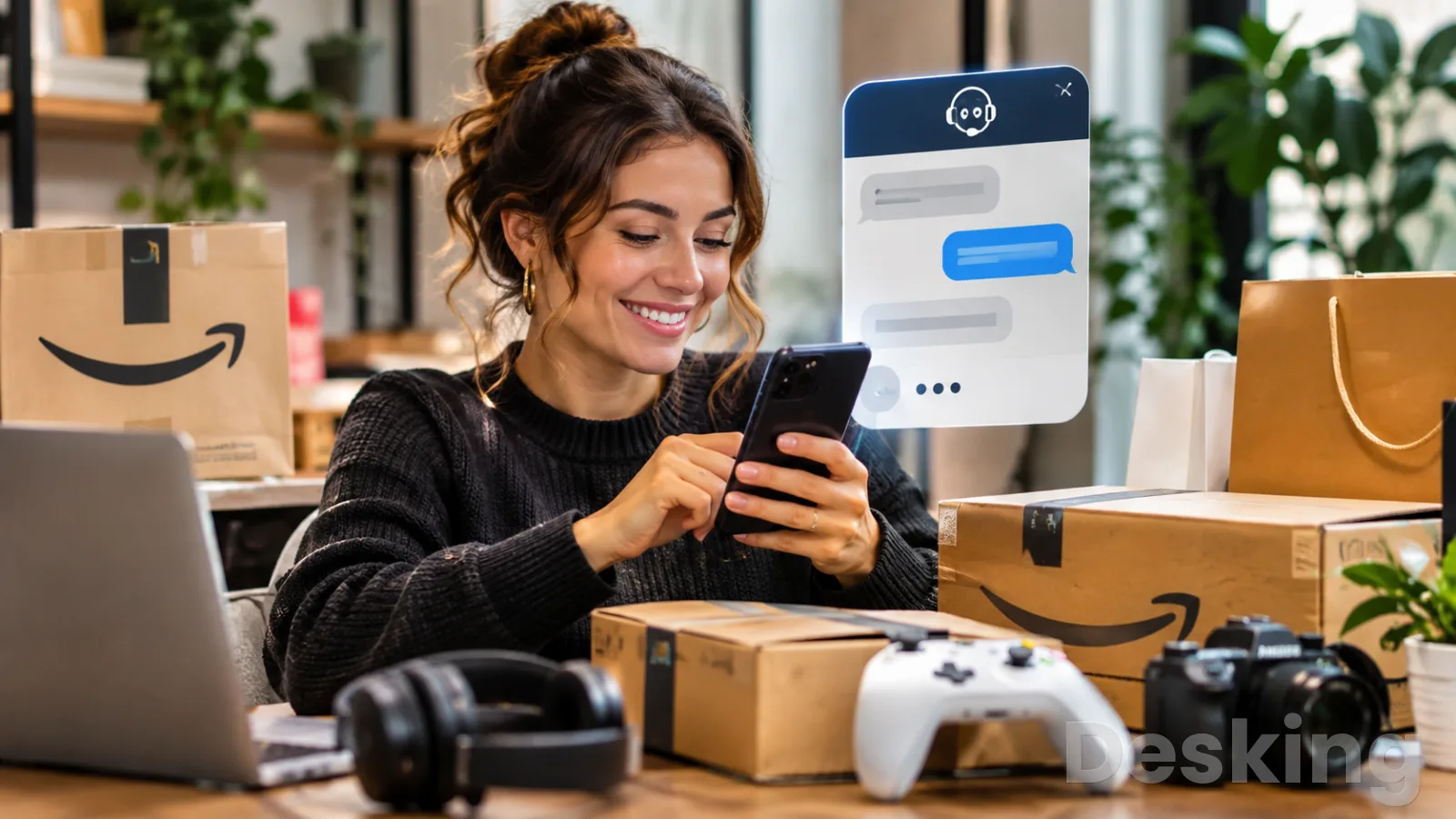
Amazon's Black Friday Week and Cyber Monday event runs from November 19 through November 30 in 2026, with Black Friday on November 27 and Cyber Monday on November 30.
Amazon has announced daily deal drops during the event, including additional drops on Black Friday and Cyber Monday.
Envoy
Envoy connects visitor management, desk booking, workplace security, and delivery tracking to help businesses coordinate office operations and create a smoothe…
- Digital visitor registration simplifies reception
- Host notifications reduce manual interruptions
- Platform fees complicate total cost calculations
- Multiple modules require careful price comparison
That schedule gives shoppers a reason to check order details, payment status, and delivery estimates throughout the sale period.
It also makes it sensible to know the official support route before a problem occurs.
Amazon says its customer service is available 24/7, but it does not publish a guaranteed Black Friday response time for every channel or issue.
Do not rely on a claim that a callback will always arrive within a specific number of minutes.
The support interface may offer different methods depending on the account and problem.
If a live agent is not immediately available, use the order's self service tools and retain the case details for a later follow up.
11.1 Prepare your account
Before placing several orders, check that your account email address and mobile number are current.
Make sure you can complete the normal sign in and verification process, especially if you use two step verification.
Review the payment methods saved to the account and remove any that are expired or no longer valid.
These simple checks can prevent a routine checkout or account verification problem from becoming a support issue on the busiest shopping days.
Keep purchase confirmations and order details in one place, but use the Amazon account as the authoritative record.
Email notifications can be delayed, filtered, or imitated by scammers.
Your Orders shows the actual purchases connected to the signed in account, while the Message Center helps distinguish genuine Amazon communications from messages sent by someone else.
If you are buying gifts for other people, confirm the shipping address before submitting each order.
11.2 Know the return date
A Black Friday purchase may have a longer holiday return window, but the exact eligibility and deadline depend on the product and the order.
Under the reported 2026 Amazon.com policy, most eligible purchases made from November 1 through December 31 can be returned through January 31, 2027.
Apple branded products have a January 15, 2027 deadline.
The extension does not remove product restrictions or change the underlying conditions for a valid return.
Check the return date on the order itself rather than relying only on a general holiday policy summary.
If you are buying a gift, keep the order details available until the recipient has had a chance to inspect it.
For electronics and other expensive products, check the return conditions before opening or activating the item.
If a return option is missing or the date seems inconsistent with the published terms, contact support from the purchase record.
11.3 Choose the right moment
If the problem is simple, use the order tools before requesting a person.
Tracking, cancellation eligibility, return initiation, and refund status are all available through Amazon's order and account pages.
If the issue is complicated, gather the evidence and request chat or a callback through the official contact flow.
This avoids spending the first part of a support conversation locating basic information.
For a time sensitive delivery or payment problem, do not wait until the last moment to check the order.
Review important purchases as soon as the tracking or payment status changes, and contact Amazon when the available instructions indicate that support is needed.
If the matter can wait, keep the case number and follow the stated next step rather than opening another request.
The objective is to make each interaction useful and traceable, not to contact support repeatedly without new information.
Frequently Asked Questions
What is Amazon's customer service phone number in the US?
Is Amazon customer service open on Black Friday?
How do I talk to a real person at Amazon instead of the chatbot?
Can Amazon change the price after I buy something on Black Friday?
How long does Amazon take to refund a Black Friday return?
Can I contact Amazon about an order from a third party seller?
What should I do if a caller claims to be Amazon support?
Sources5
- 9to5Amazon on holiday return deadlines
- Better Business Bureau on Amazon impostor calls
- Tom's Guide on Amazon customer service callbacks
- FTC on Amazon purchase impersonation scams
- Amazon on the 2026 holiday return policy
External pages are independent third-party sources. Desking App does not control or endorse their content and accepts no responsibility for it. Visiting them is at your own responsibility and risk.