
Envoy Review 2026: Smart Workplace Management and Security

By Noura Mint Ely & Evander Thorne · Reviewed by Eva Elekcha
Envoy connects visitor management, desk booking, workplace security, and delivery tracking to help businesses coordinate office operations and create a smoother on site experience.
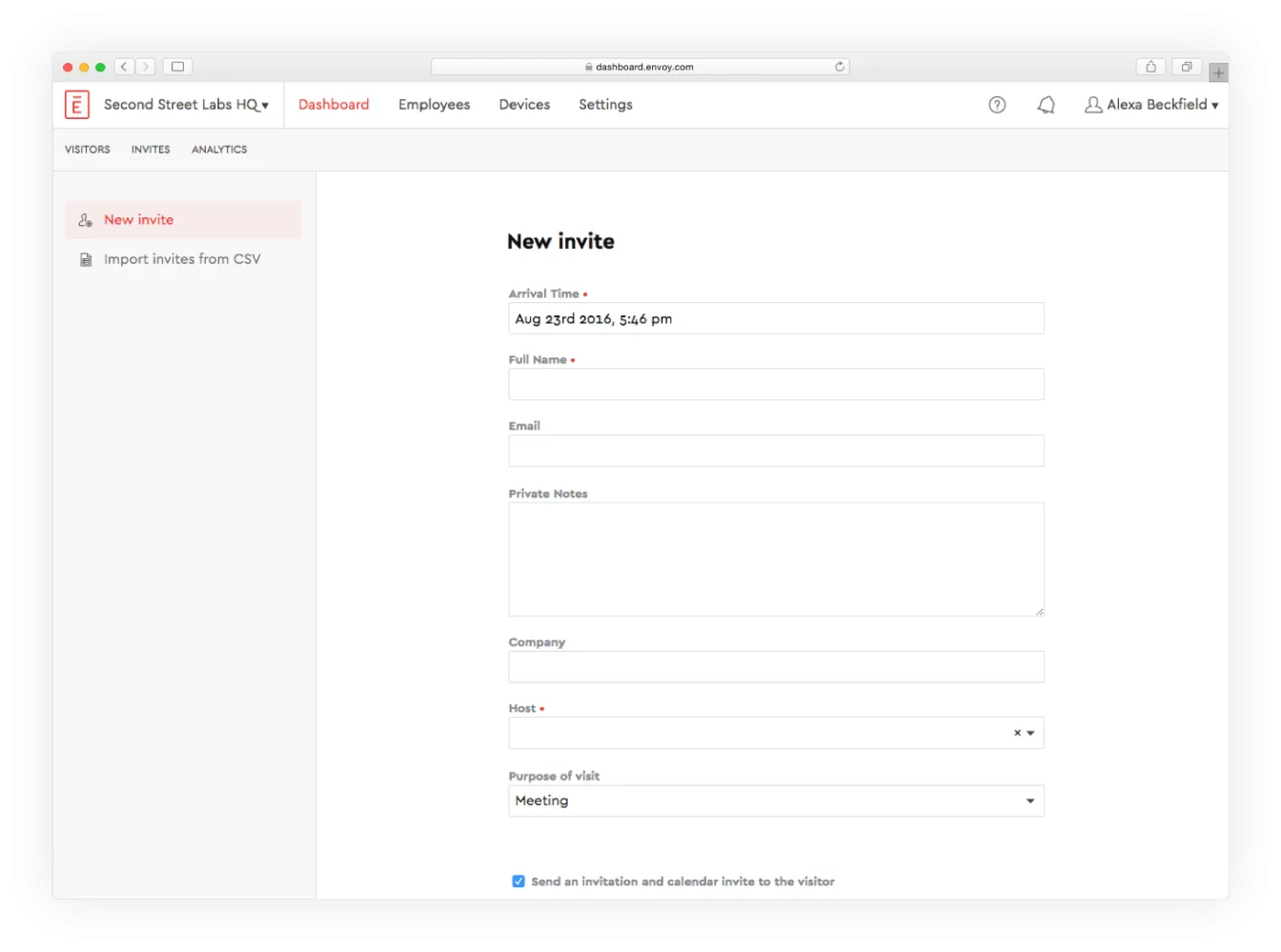
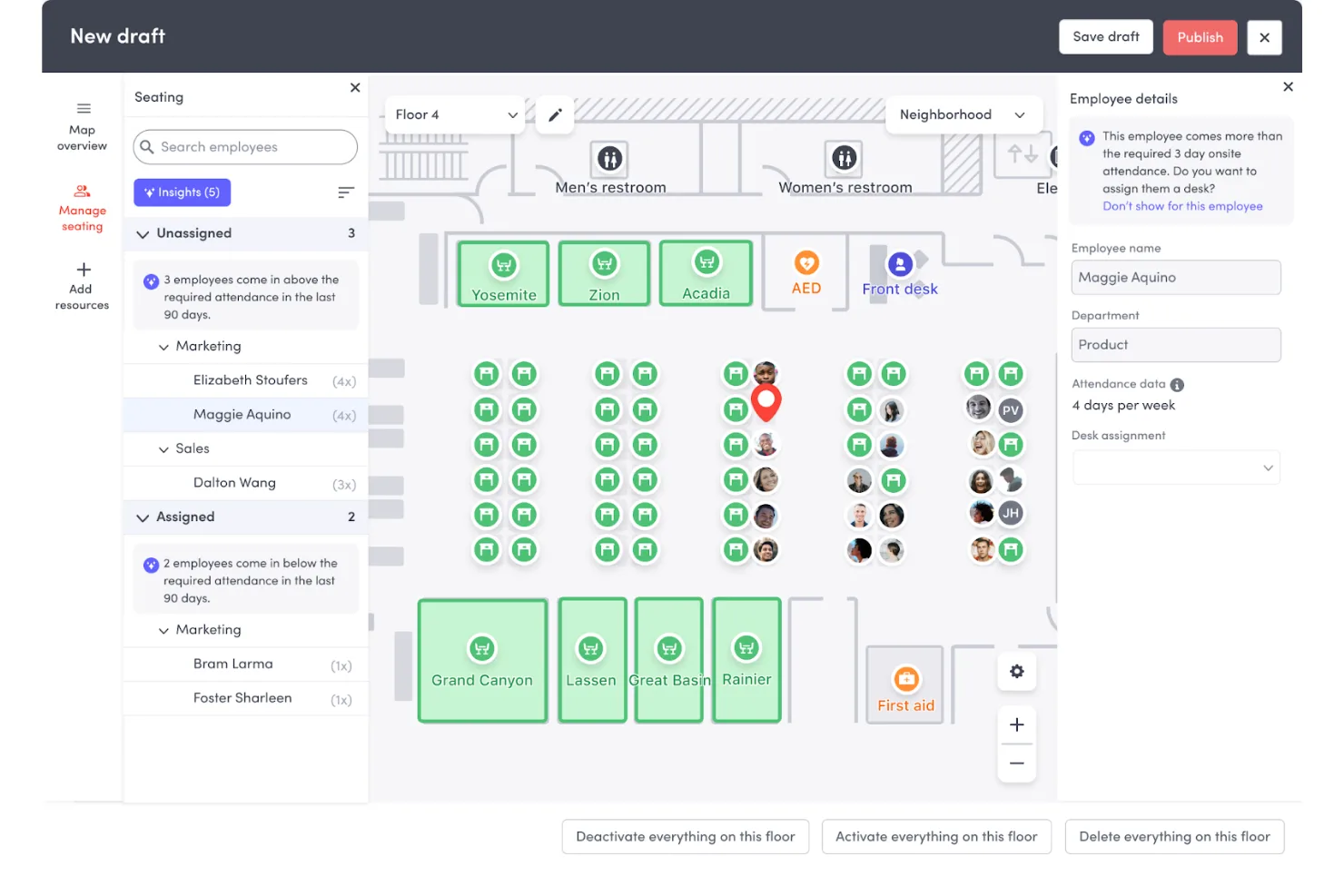
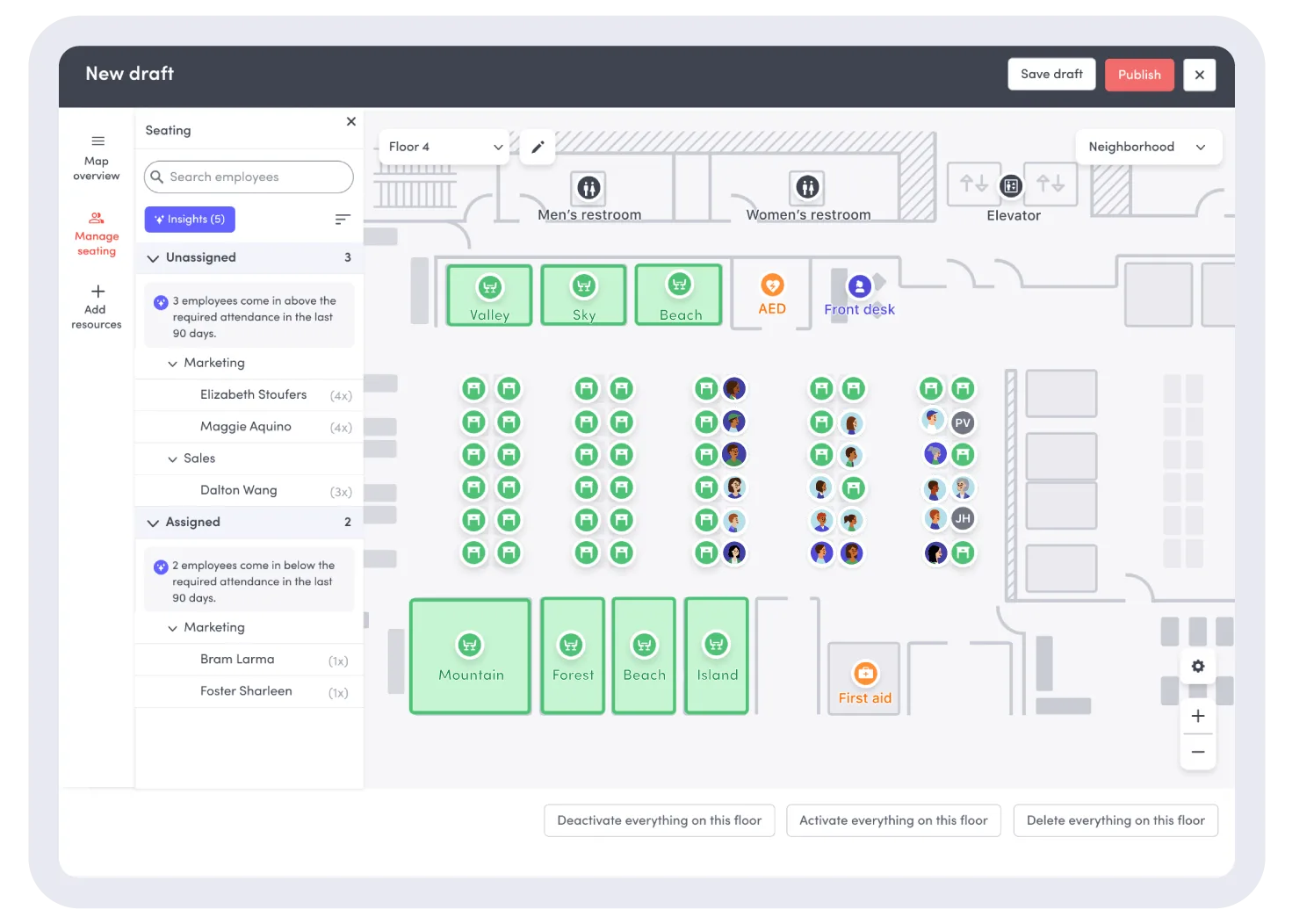
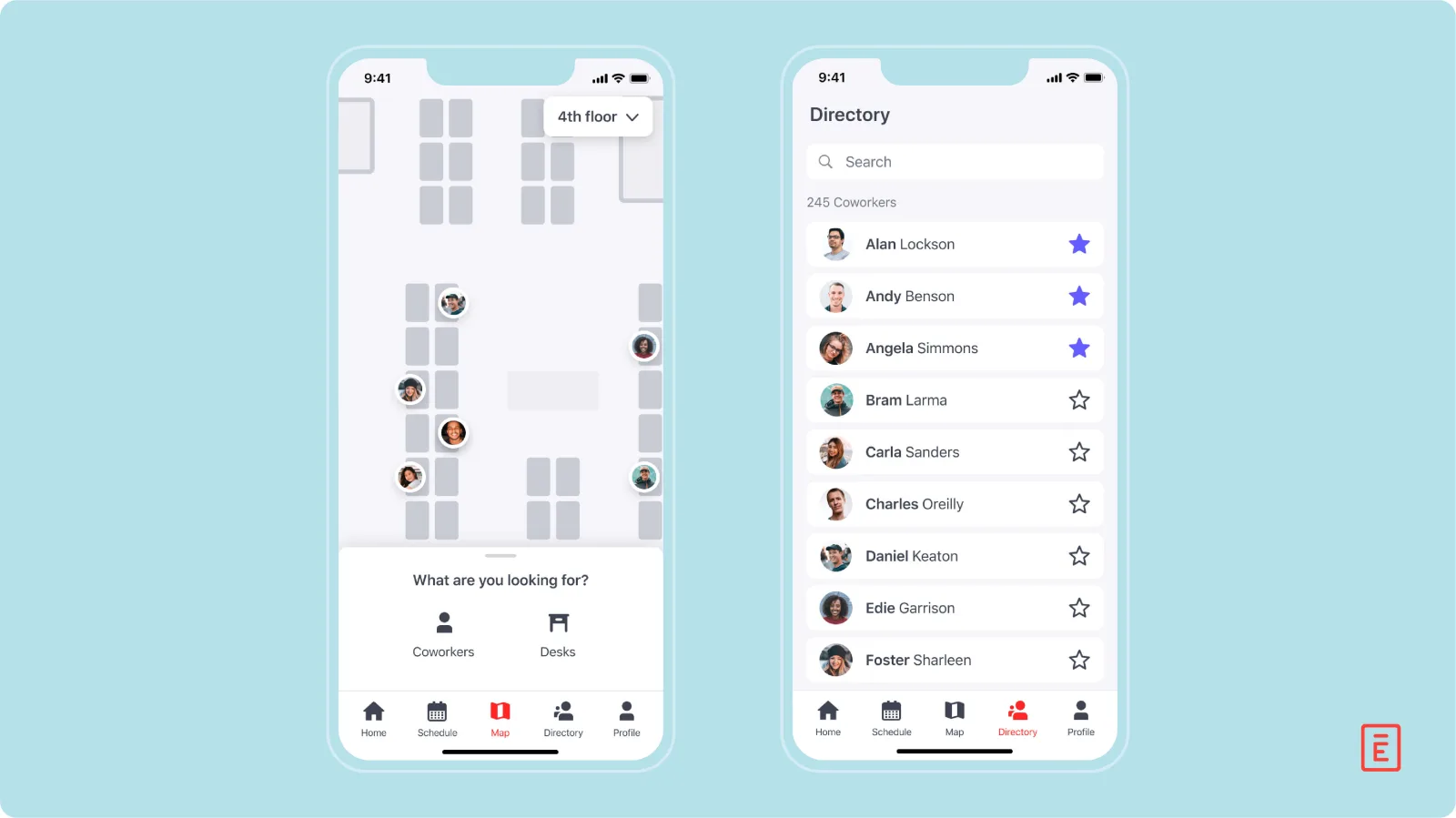
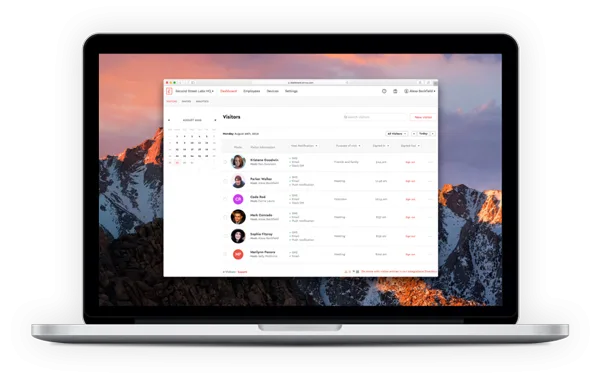
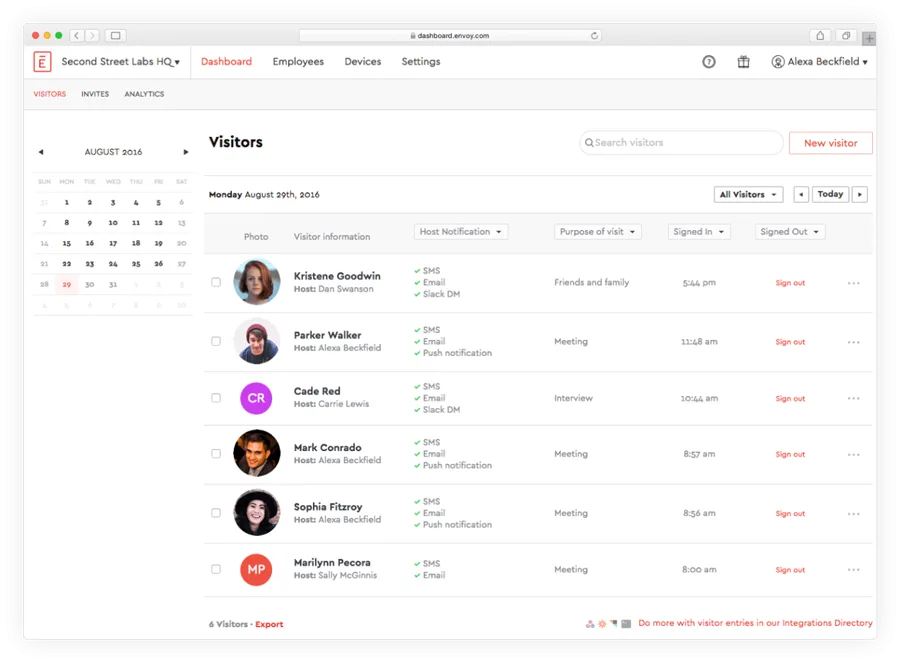
Table of contents
- 1. Envoy Brings Workplace Operations Together
- 2. How This Envoy Review Was Evaluated
- 3. Envoy Visitors and Digital Check In
- 4. Desk Booking and Room Reservations
- 5. Workplace Maps and Attendance Visibility
- 6. Delivery Management and Package Notifications
- 7. Envoy Screens and Workplace Signage
- 8. Emergency Notifications and Workplace Safety
- 9. Integrations and Workplace Administration
- 10. Envoy Security and Data Privacy
- 11. Envoy Pricing and Total Cost
- 12. Implementation and Day to Day Management
- 13. Who Should Choose Envoy?
- Frequently Asked Questions
1. Envoy Brings Workplace Operations Together

Envoy helps organizations manage the practical work that happens when employees, visitors, facilities, and shared office resources meet in the same physical environment.
Its platform brings together visitor registration, workspace reservations, delivery management, digital signage, and workplace safety tools, allowing businesses to coordinate tasks that might otherwise be handled through separate applications or manual processes.
The distinction is important for companies operating hybrid offices, multiple facilities, shared workspaces, or locations with strict visitor procedures.
An employee arriving at the office may need to find an available desk, reserve a meeting room, identify colleagues who are present, and collect a package.
A receptionist may need to register a guest, notify the host, issue a badge, and maintain a record of the visit.
Facilities and security teams may need visibility into occupancy and access procedures.
Envoy addresses these related activities through a collection of workplace products.
Its value depends on the problems a business actually needs to solve.
A small office that receives only a few visitors each week may need little more than a digital sign in system.
A company with several offices, changing attendance patterns, shared meeting rooms, regular deliveries, and formal security requirements may benefit from a more connected arrangement.
Envoy is particularly relevant to the management of physical workplaces.
It is not a conventional project management system, customer relationship management platform, or employee payroll application.
Its main purpose is to coordinate the people, spaces, visitors, and operational procedures associated with an office environment.
That focus makes the platform useful for workplace experience teams, facilities managers, reception staff, security departments, IT administrators, and companies responsible for several locations.
Employees can interact with booking and workplace tools, while administrators establish rules, manage devices, and review records.
The product is also modular.
Organizations can select different services according to their needs, rather than assuming every capability is included in one subscription.
This approach can make adoption more practical, but it introduces an important purchasing requirement: the company must understand the relationship between its platform subscription and the modules it intends to activate.
Envoy's strongest case is the coordination of recurring workplace tasks.
Its ability to create value depends on whether those tasks are sufficiently frequent, complex, or sensitive to justify a dedicated system.
Buyers should begin with their existing processes, identify the problems that create the most friction, and evaluate the relevant Envoy products against those requirements.
2. How This Envoy Review Was Evaluated
This review evaluates Envoy through a buyer focused assessment of its published capabilities, product structure, pricing information, integration options, and security documentation.
The aim is to explain what the platform offers, where its capabilities are most useful, and what organizations should verify before signing a contract.
The assessment considers several operational questions.
Can the software make visitor registration more consistent?
Can employees find and reserve appropriate workspace resources?
Can facilities teams coordinate deliveries without relying on scattered messages?
Can administrators manage several locations without repeating every configuration task?
Does the pricing structure make sense for the number of locations, resources, devices, and users involved?
Security and privacy receive separate consideration because workplace software can process employee records, visitor details, photographs, signed documents, and information about who attended a location.
These records may be useful for operations, but they also create responsibilities around access, retention, lawful processing, and incident response.
The review relies on publicly available product information and does not claim that a live Envoy deployment was installed or independently benchmarked.
That distinction matters.
A feature described by a vendor may be available only under a particular plan, require compatible hardware, or depend on integrations and administrator configuration.
Its presence in product documentation is not evidence that it will work identically in every environment.
The same principle applies to customer outcomes.
A digital visitor log can make records easier to retrieve, but it cannot guarantee that reception procedures are followed.
Desk booking can improve visibility into availability, but it cannot create additional desks where the office is overcrowded.
Automated delivery notifications can reduce manual communication, but they still depend on staff recording incoming packages correctly.
A practical evaluation should therefore combine product demonstrations with a review of the proposed implementation.
Buyers should request demonstrations using their own scenarios, confirm which modules are included, and ask for written details about data handling, support, hardware, integrations, and total costs.
This approach gives readers a realistic basis for deciding whether Envoy fits their workplace.
It also avoids confusing the breadth of a software catalogue with the value a particular organization can obtain from it.
3. Envoy Visitors and Digital Check In
Visitor management is one of Envoy's central use cases.
It replaces paper sign in sheets and informal reception procedures with a digital process for registering guests, notifying hosts, collecting selected information, and maintaining records of visits.
A typical workflow begins before a guest arrives.
An employee can register an expected visitor and provide relevant details, depending on the organization's configuration.
The visitor arrives at the office and completes the designated sign in process, often through a reception kiosk or supported device.
The system can notify the host, allowing the employee to meet the guest without requiring reception staff to make a separate phone call.
This process is particularly useful when several employees regularly receive external visitors.
Sales meetings, supplier appointments, interviews, maintenance visits, contractors, and customer meetings all create reception activity.
A consistent digital workflow can reduce interruptions and make it easier to see who is expected and who has already arrived.
Envoy Visitors also supports customizable sign in experiences.
Organizations can configure questions and fields according to their procedures, display workplace messages, and create different workflows for different visitor types.
These controls matter because a prospective employee, delivery contractor, customer, and maintenance technician may need to provide different information or acknowledge different requirements.
However, customization should be governed carefully.
Collecting additional information simply because a form permits it can create unnecessary privacy risks.
Businesses should ask only for information that serves a defined purpose and should establish how long each type of record needs to be retained.
Visitor registration can also support a more professional arrival experience.
Customized branding, host notifications, visitor photographs, badge printing, and related functions are available in relevant configurations.
The exact combination depends on the selected plan and any additional requirements.
For larger workplaces, visitor visibility becomes more complicated.
Reception staff may need to distinguish between expected and unexpected guests, identify people already on site, locate previous visit records, and manage multiple kiosks or locations.
Centralized dashboards and visitor logs can help organize these tasks, particularly when procedures are standardized across offices.
Organizations with security requirements should evaluate visitor screening and approval workflows separately from basic sign in.
Features such as blocklist scanning, identity checks, access control integrations, and guest Wi Fi integrations may be available under specific paid configurations.
Buyers should confirm precisely which checks are supported, what data they use, and what happens when a match or verification failure occurs.
The software should not be treated as a substitute for physical security procedures.
A completed digital form does not automatically establish that a visitor is authorized to enter a restricted area.
Reception teams and security personnel still need clear rules for exceptions, denied access, unaccompanied guests, and emergency situations.
Hardware is another consideration.
A kiosk based workflow may require a compatible iPad, suitable stand, and, where printed identification is needed, a badge printer.
Organizations should include these items in their implementation budget and determine who will install, maintain, and replace them.
For offices that regularly receive visitors, Envoy can provide a more structured alternative to paper logs and ad hoc communication.
Its strongest value appears when visitor procedures are repeatable and administrators need consistent records across people or locations.
Companies with very low visitor volumes should compare that benefit against the cost of maintaining a dedicated digital system.
4. Desk Booking and Room Reservations
Hybrid work has made office space planning more complicated.
Employees may attend on different days, teams may need to collaborate in person only occasionally, and fixed seating can leave valuable space unused.
Envoy Reservations is designed to help organizations manage shared desks, meeting rooms, and parking spaces through a digital booking process.
Employees can check availability and reserve supported resources according to the rules established by the organization.
Depending on the configuration, booking can take place through the mobile experience, web interfaces, maps, or room displays.
The purpose is to reduce uncertainty about where employees can work and which resources are available.
Desk reservations are especially relevant to hot desking and desk hoteling arrangements.
In a hot desking environment, employees select from available workstations rather than returning to a permanently assigned seat.
Desk hoteling typically involves booking a workstation in advance for a particular period.
Envoy supports reservation approaches that can accommodate these arrangements, subject to configuration and plan availability.
A useful booking system should make more than a list of desk names available.
Employees need to find a suitable location, understand the resource's amenities, and see whether it is free for the time they need.
Interactive workplace maps can help users locate desks, rooms, parking spaces, colleagues, and other configured points of interest.
Room reservations address a related but distinct challenge.
A company may have several meeting rooms with different capacities, displays, conferencing equipment, and accessibility characteristics.
Employees need to find a room that fits the meeting rather than simply book the first available option.
Search filters and resource details can help make that decision easier.
Envoy's reservation features also include controls for missed bookings.
Auto release can make a desk or room available again when the expected user does not check in within the configured rules.
Reminders can encourage employees to release resources they no longer need.
These mechanisms can reduce the number of rooms that appear occupied in a calendar while sitting empty in reality.
The benefit depends on sensible policies.
If the check in window is too short, employees may lose reservations because of minor delays.
If it is too generous, unused resources may remain unavailable to other people.
Organizations should choose rules that reflect actual arrival patterns and the cost of leaving shared space idle.
Parking reservations can be included in the resource model.
This can help offices where employees compete for a limited number of spaces or where parking access needs to be coordinated with building attendance.
Buyers should verify how partial day reservations, recurring patterns, and exceptions work in their proposed configuration.
The system also introduces an administrative responsibility.
Someone must maintain the map, identify available resources, update amenities, resolve booking conflicts, and communicate changes to employees.
An inaccurate map or outdated resource list can undermine trust quickly.
Facilities teams should establish a routine for updating the digital layout when desks move, rooms change purpose, or parking arrangements are revised.
A reservation platform cannot solve every space planning problem.
If a company consistently has more employees attending than available desks, booking software may simply reveal the shortage.
Occupancy reports can help managers assess demand, but decisions about lease space, office design, and attendance policies remain management responsibilities.
Envoy Reservations is most valuable when the organization needs employees to share physical resources in an orderly way.
Before purchasing, buyers should count the resources they intend to make bookable, identify which booking features are required, and confirm how the platform subscription and reservation module will be priced together.
5. Workplace Maps and Attendance Visibility
Workplace maps help employees navigate an office and understand where resources or colleagues are located.
Envoy's interactive maps can display configured desks, rooms, parking spaces, visitor areas, delivery areas, and points of interest.
Employees can use these views to find a suitable resource without asking a colleague or walking through several floors to check availability.
A useful map must reflect the real workplace.
Desk labels, room capacities, accessible facilities, shared equipment, and resource status should be kept current.
If the physical office changes but the map does not, employees may reserve a resource that has moved or search for an amenity that no longer exists.
Administrators should treat map maintenance as part of facilities management.
When teams relocate, rooms are converted, or desks are removed, the digital representation needs to be updated.
This is particularly important for organizations with several floors or locations, where employees may not know the building well.
Maps can also improve the experience of visiting another office.
An employee travelling to a different site may need to locate a booked desk, meeting room, colleague, or delivery area.
A searchable map can reduce uncertainty and help people use unfamiliar facilities with less assistance.
Attendance visibility is a related but more sensitive function.
Organizations may want to understand how many employees are expected in the office, which days are busiest, and how demand varies between locations.
These insights can support planning for seating, cleaning, reception coverage, meeting facilities, and other workplace services.
However, attendance data must be interpreted carefully.
A reservation does not necessarily prove that an employee arrived, and an observed presence may not explain how long someone stayed or why they attended.
Managers should understand what each data source measures before using it to make staffing or policy decisions.
Privacy settings also matter.
Employees may have preferences about sharing their schedules or visibility to colleagues.
Administrators should determine what information appears on maps, who can view it, and how access changes across teams and locations.
A useful workplace map should reveal enough information to support coordination without exposing unnecessary personal details.
The platform's maps are therefore more than a visual convenience.
They can connect resource booking, employee navigation, and facilities planning, provided the organization maintains accurate data and establishes sensible privacy rules.
Their value will be limited if staff do not use the booking process consistently or if resource availability is not updated.
For companies assessing Envoy, a demonstration should include the actual floor plan and common employee tasks.
Ask users to find a desk with specific amenities, locate a meeting room, identify an available parking space, and check the location of a workplace facility.
This is a better test than viewing a generic map during a sales presentation.
6. Delivery Management and Package Notifications
Packages create a surprisingly large amount of administrative work in busy offices.
Reception teams may need to accept deliveries, identify recipients, send notifications, store packages safely, answer status questions, and confirm collection.
When the process relies on handwritten logs or informal messages, items can be misplaced and staff may spend time chasing recipients.
Envoy Deliveries provides a digital approach to recording incoming packages and notifying employees.
Staff can log deliveries, connect them with the intended recipient, and trigger notifications that help the employee know when an item is ready for collection.
The system can also support pickup records, helping the workplace maintain a clearer account of what has arrived and what has been collected.
This is useful for organizations that receive frequent courier deliveries, equipment shipments, employee purchases, documents, or supplies.
It can also help offices where reception staff are responsible for several other duties and cannot repeatedly contact employees manually.
A digital delivery record can reduce ambiguity.
If an employee asks whether a package has arrived, staff can consult the log instead of searching through messages or paper notes.
If a package remains uncollected, reminders can encourage the recipient to collect it.
These small improvements become more meaningful when the office handles dozens or hundreds of deliveries.
The quality of the process still depends on accurate data entry.
Staff need to identify the recipient correctly, record the relevant package details, and follow consistent procedures when labels are unclear or several parcels arrive together.
A notification sent to the wrong person can create confusion or expose information about a delivery.
Physical storage also remains important.
The software does not replace secure shelves, restricted mailrooms, procedures for high value packages, or rules for handling items that require a signature.
Organizations should decide where deliveries are stored, who may access them, and how long uncollected packages can remain on site.
Multi location companies should pay attention to how delivery areas are configured.
Each office may have different reception hours, storage capacity, access rules, and courier procedures.
A centralized view can help administrators maintain consistency, but local staff still need instructions for handling exceptions.
Buyers should test the full delivery lifecycle.
The demonstration should show a package being logged, the recipient receiving a notification, the package being collected, and the record being updated.
It should also cover an unknown recipient, an incorrect delivery, a damaged parcel, and a package that remains unclaimed.
The commercial model deserves attention.
Envoy's published pricing lists a Deliveries Enterprise option at $250 per delivery location per month when billed annually, with platform fees excluded.
Organizations should verify the current package, minimum commitments, and any additional costs before comparing it with alternatives.
Envoy Deliveries makes the most sense for workplaces where package handling creates repeated interruptions or accountability concerns.
An office receiving only occasional parcels may be able to manage them with a simple log, while a busy corporate mailroom can benefit from structured records and automatic notifications.
7. Envoy Screens and Workplace Signage
Digital signage can help offices communicate information without requiring employees to search through email or ask reception staff.
Envoy Screens is designed to manage content displayed on supported workplace screens, including schedules, playlists, layouts, and content libraries.
Administrators can organize displays and make changes remotely instead of updating each screen independently.
The use cases depend on the environment.
A company may display meeting room availability outside conference rooms, communicate workplace announcements in shared areas, provide visitor guidance in reception, or publish operational information on screens used by employees.
In offices with several buildings or floors, centralized management can make it easier to maintain consistent content.
The main operational advantage is control.
When information needs to change, administrators can update the relevant content and schedule it for the appropriate time.
Device groups and remote management functions can help teams manage many screens from a central location, subject to the supported hardware and plan.
Content scheduling is particularly useful when a display serves several purposes.
A reception screen may show visitor instructions during the day and internal announcements at another time.
A meeting area may display room guidance, while a common space presents company updates.
Playlists and layouts help organize what appears and when.
Digital signage requires governance.
If several departments can publish content without review, screens may show conflicting announcements, outdated instructions, or information intended for a different audience.
Organizations should define who can publish, who approves sensitive content, and who is responsible for removing expired material.
Device compatibility must also be checked.
Envoy's documentation lists supported device requirements and recommended hardware for different Screens experiences.
Buyers should not assume that every television, display, or existing media player will support all functions.
Before committing, inventory the screens already installed and confirm whether additional devices or configuration work will be needed.
Network reliability affects the result as well.
A screen that loses connectivity or fails to refresh can display outdated information.
Remote device management and content refresh capabilities can help administrators maintain consistency, but they do not eliminate the need to monitor equipment and network conditions.
The platform's Compliance Mode and related controls may be relevant to organizations that need greater control over what is displayed.
Buyers should ask what these controls enforce, how changes are recorded, and whether the features meet their internal communications or regulatory requirements.
Published pricing lists Envoy Screens Standard at $12 per device per month when billed annually, excluding the platform fee.
The final cost should account for the number of active displays, hardware, installation, content preparation, and the platform subscription.
Envoy Screens is best suited to organizations that need centralized management of workplace displays rather than a single static monitor.
It can simplify the administrative side of signage, but the quality of the result still depends on good content, suitable hardware, and clear publishing responsibilities.
8. Emergency Notifications and Workplace Safety
Workplace safety involves more than recording who entered a building.
During a serious incident, organizations may need to identify affected employees, send urgent instructions, establish whether people are safe, and maintain a record of the response.
Envoy Response is designed to support emergency communications and incident coordination for organizations that need these functions.
The product describes threat intelligence and incident management capabilities, including alerts about relevant threats, communication through multiple channels, employee check ins, and mustering workflows.
Depending on the configuration, organizations can use channels such as SMS, email, mobile push notifications, Microsoft Teams, and Slack to reach employees.
Multi channel communication is important because a single method may not reach everyone.
An employee may not be looking at email during an emergency, while a mobile notification may be delayed or unavailable.
Redundant communication methods can increase the chances that critical information reaches the intended audience.
The platform's threat intelligence capabilities are intended to help organizations monitor events that could affect their people or facilities.
Published descriptions include categories such as severe weather, public health, infrastructure disruption, civil unrest, and security incidents.
Buyers should verify the geographic coverage, sources, alert criteria, and operational limits relevant to their locations.
Incident response requires more than sending a message.
Managers may need to know which employees are expected to be present, who has confirmed their safety, and which people still require follow up.
Mustering and status reporting can help organize this work when the underlying employee directory and presence information are sufficiently accurate.
A critical consideration is the quality of employee records.
Emergency communication is only as effective as the contact details, location information, and directory memberships used to target messages.
Organizations should define who maintains these records, how often they are checked, and how contractors or temporary workers are included.
Emergency procedures also require testing.
A notification system should be exercised through planned drills, and employees should understand what different messages mean and how to respond.
A technically successful alert does not guarantee that everyone understands the instructions or knows where to go.
Businesses should evaluate privacy and governance before enabling location related or employee presence features.
They should clarify who can initiate an emergency alert, what approvals are needed, how incidents are recorded, and who can access the resulting data.
The organization should also determine whether visitor notifications require a separate Envoy Visitors plan or additional configuration.
No workplace notification platform should be treated as a replacement for emergency services, building safety systems, or an established incident command process.
It is one component of a broader safety plan that must include responsibilities, training, communication procedures, and coordination with relevant authorities.
For businesses operating multiple facilities or employing people across several locations, Envoy Response may help coordinate alerts and accountability through a common system.
The purchase decision should be based on realistic emergency scenarios, documented response requirements, and a clear understanding of what the product can and cannot do.
9. Integrations and Workplace Administration
Workplace software becomes more useful when it can exchange information with systems employees already use.
Envoy supports integrations and connections designed to link its workplace products with collaboration tools, identity services, calendars, access control systems, and other business applications.
The value of an integration depends on the workflow it enables.
A connection to an employee directory can reduce the need to maintain staff information manually.
A calendar integration can help employees schedule meetings or register visitors through familiar tools.
Access control integrations may connect workplace workflows with building entry systems, while collaboration integrations can deliver notifications through channels already used by employees.
Envoy's workplace platform describes integrations with services such as Slack and Microsoft Teams, along with identity and directory capabilities.
Additional integrations vary by product and plan.
Organizations should verify the specific applications and versions supported rather than assuming that every connection is included in every subscription.
Identity management is particularly important for companies with many employees.
If users join, leave, or change roles, their access should be updated promptly.
Directory synchronization and related provisioning capabilities can reduce manual administration, but the result depends on accurate source data and correct configuration.
Single sign on can make access more convenient while supporting centralized identity policies.
Administrators should confirm which identity providers are supported, whether the desired configuration is included in the selected plan, and what happens when an employee loses access to the identity system.
Integration work requires clear ownership.
IT may manage authentication and network access, facilities teams may own resource maps and room configuration, and reception staff may maintain visitor workflows.
If no team is responsible for a connection, small problems can persist until they affect daily operations.
The same principle applies to data mapping.
The organization should determine which system is authoritative for employee names, email addresses, departments, locations, and access permissions.
Conflicting records can create duplicate users, incorrect notifications, or booking errors.
For more specialized workflows, APIs and other integration methods may offer additional flexibility.
However, custom connections introduce development, testing, monitoring, and maintenance responsibilities.
Buyers should ask who supports custom integrations, how failures are reported, and whether changes to either connected application can interrupt the workflow.
Envoy's product catalogue also means that administration may span several modules.
A business using Visitors, Reservations, Deliveries, and Screens needs to understand how users, permissions, locations, and reporting are managed across those products.
The platform can provide a common administrative layer, but the exact controls depend on the chosen platform tier and module combination.
Before purchasing, create a list of essential integrations and classify each as mandatory, useful, or optional.
For every mandatory connection, confirm the supported workflow, licensing requirements, implementation effort, data access, and support responsibility.
This avoids discovering late in the project that an essential function requires a different plan or custom work.
Envoy is most effective when its integrations remove manual steps from actual workplace processes.
A long list of available connectors is less important than a small number of reliable connections that employees and administrators can depend on every day.
Official product and pricing information is available at https://envoy.com/pricing.
10. Envoy Security and Data Privacy

Envoy processes information about people entering workplaces and employees using office resources.
Depending on the products enabled, that information can include visitor names, contact details, sign in responses, photographs, signed documents, booking records, and delivery information.
Organizations should evaluate how this data is collected, accessed, retained, and deleted before deploying the platform.
Envoy's published security documentation describes encryption in transit using TLS 1.2 or later and encryption at rest, including AES 256 encryption for relevant storage infrastructure.
The company also describes a cloud based architecture, daily backups, administrative access controls, and third party security testing.
Its security materials state that its controls are assessed against SOC 2 Type II requirements.
These measures are relevant, but buyers should interpret them correctly.
A vendor's security controls reduce particular risks; they do not guarantee that a customer will configure the system appropriately or comply automatically with every law that applies to its business.
Access control should be designed around job responsibilities.
Reception staff may need to register guests and view current arrivals, while facilities administrators may need to manage locations and workspace resources.
Security personnel may require access to selected visitor records, and global administrators may need broader configuration permissions.
Each role should receive only the access necessary to perform its duties.
Single sign on and role based administration can support this model where the selected product and plan provide them.
Organizations should also review how administrator actions are logged, how permissions are granted or revoked, and how employee departures are handled.
Access should not remain active simply because an account was forgotten during an organizational change.
Data retention deserves equal attention.
A business may need to retain certain visitor records for security, contractual, or legal purposes, while other information may no longer be necessary after a short period.
Envoy documents controls that allow customers to manage retention for relevant sign in responses and related records.
Buyers should verify the available settings and ensure they match their policies.
Privacy should influence form design from the beginning.
If the business asks visitors for information that is not necessary for the visit, it increases the amount of personal data that must be protected.
Each question should have a clear purpose, and visitors should receive appropriate information about how their data will be used.
Some workplaces may require identity verification, visitor screening, or integration with access control systems.
These capabilities should be assessed separately from ordinary registration.
Buyers should ask which checks are available, which providers are involved, how potential matches are handled, and what procedures apply when the system cannot confirm a person's status.
The organization must also consider regional and sector specific obligations.
GDPR, CCPA and CPRA, HIPAA, PCI DSS, and other frameworks may be relevant depending on the business, the information processed, and the applicable jurisdiction.
A vendor's published compliance statements are useful evidence for due diligence, but the customer must determine which obligations apply to its own activities.
Workplace location data can be particularly sensitive.
Even a basic reservation record may reveal where an employee intended to work, while attendance information may provide insight into personal routines.
Administrators should limit access to this information, explain how it is used, and avoid turning operational tools into unnecessary employee surveillance.
Finally, buyers should review the contractual arrangements.
Ask about data processing terms, subprocessors, incident notification, deletion after termination, export options, and any restrictions on using particular features.
These questions are especially important when several Envoy modules share employee or visitor information.
Envoy publishes substantial security and privacy information, which gives organizations a basis for formal review.
Businesses with strict requirements should obtain the relevant documentation, confirm the precise service scope, and involve their privacy and security teams before implementation.
11. Envoy Pricing and Total Cost

Envoy uses a modular pricing approach for its workplace platform.
Rather than assuming that every customer buys one fixed package containing every feature, organizations choose a platform tier and add the modules they need.
The cost can therefore depend on the product selected, the number of locations, the number of bookable resources, the number of display devices, and the applicable contract terms.
This structure has a practical advantage.
A company that needs only visitor management does not necessarily need to pay for every workplace module.
Another company may choose desk booking, digital signage, delivery management, and emergency notifications as separate requirements emerge.
The challenge is calculating the complete cost rather than comparing an individual module price with an alternative product's all inclusive subscription.
Envoy Visitors has a Basic plan listed as free with limited features.
The published pricing page also lists a Premium plan at $362 per location per month when billed annually, while Enterprise pricing is customized.
Premium features include advanced visitor experiences, branding, badge printing, analytics, directory integrations, and other capabilities.
The published plan details should be checked carefully because visitor management pricing and packaging may change.
Envoy Reservations is listed at $5 per bookable resource per month when billed annually.
A resource can be a desk, room, parking space, or another configured asset that employees can reserve.
This means a company with a large number of desks and meeting rooms must calculate the resource count accurately before estimating its subscription.
Envoy Screens is listed at $12 per device per month when billed annually.
The number of active displays is therefore a direct factor in the module cost.
Businesses should include spare screens, meeting room displays, reception displays, and any additional devices intended for use with the product.
Envoy Deliveries is listed at $250 per delivery location per month when billed annually for its Enterprise offering.
Envoy Response is listed at $2 per user per month when billed annually.
These are published reference prices for specific products, not a single universal price for the entire Envoy workplace platform.
An additional consideration is the platform fee.
Envoy's pricing materials state that the workplace modules run on a platform layer and that module prices exclude the platform fee.
The amount depends on the selected platform tier and contract.
As a result, the displayed price of a module should not be treated as the complete cost of deploying Envoy.
This is where a detailed quote becomes essential.
Consider a company that wants to manage visitors, reserve desks and meeting rooms, display workplace announcements, and record deliveries.
The company must calculate the relevant module charges, platform subscription, hardware, installation, and any implementation or support services.
A simple comparison of the Reservations price against a standalone desk booking application would not capture the full investment.
Hardware requirements can add further expense.
Visitor management may need a compatible iPad, a stand, and possibly a badge printer.
Digital signage may require compatible display devices.
Existing equipment may be suitable, but compatibility should be confirmed before the organization purchases additional hardware.
Billing periods and commitments also matter.
Annual billing can reduce the effective monthly price compared with paying monthly where that option is offered, but it requires a longer financial commitment.
Businesses should confirm renewal dates, expansion terms, cancellation conditions, and how charges are calculated when a new location or module is added during a contract.
The right way to evaluate Envoy is to create a three year total cost estimate.
Include the platform fee, every selected module, hardware, configuration, integrations, staff training, support, and expected expansion.
Compare that estimate with the current cost of managing the same work manually or through separate systems.
The modular model can be attractive when the business needs several connected workplace services.
It can also become difficult to budget if buyers overlook the platform layer or count resources incorrectly.
Request a written quotation that identifies every component, rather than relying on a single headline price.
12. Implementation and Day to Day Management
Envoy is designed as a cloud based service, which can reduce the need to maintain a dedicated on premises application server.
That does not mean implementation is automatic.
The organization still needs to configure locations, employee directories, visitor workflows, bookable resources, notification rules, permissions, integrations, and any required hardware.
The first step is to document how the workplace operates today.
Identify who welcomes visitors, how employees book desks and rooms, how deliveries are recorded, which systems maintain employee information, and what procedures apply during emergencies.
This process reveals the actual requirements and helps prevent unnecessary configuration.
The organization should then choose the relevant modules.
A business that needs visitor registration and badge printing may not need reservations or digital signage.
A hybrid office with unassigned desks may benefit from Reservations, while a large organization with several facilities might also need centralized administration and broader integrations.
Location configuration should be planned carefully.
Each site may have different visitor procedures, working hours, desk arrangements, security rules, and reception equipment.
A consistent template can help standardize common settings, but local exceptions should be documented rather than forced into an unsuitable global workflow.
Employee directory data should be checked before synchronization.
Duplicate accounts, outdated email addresses, incorrect locations, and former employees can cause problems with notifications, permissions, and bookings.
Establish which system owns the directory and test how updates propagate into Envoy.
Visitor workflows should be designed around real arrivals.
Consider expected guests, walk in visitors, group visits, contractors, recurring visitors, and guests who arrive outside normal reception hours.
Decide which fields are necessary, when host approval is required, and how the organization will handle visitors who cannot complete the standard process.
Hardware testing should happen before launch.
Confirm that kiosks, badge printers, room displays, and other devices work with the selected product configuration.
Check network connectivity, power arrangements, device mounting, and the process for replacing equipment that fails.
If the workplace depends on a reception kiosk, there should be a documented fallback procedure.
Staff training should reflect each role.
Reception teams need to understand registration, host notifications, badges, and exception handling.
Employees need to learn how to book resources and manage their visitors.
Facilities managers need to maintain maps and resource inventories, while IT administrators need to understand identity, integrations, permissions, and troubleshooting.
A pilot can reduce risk.
Start with one location or a limited set of workflows, observe how people use the system, and resolve issues before expanding.
During the pilot, monitor missed bookings, incorrect visitor records, notification delays, delivery errors, and employee feedback.
These observations help distinguish configuration problems from limitations in the product itself.
Ongoing ownership is just as important.
Someone should be responsible for updating floor plans, removing unavailable desks, maintaining visitor policies, reviewing permissions, and managing device changes.
If these responsibilities are unclear, information becomes outdated and employees gradually stop trusting the system.
Organizations should also establish support procedures.
Determine who handles a failed kiosk, an unavailable integration, a visitor who cannot sign in, or a booking conflict that affects an important meeting.
Confirm which issues are handled internally and which require vendor assistance.
The implementation effort will vary considerably.
A single office using basic visitor management may need a relatively straightforward rollout.
A multinational business connecting several facilities, identity systems, access controls, and workplace modules will need more planning, testing, and change management.
Envoy's cloud based approach can simplify software deployment, but the business still owns the quality of its operating procedures.
A successful rollout is one in which employees understand the system, administrators can maintain it, and the configured workflows solve real problems without creating unnecessary friction.
13. Who Should Choose Envoy?
Envoy is a strong candidate for organizations that want to formalize how people and resources are managed across physical workplaces.
The platform is particularly relevant to hybrid offices, companies with multiple facilities, organizations that receive regular visitors, and businesses where reception, facilities, and workplace experience teams manage a substantial amount of recurring administrative work.
Visitor management is an obvious starting point.
Companies that still use paper logs, manual email notifications, or inconsistent sign in procedures may benefit from a structured digital process.
Organizations with security or compliance requirements should evaluate the advanced controls carefully and confirm whether the selected plan supports their specific needs.
Desk and room booking make Envoy relevant to hybrid workplaces.
If employees arrive on different days and share a limited number of desks, a reservation system can make availability easier to understand.
If meeting rooms are regularly booked but unused, check in and auto release rules can help improve access to shared resources.
Facilities teams may appreciate the connection between booking, maps, attendance information, and workplace administration.
These capabilities can help them understand demand and maintain a more accurate view of how space is used.
The benefit is strongest when the company keeps its resource data current and uses the resulting information to make practical decisions.
Delivery management can be valuable for busy offices with frequent courier activity.
Digital logs and notifications can reduce manual follow up and make collection records easier to retrieve.
For small offices receiving only a few packages each week, a simple process may be adequate.
Digital signage is more relevant to organizations with multiple screens and recurring communication requirements.
Centralized content management can reduce repetitive administration, especially when displays are distributed across several offices.
A business with only one screen and very few updates may not need a dedicated signage platform.
Emergency notifications deserve a separate evaluation.
Organizations with several locations or employees who need coordinated incident communications may benefit from a system that supports multiple notification channels and safety check ins.
This purchase should be driven by the organization's risk assessment and response plan, not by the availability of a particular software feature.
Envoy may be less attractive to organizations with simple requirements and limited administrative capacity.
A small office that receives occasional guests, has assigned desks, and handles deliveries informally may not gain enough value from a broad workplace platform to justify its cost.
It may be more practical to purchase a single focused application or retain a simpler process.
The platform may also be unsuitable if the company cannot maintain the underlying data.
Inaccurate employee directories, outdated floor plans, poorly managed permissions, and inconsistent reception procedures can undermine several modules at once.
Organizations should be ready to assign ownership before implementation.
Buyers should consider how much of the platform they will actually use.
Purchasing several modules because they are available can increase cost without producing a corresponding benefit.
Start with the operational problems that matter most, then add capabilities when a clear need emerges.
A sound purchasing decision should compare current costs and performance with the proposed system.
Measure reception workload, time spent coordinating bookings, the number of unused reservations, delivery handling effort, and the cost of maintaining separate applications.
Use these figures to define realistic success criteria.
Envoy is best suited to businesses that need reliable coordination of visitors, shared spaces, deliveries, and workplace operations.
Its modular approach can support different environments, but the right configuration depends on the scale of the workplace, the sensitivity of its data, the available budget, and the team's capacity to manage the system.
Key features
- Digital visitor registration and check in
- Automated visitor host notifications
- Customizable visitor sign in workflows
- Visitor badge printing and management
- Visitor photographs and identity checks
- Digital visitor logs and reporting
- Multi location workplace administration
- Desk booking and resource reservations
- Meeting room availability and scheduling
- Parking space booking and management
- Interactive office maps and navigation
- Workplace attendance visibility and insights
- Automatic release of unused reservations
- Employee delivery notifications and reminders
- Digital package tracking and pickup records
- Centralized workplace screen management
- Scheduled digital signage content publishing
- Emergency alerts across multiple channels
- Employee safety check ins and mustering
- Employee directory and identity integrations
- Single sign on access management
- Role based administrator permissions
- Workplace application integrations and APIs
- Visitor data retention controls
- Cloud based workplace administration
- Customizable workplace operational workflows
Pricing
- Digital visitor sign in
- Host arrival notifications
- Limited visitor entry allowance
- Basic visitor record management
- Simple reception check in
- Desk and room reservations
- Parking space booking capabilities
- Real time resource availability
- Mobile booking and scheduling
- Automatic release of unused reservations
- Scheduled digital signage content
- Centralized screen device management
- Content playlists and layouts
- Remote display administration tools
- Compliance mode and content controls
Pros & cons
Pros
- Digital visitor registration simplifies reception
- Host notifications reduce manual interruptions
- Flexible desk and room reservations
- Interactive maps improve office navigation
- Automated delivery notifications reduce follow up
- Centralized signage simplifies content updates
- Multi location administration supports consistency
- Emergency alerts support coordinated communication
- Configurable workflows accommodate different visitor types
- Cloud deployment reduces server maintenance
- Identity integrations reduce manual administration
- Modular products support targeted adoption
- Visitor records improve operational traceability
- Resource booking supports hybrid workplaces
Cons
- Platform fees complicate total cost calculations
- Multiple modules require careful price comparison
- Hardware may increase initial implementation costs
- Advanced controls depend on selected plans
- Poor data quality undermines reliability
- Workplace maps require ongoing maintenance
- Custom integrations can require technical resources
- Employee privacy needs careful governance
- Small offices may need less functionality
- Resource counts influence reservation costs
- Annual billing increases upfront commitments
- Digital records require retention policies
- Network interruptions can affect some workflows
- Configuration requires clear internal ownership
Envoy specs
- Platforms: Cloud based web dashboard, mobile applications, and compatible workplace devices
- Free plan: Yes, Envoy Visitors Basic offers limited free functionality
- Starting price: $2 per user / month for Envoy Response, excluding platform fees
- Integrations: Slack, Microsoft Teams, identity systems, access control, and other supported applications
- Support: Online documentation, product support, and enterprise assistance subject to agreement
- Best for: Hybrid offices, multi location businesses, and workplace operations teams
Our verdict
Envoy is a capable workplace management platform for organizations that want to coordinate visitor registration, desk and room reservations, delivery tracking, digital signage, and workplace safety communications. Its modular structure lets businesses select the capabilities they need, but the platform fee, hardware requirements, and module pricing must be evaluated together. Envoy is especially relevant to hybrid offices and companies operating multiple facilities. Smaller businesses with occasional visitors and straightforward office procedures may find a simpler solution more economical. The strongest reason to choose Envoy is the opportunity to replace fragmented workplace processes with consistent, manageable workflows.
Contact SalesFrequently Asked Questions
What is Envoy workplace software?
How much does Envoy cost?
Does Envoy support desk booking?
Is Envoy secure for visitor management?
Can Envoy manage multiple offices?
Reader reviews
Be the first to review
