
Skedda Review 2026: Smarter Desk Booking and Space Management

By Noura Mint Ely & Evander Thorne · Reviewed by Eva Elekcha
Skedda is a workplace and space management platform for booking desks, meeting rooms and other shared facilities, with additional tools for visitor management, occupancy reporting and multi-location administration. Its 2026 updates, including a beta API and expanded occupancy insights, make it more relevant to organizations managing hybrid offices, but the platform's per-space pricing, regional plan differences and feature availability are important considerations for prospective buyers.
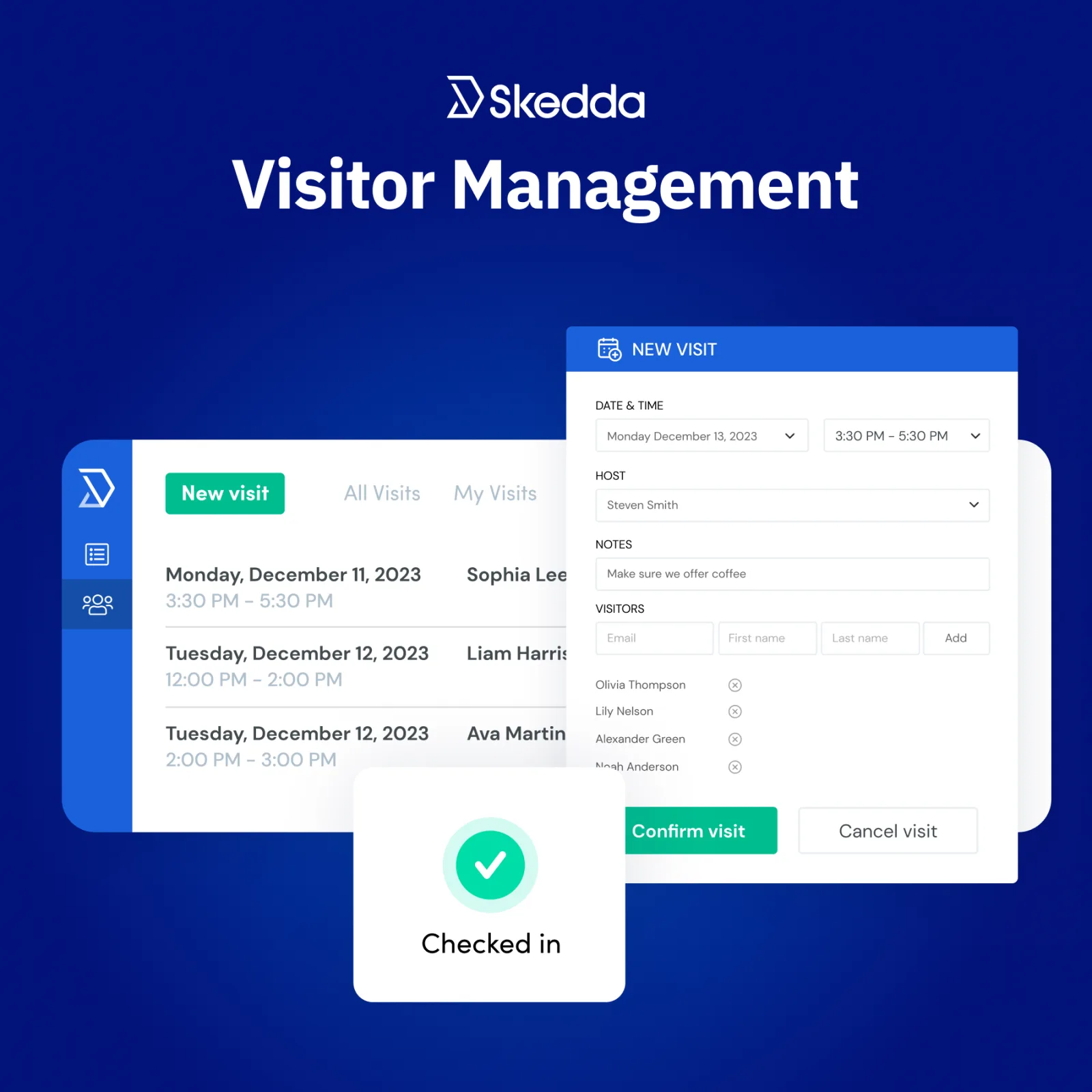
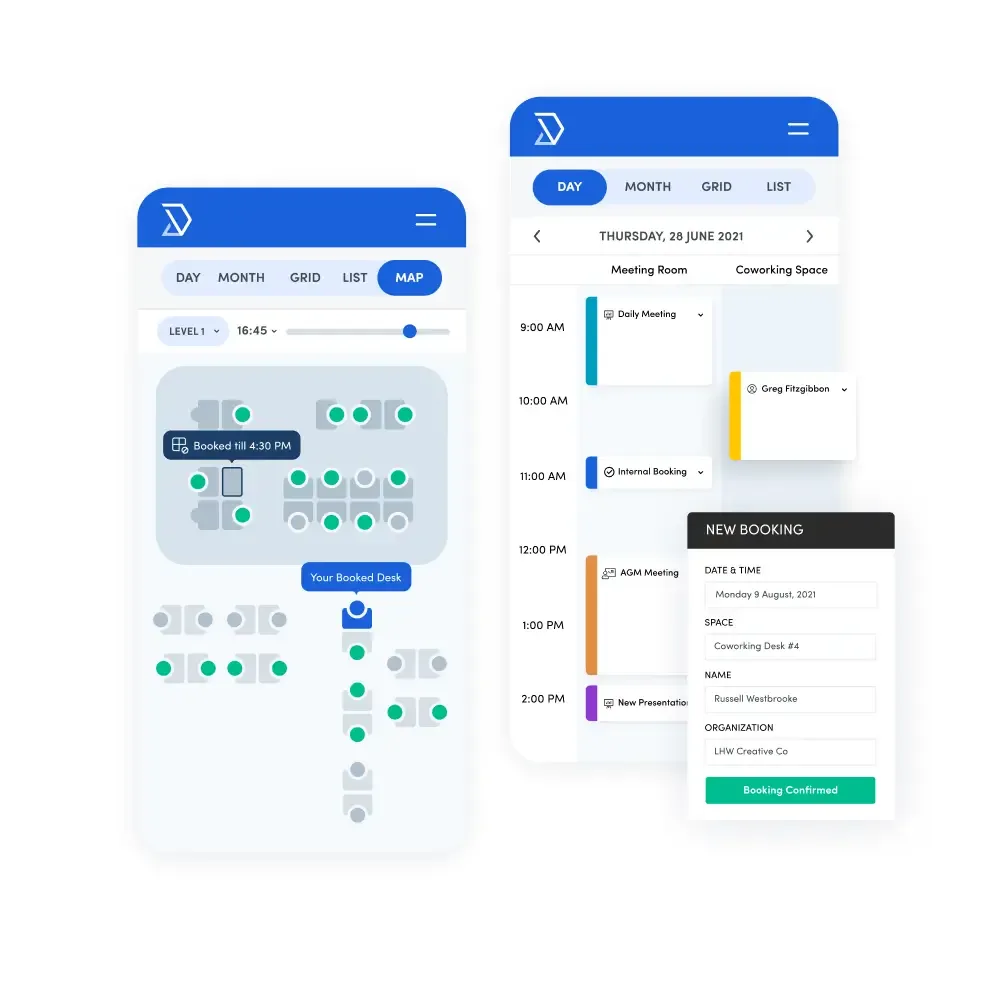
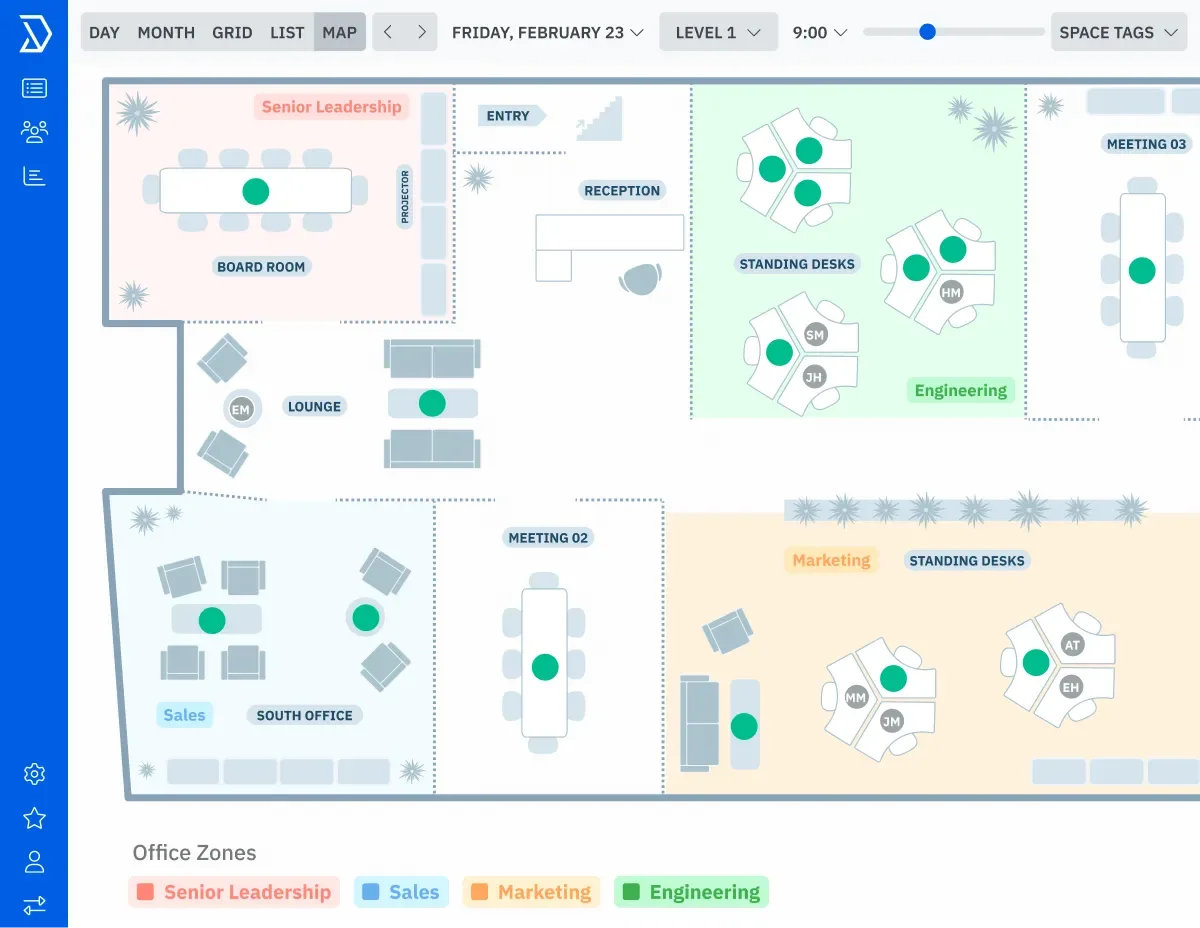
Table of contents
- 1. Skedda Makes Shared Spaces Easier to Manage
- 2. How Skedda Handles Reservations
- 3. Interactive Floor Plans Improve Navigation
- 4. Desk Booking for Hybrid Offices
- 5. Meeting Room Scheduling and Calendars
- 6. Booking Rules and Approval Controls
- 7. Booking Analytics and Space Utilization
- 8. Integrations With Workplace Tools
- 9. Mobile Access and Employee Adoption
- 10. Security and Workplace Administration
- 11. Setup Support and Ongoing Maintenance
- 12. Skedda Pricing and Subscription Value
- Frequently Asked Questions
1. Skedda Makes Shared Spaces Easier to Manage
Skedda review: Skedda helps organizations coordinate desks, meeting rooms and other bookable spaces through a centralized workplace management platform.
Employees can find available locations, make reservations and check booking information, while administrators define access rules, manage capacity and examine space utilization.
Interactive floor plans give people a visual way to choose where they work, and calendar integrations help connect reservations with existing scheduling systems.
The platform is particularly relevant to hybrid offices, shared workplaces, educational institutions and organizations that need clearer control over physical resources without creating a separate manual booking process.
The challenge Skedda addresses is straightforward.
An organization may have dozens of meeting rooms, shared desks, collaboration areas and specialist facilities, yet employees still struggle to establish which spaces are available.
A room can appear free in one calendar while another booking system shows it as occupied.
Desks may be reserved by people who never arrive.
Administrators may have little reliable information about which facilities are heavily used and which remain empty for much of the week.
These problems become more difficult when employees follow different schedules.
Hybrid work means that the number of people attending an office can change considerably from one day to another.
A company might have sufficient desks overall but insufficient capacity on popular attendance days.
Meeting rooms may be available in theory but poorly distributed across departments or locations.
Skedda gives organizations a structured way to manage those reservations.
Administrators configure bookable spaces, establish booking rules and provide employees with a consistent place to check availability.
Depending on the selected plan and configuration, the platform can support interactive floor plans, booking restrictions, calendar synchronization, check in processes, reporting and workplace management integrations.
The distinction between booking a space and managing a workplace is important.
A basic calendar can show when a meeting room is occupied, but a workplace management system can also help control who may reserve it, how far ahead reservations are permitted, whether bookings require approval and how often a particular person or group can use a resource.
Those controls become increasingly valuable when space is shared by several departments or external groups.
Skedda is not a universal replacement for every workplace application.
Its strongest use case is coordinating physical space and reservations.
Companies that also need extensive facilities maintenance, workforce scheduling, employee performance management or comprehensive real estate portfolio analysis should examine those requirements separately.
For buyers, the central question is whether the operational benefit justifies adopting another platform and paying for its space based pricing model.
The answer depends on how many resources must be managed, how complicated the booking rules are and how much time employees currently spend finding, reserving and coordinating shared facilities.
2. How Skedda Handles Reservations
Reservation management is the foundation of Skedda.
The platform provides a centralized booking experience where authorized users can find available spaces and make reservations according to the organization's configured policies.
A workspace administrator first defines the resources that people can book.
Depending on the use case, these might include meeting rooms, individual desks, collaborative areas, training rooms or other facilities that require scheduled access.
Each resource should have an identifiable purpose, appropriate availability settings and the information users need to make a suitable selection.
Once spaces are configured, employees can check availability and create bookings.
This reduces dependence on informal arrangements, separate spreadsheets or messages asking colleagues whether a room is free.
A shared booking system also gives administrators a clearer view of reservations across the resources included in the account.
Booking policies determine how this process works in practice.
An organization might allow employees to reserve meeting rooms several weeks in advance while restricting desk reservations to a shorter window.
Some spaces may be available to everyone, while others are restricted to particular departments or groups.
Certain requests may need approval before they become confirmed reservations.
These distinctions matter because workplace booking is rarely just a matter of finding an empty room.
Organizations often need to balance accessibility, fairness, operational requirements and predictable use of facilities.
A booking policy can establish consistent expectations instead of leaving employees to negotiate access individually.
Skedda also supports booking conditions and restrictions whose availability and configuration depend on the selected plan.
Administrators should examine the specific rules available to them before designing complex workflows.
A requirement involving booking quotas, approval steps, buffers between reservations or restrictions on advance booking may depend on the plan's rules and roles capabilities.
For example, a training department might allow staff to reserve a training room only when a session is scheduled, while preventing reservations that overlap with maintenance periods.
A hybrid office might limit certain desks to particular teams.
A university could organize access to shared facilities around different user groups and operating schedules.
The benefit is consistency.
When rules are defined centrally, employees can understand what they are allowed to reserve and administrators can reduce the amount of manual intervention required to enforce routine policies.
However, a booking system cannot compensate for unclear internal procedures.
If nobody knows which rooms are intended for confidential meetings or how cancellations should be handled, the software will simply apply an incomplete policy.
Before launch, organizations should decide who can book each resource, which restrictions apply and how exceptional requests will be resolved.
Skedda is most useful when those rules can be expressed clearly and maintained over time.
Buyers with unusually complex scheduling requirements should test representative scenarios during evaluation rather than relying on a general demonstration.
3. Interactive Floor Plans Improve Navigation
Interactive floor plans are one of Skedda's most distinctive workplace features.
Instead of asking employees to select a room from a long list of names, the platform can present a visual layout showing the location of bookable spaces.
This approach is particularly helpful in offices where people do not know every room or desk by name.
A new employee may recognize a particular area of the building more easily than a resource identifier.
Someone arranging an in person meeting might want a room close to their department, near a presentation area or on a particular floor.
A visual floor plan can make these decisions more intuitive.
Users can identify available resources in relation to their surroundings and select a location that suits the purpose of the booking.
Administrators can also give employees a clearer understanding of how the organization's physical spaces are organized.
The feature becomes more valuable when the office contains several floors, separate zones or different categories of workspace.
A simple list may communicate availability, but it can be less effective at showing how resources relate geographically.
A map helps users understand where a reservation will take place before they arrive.
Interactive maps also provide a practical administrative benefit.
Workplace teams can organize resources visually and help employees recognize which facilities are available for booking.
This may reduce avoidable questions about room locations and make the reservation experience more accessible to occasional users.
The usefulness of the floor plan depends on its accuracy.
If desks are moved, room names change or areas are repurposed, the map should be updated.
An outdated layout can send employees to the wrong location or create confusion between the digital booking system and the actual workplace.
Organizations should also consider how much detail the map needs.
The objective is to make relevant spaces easy to identify, not to reproduce every architectural detail of the building.
Clear resource labels, understandable room names and consistent naming conventions matter more than unnecessary visual complexity.
Plan limits should be checked before implementation.
Skedda's official pricing information distinguishes between subscription tiers and regions, and the number of included spaces or floor plan allowances can vary.
Companies managing multiple locations should establish how many bookable resources they need and confirm the applicable allowance before selecting a subscription.
For organizations with shared desks and meeting rooms, interactive floor plans can turn booking from a text based administrative task into a more visual process.
The improvement is most noticeable when employees need to choose between several nearby spaces or regularly work in unfamiliar parts of a building.
4. Desk Booking for Hybrid Offices
Hybrid work creates a different planning problem from traditional office attendance.
Employees may come in on different days, teams may coordinate occasional in person sessions, and the number of desks needed can fluctuate throughout the week.
Reserving permanent desks for everyone may waste space, while relying on informal arrangements can create uncertainty on busy days.
Skedda supports desk booking as part of its workplace management capabilities.
Employees can identify available desks and reserve the spaces they need according to the rules configured by their organization.
Administrators can manage desk availability and, where supported by their subscription, use assigned spaces for resources that need permanent allocation.
Hot desking is a common use case.
Instead of assigning a dedicated desk to every employee, an organization makes a pool of desks available for reservation.
Staff select a desk when they plan to attend the office, giving the workplace team a clearer picture of expected demand.
This arrangement can help businesses that have adopted flexible attendance policies or operate with fewer desks than employees.
It can also support teams that gather in person for specific projects, provided the booking rules reflect how those teams actually work.
Desk reservations are only one part of effective hybrid workplace management.
Companies must decide whether employees can book any available desk, whether teams should sit in designated zones and how far in advance reservations may be made.
Some organizations may also need to reserve desks for accessibility requirements, specialist equipment or operational roles that require a consistent location.
Those policies should be settled before employees begin using the system.
If staff discover that the most suitable desks are repeatedly unavailable, they may resort to informal reservations or avoid the booking platform altogether.
A fair and understandable allocation policy is therefore just as important as the interface.
Check in rules can help organizations distinguish between a reservation and actual attendance.
Where enabled and configured, employees may be required to confirm that they have arrived for a booking.
This can help identify reservations that are not being used, although the effectiveness depends on participation and the available check in process.
A booking alone does not prove that a desk was occupied.
If a company wants to understand actual utilization, it should examine what attendance or occupancy information is available and whether additional technology is required.
Skedda offers occupancy related capabilities in some configurations, but buyers should verify how these work and whether the necessary infrastructure is supported.
Desk booking is especially useful when an organization wants to coordinate flexible attendance without forcing employees to ask facilities staff for availability.
It is less valuable in a workplace where everyone has a permanent desk and no meaningful resource conflicts occur.
The best implementation begins with a limited area or department.
Monitor reservations, cancellations, peak attendance and user feedback before extending the system to the entire office.
This provides evidence about whether the booking policy reflects real demand.
5. Meeting Room Scheduling and Calendars
Meeting room management is another important reason to consider Skedda.
Organizations often have more meeting requests than suitable rooms at particular times, and employees can lose time checking calendars, confirming availability and arranging alternatives.
A centralized reservation system provides a consistent place to find bookable rooms and coordinate access.
Skedda supports meeting room reservations alongside desk booking and broader space management.
Administrators can configure rooms as bookable resources, establish availability and apply the booking policies relevant to their organization.
Employees can then select a suitable room without relying exclusively on messages or manually maintained room lists.
Room scheduling becomes more complicated when facilities have different purposes.
A small room may suit a private conversation but not a department meeting.
A larger space may be needed for presentations, while a specialist room might require equipment or additional preparation time.
Clear resource names and relevant booking details help users select an appropriate location.
Organizations can use booking rules to manage these differences.
Where supported by the selected plan, booking conditions, advance booking windows, quotas and buffers can help control how rooms are reserved.
Buffers can be especially useful when staff need time to prepare a space or reset it after a session, although buyers should confirm the precise capabilities available in their subscription.
Calendar synchronization is equally important.
Skedda advertises integrations with Microsoft 365 and Google Workspace, including synchronization options that help connect workplace reservations with existing calendar environments.
The precise behavior depends on the configuration, connected calendar resources and plan.
Administrators should test how new bookings, cancellations, changes and conflicting events are handled before deploying the integration across the organization.
The distinction between a calendar event and a room reservation deserves attention.
A meeting invitation may list a room, but the room's availability still needs to be represented correctly in the relevant booking system.
If employees can reserve the same resource through multiple disconnected channels, double bookings may remain possible.
The implementation should establish which process is authoritative and how synchronization is expected to behave.
A good test includes several realistic cases.
Create a booking in Skedda, inspect the connected calendar, modify the reservation and verify the result.
Then test a cancellation and a booking created through the connected calendar system if that workflow is supported.
Check time zones, recurring events and access permissions as well.
For organizations that already use Microsoft 365 or Google Workspace, this integration capability can make adoption easier.
Employees may be more willing to use a workplace booking platform when it fits their existing scheduling habits.
However, compatibility should be verified against the organization's actual licensing, identity configuration and calendar requirements.
Skedda is worth considering when room reservations need more control than a simple shared calendar provides.
If the only requirement is occasional meeting scheduling in an environment that already works well, an additional platform may create more administration than value.
6. Booking Rules and Approval Controls
A workplace booking platform needs more than a list of available spaces.
It also needs a way to express organizational policies and apply them consistently.
Skedda's rules and roles capabilities help administrators determine who can book particular resources, when reservations can be made and which restrictions apply.
Consider an office with several departments sharing a limited number of meeting rooms.
Without defined rules, one group might reserve rooms far in advance, leaving other employees with few practical options.
Booking windows and quotas can help distribute access more predictably when those controls are available on the selected plan.
A similar problem occurs when certain resources require special handling.
A training room may need an authorized organizer, a laboratory may have restricted access, and a conference facility may require an approval before the reservation becomes final.
A platform that supports relevant conditions and approval workflows can help formalize these requirements.
Skedda's available booking conditions, rules and roles vary across subscription tiers.
Its published plan comparison distinguishes between more limited rules capabilities and a fuller rules and roles engine.
Buyers should therefore identify the restrictions they need and check the exact plan limits rather than assuming every policy can be configured on the entry tier.
A practical implementation begins with a written policy.
Identify the resources that need restrictions, the groups affected and the circumstances in which an exception is permitted.
Then translate those requirements into the available booking controls.
This prevents administrators from creating rules that appear technically correct but conflict with how the organization actually operates.
For example, a company could allow employees to reserve ordinary desks freely while requiring approval for a specialist conference room.
Another organization might permit internal teams to book training facilities but restrict external requests to designated administrators.
The system should make these distinctions clear to the people who use it.
Approval workflows also need an owner.
Someone must know when a request is waiting, how quickly it should be reviewed and what happens if the approver is unavailable.
If approvals remain unattended, the booking system can create a new bottleneck instead of removing one.
Rules should be tested against edge cases.
Check what happens when a user attempts an overlapping booking, requests a resource outside the permitted window or belongs to a group with different permissions.
Review how administrators can change a policy and how existing reservations are affected by that change.
Overly complicated rules can be difficult to maintain.
Each restriction adds another condition that administrators must understand when troubleshooting a booking.
Start with the smallest set of rules needed to protect access and distribute resources fairly.
Add further complexity only when a real operational requirement justifies it.
These controls are most valuable in organizations with shared facilities, distinct user groups or limited resources.
For a small office where everyone can use every room without restrictions, the additional rule configuration may be unnecessary.
Buyers should evaluate the actual complexity of their booking policies rather than purchasing advanced controls simply because they are available.
7. Booking Analytics and Space Utilization
Workplace managers need to understand not only which spaces have been reserved, but also how effectively those spaces are being used.
Skedda includes insights and reporting capabilities intended to help administrators examine booking activity and identify patterns in space demand.
This information can support decisions about workplace operations.
A facilities manager may want to know which meeting rooms are frequently booked, whether demand concentrates on certain days or whether some resources receive very little use.
A company reviewing its office footprint may want evidence before changing the number or distribution of available spaces.
Booking data can help reveal patterns that informal feedback misses.
Employees might complain that rooms are always unavailable, yet the reservation history could show that a particular time window is responsible for most conflicts.
Another location may appear busy because bookings are frequent, even though reservations are often cancelled or not used.
These distinctions matter.
Reservation volume measures scheduled demand, while actual occupancy measures presence.
The two can differ substantially when employees forget to cancel bookings, reserve desks without attending or change plans at short notice.
Administrators should understand what each report measures before using it to justify staffing or property decisions.
Skedda's published plans include insights dashboard capabilities, with the available level depending on the subscription.
Its plan comparison also identifies differences in booking data retention and activity history.
Businesses that need long term trend analysis should confirm how far back their plan retains relevant information and whether that period is sufficient for annual planning.
A meaningful analysis starts with a specific business question.
If management wants to assess room demand, compare bookings by room and time period.
If the objective is to improve desk allocation, examine the relevant booking and attendance information where available.
If the organization plans to consolidate locations, consider the differences between sites, departments and attendance patterns.
Avoid treating every available metric as equally useful.
A dashboard can contain many figures without helping anyone decide what to change.
The strongest reports focus on questions such as whether space capacity matches demand, which resources create recurring conflicts and where unused capacity may be available.
Reporting quality also depends on consistent booking behavior.
If employees make reservations outside the system, routinely fail to cancel unused bookings or share spaces informally, the recorded data may not represent the actual workplace.
Clear usage policies and employee participation are necessary for dependable conclusions.
Privacy should be considered when analyzing employee attendance.
Organizations need to determine which information is necessary, who may access it and how it will be used.
Workplace analytics should serve legitimate operational purposes and follow the organization's applicable privacy and employment obligations.
Skedda can provide useful evidence for workplace decisions, particularly when the booking process is used consistently.
However, organizations that need advanced predictive analytics, extensive real estate modeling or comprehensive business intelligence should verify whether the available reports meet those requirements or whether a separate analytics platform is necessary.
8. Integrations With Workplace Tools
A booking platform becomes more useful when it fits into the systems employees already use.
Skedda supports connections with selected workplace applications, calendar services and identity tools, helping organizations integrate space management into existing operational processes.
Microsoft 365 and Google Workspace are particularly relevant because many organizations already use them for calendars and collaboration.
Synchronizing booking information with these environments can reduce the need for employees to check separate schedules manually.
The exact synchronization options and behavior should be validated during setup.
Skedda also advertises integrations for Microsoft Teams and Slack.
These connections can make selected booking information and notifications accessible through familiar collaboration environments.
For employees who spend much of their day in those tools, the ability to access relevant workplace information without constantly switching applications may reduce friction.
The Microsoft Teams integration is useful to investigate when a company wants employees to interact with workplace reservations within its existing collaboration environment.
Slack integration may be relevant when booking updates, visitor notifications or information about who is attending the office should be available to users there.
Administrators should confirm which actions each integration supports rather than assuming the full Skedda interface is reproduced inside those applications.
Identity management is another consideration for larger organizations.
Skedda lists support for SAML based single sign on and SCIM provisioning in its plan comparison, with availability dependent on the subscription.
These capabilities can help organizations connect authentication and user provisioning with their existing identity provider.
Buyers should confirm the relevant plan requirements and integration scope before treating these controls as included.
An integration assessment should begin with a list of required systems and the business reason for connecting each one.
Some organizations primarily need calendar synchronization.
Others need centralized identity management, collaboration notifications or data exchange with an internal workplace application.
Separating essential requirements from optional conveniences helps avoid unnecessary complexity.
The next step is to establish which system owns each piece of information.
If employee identity is managed by a corporate identity provider, administrators should define how account changes will be reflected in Skedda.
If room reservations are synchronized with an external calendar, the organization should establish how conflicting changes will be handled.
Integration testing should include ordinary and exceptional scenarios.
Verify successful authentication, changes to user permissions, booking updates and cancellations.
If notifications are part of the workflow, test whether the intended recipients receive them and whether they contain the appropriate information.
External connections also create operational dependencies.
Authentication settings may change, third party applications can update their behavior, and administrators may need to revise configurations as the organization evolves.
Assign ownership for monitoring integrations and resolving failures, especially when employees depend on them to access important spaces.
Skedda's integration options are valuable when they support an existing workplace strategy.
They should not be judged by the number of logos on an integrations page alone.
The practical question is whether the platform can exchange the right information with the organization's actual systems, within acceptable security and maintenance requirements.
9. Mobile Access and Employee Adoption
Employees need to reserve spaces when planning their office attendance, not only when sitting at a computer.
Mobile access can make this process more convenient for people who work across locations, travel between meetings or change their schedules during the day.
Skedda advertises native mobile applications for iOS and Android.
Mobile access allows users to interact with the platform away from a desktop, subject to the features and permissions available to their accounts.
Organizations should test the actual booking tasks employees need to complete on mobile devices before rolling out the system.
A useful mobile booking experience should make the essential actions easy to locate.
Employees need to identify an available space, understand the relevant booking details and complete or manage a reservation without navigating unnecessary screens.
The experience should also help users recognize when a resource is unavailable or when a booking restriction prevents a request.
Mobile access is particularly relevant to hybrid offices.
An employee may decide to attend the office after arranging a client meeting or discover that a colleague needs an in person discussion.
Being able to check desk availability before travelling can reduce uncertainty and help people coordinate their plans.
The benefit depends on adoption.
If employees continue to use informal messages or maintain their own lists of available desks, the booking platform may never become a reliable representation of demand.
Organizations should communicate the purpose of the system, explain the booking policy and make it clear which reservation channel employees are expected to use.
Training does not need to be extensive for a straightforward deployment.
A short demonstration can show employees how to locate their workplace, select a resource, check its availability and cancel a reservation when plans change.
Administrators should also explain any check in requirement, booking restriction or policy that affects daily use.
Employee adoption improves when the system reflects real workplace behavior.
If staff frequently move between locations, the platform should make the relevant locations easy to find.
If particular teams need nearby desks, the organization should explain how those resources are allocated.
If people regularly forget to cancel unused reservations, reminders or check in policies may help, where supported by the configuration.
Administrators should collect feedback after launch.
Ask whether users can find suitable spaces, understand the rules and complete bookings without assistance.
Track recurring questions and examine whether they reveal a confusing interface, an outdated floor plan or an unnecessarily restrictive policy.
Accessibility also deserves consideration.
Organizations should evaluate whether employees with different needs can navigate the booking process and obtain appropriate resources.
A digital system should support the workplace's accessibility policies rather than making accommodation more difficult.
Mobile availability is useful, but it does not automatically guarantee a smooth employee experience.
The organization still needs accurate space information, clear booking rules and a practical support process.
A simple system that employees trust is more valuable than a feature rich platform that people avoid using.
10. Security and Workplace Administration
Workplace booking data can reveal more than the location of an available room.
Depending on the configuration, it may show employee names, meeting details, attendance patterns and information about how facilities are used.
Organizations should therefore consider security and privacy when deciding how Skedda will be configured.
The first task is to establish who should have access to each category of information.
Ordinary employees may need to see whether a room is available, while administrators may need broader access to booking records and configuration settings.
External visitors or contractors may require a more limited experience than internal staff.
Skedda advertises private scheduling options and SAML based single sign on in its plan comparison.
These capabilities can support controlled access, although the available options depend on the subscription and implementation.
Administrators should verify the exact controls offered by their chosen plan before using the platform for sensitive workplace information.
Single sign on can simplify authentication by connecting access to an organization's identity provider.
When configured appropriately, it can help align application access with established identity policies.
However, enabling single sign on is not a substitute for reviewing user permissions, managing account changes or removing access when someone leaves the organization.
Larger deployments should consider automated user provisioning where supported.
SCIM can help synchronize user accounts and profile changes between an identity provider and a connected application.
Buyers should verify the supported identity systems, configuration requirements and plan eligibility before making it part of an access management strategy.
Booking visibility should also be reviewed carefully.
The organization needs to decide which details should be visible to other employees and which should remain private.
Meeting titles and attendee information may contain confidential commercial or personal information.
A schedule that makes room availability visible does not necessarily need to expose every detail of a meeting.
Administrators should apply the principle of least privilege.
Give users the permissions necessary to perform their responsibilities, then review those permissions periodically.
Avoid giving broad administrative access simply because it makes initial setup easier.
Organizations should also examine the provider's current security documentation, privacy terms, data processing agreements and available compliance information.
Requirements vary by jurisdiction and industry, so a company should assess the relevant contractual and technical controls against its own obligations.
A general statement that a platform is secure does not answer every procurement or regulatory question.
Data retention is another factor.
Booking history can be useful for operational analysis, but not every organization needs to retain all historical records indefinitely.
Buyers should check the retention settings and plan limits, determine what information is retained and establish how records should be handled under internal policy.
An effective governance process includes clear account ownership, periodic access reviews and a procedure for investigating suspicious activity or accidental disclosure.
Administrators should know how to revoke access, update permissions and contact the provider when a security issue requires assistance.
Skedda can support a controlled workplace booking process, but security is a shared responsibility.
Its suitability for a particular organization depends on the available product controls, the configuration selected and the organization's wider security requirements.
11. Setup Support and Ongoing Maintenance
The time required to implement Skedda depends on the size of the workplace, the quality of existing space information and the complexity of the booking rules.
A small office with a handful of meeting rooms is a different project from a company coordinating multiple buildings, hundreds of desks and several employee groups.
A sensible implementation starts with an inventory of the spaces that will be bookable.
Record each resource's name, location, intended use, capacity where relevant and any restrictions.
Decide which resources need to appear on the floor plan and which booking policies apply to them.
This inventory provides the basis for the system configuration.
Without it, administrators may create duplicate resources, omit important facilities or use inconsistent names that make booking confusing.
It is easier to correct the inventory before employees begin relying on the platform than to reorganize the entire booking structure after launch.
The next step is to define access.
Determine which users can reserve each category of space, whether particular resources require approval and which administrators will manage the account.
If the organization uses a connected identity provider or calendar service, identify the people responsible for configuring and maintaining those integrations.
Calendar synchronization should be tested early rather than left until the end of implementation.
A booking platform can appear to work correctly while still producing unexpected behavior when events are changed or cancelled through a connected system.
Testing the actual scheduling workflow helps identify issues before employees depend on it.
The floor plan should then be checked against the physical workplace.
Confirm that resource labels match the names people use in the building and that the displayed locations are accurate.
If the office has several floors or separate locations, ask employees who know the facilities to verify the map before launch.
A pilot is often the most practical way to introduce a new booking process.
Select a department or a limited group of spaces and observe how people use the system.
Collect feedback about the booking process, examine common errors and adjust the rules before expanding to other teams.
Support arrangements should be part of the purchasing decision.
Skedda provides support resources, but buyers should confirm the support channels, response expectations and onboarding options available under their proposed contract.
A business that operates across several time zones or depends on the platform for daily access to critical facilities may have different support requirements from a small office.
Ongoing maintenance includes reviewing booking rules, updating the floor plan, managing user access and checking integrations.
Changes to the physical office should be reflected in the digital configuration.
If a room becomes unavailable for renovation, administrators should ensure that employees cannot continue reserving it as though it were open.
Regular reviews also help identify unnecessary complexity.
An organization may discover that some booking restrictions are no longer needed or that employees rarely use a particular resource.
Adjusting the configuration can make the system easier to administer and improve the employee experience.
Skedda is more likely to succeed when implementation has a named owner and a realistic maintenance plan.
The subscription provides the platform, but the organization remains responsible for keeping its resource information, booking policies and user access aligned with the way the workplace operates.
12. Skedda Pricing and Subscription Value
Skedda uses a pricing model based on bookable spaces rather than charging solely according to the number of people who use the platform.
This can be attractive to organizations with many employees but a defined inventory of desks and meeting rooms.
However, the total cost needs to be assessed against the number of spaces, the features required and the subscription conditions.
The provider publishes different pricing for the United States and Canada compared with Europe, the Middle East, Africa and Asia Pacific.
The entry plan shown for EMEA and APAC is Starter at $99 per month, billed annually, with 15 spaces included.
The Plus plan starts at $149 per month for 20 spaces, while Premier starts at $199 per month for 25 spaces.
For the United States and Canada, the published Plus plan starts at $249 per month with 35 spaces, and Premier starts at $349 per month with 45 spaces.
Prices and allowances should be reconfirmed directly with the provider before purchase.
These are space based subscription prices, not per employee rates.
That distinction matters when estimating the cost for a workplace with hundreds of employees.
A business should not multiply the published monthly figure by the number of users, but it must confirm how many spaces are included and what additional spaces cost under the applicable plan.
The Starter tier is intended for basic scheduling needs in the EMEA and APAC pricing structure.
It includes interactive floor plans, unlimited users and bookings, a basic rules and roles engine and a limited insights dashboard.
Organizations should check whether the available rule limits and reporting features are sufficient for their intended workflow.
Plus is more appropriate when the organization needs the full insights dashboard and a greater space allowance.
Premier adds a fuller rules and roles engine and features such as assigned spaces and expanded custom field capabilities, according to the published comparison.
Enterprise pricing is customized for organizations with more complex requirements.
The right plan depends on the booking policy, not simply on the number of rooms.
A company with a modest office may still need advanced restrictions or administrative capabilities.
Another organization may manage more spaces but require only basic scheduling.
Buyers should list their must have features and compare them with the plan details before evaluating the monthly price.
Annual billing deserves attention.
The published plans are presented with annual billing, so organizations should confirm the contractual commitment, renewal terms and any applicable taxes before signing.
Businesses that expect major changes to their office footprint should also ask how subscription adjustments are handled if the number of spaces increases or decreases.
Additional costs may affect the total.
The official comparison identifies a separate administrator add on in some configurations, and the availability of specific capabilities varies by plan.
Buyers should ask for a complete quote that identifies the subscription, included spaces, additional space charges and any optional services or implementation costs relevant to their deployment.
A fair evaluation compares Skedda's price with the cost of the current process.
Consider time spent resolving booking conflicts, the administrative effort required to coordinate facilities and the value of having dependable utilization information.
These benefits should be estimated conservatively rather than assuming that introducing software automatically reduces property costs.
For a small office with minimal booking conflicts, a shared calendar may be sufficient.
For a hybrid workplace where desk availability changes frequently, the ability to coordinate reservations and apply consistent policies may justify the investment.
The decision should reflect actual operational needs.
The provider's official pricing page is the appropriate place to verify current regional prices, plan allowances and billing details before making a purchase.
Key features
- Desk and meeting room reservations
- Interactive bookable workplace floor plans
- Hybrid office desk allocation tools
- Centralized meeting room scheduling
- Microsoft 365 calendar synchronization
- Google Workspace calendar synchronization
- Microsoft Teams booking integration
- Slack booking notifications and updates
- Custom booking conditions and restrictions
- Role based access management controls
- Advance booking window restrictions
- Booking quotas for selected users
- Buffers between successive reservations
- Booking requests and approval workflows
- Assigned desks and permanent spaces
- Check in for reserved spaces
- Workplace booking insights dashboard
- Historical reservation data and reporting
- Mobile applications for workplace reservations
- SAML single sign on support
- SCIM user provisioning integration
Pricing
- 15 bookable spaces included
- Unlimited users and bookings
- Interactive workplace floor plans
- Basic rules and roles engine
- Limited insights dashboard
- 20 bookable spaces included
- Unlimited users and bookings
- Interactive workplace floor plans
- Full insights dashboard included
- Limited rules and roles engine
- 5 bookable spaces included
- Unlimited users and bookings
- Full rules and roles engine
- Full insights dashboard included
- Assigned spaces and custom fields
Pros & cons
Pros
- Visual floor plans simplify space selection
- Unlimited users on listed workplace plans
- Centralized desk and room reservations
- Calendar integrations support existing workflows
- Booking rules improve resource allocation
- Mobile applications support flexible working
- Check in rules address unused reservations
- Insights help identify booking patterns
- Assigned spaces support permanent desk allocation
- Identity integrations support larger deployments
- Multiple plans serve different workplace needs
- Useful for hybrid office coordination
Cons
- No permanent free workplace plan listed
- Annual billing affects purchasing flexibility
- Entry plans have limited rule capabilities
- Pricing varies across geographic regions
- Additional spaces can increase subscription costs
- Advanced controls require higher tier plans
- Complex deployments need careful initial configuration
- Reporting depends on booking data quality
- Bookings alone do not prove occupancy
- Integrations require configuration and ongoing maintenance
- Incorrect floor plans confuse employees
- Specialized facility management may require other software
Skedda specs
- Platforms: Web browser, iOS and Android
- Free plan: No permanent free plan listed, trial available
- Starting price: $99 per month, EMEA and APAC Starter, billed annually
- Integrations: Microsoft 365, Google Workspace, Teams, Slack and identity tools
- Support: Online support and help resources, options vary by plan
- Best for: Hybrid offices and shared workplace management
Our verdict
Skedda is a strong option for organizations that need a reliable way to coordinate desks, meeting rooms and shared workplace resources. Its interactive floor plans, booking policies, calendar integrations and utilization insights make it particularly relevant to hybrid offices and facilities teams managing changing demand. The space based pricing model can suit workplaces with many employees and a defined inventory of bookable resources, but buyers must assess the regional pricing, annual commitment and plan restrictions carefully. Smaller offices with few booking conflicts may be better served by existing calendar tools. Organizations that need comprehensive facilities maintenance or advanced real estate analytics should evaluate specialized alternatives before committing.
Contact SalesFrequently Asked Questions
What is Skedda used for?
How much does Skedda cost in 2026?
Does Skedda have a free plan?
Does Skedda integrate with Microsoft Outlook and Zoom?
Is Skedda suitable for hybrid offices?
Reader reviews
Be the first to review
