
Paylocity Review 2026 Payroll HR Tech Deep Dive

By Nathan Cole & Zari M'Bale · Reviewed by Afonso Macosso
Paylocity streamlines payroll, workforce management, and talent acquisition into an intuitive platform that elevates employee engagement across teams.
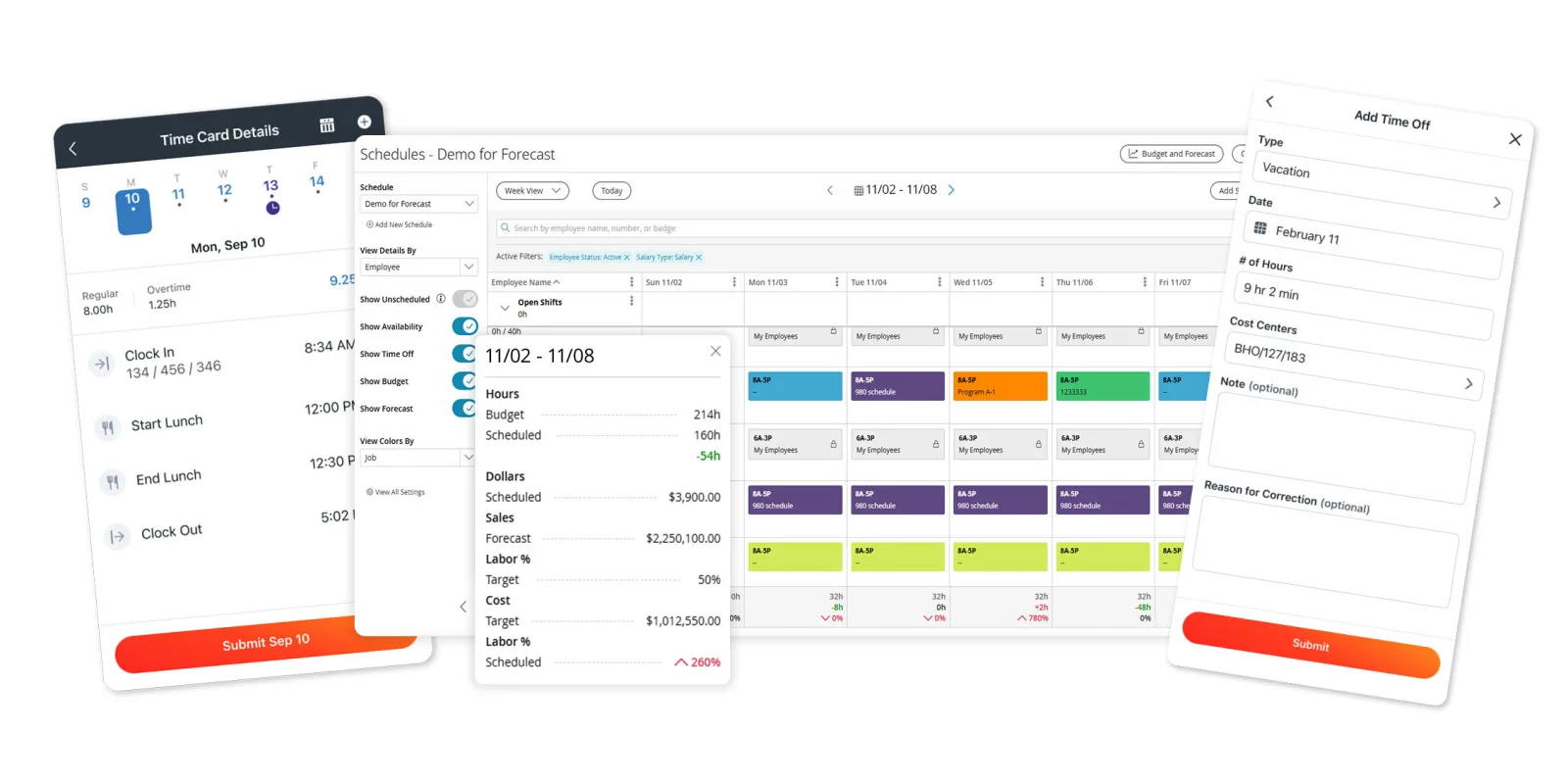
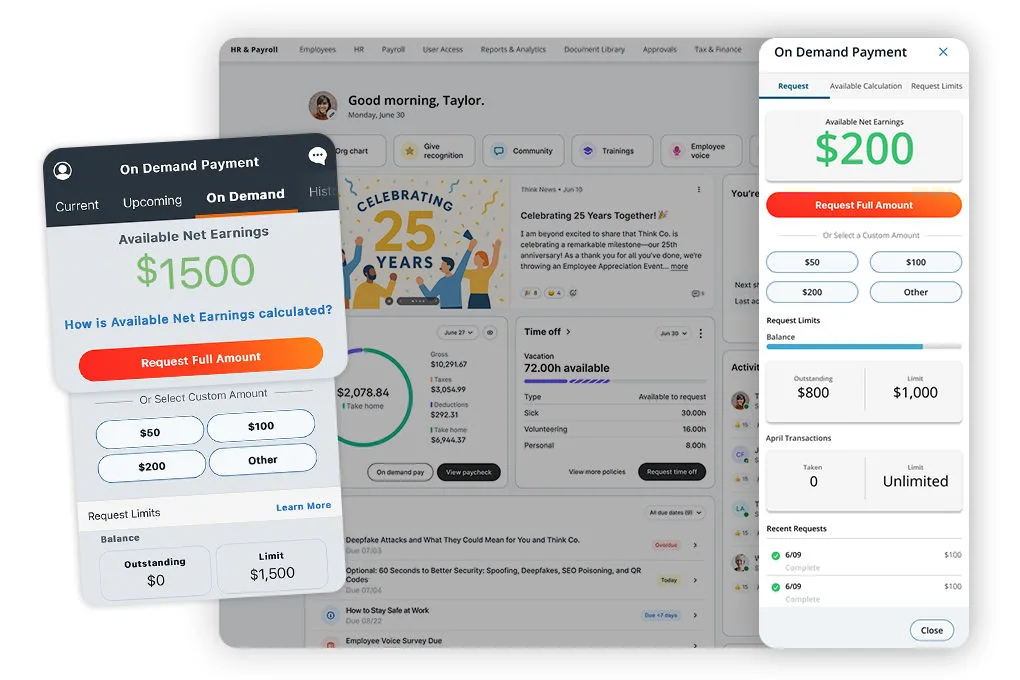
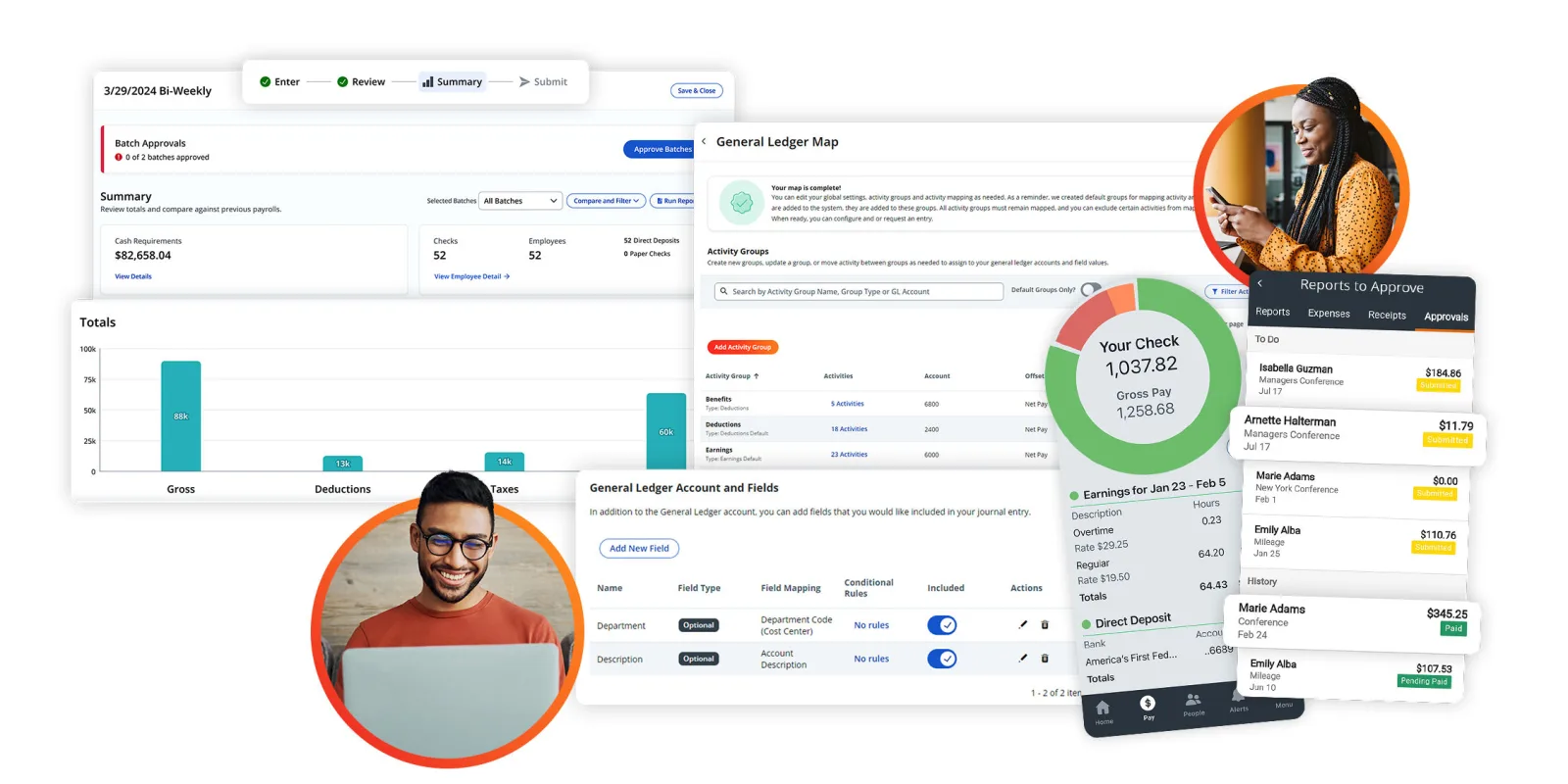
Table of contents
- 1. Paylocity Payroll and HR Capabilities
- 2. Payroll Calculations and Tax Filing
- 3. Employee Records and HR Administration
- 4. Time Tracking and Shift Scheduling
- 5. Benefits Enrolment and Administration
- 6. Recruitment and Talent Management
- 7. Employee Engagement and Workforce Reporting
- 8. Integrations Security and Data Ownership
- 9. Paylocity Pricing and Contract Costs
- 10. Employment Hero for Connected HR
- 11. Justworks HiBob Paycor and Breathe HR
- 12. Implementation Support and Buying Method
- Frequently Asked Questions
1. Paylocity Payroll and HR Capabilities
Paylocity is a payroll and human capital management platform designed to help employers coordinate payroll, employee administration, benefits, workforce scheduling and talent processes.
Its appeal lies in connecting several activities that often sit in separate applications, from preparing payroll to managing employee records and reviewing workforce reports.
Paylocity is particularly relevant to US employers, although selected international services are available.
The key buying question is whether its combination of products matches the company's real operating needs, because broader functionality can bring value while also increasing implementation work, configuration requirements and subscription costs.
Payroll is a major reason businesses evaluate Paylocity, but the platform covers more than paying employees.
Depending on the selected products, employers can manage tax filing, time and attendance, benefits enrolment, recruitment, onboarding, performance management, employee communication and reporting.
Some configurations also include finance and IT related capabilities.
This breadth can be useful when information needs to move between departments.
A new employee, for example, may need to be added to payroll, enrolled in benefits, assigned to a manager and given access to workplace applications.
A connected platform can help coordinate those steps, provided the workflows and integrations have been configured correctly.
However, buyers should avoid treating every advertised capability as automatically included in one subscription.
Product bundles, optional modules, service arrangements and regional availability can differ.
Before comparing quotes, identify the essential functions and ask each provider to confirm exactly what is covered.
Paylocity is especially worth considering when payroll and HR teams spend considerable time reconciling records or transferring information between systems.
A business with only a few straightforward payroll requirements may not need the wider suite.
An employer managing hourly workers, several locations, employee benefits and recurring workforce reports may have a stronger case for a broader platform.
This review evaluates Paylocity through practical buying questions, including payroll accuracy, employee records, benefits administration, scheduling, talent management, integration quality, security, support and total cost.
It also considers Employment Hero, Justworks, HiBob, Paycor and Breathe HR as alternatives, while recognising that these providers serve different regions and operating models.
The most reliable way to assess Paylocity is to test the processes the business cannot afford to get wrong.
A payroll run, a benefits change, an employee departure and a timekeeping correction will reveal more about suitability than a demonstration focused only on attractive dashboards.
2. Payroll Calculations and Tax Filing
Payroll software must handle routine pay accurately while providing a controlled way to review exceptions.
Paylocity supports payroll processing, direct deposit, tax services, pay statements, payroll reporting and tools for reviewing information before a pay run is completed.
The precise service scope depends on the agreement, so employers should confirm which calculations, filings and payments are handled by the provider.
A payroll process typically begins with employee records, pay rates, time data, deductions and approved changes.
Those inputs must be checked before payroll is finalised.
When the information is maintained across several systems, administrators may need to reconcile multiple files and investigate conflicting values.
Integrating payroll with HR and timekeeping can reduce repeated entry, but only if the underlying records are accurate.
Paylocity describes payroll auditing and automated alerts intended to help identify potential issues.
Such controls can be valuable when they highlight unusual changes, missing information or unexpected results.
They do not remove the need for human review.
Payroll professionals still need to investigate exceptions, confirm the correct treatment and ensure that the final figures match the company's obligations.
During a demonstration, ask the provider to walk through a complete pay cycle.
Include a standard employee, a new hire, an employee receiving overtime, a salary change, a bonus and a correction after payroll has been prepared.
Check how the system records the changes, routes approvals, flags anomalies and produces the final payroll register.
Tax filing should be evaluated separately from basic payroll calculations.
Paylocity offers US payroll tax services, but employers should establish which federal, state and local responsibilities are included.
Confirm who submits filings, who remits payments, how amended returns are handled and how tax notices are escalated.
These responsibilities should be documented in the commercial agreement.
Wage garnishments can add another layer of work.
Employers may need to apply deductions, respect applicable limits and send payments to the correct recipient.
Paylocity offers garnishment related services, but the buyer should verify the exact service level, fees and responsibilities rather than assuming every garnishment task is managed automatically.
On demand pay is another capability to examine if employee access to earned wages is part of the organisation's compensation strategy.
Employers should ask which employees qualify, how the programme interacts with payroll, whether fees apply and how the service is explained to staff.
Paylocity deserves serious consideration when a business needs payroll processing and the surrounding administrative workflows to work together.
The final decision should depend on demonstrated accuracy, exception handling, service coverage and the responsibilities that remain with the employer.
3. Employee Records and HR Administration
Employee data supports almost every workforce process.
Paylocity provides HR tools for maintaining employee records, managing documents, coordinating workflows and giving authorised users access to relevant information.
A central employee record can reduce duplicate data entry and make it easier to track changes that affect payroll, benefits, reporting and management responsibilities.
The benefit depends on how the organisation governs its data.
Before implementation, determine which fields are required, who can update them, which changes need approval and how sensitive information is protected.
The business should also decide which application owns each record when information is shared between Paylocity and another system.
Employee self service can reduce routine administrative requests.
Depending on the selected configuration, employees may be able to access pay statements, update personal information, review benefits details and complete common HR tasks.
Managers may have additional tools for approvals and team information.
Confirm the exact capabilities available to each role rather than assuming every user has the same interface.
Permissions should be designed around real responsibilities.
A manager may need to review leave requests for direct reports but should not automatically gain access to confidential payroll or medical information.
HR administrators, payroll specialists and benefits administrators may require different permission sets.
A written access matrix helps ensure that the platform reflects these distinctions.
Document management also needs a defined process.
Employee contracts, policies, acknowledgements and other records should be stored consistently, with clear ownership and retention rules.
Ask how the system manages access, historical documents, version changes and record export.
If the organisation has complex legal retention requirements, verify those capabilities explicitly.
Onboarding and offboarding are useful tests of the broader HR workflow.
A new employee may need to submit personal details, complete required documents, join payroll, enrol in benefits and receive access to business systems.
A departing employee may require final payroll, benefits updates, equipment return and access removal.
Paylocity's HR and IT related products may support parts of these processes, but the exact integrations and automation must be confirmed.
Implementation should begin with data cleanup rather than a direct copy of every existing spreadsheet.
Remove duplicate profiles, correct reporting relationships and identify records that should be retained separately.
Clean source data reduces the risk of introducing incorrect information into payroll and other connected modules.
Paylocity can suit businesses that want employee administration to sit alongside payroll and workforce tools.
Organisations with an established HR system should identify specific gaps first and test whether Paylocity resolves them without introducing unnecessary complexity.
4. Time Tracking and Shift Scheduling
Time and attendance tools are important for businesses that pay employees according to hours worked, shifts, overtime or attendance rules.
Paylocity offers time collection through supported web, mobile, kiosk and time clock options, together with attendance reporting and workforce scheduling capabilities.
Available functions depend on the selected products and configuration.
A salaried office workforce may need only basic leave requests and payroll integration.
A warehouse, restaurant, healthcare provider or retail operation may require more detailed scheduling, clock in records, shift changes, overtime approvals and labour cost reporting.
These differences should shape the evaluation from the beginning.
The key question is how time data reaches payroll.
If managers approve time records in one system and payroll administrators manually re enter them elsewhere, the business still carries a significant reconciliation burden.
Ask Paylocity to demonstrate how approved hours transfer into payroll, how corrections are recorded and what happens when a time record is incomplete.
Use realistic test cases.
Include a missed clock in, an employee working at two locations, a shift crossing midnight, an approved shift swap and overtime that requires supervisor approval.
If the business operates across regions, verify how time zones, local policies and manager permissions are handled.
Scheduling rules also need scrutiny.
Some employers have policies about minimum rest periods, overtime thresholds, shift qualifications or staffing levels.
Buyers should confirm which rules can be configured, which require additional tools and which still depend on managers to check compliance.
Location based clocking can help businesses confirm that employees record attendance at approved sites.
It also raises privacy questions.
Employers should explain what location data is collected, who can see it and how long it is retained.
Monitoring should be proportionate to the operational need and consistent with applicable law.
Workforce reports can help supervisors review scheduled hours, actual hours, missed punches, overtime and absence patterns.
Ask whether the reports can be filtered by department, location and pay period, and whether the information can be exported for finance or operational planning.
Paylocity is worth shortlisting when timekeeping and payroll must function as a coordinated process.
Organisations with simple salaried payroll may not need the added capabilities, while employers with complicated scheduling rules should verify each requirement during the demonstration.
5. Benefits Enrolment and Administration
Benefits administration can create substantial work for US employers, particularly when employees have different eligibility dates, plan choices and qualifying life events.
Paylocity provides benefits administration tools intended to help employers manage enrolment and give employees access to relevant plan information.
Before purchasing, map the benefits process from start to finish.
Identify the plans offered, the eligibility rules, the documents required, the enrolment windows and the changes that can occur during the year.
Confirm how the system handles new hires, annual enrolment, qualifying events and employee departures.
Carrier connections are an important part of this assessment.
Electronic feeds can reduce repeated entry when the required insurance provider and plan are supported.
However, an integration listing does not guarantee that every plan or data field is covered.
Ask which carriers are supported, which information is transmitted, how often updates occur and how rejected records are resolved.
Open enrolment is a useful demonstration scenario.
Ask the representative to show how an administrator prepares the enrolment period, communicates deadlines, tracks employee completion and reviews elections.
Then test what happens when an employee misses the deadline, changes a selection or reports a qualifying life event.
Employee access should make the choices understandable.
Employees need clear information about available plans, deadlines and required actions.
HR should be able to identify incomplete submissions and correct errors without having to reconstruct every election manually.
Reporting is also relevant.
Benefits administrators may need to monitor participation, review eligibility changes and prepare information for internal or compliance purposes.
Confirm which reports are included, whether they can be filtered and what data can be exported securely.
Benefits software should not be confused with a professional employer organisation arrangement.
A platform can help administer benefits without taking over every employer responsibility or providing access to the same insurance arrangements as a PEO.
Businesses seeking a bundled US employment service should compare Paylocity with Justworks and review the contractual responsibilities of each provider.
The most important test is whether benefits changes are reflected accurately in the relevant employee and payroll records.
Ask the vendor to demonstrate an election, an effective date change and the resulting deduction process.
That will show whether the connected workflow meets the business's operational requirements.
6. Recruitment and Talent Management
Paylocity extends into recruitment, onboarding, performance management, learning and compensation planning.
This broader scope may appeal to HR teams that want to coordinate employee development and hiring alongside payroll and employee records.
The exact capabilities available depend on the products selected.
Recruitment needs are rarely identical across businesses.
An employer hiring a handful of people each year may need vacancy tracking, candidate notes and interview coordination.
A larger organisation may require approval stages, structured assessments, job board integrations, automated communication and recruitment reporting.
Buyers should ask Paylocity to demonstrate their actual hiring process rather than rely on a generic feature tour.
Candidate information should flow into onboarding without creating duplicate records.
When an applicant accepts an offer, the business may need to collect personal information, prepare documents, arrange access and add the employee to payroll.
Ask which steps are automated and which require manual work or another application.
Performance management is a separate consideration.
Paylocity offers tools for performance reviews, feedback and talent development.
These can help HR establish recurring conversations and record agreed objectives.
However, a platform cannot make an unclear performance policy effective.
Before configuring review forms, decide what managers are expected to assess, how feedback should be delivered and what follow up actions need to be documented.
Goal setting works best when objectives describe observable outcomes.
A goal such as improving teamwork is difficult to measure unless the business defines the expected behaviour or result.
A more useful objective might involve completing a training programme, reducing a documented process delay or delivering a specific project milestone.
Learning management should be tested against the organisation's training requirements.
Confirm how courses are assigned, whether external content can be incorporated, how completion is recorded and what reports are available.
Businesses with mandatory safety or compliance training need dependable evidence of completion, not merely a list of courses.
Compensation planning requires additional care because proposed salary changes and reward decisions are sensitive.
Ask who can access proposed adjustments, how approvals work, whether budgets can be assigned by department and how final decisions are recorded.
Do not assume that a general compensation module supports every advanced planning scenario.
The right configuration depends on how much of the employee lifecycle the company wants to manage in one platform.
Paylocity is worth evaluating when hiring, payroll and development processes are closely connected.
Businesses that only need a specialised applicant tracking or learning tool should compare dedicated products before paying for a broader suite.
7. Employee Engagement and Workforce Reporting
Employee engagement tools can help businesses communicate with staff, gather feedback and make workplace information more accessible.
Paylocity offers employee communication and collaboration features, surveys, recognition options and engagement reporting, depending on the selected products.
These capabilities are most useful when the organisation has a clear purpose for using them.
A company may want to distribute policy updates, gather employee feedback or recognise contributions across different locations.
Each activity should have an owner and a defined follow up process.
Surveys can reveal patterns in employee sentiment, but the results need careful interpretation.
A change in survey responses may reflect a management decision, seasonal workload, changes in the workforce or differences in participation.
Managers should examine the context before treating a score as proof of a particular problem.
Privacy also matters.
Employees may be reluctant to give honest feedback if they believe every response can be traced to them.
Ask how survey responses are collected, how results are aggregated and what controls exist for reporting on small teams.
The company should communicate these rules before launching an engagement survey.
Recognition tools can help make appreciation more visible, but the programme needs sensible criteria.
If recognition is based only on public visibility, employees in less visible roles may be overlooked.
Define the behaviours the organisation wants to encourage and give managers guidance on applying the programme consistently.
Reporting is another major reason to consider Paylocity.
Its reporting tools cover payroll, workforce information and selected HR measures, with options for standard and customised reports.
The value lies in answering practical questions without repeatedly combining information from separate spreadsheets.
Before buying, list the reports the business needs every month.
HR may need turnover by department, while finance may need labour costs by location and pay period.
Operations managers may want to identify overtime patterns or compare scheduled and actual hours.
Ask Paylocity to produce these reports during the demonstration using realistic data.
Custom reporting deserves particular attention.
Confirm which fields are available, whether reports can be filtered and scheduled, which export formats are supported and how access is restricted.
A dashboard can look polished but still be unsuitable if it lacks a critical filter or requires manual preparation every time it is used.
Workforce analytics should support decisions, not replace judgement.
A turnover increase may result from seasonal hiring, a restructuring or a change in how departures are recorded.
Managers should check definitions and source data before drawing conclusions.
Paylocity's engagement and reporting tools are attractive when employers want workforce information and employee communication connected to the broader HR platform.
Companies that already have an effective collaboration system should establish whether Paylocity adds enough value to justify another interface for employees.
8. Integrations Security and Data Ownership
Paylocity offers integration options intended to connect HR and payroll with other business applications.
Its integration resources describe connections for applicant tracking, benefits, retirement providers, point of sale systems, scheduling, finance and expense management, alongside API and developer resources.
.
The number of available integrations is less important than whether the required data moves reliably.
A company may need employee changes to reach payroll, benefit elections to reach a carrier, time records to reach payroll and accounting entries to reach its finance system.
Each connection should be evaluated for supported fields, update frequency, direction of data flow and error handling.
Start with a map of the current systems.
Decide which application owns employee identity, payroll results, benefit elections, time records and accounting entries.
If two systems can change the same information, define which record takes precedence and how discrepancies are resolved.
Ask for demonstrations of the integrations that are essential to the business.
If payroll journals must reach accounting after each pay run, test the full transfer and reconciliation process.
If employee departures should trigger access removal, confirm whether the HR event can initiate that action or whether a separate integration and manual approval are required.
Paylocity also describes IT related capabilities for access management and asset administration.
These may help coordinate onboarding and offboarding across HR and IT.
However, the precise features, supported applications and licensing requirements should be verified before they are included in the business case.
Security review should cover authentication, role permissions, audit records, data handling, backups, incident response and recovery procedures.
HR and payroll systems hold sensitive personal information, compensation data and tax records.
Buyers should request current security documentation and establish which protections apply contractually to their selected products.
Access controls need to reflect job responsibilities.
Payroll administrators may require access to compensation and payment details, while a line manager may need only team information and leave approvals.
The organisation should be able to review privileged access and remove permissions promptly when roles change.
Data retention and exit arrangements should also be clear.
Ask how long employee records remain available, whether documents can be exported and which formats are supported.
Confirm the process for retrieving data at the end of the contract and whether any charges or deadlines apply.
International operations require additional scrutiny.
Global payroll support does not guarantee that every HR, tax, benefits or IT service is available in every country.
Confirm the countries, legal entities, data locations and contractual terms relevant to the business.
Treat integration and security as procurement requirements from the beginning.
A documented integration plan, a clear permissions model and a tested data export process reduce avoidable risk during implementation and when the organisation eventually changes providers.
9. Paylocity Pricing and Contract Costs
Paylocity does not publish a single universal subscription price for its full product portfolio.
Its official pricing information directs prospective customers toward a tailored quote based on the products and services required.
The cost depends on the selected configuration, workforce needs and service arrangements.
Custom pricing can make sense when businesses need different combinations of payroll, benefits, scheduling, talent management and support.
It also makes comparison more difficult until the buyer has defined the scope and obtained written proposals.
The business should not treat the absence of a public price as evidence that the product is either expensive or inexpensive.
Paylocity describes small business configurations that include Express, Enrich and Elite.
These represent different levels of payroll, HR and workforce functionality.
Buyers should confirm the current package structure and the features included in the proposal, since product names, availability and commercial conditions can change.
The first step is to decide which capabilities are essential.
If payroll is the primary requirement, a broad HR and talent package may be unnecessary.
If the business also needs timekeeping, benefits administration, recruiting, reporting and employee communication, a wider package may replace multiple separate tools.
Ask Paylocity for a written breakdown of the commercial offer.
The quote should identify each product, the billing basis, implementation charges, support arrangements, integration fees, minimum commitments and optional services.
Confirm how the price changes as headcount grows and what renewal terms apply.
Implementation should be included in the financial comparison.
Data cleanup, payroll validation, workflow configuration, employee training and integrations all require time.
Ask which activities are included in the provider's services, which remain the customer's responsibility and how additional support is charged.
Support coverage can affect the real cost of ownership.
A business running payroll every week needs reliable escalation for time sensitive issues.
Confirm the support channels, hours, response expectations and escalation process for payroll problems.
Do not rely on a general support description if a missed payroll deadline would create significant consequences.
Compare vendors using the same employee count, pay frequency, required modules and implementation assumptions.
Ask for the cost of the current workforce and a reasonable growth scenario.
Include mandatory services, optional modules, integrations and support so that the proposal reflects the system the business will actually operate.
Paylocity may provide strong value when it reduces repeated administration across several connected functions.
That value should be demonstrated, not assumed.
Buyers should compare the complete subscription and implementation cost with the operational effort and additional software costs the platform is expected to replace.
10. Employment Hero for Connected HR
Employment Hero is worth considering when the business needs a combination of employee administration, recruitment, performance management, learning and payroll services in a supported market.
Its UK offering includes HR plans with different levels of functionality, while payroll and other services may be available as additional products.
The UK pricing page lists HR Essentials at £4 per employee per month and HR Engage at £7 per employee per month, subject to conditions and a minimum subscription of ten users.
Higher tiers require a customised quote.
Buyers should confirm current prices, currency, minimums and additional charges before comparing the offer with Paylocity.
Employment Hero may be a good fit for a company seeking connected employment workflows with a clear path from basic HR administration to broader capabilities.
Its regional coverage is important, however.
Businesses should verify the payroll services and employment requirements supported in each country where they operate.
Paylocity is particularly relevant to US employers evaluating payroll and HCM with additional workforce, finance or IT tools.
Employment Hero deserves attention when its regional HR and payroll services match the company's requirements.
The comparison should focus on payroll coverage, benefits, scheduling, reporting, integrations and implementation, not only subscription prices.
11. Justworks HiBob Paycor and Breathe HR
Justworks, HiBob, Paycor and Breathe HR offer different alternatives to Paylocity.
Each should be evaluated against a specific buying need rather than ranked as if all five products provide identical services.
Justworks is especially relevant to eligible US employers considering a professional employer organisation, or PEO, model.
Its published pricing lists Payroll at $8 per employee per month plus a $50 monthly base fee, PEO Basic at $79 per employee per month and PEO Plus at $124 per employee per month.
The PEO plans combine payroll with HR support and compliance services, with broader benefits administration in Plus.
Employers should check eligibility, benefits options and current contractual terms.
Justworks deserves priority when the company wants a provider to help coordinate US payroll, HR support and employee benefits rather than purchasing software alone.
A PEO arrangement changes how certain employment services are delivered, so buyers should understand responsibilities, costs and contract conditions before signing.
HiBob, often called Bob, is a strong candidate for organisations that prioritise employee lifecycle workflows, HR data, engagement and people analytics.
Its Core offering includes employee records, document management, time off, lifecycle workflows, integrations, reporting and a mobile application.
Pricing is customised according to company size and selected modules.
HiBob is particularly relevant when the goal is to improve HR processes and workforce visibility.
Buyers should verify local payroll coverage and the available integrations rather than assume that a comprehensive HR information system automatically provides every required payroll service.
Paycor is worth evaluating for US employers that want payroll, tax services and broader human capital management tools.
Its small business plans include payroll, tax filing, employee self service and reporting, while higher tiers add functions such as onboarding, time off management, HR support and analytics.
Its published small business prices include Basic at $99 per month plus $5 per employee per month, Essential at $149 plus $6 per employee per month and Complete at $199 plus $7 per employee per month.
Verify the current pricing and conditions with the provider.
Paycor is a useful comparison when the employer wants US payroll and a progression into broader HR services.
The buyer should test the same payroll scenarios, timekeeping workflows and reporting requirements in both Paycor and Paylocity before choosing.
Breathe HR is focused on core HR administration for UK businesses.
It is worth considering when employee records, holiday and absence management, documents, policies and performance reviews are the main requirements.
Its modular approach and business size based pricing can be attractive to smaller employers that do not need a broad US payroll and HCM suite.
Breathe HR is not a like for like substitute for every Paylocity configuration.
Employers should confirm payroll integration requirements, recruitment or scheduling add ons and the limits of the reporting tools.
For a company mainly seeking straightforward UK HR administration, Breathe HR may be a more proportionate option than adopting a wider platform.
The practical choice depends on the problem the business needs to solve.
Employment Hero may fit regional HR and payroll requirements.
Justworks is relevant to US employers seeking PEO services.
HiBob focuses on broader people operations.
Paycor is a US payroll and HCM alternative.
Breathe HR is attractive for UK core HR administration.
Paylocity is strongest when its connected payroll, HR and workforce capabilities match several operational needs at once.
12. Implementation Support and Buying Method
Adopting a payroll and HR platform requires more than importing employee records.
The business needs to configure workflows, confirm permissions, connect external systems, validate payroll and train employees.
Paylocity's implementation services should be assessed in terms of the actual work included and the responsibilities that remain with the customer.
Start with a data inventory.
Identify the employee records, documents and historical information that must be transferred.
Correct inconsistent fields, remove duplicates and determine which records should be retained separately.
Moving poor quality data into a new platform can reproduce existing errors across payroll, benefits and reporting.
Next, document the workflows that must work from the first day.
These may include onboarding, employee changes, leave requests, payroll approval, benefits enrolment, timekeeping exceptions, performance reviews and departures.
For each workflow, identify its owner, required data, approval points and exception cases.
Integration planning should happen before the final configuration is approved.
Identify the applications that need to exchange information with Paylocity and define which system owns each record.
Confirm how failed transfers will be detected, who will resolve them and how changes to integrations will be managed over time.
Payroll testing should be a formal acceptance step.
Compare the results from the existing system with the new configuration for representative employees and pay scenarios.
Include salary changes, variable hours, overtime, deductions, benefits and corrections where applicable.
Resolve differences before using the new system for live payroll.
Training should reflect the user's responsibilities.
Employees may need only to view pay statements and complete common requests.
Managers need to approve changes and review team information.
HR and payroll administrators need deeper training on permissions, exception handling, configuration and reporting.
Assign a project owner who can coordinate decisions across HR, payroll, finance, IT and management.
Establish clear acceptance criteria, a timeline and an escalation path.
For larger organisations, a phased rollout may reduce risk by limiting the number of simultaneous changes.
This review is based on publicly available product descriptions, official pricing information and published documentation for Paylocity and the named alternatives.
It does not claim private access, independent security testing or hands on validation that has not taken place.
Buyers should verify important product, pricing and service requirements directly with the provider.
During demonstrations, give every shortlisted vendor the same practical scenarios.
Ask each to run a sample payroll, onboard a new employee, correct a time record, show a benefits change, produce a workforce report and explain how data can be exported.
This creates a more useful comparison than judging each product by a different sales presentation.
Key features
- Automated payroll calculations and tax filing
- Payroll register review and audit alerts
- Employee pay statements and direct deposit
- Employee records and document administration
- Custom HR workflow configuration tools
- Digital onboarding and offboarding processes
- Benefits enrolment and employee self service
- Time tracking across supported devices
- Shift scheduling and attendance exception reporting
- Overtime approval and labour reporting
- Recruitment pipeline and candidate communication
- Performance reviews and employee feedback
- Compensation planning and talent assessments
- Employee learning and development resources
- Workforce engagement surveys and recognition
- Standard and custom workforce reporting
- Employee communication and collaboration tools
- Payroll and accounting system integrations
- API access and developer resources
- Wage garnishment administration services
- On demand employee pay options
- Global payroll support in selected markets
- Expense management and approval workflows
- Employee access and asset management
Pricing
- Payroll processing and tax services
- Employee self service access
- Direct deposit and pay statements
- Payroll reporting and review tools
- Employee experience platform capabilities
- Everything included in Express
- Human resources management capabilities
- Time and attendance tracking
- Payroll to general ledger visibility
- Connected employee data workflows
- Everything included in Enrich
- Talent lifecycle management tools
- Compliance management and E Verify
- Expense management capabilities
- Expanded reporting and workforce insights
Pros & cons
Pros
- Connects payroll with broader HR workflows
- Supports payroll tax filing services
- Provides employee self service access
- Offers payroll review and audit tools
- Includes time and attendance management
- Supports benefits enrolment administration
- Provides recruitment and onboarding capabilities
- Offers performance and talent management
- Includes employee communication and engagement tools
- Supports standard and custom reporting
- Connects with finance and IT systems
- Provides multiple workforce data integrations
- Offers global payroll support options
Cons
- Public subscription pricing is unavailable
- Full costs require a tailored quote
- Implementation involves several business teams
- Additional modules may increase total costs
- Feature availability depends on configuration
- International coverage requires country level verification
- Integration depth varies between systems
- Payroll exceptions still require human review
- Custom workflows need careful governance
- Permissions require detailed configuration
- Migration requires accurate employee data
- Broader functionality may exceed basic needs
Paylocity specs
- Platforms: Web browser, iOS and Android mobile apps
- Free plan: No publicly listed permanent free plan
- Starting price: Custom quote based on selected products
- Integrations: Partner marketplace, APIs and custom connections
- Support: Implementation assistance and ongoing customer support
- Best for: US employers needing connected payroll and HR
Our verdict
Paylocity is a strong candidate for employers that want payroll, tax services, HR administration, benefits, time tracking and workforce reporting connected in one platform. Its broader product range can reduce duplicated work when several departments depend on the same employee information. The main considerations are customised pricing, implementation effort and confirming which services are included in the proposal. Employment Hero, Justworks, HiBob, Paycor and Breathe HR offer useful alternatives for different regions and operating models. Paylocity is most compelling when the business will use several connected capabilities, rather than simply needing a basic payroll application. Request a detailed quote and test essential workflows before committing.
Contact SalesFrequently Asked Questions
What is Paylocity used for?
How much does Paylocity cost?
Does Paylocity include payroll?
Is Paylocity suitable for small businesses?
What are the best Paylocity alternatives?
Reader reviews
Be the first to review
