

How Does Envoy Visitor Management Work? A Complete Guide
By Noura Mint Ely · November 13, 2026
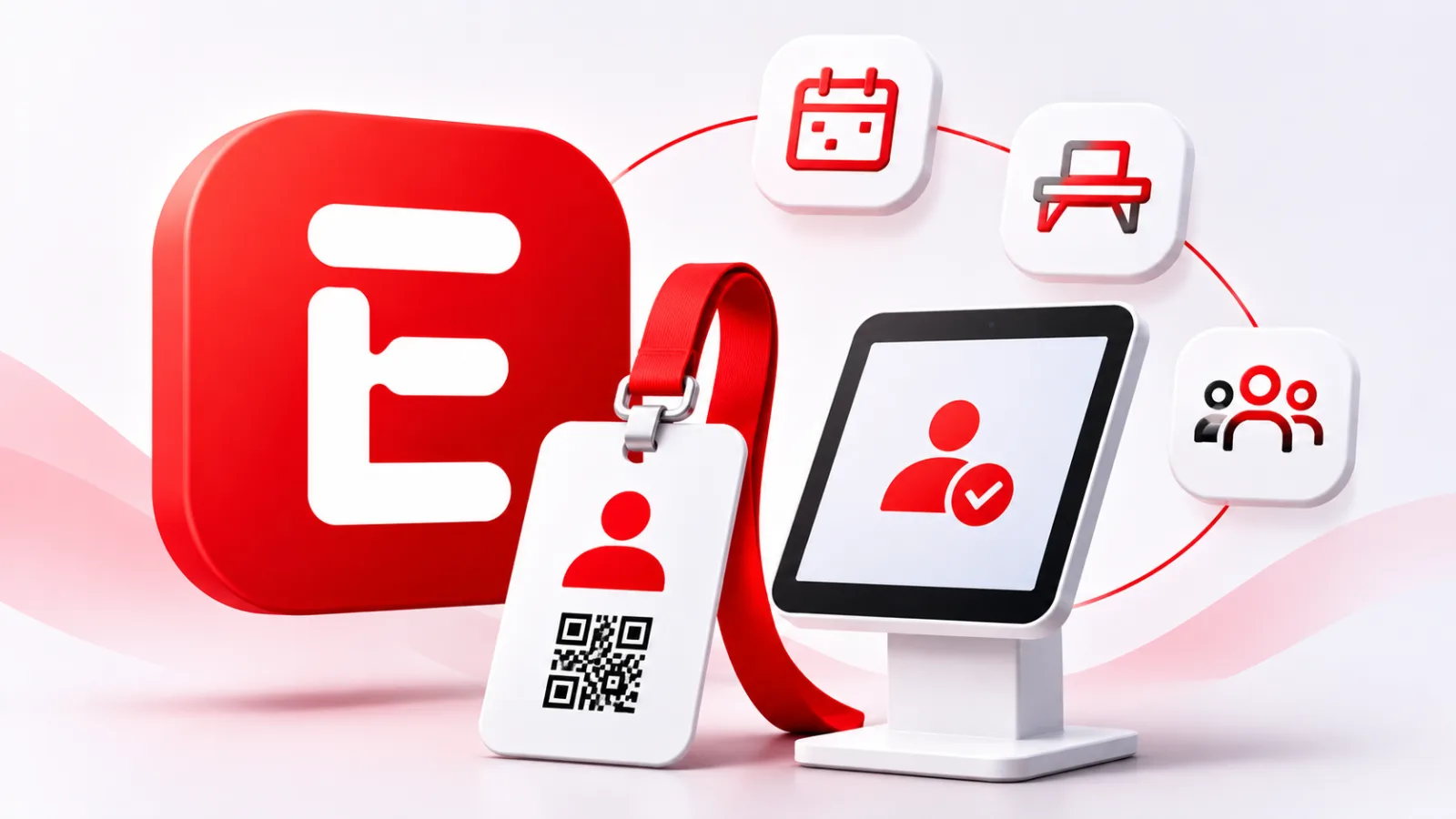
Table of contents
- How Envoy manages workplace visitors from invitation to departure
- Envoy's operating model
- Before visitors arrive
- The arrival process
- Configuring sign-in flows
- Visitor identification
- Documents and approvals
- Employee notifications
- Badges and access
- Records and reporting
- Offline operation
- Data protection
- Plans and pricing
- Implementation requirements
- Frequently Asked Questions
How Envoy manages workplace visitors from invitation to departure
Envoy Visitors manages workplace access by connecting visitor invitations, digital registration, identity information, employee notifications and visit records through a centralized platform.
Organizations use it to coordinate guest arrivals, apply registration requirements and give reception and security teams visibility into expected and current visitors.
The platform is designed for workplaces that receive external guests, including corporate offices, manufacturing facilities, data centers and other controlled environments.
Employees can invite visitors before an appointment, while guests can register at an iPad kiosk when they arrive.
The system creates a digital entry containing visit information, timestamps and, where configured, photographs and signed documents.
The distinction between Envoy's different plans matters because not every organization receives the same capabilities.
Basic supports essential visitor registration and host notifications, Premium adds features such as visitor photographs, badge printing and legal documents, while Enterprise introduces advanced security options including access control integrations and identity document scanning.
Understanding these differences is necessary before evaluating how the software fits an organization's reception and physical security procedures.
Envoy's operating model
Envoy Visitors is a workplace visitor management application that records guest information and coordinates the activities associated with a visit.
Its central component is the visitor entry, a digital record that contains the information collected during registration and the visitor's check-in and check-out times.
Depending on the configured workflow, the record can also include photographs, signed agreements and other relevant documents.
The system operates through an administrator dashboard, employee interfaces and visitor check-in devices.
Administrators configure registration requirements, manage visitor records and establish workplace policies.
Employees create invitations and receive arrival notifications, while visitors interact with the registration process through an iPad kiosk or an available pre-registration method.
This arrangement gives each participant a defined role without requiring every employee to administer the reception process.
Envoy also separates visitor management from other workplace products.
Its Visitors product handles guest registration and records, while other products address areas such as employee workplace reservations, deliveries and emergency response.
These products can contribute to a broader workplace management environment, but purchasing Envoy Visitors does not automatically mean that every other Envoy capability is included.
The practical result is a centralized view of expected and registered guests.
Reception staff can check who should arrive, employees can identify their visitors, and administrators can review historical entries.
The accuracy of this information still depends on correct registration, appropriate permissions and consistent check-out procedures.
Before visitors arrive
The process can begin with an employee invitation.
An authorized employee creates a visitor invitation through the Envoy dashboard or supported mobile application, supplies the visitor's information and identifies the expected arrival date.
The invitation can include meeting details, directions, arrival instructions and other information relevant to the workplace.
Envoy's registration functionality also supports invitations for multiple visitors.
This is useful for meetings, group visits and events where creating individual invitations would create unnecessary administrative work.
The platform can connect with Google Calendar and Outlook, allowing supported calendar events and attendees to generate visitor invitations.
Organizations should check the integration configuration and event requirements before relying on automatic registration.
Once an invitation is created, the visitor can receive an email with the relevant appointment details.
Depending on the configuration, the registration process can collect additional information or require the visitor to complete documents before arrival.
The front desk can consult the invitation dashboard to identify expected guests, their hosts and the purpose of their visits.
Envoy also supports internal notes associated with invitations.
These notes can provide reception or security personnel with information that visitors do not need to see, such as special arrival instructions or relevant access details.
This distinction helps organizations communicate operational information internally without adding unnecessary content to the visitor's invitation.
The arrival process
Envoy supports both invited visitors and people who arrive without advance registration.
An invited visitor can identify themselves at the kiosk, while a walk-in visitor can start a new registration.

Envoy
Envoy connects visitor management, desk booking, workplace security, and delivery tracking to help businesses coordinate office operations and create a smoothe…
- Digital visitor registration simplifies reception
- Host notifications reduce manual interruptions
- Platform fees complicate total cost calculations
- Multiple modules require careful price comparison
The software then guides the guest through the configured sign-in flow, which determines what information must be supplied before the visit is recorded.
The following sequence describes the typical visitor journey:
- Invitation: An employee or authorized administrator creates an invitation and enters the expected visitor information.
- Arrival: The visitor reaches reception and uses the iPad kiosk or another supported registration method.
- Identification: The visitor enters their name or scans an available QR code, depending on the plan and configuration.
- Information collection: The visitor completes the required fields, which may include contact information, company details and the employee they intend to meet.
- Additional requirements: The visitor completes any applicable document signing, photograph capture or other configured registration steps.
- Host notification: Envoy informs the designated employee that the visitor has arrived through a supported notification channel.
- Record creation: The completed registration appears in the visitor dashboard, where authorized personnel can review the entry.
The visitor entry is the central record created by this process.
Envoy documents that entries appear in the dashboard in real time and can include check-in and check-out times, photographs and signed legal documents.
This gives administrators a searchable record of visits rather than relying exclusively on handwritten reception logs.
An important operational detail is that an invitation and a completed visit are different records in the workflow.
An invitation establishes an expected arrival, while the visitor entry documents the actual registration.
Organizations should preserve this distinction when reviewing attendance, investigating access incidents or measuring visitor activity.
Configuring sign-in flows
The sign-in flow determines the information and actions required from visitors.
Administrators can configure the questions, fields and additional steps that appear during registration.
The purpose is to collect information that the organization needs for reception, security, compliance or operational coordination.
Envoy's July 2026 documentation explains that Basic, Standard and Envoy Connect use a single configurable sign-in flow, while Premium and Enterprise support multiple visitor types with separate flows.
This distinction matters for workplaces that receive different categories of guests.
A company may need a simple process for meeting attendees and a more demanding registration procedure for contractors or other visitors who require additional authorization.
Depending on the subscription and configuration, the sign-in process can include:
- Visitor information: Full name, email address, telephone number, company and host details.
- Visitor categories: Different registration routes for distinct types of guests.
- Legal documents: Digital acceptance and signatures for agreements such as nondisclosure agreements and safety acknowledgements.
- Photographs: Capture of visitor photographs through the iPad camera.
- Document uploads: Collection of required files before arrival, subject to Enterprise availability.
- Final instructions: A customized message or other information displayed after registration.
The order of these steps matters because it affects the visitor experience and the information available to reception.
A company that requests unnecessary fields can create longer queues and collect personal information without a clear operational reason.
Administrators should therefore design each flow around the actual requirements of the relevant visitor category.
Visitor identification
Envoy can recognize returning visitors through information associated with previous visits.
When someone enters their full name at the kiosk, the system checks for an existing visitor record and can display a confirmation prompt containing a masked email address or telephone number.
After the visitor confirms the information, previously supplied fields can be populated automatically, reducing repeated data entry.
For invited guests, matching depends on the information associated with the invitation.
Envoy's documentation specifies that the name and email address must match exactly.
Nicknames and typing errors can prevent automatic matching, and invitations are valid for the expected arrival date.
Reception teams should understand these restrictions because an otherwise legitimate visitor may need assistance if the registration details differ from the original invitation.
Premium and Enterprise support QR code registration for invited visitors.
The visitor receives a code before arrival and presents it to the iPad camera during check-in.
This provides a faster way to retrieve an existing invitation, although a QR code should be treated as a registration credential rather than conclusive proof of identity.
Enterprise also offers identity document scanning and blocklist screening.
Envoy lists 500 identity document scans per year as included in the Enterprise offering, with additional volume available through add-ons.
These capabilities are relevant to organizations with stricter entry requirements, but the company should establish which identity checks are legally appropriate and how potential matches are reviewed before granting access.
Documents and approvals
Envoy provides two distinct document functions: legal document signing and required document uploads.
Legal documents allow visitors to read and sign agreements such as nondisclosure agreements, waivers, photo releases and safety acknowledgements.
Required document uploads collect files that an organization needs to examine, such as insurance certificates or evidence of completed safety training.
The difference affects the approval process.
A visitor can sign a prepared agreement during pre-registration or at the iPad kiosk, depending on the configuration.
Required document uploads, available on Enterprise, allow visitors to submit requested files before arrival.
Administrators then review and approve or reject the submissions before the visitor completes the relevant registration requirements.
Envoy's September 2026 documentation makes an important distinction: visitor submitted and host submitted files require administrator approval.
Uploading a document does not automatically mean that it has been accepted.
An administrator can inspect the submitted file and update its status, while the visitor's invitation or profile retains the associated document information.
This workflow is particularly relevant to contractors and regulated workplaces.
A maintenance company visiting an industrial facility may need to provide insurance documentation, training certificates or other evidence before its personnel can enter.
Envoy can organize these documents within the visitor process, although the organization must still determine whether the submitted evidence meets its technical and legal requirements.
Employee notifications
Host notifications connect the visitor's arrival with the employee responsible for receiving the guest.
When the visitor completes registration, Envoy can notify the host through supported channels, including email, SMS, the Envoy application and collaboration platforms such as Slack and Microsoft Teams.
This reduces the need for reception staff to telephone employees individually or search for them inside the workplace.
Administrators can configure notification preferences according to the organization's communication environment.
A company that relies on Microsoft Teams may prefer notifications through that platform, while another may use email or text messages.
The objective is to ensure that the person responsible for the visitor receives an arrival alert promptly.
The notification process also has operational dependencies.
Employees need valid accounts, appropriate permissions and working notification channels.
A message sent to an outdated telephone number or an inactive account does not guarantee that the visitor will be collected.
Organizations should therefore maintain their employee directory and establish an alternative procedure for situations in which the host does not respond.
Envoy also provides additional notification applications for specific workflows.
Its custom integrations include alerts when entry is denied, telephone notifications when visitors arrive and reminders that ask visitors to sign out.
These extensions can address particular operational requirements, but administrators should verify their availability and compatibility before including them in a deployment plan.
Badges and access
Badge printing provides a visible way to distinguish visitors from employees.
When the relevant feature is enabled, Envoy can automatically print a badge after the visitor completes the sign-in process.
The badge can contain the visitor's name, photograph, company branding, host information, entry time and selected custom fields.
The design can be adapted to the organization's reception and security requirements.
A company may display the host's name to help reception staff identify the responsible employee, while a restricted facility may prefer to show a visitor category or a specific access instruction.
Envoy
Envoy connects visitor management, desk booking, workplace security, and delivery tracking to help businesses coordinate office operations and create a smoothe…
- Digital visitor registration simplifies reception
- Host notifications reduce manual interruptions
- Platform fees complicate total cost calculations
- Multiple modules require careful price comparison
Envoy also supports barcode and QR code integrations for compatible third party access control systems on Premium and Enterprise plans.
The badge itself does not necessarily unlock a door.
Its role depends on the hardware and integrations installed at the site.
A printed identification badge can simply identify the visitor, while an integrated credential may communicate with an electronic access control system to authorize entry through designated doors.
Envoy's access control documentation lists integrations with systems such as Brivo, Avigilon, C•CURE 9000, Gallagher and other physical security platforms.
Depending on the integration, the system can create visitor records, issue access credentials and synchronize relevant entry information.
The actual capabilities vary by integration, so organizations should verify supported readers, credential formats, access permissions and revocation behavior with both vendors.
This distinction is particularly important in facilities with restricted areas.
A visitor invited to a general office meeting should not automatically receive access to a server room, production floor or equipment control area.
Access permissions should correspond to the approved visit, the relevant time window and the areas the visitor needs to enter.
Envoy can participate in that process through supported integrations, but the organization remains responsible for defining its physical security policy.
Records and reporting
Every completed visitor sign-in generates an entry that becomes available in the Envoy dashboard.
Authorized employees can review the visitor's details, the host, the arrival time and other information collected during registration.
Where enabled, the record can also include photographs and signed documents.
The dashboard provides visibility into expected, current and previous visitors.
This is useful for reception management, security reviews and administrative reporting.
A company with multiple locations can use centralized visitor information to establish consistent procedures, although each location still needs appropriate configuration and administrative oversight.
Premium includes visitor analytics and scheduled email reports, while Enterprise offers customizable visitor analytics.
These features can help management examine visitor activity, identify patterns and evaluate how reception operations are performing.
Reporting should be interpreted carefully because the quality of the information depends on accurate registration and check-out.
Check-out is a separate operational event.
Visitors need to be signed out so that the record reflects their departure and the dashboard does not continue to show them as present.
Organizations can use the standard sign-out procedure or consider available reminder and automatic sign-out integrations.
Automatic closure can help reduce incomplete records, but it should not be treated as physical confirmation that someone has left the building.
An important limitation appears in independent customer feedback.
Capterra reviews include users who value the arrival notifications and centralized visitor records, but some have criticized the need to sign visitors out individually during larger events.
This matters for organizations that regularly host conferences, training sessions or group visits, where manual closure can create additional work after the event.
Offline operation
Network availability affects how Envoy operates, particularly because its standard workplace workflows depend on cloud connectivity.
Envoy's published security documentation describes an offline mode that allows visitors to continue signing in on an iPad when the device loses its network connection.
The information is stored locally and synchronized with Envoy after connectivity returns.
This is an important continuity feature for reception teams.
A temporary internet interruption does not necessarily mean that visitor registration must stop completely.
However, some capabilities become unavailable during offline operation, including identity document scanning and host notifications.
Security personnel should therefore understand which functions remain available and which require a connection to Envoy's cloud service.
The distinction matters because a locally recorded sign-in does not provide every normal security check.
If an organization depends on identity screening or immediate employee approval, it needs an alternative procedure for periods when those services cannot operate.
The reception team should know when to request manual authorization, when to contact security and when to delay access until verification becomes possible.
Envoy also needs suitable device and infrastructure management.
The iPad must remain powered, the application must be configured correctly and the device must reconnect to the network so locally stored information can synchronize.
Organizations should test the offline procedure before deployment and include it in their reception continuity documentation.
Data protection
Envoy processes personal information supplied by visitors, including names, email addresses, telephone numbers, photographs and other details requested through sign-in forms.
Depending on the workplace, the system may also contain identity information, signed agreements and uploaded compliance documents.
These records require appropriate protection because they can reveal personal relationships, business activity and patterns of access to company facilities.
Envoy publishes information about its security architecture, including encryption in transit using TLS 1.2 or higher, encryption at rest and daily backups stored off-site.
The company also states that its security controls are independently assessed against SOC 2 Type II requirements.
These are vendor published statements and should be considered alongside contractual security documentation and the organization's own assessment.
Retention deserves particular attention.
Envoy's June 2026 documentation states that visitor information is retained indefinitely by default for customers unless a retention policy is configured.
The platform allows administrators to establish retention periods, and some plans support more detailed controls over which fields are removed.
Shortening a retention period can trigger immediate deletion of older records, which Envoy warns cannot be recovered.
The UK Information Commissioner's Office explains that the UK GDPR storage limitation principle requires organizations to retain identifiable personal data only for as long as necessary for its intended purpose.
It also recommends documented retention periods and regular reviews.
Organizations should therefore define their own retention requirements before activating the platform, taking account of applicable local legislation, contractual obligations and industry regulations.
For international businesses, data location and processing arrangements should also be examined.
Administrators should establish which countries may process visitor information, which third parties support the service and what contractual protections apply.
These considerations are particularly relevant to companies that collect identification documents or operate in sectors with strict confidentiality requirements.
Plans and pricing
Envoy offers different subscription levels for organizations with different visitor management requirements.
The available functionality, entry limits and security integrations vary by plan.
The following pricing information reflects Envoy's published US pricing in November 2026.
| Plan | Published price | Main capabilities |
|---|---|---|
| Basic | Free | Visitor registration, host notifications and up to 100 entries per month. |
| Premium | $362 per location per month, billed annually | Badge printing, visitor photographs, legal documents, analytics and emergency notifications. |
| Enterprise | Custom pricing | Advanced security, blocklist screening, access control integrations, ID scanning and customizable reporting. |
The Basic plan is suitable for smaller organizations with straightforward visitor registration requirements.
Its 100 monthly entry limit should be considered carefully by businesses with frequent external visitors.
Envoy
Envoy connects visitor management, desk booking, workplace security, and delivery tracking to help businesses coordinate office operations and create a smoothe…
- Digital visitor registration simplifies reception
- Host notifications reduce manual interruptions
- Platform fees complicate total cost calculations
- Multiple modules require careful price comparison
Premium is intended for workplaces that need additional visitor identification, reporting and document management capabilities.
Enterprise targets organizations with more demanding security and compliance requirements.
The published Premium price is based on annual billing per location.
Organizations with multiple offices should therefore calculate the subscription cost across all locations before making a purchasing decision.
Hardware, implementation, additional integrations and other services may also affect the overall investment.
Enterprise pricing requires a direct quotation from Envoy.
Implementation requirements
Deploying Envoy requires preparation across IT, reception, facilities management and physical security.
The organization must decide how visitors will register, which information they must provide, who can approve visits and which employees receive arrival notifications.
These decisions should precede the installation because they determine the sign-in configuration and the hardware required at reception.
The standard setup includes creating an Envoy account, configuring the workplace location, installing the Envoy Visitors application on an iPad and pairing the device with the account.
Administrators then configure the sign-in flow, employee directory, notification preferences and any required documents.
Envoy recommends completing a test registration before the system goes into production.
For organizations planning physical access integrations, implementation requires additional technical work.
The IT and security teams should confirm compatibility with the existing access control platform, network requirements, badge printers and identity verification devices.
They should also test what happens when an invitation is cancelled, a visitor is denied entry or an access credential reaches its expiration time.
A controlled rollout is preferable to immediate deployment across every facility.
Testing one reception area allows the organization to identify configuration problems, evaluate visitor experience and train employees before extending the system to other locations.
The final acceptance process should include successful registration, host notifications, badge printing, check-out, reporting and offline operation.
Frequently Asked Questions
Does Envoy Visitors require an iPad?
Can Envoy automatically sign visitors out?
Does Envoy integrate with Microsoft Teams?
Can Envoy manage contractors and suppliers?
What happens if an invited visitor arrives on another date?
Is Envoy suitable for large organizations?
Can Envoy operate during an internet outage?
Sources9
- Envoy on visitor management
- Envoy on visitor sign-in flows
- Envoy on visitor registration
- Envoy on document collection
- Envoy on access control integrations
- Envoy on data security and privacy
- Envoy on visitor data retention
- ASIS International on visitor access control
- ICO on personal data retention
External pages are independent third-party sources. Desking App does not control or endorse their content and accepts no responsibility for it. Visiting them is at your own responsibility and risk.