How Endpoint Detection and Response Works, From Detection to Containment
By Dr. Isabella Gunn · November 4, 2026

Table of contents
- 1. What Happens Inside an EDR System
- 2. Understand the Endpoint Sensor
- 3. Follow the Telemetry Collection Process
- 4. Detect Threats Through Behaviour
- 5. Turn Alerts Into Incidents
- 6. Reconstruct the Attack Timeline
- 7. Contain the Threat Before It Spreads
- 8. Remove the Attacker's Access
- 9. Restore Systems and Learn From Incidents
- 10. Understand EDR Compared With Antivirus
- 11. See Where XDR and MDR Fit
- 12. Deploy EDR Across Your Organisation
- 13. Configure Alerts and Response Policies
- 14. Recognise EDR's Limitations
- 15. Measure Whether EDR Is Working
- A More Complete View of Endpoint Security
- Frequently Asked Questions
1. What Happens Inside an EDR System
How does endpoint detection and response work when a cybercriminal gains access to a company laptop, attempts to steal credentials, or launches ransomware?
An EDR platform monitors activity on computers, servers, and other supported devices, collects security information, identifies suspicious behaviour, and gives security teams the ability to investigate and contain threats.
It works continuously, examining relationships between processes, files, users, and network connections rather than relying exclusively on known malware signatures.
When suspicious activity appears, the platform builds an investigation trail that helps security professionals understand what happened, which devices may be affected, and what action should follow.
The technology is commonly called endpoint detection and response, shortened to EDR.
An endpoint is a device that connects to an organisation's network or information systems.
This includes desktop computers, laptops, servers, and, depending on the product, mobile devices and other supported systems.
Every endpoint represents a possible entry point for an attacker.
An employee might open a malicious attachment, download a compromised application, visit a fraudulent website, or unknowingly approve an authentication request.
A vulnerable application might allow an attacker to execute commands without the employee doing anything unusual.
Once access is established, the attacker may attempt to obtain credentials, disable security controls, move to another computer, or locate sensitive files.
Traditional antivirus software can prevent many threats, particularly when malicious files or known attack patterns are recognised.
However, modern attacks do not always arrive as an obvious infected file.
Criminals increasingly abuse legitimate administrative tools, stolen accounts, scripts, remote access software, and normal operating system functions.
This creates a difficult security problem.
A command that is perfectly legitimate when used by an IT administrator may be suspicious when launched by an unfamiliar process under a compromised employee account.
EDR addresses this challenge by collecting activity information and examining its context.
It can identify relationships between events that might appear harmless when considered separately.
For example, opening a document is ordinary behaviour.
A document application launching an unusual command interpreter, which then creates an unfamiliar executable and contacts an external server, deserves closer examination.
The sequence provides information that a basic file scan might miss.
An EDR platform can generate an alert, preserve the relevant activity information, associate related events with an incident, and provide investigation tools.
Depending on the product and its configuration, it may also stop a malicious process, quarantine a file, isolate a device, or initiate an automated investigation.
The technology is therefore both a detection capability and a response mechanism.
It helps security teams understand what is happening on endpoints and act before an intrusion causes greater damage.
It is important to recognise that EDR is not a guarantee against every attack.
Its effectiveness depends on endpoint coverage, sensor health, detection quality, configuration, available response actions, and the ability of people or automated systems to make appropriate decisions.
2. Understand the Endpoint Sensor
The endpoint sensor is one of the most important components of an EDR deployment.
It is the software component installed on a protected device that observes relevant system activity and communicates security information to the central platform.
Different vendors implement sensors in different ways.
Some use a dedicated agent, while others integrate capabilities into an existing security application or operating system service.
The precise architecture varies, but the purpose is similar: collect useful security telemetry without making the device unusable.
Consider a company with 200 Windows laptops and 30 servers.
An administrator deploys an EDR solution and onboards the supported devices.
Each device receives the required sensor or security component.
Once configured, the platform begins collecting selected information about activity on those endpoints.
The sensor may observe several categories of information.
Process activity: It records information about programs being started, their parent processes, execution paths, and other available attributes.
This helps investigators understand which application launched another program and whether the sequence looks suspicious.
File activity: It can observe relevant file creation, modification, deletion, and execution events.
File information may include names, paths, hashes, and other characteristics that help identify suspicious objects.
Network activity: Depending on the platform and operating system, the sensor can collect information about connections initiated by applications, remote addresses, ports, and communication patterns.
User and authentication activity: Relevant information about logins, account context, privilege use, and authentication events can help identify unusual access.
System configuration changes: Registry modifications on Windows, changes to important files, security settings, scheduled tasks, and other system alterations may provide evidence of persistence or attempted security evasion.
Security related activity: Some platforms collect information about security controls, protection status, suspicious memory behaviour, and interactions with operating system components.
The amount and type of information collected depends on the operating system, sensor capabilities, product configuration, and licensing.
An EDR platform should not automatically be assumed to record every action performed on a device.
Microsoft, for example, documents that Defender for Endpoint collects behavioural telemetry but is not intended to function as a complete audit log of every endpoint operation.
The sensor also has to operate efficiently.
A device may generate thousands of system events during ordinary use.
Sending every event without selection or processing would consume unnecessary bandwidth, storage, and computing resources.
EDR products therefore use collection rules, filtering, prioritisation, and other mechanisms to identify useful information.
Some processing occurs locally, while other analysis takes place in the central service.
The sensor must also remain healthy.
If it stops communicating, becomes outdated, or is disabled, the security team may lose visibility into the endpoint.
This is why deployment monitoring should include sensor status, device coverage, update health, and connectivity.
An endpoint that appears in an asset inventory is not necessarily protected by EDR.
Administrators must verify that the device has been successfully onboarded and is actively reporting.
3. Follow the Telemetry Collection Process
Telemetry is the security information generated by devices and collected by an EDR platform.
It provides the evidence needed to identify suspicious activity and reconstruct what happened during an incident.
A useful way to understand telemetry is to imagine watching the activity of a computer through a sequence of events.
An employee opens a spreadsheet.
The spreadsheet application launches a script interpreter.
The interpreter accesses a system directory, creates a new executable, and attempts to establish an external network connection.
Individually, some of these activities may occur in legitimate workflows.
Together, they may represent an attack chain.
The EDR sensor collects relevant events and sends them to the platform according to its collection and communication design.
The central service can then analyse the information alongside other available security signals.
This creates several advantages.
First, investigators can examine the sequence rather than looking at a suspicious file in isolation.
They can determine which application initiated the activity, which user account was involved, and what happened afterward.
Second, the platform can correlate activity across multiple devices.
If the same suspicious file appears on several laptops, the security team may identify a wider incident instead of treating each alert as an unrelated problem.
Third, historical telemetry can support retrospective investigation.
A threat may be discovered hours or days after its initial execution.
If relevant information has been retained, analysts can search backward to identify the first suspicious event and understand how the attack developed.
Retention periods vary by product, subscription, configuration, and storage arrangement.
Security teams should confirm the actual retention available in their environment rather than assume that every EDR solution preserves identical amounts of historical data.
Telemetry quality matters as much as quantity.
A large volume of poorly organised events can make investigations harder.
Useful telemetry needs sufficient context to help an analyst answer practical questions.
Which process started the activity?
Which account was active?
What device was involved?
Which files were created or changed?
Did the process communicate with another system?
Did similar behaviour occur elsewhere?
What happened immediately before and after the suspicious event?
EDR platforms organise this information through timelines, process relationships, event records, device views, and investigation tools.
The exact interface differs between vendors.

Norton 360 Deluxe
Norton 360 Deluxe delivers strong antivirus protection across five devices along with unlimited VPN parental controls and 50GB cloud backup. This review examin…
- Excellent malware detection rates
- Unlimited VPN no limits
- Higher renewal pricing
- Parental controls miss macOS
For an organisation, telemetry also raises privacy and governance questions.
Endpoint monitoring can involve information about users, applications, access patterns, and business activity.
Administrators should define legitimate monitoring purposes, restrict access to security data, follow applicable privacy requirements, and establish appropriate retention policies.
The objective is to collect the information needed to protect systems without treating security monitoring as unrestricted employee surveillance.
4. Detect Threats Through Behaviour
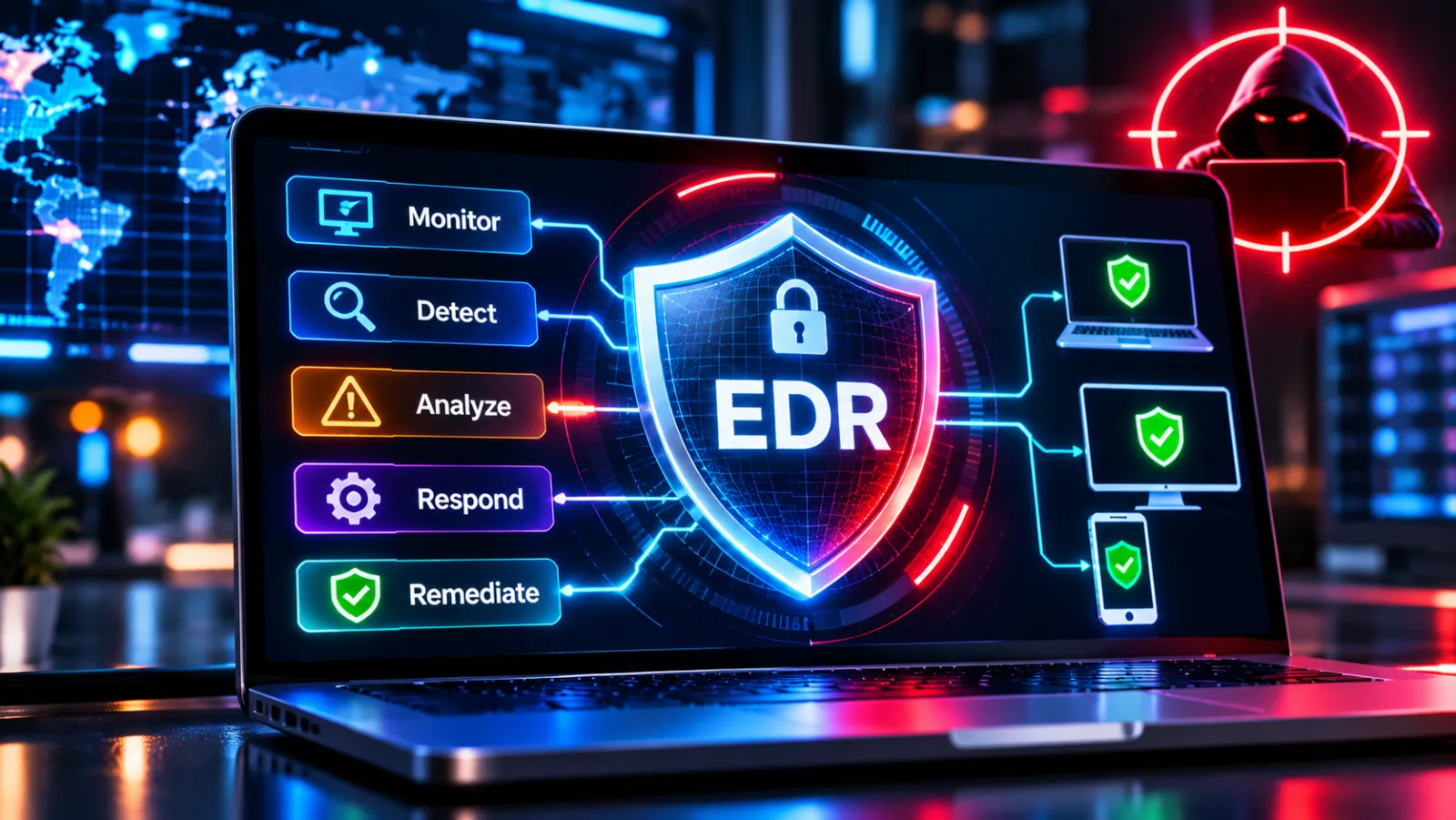
Detection is where EDR turns collected activity into a potential security warning.
Traditional antivirus technology has historically relied heavily on identifying known malicious files through signatures and other file based techniques.
This remains valuable, but attackers can change file characteristics, use previously unseen malware, or avoid dropping a conventional malicious executable altogether.
EDR extends detection by examining behaviour and context.
A security platform may use several detection methods, depending on its design.
Known threat intelligence: The platform can compare file hashes, domains, IP addresses, certificates, and other indicators against available threat intelligence.
If a file matches a known malicious sample, the system may block it or generate an alert.
Behavioural detection: The platform examines actions that may indicate an attack.
Examples include unusual process creation, suspicious credential access, unexpected persistence mechanisms, or attempts to disable security tools.
Rule based detection: Security rules identify combinations of events that match known attack patterns.
A rule might detect a scripting process launched by an unusual parent application or a sequence of system changes associated with a particular technique.
Machine learning and statistical analysis: Some EDR platforms use models to identify deviations from expected behaviour or classify suspicious activity based on multiple characteristics.
These models can support detection, but their effectiveness depends on the quality of available data, training, and implementation.
Correlation: The platform can connect several events into a larger pattern.
An isolated login from an unusual location may deserve investigation.
When followed by suspicious process execution, privilege changes, and unexpected outbound communication, the combined evidence becomes more significant.
Consider an employee who normally uses a web browser, office applications, and a company accounting system.
One afternoon, a document application launches a command interpreter that attempts to download an executable from an unfamiliar external location.
The EDR platform may identify the unusual parent and child process relationship, the download activity, and the subsequent execution attempt.
It can evaluate these events together and determine whether an alert is justified.
The platform may also compare the activity with known attacker techniques.
MITRE ATT&CK provides a widely used knowledge base describing adversary tactics and techniques.
Security teams use it to understand how attackers operate, organise detection strategies, and identify gaps in their monitoring.
ATT&CK is not itself an EDR product and does not automatically detect every technique.
It provides a common framework for describing attacker behaviour and developing analytics.
A detection should also be understood as an indication requiring appropriate evaluation, not automatic proof that a successful attack has occurred.
Legitimate administrative activity can resemble malicious behaviour.
For example, an IT technician may use PowerShell to configure a server, while an attacker may use the same tool to execute malicious commands.
The process name alone cannot establish intent.
The user, parent process, command behaviour, device role, and surrounding events all matter.
Good EDR detection therefore combines indicators, behaviour, and context to reduce uncertainty.
5. Turn Alerts Into Incidents
An alert is a notification that a security platform has identified activity requiring attention.
An incident is a broader representation of a potential security event that may involve multiple related alerts, devices, accounts, or attack stages.
The distinction is important because one attack can generate many individual alerts.
Imagine an attacker compromises a laptop through a malicious attachment.
The initial activity creates a suspicious process.
That process downloads another file, attempts to access credentials, and contacts an external server.
The attacker then attempts to connect to another company device.
An EDR platform might generate separate alerts for suspicious execution, file creation, credential access, and network communication.
If the system can associate those events, it may group them into a single incident.
This gives analysts a more coherent picture.
Instead of investigating five unrelated notifications, the security team can examine the connected activity and understand that the events may belong to one attack.
Incident grouping also helps prioritisation.
An alert involving a routine administrative action may have limited significance on its own.
Several related alerts involving credential access and lateral movement may represent a much more serious situation.
Microsoft Defender for Endpoint, for example, documents how related alerts can be grouped into incidents to help analysts investigate and respond to threats collectively.
However, correlation is not perfect.
An incident may contain events that require additional validation, and separate incidents may sometimes be connected to the same underlying attack.
Analysts should examine the evidence rather than assume that the platform's grouping is always complete.
A security team should pay attention to several questions when reviewing an incident.
What was the first known suspicious event?
Which endpoint generated the original activity?
Which user account was involved?
What processes were executed?
Were files downloaded, created, or modified?
Did the activity reach other devices?
Was sensitive information accessed?
Are there signs of persistence?
Has the threat been contained?
What evidence supports the current assessment?
The answers determine the next action.
An incident may be a false positive, a blocked attempt, an actual compromise, or an event requiring further investigation.
The platform provides evidence and response capabilities.
The security team remains responsible for understanding the operational significance and ensuring that the response is appropriate.
6. Reconstruct the Attack Timeline
One of the most valuable capabilities of EDR is the ability to investigate an attack as a sequence of connected events.
Traditional security alerts can tell an administrator that something suspicious happened.
A detailed EDR investigation can help explain how it happened, where it began, and what the attacker attempted to do afterward.
A process tree is particularly useful.
It shows relationships between processes, including which application started another program.
For example, an ordinary sequence might look like this:
An employee launches a web browser.
The browser opens a downloaded installer.
The installer starts a legitimate application service.
That service launches a background process.
This sequence may be expected when installing software.
Now consider a different sequence:
An employee opens an unexpected email attachment.
A document application launches a script interpreter.
The interpreter creates a file in an unusual directory.
The new file attempts to contact an unfamiliar server.
The process then attempts to access stored credentials.
The process relationships and surrounding activity give investigators a clearer reason to suspect malicious execution.
EDR investigation tools can provide several types of context.
Process trees show parent and child relationships, allowing analysts to trace how suspicious execution began.
Device timelines present relevant activity in chronological order, helping investigators understand what occurred before and after an alert.
File information helps identify the origin, location, hash, and behaviour of suspicious files.
Network information helps establish whether an endpoint communicated with unusual external systems or other internal devices.
Account context helps determine which user was involved and whether account activity appears abnormal.
Cross device investigation can reveal whether related activity occurred elsewhere in the organisation.
A useful investigation begins with the earliest reliable evidence and moves forward.
Analysts should avoid assuming that the first alert represents the beginning of the attack.
The attacker may have established access earlier, while the first detected event may have occurred much later.
Retrospective searches can help locate earlier activity associated with a suspicious file, account, process, or indicator.
For example, if a malicious executable is discovered on one laptop, the security team may search the environment for the same file hash or related behaviour.
The investigation may reveal that the file appeared on three additional devices several hours earlier.
That discovery changes the incident scope.
The organisation now has to investigate four endpoints rather than one.
The timeline also helps determine whether the threat was successful.
A blocked process may have failed before accessing sensitive information.
A different incident may reveal that an attacker obtained credentials, created a persistence mechanism, or accessed shared resources.
This distinction is essential when deciding whether to isolate devices, reset accounts, restore systems, notify affected parties, or conduct a wider investigation.
7. Contain the Threat Before It Spreads
Detection identifies suspicious activity.
Containment limits the damage while the security team investigates and removes the threat.
This is particularly important in ransomware incidents and attacks involving compromised credentials.
An attacker who gains access to one device may attempt to reach additional computers, shared folders, servers, or administrative accounts.
If the organisation waits until every detail is understood before taking action, the attacker may have more time to expand access.
EDR platforms can provide response actions that help interrupt an attack.
Device isolation: The security team can disconnect a compromised endpoint from normal network communication while preserving the ability to manage or investigate it through the security platform, depending on product design.
Process termination: A suspicious process can be stopped to prevent further execution.
File quarantine: A malicious or suspicious file can be prevented from running or accessing its original location.
Indicator blocking: Security teams may configure the platform to block known malicious files or other supported indicators.
Investigation and scanning: The platform may support additional scans or automated investigation actions to identify related threats.
Account containment: Some integrated security platforms can disable or restrict compromised accounts, revoke sessions, or trigger identity protection actions.
These capabilities may depend on integrations beyond the endpoint sensor itself.
Device isolation deserves particular attention.
If an endpoint is actively spreading malware or communicating with attacker controlled infrastructure, disconnecting it from normal network access can reduce the opportunity for further damage.
However, isolation is an operational decision, not a harmless button.
A server supporting a critical business application may need a carefully coordinated response.
Disconnecting it without understanding its role could interrupt essential services.
The security team should consider the device's function, the severity of the incident, the likelihood of lateral movement, and the consequences of isolation.
For an ordinary employee laptop showing strong signs of compromise, immediate isolation may be appropriate.
For a production server, incident responders may need to coordinate with system owners and business continuity teams.
Automation can shorten response times.
An organisation may configure its EDR platform to isolate devices when specific high confidence detections occur.
Automatic actions should be tested and governed carefully.
A false positive that automatically isolates an important server can create a serious business disruption.
Good response policies define which threats justify automatic action, which require analyst approval, and who can authorise exceptional decisions.
8. Remove the Attacker's Access
Containment stops or limits immediate activity.
Eradication addresses the underlying compromise.
Removing one suspicious file is not always enough.
Attackers may create additional files, scheduled tasks, malicious services, new accounts, altered security settings, or other mechanisms that allow them to regain access.
A complete investigation must determine whether the original threat has been removed and whether other parts of the environment remain compromised.
Consider a laptop infected through a malicious installer.
The EDR platform detects the suspicious program and quarantines it.
That action may prevent the file from running again, but it does not automatically establish that the device is clean.
The installer may already have created a scheduled task, modified a system setting, or downloaded another component.
An attacker may also have obtained the employee's password before the process was stopped.
The response must address the complete attack chain.
Depending on the incident, eradication may involve:
Removing malicious files and related components.
Deleting unauthorised scheduled tasks or persistence mechanisms.
Disabling malicious services.
Correcting compromised system settings.
Removing unauthorised accounts or access methods.
Resetting affected credentials.
Revoking compromised authentication sessions.
Patching exploited vulnerabilities.
Reinstalling or rebuilding affected devices when confidence in their integrity is insufficient.
The exact actions depend on the evidence and the organisation's recovery policy.
Credential resets deserve particular attention.
If an attacker has obtained a password, removing malware from the original computer does not necessarily prevent the attacker from using that credential elsewhere.
Security teams may need to reset passwords, revoke active sessions, review multifactor authentication settings, and investigate privileged accounts.
Where an attacker has gained administrative access, the investigation should consider whether other systems or credentials have been exposed.
Norton 360 Deluxe
Norton 360 Deluxe delivers strong antivirus protection across five devices along with unlimited VPN parental controls and 50GB cloud backup. This review examin…
- Excellent malware detection rates
- Unlimited VPN no limits
- Higher renewal pricing
- Parental controls miss macOS
A local cleanup may not be sufficient if the compromise has extended to identity systems or central management infrastructure.
This is one reason EDR works best as part of a broader security architecture.
Endpoint visibility is valuable, but identity protection, network security, backup systems, and incident response processes may all be required to remove an attacker completely.
The security team should verify that remediation has succeeded.
Relevant indicators should no longer appear, suspicious processes should not return, and affected devices should demonstrate normal security status before being returned to ordinary use.
9. Restore Systems and Learn From Incidents
After containment and eradication, affected systems may need to be restored to normal operation.
Recovery can involve reconnecting isolated devices, reinstalling applications, restoring files from verified backups, rebuilding operating systems, and returning business services to production.
The organisation should not rush this stage.
Reconnecting a device before confirming that the threat has been removed can allow the attacker to regain access.
A recovery plan should establish who approves the return to service, which checks must be completed, and how the device will be monitored afterward.
For a compromised employee laptop, recovery might involve rebuilding the operating system, applying security updates, reinstalling approved applications, restoring clean business data, and confirming that the EDR sensor is active.
For a server, the process may require additional validation, application testing, database checks, and coordination with service owners.
Backups are especially important in ransomware incidents.
However, the organisation must establish that the backup is clean and that the attacker has not compromised the backup environment itself.
Recovery should also consider the original entry point.
If the attacker exploited an unpatched application, restoring the server without correcting that vulnerability may simply recreate the same opportunity.
After the system is restored, the security team should review what happened.
Useful questions include:
How did the attacker gain initial access?
Which security control failed to prevent the activity?
Why did detection occur when it did?
Was the response fast enough?
Did the attacker reach other systems?
Were the right people notified?
Did the recovery process work as expected?
Which changes would reduce the chance of recurrence?
These findings should influence future security policies, detection rules, employee training, patch management, and incident response procedures.
NIST's incident response guidance provides a broader framework for preparing for, detecting, responding to, and recovering from cybersecurity incidents.
EDR contributes important technical evidence and response capabilities, but it does not replace the organisation's overall incident management process.
A successful recovery is therefore more than getting a computer working again.
It includes restoring confidence that the attacker no longer has access and correcting the weaknesses that allowed the incident to occur.
10. Understand EDR Compared With Antivirus
EDR and antivirus are related security technologies, but they serve different purposes and provide different levels of visibility.
Traditional antivirus focuses heavily on preventing, identifying, and removing malicious software.
It can use signatures, reputation information, heuristics, and other detection methods to recognise harmful files and activity.
EDR adds continuous endpoint monitoring, behavioural investigation, event correlation, and response capabilities designed to help security teams understand attacks that may pass initial prevention controls.
The distinction becomes clearer through an example.
An employee downloads a malicious executable.
Antivirus software may recognise the file and block it before execution.
This is an important prevention function.
Suppose the file is new, modified, or not recognised by the antivirus engine.
It executes and begins using legitimate system tools to access information and establish communication with an external server.
An EDR platform may identify the suspicious process relationships, unusual system activity, and network behaviour.
It can generate an alert, provide an investigation timeline, and support actions to contain the device.
The technologies complement each other.
Antivirus helps stop known threats and common malware.
EDR provides deeper visibility into endpoint activity and helps investigate suspicious behaviour after an attack attempt or compromise.
Modern endpoint protection products often combine these capabilities.
The boundary between antivirus, endpoint protection platforms, and EDR can therefore vary depending on the vendor and subscription.
An organisation should examine the actual capabilities included in a product rather than rely exclusively on its marketing category.
Important questions include:
Does the product provide behavioural detection?
Can analysts investigate process relationships?
Does it retain historical endpoint telemetry?
Can it isolate devices remotely?
Does it support automated investigation?
Can it integrate with identity and network security tools?
Which operating systems and device types are supported?
Which response actions require additional licensing?
A product described as endpoint protection may include some EDR capabilities, while another product may reserve advanced investigation and response functions for a higher subscription.
The correct comparison is based on what the organisation can actually deploy, monitor, investigate, and respond to.
11. See Where XDR and MDR Fit
EDR is often discussed alongside XDR and MDR.
These terms describe related but different parts of modern security operations.
XDR, or extended detection and response, expands security visibility beyond endpoints.
Depending on the platform, it can combine information from endpoint devices, identities, email, cloud applications, and network security systems.
This broader view helps analysts connect events that would otherwise appear separate.
For example, an employee receives a phishing email, clicks a malicious link, enters credentials on a fraudulent website, and then signs in from an unusual location.
The attacker subsequently accesses a company laptop.
An EDR platform may provide detailed information about the laptop activity.
An XDR platform can potentially connect that activity with email and identity signals, producing a broader picture of the attack.
XDR does not automatically replace every existing security product.
Its coverage depends on the integrations, data sources, and capabilities supported by the platform.
MDR, or managed detection and response, describes a service in which an external security provider helps monitor, investigate, and respond to threats on behalf of an organisation.
An MDR provider may use EDR and other security technologies to deliver monitoring, alert investigation, threat hunting, and incident response support.
This model can be useful for businesses that do not have enough internal staff to operate a security monitoring team around the clock.
However, organisations should examine the service carefully.
Some providers offer continuous monitoring and active response, while others focus on alert notification and recommendations.
The contract should clearly define what the provider can do, when it can isolate a device, how incidents are escalated, and who remains responsible for recovery.
EDR is the endpoint security capability.
XDR broadens detection and response across multiple security domains.
MDR describes a managed service that helps operate detection and response functions.
A business may use EDR independently, combine it with an XDR platform, or purchase an MDR service that operates these technologies.
12. Deploy EDR Across Your Organisation
Buying an EDR licence is only one part of establishing endpoint protection.
The organisation must deploy the software correctly, cover the devices that matter, configure policies, and ensure that alerts receive attention.
A poorly managed deployment can create a false sense of security.
A dashboard may show a large number of devices while some important servers remain unprotected or sensors have stopped reporting.
Begin with an endpoint inventory.
Identify the computers, servers, and other supported devices that need protection.
Record their operating systems, business functions, owners, locations, and importance to the organisation.
This inventory helps determine which devices can be onboarded and which require additional planning.
Next, evaluate the product's technical requirements.
Confirm operating system compatibility, hardware requirements, network access, licensing, and any existing security software that may conflict with the deployment.
Then establish the management environment.
This may involve creating an administrator account, configuring security roles, connecting identity services, setting up device groups, and defining alert policies.
Onboard a small pilot group before deploying the solution across the entire organisation.
The pilot should include different device types and representative users.
A deployment that works on a standard office laptop may behave differently on a server or a specialised workstation.
During the pilot, check:
Whether the sensor installs successfully.
Whether devices appear in the management console.
Whether telemetry is being received.
Whether security policies are applied.
Whether performance remains acceptable.
Whether legitimate applications generate excessive alerts.
Whether response actions behave as expected.
Whether administrators understand the investigation interface.
After the pilot, expand deployment in controlled stages.
Prioritise devices based on business importance and exposure.
Servers that support critical services, administrator workstations, and devices containing sensitive information may deserve early attention.
However, the deployment order should reflect the organisation's architecture and operational risks.
Once deployment is complete, verify coverage.
Compare the endpoint inventory with the EDR console and investigate devices that are missing, inactive, unsupported, or reporting errors.
Establish procedures for new devices as well.
A laptop should receive endpoint protection as part of its onboarding process, not several weeks after an employee begins using it.
The same principle applies to rebuilt computers, newly deployed servers, and devices returning from maintenance.
Finally, define ownership.
Someone must be responsible for monitoring sensor health, reviewing incidents, maintaining policies, and coordinating response actions.
Without clear ownership, EDR becomes another security application that produces alerts without guaranteeing that anyone will act on them.
13. Configure Alerts and Response Policies
An EDR platform can generate a substantial number of notifications.
Security teams need a method for deciding which alerts require immediate attention and which can be reviewed through routine processes.
Start by understanding the alert severity levels provided by the vendor.
Severity classifications are useful, but they should not be treated as universal measures of business risk.
A medium severity alert on a critical production server may deserve more attention than a high severity alert involving a test device with no sensitive access.
Consider both technical evidence and business context.
Define which events should trigger immediate investigation.
Examples may include confirmed ransomware activity, suspicious credential theft, attempts to disable security protection, or unauthorised access to privileged systems.
Next, establish response permissions.
Some actions may be performed automatically.
Others may require analyst approval.
The organisation should define which employees can isolate devices, quarantine files, modify security policies, or disable accounts.
Role based access is important.
A security analyst who investigates alerts may not need unrestricted permission to change every security setting across the company.
Create response procedures for common incidents.
A ransomware alert, suspicious script execution, compromised account, and malware detection should each have an appropriate workflow.
The procedure should explain who investigates, which evidence must be preserved, when a device should be isolated, who approves disruptive actions, and how affected users or business owners are informed.
Test these procedures before relying on them during a real attack.
A tabletop exercise can help the team understand whether the right people can be contacted and whether decisions can be made quickly.
Automation should be introduced carefully.
It can reduce response time and help security teams manage repeated threats, but incorrect automation can interrupt legitimate business operations.
For example, automatically isolating every device that runs an unfamiliar administrative script could disrupt routine IT work.
A better policy may consider the process origin, user privileges, device role, and additional suspicious signals before triggering isolation.
Review alert quality regularly.
If a detection repeatedly identifies legitimate activity, investigate whether the rule can be refined without creating a security gap.
Likewise, do not disable a detection simply because it creates work.
Determine why it is triggering, whether the activity is genuinely authorised, and whether an alternative control is required.
An effective configuration balances security coverage with operational reliability.
14. Recognise EDR's Limitations
EDR improves endpoint visibility, but it does not eliminate every cybersecurity risk.
The first limitation is coverage.
A device without a functioning sensor may not provide the expected telemetry.
Unsupported operating systems, unmanaged devices, and systems that have not been onboarded can create blind spots.
The second limitation is detection quality.
Attackers continually change their techniques.
Some activity may evade detection, while legitimate administrative behaviour may generate false positives.
The third limitation is operational capacity.
An EDR platform can identify suspicious activity, but an organisation still needs people or a managed service capable of investigating important alerts and making decisions.
The fourth limitation is the scope of protection.
Endpoint monitoring does not automatically secure every cloud application, identity system, network device, backup repository, or third party service.
An attacker may compromise an account through a cloud application without executing anything suspicious on a monitored endpoint.
Norton 360 Deluxe
Norton 360 Deluxe delivers strong antivirus protection across five devices along with unlimited VPN parental controls and 50GB cloud backup. This review examin…
- Excellent malware detection rates
- Unlimited VPN no limits
- Higher renewal pricing
- Parental controls miss macOS
EDR alone may not provide enough information to understand the entire incident.
There is also a risk of relying too heavily on automatic response.
Isolation, process termination, and account restrictions can be useful, but inappropriate actions may disrupt business operations.
EDR does not replace patch management, multifactor authentication, secure configuration, access control, employee awareness, backups, or incident response planning.
These controls address different parts of the security problem.
A company with excellent EDR coverage but weak administrator passwords remains exposed to credential attacks.
An organisation with strong endpoint monitoring but outdated public facing servers may still suffer an initial compromise.
A business with no tested backups may struggle to recover from ransomware even if EDR detects the attack.
EDR should therefore be evaluated as one component of a wider security programme.
Organisations should also understand the implications of centralised telemetry.
Endpoint security information may contain sensitive operational details, so access controls, retention policies, encryption, and vendor data handling practices deserve careful review.
The right question is not whether EDR provides complete protection.
It is whether the organisation has implemented it effectively and combined it with the other controls needed to reduce risk.
15. Measure Whether EDR Is Working
An EDR deployment should be evaluated through measurable security and operational outcomes rather than the number of alerts displayed on a dashboard.
A high alert count does not necessarily indicate strong security.
It may reflect broad detection coverage, poor tuning, repeated false positives, or a large number of actual incidents.
Useful measurements include endpoint coverage, sensor health, detection performance, investigation speed, containment time, and the quality of incident outcomes.
Endpoint coverage measures how many relevant devices are protected compared with the organisation's known endpoint inventory.
It should account for device types, criticality, and operating system compatibility.
Sensor health measures whether deployed agents are active, updated, and communicating correctly.
Mean time to detect measures the time between an attack or suspicious event beginning and the organisation identifying it.
Accurate measurement can be difficult because the true beginning of an attack may not be known.
Mean time to respond measures how quickly the organisation takes an effective response action after identifying an incident.
The definition should specify whether it measures initial acknowledgement, containment, or complete remediation.
False positive rate helps assess how often detections identify legitimate activity as suspicious.
The organisation should examine the operational impact of false positives, not simply try to reduce their number.
Incident recurrence can reveal whether the same vulnerabilities, misconfigurations, or attack paths continue to create problems.
Investigation quality considers whether analysts can identify the affected systems, understand the attack sequence, and determine what information or resources may have been exposed.
These measurements should be interpreted together.
A short response time is not necessarily impressive if the team isolates devices incorrectly or closes incidents without adequate investigation.
For example, a company may reduce its average alert response time by automatically closing low severity notifications.
That improves a dashboard metric but does not necessarily improve security.
A better evaluation considers whether important incidents are detected, whether appropriate actions are taken, and whether the organisation becomes more resilient over time.
Review the results with IT operations, security management, and business owners.
Security controls should protect the organisation without creating unnecessary disruption.
A More Complete View of Endpoint Security
Endpoint detection and response works by connecting activity on individual devices with the security decisions needed to identify and contain attacks.
Sensors collect relevant telemetry, detection engines examine behaviour and context, alerts identify suspicious events, and investigation tools help analysts reconstruct what happened.
The response stage can stop malicious processes, quarantine files, isolate compromised devices, and support wider remediation.
Recovery then restores affected systems and helps the organisation correct the weaknesses that allowed the incident to occur.
For businesses, the practical value of EDR depends on implementation.
Devices must be covered, sensors must remain healthy, alerts must be reviewed, and response procedures must be clear.
A platform that collects information without an effective process for acting on it provides limited protection.
EDR is strongest when it works alongside antivirus and endpoint prevention, identity security, network controls, vulnerability management, secure backups, and a tested incident response plan.
That combination gives security teams a better chance of identifying suspicious activity early, understanding its scope, and limiting the consequences of a successful attack.
Frequently Asked Questions
How does endpoint detection and response work in simple terms?
When it identifies a potential threat, it creates an alert and provides tools to investigate the activity. Depending on the product and configuration, it can also stop processes, quarantine files, isolate devices, or initiate automated response actions.
Is EDR the same as antivirus?
No. Traditional antivirus focuses heavily on identifying and blocking malicious software. EDR adds continuous monitoring, behavioural detection, incident investigation, and response capabilities.
Modern security products may combine both technologies, so the actual capabilities included in a subscription matter more than the product label.
Does EDR need to be installed on every computer?
The organisation should compare its asset inventory with the EDR management console to identify devices that are missing, inactive, or not reporting telemetry.
Can EDR detect ransomware?
However, detection is not guaranteed. Ransomware protection also depends on prevention controls, secure backups, access management, patching, and an effective incident response process.
Does EDR work without an internet connection?
Administrators should review the vendor's offline behaviour and communication requirements before deploying EDR in disconnected or restricted environments.
Can EDR stop an attack automatically?
Yes, many EDR platforms support automated actions such as stopping malicious processes, quarantining files, or isolating devices. Some integrated security platforms can also coordinate identity and other response actions.
Automation depends on product capabilities, configuration, licensing, and organisational policy. Important business systems may require human approval before disruptive actions are taken.
What information does EDR collect?
Collection varies by operating system and vendor. Organisations should review data collection, retention, privacy, and access policies before deployment.
What is the difference between EDR and XDR?
XDR can connect events from several domains to provide a broader view of an attack.
What is the difference between EDR and MDR?
An MDR provider may use EDR as part of the service. The level of monitoring, investigation, and active response depends on the service agreement.
Is EDR suitable for small businesses?
A small business without an internal security team may benefit from a managed detection and response service or a security platform with straightforward administration and automated investigation capabilities.