

How Much Does a VPS Cost? Pricing Explained and real costs
By Evander Thorne · November 20, 2026

Table of contents
- How much should you budget for a VPS?
- 1. What a VPS price includes
- 2. Typical VPS prices by size
- 3. Why provider prices differ
- 4. Calculate the complete monthly bill
- 5. Understand prepaid discounts
- 6. Account for administration costs
- 7. Decide which VPS fits
- 8. Prepare the final budget
- Frequently Asked Questions
How much should you budget for a VPS?
Desking.app may earn a commission when you buy through links on this page.
It never affects our recommendations.
A practical budget starts around $5 to $10 per month for a small unmanaged server.
A production VPS with 4 GB to 8 GB of RAM often falls between $10 and $30, while managed infrastructure, Windows licensing, dedicated resources, and enterprise support can push the monthly bill much higher.
These are planning ranges, not a universal market tariff.
The actual amount depends on the provider, the resources included, the billing term, the server location, and the work you expect the host to perform.
Prices in this article are in US dollars and reflect published information checked on November 20, 2026.
Promotional prices can change by country, currency, tax treatment, and checkout date.
The distinction between a monthly equivalent and the amount charged upfront matters: a plan advertised at $6.49 per month may require a two year payment before the server is activated.
Treat the advertised rate as one part of the quote, then calculate the full commitment and the renewal cost.
1. What a VPS price includes
A virtual private server is a virtual machine hosted on a physical server, with a defined allocation of processor time, memory, storage, and network capacity.
You rent that environment from a provider rather than buying the physical hardware, and you usually receive administrator access to install an operating system and applications.
The provider maintains the physical infrastructure, power, network, and virtualization layer.
The amount you pay depends on the capacity reserved for your server and the services bundled with it.
A basic VPS price usually covers the virtual machine itself, but the exact package differs between providers.
Some include a public IP address, a defined monthly traffic allowance, and automatic backups; others charge separately for one or more of those services.
A managed VPS can also include operating system updates, monitoring, security assistance, and technical support.
Those services affect the price because they transfer some operational work from your team to the provider.
The term VPS is used across several different commercial models, so comparing two advertised prices without checking the service category can produce a misleading result.
A low cost unmanaged Linux server is not equivalent to a managed server with a control panel, offsite backups, and support for application problems.
A cloud virtual machine with hourly billing and an API may also cost more than a fixed term VPS with similar memory.
The correct comparison begins with the service you need, not the lowest number on a pricing page.
The difference between managed and unmanaged
An unmanaged VPS gives you control of the operating system and software, while leaving server administration largely in your hands.
You install the web server, configure the firewall, apply security patches, maintain databases, monitor resource use, and arrange recovery procedures.
The provider is responsible for the underlying infrastructure, but it may not troubleshoot a broken application or repair a misconfigured service.
This model suits developers, system administrators, and businesses with someone capable of maintaining Linux or Windows Server.
A managed VPS costs more because the provider takes responsibility for a defined set of administration tasks.
The word managed does not have one universal meaning, so check the service description for operating system patching, security monitoring, backups, control panel licensing, migration help, and incident response.
Some hosts manage the infrastructure but leave application support to the customer.
Others include a broader service with a named support channel and a defined response commitment.
Datacentres.com's October 2026 comparison places Hostinger among the lower cost unmanaged options and identifies ScalaHosting as a more expensive managed alternative.
Its published examples show why the categories should remain separate: the Hostinger KVM plans provide root access and server resources, while the managed comparison includes services such as a control panel and offsite backups.
A business that has no administrator should account for the cost of obtaining that expertise before choosing the cheaper unmanaged plan.
Why the cheapest plan misleads
The smallest advertised plan is often designed for lightweight workloads, tests, or applications with modest resource demands.
It may have limited memory, storage, processor capacity, or network transfer, and a low starting price does not prove that it can handle a production workload.
A server that runs out of memory can become slow or unstable even when its monthly fee is attractive.
Paying for a larger plan at the beginning can be less expensive than repeated upgrades and emergency troubleshooting.
A fair comparison uses the same workload requirements across providers.
Compare the number of vCPU cores, RAM, storage type and capacity, transfer allowance, public IP availability, backup policy, and billing term.
Also establish whether the provider sells shared virtual CPU capacity or dedicated CPU resources, because the two models are not equivalent under sustained load.
The advertised monthly rate should be recorded alongside the first payment, renewal amount, and optional services.
The independent Devshot comparison makes this point through its analysis of developer VPS plans: a low instance price can be affected by separate IPv4 charges, outbound traffic, backups, and billing for servers that have been powered off but not deleted.
Those details matter most when a server remains online for an entire month.
A small saving on the base plan can disappear if the provider charges separately for services that another host includes.
2. Typical VPS prices by size

For budgeting, a small unmanaged VPS commonly costs around $5 to $10 per month, while a more capable server with 4 GB to 8 GB of RAM can range from roughly $10 to $30.
Larger configurations, dedicated CPU capacity, managed administration, and specialized operating systems increase the price.
These ranges are useful for an initial estimate, but they are not a formal industry average: providers bundle different amounts of CPU, storage, traffic, and support at each price point.
The VPS Cost Lab catalog, with a snapshot dated November 9, 2026, lists month to month plans from $3.50 for 512 MB of memory and $3.50 for 1 GB, rising to $12 for 4 GB and $20 for 8 GB among the lowest priced configurations it tracks.
Those are selected low cost offers, not a promise that every provider sells equivalent capacity at those rates.
Its methodology also excludes plans that require a minimum term from that particular comparison, which is why promotional prepaid offers can appear cheaper elsewhere.
| VPS category | Typical monthly budget | Common workload |
|---|---|---|
| Entry level, 512 MB to 1 GB RAM | $3 to $10 | Learning, testing, small utilities |
| Small, 2 GB RAM | $5 to $15 | Lightweight websites and simple applications |
| Midrange, 4 GB RAM | $10 to $30 | WordPress, small databases, APIs |
| Larger, 8 GB RAM | $20 to $50 | Several websites, app services, automation |
| High capacity, 16 GB RAM or more | $40 to $100+ | Larger databases and multiple workloads |
| Managed VPS | $20 to $100+ | Businesses that need administration and support |
These figures are broad planning ranges, not guaranteed price bands or direct comparisons between identical servers.
The cheapest plan at one provider may have less storage, a different CPU allocation, or a shorter traffic allowance than a more expensive plan elsewhere.
Managed services also vary in scope, so the upper range can rise substantially when the contract includes application support, monitoring, and stronger recovery commitments.
Use the table to set an initial budget, then compare real plan specifications.
What four gigabytes can buy
A 4 GB VPS is a useful starting point for many small production workloads because it provides more room for an operating system, web server, application runtime, database, and background services than an entry level machine.
It can suit a modest WordPress installation, a small business website, a development environment, or a low traffic application.
The result still depends on caching, database size, concurrent users, and the software stack.
A poorly optimized application can exhaust 4 GB quickly.
Hostinger's KVM 1 is one current example of a 4 GB configuration.
Its published Black Friday offer on November 20, 2026 lists 1 vCPU core, 4 GB RAM, 50 GB NVMe storage, and 4 TB of bandwidth at an advertised $6.49 per month for a 24 month term.
The full upfront charge is $155.76, and the published renewal rate is $11.99 per month for the same term.
That combination makes the plan worth comparing for a technically capable buyer who can manage the server and accepts the prepaid commitment.
The KVM 1 offer should not be treated as a general price for every 4 GB VPS.
Amazon Lightsail, for example, lists a 4 GB Linux bundle with 2 vCPUs, 80 GB SSD storage, and 4 TB of transfer at $24 per month for a public IPv4 configuration.
The CPU allocation and disk capacity differ from Hostinger's offer, and the billing model is different.
The useful comparison is the resources and conditions each price buys, rather than a claim that one monthly figure is automatically better.
When eight gigabytes makes sense
An 8 GB VPS gives more room for concurrent processes, larger database caches, multiple application services, and several websites on one machine.
It can be suitable for a small agency server, an ecommerce site with moderate activity, or a self hosted automation platform with several active workflows.
Memory requirements rise with the number of services and the amount of data each process keeps in RAM.
CPU performance, disk I/O, and application design remain important, so doubling memory does not guarantee twice the performance.
Hostinger's KVM 2 currently lists 2 vCPU cores, 8 GB RAM, 100 GB NVMe storage, and 8 TB of bandwidth.
The displayed promotional rate is $8.79 per month for a 24 month term, with $210.96 payable upfront and a renewal rate of $14.99 per month for the same term.
The package is notable for the amount of memory and storage included at its promotional price.
Buyers should still check CPU performance under their own workload and remember that the server is self managed.
An 8 GB server is not automatically the right choice for every small business.
A static website or a simple API may run comfortably on less memory, while a database with large working sets or a number of containers may need more.
Monitor memory use, swap activity, CPU load, disk latency, and traffic before increasing capacity.
If the application consistently uses only a small fraction of the available resources, the extra monthly payment may be better spent on offsite backups or monitoring.
3. Why provider prices differ
A VPS provider sets its prices according to hardware costs, network capacity, infrastructure locations, support obligations, and the way it sells computing resources.
Some companies focus on fixed monthly packages with a defined resource allocation, while others offer cloud instances that can be created, resized, and removed through an API.
A lower price can reflect a simpler service model, a longer prepaid term, or fewer included services.
It does not, by itself, establish that the provider has weaker hardware or that a more expensive server will perform better.
The November 2026 comparison published by TheTechHacker illustrates how different entry plans can be.
Its table lists Hostinger's smallest VPS with 4 GB of RAM, 50 GB of NVMe storage, and 4 TB of transfer, while the entry plans from DigitalOcean, Akamai Linode, Vultr, and AWS Lightsail start with less memory.
This is useful when comparing resource quantities, but it does not establish equal CPU performance, identical network conditions, or the same administrative experience.
The published specifications are a starting point for a technical evaluation.
Fixed monthly plans and cloud
A fixed monthly VPS usually offers a defined resource package for a stated price and billing period.
This model is easy to budget because the core server cost is predictable, provided that traffic remains within the allowance and no optional services are added.
It can suit a website or application that must remain online continuously.
The main disadvantage is that a promotional rate may require a long commitment and a large upfront payment.
Cloud infrastructure often uses hourly or usage based billing, with additional charges for storage, snapshots, public IP addresses, traffic, and other services.
This approach can be economical for short lived development environments, temporary workloads, or systems that are regularly created and deleted.
It can also be more difficult to forecast when several billable services are active.
The hourly rate is only one part of the invoice, particularly when a project uses persistent storage and network services.
The difference becomes clear when you compare a server that runs continuously with one that exists only for a few hours.
A fixed monthly package can be attractive for a website that operates all day, every day, while an hourly cloud instance may suit a temporary test environment.
However, turning off a cloud server does not always stop all charges.
Persistent disks, reserved IP addresses, snapshots, and other attached resources can continue to generate costs.
Shared and dedicated processors
A vCPU represents a virtual processor allocation, but providers do not all define or deliver CPU capacity in the same way.
Shared CPU plans allow several virtual machines to use the physical processor, with the hypervisor distributing available capacity.
This is usually less expensive and works well for many websites, APIs, and low to moderate intensity applications.
During periods of contention, performance can vary depending on the host's workload and the provider's allocation policy.
Dedicated CPU plans reserve physical processor capacity for a virtual machine or provide a more controlled allocation.
They are generally more expensive and make sense for sustained compute workloads, build servers, busy databases, and applications with predictable CPU demand.
A dedicated allocation does not remove every performance bottleneck: memory, storage, network latency, and application design still matter.
Ask the provider how CPU resources are allocated and what happens when a workload runs continuously at high utilization.
For a typical business website, paying extra for dedicated CPU may not be justified.
A server with shared CPU and enough memory can handle a modest workload without the additional cost.
A database with sustained query activity or an application that performs regular media processing may benefit from more predictable processor access.
The decision should follow measurements from the workload rather than a preference for a more impressive plan name.
Data center location and network
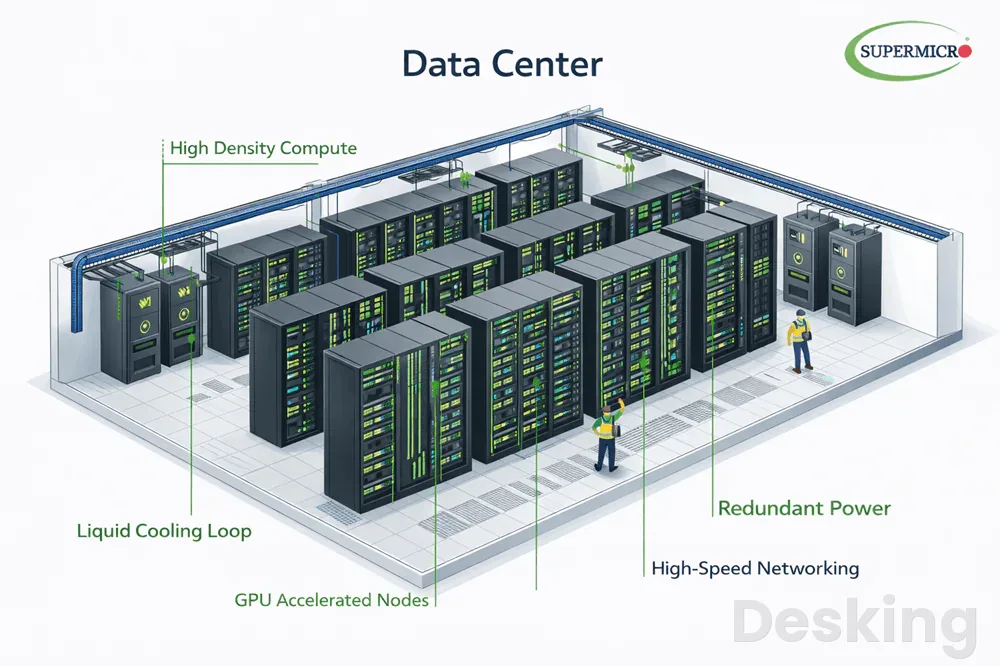
The location of a VPS affects latency, regulatory considerations, network routing, and sometimes the price.
A server close to the majority of its users can reduce the time required for requests to travel between the user and the application.
A business serving customers in several regions may choose a location based on the main user base, or combine a central server with a content delivery network.
A nearby data center is not automatically the fastest option if its network route is congested or poorly connected to the target audience.
Some providers charge different rates by region, while others offer a standard price across several locations.
Network transfer allowances also differ, and some plans count both incoming and outgoing data toward a quota while others charge mainly for outbound traffic.
Amazon Lightsail documents regional differences in transfer allowances, including lower quotas in several Asia Pacific and South American regions.
Check the allowance for the exact data center you intend to use, rather than assuming that the figure on a global pricing page applies everywhere.
Compare providers by workload
A provider comparison is useful only when it matches the intended workload and the billing conditions.
The following examples show how different commercial models appeal to different buyers; they are not a ranking of server performance.
The figures come from published plan information and independent pricing comparisons checked during November 2026.
Prices may change, and taxes or optional services can alter the final amount.
| Provider or service | Example entry price | Pricing model | Useful distinction |
|---|---|---|---|
| Hostinger VPS | $6.49 per month | 24 month prepaid offer | 4 GB RAM and weekly backups included |
| Amazon Lightsail Linux | $5 per month | Fixed monthly bundle | 512 MB RAM with public IPv4 |
| DigitalOcean | From about $4 to $6 | Usage based cloud billing | API driven infrastructure and hourly billing |
| Vultr | From about $5 | Usage based cloud billing | Multiple location choices |
| Akamai Linode | From about $5 | Usage based cloud billing | Transfer allowance and egress pricing |
| UpCloud | From about $3.50 | Fixed monthly starting price | Low entry price for small instances |
The comparison shows why an entry price should never be read as a complete specification.
Hostinger's promotional KVM 1 includes substantially more memory than the entry level bundles listed by some cloud providers, but it requires a 24 month upfront payment.
Amazon Lightsail's $5 Linux bundle includes a public IPv4 address, 512 MB of memory, 20 GB SSD storage, and 1 TB of transfer.
DigitalOcean, Vultr, Akamai Linode, and UpCloud have different resource combinations and billing approaches, so the cheapest row depends on what the customer needs.
4. Calculate the complete monthly bill
The monthly VPS bill is the server charge plus every extra service required to operate the workload.
Those extras can include backups, snapshots, additional storage, public IP addresses, traffic overages, control panel licenses, operating system licenses, monitoring, and managed support.
Taxes and currency conversion can also change the amount charged to the customer.
A realistic budget records each item separately instead of treating the headline price as the total cost.
HourlyVPS's October 2026 pricing research documents several examples of these additional charges across providers.
Its comparison reports that some hosts bill a powered off server until it is deleted, while backups can add a percentage of the server price and snapshots can incur a separate storage charge.
It also identifies Windows licensing and outbound traffic as costs that can materially increase a small instance's bill.
These examples are provider specific, but the categories should be checked in any VPS quote.
Backups and recovery services
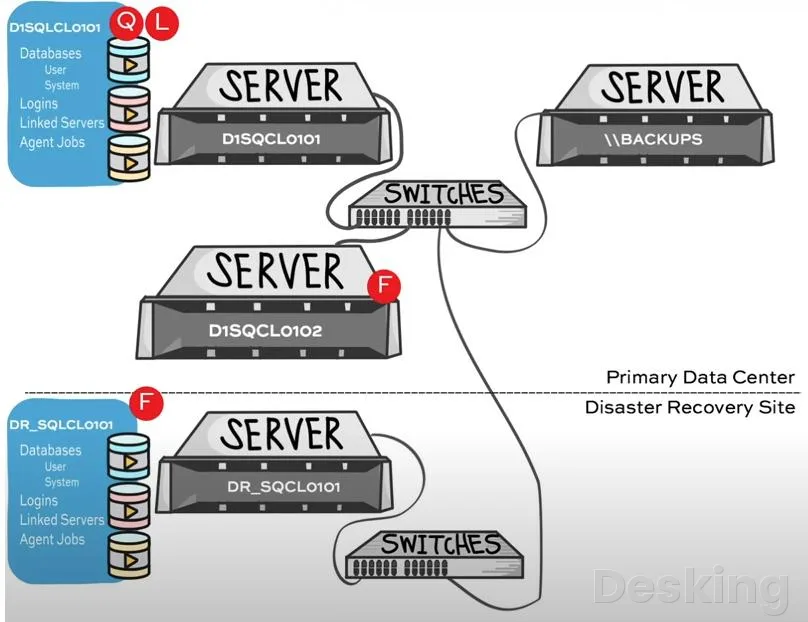
Backups are one of the first extras to check because a VPS can fail through human error, software corruption, a security incident, or an infrastructure problem.
Some providers include a weekly backup in the base plan, while others charge a percentage of the server fee or a separate storage rate.
A snapshot may preserve a point in time copy of a virtual machine, but it is not always a complete recovery strategy.
The retention period, restore process, storage location, and recovery time all affect its usefulness.
Hostinger currently lists automatic weekly backups as included with its VPS plans, with restoration available through its dashboard.
This adds value to the package because the customer does not have to purchase a separate weekly backup option for the basic provision.
It should still be treated as one layer of protection, not the only copy of important business data.
A separate backup stored outside the VPS provider's account or infrastructure offers additional protection if the server account becomes inaccessible.
A useful backup budget considers the recovery objective as well as the storage fee.
A personal test server may only need an occasional copy, while a business database may require daily or more frequent backups with a defined retention period.
Test restoration before relying on a backup, because a file that exists but cannot be restored is not a reliable recovery plan.
If a provider charges extra for daily backups, compare that amount with the value of the data and the cost of downtime.
Storage and snapshot charges
The included disk capacity is not the only storage consideration.
Some workloads need additional block storage, database volumes, or snapshots that remain after the virtual machine is deleted.
Providers may charge for allocated capacity rather than the amount of data actually stored.
A server with a 50 GB disk can therefore generate storage charges based on the full allocation, even when the application uses only a portion of it.
Amazon Lightsail lists block storage from $0.10 per allocated GB per month and snapshots at $0.05 per GB per month.
Those charges are separate from the virtual server bundle.
A customer who adds a 64 GB block storage volume and retains several snapshots should include those items in the monthly estimate.
The same principle applies to other providers, although the rate and billing unit will differ.
Storage type also affects price and application performance.
NVMe storage can offer strong performance for databases and applications with frequent disk access, while conventional SSD storage may be sufficient for simpler websites and file services.
Capacity, I/O limits, and backup retention should be compared together.
A large disk allocation is not necessarily better value if the application needs fast database operations and the provider limits disk throughput.
Traffic and public IP charges
Network traffic is often bundled into a monthly allowance, but the amount included and the cost of exceeding it vary widely.
A website with mostly text and compressed images may use little transfer, while a file service, media platform, or software download server can consume several terabytes.
Providers may count outbound traffic, inbound traffic, or both.
Read the billing rules carefully, especially if the server distributes large files or serves customers across several regions.
A public IPv4 address can also appear as a separate charge on some cloud platforms.
It may be included in a standard VPS package, billed hourly, or priced as an additional resource.
The distinction matters when comparing small servers because an address fee can represent a significant share of the base price.
If the application can use IPv6, that may reduce some costs, but IPv4 compatibility is still necessary for many services and users.
The cost of network transfer should be estimated from actual usage wherever possible.
Review analytics, web server logs, CDN reports, and application metrics to understand how much data leaves the server each month.
Allow a margin for growth, backups, software updates, and unusual traffic spikes.
A plan with a larger included allowance can be more economical than a cheaper server that regularly incurs overage charges.
Licenses and control panels
Commercial software can add more to a VPS bill than the virtual machine itself.
Windows Server licensing, cPanel, Plesk, database software, security products, and backup applications may be charged separately or included in a bundle.
The price depends on the license edition, number of users or accounts, and whether the provider offers a monthly license through its own billing system.
Confirm the license terms before installation, especially when moving an existing application from another server.
Control panels are convenient for managing websites, databases, email accounts, and server settings, but they can change the economics of a low cost VPS.
A cPanel license can cost more than the base server on a small configuration, and some license tiers depend on the number of accounts hosted.
Plesk and other panels use their own pricing models.
If you already know how to administer Linux through SSH, a free panel or command line workflow may reduce recurring costs.
A Windows VPS should be priced with its license included in the comparison.
HourlyVPS's research identifies cases where the Windows operating system component can materially increase the virtual machine charge.
Amazon Lightsail's published bundles also show a higher price for Windows than for comparable Linux configurations at the same resource level.
That difference is not a reason to avoid Windows when an application requires it, but it should be included in the budget from the beginning.
Tax and currency conversion
The price displayed on a provider's website may exclude sales tax, VAT, or other local charges.
The final amount can also change when the provider bills in a currency different from the one used by the customer's bank account.
Card issuers and payment providers may apply exchange rate margins or international transaction fees.
For a business that pays several years in advance, even a small difference in exchange rate can affect the total commitment.
Customers in Angola should check the payment currency and the bank's conversion conditions before placing an order.
A VPS advertised in US dollars may be charged to a card in another currency depending on the provider's checkout settings.
The amount that appears on the bank statement can therefore differ from the estimate made from the monthly equivalent.
Include a currency buffer in the budget and retain the invoice for accounting records.
A business should also establish whether the provider issues an invoice that meets its accounting requirements.
The payment method, billing entity, tax treatment, and invoice details may matter as much as the server price.
These issues are not unique to VPS hosting, but they are easy to overlook when a technical team selects a plan without involving finance.
A low price is useful only if the company can pay for and account for the service properly.
5. Understand prepaid discounts
A promotional VPS rate is often tied to a longer billing term, which means the provider receives the full payment before the customer uses the service.
The monthly figure on the pricing page is usually the total prepaid amount divided by the number of months in the term.
It is not necessarily the amount charged every month.
This distinction affects cash flow, cancellation decisions, and the cost of changing providers before the term ends.
Hostinger's current KVM offers illustrate the difference.
The KVM 1 promotion is displayed at $6.49 per month, but the checkout amount is $155.76 for 24 months, and the published renewal price is $11.99 per month for another two year term.
The KVM 2 offer is displayed at $8.79 per month, with $210.96 due upfront and a $14.99 monthly renewal rate.
Those are useful prices for comparing the service, provided the buyer understands the payment commitment.
A customer who expects to keep a server for several years should compare the full first term and the renewal period, not simply multiply the promotional monthly figure by twelve.
A customer who may cancel after a few months should pay particular attention to the minimum term and refund conditions.
A long commitment can reduce the effective price, but it also reduces flexibility.
The savings are real only if the service remains suitable for the period already paid.
Compare first payment and renewal
The renewal rate is a separate part of the purchasing decision because it determines what happens after the introductory period.
Some providers maintain the same rate, while others return to a standard price once the promotion expires.
The size of the increase can change the ranking between providers over a two or three year period.
VPS Hosting Radar's September 2026 index found significant differences between introductory and renewal prices across its sample of hosting plans, and its methodology records the prepaid term as well as the renewal amount.
The following Hostinger figures show the difference between the advertised first term and the published renewal price on November 20, 2026.
They are based on the provider's US dollar pricing page and should be rechecked at checkout because promotions and regional prices can change.
| Hostinger plan | Promotional monthly rate | Upfront payment for 24 months | Published renewal rate |
|---|---|---|---|
| KVM 1 | $6.49 | $155.76 | $11.99 per month |
| KVM 2 | $8.79 | $210.96 | $14.99 per month |
| KVM 4 | $12.99 | $311.76 | $28.99 per month |
| KVM 8 | $25.99 | $623.76 | $49.99 per month |
The table makes the renewal difference visible before the purchase.
The KVM 4 and KVM 8 promotional rates are substantially lower than their listed renewal rates, so a buyer should calculate the cost of keeping the server beyond the first term.
The KVM 1 and KVM 2 options also renew at a higher rate, although the absolute difference is smaller.
This is not a reason to reject a promotional plan; it is a reason to budget for the price that applies after the offer.
Calculate the multi-year commitment
A two year prepaid VPS can be less expensive than paying a higher monthly rate for the same resources, but it ties up cash and limits the ability to move quickly.
Compare the amount paid for the first term with the amount due for the next term, then calculate the combined cost over the period you expect to use the server.
Include taxes and optional services in both periods.
If the renewal price is not guaranteed for the entire future term, treat it as the published rate at the time of purchase rather than a permanent promise.
A simple comparison should include the following information before checkout:
- First term total: Record the full amount charged today, not only the monthly equivalent displayed in the promotion.
- Renewal rate: Record the standard price that applies when the first term ends and confirm whether the renewal uses the same term length.
- Optional services: Add backups, extra storage, control panel licenses, additional IP addresses, and any required software licenses.
- Exit conditions: Check cancellation rules, refund eligibility, data export options, and the time available to migrate before the service expires.
- Currency and tax: Estimate the payment in the currency your business uses and include applicable tax and bank conversion costs.
This record makes it easier to compare providers on a consistent basis.
It also gives the finance team a defensible estimate of the first payment and future renewal obligations.
Keep a copy of the checkout page or quotation because promotions can change after the purchase.
For business systems, assign a renewal reminder well before the end of the prepaid term so that a price increase does not become an emergency.
When hourly billing saves money
Hourly billing can reduce costs when a VPS is needed only for short periods, such as testing a release, running a temporary build environment, or performing a scheduled data task.
It is less attractive for a production website that must remain available continuously.
The calculation depends on the provider's hourly rate, monthly cap, and charges for resources that remain allocated after the virtual machine stops.
A server that is powered off may still incur charges if its storage or IP address remains active.
Devshot's September 2026 comparison describes DigitalOcean's billing model as per second with a monthly cap, and notes that a powered off Droplet continues to bill until it is destroyed.
This is an important operational detail for teams that create temporary servers and forget to remove them.
The same rule should not be assumed for every provider, because billing policies differ.
Check the provider's documentation for stopped instances, attached volumes, reserved addresses, and snapshots.
Hourly billing is best evaluated against the actual number of hours the server will run.
If a development machine is active for a few hours each week, usage based pricing may cost less than a full monthly plan.
If the machine runs all month, a fixed package may be simpler and more predictable.
Set a deletion process or budget alert for temporary resources, and verify that no attached service remains billable after the server is removed.
6. Account for administration costs
The cost of running a VPS includes the time required to keep it secure, available, and recoverable.
An unmanaged server may have a low invoice, but the customer must maintain the operating system, web server, database, firewall, monitoring, and backup process.
If an employee already performs these tasks as part of their role, the extra labor may be manageable.
If the business must hire a contractor or pay for emergency support, the apparent saving can disappear.
The distinction between managed and unmanaged hosting is therefore a financial decision as well as a technical one.
A managed provider can charge more while reducing the amount of specialist time the customer must supply.
That can be worthwhile for a business without an internal administrator, especially when the server hosts customer facing applications or operational systems.
The buyer should still verify what the provider actually manages, because application troubleshooting and custom software support may remain outside the contract.
Price the administrator's time
A server administrator may spend time applying patches, reviewing logs, checking disk space, renewing certificates, testing backups, and investigating performance problems.
The work is not necessarily constant, but it must be planned and performed consistently.
A business that has no assigned owner for these tasks is accepting an operational risk, regardless of the server price.
The monthly budget should include a realistic allowance for maintenance rather than assuming that a VPS will manage itself.
The amount of administration depends on the software stack and the expected service level.
A simple Linux server with one static website can require less attention than a server with multiple customer applications, databases, email services, and third party integrations.
Windows Server deployments can also need patch management, licensing checks, access controls, and monitoring.
A provider's technical support does not replace a server administrator unless the contract clearly includes those responsibilities.
A documented migration example
A June 2026 Reddit post in the r/n8n_on_server community described a user's migration of 224 automation workflows from n8n Cloud to a self hosted Hostinger KVM 2 VPS with 8 GB of RAM in Frankfurt.
The author reported that the VPS cost about €12 per month, compared with roughly €50 per month for the cloud service at that scale.
The user also reported that credentials did not transfer with the workflow exports and had to be recreated manually, which took around six hours for the priority workflows.
That account is a self reported example, not an independently audited benchmark or a guarantee of equivalent savings for another deployment.
It nevertheless shows why the server invoice is only one part of a hosting decision.
The user reduced the recurring platform expense but took on migration work, credential management, webhook updates, and server administration.
The reported monthly difference was substantial, but the business value depended on having the technical ability to operate the self hosted system.
For a company considering a similar move, the relevant comparison is the cost of the hosted service against the VPS, backups, administrator time, migration effort, and operational risk.
A self hosted system may become less expensive when several applications share one server, but that consolidation also creates a larger failure domain.
If the VPS becomes unavailable, every application on it can be affected.
Keep critical services separate where necessary, and maintain a tested recovery plan.
Choose support by responsibility
A provider's support team may assist with billing, network availability, hardware faults, or access to the control panel, but that does not mean it will repair the software installed on an unmanaged VPS.
The service agreement should define the boundary.
A customer who needs help with Linux configuration, WordPress, Docker, databases, or custom code may need a separate support contract or a managed hosting service.
Clarify the support scope before committing to a low cost plan.
The most useful questions concern response times and the types of incidents covered.
Ask whether support can investigate a failed service inside the operating system, whether it will restore a backup, whether it can assist with a security incident, and whether application troubleshooting is included.
Also check whether the provider offers telephone, ticket, or chat support, and whether emergency response is available outside business hours.
A general statement such as 24/7 support does not answer those specific questions.
7. Decide which VPS fits

The right VPS is the least expensive service that meets the application's resource, availability, security, and support requirements.
A small static website does not need the same configuration as a database server or a multi tenant business application.
Overprovisioning wastes money, while underprovisioning can lead to slow response times and emergency upgrades.
Use the expected workload, measured resource consumption, and recovery requirements to select the initial size.
A provider should be assessed against the complete service, not just the amount of RAM shown in its plan.
Hostinger's KVM range is worth considering when the buyer wants a Linux VPS with root access, NVMe storage, a relatively large memory allocation for the promotional price, and weekly backups included.
It is particularly relevant to technically capable users who can manage their own applications.
Businesses that require the provider to administer the operating system or resolve application faults should compare managed alternatives instead.
Choose by workload type
Different workloads place different demands on a VPS.
A WordPress site may be limited by PHP workers, database activity, or memory, while an API may depend more heavily on CPU and network latency.
A database server needs enough memory for its working set and storage with suitable I/O performance.
Automation platforms need room for background jobs, execution history, and connected services.
The plan should be selected from the application profile rather than a generic rule about how much RAM every server needs.
Use the following guide as an initial decision framework:
- Small website: Start with a modest Linux VPS if the site has low traffic, a light database, and a reliable caching configuration.
- WordPress business site: Compare 4 GB plans when the installation uses a database, caching, security plugins, and several concurrent PHP workers.
- Self hosted automation: Consider 8 GB or more when several workflows, queues, integrations, and execution records run on the same server.
- Database service: Prioritize memory, storage performance, backup retention, and recovery time over a low headline price.
- Windows application: Include the Windows license, remote access requirements, and any additional user or software licensing in the estimate.
- Production platform: Budget for monitoring, offsite backups, security maintenance, and a recovery process in addition to the VPS itself.
These are starting points, not fixed minimum specifications.
A well optimized site may need less capacity than a poorly configured installation with the same traffic.
Measure CPU, memory, storage latency, and network use after deployment, then resize when the data supports it.
If the provider offers a straightforward upgrade path, start with a reasonable configuration and expand before resource pressure affects customers.
When Hostinger makes sense
Hostinger's VPS offer is a reasonable candidate for a buyer who wants a self managed Linux environment and values the amount of memory and NVMe storage included in the advertised package.
The current KVM 1 starts with 4 GB of RAM, while KVM 2 provides 8 GB and KVM 4 provides 16 GB.
Weekly backups are included in the listed plans, and the service offers root access, an API, and a 1 Gbps network connection according to its published product page.
Those features make it relevant for developers, small agencies, and businesses with in house server skills.
The promotional price is especially attractive when compared with some cloud bundles that start with less memory at a similar monthly amount.
However, the lower displayed rate is tied to upfront payment for the selected term, and the renewal rate is higher.
The buyer should also account for the responsibilities of an unmanaged server.
Hostinger is not the right choice simply because the promotional price looks low; it is a good candidate when its resource allocation, billing terms, support scope, and operating model fit the project.
A practical purchase process is to identify the intended operating system and application stack, estimate memory and storage needs, select the nearest data center to the main users, and verify the full amount due at checkout.
Confirm whether the plan includes the backup schedule you require and whether you need a paid control panel or additional license.
If the application is business critical, test the recovery process before production use.
A 30 day money back guarantee, where available under the provider's terms, can reduce some initial purchase risk, but it does not replace technical testing.
When another provider fits better
A cloud provider may be a better fit when the team needs API based infrastructure, frequent instance creation and deletion, extensive regional choices, or integration with a wider cloud platform.
DigitalOcean, Vultr, Akamai Linode, and AWS Lightsail each offer a different combination of resource sizes, network allowances, and billing controls.
These services can be attractive to development teams that automate infrastructure and want to integrate servers with other cloud services.
Their total cost should include any separate backup, storage, and network charges.
A managed VPS is more appropriate when the business needs help maintaining the server and does not have an administrator available.
A managed provider may include a control panel, operating system maintenance, backups, and support for defined server incidents.
The price can be several times the cost of an unmanaged server, but it may still be cheaper than hiring someone to perform the work.
The service agreement must state what is included, particularly for application issues and recovery assistance.
A dedicated server becomes relevant when the workload requires more predictable hardware resources, high sustained CPU use, large storage capacity, or a particular hardware configuration.
It usually costs more than a small VPS and may require a longer commitment.
A VPS remains a sensible choice for many websites, applications, and business systems because it provides administrative control without the cost of renting an entire physical machine.
The point at which a dedicated server becomes economical depends on actual resource consumption and the price of the required VPS configuration.
8. Prepare the final budget
A useful VPS budget separates recurring infrastructure costs from one time migration work and the internal effort required to operate the server.
The first invoice may include a prepaid hosting term, while later invoices may include renewal charges, additional storage, backup services, or software licenses.
A migration may also require temporary parallel hosting while the new server is tested.
If the application supports customers or business operations, include the cost of maintaining a fallback during the transition.
For a small business, the budget should be reviewed by both the technical owner and the person responsible for payments.
The technical owner confirms the operating system, resources, network requirements, backup policy, and support model.
Finance confirms the payment currency, tax, invoice details, renewal date, and approval for the full upfront amount.
This prevents a server that looks affordable in a technical comparison from creating an unexpected cash flow or compliance issue.
Keep the cost review practical
Before ordering, record the plan and its conditions in a short comparison sheet.
Use the same workload assumptions for every provider and include the cost of the services you actually intend to use.
Avoid adding hypothetical extras that the application does not need, but do not omit backups, licenses, or management simply to make one quote look cheaper.
The resulting figure should represent the service you plan to operate, not a theoretical minimum.
A useful review should confirm these points:
- Resource fit: The selected CPU, memory, storage, and transfer allowance are sufficient for the expected workload and reasonable growth.
- Operational ownership: A named person or provider is responsible for updates, monitoring, security, backups, and recovery.
- Financial commitment: The first payment, renewal rate, billing period, taxes, and currency conversion are understood.
- Exit plan: Data can be exported, DNS can be changed, and the application can be moved if the service no longer fits.
- Recovery readiness: Backups are stored safely, retention is appropriate, and restoration has been tested.
The final choice should balance the monthly invoice with the cost of operating the server reliably.
Hostinger's current KVM offers deserve consideration when a self managed Linux VPS is appropriate and the buyer is comfortable with the prepaid term.
A cloud platform may suit teams that need API driven infrastructure and flexible deployment, while a managed provider may be the more economical option for a business without server administration skills.
The best purchase is the one whose full cost and responsibilities are understood before the first payment.
Frequently Asked Questions
Can I pay for a VPS monthly?
Does a VPS include email hosting?
Can I host several websites?
Is a stopped VPS still billed?
Can I move my VPS provider?
Is a VPS suitable for beginners?
Sources5
- AWS on Lightsail pricing
- Hostinger on VPS plan pricing
- VPS Cost Lab on VPS cost data
- VPS Hosting Radar on renewal pricing
- TheTechHacker on VPS comparisons
External pages are independent third-party sources. Desking App does not control or endorse their content and accepts no responsibility for it. Visiting them is at your own responsibility and risk.