

Managed VPS or unmanaged VPS: The real difference is who maintains the server
By Evander Thorne · November 20, 2026

Table of contents
- Choose who runs your virtual private server
- The real difference
- Who does what
- What managed means
- Why choose managed
- Why choose unmanaged
- The cost beyond rent
- Security and responsibility
- Backups and recovery
- Support and service levels
- Control and access
- Performance and reliability
- Real world evidence
- Choosing by workload
- A third option
- Before you sign
- The decision
- Frequently Asked Questions
Choose who runs your virtual private server
The most consequential difference between two VPS plans with identical processor, memory, and storage specifications is who takes responsibility after the virtual machine is provisioned.
With an unmanaged plan, the customer administers the operating system, secures services, maintains applications, and responds to failures.
A managed plan transfers an agreed portion of that work to the hosting provider, usually for a higher fee.
The distinction affects staff workload, incident response, security exposure, and the amount of control available to developers.
It also affects what happens when a server fails outside normal business hours.
A managed VPS is generally the better choice for a business without an available systems administrator, provided the provider offers the maintenance and support the business actually needs.
An unmanaged VPS is usually better for a developer, technical team, or experienced administrator who can maintain Linux or Windows Server and wants unrestricted configuration.
Neither label guarantees performance, uptime, security, or application support.
Those outcomes depend on the infrastructure, the people responsible for operating it, and the service agreement.
The real difference
A virtual private server is a virtual machine hosted on a physical server.
It has allocated computing resources, its own operating system, and an environment in which the customer can install and run software.
The hosting company operates the underlying infrastructure, including the physical machine and the virtualization platform.
The management model determines how much responsibility the provider accepts for the software and services inside the customer's virtual machine.
An unmanaged VPS gives the customer administrative control and responsibility for the guest operating system.
The customer normally installs or configures the web server, database, control panel, firewall, monitoring, and backup system.
A managed VPS adds a service layer in which the provider performs some of those tasks.
The word managed does not have one universally enforced scope across the hosting industry, a point also raised in TechRadar's August 2026 analysis of managed VPS services.
The plan description and contract determine what the customer receives.
The distinction is easiest to understand as a division of operational work.
The provider remains responsible for its infrastructure in both models, while the customer retains responsibility for its business objectives, data, and application decisions.
A managed contract may transfer operating system maintenance, monitoring, backup administration, or incident response to the provider.
It may leave application code, plugins, custom software, and database design with the customer.
This division matters because server administration continues long after installation.
A new VPS can be provisioned in minutes, but a production server needs regular patching, access reviews, backup checks, certificate renewal, storage monitoring, and incident handling.
Those activities do not disappear when the website launches.
A business that chooses unmanaged hosting must assign them to an employee, an external administrator, or a documented operational process.
Who does what
The following comparison describes common arrangements, not a universal promise.
Managed services differ substantially: one provider may handle only operating system updates, while another may maintain the web stack, monitor services, and help restore a failed server.
The UK government's G Cloud service catalogue includes a managed server service whose defined scope covers operating system deployment, monitoring, patching, antivirus management, and availability management.
That is a useful example of a written service scope, not a definition that every provider must follow.
| Responsibility | Unmanaged VPS | Managed VPS |
|---|---|---|
| Physical hardware | Provider | Provider |
| Network and virtualization | Provider | Provider |
| Operating system installation | Customer, often from a supplied image | Provider, according to plan |
| Operating system updates | Customer | Provider if included |
| Firewall configuration | Customer | Provider if included |
| SSH and administrator access | Customer | Shared or restricted, depending on plan |
| Web server and database | Customer | Provider may install or maintain them |
| Application code and plugins | Customer | Usually customer |
| Monitoring and alerts | Customer | Provider if included |
| Backups | Customer or paid add on | May be included or sold separately |
| Restore assistance | Customer | Depends on contract |
| Security incident response | Customer | Depends on contract |
| Control panel licensing | Customer or bundled plan | May be included or charged separately |
The provider's infrastructure duties should not be confused with server administration.
A hosting company can maintain its data center, physical servers, storage systems, and network while leaving the customer's virtual machine entirely unmanaged.
If a Linux service stops, a database becomes corrupted, or a firewall rule blocks access, the infrastructure provider may consider the virtual machine operational even though the customer's website is unavailable.
That is why an unmanaged VPS support desk often limits assistance to network, hardware, virtualization, and account issues.
Managed hosting can shift responsibility for selected operating tasks, but the application boundary remains important.
A provider might install and patch Nginx, PHP, and MySQL while excluding a custom application bug, a faulty WordPress plugin, or a deployment made by the customer's developer.
Some providers will investigate these issues as paid professional services.
Others will ask the customer to contact the software developer.
A buyer should never assume that server management includes every service running on the server.
What managed means
A managed VPS is a hosting service in which the provider agrees to perform defined administration tasks inside the virtual machine.
These tasks may include initial configuration, operating system updates, security hardening, monitoring, backup management, and technical assistance.
Some plans extend to web server configuration, database maintenance, control panel updates, malware investigation, or application troubleshooting.
The exact package can range from basic assistance to a service in which the provider operates most of the server environment.
The term itself is not a reliable specification.
TechRadar notes that providers use different definitions of managed support, and the practical difference can be substantial.
One plan may provide a control panel and access to a support team, while another includes proactive monitoring and hands on maintenance.
The customer may have root access in one managed environment and restricted administrative access in another.
A plan should therefore be assessed by its task list, exclusions, response commitments, and access policy rather than its product name.
A useful way to assess the offer is to separate management into three levels.
Basic management can cover initial setup, operating system installation, and limited support.
Operating system management can add patching, security configuration, monitoring, and service recovery.
Full server management may include the web stack, databases, backups, performance tuning, and a defined incident response process.
These are practical categories for comparing proposals, not standardized industry certifications.
Basic management
Basic management is often suitable for customers who need help getting a server ready but can maintain it afterwards.
The provider may install the operating system, configure a control panel, perform an initial security setup, or help migrate a website.
Routine updates, backup verification, and application troubleshooting may remain the customer's responsibility.
A buyer who needs continuous maintenance should not treat initial setup assistance as an ongoing administration service.
This level can be appropriate for a developer who knows how to operate a server but wants to avoid spending the first day installing and configuring the environment.
It can also suit a small business with an external IT contractor who handles maintenance after the hosting provider completes the initial deployment.
The contract should identify whether the initial configuration includes firewall rules, SSH hardening, monitoring agents, backup schedules, and documentation.
Otherwise, the customer may receive a working server without the operational controls needed to keep it safe.
Operating system management
Operating system management covers the maintenance of the server's base environment.
Depending on the agreement, the provider may apply security patches, manage kernel updates, schedule reboots, configure firewall rules, monitor CPU and memory, and investigate system level failures.
These services reduce the customer's routine administration workload and can help prevent known vulnerabilities from remaining unpatched.
They do not automatically cover every application installed on the server.
The distinction between operating system support and application support is especially important for WordPress, cPanel, Plesk, Docker, and database workloads.
A provider may maintain Ubuntu or AlmaLinux but exclude custom PHP configuration, plugin conflicts, container orchestration, or database query optimization.
The customer should ask which components are supported by name and version.
If a particular application is business critical, its inclusion should be written into the service scope rather than left to a sales representative's verbal assurance.
Full server management
Full server management is intended for customers who want the provider to take responsibility for a wider range of operating tasks.
A service may include system administration, web server configuration, database maintenance, backup monitoring, restore assistance, malware response, and performance troubleshooting.
Some providers also offer migration services, control panel licensing, and help with supported applications.
The word full still needs careful examination because application development, custom code, and business level support may remain excluded.
A defined full management service should identify who monitors the server, which alerts trigger action, what actions technicians can take without approval, and how incidents are escalated.
It should also explain whether support is available around the clock or only during business hours.
The customer should know whether the provider will proactively detect a failed service or simply respond after a ticket is submitted.
A provider that answers tickets quickly but does not monitor the server is offering a different operational service from one that detects and investigates faults automatically.
Why choose managed
The strongest reason to pay for management is the cost of leaving server administration unattended.
A production VPS needs an owner who can respond to security notices, failed updates, exhausted storage, service crashes, and failed backups.
If no employee has the time or knowledge to handle those duties, the lower monthly price of an unmanaged plan can conceal a significant operational risk.
A managed provider can take on agreed tasks and give the business access to people whose work includes server maintenance.
Managed hosting also changes how technical incidents are handled.
When a service stops responding, the provider may already have monitoring data, system logs, and access to the server.
If the contract includes remediation, technicians can investigate and correct a supported server fault without waiting for the customer to diagnose it.
That can reduce the time a business spends coordinating an incident, although no management plan can guarantee that every failure will be resolved immediately.
A small team can benefit from this arrangement because the time saved has a business value.
A developer responsible for a customer portal, for example, may be more productive working on application features than scheduling operating system maintenance and investigating low level service errors.
A company without an internal Linux administrator may also find it difficult to recruit someone for occasional server tasks.
In those circumstances, outsourcing administration can be a practical alternative to hiring a full time employee.
Managed services can also provide continuity when the person who originally configured a server leaves the organization.
If the configuration, access details, maintenance schedule, and recovery procedure exist only in one employee's memory, the company has a personnel risk regardless of its hosting model.
A provider with documented operating procedures can reduce that dependency, provided the agreement includes useful documentation and the customer retains appropriate access to its own data and accounts.
The benefits are strongest when the service is specific.
A plan that promises security patching, monitored availability, backup verification, and defined incident handling offers measurable responsibilities.
A plan that advertises premium support without explaining what technicians will do is much harder to evaluate.
The customer should pay for tasks it needs, not for a label that sounds reassuring.
When downtime costs money
A business should consider managed hosting when server failure directly interrupts revenue, customer access, or an essential internal process.
An online store, booking system, customer portal, or business application may depend on several services working together.
If the database fails or the web server stops responding, the business may lose transactions or staff productivity while the issue remains unresolved.
A provider that accepts responsibility for monitoring and server recovery can reduce the operational burden, although application level faults may still require the customer's developer.
The service is also worth considering when the server holds information that requires careful protection.
Security updates, access controls, monitoring, and tested backups all require ongoing attention.
A managed provider can perform some of this work, but outsourcing does not transfer every legal or business obligation attached to customer data.
The company still needs to understand where data is stored, who can access it, how incidents are reported, and what happens when the contract ends.
When internal skills are limited
A business without a systems administrator should be cautious about buying an unmanaged VPS simply because its advertised price is lower.
Basic setup may appear manageable through a control panel, but the server still needs patching, access reviews, backup tests, monitoring, and recovery procedures.
A graphical interface can simplify routine tasks without taking responsibility for them.
If the business has no one capable of diagnosing a failed database or restoring a compromised server, it has no reliable owner for a critical service.
A managed VPS can give a non specialist team a clear support channel for the work included in the contract.
The buyer should still appoint an internal contact who understands the application, controls account access, approves disruptive changes, and communicates business priorities.
The provider cannot decide whether a particular website feature is essential or whether a database restore would overwrite recent transactions.
Those decisions require business context that the hosting company may not possess.
When continuity matters
A managed provider may be useful when the server must remain maintained during holidays, staff absences, or periods when the internal IT team is occupied with other projects.
Operating system updates and monitoring do not stop because the person who installed the server is unavailable.
A support agreement can provide a second operational team, but only if its service hours and escalation process match the business's actual requirements.
The buyer should check how the provider handles emergencies outside standard support hours.
A 24 hour ticket portal does not necessarily mean a technician will begin work immediately at any hour.
Some plans accept tickets around the clock but investigate them during business hours.
Others reserve urgent response for incidents that meet a defined severity level.
The agreement should explain the difference between receiving a ticket, acknowledging it, beginning diagnosis, and restoring service.
Why choose unmanaged
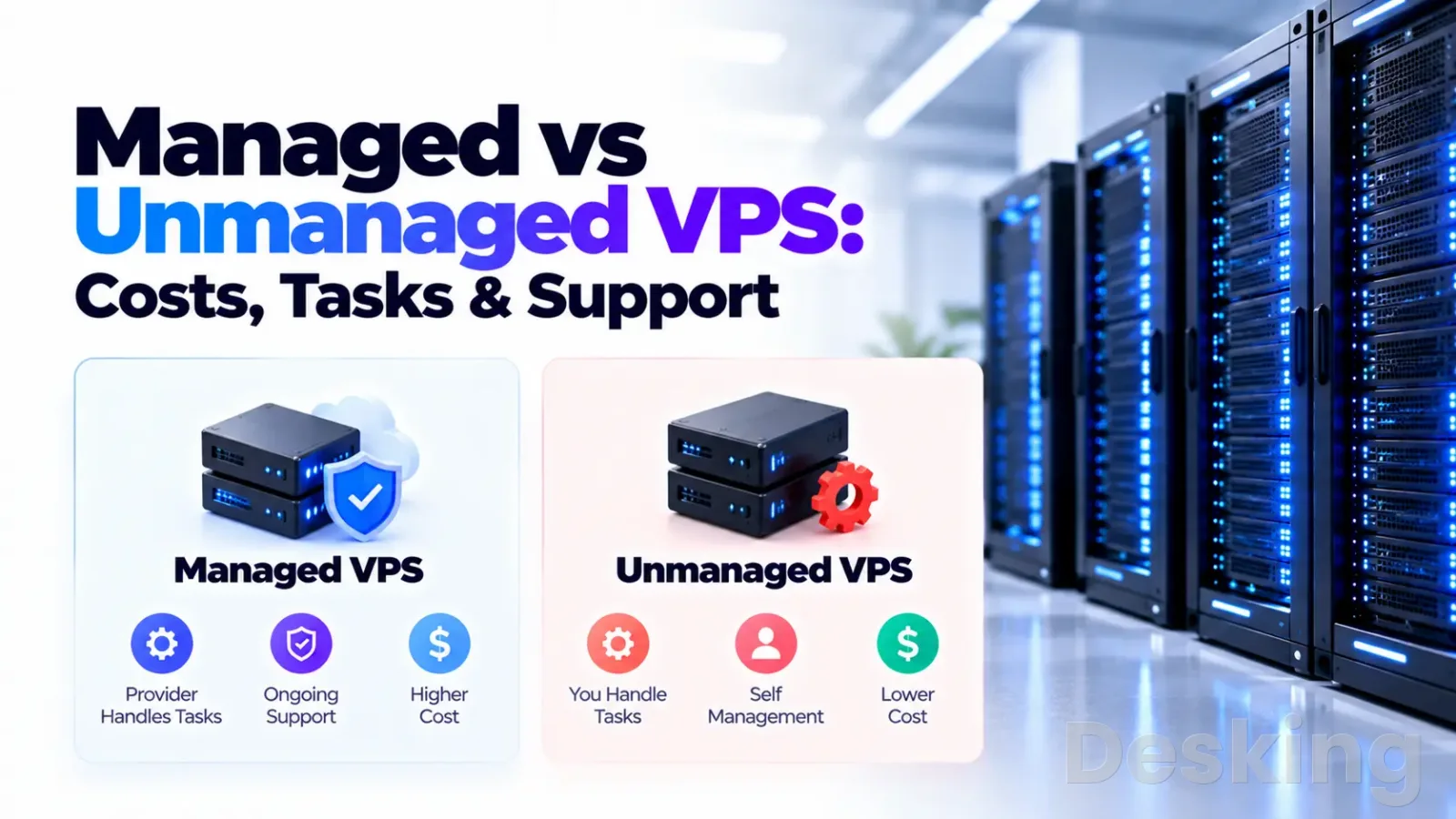
An unmanaged VPS is attractive when the customer has the technical ability and time to operate the server.
It usually offers broad administrative access, freedom to install software, and a lower hosting bill because the provider is not supplying the same level of ongoing administration.
Developers can choose their own web server, database, runtime, deployment tools, and security controls.
Experienced administrators can also standardize configurations across multiple servers instead of adapting to a provider's supported stack.
The model is particularly useful for workloads that need unusual software or frequent configuration changes.
A development team may need custom firewall rules, a specific Linux distribution, multiple Docker networks, a nonstandard database version, or direct access to system services.
With an unmanaged server, the customer normally makes those decisions without opening a support ticket for every change.
The freedom is valuable when the team knows how to manage the consequences.
Lower hosting cost is only one part of the financial case.
A skilled administrator may already maintain infrastructure as part of a wider role, making the additional work manageable.
A company with an established monitoring system, backup platform, incident process, and documented server standards may not need to pay a hosting provider to duplicate those services.
In that case, unmanaged hosting can avoid overlapping support costs while preserving technical control.
The model also supports learning and experimentation.
A developer can build a test environment, install unfamiliar services, change system configuration, and rebuild the virtual machine when an experiment fails.
The risk is easier to contain when the server holds no important production data and can be recreated from documented configuration.
A learning server should still be isolated from business systems and should not become the accidental home of customer information.
When control matters
Unmanaged hosting is a strong choice when the application requires root level control or software that the provider does not support.
A development team can install packages, change service configurations, select its own deployment method, and control maintenance windows.
This matters for custom applications, specialized databases, container workloads, and software that needs access to system libraries or kernel settings.
A managed provider may permit the same changes, but the customer should confirm that they are supported and will not invalidate the service agreement.
Root access should be treated as both a capability and a responsibility.
An administrator can install almost any supported software, but can also change permissions, remove system packages, expose network ports, or overwrite important files.
The provider may be unable to support a configuration that differs substantially from its approved environment.
A team that needs unrestricted access should confirm the provider's policy before purchase, particularly if it expects support after making custom changes.
When technical staff exist
An organization with a capable IT team may already have the skills needed to maintain an unmanaged VPS.
Its administrators can apply security updates, monitor logs, manage backups, and troubleshoot application services according to internal standards.
They can also coordinate changes with developers and security staff without waiting for a third party to approve every modification.
This can make self management more efficient when server operations are part of the team's normal responsibilities.
The team still needs enough capacity to handle incidents.
A single employee who knows Linux may be technically capable but unavailable during leave, illness, or another urgent project.
The business should document the server configuration, keep administrative credentials in an approved password manager, and identify a backup person who can respond.
If nobody can recover the server when its primary administrator is unavailable, the organization has a continuity problem even if it has excellent technical skills.
When workloads change often
Unmanaged hosting can suit development and staging environments where configuration changes are frequent.
Developers may need to test new versions of PHP, Node.js, Python, databases, reverse proxies, or container images.
They can make changes directly and schedule maintenance around the development process.
A managed provider may be less flexible if it supports only selected operating systems or application versions, or if changes must be reviewed by its technicians.
This flexibility can shorten the time between a technical decision and its implementation.
It can also create inconsistent environments if changes are not documented.
Teams should use configuration management, infrastructure as code, or repeatable deployment scripts where practical.
A server that depends on undocumented manual changes is difficult to rebuild, audit, or transfer to another administrator, regardless of whether it is managed.
The cost beyond rent
The monthly hosting charge is not the full cost of operating a VPS.
An unmanaged plan may have a lower base price, but the customer must account for staff time, backup storage, monitoring tools, software licenses, security services, and incident response.
A managed plan may include some of those items, charge for them separately, or exclude them entirely.
The meaningful comparison is the total cost of delivering the same operational outcome.
For example, a business comparing two offers should calculate the hosting fee, control panel license, backup service, offsite storage, and any administration contract required for the unmanaged option.
It should then compare that total with the managed plan, including setup fees, renewal pricing, migration costs, and optional support.
The result may favor either model.
A managed VPS can be more economical when it replaces paid administration, while an unmanaged VPS can be cheaper when skilled staff and existing tools are already available.
The cost of staff time should be included even when the employee receives a fixed salary.
If an administrator spends time patching a VPS, testing restores, and investigating performance issues, that time cannot be spent on other IT work.
The organization should estimate the hours required for routine maintenance and reserve capacity for unexpected incidents.
A low monthly server bill is not a saving if it creates a recurring workload that delays higher value projects.
Compare full costs
The following table identifies the main cost categories that should appear in a realistic comparison.
Actual amounts depend on the provider, server size, location, licensing model, and support scope.
Prices also change with promotional terms and renewal rates, so a comparison should use current written quotations rather than generic figures from an old article.
| Cost category | Unmanaged VPS | Managed VPS |
|---|---|---|
| Server rental | Usually lower | Usually higher |
| Initial setup | Customer time or paid consultant | May be included or charged |
| System administration | Internal staff or contractor | Included to the agreed scope |
| Control panel | Customer license or free software | Included or additional fee |
| Backup storage | Customer selects and pays | May be included or additional fee |
| Monitoring | Customer tool or service | May be included |
| Security maintenance | Customer responsibility | Included only if specified |
| Application support | Customer or developer | Often excluded or separately billed |
| Incident recovery | Customer or external support | Depends on response and recovery terms |
| Migration | Customer or consultant | May be included or charged |
A business should compare equivalent specifications and service levels.
A managed plan with daily backups, monitored operating system services, and restore assistance is not directly comparable with an unmanaged server that includes only a virtual machine.
The latter may have the same CPU and RAM but a different service scope.
The difference in price is paying for labor, operational processes, and access to support, not necessarily faster hardware.
The cost model should also include renewal terms.
Some hosting plans advertise a low introductory rate that rises when the initial term ends.
Management fees, backup storage, control panel licenses, and migration charges may be billed separately.
Ask for the monthly and annual cost after discounts expire, and confirm whether the provider charges for emergency work, additional support requests, or changes outside the included scope.
Security and responsibility
Security is one of the strongest reasons to examine the management agreement closely.
An internet facing VPS can expose SSH, web services, databases, control panels, and application endpoints to unwanted access attempts.
The operating system needs security updates, administrative access must be controlled, unnecessary services should be disabled, and logs need review.
An unmanaged customer must organize those controls.
A managed provider may perform some of them, but the customer should verify which protections are active and who maintains them.
A managed label does not mean that the server is automatically secure.
The provider may patch the operating system but leave vulnerable plugins, weak application passwords, exposed database ports, or insecure custom code untouched.
A provider may also maintain the server while the customer retains responsibility for user accounts, application permissions, data classification, and access to business systems.
Security is a shared responsibility, and the agreement should identify the boundary rather than imply that the provider accepts every risk.
Patching and updates
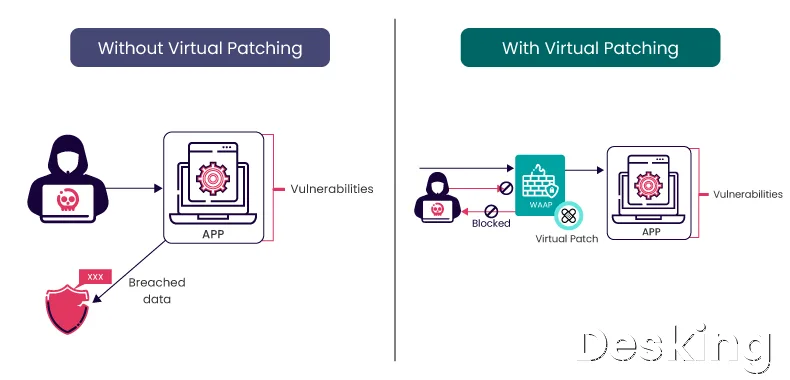
Operating system updates address known defects and security vulnerabilities in supported packages.
On an unmanaged VPS, the customer chooses when to apply updates, tests important services, and schedules reboots when required.
Automatic security updates can reduce manual work, but they still need monitoring because package conflicts, configuration changes, or pending reboots can affect service availability.
A patching process should record what was applied and identify systems that need attention.
On a managed VPS, the provider may apply operating system updates according to an agreed schedule.
The customer should ask whether the service includes kernel updates, control panel updates, web server packages, PHP versions, database engines, and application dependencies.
These components have different maintenance requirements.
A contract that covers the operating system but excludes the control panel and database may leave important parts of the environment outside the provider's responsibility.
Access and permissions
Administrative access should be defined before the server enters production.
On an unmanaged VPS, the customer usually controls root or administrator access, creates user accounts, configures SSH keys, and decides which ports are exposed.
On a managed plan, the provider may need privileged access to maintain the server.
The agreement should explain how that access is protected, logged, approved, and revoked when a technician no longer needs it.
The customer should also understand whether the provider retains emergency access if the customer changes administrator credentials or firewall rules.
A provider that cannot access the server may be unable to perform the maintenance promised in the contract.
Conversely, unrestricted provider access without documented controls creates a governance concern.
Ask whether technicians use individual accounts, whether privileged actions are recorded, and whether access can be limited to named staff or approved support sessions.
Incident response
A server incident can involve a failed service, a compromised account, a corrupted database, a storage failure, or a network outage.
These events require different responses and may involve different parties.
The hosting provider can investigate infrastructure and operating system problems, while the application developer may need to fix a software defect.
The customer may need to decide whether to disable a service, notify affected users, or restore data from a backup.
A service agreement should state which incidents the provider investigates and what happens when the cause is outside its scope.
It should also explain whether security cleanup, malware removal, forensic investigation, and rebuilding a compromised server are included.
A provider may restore the operating system without accepting responsibility for removing malicious code from a custom application.
That distinction can determine whether the business needs an additional security contractor.
Backups and recovery
Backups are often advertised as a standard managed hosting feature, but the word alone says little about recoverability.
A provider may take snapshots of the virtual machine, back up selected directories, or offer a separate backup product.
These methods protect different things and may have different retention periods.
The customer needs to know what data is included, how frequently copies are made, where they are stored, and who can restore them.
The key question is not simply whether backups exist.
It is whether the business can restore the right data within an acceptable period after a failure.
A daily backup may be sufficient for a low activity website but unsuitable for a transaction system that changes continuously.
A snapshot stored only in the same provider account may also be unavailable if the account is suspended, compromised, or affected by a wider provider incident.
An independent copy reduces reliance on a single account or infrastructure environment.
Verify backup scope
A provider's backup description should identify the protected data and the exclusions.
The customer should check whether the service covers operating system files, website files, databases, email data, uploaded media, control panel accounts, and configuration files.
It should also ask whether backups are application consistent, whether databases are captured safely, and whether the provider can restore one site without replacing the entire server.
These details matter when the business needs to recover a specific service rather than rebuild everything.
A useful backup agreement should answer the following questions:
- Frequency: How often are backups created, and can the schedule be changed?
- Retention: How many daily, weekly, or monthly recovery points remain available?
- Location: Are copies stored outside the VPS and, ideally, outside the same provider account?
- Coverage: Which files, databases, volumes, and configuration settings are included?
- Restoration: Who performs the restore, what does it cost, and how long does it normally take?
- Testing: Does the provider test recovery, or must the customer arrange it?
The customer should also ask whether backup storage counts toward the VPS disk quota and whether the provider can supply a copy for migration.
A backup service that cannot export data in a usable format may create unnecessary dependence on the provider.
Before signing a long contract, obtain the backup policy and the restore procedure in writing.
A support representative's assurance that backups are included is not enough to establish what can be recovered.
Test the restore
An untested backup is an unverified recovery option.
The customer should arrange a restore test to a separate environment and confirm that the website, database, files, permissions, and required services work after recovery.
A test should record how long the process takes and whether any data is missing.
It should also confirm who performs each action and whether the customer needs to open a support ticket.
This test is particularly important when the provider advertises a recovery time target.
A backup may exist but take hours to retrieve, transfer, and restore.
The business should distinguish the time needed to make a backup available from the time required to return the application to normal operation.
The WIPO and ASP Industry Consortium report on service provider practices discusses the need to define service responsibilities, monitoring, backup, restoration, and recovery arrangements.
Its central lesson for buyers is practical: the service boundary and recovery process need to be explicit.
Support and service levels

Technical support is one of the most misunderstood parts of VPS hosting.
A provider may offer 24 hour ticket submission without providing 24 hour server administration.
It may help with network connectivity but refuse to troubleshoot a failed PHP application.
Another provider may include operating system support but charge separately for database tuning or malware cleanup.
The customer should evaluate support by the work technicians agree to perform, not by the number of support channels displayed on a website.
A service level agreement, or SLA, should describe measurable commitments.
It may define infrastructure availability, support response times, incident severity, maintenance windows, and remedies when a commitment is missed.
Those commitments are not interchangeable.
An uptime promise does not guarantee that a support technician will respond within a particular period, and a fast response does not guarantee that the application will be restored within the same period.
Read the SLA
The SLA should identify the service covered by each commitment.
If the provider guarantees network availability, that may not cover a database failure inside the virtual machine.
If it guarantees the server's power and connectivity, that does not automatically guarantee that a WordPress website, API, or custom application will work.
The WIPO report distinguishes hosting availability from application performance and describes why responsibility boundaries should be set across the service chain.
Buyers should apply the same distinction when reading a VPS agreement.
Look for the exact availability measurement period, exclusions, planned maintenance rules, and remedy for a missed target.
A percentage without a measurement method is difficult to assess.
The agreement should explain how downtime is calculated, whether customer caused failures are excluded, and whether compensation is provided as account credit or another remedy.
It should also state how the customer reports an incident and what evidence is needed to make a claim.
Check response times
A support response target is not the same as a resolution target.
A provider may acknowledge a critical ticket within a short period but need longer to identify the cause and restore the service.
The agreement should distinguish acknowledgement, investigation, escalation, workaround, and resolution.
It should also define severity levels so that a complete production outage receives different treatment from a routine configuration request.
The support schedule matters as much as the headline response time.
Confirm whether the service operates 24 hours a day, seven days a week, including holidays, and whether that coverage applies to every type of incident.
Some providers offer round the clock infrastructure monitoring but limit application assistance to business hours.
Others provide emergency response only for complete service failures.
The customer should compare these conditions with the hours when the application must be available.
Confirm exclusions
Exclusions are often more important than the list of included features.
A managed VPS provider may exclude custom software, third party plugins, unsupported operating systems, application development, email deliverability, DNS changes, or problems caused by customer modifications.
It may also limit the number of support requests or charge for work outside the standard package.
These terms determine whether the service will help during the incidents the customer is most likely to experience.
Ask the provider to describe how it would handle specific examples from the intended workload.
For a WordPress server, ask who investigates a plugin that causes high CPU usage.
For a Docker host, ask whether the provider supports container networking and image updates.
For a database server, ask whether the service includes query troubleshooting or only operating system maintenance.
The answers should be recorded in the proposal or service agreement, not left as informal expectations.
Control and access
Control is often presented as a simple advantage of unmanaged hosting, but the practical issue is how much authority the customer needs over the operating system and software stack.
Unmanaged plans usually provide root or administrator access, allowing the customer to install packages, modify services, create users, and change system configuration.
Managed plans may provide the same access, limited access, or no direct root access, depending on the provider's operating model.
A provider may restrict root access because it needs to maintain a supported configuration and prevent customer changes from breaking its management tools.
That restriction can be reasonable for a customer who wants the provider to operate the server.
It can be a serious obstacle for a developer who needs to install unsupported software or modify low level settings.
The buyer should confirm the access model before choosing a plan, especially if a future migration or custom deployment is likely.
Root access
Root access gives a Linux administrator full control over the server.
It allows installation of packages, changes to system services, firewall configuration, user management, and direct control over files and permissions.
That authority can be necessary for specialized software and custom deployments.
It also means that mistakes made with privileged commands can affect the entire server, including customer data and the operating system.
A managed VPS does not always remove root access.
Some providers allow customers to retain full administrative privileges while the provider handles agreed maintenance tasks.
Others use restricted accounts or require support tickets for changes that affect the managed environment.
There is no safe assumption based on the word managed alone.
Ask whether root access is available, whether the provider can still fulfil its management obligations when the customer changes the server, and whether support exclusions apply after custom modifications.
Control panels
A control panel can simplify server administration by providing a graphical interface for websites, databases, email accounts, certificates, and other common tasks. cPanel, Plesk, DirectAdmin, and CloudPanel can reduce the amount of manual configuration required for supported operations.
They do not automatically turn an unmanaged VPS into a managed service.
The customer still has to maintain the operating system, apply updates, protect access, verify backups, and respond to problems outside the panel's functions.
The difference between a tool and a service is important.
A control panel can make it easier to create a website or renew a certificate, but it cannot guarantee that a database backup can be restored or that a server compromise will be handled.
A managed provider may use a control panel as part of its service, but the panel itself is not proof that a technician is monitoring the server.
The buyer should assess the panel license, update policy, support scope, and administrative access separately.
Performance and reliability
A managed VPS is not inherently faster than an unmanaged VPS with the same hardware allocation.
Both can run on the same class of processor, storage, network, and virtualization platform.
Management changes who maintains the server, not necessarily how much computing capacity it receives.
A provider may offer performance tuning as part of a managed plan, but that is a separate service that should be confirmed before purchase.
Performance depends on the workload and the way the server is configured.
A database may need more memory, a web server may need different worker limits, and a busy application may require caching or a separate database service.
An experienced administrator can tune these settings directly on an unmanaged VPS.
A managed provider may help with supported configurations, but the customer should ask whether optimization is included or billed as professional work.
Hardware remains separate
The VPS specification should be assessed independently from the management package.
Compare processor allocation, memory, storage type, disk performance, network capacity, traffic allowance, backup options, and available locations.
A managed plan with fewer resources may perform worse than an unmanaged plan with more capacity, even if the managed plan offers better support.
The service label does not compensate for insufficient hardware.
The customer should also check whether CPU resources are shared or dedicated, how storage performance is described, and whether bandwidth is capped or metered.
These details can affect application response times and monthly costs.
If the workload has predictable resource requirements, use actual monitoring data from the existing environment to size the new VPS.
If there is no reliable baseline, allow room for growth and confirm how easily the provider can increase resources.
Monitoring matters
Monitoring is useful only when someone receives the alert and has authority to act.
A dashboard that displays CPU, memory, disk, and network usage may help an administrator identify a problem, but it does not itself resolve one.
On an unmanaged VPS, the customer must configure alert thresholds, receive notifications, investigate abnormal usage, and decide what action to take.
A managed provider should state which metrics it monitors and whether alerts lead to automatic remediation or technician investigation.
Monitoring should cover more than whether the virtual machine responds to a network ping.
A server can remain online while its website is unavailable, its database is refusing connections, or its disk is nearly full.
Application checks, service checks, certificate expiry alerts, and backup status can reveal faults that basic infrastructure monitoring misses.
Ask whether the managed plan monitors the services that matter to the application or only the server's basic availability.
Real world evidence
Public discussions from server administrators and hosting customers show why the management boundary deserves close attention.
In a 2026 r/Hosting discussion, one user who had never configured a server was advised to distinguish between a learning project and a business service.
Contributors highlighted the work involved in securing SSH, setting up a firewall, testing backups, and responding to problems after launch.
They also pointed out that a control panel or support portal does not necessarily mean that the provider maintains the server.
A separate discussion on Server Fault illustrates a longstanding problem with the word managed.
A response to a question about managed and unmanaged VPS hosting explained that provider responsibility can include installation, monitoring, updates, and configuration assistance, but that the recommended option depends on the customer's experience, comfort, and available time.
Another response described how a provider's management promise could be limited by what happens after the customer makes changes through SSH.
Although that discussion dates from 2010, the underlying contract issue remains relevant: customers and providers need to agree on which party owns each task.
These examples are not controlled performance tests or representative surveys of the hosting market.
They are useful because they expose practical misunderstandings that a feature comparison can miss.
Customers often assume that a managed provider will fix any problem on the server, while providers may define management around a smaller set of supported services.
A clear written scope prevents the purchase from depending on assumptions.
A control panel is not management
FindNChoose describes its own use of an unmanaged VPS with CloudPanel.
Its account explains that the panel can install Nginx, PHP, a database, and Redis, and simplify site creation and certificate management.
The same publication notes that the server owner remains responsible for operating system updates, backup checks, and troubleshooting.
This is a useful distinction for buyers who equate a graphical interface with a managed service.
A control panel can reduce the technical effort needed for routine administration, but it does not remove the need for a responsible operator.
A site owner may be able to create a database through a browser and still be unable to recover that database after accidental deletion.
A panel may automate certificate renewal but cannot guarantee that DNS is correctly configured or that a failed renewal will be detected.
The customer should evaluate the work that remains after automation, not simply the number of tasks the interface makes easier.
Management can be restrictive
A managed service can also constrain the customer's preferred configuration.
A provider may support a defined set of operating systems, control panels, PHP versions, or database products.
It may require approval before major changes or decline to troubleshoot software outside its supported list.
Those restrictions help the provider maintain consistent environments, but they can slow teams that need to deploy unusual software or make frequent system changes.
The decision should reflect the level of control the application genuinely needs.
A standard WordPress site may fit a provider's managed stack well, while a custom container platform may need direct access to networking, storage, and system services.
A business should list the software and configuration requirements before selecting the plan.
It should then ask the provider to confirm compatibility and support in writing, including the effect of customer initiated changes.
Choosing by workload
The best option depends on what the VPS will run, how important it is, and who can operate it.
A low risk development server has different requirements from an ecommerce platform that processes customer orders.
A small business website may need reliable updates and backups but little custom configuration.
A developer platform may need root access and frequent changes that a tightly managed environment would make difficult.
The following recommendations match common workloads to the management model.
They are starting points rather than guarantees, because the provider's actual service scope and the customer's internal capability can change the decision.
| Workload or organization | Better starting point | Reason |
|---|---|---|
| Business website without IT staff | Managed VPS | Server maintenance can be assigned to the provider |
| Ecommerce or booking platform | Managed VPS with verified recovery | Downtime and data loss can affect revenue |
| Experienced Linux administrator | Unmanaged VPS | Existing skills can cover routine operations |
| Custom development environment | Unmanaged VPS | Root access and configuration freedom |
| Learning or test server | Unmanaged VPS | Lower cost and freedom to experiment |
| Standard WordPress site | Managed VPS or managed WordPress | Depends on application support and control needs |
| Docker production environment | Either, after scope verification | Container support varies significantly |
| Database server with strict recovery needs | Managed with explicit database support, or internal DBA | Backup consistency and restoration need specialist ownership |
| Small project with no maintenance owner | Managed hosting or a simpler hosting product | An unmanaged server would have no clear operator |
Business websites
A business website that supports sales, enquiries, or customer services should have a named person responsible for server operations.
If the company does not employ that person, a managed VPS may be appropriate.
The provider should cover operating system patching, monitoring, backup administration, and recovery assistance at a level that matches the website's importance.
The business should also retain control of its domain, application data, administrative accounts, and independent backups.
A very small website may not need a VPS at all.
Shared hosting or managed WordPress hosting can be easier to operate when the application has modest resource requirements and does not need custom server software.
Buying a VPS creates responsibility for a larger technical environment.
The buyer should compare the cost and limitations of simpler hosting before choosing a virtual server merely because it appears more professional.
Ecommerce platforms
An ecommerce platform needs particular attention to database recovery, payment integration, application updates, and incident response.
A managed VPS can be suitable when the provider supports the web stack and offers a clear restoration process.
The customer still needs to maintain the store software, payment configuration, administrator accounts, and business data policies unless the contract explicitly includes those responsibilities.
A server level backup may not be enough if the application requires transaction aware recovery.
The business should establish how much data it can afford to lose and how long the store can remain unavailable.
These requirements should guide backup frequency, retention, and recovery targets.
The provider should confirm whether database restores can be performed without replacing unrelated files or losing more recent transactions.
If the provider cannot meet the required recovery standard, the customer may need a separate backup service or a different hosting architecture.
WordPress hosting
WordPress can run on either model.
A managed VPS may be a good fit when the provider supports the chosen control panel, PHP version, web server, database, and backup arrangement.
It can also reduce the workload of maintaining the operating system and server services.
The customer must still check whether the plan includes WordPress troubleshooting, plugin conflicts, malware cleanup, theme support, and performance work.
Many server management plans do not include those application tasks.
An unmanaged VPS can suit an agency or developer who maintains multiple WordPress sites and understands the hosting stack.
The administrator can configure Nginx or Apache, PHP-FPM, database services, caching, and site isolation according to the workload.
That flexibility comes with the need to maintain each component and monitor the server.
Agencies should also plan for client separation, access control, backups, and recovery documentation, especially when multiple customers share one VPS.
Docker workloads
Docker workloads require careful checking because container support is not automatically included in managed VPS plans.
A provider may maintain the host operating system but exclude Docker Engine, Compose, container networking, image updates, and application troubleshooting.
Another provider may support a defined container environment but refuse changes that fall outside its approved configuration.
The customer should ask whether the provider will diagnose container failures or only maintain the underlying virtual machine.
An unmanaged VPS gives a container administrator greater freedom to create networks, volumes, deployment pipelines, and custom runtime configurations.
It also places responsibility for host updates, container image maintenance, persistent storage, secrets, logging, and backup consistency on the customer.
A container is not a backup, and a running container does not guarantee that its data can be recovered.
Production deployments should document how to rebuild services and restore persistent volumes.
Database servers
A database server deserves a decision based on the organization's database expertise and recovery requirements.
A managed VPS may cover operating system maintenance while leaving database administration to the customer.
More advanced plans may include database service monitoring, backups, tuning, and restoration, but these items must be confirmed.
The customer should ask whether the provider supports the exact database engine and version, and whether it can perform a consistent restore.
An unmanaged database server can be appropriate when an internal database administrator or experienced systems engineer owns performance, security, replication, and recovery.
The team should define backup schedules, retention, access permissions, monitoring, and restore tests.
A provider that only supplies the virtual machine cannot be expected to troubleshoot a slow query or recover a database after a faulty schema change.
Those tasks need a named technical owner.
A third option
The decision does not always have to be a choice between a fully managed VPS and complete self management.
A business can rent an unmanaged VPS and hire an independent systems administrator or managed service provider to maintain it.
This arrangement can preserve root access and provider flexibility while assigning maintenance to a named specialist.
It is often described as third party server management, outsourced administration, or a managed service layered over cloud infrastructure.
This approach can work well when the hosting provider's management package is too restrictive or does not support the required software.
The customer chooses the infrastructure and retains the provider account, while an external administrator handles patching, monitoring, backups, and incident response under a separate agreement.
The arrangement can also make it easier to change hosting providers because the administrator is not necessarily tied to the infrastructure vendor.
The customer must still define accountability across both suppliers.
The hosting company should remain responsible for its infrastructure and network, while the administrator should be responsible for the agreed operating tasks inside the VPS.
If a failure involves both layers, the customer needs a clear escalation path.
Without one, the hosting provider may blame the application and the administrator may blame the infrastructure, leaving the business to coordinate the investigation.
Independent administration
An independent administrator can provide a more tailored service than a standard managed VPS package.
The customer can specify the operating system, web server, database, control panel, backup destination, monitoring tools, and maintenance windows.
This can be valuable for agencies, software companies, and businesses with unusual application requirements.
It also allows the customer to compare administration fees separately from the underlying server rental.
The service agreement should define the administrator's responsibilities with the same precision expected from a hosting provider.
It should cover maintenance frequency, security updates, backup checks, incident availability, documentation, privileged access, and the process for ending the engagement.
It should also state whether emergency work is included or billed separately.
An independent administrator who is paid only for scheduled maintenance may not be available when a production server fails at night.
Hybrid responsibility
A hybrid arrangement can divide tasks between the provider, an internal IT team, and an external specialist.
The provider maintains the hardware and network, the external administrator handles operating system maintenance, and the internal team manages application releases and user access.
This division can be efficient when each party has a defined role and can communicate during incidents.
It becomes risky when two parties assume the other one is monitoring the same service.
A responsibility matrix should identify the owner for every critical activity.
The business should know who applies operating system patches, who approves reboots, who checks backups, who receives monitoring alerts, and who authorizes a restore.
It should also name the person responsible for communicating service status to management and users.
This simple document can prevent delays when an incident crosses organizational boundaries.
Before you sign
The most useful step before purchasing a VPS is to turn the business requirement into a written list of operational responsibilities.
Start with the services the server will run and identify the technical tasks required to keep them available.
Then compare those tasks with the provider's management package and identify every activity that remains with the customer.
Any task without a named owner is an operational gap.
A sales page may list security, backups, monitoring, and support as features, but the contract should explain what each term means.
Ask for the service description, SLA, backup policy, support exclusions, and access policy before committing to an annual term.
If the provider cannot explain how it handles a restore or a security incident, assume that the relevant work is not included until confirmed otherwise.
The following checks help expose gaps that are easy to miss during a purchase.
They are particularly useful when comparing two plans that have similar prices but different management levels.
- Operating system: Which distributions and versions are supported, and who applies security and kernel updates?
- Application stack: Are Nginx, Apache, PHP, MySQL, MariaDB, Redis, Docker, or the chosen control panel included?
- Access: Is root access available, and what happens if the customer changes the server configuration?
- Monitoring: Which services and metrics are monitored, and does an alert trigger automatic action or a support ticket?
- Backups: What is protected, how long are copies retained, and can the customer obtain an independent copy?
- Recovery: Who performs restores, what are the target recovery times, and are emergency restores charged separately?
- Support: Is support available around the clock, and what response commitments apply to critical incidents?
- Security: Does the service include firewall configuration, malware investigation, and incident cleanup?
- Migration: Does the provider move websites, databases, mailboxes, and control panel accounts?
- Exit: Can the customer export data, configuration, and backups in a usable format when the contract ends?
The answers should be recorded in the proposal or contract.
A provider may confirm that backups are available but exclude restoration labor.
It may offer monitoring but only notify the customer when a service fails.
It may provide application support for WordPress but exclude custom plugins.
These are not necessarily poor services; they are limits that the buyer needs to understand before the server becomes business critical.
Check the exit plan
A VPS contract should explain how the customer can leave the service.
Confirm whether the provider allows export of virtual machine images, website files, databases, and backup archives.
Ask whether there are fees for data extraction, migration assistance, or keeping the server available during a transition.
Also confirm how long the provider retains data after cancellation and how it handles deletion.
The exit plan matters even when the provider has a good reputation.
A business may need to move because of price increases, performance requirements, a change in data location, or a new application architecture.
If the customer cannot retrieve its data and configuration in a usable form, migration becomes harder and more expensive.
Keeping independent backups and documentation reduces that dependency.
Assign an owner
Before the VPS goes live, identify the person or company responsible for routine administration and incident response.
That owner should have access to the provider's support process, monitoring alerts, backup records, and server documentation.
The business should also name a substitute who can act if the primary administrator is unavailable.
A server with no clear owner is a risk, regardless of whether the hosting plan is managed.
This responsibility should be reviewed when the application changes.
A website may start as a small project and later become a source of revenue or customer data.
A server that was acceptable as an unmanaged test environment may become unsuitable when its downtime has a direct business impact.
Review the management arrangement when traffic, data sensitivity, application complexity, or service availability requirements increase.
The decision
For most businesses without an in house server administrator, a properly scoped managed VPS is the safer operational choice.
It gives the organization a defined party for routine maintenance and selected technical incidents, while allowing internal staff to focus on the application and business.
The buyer must still verify support coverage, backup recovery, security responsibilities, and the application boundary.
A weakly defined managed plan can leave important tasks with the customer despite its higher price.
For experienced administrators and development teams, an unmanaged VPS is often the more practical option.
It provides control over the operating system and software stack and can reduce the hosting bill when internal skills and tools already exist.
The saving is real only when the organization has time for maintenance and a reliable process for monitoring, backups, and incident response.
Root access without operational discipline is not an advantage.
The right purchase is the one in which every important task has a capable owner.
Compare the service agreement with the work your server requires, price the missing responsibilities, and make sure the recovery process is clear before production data depends on it.
Frequently Asked Questions
Is managed VPS worth the extra cost?
Can I switch from unmanaged to managed VPS?
Does managed VPS include root access?
Is unmanaged VPS safe for a business?
Does a control panel make a VPS managed?
Is managed VPS faster than unmanaged VPS?
Sources6
- Redcentric on managed server services
- FindNChoose on unmanaged VPS operations
- Server Fault on managed VPS definitions
- Reddit on choosing VPS management
- VPSchart on VPS management responsibilities
- Liquidweb
External pages are independent third-party sources. Desking App does not control or endorse their content and accepts no responsibility for it. Visiting them is at your own responsibility and risk.