

VPS vs. shared hosting: How performance, security and management differ
By Evander Thorne · November 19, 2026
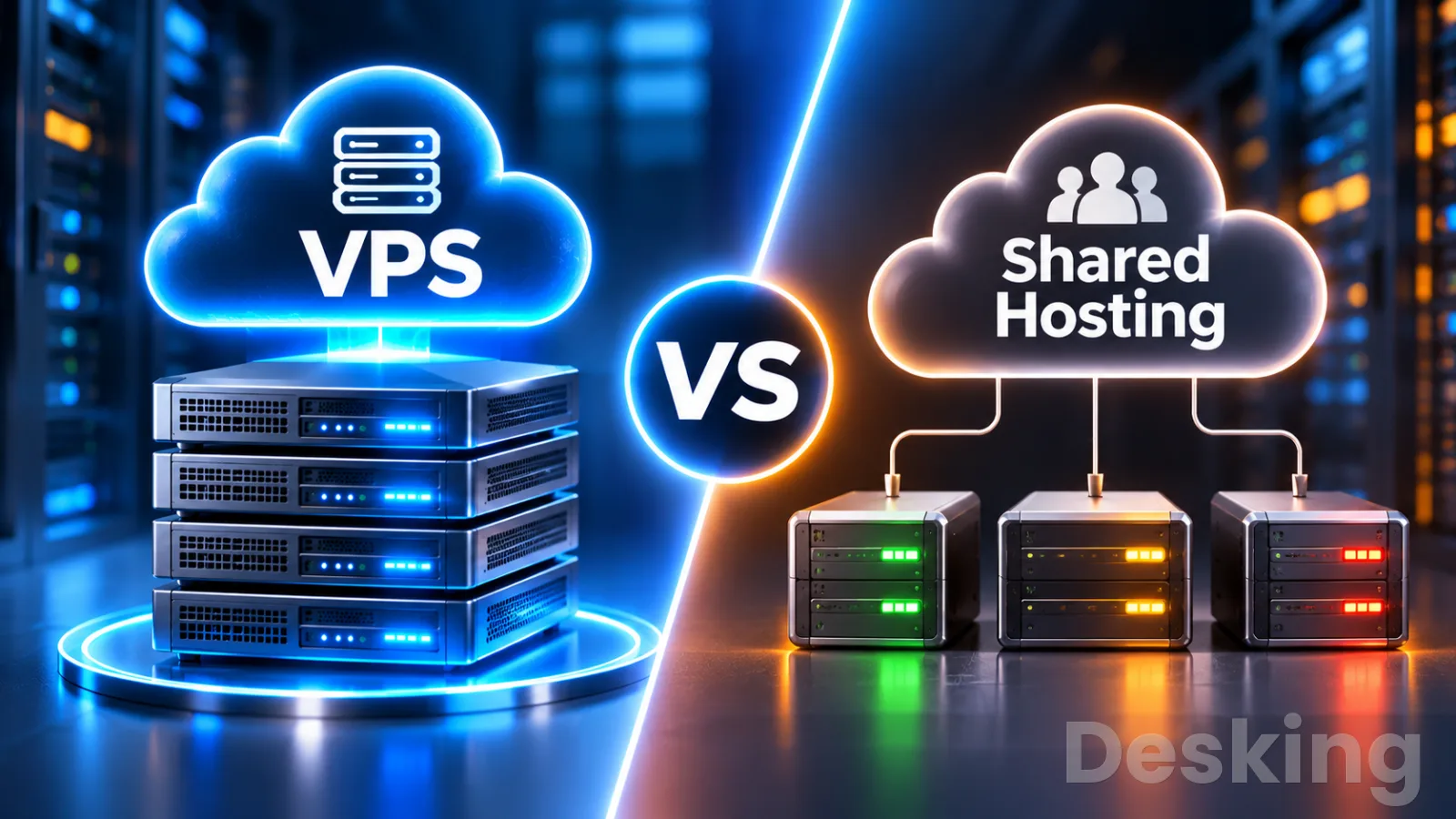
Table of contents
- VPS vs. shared hosting: what should you choose?
- 1. The hosting models
- 2. Compare the infrastructure
- 3. Understand performance
- 4. Compare control and software
- 5. Compare security duties
- 6. Calculate the real cost
- 7. Decide which workloads fit
- 8. Know when to upgrade
- 9. Plan a safe migration
- Frequently Asked Questions
VPS vs. shared hosting: what should you choose?
Shared hosting is usually the sensible starting point for a standard website.
A VPS becomes the better choice when you need a custom server environment, more control over resources, or software that a shared hosting account cannot run.
The decision also depends on who will maintain the server, because a VPS can transfer a significant amount of technical responsibility to you.
I would not recommend a VPS simply because a website is growing or because it sounds like a more professional hosting option.
A well configured shared plan can support many business websites, blogs, and smaller online stores.
Equally, a low cost VPS can become an expensive mistake if nobody is responsible for updates, security, backups, and recovery.
The important distinction is how each service allocates resources, separates customers, and divides responsibility between the hosting company and the website owner.
Once those differences are clear, the right choice becomes much easier to identify.
1. The hosting models
Shared hosting and VPS hosting are two different ways to divide server resources and administrative responsibilities.
With shared hosting, your website runs inside an account on a server that also hosts other customers.
With a VPS, the provider creates a virtual machine for your use, with its own operating system and configured resources.
Both models can rely on the same physical server hardware, but they give customers different levels of access and control.
The distinction affects more than the server itself.
It determines which software you can install, how resource limits are enforced, who applies operating system updates, and what happens when a website needs a configuration that the provider does not support.
I would start a hosting decision here, rather than with advertised storage capacity or a headline price.
1.1 Shared hosting
A shared hosting account is an isolated customer environment within a provider managed server.
The provider operates the physical machine and its hosting software, while customers manage their own websites through a control panel such as cPanel or Plesk.
The account may include website storage, databases, email mailboxes, domain management, SSL certificates, and application installers, depending on the plan.
The provider can host many customer accounts on the same machine because most websites do not use their full resource allowance continuously.
This arrangement spreads hardware, maintenance, and support costs across customers.
It is why shared hosting is often an economical choice for a small company website, a personal blog, a portfolio, or a site with predictable demand.
I would favor it when the application fits the provider's supported environment and the owner does not want responsibility for server administration.
Shared hosting does not mean that customers should be able to access one another's files.
Hosting companies use account permissions and isolation technologies to restrict access between users.
Some providers use CloudLinux, which can apply limits to CPU, memory, disk input and output, processes, and simultaneous entry processes.
The exact protection and resource limits depend on the provider's configuration, so the phrase shared hosting does not describe one universal technical standard.
1.2 VPS hosting
A virtual private server is a virtual machine running on a physical host through a hypervisor.
It has its own guest operating system, virtual storage, network configuration, and allocated virtual CPU and memory resources.
From inside the machine, the customer can administer the operating system, install compatible software, configure services, and manage users.
The provider remains responsible for the physical host and virtualization platform, but the customer usually controls the guest system.
On a Linux VPS, that normally includes root access.
On a Windows VPS, the customer generally receives administrator access.
This makes it possible to run a custom application stack, configure Nginx or Apache, install a database, deploy Docker containers, or operate background services that a shared hosting account may prohibit.
A VPS is still virtualized infrastructure.
Several virtual machines can run on one physical server, and some underlying resources may be shared.
The word private refers to the virtual machine boundary, not a guarantee that every processor core, storage device, or network connection is physically exclusive to one customer.
I would check the provider's CPU allocation and storage policy before treating a VPS specification as a performance guarantee.
1.3 The practical distinction
The easiest way to understand the difference is to consider who controls the operating system.
A shared hosting customer controls the website account and the features exposed by the provider.
A VPS customer usually controls the guest operating system as well.
That extra access is valuable when a project needs custom software, but it also makes the customer responsible for decisions that the shared hosting provider would normally make.
For example, installing a different PHP version may be possible through a shared hosting selector, but changing system libraries or configuring a custom service may require root access.
On a VPS, those changes are generally possible if the operating system and provider permit them.
I would not pay for that freedom unless the application actually needs it or the administrator has a clear reason to use it.
2. Compare the infrastructure
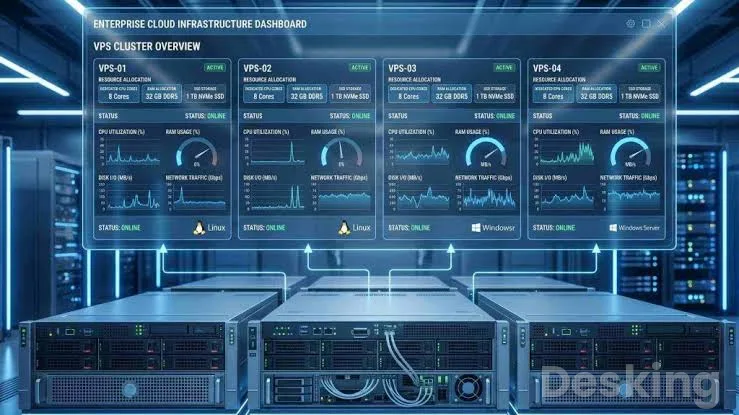
The infrastructure determines how the provider allocates resources, isolates customers, and manages the physical server.
Shared hosting and VPS hosting can both use powerful hardware, SSD or NVMe storage, and modern web server software.
The meaningful differences are the customer environment, the resource controls, and the provider's operating model.
2.1 Server architecture
In shared hosting, the provider installs and maintains the server operating system and hosting stack.
Multiple customer accounts use that environment, with account level restrictions controlling access to files, processes, and resources.
Customers normally do not choose the operating system or manage the web server service itself.
In VPS hosting, the provider runs a hypervisor on the physical host.
The hypervisor presents virtual hardware to each guest machine and manages how those virtual machines use the physical resources.
Each VPS can run its own supported operating system and software stack.
The customer can therefore make system level changes without directly administering the host machine or other customers' virtual machines.
The National Institute of Standards and Technology describes full virtualization as a model in which guest operating systems and applications run on virtual hardware.
Its security guidance also makes clear that virtualization introduces responsibilities at both the host and guest levels.
That distinction is important: the VPS customer controls the guest system, while the provider must protect the physical host and hypervisor.
2.2 Resource allocation
Shared hosting providers set account limits to prevent one website from consuming too much of the server's capacity.
Depending on the technology, these controls may cover CPU time, physical memory, disk throughput, input and output operations, process counts, and concurrent entry processes.
CloudLinux documents these as separate limits, each of which can affect a website differently when reached.
A VPS plan usually lists a virtual CPU count, RAM allocation, storage capacity, and network allowance.
Those specifications make it easier to plan the server's workload, but they need interpretation.
A virtual CPU is a scheduled allocation of processor time, not automatically a dedicated physical core.
A VPS with four vCPUs may share the host's physical processors with other virtual machines, depending on the provider's policy.
I would look beyond the headline resource figures.
Ask whether CPU resources are shared, capped, or dedicated; whether storage is local NVMe or network backed; whether disk performance has an IOPS limit; and whether network transfer is capped.
Two VPS plans with the same listed memory and vCPU count can behave differently because their underlying infrastructure and resource policies differ.
2.3 Isolation boundaries
Shared hosting uses account isolation to separate customers inside a common operating environment.
A provider may use filesystem restrictions, process controls, and resource limits to reduce the risk that one account can affect another.
The level of isolation varies between hosts and may also differ between plans.

Hostinger VPS
Hostinger VPS delivers KVM virtualization, NVMe storage and full root access at prices that undercut most competing cloud providers.
- Strong price to specification ratio overall
- NVMe storage included on every tier
- Renewal rates climb steeply after promo
- Self managed means security is your job
A VPS has a separate guest operating system managed by a hypervisor.
This creates a stronger boundary between customer environments than a conventional shared hosting account, but it does not eliminate every shared infrastructure risk.
Virtual machines can compete for physical resources, and vulnerabilities in the hypervisor or host infrastructure remain the provider's responsibility.
Research published in ACM Computing Surveys describes performance interference between virtual machines that share a physical host.
The study explains that contention for underlying resources can reduce performance even when workloads run in separate virtual machines.
This is why I would not assume that a VPS automatically has consistent performance simply because it has its own operating system.
Provider capacity planning still matters.
2.4 Comparison at a glance
The following table summarizes the typical differences.
Individual providers can offer exceptions, so use it as a starting point and confirm the actual plan specifications before buying.
| Area | Shared hosting | VPS hosting |
|---|---|---|
| Customer environment | Hosting account | Separate virtual machine |
| Operating system | Managed by provider | Usually selected and managed by customer |
| Root or administrator access | Normally unavailable | Usually available |
| CPU | Account limits within shared server | Virtual CPU allocation, possibly shared |
| Memory | Account limit | Configured RAM allocation |
| Storage | Account quota within shared infrastructure | Virtual disk with provider defined performance |
| Software installation | Restricted to supported features | Broad control over compatible software |
| Server configuration | Provider controlled | Customer controlled inside the VPS |
| Isolation | Account level | Virtual machine boundary |
| Maintenance | Mostly provider responsibility | Customer responsibility unless managed |
| Typical starting cost | Lower | Higher |
| Technical skills | Basic website administration | Server administration for unmanaged plans |
The table should not be read as a promise that every VPS outperforms every shared plan.
A well managed shared server can provide a better experience than an undersized VPS with poor storage or weak administration.
I would compare the actual service, not just the hosting category.
3. Understand performance
Performance depends on the workload, server configuration, resource limits, application code, and provider infrastructure.
A VPS can provide more predictable capacity and greater tuning control, but it does not automatically make a website faster.
Shared hosting can perform very well when the site is optimized and its account limits are sufficient.
3.1 Shared hosting limits
A shared hosting account usually operates within defined resource limits.
CloudLinux, for example, supports controls for CPU speed, physical memory, disk input and output, IOPS, process counts, and entry processes.
These limits help providers prevent one account from exhausting resources needed by other customers.
docs.cloudlinux.com
The effect of reaching a limit depends on which resource is exhausted.
CPU or disk throughput restrictions can make pages respond more slowly.
Memory or process limits can cause requests to fail, while an entry process limit can prevent additional dynamic requests from entering the account.
A website may therefore become slow or return errors even if the physical server has not failed.
A 508 Resource Limit Reached error is one recognizable symptom on hosting environments that use CloudLinux limits. cPanel explains that it can occur when an account exceeds its assigned limits, including during traffic spikes, resource intensive operations, or high request rates from crawlers.
I would inspect the hosting account's resource usage report before deciding that the server needs replacing.
3.2 VPS performance
A VPS gives the customer a defined virtual machine configuration and access to system level monitoring.
An administrator can inspect CPU load, memory use, disk activity, network traffic, database performance, and application processes.
The web server, PHP runtime, database, and caching services can also be configured around the site's actual workload.
That control is useful when the application needs a specific PHP worker configuration, database tuning, custom caching, or persistent background processes.
It also means that poor configuration can become the customer's problem.
A VPS with insufficient RAM may swap heavily, a database with poor indexes may remain slow, and an overloaded web server can exhaust its worker capacity.
I would not equate a larger resource allocation with better application performance.
If a WordPress site spends most of its time waiting for a slow external API, adding CPU cores may have little effect.
If a store performs expensive database queries on every product page, database optimization may deliver more value than moving to a bigger plan.
Measure the bottleneck before buying more infrastructure.
3.3 Noisy neighbors
The term noisy neighbor describes the effect of another workload consuming shared infrastructure resources in a way that affects your own workload.
In shared hosting, account limits are designed to contain excessive resource use, although the physical server and its services remain shared.
On a VPS, other virtual machines may still compete for physical CPU scheduling, storage bandwidth, memory bandwidth, and network capacity.
This does not mean every shared server suffers from serious contention or that every VPS has noisy neighbors.
It means that virtualization and account isolation have limits.
The ACM survey of virtual machine performance interference documents how co located workloads can affect one another through shared physical resources.
I would therefore evaluate the provider's infrastructure quality, not assume that the VPS label guarantees isolation from all performance problems.
3.4 Diagnose before upgrading
A slow website can have several causes that a hosting upgrade will not fix.
Large images, unoptimized themes, excessive plugins, slow database queries, missing caching, external scripts, and inefficient application code can all increase page response time.
A migration to a VPS may simply move the same problem to a more expensive server.
I would use the following checks to identify the constraint:
- CPU usage: check whether account limits are repeatedly reached or server load remains high.
- Memory usage: look for memory exhaustion, process termination, or excessive swapping.
- Entry processes: determine whether concurrent dynamic requests are hitting the account limit.
- Disk activity: review I/O throughput and IOPS when database or file operations slow down.
- Application response: profile slow queries, PHP execution, plugin activity, and external API calls.
- Traffic pattern: compare quiet periods with peak periods to identify whether the issue is load related.
There is no universal visitor count that determines when a website needs a VPS.
A static site with effective caching can serve a large audience with relatively little server processing, while a smaller membership site or online store may generate substantial database activity per visitor.
I would upgrade when the site consistently reaches documented limits after optimization, or when the application requires server capabilities that shared hosting does not provide.
4. Compare control and software

The strongest reason to choose a VPS is often control rather than raw speed.
Shared hosting is designed around a standard set of supported website services.
A VPS gives the customer access to the operating system and allows a much wider range of software and configuration choices.
4.1 Operating system access
On shared hosting, the provider chooses and maintains the operating system.
Customers may be able to select PHP versions, enable extensions, create databases, configure scheduled tasks, and use SSH, but they normally cannot change system services or install packages that require administrator privileges.
These restrictions help the provider maintain a consistent environment across customer accounts.
A VPS usually gives the customer root access on Linux or administrator access on Windows Server.
That makes it possible to create system users, install packages, configure firewall rules, manage services, and change server settings.
The freedom is useful when the application has requirements that do not fit the shared provider's standard stack.
It also means that an incorrect configuration can affect the entire virtual machine.
I would choose a VPS when a project has a documented system requirement, not simply because root access is available.
If the website only needs WordPress, MySQL or MariaDB, and a supported PHP version, shared hosting may already provide everything it needs.
Paying for unrestricted system access without a practical use adds cost and administration without necessarily improving the website.
4.2 Application runtimes
Shared hosting providers commonly support PHP because it is widely used by content management systems and traditional websites.
Some also provide tools for Node.js, Python, Ruby, or other runtimes, but the versions, process models, and permitted configurations vary.
A customer should check the provider's documentation before assuming that a particular application can run.
A VPS gives the administrator much greater freedom to install compatible runtimes and manage how applications start and operate.
This can support Node.js services, Python applications, custom APIs, WebSocket applications, queue workers, and other persistent processes.
It is also useful when an application needs a specific version of a runtime or system library.
The distinction becomes important when a developer deploys an application that expects to remain active in the background.
Some shared hosting environments terminate long running processes or restrict persistent services.
A VPS can keep those services running under a process manager, provided the server has enough resources and the provider permits the workload.
4.3 Web server configuration
Shared hosting providers decide which web server software and configuration options are available.
A customer may be able to manage redirects, caching rules, PHP settings, and directory permissions, but cannot normally replace the provider's web server or modify global configuration files.
This is sufficient for many websites because the provider has already configured the environment for common applications.
A VPS allows the administrator to choose and configure supported web server software.
Nginx, Apache, and LiteSpeed based configurations can be used depending on the operating system, licensing, application requirements, and technical skills.
The administrator can configure virtual hosts, reverse proxies, PHP-FPM pools, request limits, compression, caching, and other system settings.
I would not choose a VPS solely to change from Apache to Nginx.
That change can be useful for a specific workload, but it requires configuration and maintenance.
A correctly managed shared environment may perform better than a poorly configured custom server.
The decision should be based on a measurable requirement, such as a need for reverse proxy routing or a specific application architecture.
4.4 Containers and services
A VPS can support Docker and other container tools when the operating system, virtualization platform, and provider allow them.
Containers make it possible to package applications and their dependencies into separate deployment units.
This can simplify application deployment and reduce conflicts between projects that require different software versions.
A shared hosting account normally does not provide the same level of container control.
The provider may offer application installers or managed application hosting, but customers generally cannot configure the underlying container runtime.
A VPS is therefore a more natural option for developers who need Docker Compose, private container networks, custom images, or self hosted services.
I would still avoid treating a VPS as unlimited capacity for containers.
Each container consumes CPU, memory, storage, and network resources from the same virtual machine.
Running several databases, automation services, web applications, and monitoring tools on a small VPS can create resource contention inside the customer's own server.
Containerization organizes applications; it does not create additional hardware capacity.
5. Compare security duties

Security depends on the quality of the provider's infrastructure and the work performed by the customer.
Shared hosting centralizes much of the server level security work with the provider.
A self managed VPS gives the customer more control over security settings, but also makes the customer responsible for maintaining the guest operating system and the applications installed on it.
5.1 Shared hosting protection
The shared hosting provider normally manages the physical server, operating system, web server, and hosting platform.
It may also provide account isolation, firewalls, malware scanning, intrusion detection, and automated backups.
The precise controls differ between providers and plans, so a customer should not assume that every shared hosting package includes the same protection.
Account isolation is especially important when many customers share a server.
CloudLinux documents technologies such as CageFS and Lightweight Virtual Environment controls, which can restrict filesystem access and limit account resource consumption.
These mechanisms can reduce the impact of one account on others, although they do not replace website level security or guarantee that every attack is contained.
The website owner remains responsible for application security.
WordPress core, themes, plugins, administrator accounts, database credentials, and uploaded files all need appropriate maintenance.
A vulnerable plugin can expose a website even when the hosting provider maintains the server correctly.
I would check the provider's security scope and maintain a separate process for application updates and access reviews.
5.2 VPS protection
A VPS administrator can configure the guest operating system's firewall, SSH access, user accounts, security updates, intrusion monitoring, and application permissions.
This is useful when a business needs custom controls or wants to define its own server security policy.
The administrator can also disable unused services and restrict network access to only the ports required by the applications.
However, those controls must be configured and maintained.
An unmanaged VPS with an exposed administrative port, weak passwords, outdated packages, or an unprotected database can be a serious security risk.
I would use SSH keys where supported, disable password based remote access when appropriate, create separate administrative accounts, apply updates, and monitor authentication logs.
Backups should be stored separately from the VPS so that a compromised server cannot destroy every recovery copy.
5.3 Virtualization risks
A VPS has a guest operating system boundary, but the physical host and hypervisor remain shared infrastructure.
The provider is responsible for securing those layers, while the customer is responsible for the guest system and its applications unless a management agreement says otherwise.
A customer cannot inspect or patch the provider's hypervisor directly.
NIST's virtualization security guidance identifies security considerations across the host, hypervisor, guest operating systems, and virtualized applications.
Although the publication is not a current hosting product comparison, its architectural guidance remains useful for understanding where responsibilities sit.
I would ask the provider about infrastructure maintenance, isolation, incident response, and backup controls rather than assuming that a virtual machine is equivalent to a physically separate server.
5.4 Responsibility matrix
The following table shows the usual division of work for standard shared hosting and an unmanaged VPS.
Managed VPS agreements can move some tasks back to the provider, so the service contract should define the actual responsibilities.
| Security responsibility | Shared hosting | Unmanaged VPS |
|---|---|---|
| Physical server security | Provider | Provider |
| Hypervisor security | Provider, if used | Provider |
| Guest operating system updates | Provider | Customer |
| Web server maintenance | Provider | Customer |
| Website and plugin updates | Customer | Customer |
| Firewall configuration | Mostly provider | Customer and provider |
| Server user management | Provider | Customer |
| Application permissions | Customer within account | Customer |
| Backup configuration | Depends on plan | Customer |
| Security monitoring | Provider level, plan dependent | Customer unless added |
| Incident response | Provider for infrastructure, customer for website | Shared according to cause and contract |
This is where the advertised price can be misleading.
A low cost unmanaged VPS may leave the customer with more security work than a shared hosting plan.
I would choose a VPS only when someone is clearly responsible for that work or the budget includes a managed service.
Hostinger VPS
Hostinger VPS delivers KVM virtualization, NVMe storage and full root access at prices that undercut most competing cloud providers.
- Strong price to specification ratio overall
- NVMe storage included on every tier
- Renewal rates climb steeply after promo
- Self managed means security is your job
6. Calculate the real cost
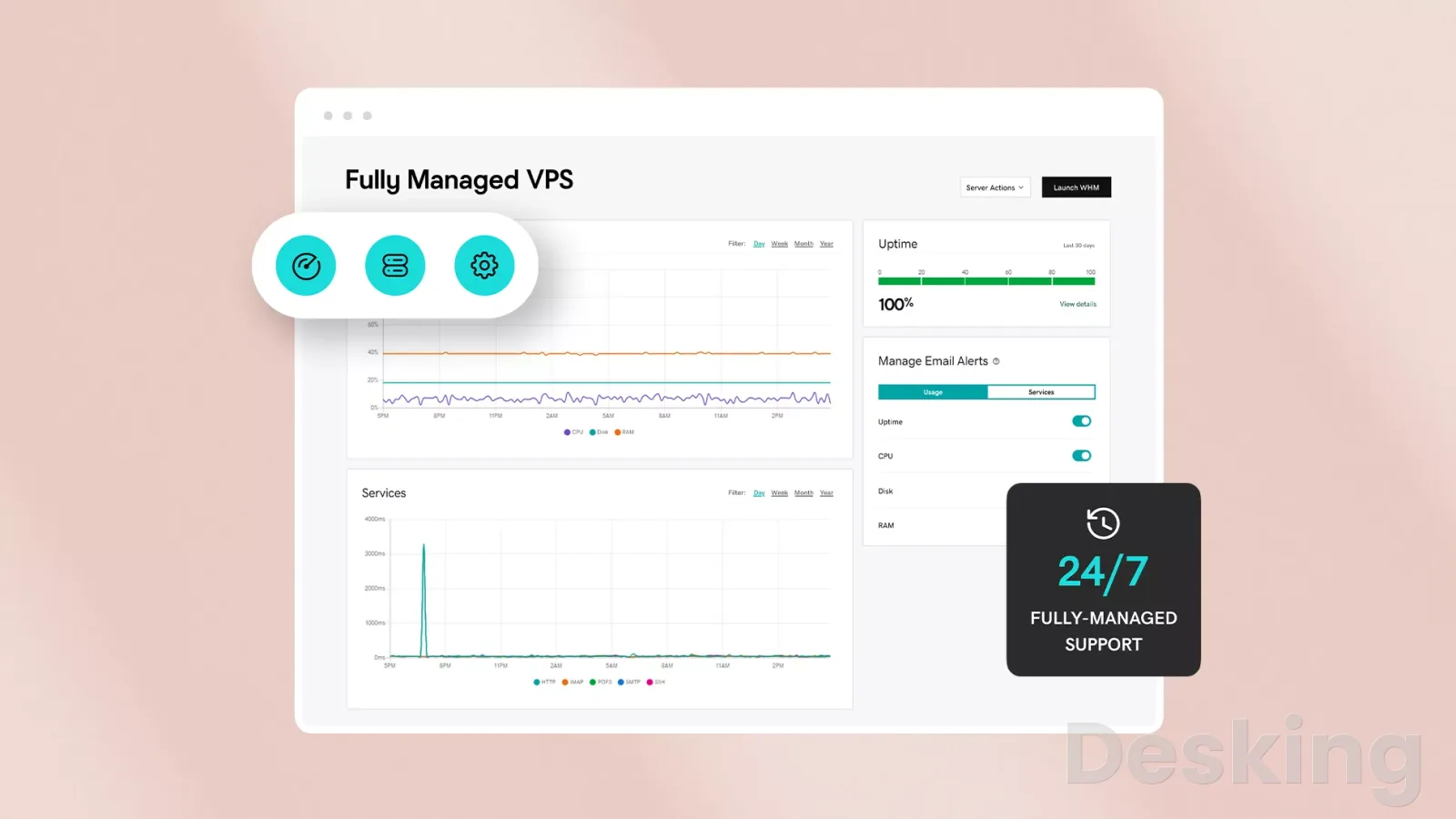
Shared hosting usually has a lower starting price because the provider distributes infrastructure and maintenance costs across many accounts.
VPS hosting generally costs more because it provides a separate virtual machine configuration and greater control.
The monthly server charge, however, is only one part of the total cost.
6.1 Shared hosting expenses
A shared plan may include a control panel, website installer, email accounts, SSL certificates, database management, and basic backups.
The customer generally pays one hosting fee and does not need to purchase a separate server management service.
This makes the cost easier to predict for a small website.
The plan may still have additional costs.
Domain registration, premium backups, malware cleanup, email storage, migration assistance, and higher renewal rates can change the total.
I would compare the renewal price and the features included after the introductory term, not just the first invoice.
6.2 VPS expenses
A VPS may require additional purchases for a control panel, backup storage, monitoring, security tools, managed administration, and operating system licensing.
A Linux VPS can avoid some licensing expenses, but the administrator still needs to account for the time required to maintain the system.
A Windows VPS may include licensing in the price or charge for it separately, depending on the provider.
The operational cost can be significant.
Someone must apply patches, check backups, monitor disk capacity, renew certificates, investigate alerts, and recover services after failures.
If the business pays an external administrator or support company, that expense belongs in the hosting comparison.
I would not compare a managed shared plan with the bare monthly price of an unmanaged VPS and call the VPS cheaper.
6.3 Compare the full bill
Before choosing a plan, list the services the website needs and identify which ones are included.
The following items can materially change the cost:
- Renewal pricing: compare the normal renewal charge with the promotional first term.
- Control panel licensing: check whether cPanel, Plesk, or another panel is included or billed separately.
- Backups: confirm frequency, retention, storage location, and restoration charges.
- Management: identify whether operating system updates and security work are included.
- Scaling: check the cost of extra memory, CPU, storage, and network transfer.
- Email: confirm whether mailboxes are included or need a separate service.
- Support: establish whether support covers the operating system, the control panel, or only the provider's infrastructure.
6.4 The Hostinger example
Hostinger is one provider worth considering when comparing these hosting models, particularly for buyers who want both conventional hosting and VPS products from the same company.
Its own documentation makes an important distinction: Hostinger's web and cloud hosting plans are managed at the server level, while its standard VPS hosting plans are self managed and provide root access.
The customer remains responsible for the VPS operating system, security measures, and server settings.
That distinction makes Hostinger's VPS relevant for developers, agencies, and technically capable website owners who want to configure their own server.
It is not the same proposition as buying a managed VPS where the provider agrees to handle system maintenance.
I would compare the current resource allocation, backup policy, support scope, renewal price, and any control panel costs before choosing a Hostinger plan.
The product may be a good fit, but the self managed nature of the standard VPS service needs to be understood before purchase.
Hostinger's VPS page currently lists KVM based plans with virtual CPU, RAM, NVMe storage, and bandwidth specifications.
Those specifications are useful for comparing configurations, but the customer should still check the current checkout price and renewal terms because promotions and plan details can change.
I would treat the official product page as the authority for current Hostinger specifications, not as independent evidence that its VPS will outperform another provider's service.
6.5 Budget for administration
The most overlooked cost of an unmanaged VPS is the work required to operate it.
A technically capable owner may handle a small server without a separate support contract, but a business website can still require time for updates, monitoring, backups, and troubleshooting.
The cost rises when the server hosts multiple applications or services with different maintenance requirements.
I would estimate the monthly administration effort before deciding.
Include routine maintenance, backup verification, security updates, monitoring, and time for unexpected incidents.
If the company has no employee or contractor who can perform these tasks, a managed VPS or shared hosting plan may be more economical even when its advertised monthly price is higher.
7. Decide which workloads fit
The right hosting type depends on the software, workload, and level of administration a project requires.
A standard website has different needs from an online store, a custom application, or a development environment.
I would match the hosting model to the workload rather than assume that every business website will eventually need a VPS.
7.1 Personal websites
A personal blog, portfolio, or small informational website is usually a good fit for shared hosting.
These sites commonly use standard website software and do not need custom system services.
The provider handles the server, while the owner manages content, domains, email, and application updates.
A VPS may be justified if the website needs a custom runtime, background processing, or system level configuration.
It may also suit someone who wants to learn server administration, although a development environment is safer for experimentation than a production website.
I would keep a personal site on shared hosting while it meets its performance and software requirements.
7.2 Business websites
A company website with service pages, contact forms, a blog, and basic lead generation normally works well on shared hosting.
It rarely needs root access or custom operating system configuration.
The lower administration burden is useful for a business that wants its website online without assigning staff to manage a server.
A VPS becomes more attractive when the website connects to internal systems, runs custom applications, handles intensive database operations, or requires a particular software stack.
I would also consider the business's support arrangement.
If an IT provider already maintains Linux servers, an unmanaged VPS may be practical.
If nobody owns server maintenance, a managed service is a safer choice.
7.3 WordPress websites
WordPress runs on both shared hosting and VPS hosting.
A standard blog or company website can operate efficiently on a suitable shared plan, especially when the provider offers compatible PHP versions, database services, caching, and enough account resources.
A VPS provides more control over PHP workers, web server configuration, database tuning, object caching, and scheduled processes.
I would not move a WordPress site to a VPS simply because it uses many plugins.
First identify which plugins consume resources, remove unnecessary extensions, optimize images, configure page caching, and review slow database queries.
A VPS can help when the workload exceeds shared account limits or needs custom server configuration, but it cannot repair poor application design by itself.
7.4 Online stores
An ecommerce website handles product pages, customer sessions, stock information, checkout requests, and order records.
These functions can create more database and application activity than a simple content website.
A small store may still fit shared hosting if its plan supports the ecommerce software and provides enough resources.
A VPS may be appropriate for a store with custom integrations, heavier dynamic traffic, or specific server requirements.
However, the owner must consider payment security, backups, recovery, and maintenance.
I would also compare managed ecommerce hosting because it may include application specific support that a generic unmanaged VPS does not provide.
7.5 Web applications
Custom web applications often need more control than a standard shared hosting account provides.
They may depend on Node.js, Python, Ruby, persistent workers, WebSockets, custom APIs, or software packages that require system access.
A VPS lets the administrator install and configure those components, subject to the operating system and provider's policies.
A SaaS product is a common example.
Its application may include a web interface, API service, database, queue worker, and scheduled tasks.
These components can run on one VPS during early development, but they may need to be separated as demand, reliability requirements, and operational complexity increase.
I would choose a VPS when the application architecture requires that flexibility and someone can maintain it.
7.6 Development environments
Developers use VPS instances for staging sites, test deployments, Linux environments, API testing, and software that needs to run outside a local computer.
A VPS can provide a persistent environment that is accessible to a distributed team.
It can also help reproduce the operating system and runtime configuration used by a production application.
Shared hosting may be adequate for a simple staging copy of a PHP website, but it is less suitable for projects that need custom services or deployment tools.
I would keep development and production environments separate where possible.
A test deployment should not be able to overwrite production data or expose unfinished application features to customers.
7.7 Multiple client sites
Agencies and freelancers sometimes host several customer websites on one shared account or VPS.
Shared reseller hosting can be suitable when the sites use standard software and the provider offers separate accounts.
A VPS gives the administrator more control over resource allocation, software versions, and hosting configuration.
However, putting every customer on one VPS creates a concentration risk.
A server failure or security incident can affect all the websites hosted there.
I would separate sites by customer account, apply permissions carefully, monitor resource usage, and consider separate virtual machines for clients with different security or availability requirements.
A single VPS is not automatically the best way to consolidate every hosting customer.
8. Know when to upgrade
A move from shared hosting to a VPS should follow a technical requirement or a recurring operational problem.
It should not be triggered by an arbitrary traffic milestone or the belief that a VPS is always more professional.
The best time to upgrade is when the current service cannot meet the website's needs after reasonable optimization.
8.1 Repeated resource limits
Repeated resource warnings are a clear reason to investigate the shared hosting plan.
If CPU, memory, entry processes, or disk activity regularly reach their limits, visitors may experience slow pages or failed requests. cPanel documents the 508 Resource Limit Reached error as a symptom of an account exceeding assigned CloudLinux limits.
I would first establish which limit is being reached and why.
A crawler generating too many requests, a poorly optimized plugin, a large import, or a sudden traffic spike can all cause resource pressure.
If optimization and a higher shared plan cannot provide enough capacity, a VPS may be the next logical step.
8.2 Required server software
A VPS is justified when the application requires software or configuration that the shared provider does not support.
This may include Docker, a custom runtime, a particular database service, a persistent background worker, or access to system configuration.
The requirement should come from the application's technical documentation or deployment design.
I would verify the requirement before buying.
Check operating system compatibility, supported versions, memory needs, network ports, and maintenance responsibilities.
If the provider offers the required feature on a higher shared plan, a move to a VPS may not be necessary.
8.3 Growing dynamic workload
A website that receives more user activity may create additional work for its database and application processes.
Search, login, account dashboards, checkout, file uploads, and API requests are examples of operations that can require server side processing.
A VPS can provide a more suitable resource configuration when those operations exceed the current plan's limits.
I would distinguish between total visits and simultaneous dynamic requests.
A site may receive many page views that are served from cache, while a smaller application may perform database queries for every user action.
The latter can require more server resources despite having fewer visitors.
Resource reports and application monitoring are more useful than a generic traffic threshold.
8.4 Need for configuration
Some projects require direct control over firewall rules, web server settings, system packages, network services, or deployment processes.
Shared hosting normally restricts these options because the provider must protect a common environment.
A VPS allows the administrator to make those changes within the guest operating system.
I would choose this route only when the configuration has a clear purpose.
Root access creates additional responsibility, and the customer must understand the effect of changes on availability and security.
If the requirement is occasional, a managed application platform may be a better alternative.
8.5 The current plan is enough
There is also a good reason not to upgrade: the existing shared plan may already meet the website's needs.
If the site loads reliably, stays within resource limits, supports the required software, and the provider handles server maintenance, moving to a VPS may add cost without a clear benefit.
I would review the hosting account periodically, but I would not migrate simply to follow a growth narrative.
A business should spend money on infrastructure when it solves a real constraint or supports a defined technical requirement.
Keeping a suitable shared plan is a sound operational decision.
9. Plan a safe migration
Moving from shared hosting to a VPS changes the server environment and the division of maintenance responsibilities.
The migration can involve website files, databases, PHP versions, email, DNS records, SSL certificates, scheduled tasks, and external integrations.
A reliable process builds and tests the new server before public traffic is directed to it.
9.1 Inventory the existing account
Start by recording the current hosting configuration.
List every domain and subdomain, website directory, database, database user, PHP version, required extension, scheduled task, email account, and DNS record.
Also note redirects, SSL settings, application integrations, and any configuration that depends on the old server's IP address.
I would identify where email is hosted before starting the migration.
Some shared hosting packages include mailboxes alongside website hosting, while a business may use Microsoft 365 or Google Workspace separately.
Hostinger VPS
Hostinger VPS delivers KVM virtualization, NVMe storage and full root access at prices that undercut most competing cloud providers.
- Strong price to specification ratio overall
- NVMe storage included on every tier
- Renewal rates climb steeply after promo
- Self managed means security is your job
If email remains with its current provider, its MX and related TXT records must be preserved.
A website migration should not interrupt business email through an unnecessary DNS change.
9.2 Prepare the VPS
Choose a supported operating system and provision enough CPU, memory, and storage for the application.
Apply security updates, configure administrative access, set firewall rules, and install the required web server, runtime, and database services.
If the VPS uses a control panel, confirm its license, supported operating system, and resource requirements before the website is restored.
I would match the destination environment to the application's dependencies.
For a PHP website, check the PHP version, required extensions, database compatibility, file permissions, and web server configuration.
A newer version is not automatically compatible with older themes or plugins.
Build the destination in parallel with the existing hosting account so that the live website remains available during preparation.
9.3 Copy and restore data
Create a full backup of the website files and database before transferring anything.
Copy the files to the VPS, create the destination database and user, restore the database, and update the application's configuration with the new credentials.
Check file ownership and permissions so that the web server can read the necessary files without granting unnecessary access.
I would not rely on a backup file merely because it exists.
Confirm that the archive is complete and that the database can be restored.
For a dynamic website, plan a final synchronization close to the DNS change because new orders, registrations, comments, and form submissions may be added after the first copy.
A migration is not complete until the restored application can read and write its data correctly.
9.4 Test before DNS
Test the new website before changing public DNS.
You can use a temporary hostname or a local hosts file entry to make your own computer resolve the domain to the VPS while other visitors continue to reach the existing server.
This allows you to inspect the new environment without exposing it to normal public traffic.
I would test the homepage, internal pages, administrator login, forms, uploads, search, checkout, redirects, scheduled tasks, and any API integrations.
Check HTTPS and review web server, PHP, and database logs for errors.
If the website uses a payment gateway or external service, confirm that callback URLs and allowed IP addresses remain correct.
9.5 Switch DNS
Review the DNS zone before the migration and identify every record that needs to remain unchanged.
Lower the TTL for the website records in advance if the DNS provider permits it, allowing cached records to expire sooner after the switch.
The timing depends on the previous TTL and resolver behavior, so do not assume that every visitor will see the new server immediately.
At cutover, pause changes to the old website if necessary, perform the final database and file synchronization, and update the relevant A or AAAA records to the VPS address.
Preserve MX, SPF, DKIM, DMARC, and other email records if mail remains elsewhere.
After the DNS change, check the website from different networks and monitor the new server for errors.
9.6 Keep rollback ready
Do not cancel the old hosting plan immediately after the DNS change.
Keep the previous account available while cached DNS records expire and the new server handles normal traffic.
If a critical problem appears, a prepared rollback plan gives you a route back to the previous environment.
I would define the rollback conditions before the migration begins.
These might include failed checkout, missing data, broken authentication, or a serious application error.
Keep a verified backup, record the old DNS values, and decide who can authorize a rollback.
Rack4's migration guidance and other provider documentation emphasize staging, testing, DNS planning, and retaining the previous environment until the new deployment is confirmed.
Frequently Asked Questions
Does a VPS have its own IP address?
Can I host multiple websites on one VPS?
Does a VPS include automatic backups?
Is cloud hosting the same as VPS hosting?
Will changing from shared hosting to a VPS affect SEO?
Can I use a VPS without Linux experience?
Sources5
- Hostinger on managed and self managed hosting
- CloudLinux on hosting resource limits
- Namecheap
- Liquidweb
- Elegant Themes
External pages are independent third-party sources. Desking App does not control or endorse their content and accepts no responsibility for it. Visiting them is at your own responsibility and risk.