

15 practical ways businesses and developers can use a VPS today
By Afonso Macosso · November 19, 2026
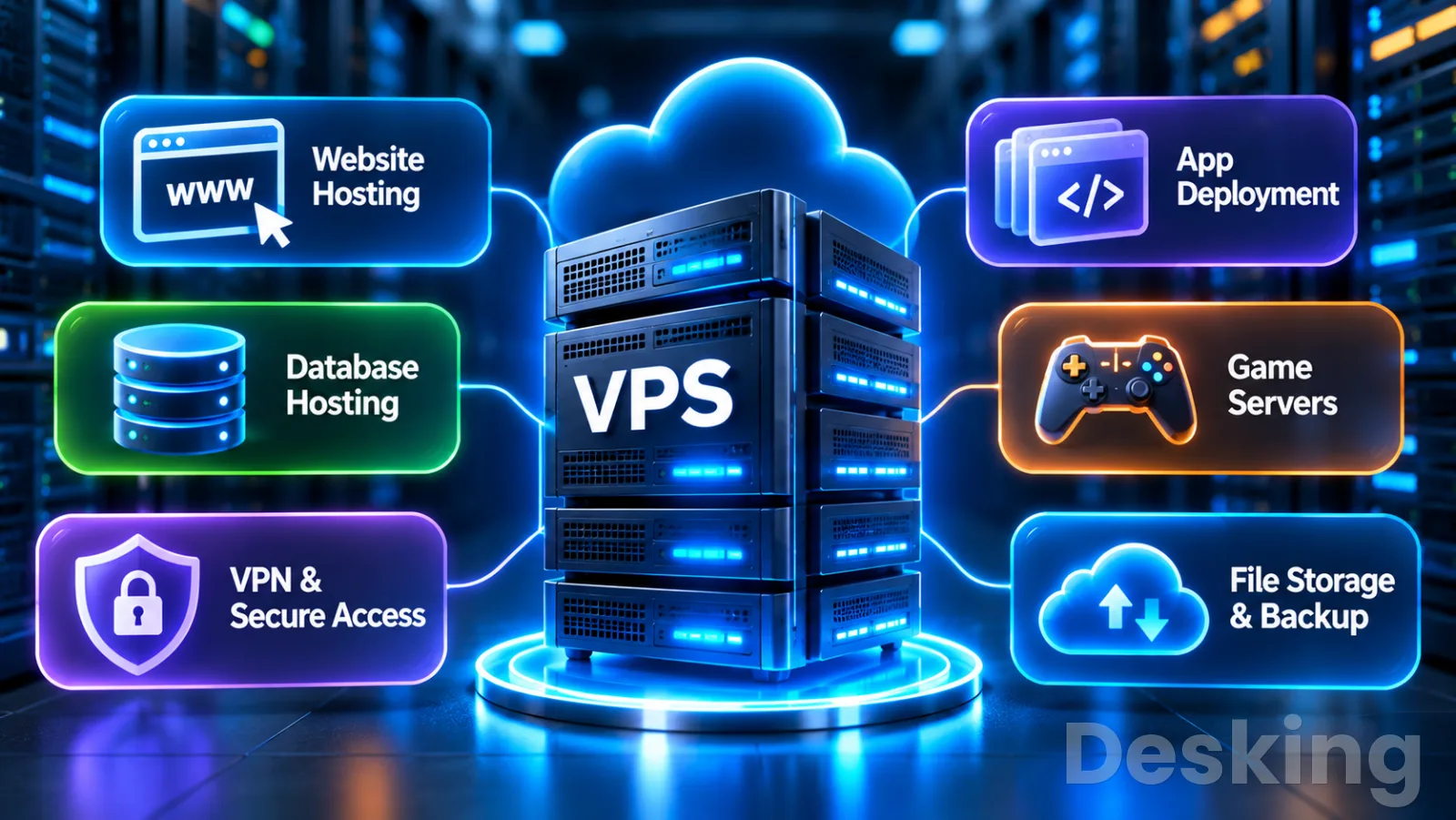
Table of contents
- What a VPS can do: 15 practical uses
- 1. The main uses
- 2. Host websites
- 3. Run online stores
- 4. Host business applications
- 5. Deploy web applications
- 6. Run databases
- 7. Run Docker services
- 8. Create private file services
- 9. Provide VPN access
- 10. Run remote desktops
- 11. Build development environments
- 12. Run CI/CD pipelines
- 13. Automate recurring tasks
- 14. Monitor systems and services
- 15. Host multiplayer games
- 16. Combine services carefully
- 17. Know when not to use one
- 18. Prepare the VPS properly
- Frequently Asked Questions
What a VPS can do: 15 practical uses
A virtual private server can run far more than a website.
Businesses use VPS environments for applications, databases, internal systems, remote access, automation, and services that must remain online around the clock.
Developers use them for testing, software deployment, APIs, and containerized applications.
The main advantage is control.
You can choose the operating system, install compatible software, configure network access, manage users, and decide how applications run.
The trade off is responsibility: someone must maintain the server, protect its data, monitor its resources, and restore services after a failure.
1. The main uses
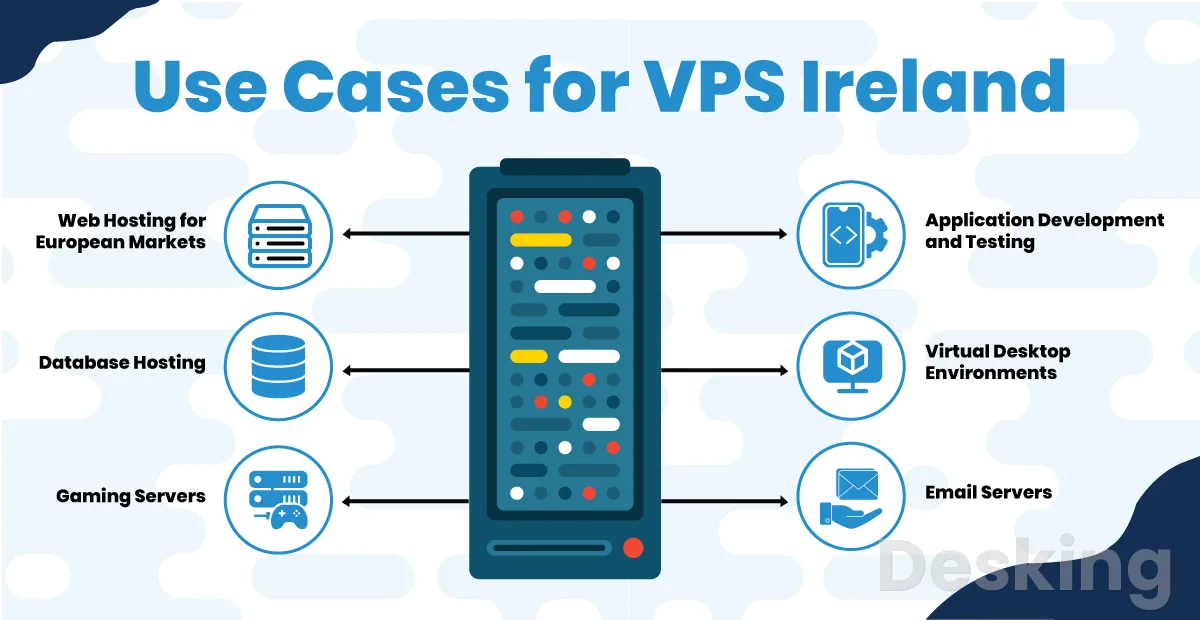
The table below gives a quick view of 15 practical workloads, what a VPS can do for each one, and the main issue to consider before deployment.
| # | Use case | What you can run | Main consideration |
|---|---|---|---|
| 1 | Website hosting | WordPress, company websites, blogs | Traffic, updates, backups |
| 2 | Online stores | WooCommerce, ecommerce platforms | Payment security, order data |
| 3 | Business applications | CRM, ERP, inventory systems | Licensing, access control |
| 4 | Web applications | SaaS products, portals, dashboards | CPU, RAM, application maintenance |
| 5 | APIs and backends | REST APIs, GraphQL, mobile backends | Authentication, traffic limits |
| 6 | Databases | MySQL, MariaDB, PostgreSQL, Redis | Memory, storage, recovery |
| 7 | Docker services | Containers, internal tools, reverse proxies | Combined resource consumption |
| 8 | File storage | Document sharing, private cloud | Storage capacity, independent backups |
| 9 | VPN access | WireGuard, OpenVPN, private gateways | Secure keys, network configuration |
| 10 | Remote desktops | Windows Server, remote business software | Licensing, RAM, secure access |
| 11 | Development | Staging, test servers, Linux labs | Separation from production |
| 12 | CI/CD pipelines | Build runners, deployment agents | Permissions, build resources |
| 13 | Automation | Bots, scheduled tasks, background workers | Logs, retries, monitoring |
| 14 | Monitoring | Uptime checks, metrics, log collection | Independent monitoring location |
| 15 | Game servers | Minecraft, Valheim and other games | Player count, latency, RAM |
A VPS does not automatically suit every workload in this table.
A small company website may need very little administration, while an ERP system or database containing business records needs careful security and recovery planning.
The right choice depends on the software, the number of users, the resources required, and the people available to manage it.
2. Host websites

Website hosting is one of the most common reasons to rent a VPS.
You can install a web server, configure the programming environment, connect a database, manage domains, and control how the website handles requests.
This is useful when shared hosting does not provide the software versions, permissions, or server configuration that a project needs.
2.1 Company websites
A company website can run on a VPS using WordPress, Joomla, Drupal, or a custom application.
You control the web server, PHP version, database, file permissions, caching, SSL certificates, and other components.
This can be useful for corporate websites with several sections, forms, news pages, recruitment areas, and integrations with external business systems.
For example, a company could host its main website and a separate careers portal on the same VPS.
Nginx or Apache receives requests for each domain and directs them to the correct website directory or application.
Each site can have its own database and configuration, provided that the server has enough resources and the administrator keeps permissions separate.
I would choose this arrangement when the company needs server level control and has someone responsible for maintenance.
A basic company website with modest traffic may be easier to run on managed WordPress hosting.
A VPS makes more sense when the website needs custom software, background processes, special security rules, or several related services.
2.2 WordPress websites
WordPress can run on a Linux VPS with a web server, PHP, and a database such as MariaDB or MySQL.
You can choose the PHP version, configure PHP workers, adjust upload limits, enable caching, and install the server extensions required by the website.
You also control the operating system and can use tools such as WP CLI for administration.
Consider a WordPress publisher with several websites.
One VPS could host the main publication, a documentation website, and a smaller company blog.
A reverse proxy can direct each domain to the correct site, while separate databases and file permissions help keep the installations apart.
The administrator can also configure scheduled backups and monitor disk usage across all sites.
The main risk is that all websites share the same server resources.
A poorly optimized plugin, a traffic spike, or a security incident on one site can affect the others.
I would monitor CPU, memory, disk space, PHP activity, and database performance.
If the websites become business critical or have very different security requirements, separate VPS instances may be a better design.
2.3 Blogs and publishing
A VPS can host blogs, online magazines, documentation portals, and other publishing platforms.
WordPress is one option, while Ghost and other publishing systems may suit projects with different editorial or membership requirements.
The server can also run image processing, scheduled publishing tasks, search services, and other components that support the publication.
A practical example is an online magazine with a public website, an editorial staging environment, and a private dashboard.
Editors publish articles through the content management system, while the staging site allows the team to review layout and plugin changes before release.
The VPS administrator controls the software stack and can configure caching or a content delivery network to reduce the load on the origin server.
A VPS is useful when the publisher needs control over the application and its integrations.
It does not automatically improve search rankings or make pages load faster.
Performance still depends on the website code, images, database queries, caching, server resources, and the network path to readers.
3. Run online stores

An online store needs a website, product catalogue, database, checkout process, payment integration, and order management.
A VPS can host the store software and give the administrator control over the environment in which it runs.
This can be useful for businesses that need custom extensions, specific server settings, or direct control over application files and databases.
3.1 Ecommerce platforms
A VPS can run WooCommerce, Magento Open Source, PrestaShop, and other self hosted ecommerce applications, subject to their technical requirements.
The administrator controls the web server, PHP or other runtime versions, database configuration, caching, scheduled jobs, and file storage.
This flexibility can help when a store uses custom integrations with accounting, inventory, shipping, or customer management systems.
For example, a retailer could operate a store with the following components:
- A public storefront where customers browse products.
- A product database that stores descriptions, prices, stock levels, and categories.
- A checkout process connected to an external payment gateway.
- An administration area for orders, refunds, and product updates.
- Scheduled tasks that synchronize inventory with another business system.
These components can run on one VPS when traffic and resource demand are modest.
As order volume grows, the database, application, and background processing may need separate resources.
I would monitor checkout response times and database performance because a slow product page is inconvenient, but a failed checkout can directly affect sales.
3.2 Payment processing
A VPS can host the ecommerce application that connects to a payment gateway.
The payment provider handles the payment transaction through its supported integration, while the store records order details and receives payment status updates.
This can reduce the need for the merchant to process card data directly, depending on the integration and checkout design.
The distinction is important.
Hosting an online store does not mean the VPS should store raw payment card details.
The business must follow the payment provider's requirements and applicable payment security standards.
I would use a supported payment gateway, protect administrator accounts, keep the store software updated, enforce HTTPS, and restrict access to the server's management services.
3.3 Inventory integration
A store may need to exchange information with an inventory or accounting application.
A VPS can run scheduled processes or background workers that synchronize product quantities, prices, orders, and customer records between systems.
An API can receive updates from an external application, while a queue processes larger jobs without delaying the customer's checkout.
For example, when an order is paid, the store can send the order details to an inventory system.
The integration updates stock and returns a status to the store.
If the external system is temporarily unavailable, a properly designed queue can retain the task and retry it later.
I would make sure the integration handles duplicate messages and records failures, because repeated or incomplete updates can create incorrect stock figures.
4. Host business applications
A VPS can run business applications that employees access through a browser or remote connection.
Examples include customer relationship management systems, enterprise resource planning software, inventory tools, project management platforms, and internal reporting applications.
This is particularly useful when the software supports self hosting and the company needs control over its configuration and data environment.
4.1 CRM systems
A customer relationship management system stores information about customers, leads, sales opportunities, communications, and commercial activity.
A compatible self hosted CRM can run on a VPS, allowing the company to manage its application, database, user accounts, and integrations.
For example, a sales team could access a CRM through a company subdomain.
Each salesperson has an individual account and sees the records permitted by their role.
Managers can review sales opportunities and reports, while the application connects to email or other systems through approved integrations.
A VPS can provide the server environment for this arrangement, but it does not automatically make the CRM secure.
Customer records need access controls, encryption where appropriate, regular backups, and a clear retention policy.
I would also check the software license and vendor support terms before installing a CRM on infrastructure managed by the company.
4.2 ERP and inventory systems
Some business management applications can run on a VPS when their vendor supports that deployment model.
Depending on the software, the server may host the application, database, licensing components, or services used by desktop clients.
Employees can then connect to a central system rather than maintain separate local databases on individual computers.
Consider a distribution company that uses an inventory application.
The system records product entries, stock movements, purchases, sales, and warehouse balances.
A VPS can host the supported application components and database, while employees access the system through a browser, remote desktop, or client application.
Before moving an ERP system, check the software vendor's technical requirements.

Hostinger VPS
Hostinger VPS delivers KVM virtualization, NVMe storage and full root access at prices that undercut most competing cloud providers.
- Strong price to specification ratio overall
- NVMe storage included on every tier
- Renewal rates climb steeply after promo
- Self managed means security is your job
Some products require Windows Server, specific database versions, a particular licensing arrangement, or a supported network configuration.
I would not migrate an ERP database to a generic VPS simply because the server has enough RAM.
Compatibility, support, backup consistency, user concurrency, and recovery procedures must all be confirmed first.
4.3 Internal dashboards
A company can use a VPS to host internal dashboards, reporting portals, project tools, and custom applications.
These systems may combine information from sales, finance, operations, support, or other business platforms.
Employees access the dashboard through a browser, while the server handles authentication, data processing, and presentation.
For example, an operations dashboard could display service requests, equipment status, project progress, and selected performance indicators.
The application might retrieve information from several APIs and present it in one interface.
A VPS can host the dashboard and its integration services, provided that the connections to the source systems are secure and the server has sufficient capacity.
Internal does not mean risk free.
An internet accessible dashboard needs authentication and appropriate network restrictions.
I would use individual accounts, role based permissions, multi factor authentication where available, and encrypted connections.
If the dashboard exposes confidential business information, access should be limited to approved users rather than relying on an obscure URL.
5. Deploy web applications
A web application is software that users access through a browser.
It may support document conversion, appointment scheduling, customer portals, reporting, collaboration, or a subscription service.
A VPS can host the application runtime and supporting services, giving the developer control over the software stack and deployment process.
5.1 SaaS applications
A small software as a service product can run on a VPS when its architecture and expected demand are suitable for a single server or a small number of servers.
The VPS can host the application, user authentication, database connection, billing integration, and background tasks.
Customers access the service through a domain name, while the application manages accounts and data.
A document conversion service provides a useful example.
A user uploads a PDF, selects an output format, and submits a conversion request.
The application stores the file temporarily, sends a job to a background worker, converts the document, and makes the result available for download.
The worker may need more CPU and memory than the web interface, so the application should manage queues and limit simultaneous conversions.
I would begin with a simple architecture if the expected workload is small and measurable.
The application and worker can share a VPS initially, while large or sensitive file storage may be placed in a separate storage service.
As usage grows, the worker can move to another server without requiring a complete redesign.
This is a more controlled growth path than trying to run every component on one machine indefinitely.
5.2 REST and GraphQL APIs
An API allows applications to exchange data without requiring users to interact with the underlying database directly.
A VPS can host REST or GraphQL endpoints used by websites, mobile applications, desktop software, and external business systems.
The server runs the API application and controls authentication, request validation, rate limits, logging, and access to connected services.
For example, a mobile application may request a customer's account details from an API.
The API checks the user's authentication token, verifies the requested permissions, retrieves the permitted data, and returns a response.
The mobile application does not need direct access to the database credentials or internal database network.
A production API should include:
- Authentication to verify the identity of the caller.
- Authorization to determine which records and actions the caller can access.
- Input validation to reject malformed or unexpected requests.
- Rate limiting to control excessive requests.
- Logging that records useful operational information without exposing secrets.
- Monitoring that detects failed requests and service interruptions.
A VPS is suitable for an API with predictable demand and a manageable deployment model.
If traffic becomes highly variable or the application requires several regions and automatic scaling, a managed application platform or broader cloud architecture may be more appropriate.
6. Run databases
A VPS can host a database that stores information for websites, applications, internal tools, or development projects.
Common database systems include MySQL, MariaDB, PostgreSQL, MongoDB, and Redis.
The administrator controls the database version, configuration, users, permissions, storage, and maintenance schedule.
6.1 Relational databases
MySQL, MariaDB, and PostgreSQL can run on a Linux VPS and provide structured data storage for applications.
A WordPress website, for example, uses a database for posts, pages, user accounts, settings, and other content.
A CRM may store customer records, sales activities, and communication history in a relational database.
Running the database on the same VPS as the application can simplify a small deployment.
The application connects through a local interface, and the database does not need a public network endpoint.
However, both components compete for the server's memory, processor time, and storage performance.
A separate database VPS can provide more control when the application grows.
The web application communicates with the database through a private network, and each server can be sized for its own workload.
This arrangement adds network configuration, monitoring, and cost, so I would introduce it when measurements or security requirements justify the separation.
6.2 Caching and queues
Redis can be used for caching, session storage, and queue related workloads, depending on the application's design.
A cache keeps frequently requested data in memory so that an application does not need to repeat the same expensive operation every time.
A queue can hold tasks that workers process outside the user's immediate request.
For example, an ecommerce site may cache product category information and queue order notifications.
The storefront can return a response while a background worker sends an email or updates another system.
This can improve application responsiveness, but the queue and cache still need monitoring and appropriate persistence settings.
I would not expose Redis or a similar internal service directly to the public internet.
Bind it to a private interface, restrict access through firewall rules, and use authentication and encryption where supported by the deployment.
A database or cache service can contain sensitive information even when it is not directly visible to customers.
6.3 Database recovery
Database backups need to account for consistency and restoration, not simply file copying.
Some database systems support logical exports, physical backups, transaction logs, or point in time recovery.
The correct method depends on the database engine, its size, write activity, and the acceptable recovery point.
For a business application, define two targets before choosing the backup schedule:
- Recovery time objective: how quickly the database and application must return after an incident.
- Recovery point objective: how much recent data the business can afford to lose.
A nightly backup may be adequate for a small internal tool, but it may be insufficient for a system that records transactions throughout the day.
I would test restoration to a separate environment and verify that the application can read the recovered database.
A backup file that cannot be restored is not a dependable recovery method.
7. Run Docker services
Docker allows applications and their dependencies to run in containers.
A VPS provides the operating system, CPU, memory, storage, and network capacity, while Docker manages the containers.
This makes it possible to run several related services on one server without installing every application directly into the same operating system environment.
7.1 Host multiple containers
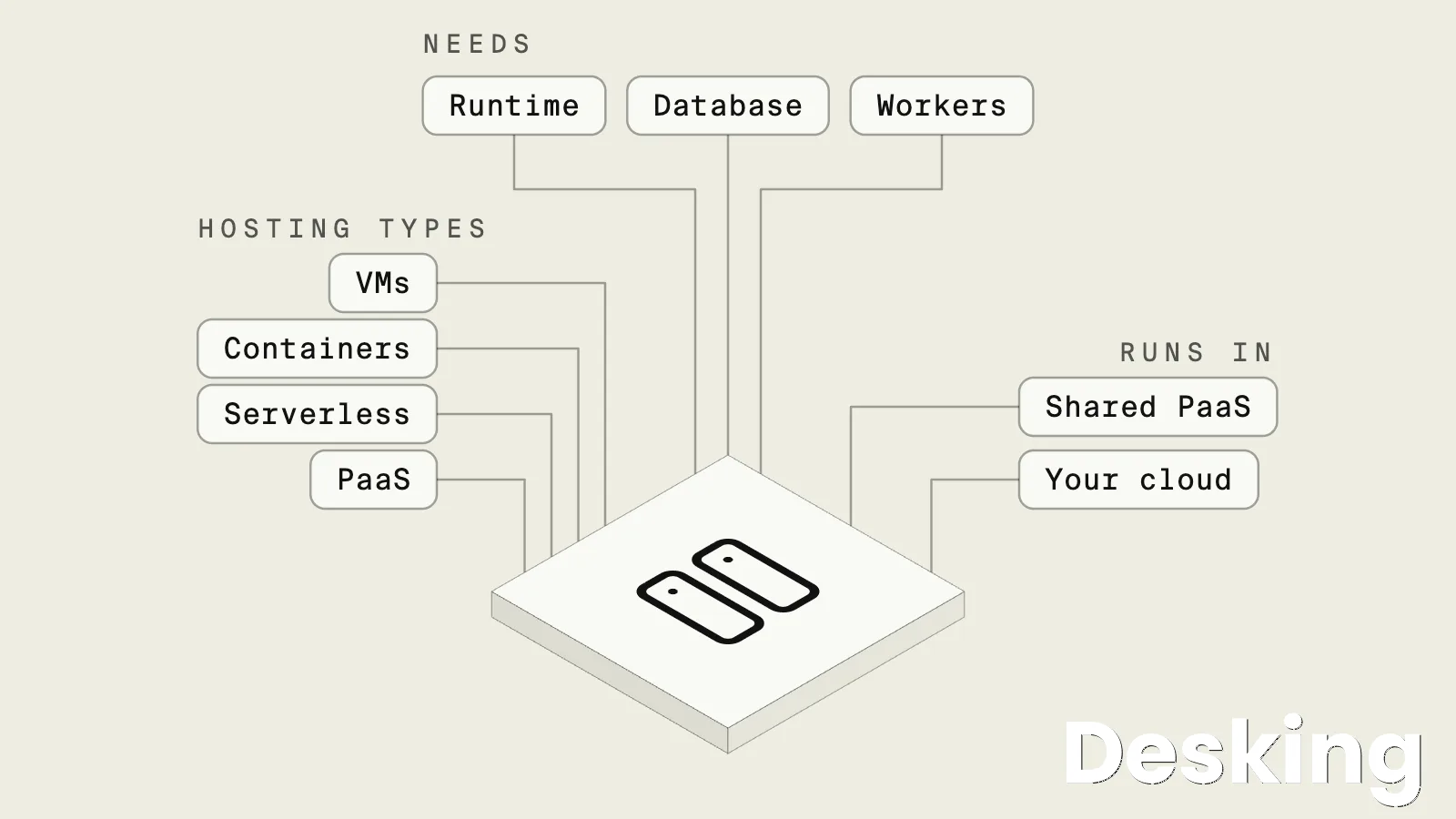
A VPS with Docker can run a website, API, database, reverse proxy, monitoring tool, and automation service as separate containers.
Docker Compose can define how these services are configured and connected.
The administrator can recreate the stack from its configuration, making deployments easier to document and repeat.
For example, a small application stack could include:
| Component | Purpose |
|---|---|
| Nginx or Caddy | Receives web traffic and routes requests |
| Application container | Runs the website or API |
| Database container | Stores application records |
| Redis container | Handles caching or queue data |
| Worker container | Processes background jobs |
| Monitoring container | Checks service availability |
The services can communicate over an internal Docker network, while only the required public ports are exposed.
This reduces unnecessary network access and keeps internal components separate from the public entry point.
7.2 Self host useful tools
A VPS can run self hosted applications that provide functions often purchased as separate online services.
Examples include:
- Nextcloud for file synchronization and collaboration.
- Gitea for private Git repositories.
- Uptime Kuma for service availability checks.
- n8n for workflow automation.
- Vaultwarden for a self hosted password management service.
- Paperless ngx for document organization.
- Ghost for publishing and membership websites.
These applications have different resource and security requirements.
A lightweight monitoring tool may run comfortably on a small server, while photo processing or document indexing can need considerably more memory, processor capacity, and storage.
Bacloud's 2026 review of self hosted applications highlights these differences, including the higher resource demands of photo management and media processing.
7.3 Understand container limits
Docker does not create additional physical resources.
Every container still uses the VPS's CPU, RAM, storage, and network capacity.
A server with too many containers can run out of memory, fill its disk with logs, or become slow when several applications perform intensive work at the same time.
I would apply resource limits where appropriate and monitor the host as well as individual containers.
Persistent data should be stored in volumes that survive container replacement.
Keep image versions controlled, remove unused images and logs, and back up databases separately.
A container can be recreated from an image, but its persistent application data still needs protection.
8. Create private file services
A VPS can host a file service that allows users to upload, organize, synchronize, and share documents.
Applications such as Nextcloud provide browser access, desktop synchronization, mobile clients, and collaboration features.
This can be useful for a small team that wants to control its file platform and manage its own access policies.
8.1 Build a private cloud
A private cloud file service gives employees a central location for documents and shared folders.
Users can access files through a browser or synchronization application, subject to their account permissions.
The administrator controls user accounts, storage allocation, sharing settings, updates, and backups.
For example, a consulting company could create separate folders for Finance, Human Resources, Projects, and Management.
Each employee receives access only to the folders required for their role.
Project teams can share documents, while management files remain restricted.
The VPS hosts the application, and a separate storage or backup service protects the data.
This approach provides control, but it does not automatically make the VPS a complete replacement for a professionally managed file platform.
The company must plan storage growth, file versioning, permissions, encryption, backup retention, and recovery.
I would also check whether the VPS provider's disk and network limits can support the number of users and the volume of files.
8.2 Manage document archives
A VPS can host a document management application for scanned invoices, contracts, reports, policies, and other business records.
Software such as Paperless ngx can organize documents and make them searchable, depending on the supported file formats and configuration.
This can reduce dependence on scattered folders and manual file naming.
A practical deployment could include a document upload area, an indexing service, a database, and a controlled web interface.
Staff upload documents, the application extracts searchable information, and authorized users retrieve records through the browser.
The company should establish document categories, retention rules, access permissions, and a process for correcting classification errors.
The storage requirements can grow quickly, especially when documents include large scans or attachments.
I would keep the application database and document files in a backup plan that can restore both together.
If the archive is legally or operationally important, verify retention requirements and consider a separate storage platform with appropriate durability controls.
9. Provide VPN access
A VPS can act as a VPN server or secure network gateway.
Authorized computers and mobile devices connect to it through an encrypted tunnel, allowing users to reach private services or route selected network traffic through the server.
WireGuard and OpenVPN are common technologies for this purpose.
9.1 Connect remote employees
A company can use a VPN hosted on a VPS to provide remote access to selected internal resources.
For example, an IT administrator working away from the office may need to reach a private monitoring dashboard, server management interface, or internal application.
The VPN creates an encrypted connection between the administrator's device and the network.
A practical arrangement could look like this:
- The administrator connects to the VPN from a laptop.
- The VPN authenticates the device using its assigned credentials or key.
- The server allows access to approved private network addresses.
- The administrator opens the internal application or management service.
- The connection is closed when the work is complete or the device disconnects.
The VPN should not grant unrestricted access to every internal system by default.
I would define which users can reach which subnets and services, revoke access when a device is lost, and keep the VPN software updated.
Project Homelab's remote access guidance recommends private access methods rather than exposing SSH, RDP, or management interfaces directly to the internet.
9.2 Connect private networks
A VPS can also act as a gateway between a cloud environment and an office network or home lab.
This is useful when a business has servers in different locations but wants to restrict public access to their administration interfaces.
The VPS can provide a stable public endpoint, while the other systems communicate through an encrypted tunnel.
For example, a company could keep its database server on a private office network and use a VPS as a controlled entry point for authorized remote administrators.
The VPS does not need to host the database itself.
It provides the network path, while firewall rules determine which traffic can pass through the tunnel.
This design needs careful routing and access control.
A VPN does not automatically make every connected device trustworthy, and a compromised VPN account can provide access to private resources.
I would use individual credentials, limit network routes, monitor connections, and maintain a second recovery method in case the VPN gateway becomes unavailable.
10. Run remote desktops
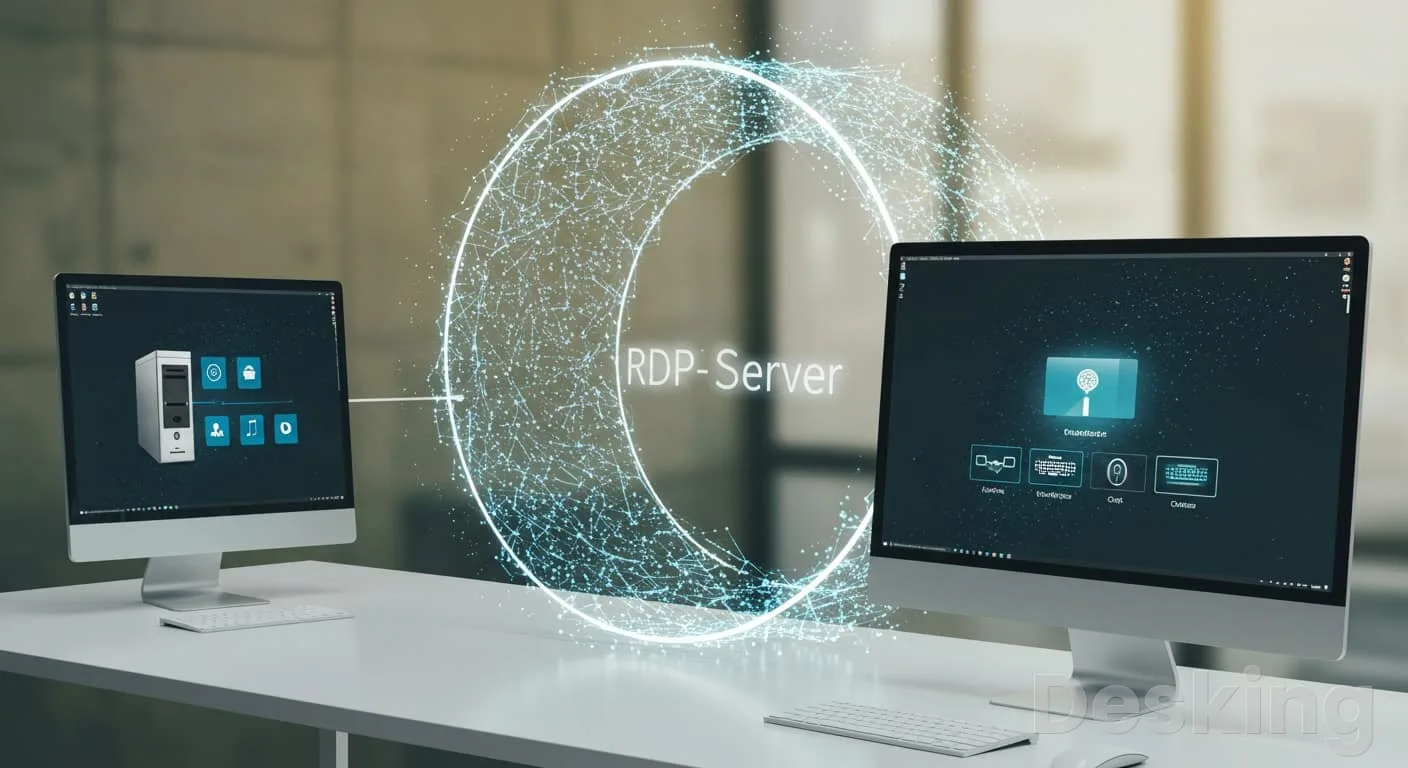
A Windows VPS can provide a remote desktop environment that users access over a network connection.
It can run Windows compatible applications, administration tools, and business software that needs a continuously available Windows environment.
The user connects from a local computer and interacts with the remote server's desktop.
10.1 Use Windows applications
Some business applications require Windows Server or a Windows desktop environment.
A Windows VPS may host compatible applications, management utilities, or specialist software that is not available on Linux.
The administrator controls the operating system, user accounts, installed programs, and remote access settings.
For example, a company may need a Windows environment for a legacy application that employees access from different locations.
Instead of installing and maintaining the application on every workstation, the business can provide access to a central server, subject to the software's licensing and technical requirements.
This arrangement is not suitable for every desktop application.
Some programs require a local graphics processor, specialized peripherals, or a license tied to a physical workstation.
I would confirm multi user support, Windows licensing, memory requirements, and the application's remote desktop compatibility before deployment.
10.2 Secure remote sessions
Remote Desktop Protocol allows a user to connect to a Windows desktop over a network.
It is convenient, but a public RDP service can become a target for password attacks and other unwanted access attempts.
A VPS should not expose remote administration without appropriate security controls.
A safer design places RDP behind a VPN or another controlled access gateway.
Use strong authentication, restrict permitted source addresses, keep Windows updated, and avoid shared administrator accounts.
If several employees need access, confirm the licensing model and resource requirements for concurrent sessions.
Each active user consumes server resources, so memory and CPU capacity must reflect the number of people using the environment.
11. Build development environments
Developers can use a VPS to create a remote environment for coding, testing, demonstrations, and software experiments.
It can run the same operating system and application dependencies as a production server, helping teams identify deployment problems before a release.
A VPS is also useful when several developers need access to a shared test environment.
11.1 Create staging servers
A staging server hosts a version of an application that is close to the production release.
Developers can test new features, configuration changes, database migrations, and software updates before they reach customers.
A VPS provides control over the operating system, web server, runtime, database, and network settings.
Hostinger VPS
Hostinger VPS delivers KVM virtualization, NVMe storage and full root access at prices that undercut most competing cloud providers.
- Strong price to specification ratio overall
- NVMe storage included on every tier
- Renewal rates climb steeply after promo
- Self managed means security is your job
For example, a website update may involve a new PHP version, a theme change, and a database migration.
The team can deploy the update to staging, test the main pages and forms, and verify that the database migration works.
Once the checks pass, the same release can be deployed to production through the normal release process.
Staging should not have unrestricted access to production data.
Use separate credentials, separate databases, and test data wherever possible.
I would also protect staging with authentication or network restrictions because an unfinished application can contain debugging tools, test accounts, and configuration details that should not be public.
11.2 Learn Linux administration
A VPS provides a remote Linux system on which a learner can practise server administration.
Common exercises include creating users, configuring SSH, installing Nginx, managing system services, setting firewall rules, installing a database, and reviewing logs.
These tasks help build practical skills without changing a production server.
A beginner can use a VPS to learn how a real server behaves on a public network.
The learner can connect from a laptop, deploy a basic website, configure a domain, and test HTTPS.
The environment remains available when the laptop is turned off, which is useful for remote exercises and demonstrations.
I would keep training environments separate from business systems.
Use a non sensitive account, apply security updates, restrict access, and rebuild the server after experiments that leave its configuration uncertain.
A local virtual machine may be cheaper and safer for exercises that do not need public internet access.
11.3 Test software versions
A VPS can host test instances of databases, application runtimes, web servers, and other software.
Developers can compare compatibility, test configuration changes, and reproduce bugs in a controlled environment.
This is particularly useful when an application depends on a specific operating system or service version.
For example, a developer may need to confirm whether a new application release works with a newer PostgreSQL version.
A temporary VPS can host the test database and application, allowing the team to run its test suite without changing production.
After the test, the environment can be retained for further work or removed to avoid ongoing charges.
The test environment should be disposable by design.
Keep its setup documented and store important test results outside the server.
Do not treat a temporary VPS as a permanent repository for source code, customer records, or business documents.
12. Run CI/CD pipelines
Continuous integration and continuous delivery or deployment pipelines automate parts of the software release process.
A VPS can host a build runner that receives jobs from a source code platform, installs dependencies, runs tests, builds the application, and prepares or performs a deployment.
12.1 Build and test software
A self hosted runner can execute tasks in an environment controlled by the development team.
This is useful when a project needs specific operating system packages, private network access, custom tools, or a consistent build environment.
A VPS can run tools such as Jenkins or a compatible repository runner, depending on the platform's requirements.
A typical pipeline may perform these tasks:
- Retrieve the latest source code from the repository.
- Install the required application dependencies.
- Run automated tests and code checks.
- Build the application package or container image.
- Store the build artifact or deploy it to a test environment.
The runner needs enough CPU, memory, and temporary storage for the jobs it executes.
Build processes can create large temporary directories, so disk cleanup is important.
I would also restrict the runner's permissions and avoid giving every build job unrestricted access to production credentials.
12.2 Automate deployments
A VPS can receive application releases from a CI/CD pipeline.
After a successful build, the pipeline can transfer the approved files or container image, update the application, restart the relevant service, and perform a health check.
This reduces repetitive manual work and makes releases easier to track.
For example, a development team could push a change to its main branch.
The pipeline runs tests, builds a new application image, and deploys it to staging.
After approval, the release is promoted to production.
If the health check fails, the deployment process can stop or trigger a rollback, provided that the application and database changes support that recovery path.
A deployment pipeline does not guarantee a safe release.
Database migrations, configuration changes, and incompatible application versions can still cause downtime.
I would define a rollback procedure and test it before relying on automated production deployment.
13. Automate recurring tasks
A VPS can run tasks that need to execute on a schedule or remain active in the background.
These include data imports, notifications, report generation, system checks, synchronization jobs, and bots that interact with APIs.
The server stays online independently of a user's computer, which makes it suitable for recurring workloads.
13.1 Run workflow automation
Tools such as n8n can automate workflows between applications and services.
A workflow may receive a form submission, create a CRM record, send an email notification, update a spreadsheet, or call an external API.
Hosting the automation platform on a VPS gives the administrator control over its configuration and integrations.
Consider a company that receives service requests through a website.
An automation workflow can:
- Receive the submitted request through a webhook.
- Validate the required fields.
- Create a record in the company's service management system.
- Notify the responsible department.
- Send a confirmation to the requester.
- Record the result and report any failed step.
This can reduce repetitive administrative work, but the workflow needs error handling.
If an external application is unavailable, the automation should record the failure and retry safely where appropriate.
I would also protect webhook endpoints and avoid storing API credentials in unprotected workflow fields.
13.2 Keep bots online
A VPS can run bots that connect to supported APIs or messaging platforms.
Examples include Telegram bots, Discord bots, notification services, and internal chat assistants.
The server keeps the bot process running even when the developer's laptop is switched off.
A business could use a messaging bot to report server availability or notify an IT team when a monitored service fails.
The bot receives an event from the monitoring platform, formats the message, and sends it to an approved group.
Another bot could retrieve information from an internal API when an authorized employee requests it.
Bots need supervision because a crashed process may stop responding without an obvious warning.
I would use a process manager or service manager to restart failed processes, record application logs, protect API tokens, and monitor availability.
The bot should also have limited permissions within the messaging platform.
13.3 Schedule background jobs
Scheduled jobs handle tasks that run at fixed times or intervals.
A VPS can execute database exports, report generation, file synchronization, log rotation, certificate checks, and data imports.
Linux systems commonly use cron or systemd timers, while Windows Server provides Task Scheduler.
For example, a reporting application may generate a sales summary every morning.
A scheduled job retrieves the previous day's transactions, processes the records, creates a report, and sends it to authorized managers.
If the task fails, the system should log the error and alert the responsible person.
I would make scheduled jobs safe to run more than once where possible.
A task that imports records should detect duplicates, and a payment related task should avoid repeating a transaction.
Logging, alerting, and retry rules turn a simple scheduled command into a service that can be operated reliably.
14. Monitor systems and services

A VPS can host monitoring tools that check websites, APIs, servers, databases, and network services.
These tools can measure availability, record response times, collect metrics, and notify administrators when a problem occurs.
This is useful for IT teams that manage several systems and need a central view of their status.
14.1 Check uptime
An uptime monitoring application can send periodic requests to a website or service and record whether it responds.
Tools such as Uptime Kuma can monitor HTTP endpoints, TCP ports, DNS records, and other supported checks.
The system can send alerts when a check fails or when a service returns to normal.
For example, an IT administrator may monitor a company website, email gateway, customer portal, VPN endpoint, and API.
If the customer portal stops responding, the monitoring system can send an alert to the support team.
The team can then investigate whether the problem is caused by DNS, the web server, the application, the database, or the network.
The monitoring server should not share every failure dependency with the systems it checks.
If the monitored website and the monitoring application run on the same VPS, a host outage may take down both.
I would place critical monitoring outside the infrastructure being monitored or use an external monitoring provider as a second check.
14.2 Collect metrics and logs
A VPS can run tools that collect server metrics and application logs from multiple systems.
Metrics can include processor use, memory consumption, disk space, network traffic, and service response times.
Logs can help administrators identify application errors, failed logins, database problems, and other events.
A small IT team could collect metrics from several web servers and display them in a central dashboard.
When disk usage rises, the dashboard can show which server is approaching capacity.
When an application begins returning errors, its logs can help identify the affected service and the time the problem started.
Monitoring data also needs protection and retention rules.
Logs can contain usernames, IP addresses, request details, and other information that should not be kept indefinitely.
I would restrict access to monitoring dashboards, define retention periods, and make sure the monitoring VPS has enough storage for the data it receives.
15. Host multiplayer games
A VPS can run a dedicated game server that remains online when the players' computers are switched off.
This allows a group or community to connect to the same game world without depending on one player's home computer.
The administrator controls the game version, world settings, access rules, server files, and supported modifications.
15.1 Minecraft servers
Minecraft is a common example of a game that can run on a VPS.
A dedicated server keeps the world available, manages player connections, and stores the world data on the server.
Depending on the server software, administrators can install plugins, configure permissions, schedule backups, and manage several aspects of the game environment.
The required resources depend on the number of players, world activity, plugins, and modifications.
A lightly used server has different needs from a large modded environment with many active players.
I would check the game's current server requirements and monitor memory and processor use after deployment.
Back up the world files regularly, because a server failure or corrupted world can destroy progress.
15.2 Other game servers
Games such as Valheim and other titles with supported dedicated server software may also run on a VPS.
The provider must permit the required network traffic, including the relevant UDP or TCP ports.
The server location should also provide acceptable latency for the intended players.
A game server is not automatically a good fit for the cheapest VPS plan.
Some games need strong single core CPU performance, while others use substantial memory or storage.
Mods can increase those requirements.
I would choose the server based on the game's documentation, expected player count, and network conditions rather than assume that any Linux VPS will be sufficient.
16. Combine services carefully
One VPS can run several services at the same time.
This can reduce infrastructure costs and simplify administration for a small project, provided that the combined workload fits the server and the services can safely share the same environment.
The important point is to understand which components depend on one another and what happens if the VPS becomes unavailable.
16.1 Small business stack
A small business might use one VPS for its corporate website, a customer portal, a database, and a monitoring service.
The web server receives public requests, while the application connects to the database through a local or private network.
Monitoring checks the website and sends alerts when the service stops responding.
| Service | Example software | Function |
|---|---|---|
| Web server | Nginx or Apache | Receives website requests |
| Content management | WordPress | Manages website content |
| Application | Node.js or PHP application | Runs the customer portal |
| Database | MariaDB or PostgreSQL | Stores application records |
| Monitoring | Uptime Kuma | Checks service availability |
| Backup | Restic or provider backup | Protects application data |
This setup can be appropriate for a small company with moderate traffic and a clear administrator responsible for maintenance.
It becomes less attractive if the website, portal, and database have very different resource requirements or security needs.
I would separate the database or other critical services when measurements, access policies, or recovery requirements justify the extra server.
16.2 Developer stack
A developer could use a VPS for a web application, Docker containers, a private Git repository, a staging environment, and a deployment runner.
The repository stores the source code, the pipeline builds the application, and the staging service allows the team to test a release before it reaches production.
A possible arrangement is:
- Developers push changes to a Git repository.
- A CI/CD runner checks the code and runs automated tests.
- The pipeline builds a new application image.
- The image is deployed to the staging environment.
- The team verifies the release.
- An approved deployment updates the production application.
The benefit is a repeatable release process with fewer manual steps.
The risk is that the VPS now contains source code, deployment credentials, and application services.
I would isolate build jobs, restrict access to secrets, and keep production credentials separate from ordinary development tasks.
If the build process consumes too much CPU or disk, a dedicated runner may be preferable.
16.3 Remote office access
A company with several offices or remote employees may use a VPS as a secure gateway to selected internal services.
WireGuard can provide an encrypted tunnel, while a reverse proxy can route authorized web requests to private applications.
Monitoring can check the gateway and notify the IT team if the connection fails.
A possible design keeps the database and internal management tools private.
Employees connect through the approved VPN, and the firewall allows only the required traffic.
Public visitors reach the corporate website through a separate web service, not through the private administration network.
This arrangement can be useful when the company needs a stable public endpoint or cannot accept inbound connections to its office network.
However, the VPS becomes an important network dependency.
I would document the routes, firewall rules, access keys, and recovery process, and keep a second method for authorized administrators to regain access if the gateway fails.
17. Know when not to use one
A VPS can run many types of software, but technical possibility is not the same as a good infrastructure decision.
Some workloads are better suited to managed services, dedicated hardware, object storage, or a distributed cloud platform.
The more critical the application becomes, the more important it is to assess its failure risks and operational requirements.
17.1 High availability systems
A single VPS is one server instance.
If its host, storage, network connection, or guest operating system fails, every service that depends on it may become unavailable.
A provider may offer infrastructure recovery, but that does not automatically make the application highly available.
For a business critical application, I would consider multiple application instances, independent storage, database replication, health checks, and a load balancer.
Those components need to be designed and tested as a system.
Simply upgrading to a larger VPS increases the capacity of one server; it does not create redundancy.
17.2 Large storage workloads
A VPS can store files, backups, and media, but large storage requirements can make it an inefficient choice.
Virtual disk capacity may cost more than object storage or dedicated storage, and frequent transfers can consume bandwidth allowances.
Media processing can also require more CPU or GPU capacity than a standard VPS provides.
I would use a VPS for the application and metadata when that is practical, then place large files in a storage service designed for that purpose.
Keep backup copies in a separate failure domain.
Hostinger VPS
Hostinger VPS delivers KVM virtualization, NVMe storage and full root access at prices that undercut most competing cloud providers.
- Strong price to specification ratio overall
- NVMe storage included on every tier
- Renewal rates climb steeply after promo
- Self managed means security is your job
A second disk attached to the same VPS may help with capacity, but it does not protect against every host or account failure.
17.3 Demanding AI workloads
A VPS can host an AI powered application that sends requests to an external model API, manages documents, stores results, or coordinates an automation workflow.
Running a large model directly on the VPS is a different workload.
It may need a GPU, substantial memory, fast storage, and software support that a basic virtual server does not provide.
I would distinguish between hosting an AI application and hosting the AI model itself.
A small web application that calls an external AI service may work well on a conventional VPS.
Model inference, fine tuning, and training should be evaluated against specialist GPU instances or dedicated hardware.
Do not assume that a high vCPU count can replace a suitable GPU.
17.4 Managed services
A managed service may be a better option when the business wants to use an application without maintaining the underlying server.
Managed databases, managed WordPress, hosted automation platforms, and software as a service products can remove some operating system and infrastructure work.
I would choose a VPS when the project needs control over the operating system, software stack, network, or persistent processes.
I would choose a managed service when the application fits the platform and reducing maintenance is more valuable than direct server access.
The right decision is about responsibility as much as price.
18. Prepare the VPS properly
Before deploying a production workload, define who will administer the server and how the service will be protected.
A VPS gives you control over the operating system and applications, but the provider may only be responsible for the physical infrastructure.
On an unmanaged plan, the customer normally handles most guest operating system and application maintenance.
18.1 Check the resources
Select the server according to the complete workload, not just the main application.
A WordPress site needs resources for the operating system, web server, PHP, database, plugins, caching, and background tasks.
A database server needs sufficient memory and storage performance, while a game server may depend heavily on CPU performance and network latency.
Before ordering, check:
- CPU allocation and whether processing capacity is shared or dedicated.
- RAM capacity and the application's expected peak memory use.
- Storage type, available capacity, and performance limits.
- Network bandwidth, transfer allowance, and supported protocols.
- Operating system options and software licensing.
- Backup options, support scope, and upgrade procedure.
I would start with documented application requirements and leave reasonable capacity for growth.
After deployment, use monitoring data to decide whether the server needs more resources.
Increasing the plan without identifying the bottleneck can increase costs without improving the application.
18.2 Secure access
A new VPS should not be treated as secure simply because it has a separate operating system.
The administrator must configure user accounts, remote access, firewall rules, software updates, and application permissions.
Only the services required by the workload should be reachable from the public internet.
A basic security checklist includes:
- Create individual administrator accounts instead of sharing credentials.
- Use SSH keys for Linux access where supported.
- Restrict SSH and Remote Desktop access to approved networks.
- Enable the operating system firewall and review provider firewall rules.
- Install security updates and remove unnecessary services.
- Protect application secrets, API keys, and database credentials.
- Enable multi factor authentication for control panels and supported applications.
Project Homelab's remote access guidance advises against exposing management interfaces such as SSH and RDP directly to the public internet.
A VPN or controlled gateway is a safer approach for administrative access.
I would also review access whenever a staff member or contractor no longer needs it.
18.3 Plan backups
Every VPS that stores important information needs a recovery plan.
The backup strategy should cover application files, databases, configuration, uploaded documents, and any other data needed to restore the service.
The backup frequency should reflect how much information the business can afford to lose.
A practical plan might include daily database backups, regular file backups, and a separate copy stored outside the VPS provider account.
For a database with frequent transactions, more frequent backups or transaction log protection may be necessary.
I would test restoration to another environment and record the steps required to bring the application back online.
18.4 Assign responsibility
A production VPS needs an identified owner.
That person or team should know what applications run on it, which domains point to it, who has administrator access, where backups are stored, and how to respond to an outage.
Without clear ownership, even routine tasks such as certificate renewal or operating system updates can be missed.
For a business, I would maintain a short server record containing:
| Record | What to document |
|---|---|
| Server identity | Provider, hostname, IP address, and location |
| Operating system | Distribution or Windows Server version |
| Applications | Installed services, versions, and purpose |
| Access | Authorized administrators and access method |
| Network | Domains, ports, firewall rules, and private routes |
| Backups | Schedule, destination, retention, and restore test |
| Monitoring | Alerts, responsible contact, and escalation process |
| Recovery | Restoration steps and service dependencies |
This documentation should be kept somewhere accessible to authorized staff even if the VPS itself is unavailable.
It reduces dependence on one administrator and makes support or migration easier.
Frequently Asked Questions
Can I host several applications on one VPS?
Can I use a VPS for email hosting?
Can a VPS replace a physical office server?
Is a VPS suitable for AI applications?
Can I use a VPS without technical knowledge?
What happens if my VPS stops working?
Sources4
External pages are independent third-party sources. Desking App does not control or endorse their content and accepts no responsibility for it. Visiting them is at your own responsibility and risk.