

What Is a VPS and How Does Virtual Private Server Hosting Work?
By Evander Thorne · November 19, 2026
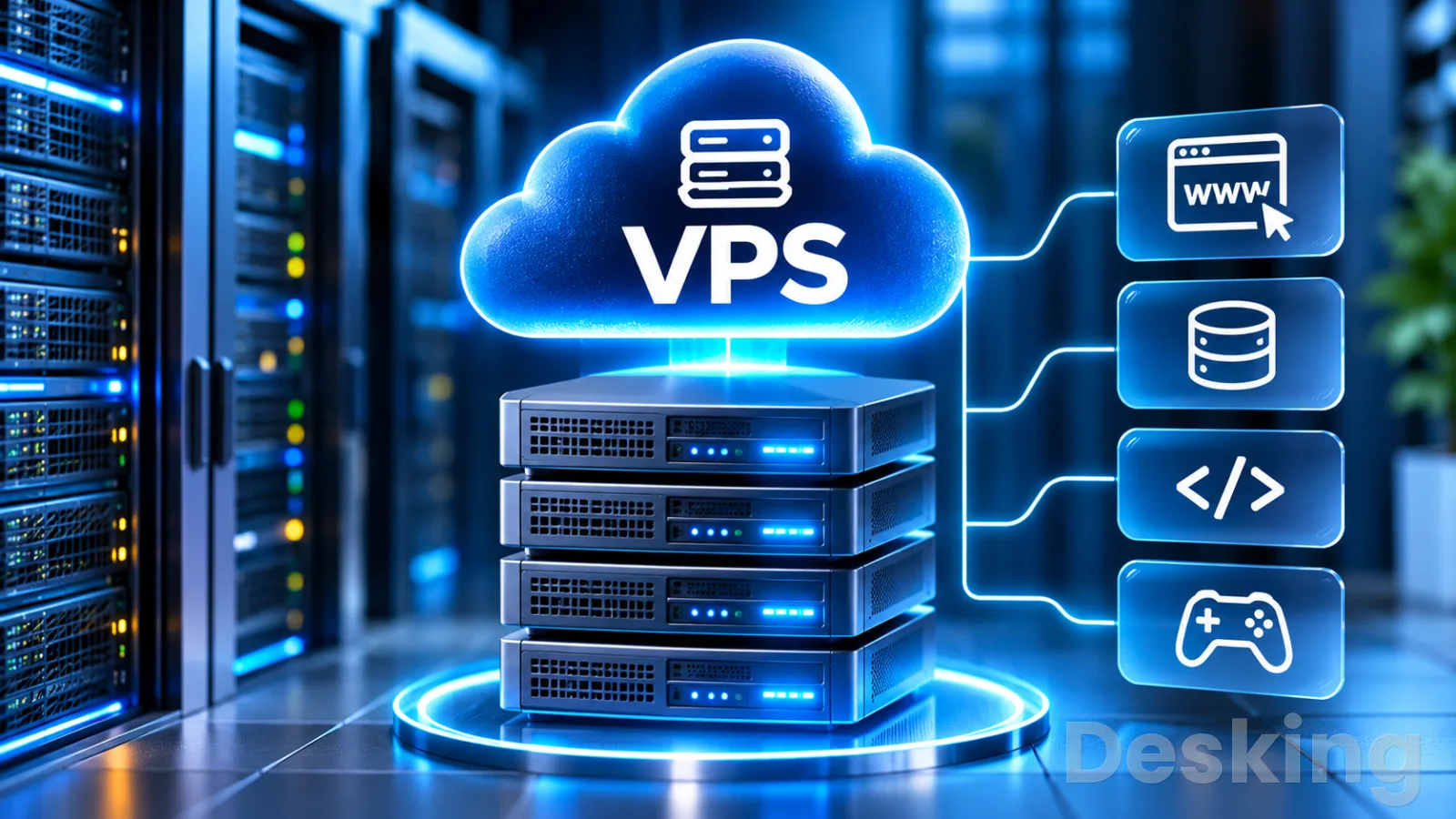
Table of contents
- What a virtual private server actually provides
- 1. Understand the VPS
- 2. See how virtualization works
- 3. Compare hosting types
- 4. Identify practical uses
- 5. Choose managed or unmanaged
- 6. Select the right VPS
- 7. Set up a Linux VPS
- 8. Protect and maintain the server
- 9. Recognize the limitations
- 10. Decide whether a VPS fits
- Frequently Asked Questions
What a virtual private server actually provides
A virtual private server gives you an independent server environment hosted on a physical machine that also runs other virtual servers.
You receive an operating system, allocated computing resources, storage, network connectivity, and administrative access.
You can install software, configure services, host websites, run applications, and manage the environment according to your requirements.
I consider a VPS one of the most useful hosting options for businesses that have outgrown basic shared hosting but do not need an entire physical server.
It offers a practical balance between control, cost, and flexibility.
However, the word private can create the wrong expectation: your virtual machine is logically isolated, but the underlying physical infrastructure may still be shared with other customers.
A good purchasing decision starts with understanding what the provider actually allocates, what remains shared, and who is responsible for maintaining the server.
Those details matter more than the VPS label on a hosting plan.
1. Understand the VPS
A VPS, or virtual private server, is a virtual machine hosted on a physical server.
Virtualization software divides the host machine into separate virtual environments, each of which can run its own operating system and applications.
The customer receives access to one of these environments, usually with administrator or root privileges.
The arrangement allows a hosting provider to serve multiple customers from the same physical hardware while keeping their operating systems and workloads logically separated.
Red Hat describes virtualization as a way to create multiple simulated computing environments from one physical system, with a hypervisor managing the virtual machines.
This is the technical foundation behind many VPS services.
1.1 What the name means
The term has three parts, and each describes a different aspect of the service.
- Virtual: The server exists as a software-defined machine rather than a separate physical computer assigned exclusively to one customer.
- Private: The virtual environment has its own operating system and isolation boundary, with access controlled separately from other virtual machines.
- Server: It runs continuously and provides computing services, such as websites, databases, applications, APIs, or remote access.
The word private does not automatically mean that every physical component is exclusive to you.
A provider may share processor capacity, storage systems, network equipment, and other infrastructure across several virtual machines.
The actual CPU allocation and performance guarantees depend on the plan and the provider's architecture.
I would pay particular attention to that distinction when comparing plans.
A VPS with two virtual CPUs does not necessarily provide the same sustained processing performance as another VPS with two dedicated CPU cores.
The advertised number is only one part of the specification; the provider's allocation policy and workload limits also matter.
1.2 What you receive
A typical VPS plan includes a set of virtual resources and a management interface.
The exact allocation varies, but the main components are broadly consistent across providers.
| Component | What it provides |
|---|---|
| vCPU | Virtual processor capacity for running instructions and applications |
| RAM | Working memory for the operating system and running processes |
| Storage | Persistent disk space for files, databases, applications, and logs |
| Network | Connectivity, usually with a public IP address and a transfer allowance |
| Operating system | A Linux or Windows Server installation |
| Administrative access | Root access on Linux or administrator access on Windows |
| Management console | A provider interface for power, reinstall, recovery, and resource operations |
These components work together.
A server with enough storage but insufficient memory may struggle with a database or control panel, while a server with sufficient CPU and RAM may still become constrained by slow storage or limited network transfer.
The management console is also important.
It gives you a way to restart or reinstall the virtual machine and, depending on the provider, access a recovery console if remote administration stops working.
I would confirm that this facility exists before purchasing, because an SSH failure or firewall mistake should not leave you without a recovery route.
1.3 VPS and virtual machines
A virtual machine, commonly abbreviated as VM, is a software-based computer that behaves like an independent system.
It has virtual hardware, an operating system, storage, and network interfaces.
A VPS is a virtual machine offered as a server hosting service, usually with a public network connection and a defined resource allocation.
The terms are closely related, but they are not always used in exactly the same commercial context.
A company can create virtual machines for internal testing, desktop virtualization, or private infrastructure.
A VPS provider packages a virtual server for customers who want to run internet-facing services or other persistent workloads.
I find this distinction useful because it separates the technology from the product.
Virtualization is the underlying method; VPS hosting is one way of buying and operating a virtual machine.
2. See how virtualization works
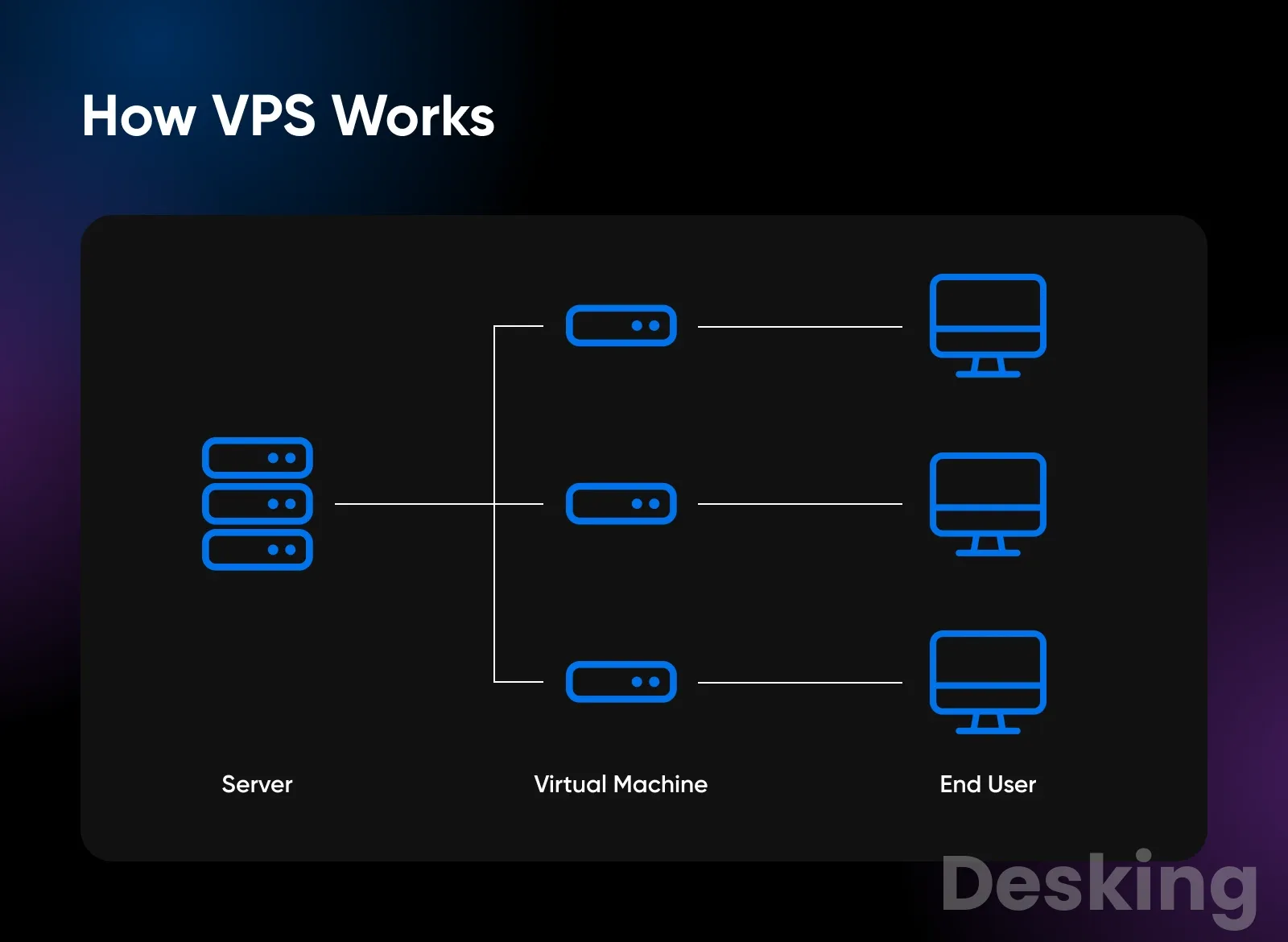
A VPS begins with a physical server in a data center.
That machine contains processors, memory, storage devices, network interfaces, and an operating system or virtualization layer.
The provider uses a hypervisor to create and manage virtual machines on the host.
Each virtual machine receives a configuration that defines its virtual processors, memory, disk capacity, and network interfaces.
The guest operating system sees those virtual devices as the hardware available to it.
It can then run applications and services without needing direct access to the host's physical administration layer.
2.1 The physical host
The physical host is the actual server installed in the provider's data center.
It supplies the computing capacity used by the virtual machines that run on it.
A host may support several VPS instances, depending on its hardware, workload, and the provider's resource allocation policy.
For example, a physical server may contain multiple processor cores and a large amount of RAM.
The provider can allocate portions of those resources to different virtual machines.
Each customer manages their own guest operating system, while the provider remains responsible for the physical host and the virtualization infrastructure.
This separation defines the normal administrative boundary of an unmanaged VPS.
You can configure the operating system inside your virtual machine, but you do not normally control the physical server, its firmware, or the hypervisor.
2.2 The hypervisor
A hypervisor is the software layer that creates, runs, and manages virtual machines.
It controls how virtual machines use the physical server's processing, memory, storage, and networking resources.
Red Hat identifies KVM, or Kernel-based Virtual Machine, as an open-source virtualization technology that allows Linux to function as a hypervisor.
Two broad hypervisor categories are commonly described:
- Type 1: Runs directly on the physical hardware and manages virtual machines without relying on a general-purpose host operating system in the same way as a hosted hypervisor.
- Type 2: Runs as an application on top of an existing operating system, using that operating system to access the hardware.
KVM is commonly used in server virtualization environments.
Other technologies include Microsoft Hyper-V and Xen.
The particular platform matters to infrastructure engineers and providers, but a VPS customer should focus first on isolation, performance guarantees, recovery options, and supported operating systems.
2.3 Resource allocation
The hypervisor assigns virtual resources to each VPS.
The guest operating system sees the virtual CPUs and memory presented to it, but the way those resources map to the physical host depends on the provider's configuration.
A provider may sell shared or dedicated CPU capacity.
Shared CPU plans allow multiple virtual machines to use the same physical processor capacity, subject to scheduling and limits.
Dedicated CPU plans aim to reserve specific processing capacity for the customer, although the exact meaning of dedicated should still be checked in the service documentation.
This is why two VPS plans with identical advertised RAM and vCPU counts can behave differently under sustained workloads.
I would check whether CPU is shared, what limits apply, and whether the provider publishes any performance policy before relying on a VPS for a busy application.
2.4 Storage and networking
Storage is the persistent space where the operating system, applications, databases, website files, and logs reside.
A VPS may use SSD or NVMe storage, but the advertised capacity does not explain everything about performance.
Storage latency, input and output operations, throughput limits, and the provider's underlying storage architecture can all affect how quickly an application reads and writes data.
Networking gives the virtual machine a way to communicate with other systems.
Most VPS plans include at least one public IP address, and some offer private networking, IPv6, additional addresses, or configurable network rules.
The amount of included data transfer and any restrictions on network speed are worth checking, particularly for websites that deliver large files or applications that exchange substantial volumes of data.
2.5 Isolation and shared infrastructure
A VPS separates the customer's operating system and processes from those of other virtual machines.
This isolation is one reason it offers more control than a conventional shared hosting account.
You can usually install packages, configure services, create system users, and manage application processes without asking the hosting provider to make each change.
Isolation does not remove every shared dependency.

Hostinger VPS
Hostinger VPS delivers KVM virtualization, NVMe storage and full root access at prices that undercut most competing cloud providers.
- Strong price to specification ratio overall
- NVMe storage included on every tier
- Renewal rates climb steeply after promo
- Self managed means security is your job
The physical host, data center network, storage platform, and power infrastructure may still serve multiple customers.
A problem at one of those layers can affect more than one virtual machine, depending on the provider's design and redundancy.
I would therefore avoid treating the word private as a guarantee of complete physical separation.
If an application has strict isolation, compliance, or performance requirements, ask the provider exactly which resources are dedicated and which remain shared.
3. Compare hosting types
A VPS occupies a middle position between shared hosting and a dedicated server, but it is not automatically the best option for every website.
The main differences concern resource allocation, administrative control, isolation, cost, and the amount of work the customer must perform.
A useful comparison should also distinguish cloud infrastructure from VPS hosting.
Cloud describes a broad way of delivering computing resources, while a VPS describes a virtual server environment.
Some cloud services provide virtual machines that function much like VPS products, but cloud platforms can also include managed databases, object storage, load balancers, and other services.
3.1 Shared hosting
Shared hosting places multiple websites or customer accounts on a server managed by the hosting company.
Customers generally manage their website files, databases, email accounts, and application settings through a control panel.
The provider manages the underlying operating system and server software.
This arrangement is suitable for smaller websites, basic company pages, and blogs that do not need custom server configuration.
It also reduces the administrative burden because the customer does not usually need to maintain the operating system, configure SSH access, or manage a server firewall.
The trade-off is limited control.
You cannot normally install arbitrary system packages or change every server setting, and resource usage is subject to the hosting provider's account limits.
I would stay with shared hosting when a site runs reliably within those limits and there is no technical requirement for root access.
3.2 VPS hosting
VPS hosting provides a virtual machine with its own operating system and a defined allocation of resources.
Depending on the plan, customers receive root access on Linux or administrator access on Windows Server.
This allows them to install a web server, database engine, programming runtime, control panel, or other supported software.
The additional freedom comes with additional responsibility.
On an unmanaged VPS, the customer usually handles operating system updates, application installation, user permissions, firewall rules, monitoring, and recovery.
A managed VPS provider may take responsibility for some of those tasks, but the exact service scope must be checked.
I would choose a VPS when a website or application needs custom software, multiple services, or more administrative control than shared hosting provides.
It is also useful when you want to separate a development environment from a production website or run applications that require persistent background processes.
3.3 Dedicated servers
A dedicated server is a physical machine rented by one customer.
The customer has access to the entire server's hardware allocation rather than a virtual machine hosted alongside other customers on the same physical server.
The provider usually remains responsible for the data center, physical hardware, power, and network connectivity.
Dedicated servers can suit sustained heavy workloads, applications that need a large amount of local storage, or environments where physical single tenancy is a requirement.
They can also offer more predictable hardware performance when the workload consistently uses substantial resources.
The disadvantages include higher costs and less flexibility than a small virtual machine.
Hardware changes may require a replacement or a migration, and the customer may still need to administer the operating system and applications.
Datacentres.com describes dedicated hosting as a whole physical server rented by one customer, with the provider responsible for replacing failed hardware.
Datacentres.com
3.4 Cloud hosting
Cloud hosting is a broad category of infrastructure services delivered through a cloud platform.
It may include virtual machines, managed databases, storage services, private networks, load balancers, and automated scaling tools.
A cloud virtual machine can behave much like a VPS, but the commercial model and surrounding services may be different.
Some cloud environments bill by usage, while others offer fixed monthly plans or reserved capacity.
Customers may be able to create additional machines, attach storage, or distribute application components across multiple regions.
Those capabilities can be valuable when an application has variable demand or needs a more distributed architecture.
I would not assume that every product marketed as cloud hosting automatically provides high availability.
A single virtual machine in a cloud data center can still fail.
Availability depends on the architecture, redundancy, backups, and recovery design, not simply the word cloud.
3.5 Compare the options
| Hosting type | Resources | Server administration | Typical use |
|---|---|---|---|
| Shared hosting | Shared server resources with account limits | Mostly provider managed | Small websites and blogs |
| VPS | Virtual machine with plan defined resources | Customer or managed provider | Custom websites and applications |
| Dedicated server | One physical server | Customer or managed provider | Sustained heavy workloads |
| Cloud platform | Depends on selected services | Customer, provider, or both | Variable workloads and distributed systems |
The table describes common arrangements, not universal guarantees.
Providers use different product names and service models, so read the technical specification and support agreement before choosing.
The most useful question is who will maintain the operating system and applications after the server is online.
4. Identify practical uses
A VPS can run many types of software because the customer has control over the guest operating system.
The suitability of a particular workload depends on its processor, memory, storage, network, licensing, and availability requirements.
A small website and a busy database may both run on a VPS, but they will not need the same configuration.
4.1 Websites and WordPress
A VPS can host websites built with HTML, PHP, Python, Node.js, and other supported technologies.
You can install a web server such as Apache or Nginx, configure a database such as MySQL or MariaDB, and set up PHP or another runtime.
This gives you control over caching, application settings, web server rules, and software versions.
WordPress is a common example.
A VPS can run WordPress with a database, PHP, a web server, and optional caching services.
It can be useful when you need multiple websites, custom server settings, or more control over the software stack than a shared hosting plan provides.
However, a VPS does not automatically make WordPress faster.
Poorly configured plugins, inefficient themes, slow database queries, insufficient memory, and unoptimized images can still cause performance problems.
I would assess the application and its resource usage before upgrading the hosting plan, because a larger server cannot correct every software bottleneck.
4.2 Web applications and APIs
A web application often needs persistent server processes, application runtimes, databases, and background jobs.
A VPS can host these components when the workload fits within the available resources and the administrator can maintain the environment.
For example, a business application built with Node.js may run behind Nginx, with the application process managed by a service manager.
A database can store user accounts and application records, while an API provides data to a website or mobile application.
The VPS administrator controls the runtime versions, environment variables, network access, and deployment process.
This flexibility is useful for small SaaS products and internal business tools.
It also means that the owner must manage application updates, credentials, logs, backups, and service recovery.
A VPS is an infrastructure choice, not a substitute for application architecture or operational planning.
4.3 Databases and storage
A VPS can host database software such as MySQL, MariaDB, PostgreSQL, or MongoDB, subject to the operating system and provider's technical support.
Running the database on the same machine as the application can simplify a small deployment and reduce the need for additional infrastructure.
The main concern is resource contention.
A database can consume memory for caching, processor time for queries, and storage performance for reads and writes.
If the same VPS also runs a web server, application workers, scheduled tasks, and monitoring software, all these services compete for the same allocation.
For important business data, backup design matters as much as the server size.
A database backup should be consistent, stored separately from the VPS, protected from unauthorized access, and tested through an actual restore.
Ubuntu's server documentation recommends planning what to back up, how often to back it up, where to store copies, and how to restore them.
4.4 Development and testing
Developers use VPS instances as remote environments for testing applications, validating server configurations, and preparing deployments.
A Linux VPS can provide a consistent environment for PHP, Python, Node.js, Docker, databases, and web server software.
A separate staging server can help a team test a new release before it reaches the production environment.
This reduces the risk of introducing an untested configuration change directly to a live website.
The staging machine should still use protected credentials and realistic deployment settings, especially if it contains copies of production data.
I consider this one of the most practical uses for a small VPS.
It gives developers access to a persistent server without requiring them to purchase physical hardware or expose their development computer to the public internet.
4.5 Other server workloads
A VPS can also run services that do not serve a conventional website.
Common examples include private VPN endpoints, game servers, automation tools, monitoring systems, remote desktops, and self-hosted applications.
Each workload has different requirements, so the provider's acceptable use policy and resource limits should be checked before deployment.
A game server may need sustained CPU performance and sufficient memory for connected players.
A VPN can require substantial network transfer, while an automation service may need reliable background execution and log retention.
A remote desktop workload may require a Windows license and enough memory for each active user.
The practical rule is to select the server around the software and workload, not around the most attractive headline specification.
A VPS with a large disk allocation may be a poor choice for a processor intensive application, just as a high CPU plan may be unsuitable for a storage heavy database.
5. Choose managed or unmanaged
The distinction between managed and unmanaged hosting determines who performs routine server administration.
It is one of the most important decisions a first time VPS customer makes because it affects the workload, technical skills, support expectations, and total operating cost.
A managed VPS usually includes some level of operating system maintenance, monitoring, security assistance, or technical support.
An unmanaged VPS generally gives the customer more direct responsibility and often more freedom to configure the server.
The exact boundary varies between providers, so the label alone is not enough to establish what is included.
5.1 Managed VPS
With managed hosting, the provider performs an agreed set of administrative tasks.
These may include operating system updates, server monitoring, control panel maintenance, security configuration, backup services, and technical support.
Some providers also help with web server and database configuration.
This model is useful for businesses that need a VPS but do not have a dedicated server administrator.
It can also suit agencies that manage several client websites and prefer to spend their time on applications, content, and customer support rather than routine operating system maintenance.
I would always ask for the exact scope of management in writing.
Confirm whether the provider handles application updates, malware incidents, database recovery, firewall configuration, and emergency troubleshooting.
A plan that includes server monitoring may not include WordPress support, custom code debugging, or database optimization.
5.2 Unmanaged VPS
An unmanaged VPS gives the customer direct responsibility for the virtual server.
The provider generally supplies the virtual machine, network access, and infrastructure management, while the customer installs and maintains the operating system and applications.
This model suits developers, system administrators, and technically capable businesses that want full control.
You can choose the software stack, configure services, automate deployments, and set security policies without depending on the hosting provider for every change.
The responsibility is substantial.
You must plan updates, access control, firewall rules, backups, monitoring, incident response, and recovery.
I would not recommend an unmanaged VPS for a business critical system unless someone has the time and technical ability to maintain it.
5.3 Compare responsibilities
| Task | Managed VPS | Unmanaged VPS |
|---|---|---|
| Physical hardware | Provider | Provider |
| Virtualization platform | Provider | Provider |
| Operating system updates | Depends on service agreement | Customer |
| Firewall configuration | Depends on service agreement | Customer |
| Application installation | Varies by provider | Customer |
| Backups | May be included or charged separately | Customer unless added |
| Monitoring | Often included at a defined level | Customer |
| Application troubleshooting | Usually limited by contract | Customer |
These are common arrangements rather than contractual guarantees.
Some managed providers offer only basic operating system support, while others provide a much wider service.
A customer should identify the tasks that remain their responsibility before moving a production application to the server.
6. Select the right VPS
Choosing a VPS should start with the application, its current resource consumption, and its expected workload.
A plan with the highest number of CPU cores is not automatically the best purchase.
Memory, storage performance, network transfer, operating system support, backups, and administration all affect the final result.
6.1 Estimate CPU needs
The virtual CPU allocation affects how much processing capacity the server can use.
A basic website with low traffic may need relatively little CPU, while a busy application, database, or background processing service may need more.
Check whether the provider advertises shared vCPU capacity or dedicated CPU cores.
Also look for processor generation, sustained usage limits, and any published performance restrictions.
If the provider does not explain its CPU policy, ask before committing to a long billing period.
6.2 Estimate memory
RAM is used by the operating system and the applications running on it.
Web servers, databases, PHP processes, Node.js applications, control panels, caching services, and monitoring agents all consume memory.
A VPS can become unstable when applications use more memory than the machine has available.
Linux may start terminating processes under memory pressure, and database services can fail or restart.
For this reason, leave capacity for the operating system and normal workload variation rather than allocating the entire advertised memory to one application.
I would measure memory usage on an existing server where possible.
For a new deployment, start with a conservative workload estimate, monitor actual consumption, and increase the allocation when evidence shows that the application needs it.
6.3 Choose storage
The storage type and performance can affect application response times, especially for databases and systems that handle many small files.
SSD and NVMe storage are common options in VPS plans, but providers may apply different limits to throughput and input/output operations.
Hostinger VPS
Hostinger VPS delivers KVM virtualization, NVMe storage and full root access at prices that undercut most competing cloud providers.
- Strong price to specification ratio overall
- NVMe storage included on every tier
- Renewal rates climb steeply after promo
- Self managed means security is your job
Consider how much space the operating system, application files, databases, logs, email, and backups will need.
Do not assume that the full disk allocation is available for website content.
The operating system and installed services need space, and logs or temporary files can grow over time.
A separate backup destination is preferable to keeping the only backup on the VPS itself.
If the virtual machine or its storage becomes unavailable, a backup stored on the same disk may be inaccessible as well.
6.4 Check bandwidth and location
Network transfer allowances can matter for websites that serve images, downloads, video, software packages, or large API responses.
Some providers include a monthly transfer allowance, while others use different billing models.
Check what happens when the allowance is exceeded, including whether traffic is billed, throttled, or blocked.
Server location also affects network latency.
A server closer to its main audience will often have a shorter network path, although actual performance also depends on routing, peering, congestion, and the visitor's connection.
If the main users are in Angola, compare available locations and test network latency from the networks that matter to the business.
6.5 Review total cost
The advertised VPS price is not necessarily the total cost of operating it.
A plan may charge separately for backups, snapshots, additional storage, extra IP addresses, control panels, Windows licensing, managed support, and data transfer.
A realistic comparison should include the server plan and the services needed to operate it safely.
For a business, also consider the cost of staff time, monitoring, maintenance, and recovery.
An inexpensive unmanaged VPS can become more expensive than a managed option if the business has to pay someone to administer it.
7. Set up a Linux VPS
A Linux VPS is commonly managed remotely through SSH, which provides an encrypted terminal connection to the server.
The following example uses Ubuntu Server and assumes that the provider has already created the virtual machine and supplied its public IP address and initial login method.
The commands are intended for a newly deployed Ubuntu server.
Exact steps can differ between Ubuntu releases and other Linux distributions.
Before changing SSH or firewall settings on a remote machine, keep the provider's recovery console available so that an incorrect rule does not permanently lock you out.
Ubuntu's documentation describes SSH configuration, key authentication, firewall management, and server security as separate administration tasks.
7.1 Connect through SSH
On Windows, open PowerShell or Windows Terminal.
On Linux and macOS, open the Terminal application.
Use the IP address and username supplied by the VPS provider.
ssh root@YOUR_SERVER_IPReplace YOUR_SERVER_IP with the actual public IP address of the server.
If the provider supplied a different initial username, use that account instead.
On the first connection, SSH may ask you to confirm the server's host key; verify the fingerprint through the provider's console or documentation before accepting it.
After successful authentication, the terminal displays the remote server's command prompt.
You are now executing commands on the VPS, not on your local computer.
Keep that distinction clear before running commands that install packages, change permissions, or delete files.
7.2 Update Ubuntu
A new VPS may not contain the latest available package updates.
Update the package index and install available updates before deploying applications.
sudo apt update sudo apt upgrade -yThe first command refreshes the package information from the configured repositories.
The second installs available package upgrades.
Depending on the system, the update may take several minutes and may ask for confirmation or indicate that a restart is required.
Ubuntu recommends regular system updates as part of basic server security.
The exact package management commands differ on distributions such as AlmaLinux, Rocky Linux, and Fedora, so do not copy Ubuntu commands into a different operating system without checking its documentation.
7.3 Create an administrator account
Using the root account for every routine task increases the impact of mistakes.
Create a normal user and grant it administrative privileges through the sudo group.
adduser newuser usermod -aG sudo newuser Replace afonso with the username you want to create.
The first command creates the account and prompts for a password and optional profile details.
The second adds the user to the sudo group, allowing authorized administrative commands.
Open a separate terminal session and test the new account before closing the original root session.
This is important because a typing mistake or incorrect permission setting can prevent you from logging in.
Keep at least one working recovery route until you have confirmed that the new account has the expected access.
7.4 Configure SSH keys
SSH keys provide a method of authentication using a public and private key pair.
The private key stays on the client device, while the corresponding public key is installed on the server.
Ubuntu's OpenSSH documentation describes key based authentication and the use of ssh-keygen to create a key pair.
Ubuntu Server documentation
On your local computer, generate an Ed25519 key:
ssh-keygen -t ed25519Follow the prompts and protect the private key with a passphrase.
On systems where ssh-copy-id is available, you can install the public key for the new account:
ssh-copy-id afonso@YOUR_SERVER_IP
Test a new SSH connection in another terminal window.
Do not disable password authentication until key based login works and you have confirmed that the private key is accessible.
Losing the only working authentication method can make remote administration difficult.
7.5 Configure the firewall
A firewall controls which network connections the server accepts.
Ubuntu commonly uses UFW as a simplified interface for firewall rules.
Before enabling it, allow the SSH port that your server actually uses.
sudo ufw allow OpenSSH sudo ufw allow 80/tcp sudo ufw allow 443/tcp sudo ufw enable sudo ufw statusThese rules allow the standard OpenSSH service and the standard HTTP and HTTPS ports.
If SSH uses a custom port, create the appropriate rule before enabling the firewall.
The final command displays the active rules so you can confirm that the expected ports are allowed.
Do not open every port simply to make an application work.
Allow only the network access required by the services you intend to expose.
Database ports, administrative panels, and internal application services should normally be restricted to trusted networks or specific source addresses.
7.6 Install a web server
A web server accepts HTTP requests and returns website content or forwards requests to an application.
Nginx and Apache are two common choices for Linux web hosting.
This example installs Nginx on Ubuntu.
sudo apt install nginx -y sudo systemctl enable nginx sudo systemctl start nginx sudo systemctl status nginxThe package manager installs Nginx.
The enable command configures it to start automatically during system boot, while start launches the service immediately.
The status command reports whether the service is active.
If the firewall permits HTTP and the server has a public IP address, open that IP address in a browser.
The default Nginx welcome page should appear if the service is running and the network path is open.
If it does not, check the service status, firewall rules, provider network firewall, and any routing restrictions.
7.7 Publish a simple website
Nginx commonly serves website files from a document root.
On a standard Ubuntu package installation, the default web root is /var/www/html.
You can replace the default page with a basic HTML document.
sudo nano /var/www/html/index.htmlEnter the following example:
<!DOCTYPE html> <html lang="en"> <head> <meta charset="UTF-8"> <meta name="viewport" content="width=device-width, initial-scale=1.0"> <title>My VPS Website</title> </head> <body> <h1>My website is online</h1> <p>This page is served from my Linux VPS.</p> </body> </html>Save the file and open the VPS public IP address in a browser.
Nginx should return the new HTML page.
This is a basic test of the web server, not a finished production deployment; a public website should also have a domain, HTTPS, appropriate file permissions, monitoring, and a backup plan.
7.8 Connect a domain
A domain name makes a website easier to access than a numerical IP address.
To connect one, create or update the appropriate DNS records at the provider that manages the domain's DNS zone.
A common setup uses an A record that points the domain to the VPS IPv4 address.
If you want the www subdomain to reach the same website, configure a corresponding record, often as a CNAME pointing to the main domain.
DNS changes can take time to appear across resolvers, depending on caching and the record's TTL.
After DNS resolves to the correct server, configure the web server to respond to the domain name and obtain a TLS certificate.
Do not assume that a DNS record automatically enables HTTPS; DNS directs traffic, while the web server and certificate configuration provide encrypted connections.
7.9 Configure HTTPS
HTTPS protects the connection between a visitor's browser and the website through TLS.
A public website should use a valid certificate and renew it before expiration.
Let's Encrypt provides automated certificate issuance, and Certbot is one tool commonly used to configure certificates for supported web servers.
The exact installation procedure depends on the Ubuntu release and the recommended Certbot installation method.
Follow the current Certbot instructions for Nginx or Apache rather than copying an old package command from an unrelated distribution.
After installation, test the website through HTTPS and verify that automatic renewal is configured.
8. Protect and maintain the server
A VPS connected to the public internet needs regular maintenance.
The operating system, applications, network services, and administrative accounts all create potential security risks if they are left unattended.
A provider may secure the physical host, but that does not automatically secure the operating system and applications inside your virtual machine.
The Canadian Centre for Cyber Security identifies unpatched systems, unauthorized access, and weaknesses in virtual separation as risks that organizations must consider when deploying virtual infrastructure.
Its guidance recommends regular updates, network separation, trusted providers, and least privilege access.
8.1 Update the operating system
Security updates correct vulnerabilities and software defects.
On Ubuntu, package maintenance normally begins with refreshing the package index and applying available upgrades.
Other distributions use different package managers and update procedures.
A maintenance schedule should cover the operating system, web server, database, programming runtimes, control panel, and installed applications.
Automatic security updates can reduce the delay between a patch becoming available and its installation, but administrators still need to monitor failures and plan reboots when required.
I would not treat a successful update command as proof that the server is secure.
Check whether services restarted correctly, review relevant logs, and verify that the website or application still works after maintenance.
8.2 Control administrator access
Root or administrator access can change almost every aspect of a server.
Anyone who obtains those credentials may be able to read data, install software, alter firewall rules, or disrupt services.
Use separate accounts for administration and ordinary work, and grant privileges only when they are needed.
SSH key authentication is generally preferable to relying on weak or reused passwords.
Protect private keys, use a passphrase, and remove access for former administrators or devices that no longer need it.
Where supported, multi factor authentication can add another layer of protection to provider accounts and administrative services.
Do not expose control panels, databases, or remote management interfaces to the entire internet without a clear reason.
Restrict access through firewall rules, private networks, or trusted IP addresses wherever practical.
8.3 Configure backups
Backups provide a recovery route after accidental deletion, software failure, ransomware, or infrastructure problems.
A VPS provider may offer snapshots or automated backups, but these services can have different retention periods, storage locations, and restore procedures.
A useful backup plan identifies the data that must be protected, the frequency of copies, the storage destination, and the recovery procedure.
For a website, this may include application files, database contents, uploaded media, configuration files, and certificates or deployment records where appropriate.
I recommend keeping at least one backup outside the VPS itself.
A snapshot on the same provider account can be convenient for recovery, but it should not be the only copy of important business data.
Test restoration periodically, because a backup that cannot be restored is not a dependable recovery plan.
8.4 Monitor server health
Monitoring helps administrators identify problems before they become prolonged outages.
At a minimum, watch CPU utilization, memory use, disk space, network traffic, service availability, and application errors.
Linux provides commands that can help inspect server health.
For example, top displays running processes and resource use, free -h reports memory statistics, and df -h shows filesystem capacity.
top free -h df -h uptimeThese commands provide a quick view of the machine, but they do not replace continuous monitoring.
A production server should also alert the responsible administrator when disk space is nearly exhausted, a critical service stops, or a website becomes unavailable.
8.5 Plan recovery
A VPS can become inaccessible because of a firewall error, a failed update, a full disk, a broken SSH configuration, or a provider infrastructure problem.
Hostinger VPS
Hostinger VPS delivers KVM virtualization, NVMe storage and full root access at prices that undercut most competing cloud providers.
- Strong price to specification ratio overall
- NVMe storage included on every tier
- Renewal rates climb steeply after promo
- Self managed means security is your job
The recovery process should not depend entirely on the normal SSH connection, because that may be the component that has failed.
Record the provider's recovery console details and keep a copy of important configuration files.
Document how to restore a backup, rebuild the web server, reconnect the domain, and verify the application.
For critical services, define who is responsible for each step and how the business will communicate during an outage.
9. Recognize the limitations
A VPS provides control over a virtual server, but it does not remove the limits of the underlying infrastructure.
Its performance depends on the hardware, resource allocation, network quality, storage system, and provider operations.
It also creates administrative work that a shared hosting customer may never need to perform.
9.1 Performance can vary
A VPS may experience slower performance when its host machine is under pressure or when the provider applies CPU and storage limits.
Shared CPU capacity can be particularly relevant to workloads that need sustained processing rather than short bursts.
A high advertised specification does not guarantee that every application will run well.
A database may be constrained by storage latency, a PHP website may need more memory, and a background worker may consume CPU for long periods.
I would monitor the actual bottleneck before upgrading the server.
9.2 Administration takes time
An unmanaged VPS needs an administrator who can maintain the operating system, configure services, respond to alerts, and restore the system after a failure.
That responsibility continues after the initial installation is complete.
This is an important business consideration.
The monthly hosting fee may be low, but the real operating cost includes staff time, monitoring, backups, security tools, and incident response.
If no one is responsible for those tasks, a managed hosting plan may be the safer option.
9.3 A single VPS is a single failure point
A single VPS can host a production website, but it is still one virtual machine.
If that machine fails, the services running on it may become unavailable until the provider or administrator restores them.
Backups help recover data, but they do not provide automatic failover.
High availability may require multiple application instances, replicated data, health checks, load balancing, and a tested failover process.
Those components add cost and operational complexity, so the design should reflect the business impact of downtime.
9.4 Sensitive workloads need careful review
Logical isolation is useful, but it may not satisfy every security or compliance requirement.
Organizations handling regulated or highly sensitive information should assess the provider's physical tenancy model, access controls, encryption, audit capabilities, data location, and contractual responsibilities.
The Canadian Centre for Cyber Security specifically advises organizations to ask providers about private tenancy, data encryption, monitoring, administrative access, and the type of hypervisor used.
This is a sensible starting point for a technical procurement checklist, although each organization must apply its own legal and regulatory requirements.
Canadian Centre for Cyber Security
10. Decide whether a VPS fits
A VPS makes sense when the application needs its own operating system, custom software, persistent processes, or administrative access that shared hosting cannot provide.
It is also a reasonable option for businesses that want to run several related services on one server and have someone available to maintain them.
I would not recommend moving to a VPS simply because a website has reached a certain age or because a provider advertises more storage.
First identify a technical limitation, such as a missing runtime, restricted server configuration, insufficient account resources, or the need for a background process.
If none of those problems exists, the additional administration may offer little practical value.
For a small business website, shared hosting or managed WordPress hosting may remain the better choice.
For a custom application, API, development environment, or several websites with specific server requirements, a VPS can offer the necessary control.
For sustained high loads, strict physical isolation, or complex availability requirements, compare dedicated infrastructure and managed cloud services as well.
The final decision should account for the workload, the administrator, the recovery plan, and the full operating cost.
A server is ready for production only when someone owns its maintenance and can restore the service when something fails.
Frequently Asked Questions
Is a VPS the same as a VPN?
Can I use a VPS without Linux?
Does a VPS have its own IP address?
Can I host multiple websites on one VPS?
What happens if my VPS goes offline?
Can I upgrade a VPS later?
Sources8
- Ubuntu on SSH server security
- Red Hat on KVM virtualization
- Server Brief on hosting comparisons
- Canadian Cyber Centre on virtualization
- Linuxize on Ubuntu server setup
- Datacentres.com on hosting types
- Virtual Private Server (VPS)
- VPS
External pages are independent third-party sources. Desking App does not control or endorse their content and accepts no responsibility for it. Visiting them is at your own responsibility and risk.