

What is web development? How frontend, backend and websites work
By Noura Mint Ely · November 19, 2026
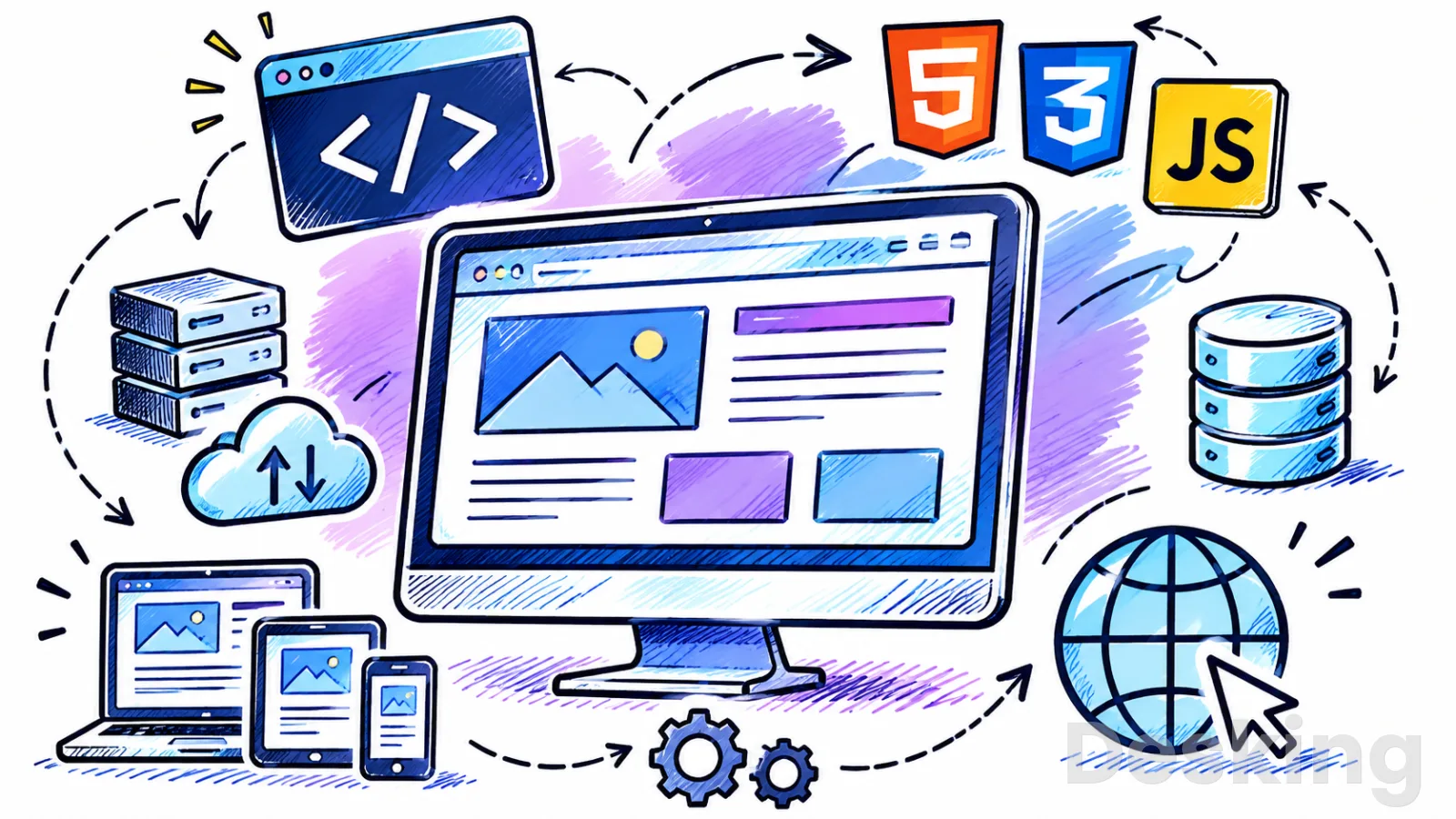
Table of contents
Web development is the work of building, operating, and maintaining websites and web applications.
It covers the code that displays a page in a browser, the server processes that handle requests, the databases that store information, and the systems that keep everything available and secure.
I define it as an engineering discipline focused on delivering useful services through the web, rather than simply producing pages that look attractive.
A developer may work on a small business website, an online store, a booking platform, or a large application used by millions of people.
The field is commonly divided into frontend development, backend development, and full stack development.
Frontend developers build the parts people see and interact with, backend developers handle server side operations and data, and full stack developers work across both areas.
These roles share responsibilities, and their boundaries depend on the size and structure of the team.
Understanding the distinction helps explain what web development involves, which technologies are used, and why a website may require several layers of engineering before it is ready for visitors.
1. Define web development
Web development is the process of creating and maintaining websites and web applications that people access through a browser or other web enabled software.
It includes writing code, organizing content, connecting systems, managing data, testing functionality, and deploying updates.
A basic website may consist of a few static pages, while a web application can support user accounts, payments, searches, notifications, and information that changes according to user activity.
I use the distinction between a website and a web application to explain the range of work involved, although the two terms often overlap.
Websites and applications
A website is a collection of related web pages and resources published under a domain name.
Visitors may use it to read information, view products, find contact details, or access company services.
A web application provides more interactive functionality, often allowing users to submit information, manage records, complete transactions, or work with personalized content.
The boundary is not absolute: an online store, for example, is a website in the broad sense and an application when it processes orders, accounts, and payments.
The technical requirements depend on what the service must do.
A small informational website may use HTML, CSS, JavaScript, and a content management system such as WordPress.
A booking platform may need user authentication, a database, an application server, payment integration, and automated notifications.
I would assess a project by its required behavior, data, users, and operational constraints before deciding which technologies it needs.
Choosing tools before understanding those requirements can add unnecessary complexity and cost.
What developers build
Web developers create the technical components that make a website or application work.
Their responsibilities may include implementing page layouts, writing interactive features, processing requests, connecting databases, integrating external services, and fixing defects.
They may also configure hosting environments, manage deployment processes, monitor performance, and update software dependencies.
The exact responsibilities vary by role, employer, and project, so a developer at a small agency may handle work that is divided among several specialists in a larger organization.
The work continues after a website becomes available to visitors.
Software requires maintenance because browsers change, dependencies receive updates, security weaknesses are discovered, and business requirements evolve.
A developer may need to correct a broken form, improve a slow database query, update an API integration, or add a new feature without disrupting existing users.
I consider maintenance part of development itself because a website that cannot be safely updated will become increasingly difficult to operate.
2. Understand the web
Browser and server
A browser is the client software that requests and displays web content, while a web server receives requests and returns the resources or responses needed by the client.
When someone enters a website address, the browser uses the Domain Name System, or DNS, to identify the server associated with the domain.
It then sends a request using HTTP or HTTPS.
The server processes the request and returns a response, which may contain an HTML document, data, images, stylesheets, or other resources.
The Mozilla Developer Network explains this client and server relationship as a foundation of how the web works.
The browser does not need to understand the internal business logic of every website it visits.
It needs to interpret the response and display the content or process the data according to the relevant web standards.
I recommend learning this request and response model early because it helps explain errors such as a missing page, a failed server response, or a website that loads its structure but cannot retrieve its data.
DNS and HTTP
DNS translates a domain name into information that allows a client to locate the relevant server.
People use readable names because they are easier to remember than numerical IP addresses.
DNS records can also direct different services, such as website hosting and email, to their respective infrastructure.
A domain registration alone does not publish a website; the domain must have suitable DNS configuration and point to a service capable of responding to requests.
HTTP is the protocol browsers and servers use to exchange web requests and responses.
A request includes a method, such as GET or POST, and identifies the resource involved.
The server returns a status code and, where appropriate, a response body.
A 200 status generally indicates success, a 301 indicates a permanent redirect, a 403 indicates that access is forbidden, a 404 means the requested resource was not found, and a 500 indicates an internal server error.
I consider these status codes practical knowledge for anyone responsible for building or maintaining a website.
HTTPS uses HTTP over an encrypted connection protected by TLS.
This helps protect information exchanged between a browser and a server from interception or unauthorized alteration while in transit.
It is particularly important for login forms, payment processes, personal information, and administrative interfaces.
HTTPS does not guarantee that a website is trustworthy or that its application is secure, but it is a fundamental part of modern web communication.
Static and dynamic pages
A static website serves files whose content is generally prepared in advance.
When a visitor requests a page, the server returns the stored resources, and the browser renders them.
This model can be suitable for documentation, portfolios, company information, and other sites where content changes infrequently.
Static sites can still include interactive behavior through browser based JavaScript and can retrieve information from external APIs.
A dynamic website generates some or all of its response according to data, user input, or application logic.
A news website may retrieve current articles from a database, while an online store may display different products depending on a search or category selection.
The server can process the request, retrieve the relevant records, and return a page or structured data for the browser to display.
I would choose a static architecture when the content and interaction requirements allow it, and introduce server side functionality when the application needs persistent data, authentication, or business logic.

Appspace
Appspace earns its strongest case when a company needs one operating environment for employee communications, digital signage and physical workplace management…
- Centralized workplace communications management
- Extensive digital signage capabilities
- Paid subscription prices require quotations
- Administrative interface can feel complex
3. Separate frontend and backend
Frontend development
Frontend development covers the part of a website or web application that runs in the browser and interacts directly with the user.
It includes page structure, visual presentation, navigation, forms, menus, and interactive components.
The three foundational technologies are HTML, CSS, and JavaScript.
HTML defines the document structure, CSS controls presentation and layout, and JavaScript provides behavior such as interactive controls, validation, and dynamic updates.
A frontend developer translates requirements and design specifications into working interfaces.
The work includes making layouts adapt to different screen sizes, ensuring controls respond correctly, and checking that content remains usable across browsers.
It also involves accessibility, because people may use keyboards, screen readers, magnification, or other assistive technologies to interact with a page.
I would judge frontend quality by whether users can complete their tasks reliably, not only by how closely the page resembles a design mockup.
Backend development
Backend development handles the server side logic and supporting services that a user does not normally see.
It can process form submissions, authenticate users, apply business rules, retrieve information, save records, and communicate with other systems.
Common backend languages and environments include PHP, Python, Java, C#, Ruby, and JavaScript through Node.js.
The choice depends on the existing architecture, project requirements, available expertise, and the frameworks or services that best support the application.
A backend system often works with a database and one or more APIs.
For example, an online store may receive an order request, verify the customer's session, check product availability, calculate the order total, and store the transaction.
It may then communicate with a payment provider or send a confirmation through an email service.
I would pay particular attention to validation and authorization at this layer because the server must not assume that data submitted by a browser is trustworthy.
Full stack development
Full stack development covers both frontend and backend work.
A full stack developer may create the browser interface, implement server side operations, connect a database, and prepare an application for deployment.
This requires an understanding of how the layers communicate and how a change in one part can affect another.
The role does not mean that one person must be an expert in every technology; it means having enough breadth to build and maintain functionality across the application.
I would distinguish full stack capability from simply knowing several programming languages.
A developer may know HTML, CSS, JavaScript, PHP, and SQL but still struggle to design a complete application if they do not understand HTTP, authentication, data modeling, testing, and deployment.
Full stack work requires decisions about the boundaries between components, the information they exchange, and the responsibilities each layer should own.
Strong fundamentals matter more than an impressive list of tools.
4. Identify the main technologies
HTML structures content
HTML, or HyperText Markup Language, defines the structure and meaning of web content.
Developers use elements to identify headings, paragraphs, links, images, forms, tables, and other parts of a document.
Browsers interpret this structure and use it to construct the page displayed to visitors.
HTML is a markup language rather than a general purpose programming language, a distinction worth understanding when comparing web technologies.
Good HTML communicates the purpose of content to browsers, search engines, and assistive technologies.
Semantic elements such as headings, navigation regions, main content, and forms give a document a meaningful structure.
A page built with appropriate elements is generally easier to maintain than one made entirely from generic containers with no clear meaning.
I recommend learning semantic HTML before adopting a frontend framework because frameworks still rely on the browser's underlying document model.
CSS controls presentation
CSS, or Cascading Style Sheets, controls how HTML content appears.
Developers use it to define colors, typography, spacing, borders, positioning, and responsive layouts.
CSS also supports animations and transitions, although those effects should serve the interface rather than distract from its purpose.
A stylesheet can apply consistent visual rules across multiple pages, which makes a website easier to maintain as its content grows.
Responsive design is an important part of CSS work.
A page may be viewed on a narrow mobile screen, a laptop, a tablet, or a large desktop monitor.
Layouts should adapt to available space without forcing users to zoom, scroll unnecessarily in two directions, or lose access to important controls.
I would prioritize readable text, clear navigation, and functional forms before spending time on decorative effects.
A visually polished page that is difficult to use on a phone is not a successful frontend implementation.
JavaScript adds behavior
JavaScript is a programming language used to add behavior to web pages and applications.
It can respond to clicks, validate form input, update content, retrieve information from APIs, and manage interactive components.
It can also run outside the browser through environments such as Node.js, which allows developers to use JavaScript for server side applications and tooling.
This makes it relevant to both frontend and backend development.
A browser based application may use JavaScript to update a shopping cart without reloading the entire page.
It can also request information from a server and display the response when it arrives.
These interactions require careful handling of loading states, errors, and unexpected data.
I would learn JavaScript fundamentals before choosing a library or framework, because understanding functions, objects, asynchronous operations, and the Document Object Model makes later development easier.
Backend languages and frameworks
Backend languages execute application logic on a server.
PHP is widely associated with WordPress and many other web applications, while Python is used with frameworks such as Django and Flask.
JavaScript can run on the server through Node.js, and C# is commonly used with the .NET platform.
Java and Ruby are also used in server side development.
The language itself does not determine the quality of an application; architecture, implementation, testing, and maintenance matter just as much.
Frameworks provide reusable structures and tools for common development tasks.
Laravel supports PHP application development, Django and Flask support Python projects, Express is used with Node.js, and Spring is a widely used Java framework.
Frameworks can provide routing, request handling, authentication support, database integration, and other capabilities.
I would select a framework after understanding the requirements and the underlying language, rather than assuming that the most popular framework is automatically the right one.
Databases store information
A database stores information so that an application can retrieve, update, organize, and protect it.
Relational databases such as MySQL, PostgreSQL, and Microsoft SQL Server organize data into tables with defined relationships.
Non relational databases, including MongoDB, use different data models and may be suitable for applications with particular storage or scaling requirements.
The choice should reflect the structure of the data, the queries the application needs, and the operational environment.
SQL, or Structured Query Language, is used to work with relational databases.
Developers use it to retrieve records, insert information, update values, and delete data.
Database design also involves defining relationships, choosing appropriate data types, applying constraints, and considering how queries will perform as the dataset grows.
I would teach SQL early to anyone interested in backend development because many web applications depend on reliable data storage and retrieval.
APIs connect systems
An API, or Application Programming Interface, defines how one software component communicates with another.
Web applications commonly use APIs to exchange information between a browser and a server or between two separate services.
A frontend may request product information from a backend API, while the backend may call a payment provider or an external mapping service.
APIs reduce the need for each system to understand the internal implementation of every other system.
REST is a common architectural style for web APIs, often using HTTP methods and resource based URLs.
JSON is frequently used to represent the data exchanged between services because it is supported by many programming languages.
Developers must consider authentication, authorization, validation, rate limits, error responses, and versioning when designing or consuming APIs.
I would not treat an API as simply a URL that returns data; it is a defined interface with rules that both sides must respect.
5. Understand development roles
Frontend specialists
Frontend specialists focus on the browser interface and the code that makes it work.
They implement page structures, styles, interactive behavior, and connections to backend services.
Their responsibilities can include responsive layouts, accessibility, browser compatibility, frontend performance, and component architecture.
They often work with designers, product managers, and backend developers to translate requirements into an interface that users can operate.
The role requires a combination of technical and practical judgement.
A developer needs to understand HTML, CSS, JavaScript, browser behavior, and the tools used to inspect and debug a page.
They must also consider how people interact with forms, navigation, content, and controls.
The W3C Web Accessibility Initiative describes frontend development as implementation of the user interface and identifies accessibility responsibilities that belong in this work.
I would make accessibility part of the initial implementation rather than a final correction after the interface has already been built.
Backend specialists
Backend specialists work on the server side systems that support websites and applications.
Their tasks may include designing APIs, implementing business logic, managing databases, handling authentication, and integrating external services.
They also need to consider server performance, logging, error handling, and security.
A backend developer may work with infrastructure teams to configure application environments and ensure that software can be deployed reliably.
The role demands a clear understanding of data and application behavior.
A backend service should validate incoming information, enforce permissions, and return predictable responses when requests succeed or fail.
For example, an order processing service must verify that a product can be purchased and that the user has permission to submit the order.
I would place data integrity and authorization ahead of convenience when reviewing backend design, because errors in these areas can affect customers and business operations.
Full stack specialists
Full stack specialists work across the browser interface and the server side application.
They may build a feature from the user interface through to the database, then help deploy and maintain it.
This breadth can be useful in smaller teams and projects where responsibilities overlap.
It also requires developers to understand where a task belongs and when a specialist review is needed.
The title does not imply equal expertise in every part of the technology stack.
A full stack developer may be stronger in frontend work while remaining capable of building and maintaining backend services.
Another may have a backend background and enough frontend knowledge to deliver functional interfaces.
I would assess the role by the ability to make sound decisions across layers, not by whether the person can list a particular number of technologies.
Related specialist roles
Web projects often involve professionals whose work supports development without being identical to programming.
Web designers create visual concepts and interface layouts, while UX designers study user needs and the way people complete tasks.
Quality assurance specialists test functionality and identify defects.
Appspace
Appspace earns its strongest case when a company needs one operating environment for employee communications, digital signage and physical workplace management…
- Centralized workplace communications management
- Extensive digital signage capabilities
- Paid subscription prices require quotations
- Administrative interface can feel complex
DevOps and platform engineers help manage deployment, infrastructure, monitoring, and automation.
Content specialists and SEO professionals may also contribute to the structure and discoverability of a website.
The distinction between design and development is useful when planning a project.
A designer may define the appearance and interaction of a page, while a developer implements those decisions in code and checks that they work across supported devices and browsers.
In smaller organizations, one person may cover both responsibilities.
HubSpot's explanation of web design and development describes this collaboration and the overlap between the roles.
I would define responsibilities early so that visual decisions, technical constraints, and acceptance criteria are understood before implementation begins.
6. Follow the development lifecycle
Define requirements
Web development begins with a clear understanding of what the website or application must accomplish.
Requirements describe the intended users, features, content, integrations, constraints, and expected behavior.
A company website may need service pages, contact forms, and location information, while an online store may require product catalogs, customer accounts, inventory, and payment processing.
I would document the required outcomes before selecting a content management system, framework, or hosting provider.
Requirements should distinguish essential functionality from later improvements.
They should also identify who owns the content, who approves changes, and what the application must integrate with.
Nonfunctional requirements matter too: performance, accessibility, availability, privacy, security, and maintainability affect the technical design.
A project that ignores these requirements may appear complete at launch but create expensive problems during operation.
Plan architecture
Architecture describes how the main parts of an application fit together.
It identifies the frontend, backend, databases, external services, hosting environment, and the way information moves between them.
A simple site may need only static files and a content management system, while a larger application may use separate services for authentication, payments, reporting, and data processing.
I would choose the least complex architecture that meets the verified requirements and leaves room for realistic future needs.
The plan should also consider how the system will be deployed and maintained.
Developers need to know where code will be stored, how changes will be tested, how secrets will be protected, and how the production environment will be updated.
Decisions about backups, monitoring, access control, and recovery should be made before the application becomes business critical.
These details are part of engineering, even though visitors never see them on a page.
Implement functionality
Development turns the requirements and architecture into working software.
Developers write the frontend and backend code, create database structures, connect APIs, and configure the required services.
They usually work in small increments so that each feature can be reviewed and tested before the next one is added.
I prefer this approach because it makes defects easier to isolate and gives stakeholders an opportunity to confirm that the implementation matches the intended behavior.
Code should be organized so that other developers can understand and maintain it.
Meaningful names, consistent formatting, reusable components, and clear separation of responsibilities reduce unnecessary complexity.
Version control systems such as Git record changes and allow teams to review work, collaborate, and return to earlier versions when required.
These practices become increasingly important as the number of developers and the size of the application grow.
Test the application
Testing checks whether a website behaves as expected under different conditions.
Developers may test individual functions, interactions between components, complete user workflows, browser compatibility, and the behavior of the application under load.
Manual testing remains useful for examining real user journeys, while automated tests can repeat checks consistently after code changes.
I would define acceptance criteria before testing begins so that the team knows what a successful result looks like.
Testing should include more than the expected path through the application.
Forms should be checked with missing or invalid values, permissions should be tested with different user roles, and important workflows should be checked when a service is unavailable.
A checkout process, for example, needs to handle payment failures and avoid recording an order as paid when the payment provider has rejected the transaction.
Defects discovered before launch are generally easier to address than failures that affect real users.
Deploy and maintain
Deployment makes an application available in its intended production environment.
This may involve publishing static files, configuring a web server, deploying backend services, connecting databases, setting environment variables, and enabling HTTPS.
The process should be repeatable and include checks that confirm the application works after release.
I would avoid treating deployment as a simple file upload when the application contains databases, external services, or configuration that differs between development and production.
Maintenance begins as soon as the application is in use.
Developers monitor errors, apply security updates, improve performance, correct defects, and respond to changing requirements.
They may also update content systems, plugins, frameworks, server software, and database versions.
A website should have an owner responsible for its technical condition, backups, access permissions, and renewal of essential services.
Without that responsibility, even a well built application can become unreliable or insecure over time.
7. Build for quality
Responsive behavior
Responsive web development ensures that a website can adapt to different screen sizes and input methods.
A page should remain usable on a phone, tablet, laptop, and desktop monitor, even when the available space changes significantly.
Developers use flexible layouts, relative sizing, media queries, and responsive images to support different devices.
The objective is to preserve access to content and functionality without forcing users to work around a layout designed for only one screen size.
Responsive design also requires testing.
A navigation menu that works with a mouse may be difficult to operate with touch or a keyboard.
A form may become cramped on a narrow screen, and a large image may slow down a mobile connection.
I would test the actual tasks visitors need to complete, including reading content, opening navigation, submitting forms, and reaching important information.
A page that technically fits a small screen but makes those tasks difficult is not responsive in a meaningful sense.
Accessibility standards
Web accessibility is the practice of making websites and applications usable by people with different abilities, including people who rely on assistive technologies.
Developers need to consider keyboard operation, visible focus, meaningful headings, text alternatives, form labels, sufficient contrast, and understandable error messages.
The Web Content Accessibility Guidelines, commonly called WCAG, provide internationally recognized success criteria for accessible web content.
WCAG 2.2 is the current version of the WCAG 2 series discussed by WebAIM.
Accessibility should influence design and development from the beginning.
Adding labels to forms, using semantic HTML, and ensuring that controls can be operated by keyboard are easier to address during implementation than after a site has accumulated inaccessible patterns.
Automated tools can identify some issues, but they cannot determine whether every interaction makes sense to a person using a screen reader.
I would combine automated checks with manual keyboard testing and, where possible, feedback from people with disabilities.
Performance and reliability
Website performance affects how quickly users can access content and complete tasks.
Slow responses may result from large images, unnecessary scripts, inefficient database queries, excessive network requests, or inadequate server resources.
Developers should identify the actual cause before changing infrastructure or adding optimization tools.
I would begin with measurements of page loading and interaction behavior, then prioritize changes that improve the experience for real users.
Performance work spans the browser, network, server, and database.
Image formats and dimensions affect download size, caching can reduce repeated requests, and code splitting can limit the amount of JavaScript needed for an initial page.
Backend developers can improve database queries and reduce unnecessary processing.
Reliability also depends on monitoring, backups, sensible error handling, and recovery procedures.
A fast website that frequently fails is not a good result, so both speed and availability need attention.
Security and privacy
Web application security protects the application, its users, and the information it processes.
Developers must consider authentication, authorization, input validation, secure session handling, encryption, dependency updates, and configuration.
A website can expose sensitive information if permissions are incorrectly implemented or if an API accepts requests without adequate checks.
I would treat security as a requirement throughout development, not as a separate task performed only before launch.
The OWASP Top 10:2025 identifies major categories of web application security risk, including broken access control, security misconfiguration, software supply chain failures, cryptographic failures, and injection.
It is an awareness resource rather than a complete security testing standard, but it provides a useful starting point for development teams.
Developers should also minimize the personal information an application collects, define retention practices, and restrict access to sensitive records.
Security and privacy decisions should reflect the actual data and threats associated with the service.
8. Understand the business
Websites support operations
Organizations use websites to publish information, communicate with customers, sell products, receive enquiries, and provide digital services.
A company website may support recruitment and brand communication, while a customer portal may allow users to view invoices, submit requests, or manage accounts.
An online store can connect product catalogs, inventory, payments, shipping, and customer support.
I would begin a business web project by identifying the operational problem it needs to solve, because that determines which features are worth building.
A website also creates ongoing responsibilities for the organization that owns it.
Content must remain accurate, forms must reach the correct team, integrations must continue to work, and access to administrative accounts must be controlled.
A technically functional site can still fail its purpose if visitors cannot find the information they need or if enquiries are not handled.
Development decisions should therefore account for the people who will manage the website after launch.
Content management systems
A content management system, or CMS, allows users to create and manage website content through an administrative interface.
WordPress is a widely used example, while Drupal and other platforms serve different publishing and application requirements.
A CMS can reduce the amount of custom code required for common content operations, including publishing pages, managing posts, and assigning user roles.
It does not remove the need for development when a project requires custom functionality, integrations, or specialized performance and security controls.
I would choose a CMS when the people responsible for the website need to update content regularly without editing source code.
The decision should account for editorial workflows, user permissions, available extensions, hosting requirements, update practices, and long term maintenance.
Plugins and themes can accelerate development, but every additional component introduces compatibility and security considerations.
A smaller, well maintained extension set is often easier to manage than a site assembled from many overlapping plugins.
Search and discoverability
Search engine optimization is relevant to web development because technical decisions affect whether search engines can access, interpret, and index website content.
Developers may need to implement crawlable links, meaningful page titles, structured headings, canonical URLs, redirects, XML sitemaps, and appropriate metadata.
They should also ensure that important content is available to search engines and that technical errors do not prevent pages from being discovered.
Appspace
Appspace earns its strongest case when a company needs one operating environment for employee communications, digital signage and physical workplace management…
- Centralized workplace communications management
- Extensive digital signage capabilities
- Paid subscription prices require quotations
- Administrative interface can feel complex
I would involve SEO requirements during architecture and development instead of waiting until after launch.
Search visibility also depends on content quality, relevance, authority, and competition.
Developers cannot guarantee rankings by installing an SEO plugin or adding metadata to every page.
Their responsibility is to avoid technical barriers and implement the structures that support useful, accessible content.
Performance, mobile usability, and clear navigation also contribute to the quality of the experience visitors receive after arriving from search results.
Cost and scope
The cost of web development depends on the project's scope, design requirements, functionality, integrations, content, security needs, and maintenance obligations.
A small informational website may need a relatively simple implementation, while a custom application with accounts, payments, reporting, and external integrations requires substantially more planning and engineering.
Hosting, domains, licenses, maintenance, and third party services can also contribute to the total cost.
I would ask for a defined scope and acceptance criteria before comparing development quotations.
The lowest initial price does not necessarily represent the lowest total cost.
A project may be inexpensive to launch but difficult to update, poorly documented, or dependent on unsupported components.
Another may cost more initially because it includes testing, documentation, security controls, and a maintainable architecture.
A sound comparison should identify what is included, who owns the source code and accounts, what support is available, and how future changes will be priced.
9. Distinguish related disciplines
Web design and development
Web design focuses on the visual and interactive experience of a website, including layout, typography, color, information hierarchy, and user flows.
Web development implements the technical structure and behavior that make the design function in a browser.
The disciplines overlap because design decisions affect implementation, and developers need to understand usability to build effective interfaces.
I would keep their responsibilities distinct while involving both disciplines early enough to resolve technical and user experience constraints.
A designer may create a prototype that shows how a page should look and behave.
A developer then translates that specification into HTML, CSS, JavaScript, and any required application logic.
During implementation, the developer may identify constraints that require a design adjustment, while testing may reveal usability problems that call for a revision.
The best result comes from collaboration rather than a handoff in which each discipline works without understanding the other's decisions.
Web and software development
Web development is a branch of software development focused on applications and services delivered through web technologies.
Software development also includes desktop applications, mobile applications, operating systems, embedded systems, and other software that may not rely on a browser.
The two fields share programming principles, testing practices, version control, architecture, and maintenance.
Their differences usually concern the platform, runtime environment, distribution model, and technical requirements.
I would describe a web developer as a software developer with a focus on web based systems.
A web application may still need many of the same engineering practices as desktop or mobile software, including data modeling, security, automated testing, and release management.
Understanding this relationship helps explain why web development can lead into broader software engineering roles.
It also prevents the mistaken assumption that web development is limited to designing pages.
Frequently Asked Questions
Is web development the same as coding?
Do web developers need a computer science degree?
How long does it take to learn web development?
Can web development be done without JavaScript?
What is the difference between a website and a web application?
Is web development still a good career?
Sources3
External pages are independent third-party sources. Desking App does not control or endorse their content and accepts no responsibility for it. Visiting them is at your own responsibility and risk.