
Python for Beginners: How to Start Coding and Build Your First Projects
By Eva Elekcha · October 28, 2026
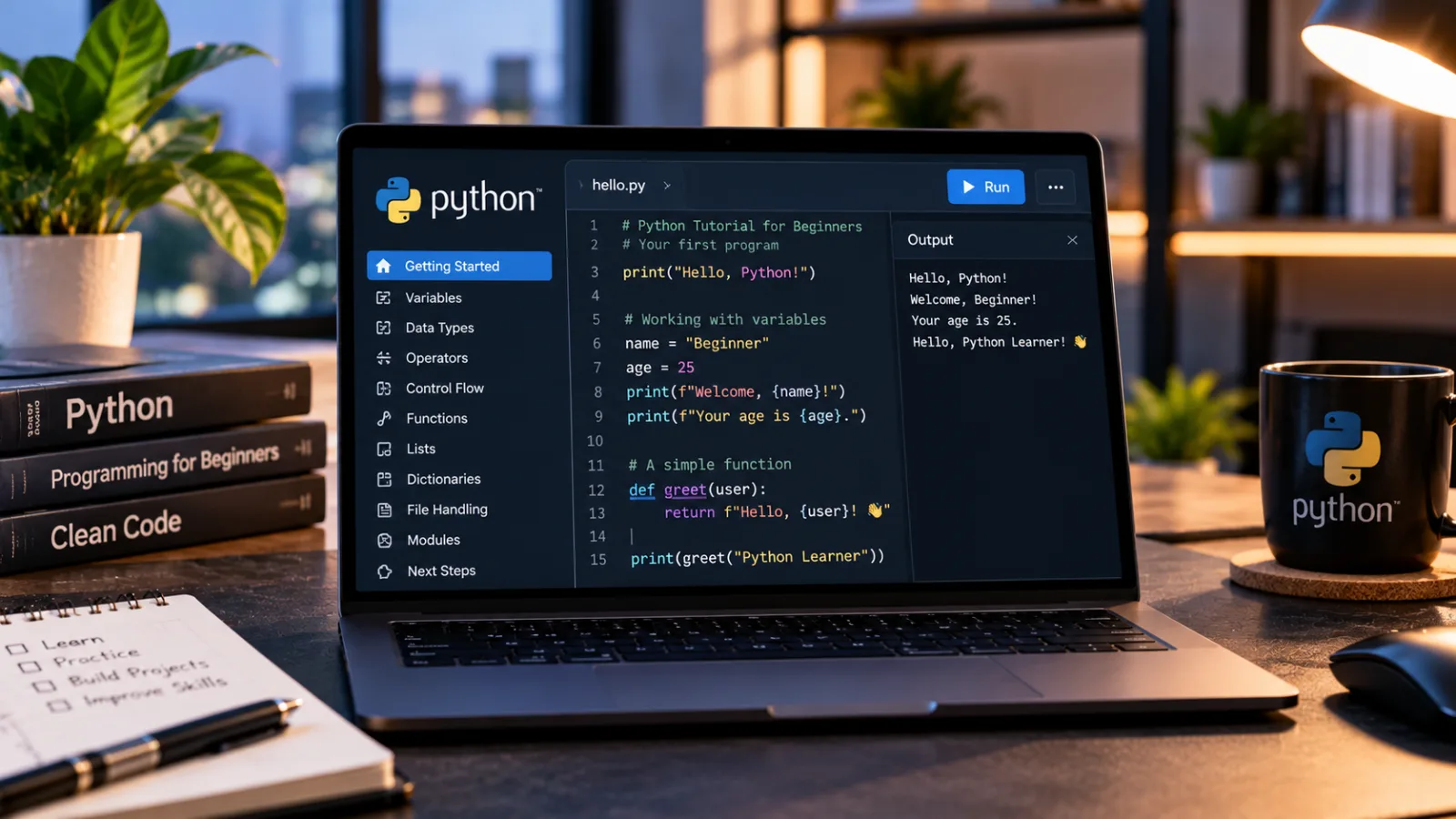
Table of contents
- What Is Python Programming?
- How to Start Learning Python Without Previous Experience
- Learn the Fundamental Building Blocks of Python
- Your First Python Program: Understand What Happens
- Build Your First Python Projects
- Understand Python Errors and Learn to Debug Them
- Essential Python Tools for Beginners
- How Python Connects to Artificial Intelligence and Data Science
- How Long Does It Take to Learn Python?
- A Practical 30-Day Python Learning Plan
- Common Mistakes New Python Programmers Should Avoid
- Sources
- Frequently Asked Questions
Python is one of the most accessible programming languages for people starting their coding journey.
Beginners can learn it by installing Python, choosing a simple code editor, understanding a handful of fundamental concepts, and practicing with small projects that solve real problems.
You do not need an advanced mathematics background or previous programming experience to begin.
Python is used in web development, data analysis, automation, artificial intelligence, scientific computing, and software development.
Its relatively readable syntax makes it easier to understand how programs work, while its extensive ecosystem allows developers to progress from simple exercises to complex applications.
Python is free to use, and its official documentation and beginner resources are available online.
For someone learning to code for the first time, the best approach is to avoid trying to memorize the entire language.
Start by understanding how a computer follows instructions, practice storing and processing information, learn how to make decisions in a program, and gradually build projects that combine these skills.
What Is Python Programming?
Python is a general-purpose programming language created by Guido van Rossum and first released publicly in 1991.
It allows developers to write instructions that computers can execute, from simple calculations to automated workflows and sophisticated software applications.
A programming language provides rules for expressing instructions.
Python is designed so that much of its syntax is comparatively readable, allowing beginners to focus on understanding the logic behind a program rather than struggling immediately with complicated notation.
For example, a program can receive a user's name, display a personalized greeting, calculate the total cost of a shopping cart, or examine a collection of numbers.
More advanced programs can process large datasets, communicate with web services, or support machine learning systems.
Python is commonly used in several areas:
Automation: Repeating routine computer tasks, organizing files, and processing documents.
Web development: Building application backends, APIs, and web services.
Data analysis: Cleaning, transforming, analyzing, and visualizing information.
Artificial intelligence: Developing applications that use machine learning and other AI techniques.
Scientific computing: Performing calculations, simulations, and research workflows.
Software development: Creating command-line tools, utilities, testing systems, and applications.
Python does not automatically make every task easy or guarantee that an application will run quickly.
Its suitability depends on the requirements, available libraries, performance constraints, and deployment environment.
However, its broad ecosystem makes it a useful first language for learning general programming principles.
How to Start Learning Python Without Previous Experience
The first challenge is setting up a place where you can write and run programs.
You can begin with a browser-based learning environment or install Python on your computer.
Choose How You Will Practice
There are two practical ways to get started.
Option 1: Use an online Python environment.
A browser-based environment lets you experiment with Python without configuring a complete development setup first.
This is useful when you want to understand basic programming concepts before deciding which tools to install.
Look for an environment that lets you enter Python instructions, run them, and see the output.
Start with simple calculations, text, and short exercises.
Option 2: Install Python on your computer.
Installing Python gives you a local environment where you can save programs, organize projects, install libraries, and develop applications.
Begin with the official Python website and its installation guidance.
Choose the current supported Python 3 release appropriate for your operating system.
Avoid older tutorials that direct you to Python 2, which has reached the end of its official support lifecycle.
Once Python is installed, you need somewhere to write your programs.
Choose a Code Editor
A code editor is an application for writing and managing program files.
An integrated development environment, or IDE, combines an editor with additional development features such as debugging and project management.
Beginners have several options.
Visual Studio Code: A flexible editor with Python support through Microsoft's Python extension.
It is useful for beginners who want to learn in a widely used development environment and later work on larger projects.
IDLE: A basic Python development environment distributed with Python.
It provides a straightforward way to experiment with instructions and create simple programs.
Thonny: A development environment designed with beginners in mind.
It can help new programmers understand how Python code executes.
You do not need to install every editor.
Choose one that feels comfortable and focus on learning the language itself.
Microsoft's official Python tutorial for Visual Studio Code explains how the editor, Python interpreter, and Python extension work together.
The distinction matters because installing an editor does not necessarily install the Python interpreter that executes your programs.
Learn the Fundamental Building Blocks of Python
Once your environment is ready, focus on the concepts that appear repeatedly in Python programs.
Understanding these foundations will make tutorials, documentation, and more advanced projects easier to follow.
1. Variables: Storing Information
A variable is a name associated with a value that a program can use later.
Imagine creating a program for a small online store.
It might need to keep track of a product name, its price, and the number of units available.
Notion
Notion 2026 blends docs databases and AI agents into one configurable workspace where teams build their own project systems instead of renting a rigid template.
- Documents and databases live together
- Views switch without data migration
- No native sprint or bug tracking
- Complex setups need a dedicated admin
Instead of writing the same information repeatedly, the program can store each value under a meaningful name.
Variables can hold information such as text, numbers, and other types of data.
Their values can also change as a program runs.
The important lesson is that a variable allows a program to refer to information without having to recreate it every time.
When choosing variable names, use descriptive words that communicate their purpose.
A name such as product_price is easier to understand than an arbitrary collection of letters.
2. Data Types: Understanding Different Kinds of Information
Python works with different types of values.
Learning to recognize them helps you understand what operations a program can perform.
The most important beginner-level types include:
Strings: Text, such as a customer's name or a product description.
Integers: Whole numbers, such as the number of items in inventory.
Floating-point numbers: Numbers that represent decimal values, such as a measurement or approximate price.
Booleans: Values representing true or false conditions.
Lists: Ordered collections of items.
Dictionaries: Collections that associate keys with values.
Consider a customer record.
The customer's name might be stored as text, the number of items purchased as a whole number, and whether an order has shipped as a true-or-false value.
Understanding these distinctions prevents common errors.
A program cannot always treat text as a number, and a decimal calculation may require more care than a simple whole-number operation.
For financial applications, developers must also understand the limitations of floating-point arithmetic.
Binary floating-point numbers cannot represent every decimal fraction exactly, which can produce unexpected results in some calculations.
Python's documentation explains these limitations and the alternatives available for precise decimal arithmetic.
3. Operators: Performing Calculations and Comparisons
Operators allow programs to calculate values and compare information.
Arithmetic operators support addition, subtraction, multiplication, division, and other mathematical operations.
Comparison operators help determine whether values are equal, different, greater than, or less than one another.
These operations are useful in everyday applications.
A shopping application can calculate the total cost of several products.
An inventory system can compare available stock against a minimum threshold.
A budgeting tool can compare monthly expenses with a spending limit.
You should also learn the difference between an arithmetic operation and a comparison.
Adding two prices produces a numerical result, while checking whether one price exceeds another produces a true-or-false result.
This distinction becomes particularly important when programs start making decisions.
4. Conditional Statements: Teaching Programs to Make Decisions
A conditional statement allows a program to execute different instructions depending on whether a condition is satisfied.
Imagine an online store that offers free shipping when an order reaches a specified minimum.
The program must compare the order total with that threshold before deciding which shipping rule applies.
The general process is straightforward:
First, the program obtains the order total.
Next, it compares that value with the shipping threshold.
Finally, it follows the appropriate path depending on the result.
Python uses conditional structures such as if, elif, and else to express these decisions.
Conditions appear in many applications, including login validation, inventory management, form processing, and eligibility checks.
When learning conditional statements, pay attention to indentation.
Python uses indentation to define blocks of instructions, so incorrect spacing can change how a program is interpreted or cause an error.
5. Loops: Repeating Instructions Efficiently
A loop allows a program to repeat instructions without requiring the programmer to write the same operation repeatedly.
Suppose a business needs to process 100 customer records.
Writing a separate instruction for every customer would be inefficient.
A loop can perform the same operation for each record in a collection.
Python provides two common loop structures:
A for loop iterates over items in a sequence or another iterable object.
A while loop repeats while a specified condition remains true.
For loops are useful for processing lists, reading records, and generating reports.
While loops are helpful when repetition depends on a condition that may change as the program runs.
Beginners should understand when each type is appropriate and ensure that loops have a clear stopping point.
A while loop whose condition never becomes false can continue running indefinitely.
6. Functions: Organizing Code Into Reusable Tasks
A function is a named block of code designed to perform a particular task.
Functions help programmers divide complicated problems into smaller, more manageable parts.
For example, an invoicing application might need to calculate a subtotal in several different places.
Instead of duplicating the calculation throughout the program, the developer can create a function that performs it whenever needed.
Functions can accept inputs, perform operations, and return results.
They also make programs easier to read, test, maintain, and modify.
Good functions generally have clear responsibilities.
A function designed to calculate a subtotal should not unexpectedly change unrelated settings or perform several unrelated tasks.
Once you understand variables, conditions, loops, and functions, you will have the foundation needed to build many beginner projects.
Your First Python Program: Understand What Happens
A first program should be small enough that you can explain every part of it.
A traditional first exercise displays a greeting on the screen.
The program sends a short piece of text to the output, allowing you to confirm that the environment is working.
The next exercise can ask for a user's name and use that information in a personalized message.
These exercises teach several basic ideas:
A program consists of instructions that are executed by an interpreter.
Text must be represented using the language's syntax.
The program can display information to the user.
Input allows the program to receive information during execution.
Variables can preserve that information for later use.
After the greeting program works, expand it slightly.
Ask the user for two numbers and calculate their sum.
Then modify the program to handle another arithmetic operation.
This progression is more useful than copying a complicated application from a tutorial because it gives you a chance to understand how each new concept changes the program.
The official Python tutorial introduces the interpreter, numerical operations, text, lists, and the first steps toward programming.
It is a valuable reference, although Python's documentation notes that its main tutorial assumes some existing programming knowledge.
Complete beginners may find a dedicated beginner course easier as their first resource.
Build Your First Python Projects
The transition from understanding individual concepts to combining them in a project is one of the most important stages of learning.
A project gives you a concrete problem to solve.
It also reveals which concepts you understand and which ones need more practice.
Start with small applications that can be completed without extensive external libraries.
Project 1: A Basic Calculator
A calculator accepts numerical input and performs operations selected by the user.
Start by supporting addition and subtraction.
Once these work, add multiplication and division.
This project helps you practice variables, numerical data, user input, conditional statements, and functions.
It also introduces error handling.
For example, your calculator should not attempt an ordinary division when the divisor is zero.
Instead, it should explain the problem or handle the situation explicitly.
Project 2: A Number-Guessing Game
A number-guessing game generates a target number and asks the player to identify it.
After each guess, the program can tell the player whether the guess is too high, too low, or correct.
This project introduces repetition, conditional logic, numerical comparisons, and random-number generation.
You can make it more challenging by limiting the number of attempts, tracking the player's score, or allowing a new game to begin after the previous one ends.
Project 3: A Personal Expense Tracker
An expense tracker records purchases and calculates spending totals.
Begin with a simple version that stores several expenses and adds them together.
Notion
Notion 2026 blends docs databases and AI agents into one configurable workspace where teams build their own project systems instead of renting a rigid template.
- Documents and databases live together
- Views switch without data migration
- No native sprint or bug tracking
- Complex setups need a dedicated admin
Then expand it to organize transactions by category, calculate category totals, and compare spending with a monthly budget.
This project demonstrates lists, dictionaries, numerical calculations, and functions.
A later version can save data to a file so the information remains available after the program closes.
That introduces file handling and, eventually, structured data formats such as JSON.
Project 4: A To-Do List
A to-do list lets users add tasks, view them, and mark completed items.
A basic version can store tasks in a list while the program is running.
A more advanced version can save tasks to a file and load them when the application starts.
This project teaches data structures, loops, conditional logic, and the organization of related operations into functions.
It also introduces an important software design question: how should the application represent the state of each task?
For example, a task might need a description, a completion status, and an optional deadline.
As the application becomes more sophisticated, these requirements can lead naturally to dictionaries, data models, or classes.
Project 5: A Simple File Organizer
A file organizer groups files according to their types or other characteristics.
A program might identify image files, documents, and spreadsheets, then arrange them into separate folders.
This project introduces file-system operations and the use of Python's standard library.
It also provides an opportunity to learn about error handling and safe automation.
Because this program changes files on your computer, test it on a temporary directory containing sample files before allowing it to modify important folders.
A beginner project should not risk deleting or moving valuable data unexpectedly.
Understand Python Errors and Learn to Debug Them
Errors are a normal part of programming.
Learning to interpret them is more valuable than expecting every program to work on the first attempt.
Python errors generally fall into several categories.
Syntax errors occur when the program violates the language's grammatical rules.
Missing punctuation, incorrect indentation, or improperly formed expressions can cause this type of error.
Runtime errors occur while the program is executing.
Attempting to divide by zero or access an invalid resource may cause an exception.
Logic errors occur when the program runs but produces the wrong result.
A calculator that applies the wrong operation may execute without errors while still delivering an incorrect answer.
Debugging begins by identifying what the program was expected to do and comparing that expectation with what actually happened.
When an error occurs, read the error message carefully.
Python often provides a traceback that identifies where the problem was detected.
The relevant line may not always be where the underlying mistake originated, but it is a useful starting point.
A reliable debugging process involves reproducing the problem, isolating the relevant part of the program, checking the assumptions behind the calculation or condition, and making one change at a time.
You can also use a debugger to inspect variable values and follow execution step by step.
Visual Studio Code supports Python debugging through its Python development tools.
Avoid fixing an error by changing several unrelated parts of the program simultaneously.
Small, deliberate changes make it easier to understand which adjustment solved the problem.
Essential Python Tools for Beginners
As you progress, you will encounter tools that help you write, run, test, and manage Python applications.
Python Interpreter
The interpreter executes Python instructions.
It is the foundation of a local Python development environment.
Install a suitable Python 3 release from the official distribution rather than relying on an unfamiliar download source.
Visual Studio Code
Visual Studio Code provides editing, debugging, and project-management features.
Its Python extension adds Python-specific functionality, but the extension and the Python interpreter serve different purposes.
IDLE and Thonny
IDLE provides a basic environment for experimenting with Python, while Thonny emphasizes a beginner-friendly learning experience.
Either can be sufficient for early exercises.
Git and GitHub
Git is a version-control system that records changes to files over time.
GitHub is a hosting platform that supports repositories and collaborative software development.
You do not need Git or GitHub to learn your first Python concepts.
However, version control becomes increasingly useful when projects contain multiple files or require ongoing changes.
Python Package Index
The Python Package Index, commonly called PyPI, is a repository for Python software packages.
Developers use packages to add functionality without having to build every component themselves.
Before installing a package, check its documentation, maintenance status, compatibility, and trustworthiness.
Installing a package means allowing third-party software to become part of your development environment, so dependency choices should not be made carelessly.
Virtual Environments
A virtual environment creates an isolated Python environment for a particular project.
It helps prevent dependencies for one application from interfering with those of another.
Beginners do not need to master environment management on the first day, but they should learn it before working on several projects that use different packages.
The official Python tutorial includes sections on virtual environments and package management.
How Python Connects to Artificial Intelligence and Data Science
Python is widely used in artificial intelligence and data science because it has an extensive collection of libraries for processing data, performing calculations, training machine learning models, and building applications.
However, learning Python syntax is only the first stage of preparing for these fields.
Python for Data Analysis
Data analysis involves collecting, cleaning, transforming, and interpreting information.
Python libraries such as pandas help developers work with structured datasets, while NumPy provides tools for numerical computing.
Visualization libraries can turn results into charts that make patterns easier to understand.
A beginner might start by analyzing personal expenses or a sample sales dataset.
The goal is to learn how to import information, handle missing values, calculate useful statistics, and explain what the results mean.
Python for Artificial Intelligence
Python can be used to build applications that interact with AI services, process text, prepare datasets, or train machine learning models.
Libraries such as scikit-learn provide tools for traditional machine learning, while PyTorch and TensorFlow support deep learning workflows.
The right learning path depends on the intended work.
Building an application that calls an AI service is different from training a machine learning model from scratch.
For AI development, learn basic Python first, then develop an understanding of data structures, functions, file handling, and the relevant mathematical or statistical concepts.
After that, select libraries according to the project rather than trying to learn every AI framework at once.
How Long Does It Take to Learn Python?
There is no single timetable that applies to everyone.
Learning speed depends on previous experience, practice time, the complexity of the subject, and what you want to build.
A learner who practices consistently may understand basic syntax and simple control flow within a few weeks.
Becoming comfortable with debugging, working with files, using external packages, and building complete projects generally takes longer.
Professional proficiency requires more than memorizing syntax.
It involves designing maintainable programs, understanding dependencies, testing software, handling errors, working with data, and learning the practices associated with a particular field.
A realistic progression is to set goals based on demonstrated skills rather than a fixed deadline.
For example, instead of aiming to "master Python in 30 days," aim to write a program that accepts input, processes information, handles invalid input, and produces a correct result.
Then build a second project that saves data and uses functions to organize its operations.
These milestones provide a clearer picture of progress.
A Practical 30-Day Python Learning Plan
A structured learning plan helps beginners practice consistently without trying to absorb too many concepts at once.
Days 1–5: Get comfortable with the environment. Install Python or choose an online interpreter.
Learn how to run a program, display information, accept input, and perform basic calculations.
Days 6–10: Understand variables and decisions. Practice strings, numbers, booleans, comparisons, and conditional statements.
Build small exercises involving prices, grades, or simple eligibility rules.
Days 11–15: Learn loops and data structures. Work with lists and dictionaries.
Practice repeating operations, processing collections of items, and organizing information.
Days 16–20: Learn functions and debugging. Break programs into reusable functions, understand common exceptions, and learn how to investigate incorrect results.
Days 21–25: Build a small application. Choose a calculator, expense tracker, number-guessing game, or to-do list.
Focus on completing a working version rather than adding numerous features.
Days 26–30: Improve and document your project. Test edge cases, improve error messages, organize the program, and explain how it works.
If appropriate, learn the basics of Git and save the project in a version-control repository.
This schedule is a suggested learning framework, not a guarantee of proficiency.
Some learners will progress more quickly, while others will need additional time on particular concepts.
The most important habit is to write and run programs regularly.
Watching tutorials can help, but practical experimentation reveals misunderstandings that passive reading may not expose.
Common Mistakes New Python Programmers Should Avoid
Several habits can make learning Python more difficult than it needs to be.
Trying to memorize everything. Programming involves applying concepts to problems.
You do not need to remember every function or library.
Learn how to use documentation and look up details when needed.
Notion
Notion 2026 blends docs databases and AI agents into one configurable workspace where teams build their own project systems instead of renting a rigid template.
- Documents and databases live together
- Views switch without data migration
- No native sprint or bug tracking
- Complex setups need a dedicated admin
Copying code without understanding it. A program that works once may still be difficult to modify or debug.
Explain each part in your own words and change something to see how its behavior changes.
Skipping the fundamentals. Moving immediately into artificial intelligence or advanced frameworks can create gaps in basic programming knowledge.
Learn variables, conditions, loops, functions, and data structures before taking on complex applications.
Ignoring error messages. Error messages contain valuable information.
Learn to read tracebacks and identify the difference between syntax errors, runtime exceptions, and incorrect program logic.
Building projects that are too ambitious. A large application introduces many challenges simultaneously.
Start with a minimal version and add features in stages.
Installing unnecessary packages. External libraries are useful, but every additional dependency introduces compatibility and maintenance considerations.
Use the standard library when it is sufficient.
Practicing only when following tutorials. Tutorials provide structure, but independent problem-solving develops deeper understanding.
After completing an exercise, attempt a variation without following the original instructions.
Neglecting testing. A program that works with one input may fail with another.
Test empty values, unexpected input, boundary conditions, and other situations relevant to the application.
Sources
1.
Python.org — Python for Beginners
https://www.python.org/about/gettingstarted/
Official beginner guidance covering Python installation, learning resources, documentation, and next steps.
2.
Python Documentation — The Python Tutorial
https://docs.python.org/3/tutorial/
Official language tutorial covering the interpreter, basic syntax, data structures, control flow, functions, modules, exceptions, classes, and environment management.
Its stated audience includes programmers who are new to Python, so absolute beginners may need additional introductory material.
3.
Python Wiki — Getting Started
https://wiki.python.org/python/getting-started/index.html
Community-maintained resource collecting beginner guides, examples, exercises, and learning pathways for different experience levels.
4.
Microsoft — Getting Started with Python in Visual Studio Code
https://code.visualstudio.com/docs/python/python-tutorial
Official instructions for configuring Python in Visual Studio Code, understanding the interpreter and extension, running programs, debugging, and creating virtual environments.
5.
Python.org — Documentation and Learning Resources
https://www.python.org/doc/
Official documentation directory linking to beginner material, Python 3 documentation, language references, and other learning resources.
6.
Google for Developers — Python Introduction
https://developers.google.com/edu/python/introduction
Educational introduction to Python covering foundational programming concepts and serving as an additional learning resource.
Frequently Asked Questions
Is Python easy for beginners to learn?
Can I learn Python without a computer science degree?
Is Python free?
Should I learn Python 2 or Python 3?
Which Python editor is best for beginners?
Can I learn Python on my own?
Is Python enough to get a programming job?
Build projects that demonstrate practical skills and learn the tools used in your chosen field.
