

VPS vs Dedicated Server: Which One Should You Choose Today
By Noura Mint Ely · November 19, 2026
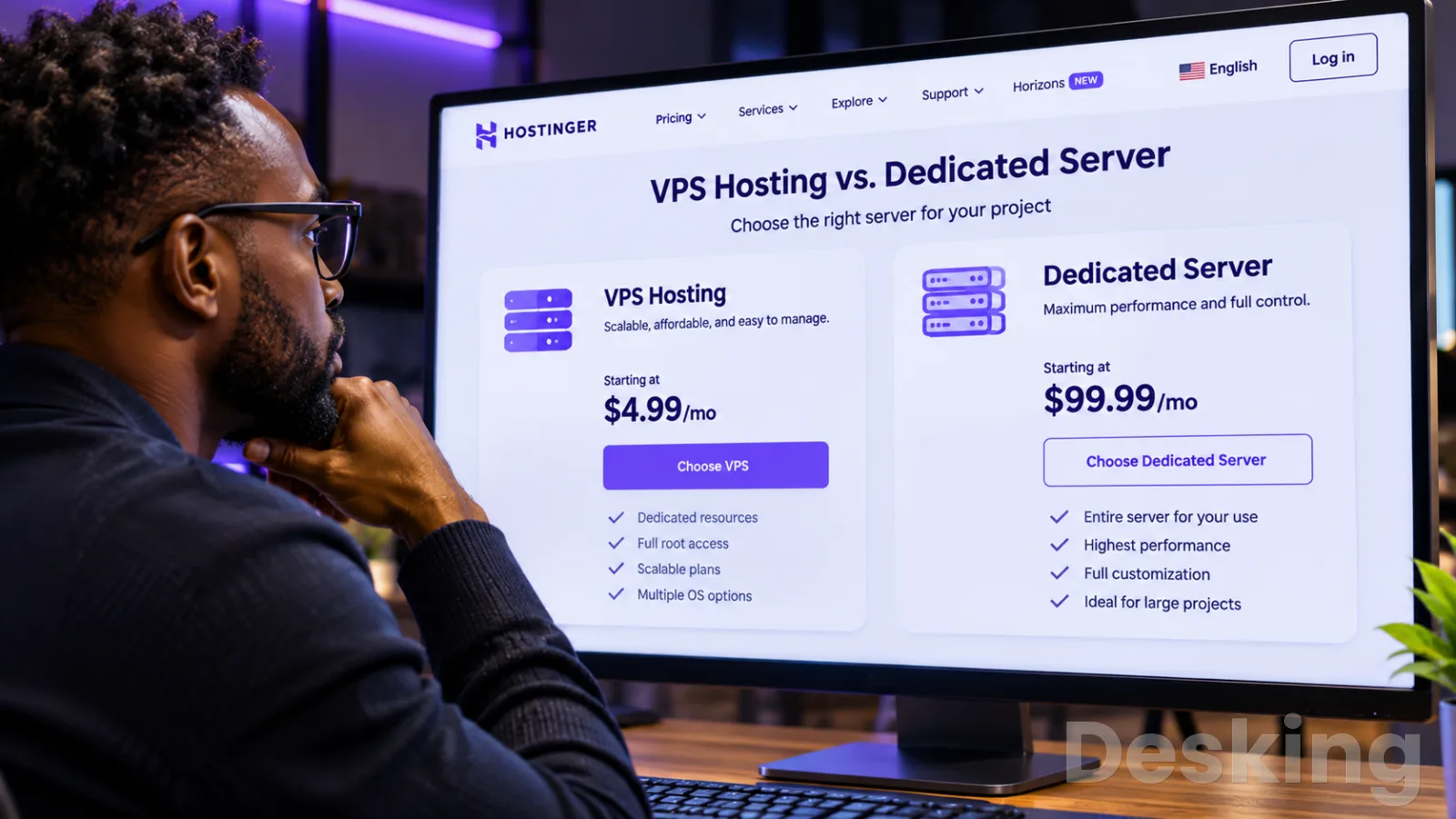
Table of contents
- VPS, dedicated server, or cloud: choosing the right hosting
- 1. Understand the models
- 2. Compare the infrastructure
- 3. Measure real performance
- 4. Understand the trade-offs
- 5. Compare hosting providers
- 6. Choose by workload
- 7. Match game servers
- 8. Read community feedback
- 9. Calculate the real cost
- 10. Protect the service
- 11. Plan the upgrade
- 12. Make the purchase
- Frequently Asked Questions
VPS, dedicated server, or cloud: choosing the right hosting
A virtual private server is often the most practical starting point for a business website, application, development environment, or small game community.
A dedicated server becomes more attractive when a workload consistently consumes substantial CPU, memory, storage, or network capacity.
Cloud infrastructure is a stronger fit when demand changes sharply, several services must work together, or the system needs to scale across multiple instances.
I would start the decision with the workload rather than the hosting label.
A website with predictable traffic has different requirements from a Minecraft world with heavy chunk generation, a FiveM roleplay community with demanding scripts, or a database that processes continuous transactions.
The same VPS can perform very well for one task and become a bottleneck for another.
The provider, processor model, resource policy, data center location, and backup arrangements matter as much as the advertised number of cores.
For most people moving beyond shared hosting, I would assess a VPS first.
It offers root access, an independent operating system, and a defined allocation of virtual resources without the cost and administration of an entire physical machine.
Hostinger is one option worth comparing in this category, particularly for buyers who want a relatively accessible entry point and a familiar control panel for managing their service.
The right plan still depends on the application and the provider's actual resource limits.
1. Understand the models
A VPS is a virtual machine created on a physical server through a hypervisor.
The provider divides the host's computing capacity into separate virtual environments, each with its own operating system, allocated memory, virtual processors, storage, and network configuration.
You administer your VPS as a server, but you do not control the underlying physical machine or the other virtual machines hosted beside it.
A dedicated server assigns the physical machine to one customer.
Its processor, memory, storage controllers, and network interfaces are not divided among unrelated VPS customers on that host.
You gain greater control over hardware and resource scheduling, although the provider still operates the data center, power, cooling, and network infrastructure.
A dedicated server can also run a hypervisor, so buying physical hardware does not prevent you from creating virtual machines of your own.
Cloud hosting describes a broader infrastructure model.
It can include virtual machines, dedicated hosts, managed databases, object storage, load balancers, private networks, and orchestration services.
A cloud server may technically be a VPS, but a cloud platform usually offers a wider set of services and options for provisioning, automation, resilience, and scaling.
That distinction matters when comparing a simple virtual server with a complete cloud environment.
1.1 VPS architecture
The hypervisor creates and manages virtual machines on a physical host.
KVM, VMware ESXi, Microsoft Hyper-V, and Xen are examples of virtualization technologies used in server environments.
Each virtual machine receives a configured share of the host's resources, but the exact CPU allocation policy depends on the provider and plan.
A VPS with two virtual CPUs does not automatically have the same performance as a physical server with two dedicated processor cores.
Some providers allocate shared CPU time, while others sell dedicated or reserved CPU capacity.
Burstable plans may allow temporary use of additional processing capacity, then restrict performance after a usage allowance is exhausted.
I would check these conditions before treating the advertised vCPU count as a performance guarantee.
Virtualization itself is not necessarily a major performance problem.
A 2025 study by researchers affiliated with EPITA and Brazilian universities compared Proxmox VE, KVM, and bare metal in high performance computing tests.
The researchers measured relatively small overhead in competitive CPU workloads, while some communication tests showed larger penalties under contention.
The practical lesson is that a well configured VPS can perform close to physical hardware for certain tasks, but network communication and resource contention can change the result.
1.2 Dedicated hardware
A dedicated server gives one customer access to the entire physical machine.
This makes it easier to choose hardware around a demanding workload, install a custom hypervisor, configure storage arrays, and control resource allocation without competing with other customers' virtual machines on the same host.
It is particularly useful when an application needs sustained processor performance, substantial memory capacity, high storage throughput, or specific hardware.
I would consider dedicated hardware when monitoring shows that a VPS has reached a persistent limit, not simply because a dedicated server sounds more powerful.
A machine with 128 GB of RAM and a large processor can be poor value if the application uses only a small fraction of those resources.
The customer also takes on more responsibility for operating system maintenance, security, monitoring, backups, and recovery planning.
A dedicated server does not guarantee high availability by itself.
If its motherboard, power supply, storage controller, or network connection fails, the workload may remain offline until the hardware is repaired or the service is restored elsewhere.
Redundancy must be designed around the machine, with replicated data, spare capacity, tested backups, and a recovery procedure.
1.3 Cloud infrastructure
Cloud platforms are designed to provide computing resources through a service layer.
Depending on the provider, you may create and remove virtual machines through an API, attach block storage, deploy managed databases, distribute traffic through load balancers, or place services across availability zones.
These capabilities can reduce the time required to build and change an infrastructure environment.
Cloud is particularly useful for applications with variable demand.
An online service may need more instances during a product launch or seasonal traffic peak, then return to a smaller footprint when demand falls.
A cloud platform can automate some of this adjustment, provided the application supports horizontal scaling and the architecture has been designed for it.
I would not assume that every product marketed as cloud hosting provides automatic scaling or high availability.
A single cloud VPS can still be one virtual machine with one operating system and one failure point.
The buyer must check which services are included, how resources are billed, whether traffic leaving the platform costs extra, and whether backups or managed databases carry separate charges.
2. Compare the infrastructure
The three models differ in resource ownership, operational responsibility, scaling, and cost structure.
The table below describes the common arrangement, not a universal guarantee: providers can sell dedicated CPU VPS plans, cloud instances with reserved capacity, and dedicated hardware inside a larger cloud platform.
| Decision factor | VPS hosting | Dedicated server | Cloud infrastructure |
|---|---|---|---|
| Physical hardware | Shared host | One customer per machine | Depends on instance and service |
| CPU allocation | Shared or reserved virtual CPU | Physical CPU assigned to customer | Shared, reserved, or dedicated options |
| Memory | Allocated virtual RAM | Physical RAM installed in server | Configurable by instance |
| Storage | Virtual disk or allocated volume | Local physical disks or arrays | Block, object, or local storage options |
| Scaling | Usually resize or upgrade plan | Hardware upgrade or server replacement | Add, remove, or resize resources |
| Deployment | Usually quick | Depends on hardware availability | Usually fast through console or API |
| Management | Customer manages OS unless managed | Customer manages OS and hardware configuration | Varies by managed service |
| Cost model | Fixed recurring plan | Fixed recurring rental or hardware cost | Usage based, reserved, or subscription |
| Best fit | Small to medium workloads | Sustained heavy workloads | Variable demand and multi service systems |
The main distinction is the level of control and the way resources are delivered.
A VPS offers a defined virtual environment at a relatively low cost.
A dedicated server provides physical control and avoids sharing the host's main resources with other customers.
Cloud infrastructure can combine virtual and physical capacity with services that automate deployment, scaling, storage, and availability.
I would also separate the term cloud VPS from the broader cloud platform.
A cloud VPS may still be a single virtual machine with fixed monthly resources.
It does not necessarily include managed databases, load balancing, automatic failover, or multi region deployment.
The product specification, not the word cloud in the product name, tells you what you are buying.
3. Measure real performance

Performance depends on the interaction between the processor, memory, storage, network, virtualization layer, and application.
A high core count cannot compensate for a slow processor core when the software depends heavily on single threaded execution.
Large RAM capacity does not fix slow storage, poor database queries, or network latency.
I would compare measured workload performance rather than choose a plan by its headline specifications.
A 2025 performance study from EPITA and Brazilian universities found that virtualization overhead in CPU intensive tests could remain relatively small.
In the same research, some inter process communication tests showed more significant performance degradation, especially when virtual machines communicated across physical hosts under contention.
This is a useful correction to the idea that every VPS is automatically much slower than bare metal.
The difference depends on the workload and how the virtualization environment is configured.
3.1 Processor performance
The CPU model and its per core performance can matter more than the number of vCPUs.

Hostinger VPS
Hostinger VPS delivers KVM virtualization, NVMe storage and full root access at prices that undercut most competing cloud providers.
- Strong price to specification ratio overall
- NVMe storage included on every tier
- Renewal rates climb steeply after promo
- Self managed means security is your job
Applications that process requests across many independent threads can benefit from additional cores, while software with a busy main thread may depend more on clock speed and single thread performance.
A provider that publishes only a vCPU count gives you an incomplete picture of the processor available to your workload.
I would ask whether CPU resources are shared, reserved, or dedicated, and whether the provider applies usage limits.
A plan may allow short bursts at full capacity but restrict sustained use after a CPU credit balance falls.
Hostinger, for example, publishes KVM VPS configurations with AMD EPYC processors and virtual CPU allocations; buyers should still review the applicable resource policy and renewal terms before ordering.
The processor family is useful information, but it is not a substitute for a workload benchmark.
3.2 Memory pressure
RAM affects how much application data, database cache, operating system services, and active processes can remain in memory.
When a server runs short of available memory, Linux may reclaim cache, swap memory to disk, or terminate processes through the out of memory mechanism.
These events can cause slow responses, application restarts, or service interruptions.
I would leave memory headroom rather than allocate every available gigabyte to the main application.
A VPS running a web server, database, control panel, monitoring agent, and backup process needs memory for all of them.
A Minecraft or FiveM server may also need memory for plugins, mods, scripts, databases, and supporting services.
The correct plan is the one that keeps the complete stack stable under peak load, not the one whose advertised RAM matches the application's minimum requirement.
3.3 Storage and network
Storage performance affects database queries, log writes, backups, application deployment, and game world saves.
NVMe drives generally offer lower latency and higher throughput than conventional SATA SSDs, but the provider's I/O limits and storage configuration still matter.
A VPS can advertise NVMe storage and still impose throughput or IOPS limits that become visible under sustained database activity.
Network performance has several separate measurements.
Bandwidth determines how much data can move over a period, while latency measures the delay between endpoints.
Packet loss and routing quality can affect interactive applications even when the advertised network port is fast.
I would test from the networks and regions that matter to actual users, not rely only on a speed test from the server provider's own data center.
For a public service, also check the monthly traffic allowance, inbound and outbound policies, public IP availability, DDoS protection, and whether the provider restricts specific traffic types.
A one gigabit network port does not mean unlimited transfer at that speed throughout the month.
The service agreement defines what the provider actually supplies.
4. Understand the trade-offs
The choice between a VPS and dedicated server is often presented as a simple comparison of price and power.
That leaves out the operational cost of running the machine, the risk of resource contention, the time needed to recover from failures, and the cost of scaling.
I would evaluate the full service rather than compare monthly rental prices in isolation.
4.1 Resource contention
A VPS shares a physical host with other virtual machines.
The hypervisor isolates the environments, but the physical processor, memory channels, storage devices, and network interfaces still have finite capacity.
If the provider places too many demanding workloads on one host, customers may experience inconsistent performance even when their own VPS has not reached its allocated limits.
This is often described as the noisy neighbor problem.
One virtual machine may consume substantial CPU time or storage I/O, affecting the response times of other workloads on the same physical system.
The risk varies by provider, hardware, virtualization technology, and resource policy.
Dedicated CPU allocations can reduce some forms of contention, but they do not make the VPS a physical server.
I would watch for CPU steal time, unexplained latency spikes, disk I/O wait, and inconsistent performance at peak periods.
These measurements can help distinguish an application problem from a hosting limitation.
If a VPS repeatedly struggles during normal operating hours despite sensible application tuning, the provider may need to investigate the host or the workload may need a different infrastructure model.
4.2 Hardware control
A dedicated server gives you access to physical hardware choices that may not be available on a standard VPS.
These can include processor families, memory configurations, local NVMe drives, RAID controllers, multiple network interfaces, and hardware virtualization support.
This is relevant for businesses that need custom storage layouts, specialized operating systems, nested virtualization, or a specific processor architecture.
A VPS normally exposes virtual hardware.
You can install applications, configure the operating system, create containers, and run many services, but you cannot select the physical motherboard or replace a failed disk.
For most websites and business applications, that limitation is acceptable because the provider manages the physical platform.
I would pay for dedicated hardware only when the additional control solves a real technical or commercial requirement.
4.3 Scaling limits
VPS scaling usually means increasing the resources assigned to the virtual machine or moving to a larger plan.
Depending on the provider, a resize may require a reboot, a migration to another host, or a change in the billing term.
Some platforms allow vertical scaling with little interruption, but that capability should be confirmed before it becomes part of a production recovery plan.
Dedicated server scaling is more dependent on physical inventory.
Adding RAM or replacing a processor may require a maintenance window, while moving to a larger machine can involve a complete migration.
The advantage is that a dedicated server can offer a larger and more predictable resource ceiling than a small virtual machine.
The trade off is that the upgrade may be more expensive and operationally involved.
Cloud platforms can scale horizontally by adding more instances, but the application must support that design.
A stateless web application can often run across multiple servers behind a load balancer.
A single database with local files and tightly coupled services may need architectural changes before it can scale in the same way.
I would not buy cloud capacity on the assumption that scaling will happen automatically.
5. Compare hosting providers
Provider comparisons should start with the actual plan, not the brand name.
Hostinger, Namecheap, and OVHcloud all sell VPS services, but their plan structures, resource allocations, billing terms, and infrastructure options differ.
Their dedicated server ranges also target different workloads, so a low entry price is not enough to identify the best fit.
5.1 Hostinger VPS
Hostinger is worth considering when the goal is to start with a self managed VPS without committing to dedicated hardware.
Its current KVM range lists AMD EPYC processors, NVMe storage, root access, weekly backups, firewall management, and a one gigabit network.
The four published configurations range from one virtual CPU and 4 GB of RAM to eight virtual CPUs and 32 GB of RAM.
The current US pricing page advertises promotional monthly equivalents from $6.49 for KVM 1, $8.79 for KVM 2, $12.99 for KVM 4, and $25.99 for KVM 8.
These rates require a 24 month prepaid term.
The page also lists higher renewal rates: $11.99, $14.99, $28.99, and $49.99 per month respectively.
The difference between the introductory rate and renewal price belongs in the buying decision, not in the small print after checkout.
| Hostinger KVM plan | vCPU | RAM | NVMe storage | Monthly bandwidth | Advertised promotional rate |
|---|---|---|---|---|---|
| KVM 1 | 1 | 4 GB | 50 GB | 4 TB | $6.49 |
| KVM 2 | 2 | 8 GB | 100 GB | 8 TB | $8.79 |
| KVM 4 | 4 | 16 GB | 200 GB | 16 TB | $12.99 |
| KVM 8 | 8 | 32 GB | 400 GB | 32 TB | $25.99 |
These are the advertised US promotional rates shown at the time of research, not guaranteed prices for every country, billing period, or future renewal.
Hostinger states that the promotional monthly equivalent is paid upfront for the full 24 month term.
I would check the total due today, the renewal price, applicable taxes, data center options, and the resource policy before placing an order.
For a first production VPS, KVM 2 is a sensible configuration to examine because 8 GB of RAM and two vCPUs provide more room for an operating system, web server, database, and a modest application stack than an entry plan with only 1 or 2 GB of memory.
KVM 4 is a better starting point when several services must share one server or the application has a higher memory requirement.
These are sizing suggestions, not performance guarantees; CPU model, application design, traffic, and concurrent workloads still determine the result.
I would not recommend buying KVM 1 for a demanding game server or a busy database simply because its introductory price is attractive.
Its 4 GB of RAM and single vCPU can suit a small test environment, a lightweight service, or a learning project.
For a public production workload, the buyer should leave room for operating system services, backups, monitoring, and traffic peaks.
5.2 Namecheap VPS
Namecheap offers five VPS configurations, from the Spark plan to Hypernova.
The current product range includes root access, operating system selection, SSD storage, and optional management services.
Its plans can appeal to buyers who prefer a lower entry price, want to use a familiar control panel, or already have a workflow based on Namecheap services.
The important comparison is the resource balance.
The Spark plan has one CPU core and 1 GB of RAM, while the Pulsar plan has two cores and 2 GB.
Larger options include Quasar with four cores and 6 GB, Magnetar with eight cores and 12 GB, and Hypernova with twelve cores and 24 GB.
A buyer should check the current storage type, bandwidth allowance, management level, control panel licensing, and renewal price at checkout because add ons can change the total cost.
Tom's Hardware's review of Namecheap's hosting services identifies the company's competitive pricing as an advantage, while warning that VPS bandwidth limits and paid control panel licensing can affect value.
That is the distinction I would keep in mind: Namecheap can be a reasonable low cost VPS option, but the advertised plan price does not include every management or software requirement.
If you need cPanel, managed administration, or additional storage, calculate those costs before comparing it with Hostinger.
5.3 OVHcloud servers
OVHcloud offers both VPS and dedicated server products, which makes it a useful comparison for buyers who may need to move from virtual machines to physical hardware later.
Its VPS range includes virtual CPU, RAM, NVMe storage, backups, and traffic allowances, while its dedicated server range provides physical machines for workloads that need more control over hardware.
The company also offers cloud services that extend beyond a single VPS.
The published OVHcloud VPS range includes configurations such as VPS 1 with two vCores and 4 GB of RAM, and VPS 2 with four vCores and 8 GB.
The current US page also lists daily backups and traffic allowances, although regional terms can differ.
Buyers should check the exact data center, bandwidth conditions, DDoS protection, and support options for the selected product.
I would put OVHcloud on the shortlist when infrastructure flexibility, network options, and a path to dedicated hardware matter.
It is also relevant for gaming workloads, where the provider's dedicated server range may be a better fit than a small VPS.
The decision should still depend on the actual CPU model, single thread performance, data center location, and the support level available for the service.
5.4 Provider selection
The most useful provider comparison is based on what the customer receives for the complete billing term.
I would compare these points before ordering:
- Total contract cost: Check the amount charged today, the renewal price, billing term, taxes, and any separate license or management fees.
- CPU policy: Confirm whether virtual CPUs are shared, reserved, dedicated, or subject to burst credits and sustained usage limits.
- Storage: Check whether the plan uses NVMe or SATA SSD storage, and whether the provider publishes I/O or throughput limits.
- Network: Compare data center locations, bandwidth allowances, port speed, public IP availability, and DDoS protection.
- Backups: Confirm backup frequency, retention period, restore process, and whether backups are stored outside the VPS itself.
- Administration: Check whether the plan is unmanaged, partially managed, or fully managed, and which tasks the support team will actually perform.
I would favor Hostinger when its current KVM resources, prepaid pricing, and management features match the project.
Namecheap deserves consideration when its smaller entry plans and available management options suit the budget.
OVHcloud becomes more interesting when the buyer wants a broader infrastructure portfolio or expects to compare VPS and dedicated hardware under one provider.
None should be selected without checking the data center location and the actual resource policy.
6. Choose by workload
The same infrastructure can produce very different results across applications.
A content website, a transactional database, a Minecraft server, and a FiveM community each stress different parts of the machine.
I would use the application's real resource profile to choose the hosting model, then validate the decision with monitoring after deployment.
6.1 Business websites
A VPS is usually sufficient for a business website that has outgrown shared hosting.
WordPress, Joomla, Drupal, and custom PHP applications can run on a VPS with a web server, database, caching layer, and scheduled backups.
Root access also gives the administrator control over PHP versions, Nginx or Apache configuration, firewall rules, and server level caching.
For a small website, a large dedicated server can create unnecessary cost and maintenance work.
A VPS with sufficient memory, fast storage, and a data center close to the main audience is often a better starting point.
I would consider a larger VPS when several websites, databases, staging environments, or background jobs share the same machine.
A website with irregular traffic may benefit from cloud infrastructure if it needs load balancing, multiple application instances, managed databases, or automated scaling.
A single VPS can still handle traffic peaks if the application is well optimized and the server has enough spare capacity.
Cloud architecture becomes more useful when a single machine is no longer the right place to run every component.
6.2 Ecommerce platforms
Online stores need reliable database performance, fast product and category pages, secure payment integrations, and enough capacity for busy sales periods.
A VPS can host a small or medium WooCommerce, Magento, or custom ecommerce installation, provided the database, PHP workers, cache, and storage are sized correctly.
The administrator must also manage updates, security, monitoring, and backups.
I would pay particular attention to database response time and available memory.
A store can become slow when product imports, search requests, checkout operations, and scheduled tasks compete for the same resources.
Adding more CPU cores may help with concurrent requests, but it will not fix an inefficient database query or a plugin that creates excessive load.
Cloud infrastructure is a stronger option when traffic changes sharply during campaigns or when the store needs several application instances and managed services.
A dedicated server can be appropriate for a large store with sustained demand, heavy database activity, or strict hardware requirements.
The right choice depends on transaction volume and the cost of downtime, not only the number of products in the catalog.
6.3 Databases and APIs
Databases can benefit from predictable CPU access, sufficient RAM, and low latency storage.
A VPS can host MySQL, MariaDB, PostgreSQL, Redis, or a development database for a modest application.
For production systems, the administrator should monitor memory pressure, disk latency, connection counts, query duration, and backup completion.
Hostinger VPS
Hostinger VPS delivers KVM virtualization, NVMe storage and full root access at prices that undercut most competing cloud providers.
- Strong price to specification ratio overall
- NVMe storage included on every tier
- Renewal rates climb steeply after promo
- Self managed means security is your job
I would avoid placing every database and application on a small VPS without measuring their combined resource use.
A database can consume memory for its buffer pool and cache while the application needs RAM for workers and background jobs.
If both compete for CPU or storage during peak traffic, response times can deteriorate even when the monthly plan appears generous.
A dedicated server can make sense for a database with sustained high utilization, large working sets, or demanding storage requirements.
Cloud managed databases are attractive when automated backups, replication, failover, and maintenance are more valuable than direct operating system control.
The cloud option may cost more, but it can reduce the administration work associated with database availability.
6.4 Development environments
Developers often use VPS hosting for staging sites, test databases, Docker containers, Git deployments, private APIs, VPN endpoints, and internal tools.
A VPS provides a public IP address and a persistent environment without requiring a physical server in an office.
It is also a useful place to test deployment procedures before a production release.
I would choose a VPS for a small development stack unless the project needs short lived environments at large scale.
A provider with root access, snapshots or backups, an API, and a range of operating system images can make routine administration easier.
Hostinger's KVM plans, for example, include root access and a public API, which can suit developers who want to administer a conventional virtual server.
Cloud infrastructure is more useful when development teams need automated environments, managed Kubernetes, temporary compute instances, or integration with managed databases and storage.
A dedicated server is rarely necessary for ordinary development work unless the team needs specialized hardware, extensive virtualization, or sustained compute capacity.
7. Match game servers
Game hosting is one of the clearest examples of why RAM and core counts do not tell the whole story.
Minecraft and FiveM can depend heavily on single thread performance, storage latency, network quality, and the way the game server software uses available resources.
A VPS can be a good starting point, but the CPU model and resource policy matter more than the number of virtual cores printed on a plan.
7.1 Minecraft hosting
Minecraft Java Edition servers rely heavily on the performance of the main server thread.
The game must process world ticks, entities, player actions, and loaded chunks, while plugins and additional services may use other threads.
A server can have plenty of RAM and still suffer low ticks per second if the main thread cannot complete its work quickly enough.
The Minecraft Wiki's server requirements guidance identifies good single core CPU performance as an important consideration.
The amount of memory required depends on player activity, world size, view distance, server software, plugins, and modpacks.
A small vanilla server with a few friends has very different needs from a large modded community that generates chunks and runs many plugins.
A VPS can host Minecraft when the provider offers a sufficiently fast CPU, predictable resource allocation, adequate memory, and a suitable network location.
I would start by checking the processor model and whether the vCPU allocation is shared.
A plan with 8 GB of RAM is not automatically faster than one with 4 GB if its CPU performance is weaker or its host is heavily contended.
A dedicated server becomes more attractive when a Minecraft community has sustained high player counts, heavy modpacks, extensive world generation, or demanding plugin workloads.
It can provide access to a faster physical CPU and remove competition from unrelated VPS customers on the same host.
It also costs more and requires the administrator to handle the operating system, game server, backups, security, and maintenance.
Reddit discussions in communities such as r/admincraft illustrate the practical nature of this decision.
Server owners often report that memory upgrades do not resolve poor TPS when CPU time is the real bottleneck.
In one discussion about a growing survival server, users debated moving away from shared game hosting toward a VPS or dedicated CPU resources after performance deteriorated under higher player counts.
These comments are useful operational context, not controlled benchmarks or universal capacity rules.
For Minecraft, I would check the following before purchasing a VPS:
- CPU model and single thread performance: Ask for the physical processor family and check whether the virtual CPUs are shared or reserved.
- RAM allocation: Include the operating system, Java process, plugins, modpacks, and any panel or database service in the memory estimate.
- Storage: Prefer NVMe for world saves, backups, and frequent disk activity, while checking the provider's I/O limits.
- Network location: Choose a data center close to the majority of players and test latency from their regions.
- DDoS protection: Confirm that protection covers the traffic patterns used by the game server and understand how mitigation affects availability.
- Backup and recovery: Check whether worlds can be restored independently and whether backups are stored outside the VPS.
A Hostinger VPS may suit a small Minecraft server or a development environment if its CPU performance and location meet the community's needs.
The KVM 2 plan offers 8 GB of RAM and two vCPUs, while KVM 4 provides 16 GB and four vCPUs.
Those specifications make them candidates to evaluate, not guaranteed player capacity.
A demanding modpack or a large public server should be tested under realistic load before the owner commits to a long billing term.
7.2 FiveM hosting
FiveM servers have a different workload profile from a conventional website.
FXServer runs the game environment and its resources, while frameworks such as QBCore, Qbox, and ESX can add scripts, databases, voice services, and custom assets.
A server with many poorly optimized resources may need more CPU time than a smaller community with efficient scripts.
The FiveM community documentation emphasizes that player count alone does not determine hardware requirements.
The CPU's single thread performance, script load, database activity, network latency, and streamed assets all affect performance.
Some community guidance gives starting allocations around four fast virtual CPU cores and 8 GB of RAM for a small roleplay server, but these are planning estimates rather than official guarantees.
A VPS is a reasonable choice for a developer or community administrator who can install and maintain FXServer, txAdmin, the database, firewall rules, and backups.
It gives the owner operating system access and the freedom to configure the environment.
The trade off is that the owner must handle updates, security, troubleshooting, and performance tuning.
A dedicated server is worth considering for a large roleplay community with heavy scripts, extensive custom assets, or sustained peak activity.
A physical machine can offer stronger and more predictable CPU performance, depending on the processor selected.
It also gives the administrator more control over storage and network configuration, which can matter when the server has a large database or streams substantial assets.
I would not buy a FiveM VPS based only on a provider's advertised player capacity.
The number of players a machine can support depends on the framework, scripts, assets, database, and optimization work.
The FiveM documentation recommends measuring real performance under realistic concurrency, while the Cfx.re community discussions show that server owners also place high value on single core speed and game appropriate DDoS protection.
Before ordering a FiveM VPS, check these requirements:
- CPU performance: Prioritize high single thread performance and ask whether vCPUs are shared or dedicated.
- Memory headroom: Allow RAM for FXServer, the framework, database, voice services, and operating system.
- Network protection: Confirm DDoS filtering supports game traffic and ask how mitigation works during an attack.
- Firewall access: Ensure you can configure the required game ports and restrict administrative interfaces.
- Data center location: Select a region close to the largest part of the player community.
- Server administration: Confirm that you can manage the operating system, install the required FXServer artifacts, and restore backups.
Hostinger's VPS range can be considered for a small FiveM test environment or a modest server if the CPU, operating system, location, and network conditions fit.
However, a plan's vCPU count does not establish its single thread performance.
I would compare it with specialist game hosting and dedicated hardware before using it for a large public roleplay community.
7.3 Managed game hosting
A managed game server is a separate option from a general purpose VPS.
The provider usually supplies a game panel, supported installation process, and some level of game specific support.
The customer spends more time configuring the game and less time maintaining the operating system, although the exact service varies between providers.
I would choose managed game hosting when the owner wants to run a community rather than administer Linux or Windows.
A VPS makes more sense when the administrator needs root access, wants to run several services on the same machine, or needs a custom environment.
A dedicated server is appropriate when the workload justifies the cost and the administrator can manage the physical machine's software stack.
8. Read community feedback
Searches for "VPS vs dedicated server Reddit" often lead to discussions about actual resource limits, provider reliability, and the hidden work involved in managing a server.
Those threads can help identify questions that a pricing page does not answer.
They should not be treated as a scientific ranking because users describe different workloads, locations, budgets, and technical skills.
I would look for repeated technical details rather than a single confident recommendation.
A user reporting high CPU steal time, inconsistent storage latency, or a renewal price increase is describing a condition worth investigating.
Another user reporting excellent results on the same provider may have a different plan, data center, or workload.
Neither comment proves that the provider is universally good or bad.
The most useful community discussions tend to reveal practical questions:
- What processor is actually assigned to the VPS, and can the provider confirm whether the vCPU is shared?
- Does the workload slow down at predictable peak periods, or is performance inconsistent throughout the day?
- How quickly does support respond when a physical host or network problem affects the VPS?
- Are backups easy to restore, and can the customer download a copy outside the provider's platform?
- Does the monthly price remain reasonable after the promotional term ends?
I would use Reddit, specialist forums, and provider communities to build a shortlist, then verify important claims against current product specifications and independent testing.
For example, a discussion about Minecraft TPS can identify CPU contention as a possible cause, but the actual server should still be measured with profiling tools.
A complaint about a VPS crash can reveal a troubleshooting pattern, but it does not establish the root cause without logs and system metrics.
9. Calculate the real cost
The monthly subscription is only one part of the cost of running a server.
The full amount depends on the operating system, management, control panel, backup storage, licenses, network transfer, monitoring, and the time required to maintain the machine.
I would compare the total cost over the first billing term and the renewal period before choosing a provider.
A low introductory rate can make a VPS look considerably cheaper than it will be over several years.
Hostinger's current KVM 2 offer, for example, advertises a monthly equivalent of $8.79 when the customer pays $210.96 upfront for 24 months.
The listed renewal rate is $14.99 per month for the same term.
The promotional figure is useful for estimating the initial commitment, but the renewal amount is the more relevant number for a long term budget.
The same calculation applies to competitors.
Namecheap's VPS plans have their own billing periods and management options, while OVHcloud publishes different VPS and dedicated server ranges.
A comparison based on introductory rates alone can be misleading because the configurations may not contain the same amount of memory, storage, or bandwidth.
I would compare the resource allocation and the amount actually charged at checkout, not just the monthly figure displayed in an advertisement.
9.1 Include management
An unmanaged VPS usually gives the customer root access and responsibility for the operating system.
The administrator must apply security patches, configure the firewall, install and update services, monitor resource usage, manage backups, and investigate application failures.
These tasks require technical skills and time, even when the provider maintains the physical server.
Managed hosting transfers some of that work to the provider, but the term managed can mean different things.
One provider may handle hardware failures and initial provisioning, while another may manage operating system updates, security incidents, control panels, and service restoration.
I would ask for the exact scope of management in writing before paying extra for it.
Control panel licensing can also change the economics. cPanel, Plesk, and other administration tools may carry separate monthly fees, depending on the provider and plan.
A Linux administrator who is comfortable with SSH may prefer a minimal installation with Nginx, Apache, or another web server, avoiding a control panel license altogether.
A reseller or agency that manages multiple customer accounts may value the time saved by a licensed panel.
9.2 Budget for recovery
Backups are part of the operating cost because a server failure, accidental deletion, compromised account, or faulty update can destroy data.
A weekly backup can be useful for a website with low content change, but it may be insufficient for a transactional database or an active game world.
The recovery point objective determines how much recent data the business can afford to lose.
I would keep at least one backup outside the hosting provider's VPS environment.
A snapshot stored on the same infrastructure may be convenient, but it does not provide complete protection against every provider level incident or account compromise.
For important services, test restoration rather than assume that a backup is usable because the dashboard shows a successful status.
9.3 Compare total value
The cheapest VPS is not necessarily the lowest cost option over time.
A plan that lacks enough memory may force an early upgrade, while a low storage allowance can require paid expansion.
A server that needs constant manual intervention can also consume more administrator time than a slightly more expensive managed service.
I would compare the following costs before committing:
- Subscription: Include the full prepaid amount, renewal rate, taxes, and any minimum contract term.
- Software: Include operating system licenses, control panels, backup software, security tools, and database licenses where applicable.
- Management: Estimate the time required for updates, monitoring, incident response, and recovery.
- Data transfer: Check traffic limits, outbound transfer fees, and additional bandwidth charges.
- Migration: Include the time and possible service interruption involved in moving to another provider or larger server.
- Downtime: Consider the financial or operational impact if the application becomes unavailable during a hardware or network incident.
10. Protect the service
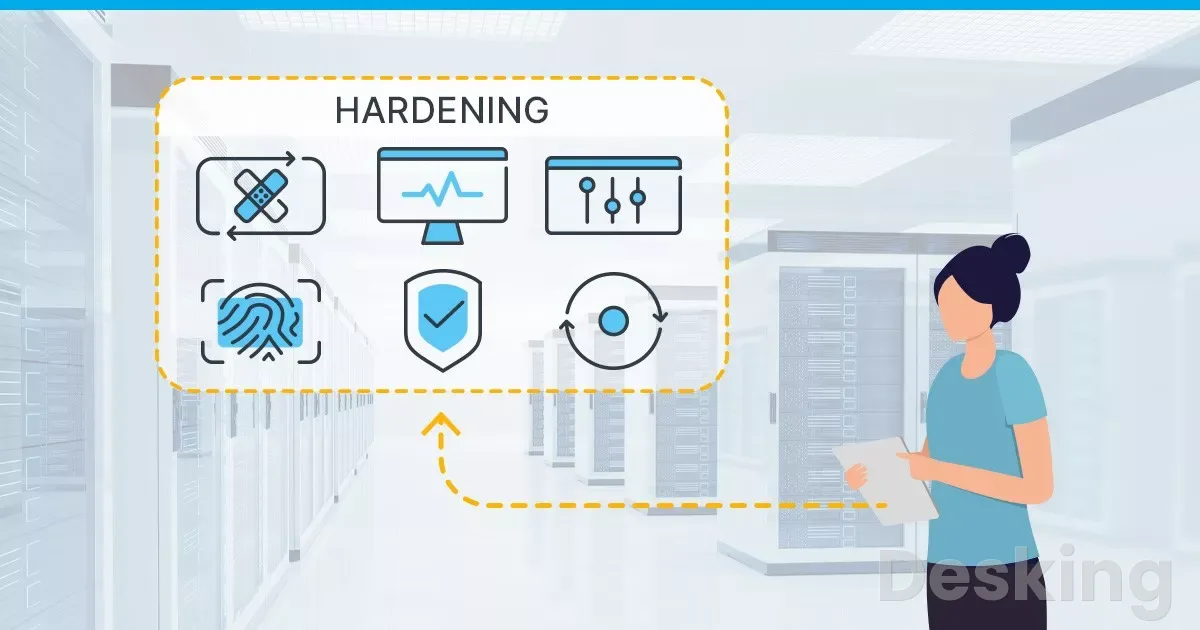
Security responsibilities depend on the hosting model and the services included in the contract.
A VPS gives the customer control over the operating system, but that control also creates responsibility for patching, access management, firewall rules, and application security.
A dedicated server provides greater hardware isolation, but it does not automatically make the operating system or applications secure.
I would begin with a clear separation between provider responsibilities and customer responsibilities.
The provider maintains the data center, physical hardware, and network services described in the contract.
The customer normally remains responsible for the operating system, applications, credentials, user permissions, and data unless a managed service explicitly includes those tasks.
10.1 Secure access
Remote administration is a common attack surface for public servers.
SSH, remote desktop, control panels, databases, and application management interfaces should not be exposed to the entire internet without a clear reason.
I would use key based SSH authentication where supported, restrict administrative access by IP or VPN, and disable unused services.
Administrator accounts should use unique credentials and multi factor authentication wherever the service supports it.
Routine application processes should run with limited permissions rather than full root privileges.
Firewall rules should allow only the ports required by the workload, with separate restrictions for management interfaces and internal databases.
10.2 Isolate workloads
A VPS provides a virtual boundary between customers, normally enforced by the hypervisor.
That isolation is useful, but it does not remove every risk associated with shared physical infrastructure.
The provider's hypervisor security, host patching, access controls, and response procedures all matter.
A dedicated server reduces exposure to other customers on the same physical machine, but the customer must still secure the software stack.
If the dedicated server hosts several virtual machines, each guest operating system needs its own security controls.
I would not treat physical tenancy as a replacement for patch management, backups, network segmentation, or access control.
10.3 Plan availability
A single VPS and a single dedicated server can both be single points of failure.
Hostinger VPS
Hostinger VPS delivers KVM virtualization, NVMe storage and full root access at prices that undercut most competing cloud providers.
- Strong price to specification ratio overall
- NVMe storage included on every tier
- Renewal rates climb steeply after promo
- Self managed means security is your job
If the host becomes unavailable, the application may stop until the provider restores the machine or the customer deploys the workload elsewhere.
A backup helps recover data, but it does not automatically provide continuous service.
Cloud infrastructure can support higher availability when the application is distributed across multiple instances or availability zones.
That design needs health checks, load balancing, replicated data, and a recovery process.
A cloud label alone does not provide redundancy.
I would verify that the architecture has more than one independent failure domain before describing it as highly available.
11. Plan the upgrade
A move from VPS to dedicated hardware should follow measurable evidence.
I would review CPU utilization, CPU steal time, memory pressure, swap activity, disk latency, I/O wait, network throughput, and application response times.
The monitoring period should include normal use and the busiest operating periods, because a server that performs well overnight may struggle during peak demand.
An upgrade is worth considering when the workload repeatedly reaches its resource limits and application optimization has not resolved the problem.
A dedicated server may provide more predictable performance for sustained CPU or storage activity.
Cloud infrastructure may be more suitable when the issue is variable demand or the need to distribute traffic across several application instances.
Before moving, document the existing environment.
Record operating system versions, installed packages, application configuration, database versions, firewall rules, scheduled jobs, DNS records, certificates, backup locations, and external service dependencies.
I would also identify which parts of the application depend on local disk paths or a fixed IP address, because those details can complicate migration.
A practical migration plan should include these stages:
- Measure the current workload and identify the resource limit that justifies the move.
- Select the new server based on processor performance, memory, storage, network location, and support requirements.
- Build the operating system and security configuration before transferring production data.
- Copy application files and databases, then verify permissions, services, scheduled tasks, and environment settings.
- Test the application on the new server using a temporary hostname or private access method.
- Schedule the DNS or traffic change, keep the old server available during the transition, and monitor the new environment.
- Confirm that backups work and document the rollback procedure before cancelling the previous service.
I would not cancel the old VPS immediately after the first successful login to a new dedicated server.
The application should pass functional tests, database checks, security review, and a realistic load test.
Keeping the old environment available for a short transition period gives the administrator a recovery option if a missed dependency appears after the DNS change.
12. Make the purchase
For buyers who have decided that a VPS is the right model, the next task is to select a configuration that fits the application and the administrator's skills.
I would avoid choosing a plan solely because it has the lowest monthly price or the largest number of advertised CPU cores.
The better purchase is the smallest configuration that can handle the expected workload with enough spare capacity for routine peaks.
Hostinger is a practical option to place on that shortlist.
Its KVM VPS range provides root access, AMD EPYC processors, NVMe storage, weekly backups, firewall management, and a public API.
The KVM 2 plan is worth examining for a modest web application or a small collection of services, while KVM 4 offers more memory and CPU allocation for heavier workloads.
The buyer should confirm the available data center, current price, renewal rate, and CPU policy before checkout.
The official Hostinger VPS page lists the current plans and their terms.
A sensible purchase process is to compare the resource table with the application's actual requirements, choose the billing period only after reviewing the total upfront charge, and confirm the renewal price.
If the workload is a demanding Minecraft or FiveM server, test the CPU performance and network location before committing to a long term plan.
If the project needs a physical server, specialist game hosting, or advanced cloud services, compare those options instead.
The following checks reduce the risk of buying the wrong configuration:
- Match the memory to the full software stack, not only the main application.
- Check the CPU allocation policy and processor details before assuming that vCPU counts are equivalent between providers.
- Confirm that the data center is close enough to the users who generate most of the traffic.
- Read the renewal price and total prepaid amount before selecting a long billing term.
- Check backup frequency, retention, and restoration options before storing production data.
- Make sure you can administer the operating system or have a management service that covers the tasks you cannot perform.
I would start with a VPS when the workload is moderate, the budget needs to remain predictable, and the administrator can manage the operating system.
Hostinger is a reasonable candidate for that purchase when its published KVM resources and billing terms match the project.
Move to dedicated hardware when sustained resource demand, physical isolation, or hardware control justifies the additional cost.
Choose cloud infrastructure when the application needs elastic capacity, managed services, or a distributed architecture.