
What Is Hot Desking? Why Companies Are Rethinking the Office Desk
By Eva Elekcha · October 30, 2026
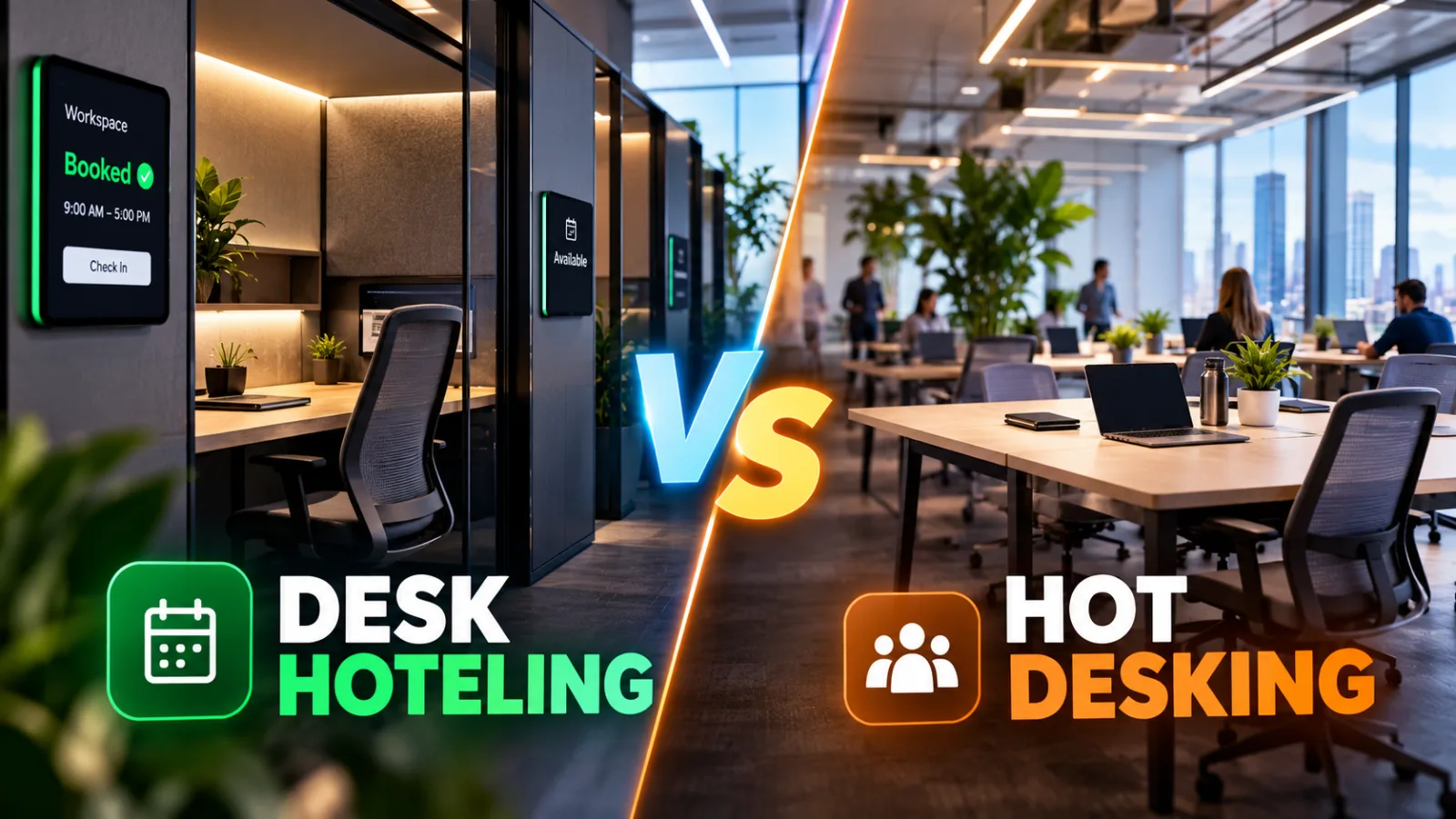
Table of contents
- What Does Hot Desking Mean in the Workplace?
- How Does Hot Desking Work in Practice?
- Hot Desking vs. Hoteling vs. Activity-Based Working
- Why Companies Are Adopting Hot Desking
- The Main Benefits of Hot Desking
- The Disadvantages and Hidden Costs of Hot Desking
- What Research Says About Hot Desking and Employee Productivity
- How to Implement Hot Desking Successfully
- The Best Hot-Desking Software and Workplace Tools
- How to Calculate the Potential Savings From Hot Desking
- Is Hot Desking Right for Every Business?
- The Future of Hot Desking: From Desk Sharing to Workplace Management
What Is Hot Desking? How It Works, Benefits, Risks, and Best Practices
Hot desking is a workplace arrangement in which employees share desks instead of having permanently assigned workstations. Workers choose an available desk when they arrive or, depending on company policy, reserve one in advance.
Businesses use this approach to make better use of office space, support hybrid work, and reduce the cost of maintaining workstations that sit empty for much of the day.
For employees, hot desking can provide flexibility and opportunities to work alongside different colleagues.
However, it can also create practical problems, including difficulty finding a suitable desk, inconsistent equipment, reduced privacy, and a lack of personal workspace.
The model works best when an organization combines clear rules, reliable desk-booking technology, suitable equipment, and enough work areas for the tasks employees need to perform.
Hot desking is therefore more than a seating policy.
It is a workplace management decision that affects real estate costs, daily operations, employee experience, information security, and productivity.
What Does Hot Desking Mean in the Workplace?
In a traditional office, an employee typically has a designated desk, chair, computer setup, and storage area.
That workstation remains assigned to the employee even when they are working remotely, attending meetings, traveling, or taking time off.
Hot desking removes that permanent assignment.
Instead, multiple employees use the same desk at different times, with availability determined by office rules.
For example, a company might have 60 employees but only 40 desks because not everyone works in the office on the same days.
When an employee arrives, they choose an available workstation, connect their laptop, and begin working.
At the end of the day, they remove their personal belongings and leave the desk ready for the next person.
The arrangement can operate in several ways:
First-come, first-served: Employees choose from the available desks when they arrive.
Desk reservations: Employees book a workstation before coming to the office.
Team-based desk sharing: Employees share a designated pool of workstations within their department or team.
Activity-based seating: Employees select different work areas depending on whether they need to concentrate, collaborate, attend meetings, or make private calls.
These arrangements are related, but they are not identical.
The essential feature of hot desking is that a particular desk does not permanently belong to one employee.
Why Is It Called Hot Desking?
The term is commonly associated with the idea of sharing a workstation between people who use it at different times, rather than leaving it permanently assigned to one person.
The concept resembles shift-based resource sharing: when one person finishes using a workstation, another person can use it.
The desk remains available as a shared resource rather than becoming an individual's permanent workspace.
Today, hot desking is particularly relevant to organizations where employees divide their time between home, client locations, coworking spaces, and the corporate office.
How Does Hot Desking Work in Practice?
A successful hot-desking arrangement requires more than removing employee names from desks.
The organization needs a process that ensures people can find suitable workstations, access the equipment they need, and complete their work without unnecessary disruption.
Consider a company with 100 employees operating a hybrid schedule.
Employees attend the office on different days, and the company wants to avoid maintaining 100 permanently assigned desks.
The company could introduce 70 shared workstations, provided actual attendance patterns and peak demand support that number.
Employees would use a booking system or an established allocation process to secure desks on office days.
A typical working day might follow this sequence.
1. The employee plans an office visit
The employee checks the company's attendance calendar, team schedule, or workplace booking system to determine when colleagues will be present.
This step is particularly important when employees need to collaborate with specific people.
A desk may be available, but sitting in a different part of the building from the rest of the team could undermine the purpose of the visit.
2. The employee selects or reserves a workstation
Depending on company policy, the employee either books a desk in advance or chooses one upon arrival.
A booking system may display workstation locations, available equipment, accessibility features, and nearby colleagues when the organization has configured those capabilities.
For instance, an employee who needs two monitors might reserve a desk equipped with dual displays rather than arrive and discover that only a laptop-only workstation is available.
3. The employee connects their devices
Most shared workstations are designed to support laptops and other portable devices.
They may include monitors, keyboards, mice, USB-C docking stations, charging points, and network access.
Standardized equipment reduces setup time and makes it easier for employees to move between desks without changing their entire working routine.
4. The employee works according to office rules
Employees use the workstation for the permitted period and follow the organization's policies on cleanliness, noise, confidentiality, and shared equipment.
Some organizations allow a desk to be used throughout the day.
Others require employees to release it when they leave for an extended period or finish their reservation.
5. The employee clears the desk
At the end of the work session, the employee removes personal belongings, signs out of applications, secures confidential documents, and leaves the workstation ready for the next person.
This final step is central to the system.
A shared desk that remains occupied by another employee's belongings is no longer a reliable shared resource.
6. Facilities or IT teams monitor performance
Office managers can review booking patterns, occupancy, equipment problems, and employee feedback to identify where the system needs improvement.
If certain days are consistently oversubscribed, the company may need additional desks, better scheduling, or a different office attendance policy.
If many workstations remain unused, the organization can investigate whether the space is excessive or whether the booking process is inconvenient.
The objective is to make the office work reliably for employees while ensuring that the business receives measurable value from the space it maintains.
Hot Desking vs. Hoteling vs. Activity-Based Working
These terms are often used interchangeably, but they describe different aspects of flexible workplace management.
Hot desking
Hot desking generally means employees use unassigned workstations on an as-needed basis.
In a basic arrangement, workers arrive and select an available desk.
Reservations may also be permitted, depending on the organization's rules.
The primary distinction is that the workstation is shared rather than permanently assigned.
Hoteling
Hoteling is a reservation-based approach.

Skedda
Skedda is a workplace and space management platform for booking desks, meeting rooms and other shared facilities, with additional tools for visitor management,…
- Visual floor plans simplify space selection
- Unlimited users on listed workplace plans
- No permanent free workplace plan listed
- Annual billing affects purchasing flexibility
Employees book a workstation for a specified date or period, much like reserving a hotel room.
A hoteling system is useful when employees need certainty about where they will work.
It can also help organizations coordinate office attendance and prevent employees from arriving without available seating.
Hoteling is not necessarily a completely different physical arrangement from hot desking.
Both can involve unassigned desks, and some companies use the terms differently.
The practical distinction is whether advance reservations are central to the process.
Activity-based working
Activity-based working is a broader workplace strategy in which employees choose an environment suited to the task they are performing.
A workplace using this model might provide:
Standard desks for individual work.
Quiet rooms for concentration.
Meeting rooms for group discussions.
Phone booths for private calls.
Collaboration areas for brainstorming.
Informal seating for brief conversations.
Accessible workstations designed around individual requirements.
Hot desking can be one component of activity-based working, but the two are not synonymous.
A company can introduce shared desks without providing meaningful choices between different types of workspace.
That distinction matters because simply removing assigned desks does not automatically produce a flexible, employee-friendly office.
The quality of the overall workplace design remains important.
Why Companies Are Adopting Hot Desking
Hot desking has become increasingly relevant as organizations reconsider how much office space they need and how employees use it.
A company that previously maintained a permanent desk for every employee may discover that many workstations remain unused on days when employees are working remotely, visiting customers, attending external meetings, or taking leave.
Maintaining those unused desks still carries costs.
Organizations pay for office space, furniture, utilities, cleaning, maintenance, and other facilities-related expenses regardless of whether every workstation is occupied.
Shared seating offers a way to align the office's physical capacity more closely with actual attendance.
Hybrid work changes how offices are used
Hybrid work creates a mismatch between the number of employees on a company's payroll and the number physically present on any given day.
For example, an organization with 200 employees might find that only 120 attend the office on a typical day.
If attendance is predictable and employees do not all need to work in the same areas, the organization may be able to support its workforce with fewer than 200 workstations.
However, average attendance is not enough to determine the correct number of desks.
If 180 employees arrive on a particularly busy Tuesday, a system designed around an average of 120 could leave people without suitable places to work.
Companies therefore need to measure peak demand, attendance patterns, team schedules, and the types of work employees perform before deciding how many desks to provide.
Office space has become a strategic expense
Commercial real estate is a major operating cost for many organizations.
Flexible seating can allow a company to reconsider its floor plan, reduce underused space, or allocate more room to collaboration areas and meeting facilities.
According to CBRE's 2025 Americas Office Occupier Sentiment Survey, 75% of surveyed companies reported using unassigned seating for at least some employees.
Only 25% reported using exclusively assigned seating, compared with 40% in 2024 and 56% in 2023.
These findings indicate that unassigned seating has become a significant part of workplace planning.
They do not, however, prove that every organization benefits financially or that hot desking is suitable for every role.
The decision should be based on the organization's actual attendance, property costs, operational requirements, and employee needs.
Companies want offices that support collaboration
Some organizations want the office to serve a more specific purpose than providing a desk and an internet connection.
They may expect employees to use office days for collaborative projects, mentoring, workshops, relationship-building, and discussions that are more effective in person.
Hot desking can support this objective when employees can sit near colleagues with whom they need to work.
But the result depends on implementation.
If team members cannot find seats near one another, or spend the morning searching for suitable workstations, flexible seating can undermine the collaboration it was supposed to encourage.
The office must be designed around how people work, not simply around the maximum number of people who can fit into the building.
The Main Benefits of Hot Desking
Hot desking can offer measurable advantages, but the benefits depend on the organization's operating model and the quality of its workplace arrangements.
1. Better use of existing office space
The most direct potential benefit is reducing the number of workstations that remain empty during normal business hours.
If employees regularly work elsewhere, sharing desks may allow the organization to serve its workforce with fewer permanent workstations.
The resulting space could be used for additional meeting rooms, quiet work areas, collaboration spaces, or other facilities that employees need.
This benefit is strongest when occupancy data confirms that permanent desks are consistently underused.
It is weaker when attendance is high, unpredictable, or concentrated on the same days.
2. Potential savings on real estate and facilities
A business may reduce its office footprint if shared seating enables it to operate effectively in a smaller space.
That could lower rent, utilities, cleaning, maintenance, and other occupancy-related expenses.
However, hot desking does not automatically reduce costs.
A company may retain the same office and simply rearrange the desks.
It may also need to invest in booking software, upgraded equipment, lockers, ergonomic furniture, and additional meeting facilities.
The real financial benefit should be calculated after implementation costs, not assumed from the reduction in desk count alone.
3. More flexibility for hybrid employees
Employees who visit the office only on selected days may appreciate being able to choose a workstation that suits their schedule and tasks.
A booking system can help them select a desk near their team, reserve suitable equipment, or find an accessible workstation.
This flexibility is particularly useful when employees have different office schedules and do not need the same desk every day.
Nevertheless, flexibility must be genuine.
If employees are required to attend the office but cannot reliably find a suitable workspace, the system creates inconvenience rather than freedom.
4. Opportunities for cross-team interaction
Traditional seating arrangements can keep employees within the same departmental area for long periods.
Shared seating may create more opportunities for people from different teams to interact, exchange knowledge, and build professional relationships.
These interactions can be valuable in organizations where employees work across departments or projects.
However, random seating does not guarantee better collaboration.
Employees may prefer to sit with familiar colleagues, and frequent changes can make it harder to find teammates.
Companies should therefore provide options for team-based seating alongside flexible workstations.
5. A workplace designed around activities
Hot desking can encourage businesses to consider what employees actually need from the office.
Instead of providing identical desks for every employee, an organization can create a mixture of workstations, quiet rooms, meeting spaces, and collaborative areas.
This approach may improve the fit between physical space and work requirements.
For example, an employee writing a detailed report may need a quiet workstation with two monitors, while a project manager may spend most of the day in meetings.
A well-designed flexible office accommodates both needs rather than forcing everyone into the same environment.
The Disadvantages and Hidden Costs of Hot Desking
The business case for hot desking is incomplete without examining the problems it can create.
A shared workstation may reduce unused office space, but employees still need a reliable environment in which to perform their work.
1. Employees may lose a sense of personal workspace
A permanent desk can provide familiarity, continuity, and a place to keep essential equipment or permitted personal items.
Removing that arrangement may leave employees feeling that they have lost control over their immediate working environment.
Research discussed by the University of California, Berkeley's Interdisciplinary Center for Healthy Workplaces highlights potential psychological and operational challenges associated with hot desking, including the loss of personal workspace, difficulty locating colleagues, and concerns about morale.
These outcomes should not be assumed to affect every employee equally.
Some workers welcome the flexibility, while others value a stable workstation.
The practical lesson is that companies should consult employees before introducing shared seating and should consider retaining assigned workstations for roles or individuals who genuinely need them.
2. Finding a suitable desk can waste time
A poorly managed hot-desking system can turn the beginning of the workday into a search for a place to sit.
Employees may discover that available desks lack the equipment they need, that reservations have not been respected, or that suitable workstations are concentrated in another part of the office.
Even a short delay becomes frustrating when it happens repeatedly.
A reservation system, clear availability information, and a process for resolving booking conflicts can reduce these problems.
Companies should also avoid treating an unoccupied desk as necessarily available.
It may be reserved, temporarily unavailable, or configured for an employee who requires particular equipment.
3. Productivity may suffer in unsuitable environments
Not all work can be performed effectively in the same physical setting.
Employees handling complex analysis, confidential documents, software development, financial modeling, or extended writing may need a predictable environment with appropriate monitors, ergonomic equipment, and limited interruptions.
Microsoft Research has highlighted potential challenges associated with hot desking for hybrid workers, including distractions, difficulties accessing specialized ergonomic equipment, and reduced support for knowledge work in some arrangements.
This does not establish that hot desking always reduces productivity.
It shows why companies should evaluate the nature of the work before deciding how seating will be allocated.
A flexible office should support concentration as well as interaction.
4. Privacy and information security require additional attention
Shared workstations can create risks when employees leave documents behind, forget to lock their computers, expose confidential information on screens, or fail to sign out of applications.
The problem is especially relevant in finance, healthcare, legal services, government, and other environments that handle sensitive information.
Organizations should establish a clear clean-desk policy, require appropriate device locking, provide secure storage, and ensure that employees use approved authentication procedures.
Where employees use personal laptops, the company should also consider how docking stations, external displays, shared peripherals, and network connections are secured.
A shared desk should never become a reason to weaken the organization's normal security controls.
5. Employees may struggle to find their colleagues
Hot desking can make teams less predictable physically.
An employee may arrive at the office expecting to work alongside a colleague, only to discover that the colleague is seated on another floor or in a different area.
This can make informal collaboration more difficult, especially when team members have different attendance patterns.
Workplace scheduling tools can help employees coordinate their office days and locate colleagues when appropriate.
Skedda
Skedda is a workplace and space management platform for booking desks, meeting rooms and other shared facilities, with additional tools for visitor management,…
- Visual floor plans simplify space selection
- Unlimited users on listed workplace plans
- No permanent free workplace plan listed
- Annual billing affects purchasing flexibility
Organizations can also establish team neighborhoods, where employees reserve desks within a shared area without having permanently assigned seats.
6. Accessibility and ergonomic requirements can be overlooked
Some employees need specific workstation arrangements, including adjustable desks, suitable chairs, accessible routes, assistive technology, or specialized monitors.
If these requirements are treated as optional preferences rather than necessary workplace accommodations, a shared seating policy can create barriers.
Organizations should identify the requirements of their workforce before implementing hot desking and ensure that suitable workstations remain available.
Accessibility should be part of the initial design rather than an issue addressed only after employees encounter problems.
7. Savings can disappear through poor implementation
Reducing the number of desks may appear financially attractive, but the calculation can be misleading if the organization ignores the costs of operating the new arrangement.
Potential expenses include booking software, workplace administration, equipment standardization, storage, cleaning procedures, and the construction of quiet rooms or additional meeting areas.
There may also be indirect costs if employees spend time finding seats, experience more interruptions, or struggle to collaborate.
A credible business case must compare total costs and operational outcomes before and after implementation.
What Research Says About Hot Desking and Employee Productivity
Hot desking should not be treated as a guaranteed productivity improvement or a guaranteed source of employee dissatisfaction.
Research on shared and activity-based workplaces identifies both potential advantages and potential drawbacks.
Outcomes depend on factors such as workplace design, employee preferences, management practices, the availability of suitable spaces, and the type of work being performed.
A study published in Environment and Behavior examined the mechanisms through which activity-based workspaces influence employees.
Its discussion of desk sharing describes a tension between potential benefits, such as increased visibility and interaction, and potential disadvantages, including reduced personal identity, control, satisfaction, and productivity in some circumstances.
That distinction is important because an office can become more space-efficient without becoming more effective for every employee.
Why workplace design matters
An office with shared desks, quiet rooms, meeting spaces, reliable technology, and clear policies is fundamentally different from an office where employees simply arrive and compete for whichever desks remain empty.
The first arrangement gives employees options.
The second transfers the burden of managing space onto employees without necessarily giving them the resources to work effectively.
Gensler's 2025 Global Workplace Survey, based on responses from more than 16,800 full-time office workers across 15 countries, also emphasizes the importance of designing workplaces around the activities people perform and the experiences they need.
The survey is broader than hot desking alone, so its findings should not be interpreted as direct proof that shared desks improve or reduce productivity.
It does, however, support the broader principle that office design should reflect actual work patterns.
For employers, the most useful question is not whether hot desking is universally good or bad.
It is whether a specific arrangement helps employees complete their work while making appropriate use of the organization's space.
How to Implement Hot Desking Successfully
A company considering hot desking should begin with a workplace assessment rather than immediately removing assigned desks.
The implementation process should address demand, employee requirements, technology, security, accessibility, and the financial objectives of the change.
Step 1: Measure actual office attendance
Start by determining how many employees use the office on different days of the week.
Review attendance records, booking data, employee schedules, and other legitimate workplace information.
Distinguish average attendance from peak attendance.
For example, a company may discover that 60 employees typically attend its office, but 85 arrive on its busiest day.
Designing around the average alone could leave 25 people without suitable workstations on peak days.
The company should also account for employees who need specialized desks or cannot work effectively in certain areas.
Step 2: Identify which roles need dedicated workstations
Not every employee needs the same degree of flexibility.
Sales representatives who spend much of their time with customers may benefit from shared desks.
Employees working with specialized equipment, sensitive documents, or accessibility requirements may need a dedicated or consistently available workstation.
The company should assess jobs individually rather than assuming that every department can operate under identical rules.
A mixed model is often more practical than requiring every employee to use unassigned seating.
Step 3: Decide how employees will access desks
The organization should choose whether employees will use first-come, first-served seating, advance reservations, team-based desk pools, or a combination.
A reservation system is particularly useful when attendance is predictable or when employees need specific equipment.
For smaller offices, a simple and clearly communicated process may be sufficient.
Larger organizations with multiple floors or buildings may benefit from workplace management software.
Whatever method the company chooses, employees must understand how to secure a desk, change a reservation, report a problem, and find help when the system fails.
Step 4: Standardize the workstation experience
Employees should not have to learn a different setup every time they move to another desk.
Where possible, provide consistent monitors, docking stations, keyboards, mice, charging facilities, and network access.
Clearly label specialized workstations so employees can identify equipment before booking.
The company should also establish a process for reporting broken equipment and removing unavailable desks from the booking system until repairs are completed.
Step 5: Establish clear workplace rules
A written hot-desking policy should explain the practical expectations of shared seating.
It should cover reservations, check-in, cancellation, workstation cleanliness, storage, confidential information, equipment use, accessibility, and the handling of booking conflicts.
The policy should also explain whether employees may leave a desk temporarily, whether reservations expire automatically, and what happens when someone arrives without a booking.
Rules should be applied consistently.
A system that permits some employees to occupy desks indefinitely while requiring others to move creates avoidable conflict.
Step 6: Provide secure storage
Employees need a way to store permitted personal belongings, documents, and work equipment without leaving them scattered across shared desks.
Lockers, secure cabinets, and digital document-management systems can help.
The organization should make clear which items may remain at a workstation and which must be removed at the end of the day.
Step 7: Protect confidential information
Employees should lock their screens when stepping away, sign out of shared sessions where appropriate, and remove confidential documents before leaving.
IT teams should ensure that authentication, endpoint security, access controls, and network policies remain effective when employees move between workstations.
Cleaning procedures should also cover shared peripherals and surfaces, with responsibilities clearly assigned.
Step 8: Introduce the system gradually
A pilot program allows the company to identify problems before rolling out hot desking across the entire organization.
The pilot could begin with one department or one floor.
During the trial, the company should monitor desk availability, booking conflicts, employee feedback, equipment problems, and peak attendance.
Employees should have a clear way to report issues without being penalized for raising legitimate concerns.
The organization can then adjust desk capacity, booking rules, equipment, and seating zones before expanding the system.
Step 9: Measure the results
The company should define success before implementation.
Useful measures include workstation utilization, the percentage of employees who find a suitable desk, booking failures, office occupancy on peak days, employee satisfaction, support requests, and total workplace costs.
Productivity should be assessed using measures relevant to the work being performed rather than simply counting hours spent in the office.
The organization should also check whether employees are spending less time finding workstations and more time completing their tasks.
Step 10: Review the policy regularly
Work patterns change as teams grow, projects evolve, and office attendance shifts.
A hot-desking system that works for a 50-person office may not work for a 200-person office with different attendance patterns.
Regular reviews allow managers to adjust desk capacity, preserve necessary dedicated workstations, and improve the booking process.
The goal is not to maximize desk sharing at any cost.
It is to provide an effective workplace at a sustainable cost.
The Best Hot-Desking Software and Workplace Tools
Technology can make hot desking easier to manage, particularly when employees work across multiple offices or follow hybrid schedules.
The right platform depends on the organization's existing software, number of locations, security requirements, and need for reporting.
Microsoft Places
Microsoft Places supports flexible workplace coordination and desk booking within the Microsoft 365 environment.
Organizations can configure individual desks or shared desk pools, and employees can access supported booking experiences through Microsoft Teams, Outlook, and Places.
Available capabilities depend on configuration and licensing.
Microsoft Places may be a sensible starting point for organizations already using Microsoft 365 because workplace scheduling can be integrated into familiar tools.
However, companies should confirm which features are available under their licenses and whether their IT administrators have configured the required workplace locations and booking settings.
Robin
Robin provides workplace management capabilities designed to help organizations manage office spaces and coordinate employees' in-person work.
Its platform is relevant to businesses looking for desk reservations, workplace scheduling, and information about office usage.
Organizations evaluating Robin should check its current feature set, integrations, licensing, and suitability for their office size before making a decision.
Envoy
Envoy offers workplace management products that include desk booking and visitor management.
It may be useful for organizations that want to manage employee workspaces alongside other front-office processes.
Businesses should evaluate whether the relevant capabilities fit their security requirements, booking policies, and existing systems.
Eptura
Eptura provides workplace and space management solutions for organizations managing offices and other physical facilities.
It is worth evaluating when the project extends beyond individual desk reservations to broader space planning, facilities coordination, and workplace operations.
The appropriate product depends on the company's requirements and the specific Eptura offerings available to it.
How to choose the right software
Before purchasing a platform, determine which problems the software needs to solve.
For a small office, the priority may be a simple way to reserve desks and avoid scheduling conflicts.
A larger company may need floor maps, multiple buildings, team neighborhoods, occupancy reporting, accessibility information, and integration with existing identity and calendar systems.
Security and privacy should also be evaluated.
Workplace tools may process employee schedules, booking records, and location-related information.
Companies should understand what data is collected, who can access it, how long it is retained, and whether its use complies with applicable policies and laws.
Software should support a well-designed workplace policy, not substitute for one.
How to Calculate the Potential Savings From Hot Desking
A company should calculate potential savings using its actual occupancy data and the full cost of operating the workplace.
Consider a hypothetical office with 100 employees and 100 permanently assigned desks.
Suppose attendance records show that the company could serve its workforce with 75 shared desks while still accommodating peak demand.
The company might be able to repurpose 25 workstations.
But that does not automatically mean it can eliminate 25 desks' worth of rent or reduce its lease by 25%.
If the company remains in the same building, the direct rental cost may not change.
The immediate benefits may instead come from better use of existing space or from converting part of the office into more useful facilities.
Skedda
Skedda is a workplace and space management platform for booking desks, meeting rooms and other shared facilities, with additional tools for visitor management,…
- Visual floor plans simplify space selection
- Unlimited users on listed workplace plans
- No permanent free workplace plan listed
- Annual billing affects purchasing flexibility
If the company can move to a smaller office when its lease allows, the potential savings may be more substantial.
A credible financial assessment should consider:
Rent and other property-related expenses that can genuinely be reduced.
Furniture, equipment, and installation costs.
Desk-booking software and ongoing administration.
Storage, cleaning, and maintenance.
Additional meeting rooms or specialized work areas.
Any productivity losses caused by unsuitable seating arrangements.
The financial consequences of peak-day capacity shortages.
The company should then compare the total cost of the proposed model with the total cost of its existing workplace arrangement.
This prevents a common mistake: treating the number of desks removed as if it were equivalent to the amount of money saved.
Is Hot Desking Right for Every Business?
No. Hot desking is most suitable when employees do not need to occupy the same workstation every day and the organization can reliably provide enough suitable spaces.
It may be a strong fit for hybrid offices, consulting firms, sales teams, project-based organizations, and businesses whose employees spend substantial time outside the office.
It may be less suitable for workplaces where employees rely on specialized equipment, handle sensitive physical records, require consistent workstation configurations, or must remain at a particular location throughout the day.
Some organizations will benefit from a hybrid arrangement in which most employees use shared desks while certain roles retain dedicated workstations.
For example, a technology company might offer shared desks for visiting employees, dedicated workstations for staff who require specialized hardware, quiet rooms for focused work, and team zones for collaborative projects.
This approach recognizes that different jobs have different requirements.
The best seating policy is the one that balances space efficiency with the practical needs of the people using the office.
The Future of Hot Desking: From Desk Sharing to Workplace Management
Hot desking is increasingly part of a broader discussion about how organizations should design and manage their physical offices.
The objective is not simply to fit more people into fewer desks.
Companies need to understand when employees attend, what they do when they arrive, which spaces they need, and how the office supports their work.
Workplace management platforms can help by making reservations easier, showing available spaces, coordinating team attendance, and providing information about utilization.
Over time, this information can help organizations make better decisions about office layouts, meeting rooms, equipment, and property requirements.
However, collecting more data does not automatically improve the workplace.
Companies need to use it responsibly and avoid treating occupancy as a substitute for employee performance.
An office can have high desk utilization while still being noisy, inconvenient, or poorly suited to focused work.
Conversely, some apparently underused spaces may be essential for confidential meetings, accessibility, or specialized tasks.
The strongest approach combines reliable data with employee feedback and a clear understanding of business requirements.
Hot desking is best understood as one tool within workplace management—not a universal replacement for assigned seating.
