How Good Is Windows Defender for Everyday PC Security?
By Noura Mint Ely · November 8, 2026
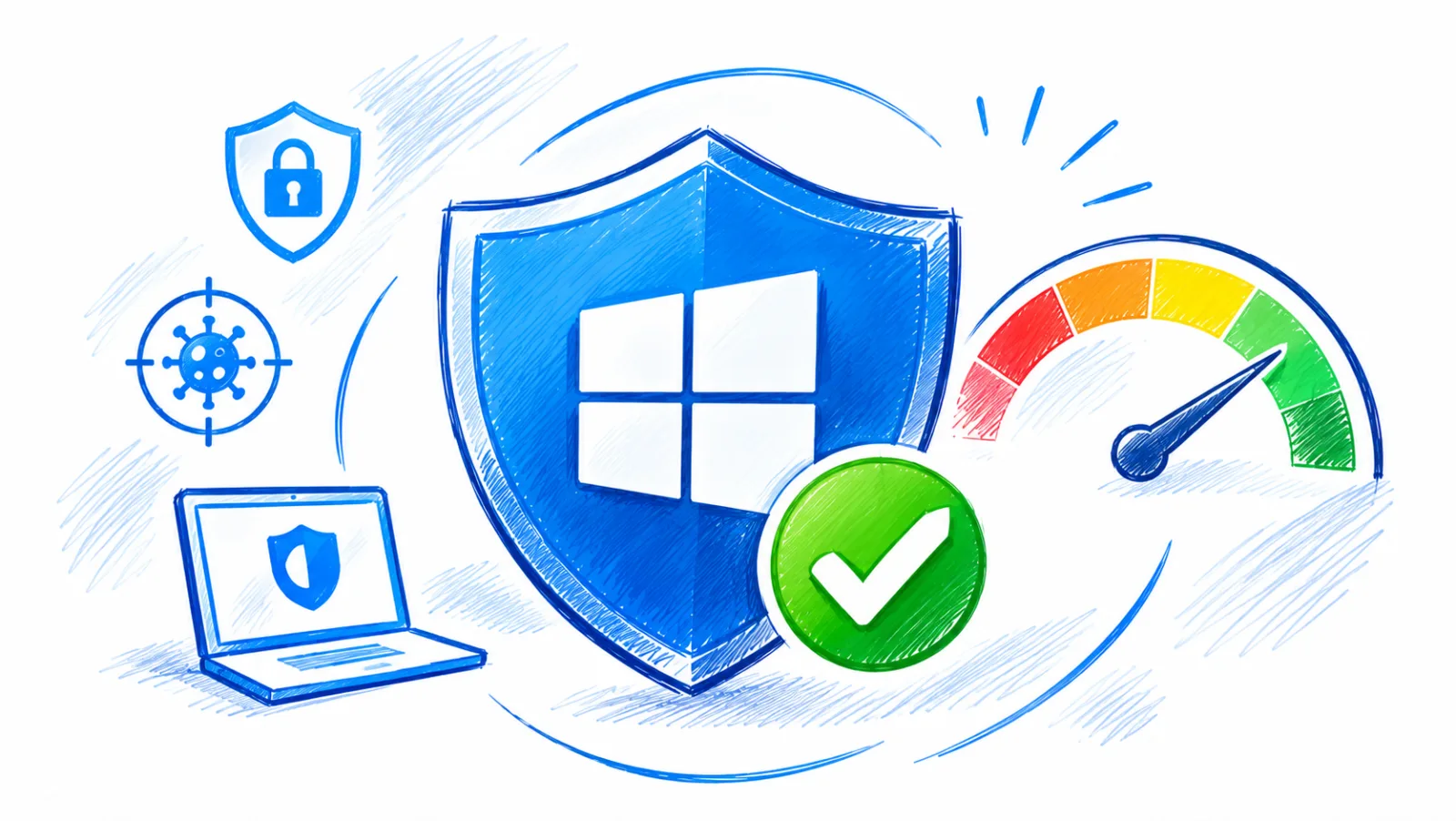
Table of contents
- 1. The Short Answer Is Yes
- 2. Independent Tests Set The Record Straight
- 3. What Makes Its Detection Effective
- 4. Performance Is Better Than Expected
- 5. The Protection Goes Beyond Viruses
- 6. Ransomware Needs Extra Attention
- 7. Microsoft Defender is a strong antivirus product
- 8. Configure Windows Security Properly
- 9. Free Defender Or Paid Antivirus?
- 10. Business Users Need A Different Standard
- 11. When To Run A Defender Scan
- 12. The Best Protection Is Layered
1. The Short Answer Is Yes
How good is Windows Defender? Microsoft Defender Antivirus is genuinely good, and for most people using a properly updated Windows 10 or Windows 11 computer, it provides enough antivirus protection without requiring a paid replacement.
Independent laboratory tests have repeatedly placed it among the stronger products in its category, including tests that expose security software to previously unseen malware and real world attacks.
That does not make it infallible.
Defender can miss threats, legitimate applications can occasionally trigger warnings, and antivirus software cannot protect an account from every phishing attack or prevent every form of fraud.
Its value becomes clearer when you examine how it detects malware, how much it affects computer performance, which additional Windows security features are available, and where a specialist security product might offer something worthwhile.
The practical verdict is straightforward: keep Defender enabled, configure its important protections, install Windows updates, and maintain reliable backups.
Most home users should do that before spending money on another antivirus subscription.
2. Independent Tests Set The Record Straight
The strongest argument in favour of Microsoft Defender comes from independent testing.
Antivirus companies naturally promote their own products, so manufacturer claims are not enough to establish whether a security application deserves trust.
Independent laboratories provide a more useful basis for evaluating protection, performance, and reliability.
Two organisations are particularly relevant to Windows users: AV TEST and AV Comparatives.
Their testing methods differ, which is useful because no single laboratory can represent every possible attack or computer configuration.
AV TEST evaluates antivirus products across three principal categories: protection, performance, and usability.
Each category can receive a maximum of six points, producing a maximum overall score of 18.
In its July and August 2026 Windows 11 assessment, Microsoft Defender Antivirus Consumer 4.18 received:
Protection: 6 out of 6.
Performance: 5.5 out of 6.
Usability: 6 out of 6.
Overall: 17.5 out of 18.
The protection results were particularly strong.
Defender blocked 100 percent of the tested zero day malware attacks in both months.
It also detected 100 percent of the widespread malware samples in the laboratory's reference set.
This is a meaningful result.
Zero day testing is designed to examine protection against threats that are not necessarily covered by long established malware signatures.
It gives a better indication of how a security product responds when an attack is relatively new.
The performance score deserves attention too.
Defender lost half a point, showing that its impact was not entirely negligible under the laboratory's test conditions.
That is not evidence of a serious slowdown in ordinary use, but it does show why performance should be evaluated separately from malware detection.
AV Comparatives provides another perspective through its Real World Protection Test.
Its February to May 2026 assessment used 400 test cases and included online cloud connectivity, updates, and false alarm testing.
Microsoft Defender achieved a 99 percent protection rate, with 396 threats blocked and four systems compromised.
It was placed in the first performance cluster alongside several established commercial products.
The two laboratories are measuring different things.
AV TEST's results show how Defender performed in its controlled protection, performance, and usability categories.
AV Comparatives examines a larger collection of real world attack scenarios and evaluates whether the computer remains uncompromised.
Neither result means that Defender will stop every threat encountered by every user.
Laboratory tests are controlled experiments, and malware encountered outside the laboratory can behave differently.
Nevertheless, the evidence is strong enough to reject the idea that Microsoft's built in antivirus is automatically inferior to paid security software.
For an ordinary Windows user, these results provide a solid reason to keep Defender rather than purchase another antivirus simply out of concern that the free option must be inadequate.
3. What Makes Its Detection Effective
Microsoft Defender uses several detection techniques because modern malware does not arrive in one predictable form.
Some threats are known files with identifiable characteristics.

Avast Antivirus
Our Avast Antivirus review tests malware protection, real world performance, and pricing. See if this security suite with its excellent free plan is right for …
- Excellent independent lab test scores
- Strong free version available
- Frequent upgrade prompts in free
- VPN is not the fastest
Others are modified versions of existing malware, while more sophisticated attacks attempt to avoid traditional detection altogether.
Signature based detection is one of the oldest and most established antivirus techniques.
Security researchers identify malicious files and create detection information that can be distributed through security intelligence updates.
When Defender encounters a file matching a known threat, it can block or quarantine it.
This method is useful, but it has an obvious limitation: a completely new or modified threat may not match an existing signature.
Heuristic detection addresses part of that problem.
Instead of looking only for a known malicious file, the antivirus examines suspicious characteristics that may indicate harmful behaviour.
A file can attract attention because of the way it is constructed, the operations it attempts, or its resemblance to known malicious techniques.
Behaviour monitoring adds another layer by observing what applications actually do.
A program that initially appears harmless may become suspicious if it attempts to modify protected areas of Windows, interfere with security settings, or carry out actions associated with malware.
Cloud delivered protection helps Defender use Microsoft's security intelligence beyond the information already stored locally on the computer.
When enabled and available, it can submit information about suspicious files for cloud analysis and use updated intelligence to improve detection.
This matters because attackers continuously modify malware to avoid established detection methods.
A security product that relies exclusively on local signatures has fewer ways to respond to unfamiliar threats.
Defender also integrates with Microsoft's broader security infrastructure.
The antivirus engine, Windows Security interface, security intelligence updates, and cloud services work together to provide protection.
The result is a layered detection system.
No single technique is expected to identify every malicious file.
The combination makes it harder for malware to evade detection by changing one characteristic or using an unfamiliar file name.
There is an important distinction between detecting a malicious file and preventing every harmful action.
Antivirus software can identify known threats and suspicious behaviour, but it cannot guarantee that every attack will be recognized before damage occurs.
That is why prevention, updates, account security, and backups remain necessary.
4. Performance Is Better Than Expected
An antivirus product can achieve excellent detection results and still be unpleasant to use if it constantly slows down the computer.
Performance is therefore a genuine consideration, particularly on older laptops, entry level desktops, and machines with limited memory or storage capacity.
Microsoft Defender is integrated into Windows, so most users do not need to install a separate antivirus application or maintain another security platform.
This reduces the amount of additional software they need to manage.
Integration does not mean that scanning consumes no resources.
Defender uses processor time, memory, and storage activity when examining files.
A full system scan can be noticeable on a computer with a slower processor or a traditional hard drive.
The impact depends on several factors:
- The number of files stored on the computer.
- The speed and condition of the storage device.
- The processor and available memory.
- Whether other applications are performing intensive tasks.
- Whether Defender is carrying out a scan or installing updates.
- The size and type of files being examined.
The AV TEST July and August 2026 assessment gave Defender 5.5 out of 6 for performance.
That is a strong result, although it was not a perfect score.
Its published measurements also showed that the impact varied according to the task being performed, including software installation and file operations.
For most recent computers, everyday antivirus activity should not be a reason to avoid Defender.
If a computer becomes noticeably slower, investigate what is happening before assuming the antivirus is responsible.
Open Task Manager and check whether Microsoft Defender Antivirus Service is consuming unusually high processor or memory resources.
If the activity coincides with a scan, it may be temporary.
If high resource consumption continues for a long period, check for pending Windows updates, restart the computer, and investigate other software running at the same time.
Avoid disabling real time protection to improve performance.
That removes an important security layer and may expose the computer to threats that arrive through downloads, removable drives, or applications.
A better approach is to schedule intensive scans at a convenient time and address the underlying performance problem.
An older computer may benefit more from replacing a failing hard drive or removing unnecessary startup applications than from removing its antivirus protection.
5. The Protection Goes Beyond Viruses
The word antivirus can create the impression that Microsoft Defender only looks for traditional computer viruses.
Modern malware is much broader, and Defender's protection is designed to address several categories of malicious software.
A virus typically attaches itself to another file or program and spreads when that infected content is executed.
A Trojan disguises itself as legitimate software while carrying out malicious activity.
Spyware attempts to collect information without appropriate consent, while ransomware can encrypt files and demand payment.
Defender can detect and block many threats in these categories.
It also uses protection mechanisms intended to identify suspicious behaviour and potentially unwanted applications.
Potentially unwanted applications deserve particular attention.
Not every unwanted program is technically malware.
Some software may display intrusive advertisements, bundle additional applications, modify browser settings, or use questionable distribution practices.
Windows Security can provide protection against certain unwanted applications, depending on the relevant configuration.
Another important layer is Microsoft's reputation based protection.
Through Windows Security, users can access controls that help protect against unrecognized applications, suspicious downloads, and potentially unsafe content.
This is especially relevant when downloading software from the internet.
A program may have a professional website and convincing product description while still being unsafe.
Checking the publisher, download source, and reputation of the application remains important.
Defender can also work with Windows firewall and other operating system protections.
These components address different risks, so they should not be confused with the antivirus engine itself.
The firewall controls network traffic according to its rules.
Antivirus protection examines files and application activity for malicious content.
Reputation based controls help assess whether certain applications and downloads should be trusted.
A secure computer benefits from all these mechanisms working together.
Installing antivirus software alone does not automatically configure every other security feature correctly.
6. Ransomware Needs Extra Attention
Ransomware is one of the most damaging forms of malware for individuals and businesses because it can make important files inaccessible.
An attacker may use malicious email attachments, compromised websites, unsafe downloads, stolen credentials, or exploited software vulnerabilities to gain access to a computer.
Once the ransomware executes, it may attempt to encrypt documents, photographs, databases, and other valuable information.
Microsoft Defender includes Controlled folder access, a Windows security feature designed to prevent unauthorized applications from changing files inside protected folders.
The feature is particularly relevant to ransomware because many attacks attempt to modify large numbers of documents in a short period.
By restricting which applications can change protected files, Controlled folder access can help reduce the damage caused by certain attacks.
To review the feature:
- Open the Windows Start menu.
- Search for Windows Security.
- Select Virus and threat protection.
- Find the Ransomware protection section.
- Select Manage ransomware protection.
- Review the Controlled folder access setting.
- Enable it if it is appropriate for your applications and working environment.
There is a practical trade off.
Some legitimate applications may need permission to modify protected folders.
If a trusted application is blocked, Windows allows users to review the notification and authorize the application when appropriate.
That decision should be made carefully.
An application should not be approved simply because it displays an error message.
Verify its publisher and source first.
Controlled folder access is useful, but it is not a complete ransomware recovery strategy.
A successful attack can still affect files outside protected folders, exploit other weaknesses, or compromise cloud accounts.
Backups remain essential.
For personal computers, maintain copies of important documents and photographs on an external drive or a reputable cloud storage service.
For businesses, backups should be governed by a documented recovery process, with access controls and restoration tests.
A backup that is permanently connected and fully accessible to the infected computer may also be exposed to an attack.
Keep at least one backup protected from ordinary changes made through the computer itself.
The best ransomware strategy combines prevention, restricted access, reliable backups, and a tested recovery procedure.
7. Microsoft Defender is a strong antivirus product
But its scope should not be confused with complete cybersecurity.
Phishing is a clear example.
A fraudulent website can imitate a bank, payment service, software company, or business partner.
The attacker wants the user to enter a password, financial information, or authentication code.
Defender can provide protection against malicious content and suspicious activity, but antivirus detection alone cannot guarantee that a person will recognize a convincing fraudulent message.
Account security requires separate controls.
Use multifactor authentication for important services, especially email, financial accounts, cloud storage, and administrator accounts.
Where available, passkeys and physical security keys can provide stronger resistance to phishing than passwords alone.
Another limitation concerns software vulnerabilities.
Avast Antivirus
Our Avast Antivirus review tests malware protection, real world performance, and pricing. See if this security suite with its excellent free plan is right for …
- Excellent independent lab test scores
- Strong free version available
- Frequent upgrade prompts in free
- VPN is not the fastest
An antivirus engine cannot reliably compensate for an operating system or application that has not received security updates.
Attackers regularly look for weaknesses in outdated software because an unpatched vulnerability can provide an opportunity to execute malicious code or gain access to a system.
Keep Windows, browsers, office applications, PDF readers, and other frequently used software updated.
Password reuse creates another risk.
If a website suffers a data breach and an attacker obtains a password, that same password may be tested against other services.
An antivirus application cannot prevent this type of account takeover.
A password manager and unique passwords for important accounts are more appropriate protections.
Browser extensions are another potential weakness.
Some extensions request permission to read or modify information on websites.
Installing extensions from unknown developers can expose browsing activity or create opportunities for malicious behaviour.
Finally, Defender does not provide every feature found in comprehensive commercial security suites.
Depending on the product, a paid subscription may include identity monitoring, parental controls, password management, privacy services, centralized administration, or specialist technical support.
Those features may be useful, but they should be evaluated separately from antivirus detection.
Paying for a larger package does not automatically mean that its malware protection is better.
8. Configure Windows Security Properly
Defender is most useful when its important settings are enabled and the computer receives security intelligence updates.
The Windows Security application provides access to the main antivirus controls.
The precise layout can vary according to the Windows version, device configuration, and organizational policies.
Start by checking real time protection.
This is the setting that allows Defender to monitor files and activity continuously.
If it is disabled, the computer loses an important part of its normal antivirus protection.
Cloud delivered protection should also remain enabled for users who can use the service.
It allows Defender to consult Microsoft's cloud security intelligence when evaluating suspicious content.
Automatic sample submission can help Microsoft analyze suspicious files.
Users should review Microsoft's privacy information if they want to understand how samples and related information may be handled.
Tamper protection is another important control.
It helps prevent malicious software or unauthorized applications from changing important Defender settings.
Malware that disables antivirus protection can make subsequent attacks easier, so protecting the configuration itself is valuable.
To check these options:
- Open Windows Security.
- Select Virus and threat protection.
- Choose Manage settings.
- Review Real time protection.
- Check Cloud delivered protection.
- Review Automatic sample submission.
- Confirm that Tamper protection is enabled.
Avoid creating unnecessary exclusions.
An antivirus exclusion instructs Defender to ignore a specified file, folder, or process in relevant scanning operations.
If an attacker manages to place malware inside an excluded location, the antivirus may not inspect it in the same way.
A narrow exclusion may occasionally be necessary for a verified business application, but excluding an entire drive or a general download directory is difficult to justify.
For computers managed by an employer, some settings may be controlled centrally.
In that situation, contact the organization's IT administrator rather than attempting to override security policies.
9. Free Defender Or Paid Antivirus?
For a home user, the decision is usually simpler than antivirus advertising suggests.
Microsoft Defender is free as part of supported Windows installations.
It provides real time malware protection and integrates with Windows Security.
Its independent test results demonstrate that it can compete with established commercial antivirus products.
A paid antivirus subscription becomes more interesting when it provides something beyond basic malware detection.
Consider a household with several computers and mobile devices.
A security suite that offers convenient device management, parental controls, and protection across different operating systems may be useful.
The value comes from those additional capabilities, not simply from replacing Defender's detection engine.
A small business may have different requirements.
It may need centralized visibility across endpoints, security policies, incident investigation, threat hunting, reporting, and integration with identity management systems.
Standard consumer antivirus is not designed to provide every one of those administrative capabilities.
A user who frequently handles sensitive documents may also value identity monitoring or a specialist password management service.
However, these tools should be selected based on the actual risk and the quality of the service.
Before paying, examine the subscription carefully.
Check how many devices are included, whether mobile devices are supported, whether the advertised features are available in your country, and what happens when the introductory subscription expires.
Some products offer a low first year price followed by a significantly higher renewal cost.
Also check independent protection results.
A product should not be considered superior simply because its marketing describes it as advanced or premium.
For many people, the sensible choice is to keep Defender and spend money on services that address security gaps it does not cover, such as a reputable password manager or a reliable backup solution.
10. Business Users Need A Different Standard
A personal computer and a business endpoint do not necessarily face the same security requirements.
A home user may primarily need protection against malware, unsafe downloads, and common online threats.
A business may need to manage hundreds or thousands of devices, investigate suspicious activity, enforce security policies, and demonstrate compliance with internal or external requirements.
Microsoft offers additional security products for organizations, including Microsoft Defender for Business and Microsoft Defender for Endpoint.
These are separate offerings from the standard consumer antivirus experience.
Their purpose extends beyond scanning files for malware.
Depending on the subscription and configuration, business security capabilities can include endpoint detection and response, centralized security management, investigation tools, attack surface reduction policies, and threat intelligence.
Endpoint detection and response is particularly important in professional environments.
Traditional antivirus focuses heavily on preventing malicious software from executing.
EDR capabilities help security teams investigate activity, understand how an incident developed, identify affected devices, and respond to suspicious behaviour.
For example, a business may receive an alert that an employee's computer has launched an unusual process.
The security team needs to understand what happened before that event, which files were accessed, whether credentials may have been exposed, and whether other devices show related activity.
A consumer antivirus interface is not designed to provide that level of operational visibility.
Organizations should also consider identity protection, email security, network segmentation, privileged access management, backup recovery, and incident response procedures.
The right solution depends on the organization's size, infrastructure, risk exposure, and technical capacity.
A small company may benefit from a managed security service rather than attempting to operate a complex security platform without trained personnel.
Microsoft Defender Antivirus remains a useful protection component in business environments, but enterprise security should be evaluated as an integrated operational capability.
11. When To Run A Defender Scan
Real time protection operates continuously, but manual scans remain useful when investigating a suspicious file, unexpected system behaviour, or a security warning.
Windows Security provides several scanning options.
A quick scan examines common locations where malware may be found.
It is useful for routine checks and initial investigation, although it does not examine every file on the computer.
A full scan examines files and running programs across the system.
It can take considerably longer, particularly on computers containing large amounts of data.
A custom scan allows the user to select a specific file or folder.
This is useful when checking a downloaded installer, an external drive, or a directory that may contain suspicious content.
Microsoft Defender Offline provides another option.
It restarts the computer and performs a scan outside the normal Windows environment.
This can help when persistent malware interferes with ordinary scanning or when a threat is difficult to remove while Windows is running.
To run a scan:
Open Windows Security.
Select Virus and threat protection.
Choose Quick scan or open Scan options.
Select the type of scan required.
4.5AntivirusAvast Antivirus
4.5Our Avast Antivirus review tests malware protection, real world performance, and pricing. See if this security suite with its excellent free plan is right for …
- Excellent independent lab test scores
- Strong free version available
- Frequent upgrade prompts in free
- VPN is not the fastest
Start the scan and allow it to finish.
Review the results and follow the recommended actions.
If Defender identifies a threat, inspect the detection name and affected location.
Windows Security provides protection history so users can review detected threats and actions taken.
Do not restore a quarantined file simply because an application has stopped working.
First verify that the file is legitimate and understand why it was detected.
If the computer continues to show signs of infection, disconnect it from networks when appropriate, avoid entering sensitive credentials, and use a clean device to change important passwords.
Serious incidents involving business systems may require professional incident response rather than repeated scans.
12. The Best Protection Is Layered
The question of how good is Windows Defender has a clear answer: it is a capable antivirus, and independent testing supports using it as the primary malware protection on many Windows computers.
The more useful question is whether the rest of the computer is being managed securely.
A strong antivirus cannot compensate for a weak password reused across multiple services.
It cannot restore a business database when no reliable backup exists.
It cannot guarantee that a user will identify a fraudulent invoice or recognize a convincing request for credentials.
A practical security routine should include a few consistent habits.
- Keep Windows and installed applications updated.
- Leave Microsoft Defender real time protection enabled.
- Keep cloud delivered protection active where available.
- Enable Tamper protection.
- Review ransomware protection and Controlled folder access.
- Use multifactor authentication on important accounts.
- Avoid software from untrusted download sources.
- Remove browser extensions that are no longer necessary.
- Maintain independent backups of important information.
- Investigate security warnings rather than dismissing them automatically.
For home users, these measures provide a sensible level of protection without making security unnecessarily complicated.
For professionals and businesses, the same foundation should be expanded with endpoint management, identity controls, centralized monitoring, and a documented recovery plan.
Microsoft Defender does not need to be perfect to be useful.
Its independent performance, Windows integration, and broad set of protective features make it a credible choice for everyday computing.
Most users can keep it, configure it properly, and direct their attention toward the security risks that antivirus software alone cannot solve.