

ADP Workforce Now Review 2026: Features, Pricing and Pros
 Published byEva ElekchaGrowth Strategy SpecialistEva ElekchaGrowth Strategy Specialist Verified authorEva Elekcha is a Digital Marketing and Growth Strategy Specialist at Desking, covering the strategies, technologies, and platforms that help businesses strengthen their …Author Profile
Ad disclaimer For links on this page, DESKING APP may earn a commission from the provider. This supports our work and has no influence on our editorial rating.
ADP Workforce Now is a midmarket human capital management platform built around payroll accuracy, employment administration and compliance. Its strongest advantage is ADP’s payroll infrastructure and operating scale, while its main drawback is the complexity that comes with a broad, modular system. It is best suited to established employers with dedicated HR and payroll staff.
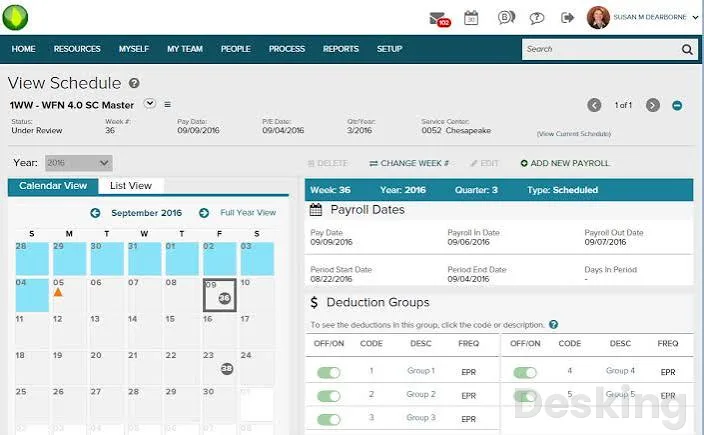
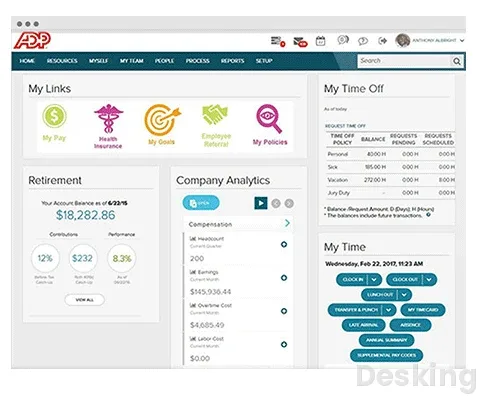
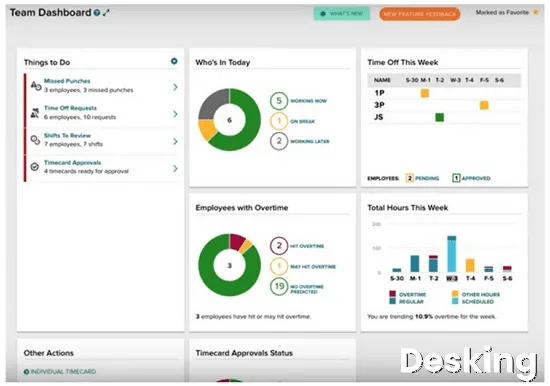
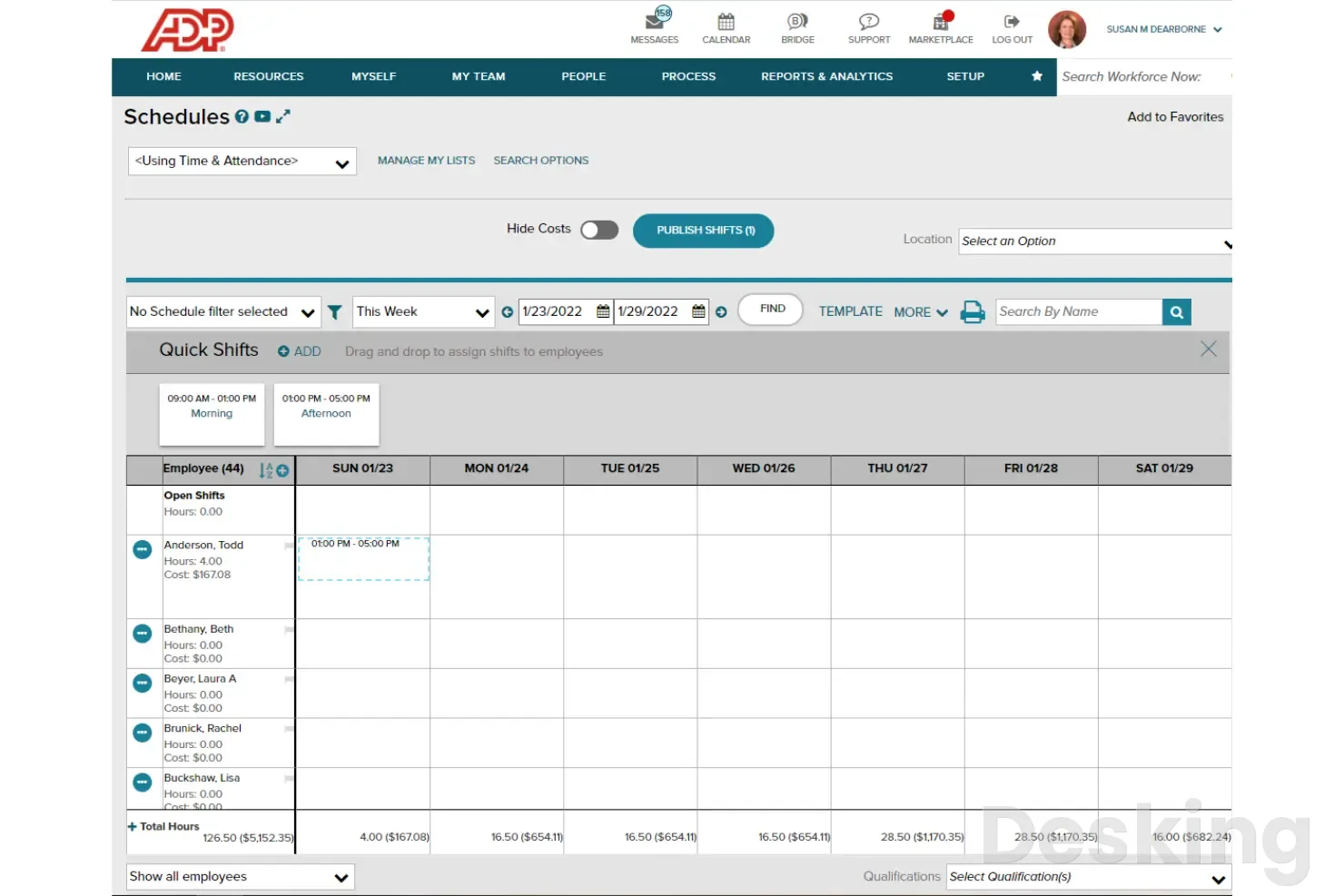
Table of contents
- 1. What ADP Workforce Now does
- 2. How the platform is organized
- 3. Payroll and tax administration
- 4. HR administration and employee records
- 5. Benefits administration
- 6. Time, attendance and scheduling
- 7. Talent acquisition and employee development
- 8. Reporting, analytics and ADP Assist
- 9. Integrations and developer access
- 10. Mobile access and employee experience
- 11. Implementation and migration
- 12. Security, privacy and compliance
- 13. Customer support and user feedback
- 14. ADP Workforce Now pricing and total cost
- 15. ADP Workforce Now alternatives
- 16. Who should use ADP Workforce Now
- 17. Final assessment
- Frequently Asked Questions
ADP Workforce Now is a cloud based human capital management platform that manages payroll, employee records, benefits, time and attendance, talent processes and workforce reporting for midsize employers.
It is developed by Automatic Data Processing, Inc., headquartered in Roseland, New Jersey.
ADP was founded in 1949 and has grown into one of the largest payroll and HR services companies in the world, with more than 1.1 million clients and payments processed for over 42 million workers across more than 140 countries and territories.
The company reported approximately 67,000 associates and $21.9 billion in fiscal 2026 revenue.
Workforce Now sits in the middle of this business: a dedicated HCM product for employers that have outgrown basic payroll software but do not necessarily need a global enterprise system.
The central question is not whether ADP has enough functionality.
It does.
The more useful question is whether an employer can put that functionality to work without creating a second administrative burden around configuration, reporting, integrations and support.
Workforce Now is built on a mature payroll operation, and that foundation matters when an organization has multiple pay groups, state tax obligations, benefit deductions, complex employee records and a recurring need to produce accurate payroll.
Its value is less obvious for a company that needs only a modern HR database or a straightforward way to pay a relatively small workforce.
The product is aimed primarily at companies with approximately 50 to 999 employees.
That positioning is important because it explains many of its design choices.
ADP expects customers to have people responsible for payroll, HR administration and compliance, and it sells a system that can be configured around those responsibilities.
The Select, Plus and Premium packages establish a starting structure, but they are not rigid editions that define the full product.
ADP allows additional capabilities to be added or adjusted, which means the final configuration can differ substantially between two employers that both describe themselves as Workforce Now customers.
There is a clear trade off.
A company can buy a smaller payroll product, a separate HR information system and standalone time tracking tools, then manage the connections between them.
Or it can place more of those responsibilities inside ADP and accept a larger implementation project and a negotiated contract.
The second approach can reduce the number of systems that HR and finance staff must reconcile.
It can also make the organization more dependent on ADP's configuration choices, commercial terms and service quality.
That is the lens through which this review assesses the platform.
Workforce Now deserves serious consideration when payroll is a high consequence business process and HR needs to manage more than employee profiles.
It deserves greater scrutiny when the buying team expects quick deployment, simple reporting, transparent pricing or direct control over every workflow.
The platform is capable, but capability alone does not settle the purchase.
1. What ADP Workforce Now does
Workforce Now is a human capital management system rather than a payroll application with a few HR screens attached.
Its central record of each employee supports payroll, HR administration, benefits, time and attendance, onboarding, talent processes and reporting.
A change to an employee's job status, compensation or personal details can affect more than one administrative process, so the practical benefit is the relationship between modules rather than the presence of each module individually.
This distinction separates Workforce Now from simpler payroll products.
A small employer might use payroll software to calculate wages, file taxes and issue pay statements.
A company with several locations, departments, pay groups and benefit arrangements also needs to control who can change employee data, how those changes are approved, how hours enter payroll and how managers review exceptions.
Workforce Now is designed to support that broader operating model.
The product is also different from ADP's enterprise HCM offering.
ADP positions Workforce Now for midsize businesses, while ADP Lyric HCM is aimed at larger enterprises with 1,000 or more employees.
The distinction matters to buyers approaching that boundary.
Workforce Now can support growing organizations, but a company with extensive international operations, complex global workforce structures or enterprise wide transformation requirements should compare it directly with ADP Lyric and other enterprise systems before committing.
The product should not be confused with RUN Powered by ADP.
RUN is the small business payroll platform for employers with fewer than 50 employees, while Workforce Now targets the midsize market.
The two products belong to the same provider, but they address different operating requirements.
A buyer should therefore evaluate the correct ADP product rather than using a low end ADP payroll offer as a price reference for Workforce Now.
The employer profile it targets
The natural customer is an organization with a recurring payroll operation, a defined HR function and enough administrative complexity to justify a central HCM system.
A business with 150 employees spread across several states, for example, has to coordinate employee records, tax withholding, benefits, time collection and manager approvals.
Workforce Now is intended to put those processes within a connected environment rather than leave each department to maintain its own records.
A workforce of 50 people does not automatically justify the system.
Employee count is only one part of the decision.
A 60 person professional services company with one location, simple salaries and minimal benefits may find a lighter platform easier to operate.
A 60 person healthcare business with hourly shifts, multiple pay rules, overtime, leave tracking and benefit eligibility may have a stronger reason to consider Workforce Now.
At the other end, a company with 900 employees may already have dedicated payroll specialists, HR business partners, finance analysts and IT administrators.
For that buyer, the relevant question is whether Workforce Now can support the company's actual approval paths, reporting requirements and data governance model.
A broad product can still be a poor fit if its configuration does not reflect the way the company operates.
ADP's scale and why it matters
ADP's size is a meaningful part of the product proposition.
The company's fiscal 2026 annual report describes more than 1.1 million clients and payroll processing for over 42 million workers across more than 140 countries and territories.
Those figures do not prove that every Workforce Now workflow is better than a competitor's, but they do establish that ADP operates at a scale few specialist HR software vendors can match.
Payroll is a particularly demanding category because errors have direct consequences for employees and employers.
A missed deduction, incorrect tax withholding or delayed payment is not simply a poor user experience.
It can lead to employee complaints, compliance work, financial corrections and management time spent resolving the issue.
ADP's long operating history and payroll focus are relevant advantages when a buyer values provider experience and operational continuity.
Scale, however, should not be mistaken for a guarantee of good service on every account.
The quality of the implementation, the assigned support contacts, the modules purchased and the employer's own data discipline all influence the result.
User feedback includes both praise for payroll reliability and complaints about complex corrections, slow support and difficult reporting.
A large provider can have deep expertise while still delivering an uneven experience to individual customers.
The strongest case for ADP is therefore not that its size removes risk.
It is that the company has built its business around payroll and workforce administration, and Workforce Now gives midsize employers access to that operating infrastructure.
Buyers should still test the service model, implementation responsibilities and commercial terms before signing.
2. How the platform is organized
Workforce Now is organized around connected functional areas rather than a single fixed workflow.
Payroll and core HR form the base of the system.
Benefits administration and workforce management expand that base in the Plus and Premium packages, while talent acquisition, performance management, learning, analytics and other capabilities can be added according to the employer's needs.
The arrangement gives ADP room to fit different businesses, but it also means that the product name alone does not tell a buyer exactly what is included in a contract.
This modular structure has two consequences.
First, it can prevent a business from paying for every available function before it needs one.
A company that has a separate applicant tracking system, for instance, may not want to purchase recruitment functionality immediately.
Second, it makes price comparison harder.
A Workforce Now proposal must be compared against another vendor's proposal using the same modules, service levels, employee count, implementation requirements and contract term.
The platform's shared employee data is the key architectural idea.
Employee records, compensation details, payroll information, benefits and time data are connected so that authorized changes can be used by other processes.
A salary update should not need to be entered independently in several systems if the relevant modules are correctly configured.
That can reduce duplicate administration, but it also increases the importance of permissions, data validation and testing before a change goes live.
Select, Plus and Premium
The three packages provide a useful starting point for understanding the product.
Select covers payroll and core HR.
Plus adds benefits administration and related workflows.
Premium includes the Plus capabilities and integrated time tracking, attendance and scheduling.
ADP identifies Premium as its most popular package for midsize businesses, although that does not mean it is the right purchase for every employer.
The following table summarizes the principal differences published for these packages.
It focuses on the capabilities that distinguish each tier rather than repeating every payroll and HR function that is included throughout the package range.
| Capability | Select | Plus | Premium |
|---|---|---|---|
| Payroll processing | Yes | Yes | Yes |
| Payroll tax services | Yes | Yes | Yes |
| Payroll error alerts | Yes | Yes | Yes |
| Core HR records | Yes | Yes | Yes |
| Employee self service | Yes | Yes | Yes |
| New hire workflows | Yes | Yes | Yes |
| Digital employee records | Yes | Yes | Yes |
| ADP Assist | Yes | Yes | Yes |
| Benefits administration | No | Yes | Yes |
| Benefits enrollment | No | Yes | Yes |
| Carrier connections | No | Optional | Optional |
| Time collection | No | No | Yes |
| Employee scheduling | No | No | Yes |
| Time off accruals | No | No | Yes |
| Attendance reporting | No | No | Yes |
The practical dividing line is clear.
Select is suitable when payroll and core HR are the immediate requirements and the employer has another way to manage benefits and time.
Plus becomes relevant when benefits enrollment and carrier administration need to sit inside the HR system.
Premium is the more natural choice when hours, attendance, scheduling and time off must feed payroll through the same platform.
The table does not mean every other Workforce Now function is restricted to Premium.
ADP's comparison chart includes payroll reporting, employee records, onboarding, recruitment and other tools across the three packages, while separate add ons can extend the configuration.
The buyer should ask ADP to identify the exact included functions in the commercial proposal, especially where the proposal uses terms such as enhanced reporting, talent management or additional services.
There is also a reason not to buy the highest tier by default.
Premium makes sense when the employer will use its workforce management capabilities and the operational value of integrated time data justifies the added expense.
If scheduling is already controlled by a specialist system that supervisors prefer, paying for overlapping functionality may increase cost without improving the process.
The right package is the lowest tier that covers the workflows the company intends to run inside ADP.
One employee record, multiple consequences
The shared record model sounds simple, but it changes how administrators should think about data quality.
An employee's status, compensation, work location, department and benefit eligibility may influence payroll, reporting and other administrative functions.
An incorrect value can therefore travel into more than one process.
Centralization reduces duplicate entry, but it also means that a mistake in a key field can have a wider effect.
For that reason, organizations should establish ownership for employee data before implementation.
HR may own job information and employee status, payroll may validate pay and deduction data, and managers may be permitted to submit changes without directly approving their own requests.
These responsibilities should be reflected in role permissions and approval workflows rather than left to informal agreements.
The same principle applies to employee changes after go live.
A promotion, salary adjustment, transfer or termination should follow a documented process with effective dates, approval evidence and payroll validation.
Workforce Now can support the underlying administration, but it cannot compensate for unclear internal responsibility.
The software is a control environment, not a substitute for management policy.
3. Payroll and tax administration
Payroll is the most important reason many midsize employers consider ADP.
Workforce Now includes real time payroll processing, payroll previews, error detection alerts, prorated and retroactive pay adjustments, tax filing and payment services, batch import capability and a general ledger interface.
The package comparison also lists built in reporting and a custom report builder across Select, Plus and Premium.
This is a stronger payroll foundation than a basic application that simply calculates gross pay and produces payslips.
Employers have to manage earnings, deductions, withholding, adjustments, pay groups and accounting outputs.
A platform that connects employee records and time data to payroll can reduce repeated data entry, particularly when staff changes occur close to a pay run.
The payroll preview is an important control.
A payroll team should be able to review the run before submitting it, identify unusual changes and correct discrepancies while there is still time to do so.
Error alerts can help draw attention to unexpected entries, but they do not remove the need for human review.
A payroll administrator still has to understand why a value changed and whether the underlying employee record is correct.
Payroll controls and exception handling
The value of payroll software is often determined by how well it handles exceptions rather than how quickly it processes a routine pay period.
Retroactive pay, corrections, garnishments, unusual deductions, overtime and changes to tax information can require more attention than the standard salary run.
Workforce Now includes several tools intended to support these adjustments, but employers should test their own pay scenarios during implementation.
A useful demonstration should include a complete pay cycle with representative employee types.
The employer should ask the implementation team to show a salaried employee, an hourly employee, a worker with overtime, a recent hire, a terminated employee and a person whose compensation changes during the pay period.
The purpose is to verify that the configuration handles the company's real rules, not simply that a sample payroll can be processed.
The finance team should also validate the general ledger interface.
Payroll results need to be mapped to the correct accounts, departments, locations and cost centers.
If the employer uses several legal entities or complex reporting dimensions, the implementation should confirm how those structures are represented and how corrections are reflected in accounting exports.
A payroll platform can calculate the right net pay and still create accounting work if the ledger mapping is incomplete.
ADP's tax services are a meaningful selling point for employers operating across multiple US jurisdictions.
Tax calculation, filing and payment are part of the product's stated payroll capabilities.
That can reduce the internal burden of maintaining tax processes, although employers remain responsible for supplying accurate employee and business information and reviewing exceptions.
Payroll compliance is shared work between the provider and the employer, not a task that can be delegated without oversight.
Payroll accuracy is not the same as payroll simplicity
Customer feedback shows why buyers should separate the strength of the payroll operation from the usability of the workflow.
Some users value the ability to manage payroll, employee records and time data in one system.
Others describe the process of making changes or resolving payroll issues as unnecessarily complicated.
A system can be reliable in routine processing while still making exceptional cases difficult to resolve.
A Director of Finance in healthcare and biotechnology, reviewing the product on Gartner Peer Insights, described a difficult payroll experience after switching from another platform.
The reviewer reported that adjustments were hard to make and that payroll remained painful after more than a year.
That account should not be treated as proof that every ADP customer will experience the same problem, but it is a useful warning for organizations with complex wage rules.
Gartner Peer Insights
The right response is not to dismiss the complaint or assume it is universal.
Buyers should create a test script based on the actual payroll exceptions they encounter.
If the organization pays shift differentials, manages multiple overtime rules or processes frequent retroactive adjustments, those cases should be demonstrated before contract signature.
A smooth presentation using standard salary data is not sufficient evidence.
Payroll for multi state employers
Multi state payroll is one of the areas where ADP's scale can matter.
Employers with workers in several states have to manage different tax jurisdictions, employee work locations and withholding obligations.
Workforce Now is designed to support federal, state and local tax administration, which makes it relevant to employers whose payroll is no longer a single jurisdiction exercise.
The complexity increases when an employee works in one state, lives in another and changes location during the year.
The payroll configuration must reflect the employer's policies and the applicable tax rules.
HR and payroll teams should validate the treatment of remote workers, temporary work locations, transfers and terminations.
They should also confirm how ADP handles corrections when an employee's location or tax details were entered incorrectly.
ADP's global reach should not be mistaken for a promise that every country payroll is processed directly inside Workforce Now.
The product can act as a central HR record and connect with ADP Global Payroll for organizations with employees in multiple countries.
Buyers with international payroll should confirm which countries, entities and payroll services are included in the proposed arrangement, and which parts rely on separate ADP products or external providers.
4. HR administration and employee records
The HR component is designed to manage the employee relationship from recruitment and onboarding through employment changes and separation.
It includes employee and talent profiles, compliance tracking, policy acknowledgements, custom fields, notifications, approvals, salary structures and pay grades.
New hire and termination workflows connect HR administration to payroll, while the employee portal gives staff access to selected information and actions without requiring every request to pass through an HR administrator.
For an HR department, the main advantage is the reduction of fragmented records.
Employee information can be maintained in one environment and used by connected processes.
When a person changes department, compensation or employment status, the relevant information can be reflected in payroll and benefits workflows rather than requiring separate updates in several applications.
That is useful only if the organization defines which fields are authoritative and who is allowed to change them.
The digital employee record also supports document storage, search and auditing.
ADP's package comparison lists secure cloud based storage, single and batch uploads, role based security and unlimited storage across the three packages.
These capabilities can reduce reliance on paper files and shared drives, but document retention still requires a policy.
Employers should decide which documents belong in an employee record, who can view sensitive material and how long records must be retained.
Employee profiles and organizational structure
Employee profiles are more than contact cards.
They hold the information that supports payroll, reporting, benefits eligibility and management decisions.
Workforce Now includes employee and talent profiles, custom fields, salary structures and pay grades.
These elements are particularly useful when the organization has multiple job families, locations or compensation structures that must be reported consistently.
The challenge is deciding how much structure to introduce.
An organization that creates a custom field for every local preference can end up with a confusing database that is difficult to report on.
A company that defines too few fields may find that important information remains in spreadsheets or separate systems.
The implementation should identify the attributes that are required for payroll, compliance, reporting and management, then establish naming and ownership rules.
Organizational structures also affect access and reporting.
A manager may need visibility into the employees assigned to a department but should not necessarily see every compensation record across the company.
HR administrators may require broader access, while payroll specialists need permission to manage payroll information.
The role based security features listed in the product comparison can support this separation, but the employer must design and periodically review the permission model.
Onboarding and employee changes
Workforce Now includes guided new hire workflows, digital I 9 processing, fillable forms, electronic signatures, configurable onboarding experiences and completion reminders.
These tools can reduce the administrative steps between an accepted offer and a worker becoming active in the payroll system.
They also create a clearer process for collecting information and documents before the first pay cycle.
Onboarding is a good example of where integration matters more than the visual form itself.
New employee information should be collected once and then made available to the processes that need it.
Payroll requires tax and payment details, benefits administration needs eligibility information, and managers need to know when the new employee is ready to begin work.
If the same details must be entered again into separate applications, the organization loses much of the value of a connected HCM platform.
A sensible implementation test should follow a new hire from the initial record through the first payroll.
It should include a correction to a personal detail, a change to the start date and a missing form.
The buyer should check whether the system makes the incomplete task visible, whether the employee can correct the relevant information and whether the payroll team can identify records that are not ready for processing.
Termination requires equal care.
A separation affects access, payroll, benefits, documents and reporting.
Workforce Now includes guided termination workflows and can remove an employee from payroll on the effective termination date specified in the system.
Employers should verify the exact behavior for final pay, accrued leave, benefits termination and access removal in their own configuration.
The effective date is a control point, not simply a field on a form.
Employee self service
Employee self service reduces routine requests to HR by giving workers access to information such as pay statements, tax documents, benefits and time off.
The ADP Mobile Solutions app extends that access to phones and tablets.
Depending on the employer's configuration and subscribed products, employees can view pay and tax statements, submit time off requests, record hours and review benefits information.
Managers can approve timecards and leave requests and view team calendars.
This is one of the parts of the platform that can create a visible improvement for employees.
A worker who needs a previous pay statement should not have to email payroll and wait for a response.
A manager who approves timecards should be able to review the relevant information without opening a separate desktop workflow.
The mobile app makes these interactions more accessible, although the available functions depend on the employer's ADP products and configuration.
The mobile experience should still be tested with the workforce that will use it.
Hourly employees may rely on clocking and timecard functions, while salaried staff may mainly use pay statements and leave requests.
A manager may need approval functions that are not available to a standard employee.
The employer should check the app on the devices and operating systems used by staff, and confirm how workers receive help when registration or authentication fails.
Where HR administration becomes difficult
The central record is a strength, but the administration model can feel dense.
A platform with payroll, benefits, time, talent and reporting functions has many menus, settings and permission combinations.
Employees may use only a few self service actions, while administrators have to learn how the modules interact.
The result is a product with a broad capability set but a steeper learning curve for people responsible for configuration.
A Capterra reviewer working as a Human Resources Clerk in construction, at a company with 51 to 200 employees, described the administrator experience as frustrating and singled out the rigid interface, custom reporting and difficulty reaching prompt support.
The comment is relevant because it comes from the administrative side of the product, where most of the complexity sits.
Employees who only check pay statements may have a very different experience.
This distinction should shape the evaluation.
The buying team should not rely only on employee feedback or a short employee app demonstration.
It should include the payroll manager, HR administrator, benefits specialist and reporting owner in the assessment.
These are the people who will work with the system's more demanding parts after the sales process has ended.
5. Benefits administration
Benefits administration is the main difference between Select and Plus.
The Plus package adds plan configuration, mobile enrollment, benefits reports, an open enrollment dashboard, flexible rate structures, invoice auditing, dependent and beneficiary tracking, ACA services, decision support and optional carrier connections.
Premium includes these capabilities because it builds on Plus.
This is relevant to employers whose benefits administration has become a recurring manual exercise.
HR teams may need to coordinate enrollment periods, employee eligibility, dependent information, contribution rates, carrier files and changes caused by life events.
A connected system can reduce the need to maintain separate records for each of these activities, provided the employer's carriers and benefit arrangements are supported.
Open enrollment is a useful test case.
The administrator should be able to define the plans and rates, establish eligibility rules, publish the enrollment period and monitor completion.
Employees should be able to review available options and submit their selections through the appropriate portal or mobile experience.
The HR team should then be able to review exceptions and confirm that approved elections are reflected in the payroll deductions.
Carrier connections and reconciliation
Carrier connections are important because the benefits system must exchange information with insurance providers and other benefit partners.
Workforce Now includes optional direct carrier connections in the Plus and Premium package comparison.
The buyer should ask which carriers are supported, whether the required connection is already available and whether a separate fee applies.
A carrier connection should not be judged only by whether data can be transmitted.
The employer needs to know which fields are exchanged, how often updates occur, what happens when an employee changes coverage and how errors are reported.
A file that moves successfully but leaves the benefits team to reconcile exceptions manually may not deliver the expected administrative saving.
Invoice auditing is another relevant capability.
Benefits invoices often need to be compared against employee enrollment records, coverage levels and employer contribution rules.
A discrepancy can arise when a worker changes coverage, a dependent is removed or a termination is processed late.
The platform's value depends on whether the benefits administrator can identify the difference and resolve it without maintaining a separate reconciliation process.
ACA administration and eligibility
ADP lists ACA services and an administrative dashboard in the Plus and Premium packages.
This is relevant to employers that need to track eligibility and manage reporting obligations under the Affordable Care Act.
It is not a reason to assume every compliance task is automatically completed without employer input.
The quality of the underlying hours, status and coverage data still matters.
Employers should clarify which ACA services are included in the quote and what work remains with the internal team.
They should ask how measurement periods are configured, how employee classifications are handled and how changes to work hours affect eligibility.
They should also confirm who is responsible for reviewing exceptions and preparing any required filings.
The phrase ACA services can cover different levels of support, so the contract should define the deliverables.
The same discipline applies to benefit eligibility more generally.
Organizations with waiting periods, variable hour employees or multiple benefit classes need to verify the rules in a realistic demonstration.
A benefits system can present enrollment options accurately only when employee records and eligibility settings are correct.
The implementation should include test employees representing the different classes and situations in the employer's workforce.
When Plus is enough
Plus is likely to be the appropriate package when benefits administration is the major requirement beyond payroll and core HR.
An employer with stable schedules and an existing timekeeping product may not need Premium's integrated time collection.
In that case, the value of Plus lies in bringing benefits enrollment and related records into the same HCM environment without purchasing a second workforce management capability.
However, Plus should not be selected solely because the company offers health insurance.
The buyer should compare the administrative work already performed by the benefits broker, carrier portals and current HR system.
If a broker handles most enrollment tasks and the existing payroll system already receives accurate deduction files, the incremental value may be smaller than expected.
The decision should be based on the work the software will actually replace.
6. Time, attendance and scheduling
Premium adds integrated time tracking and attendance capabilities.
The package includes flexible and mobile time collection, employee scheduling, paid time off accruals, time off requests and processing, payroll integration and analytics that include overtime.
This makes Premium particularly relevant to employers with hourly employees or a workforce whose hours vary by shift, location or department.
Time data is often the point where HR, operations and payroll meet.
Employees record hours, managers review and approve them, payroll applies the relevant pay rules and finance needs the resulting labor costs.
If these processes happen in separate systems, administrators may have to reconcile records before each payroll run.
Workforce Now's integrated model is intended to reduce that gap.
The benefit depends on configuration.
A business with multiple shift patterns, overtime rules, locations and job codes needs those rules represented correctly.
The system must also reflect how managers approve time and what happens when a timecard is missing or submitted late.
Buyers should not assume that an integrated time module automatically understands every local practice without setup.
Time collection and approval
Employees can record time through supported collection methods, while managers can review timecards and approve requests.
The mobile app can support clocking, timesheets and timecard actions, subject to the organization's configuration.
ADP's employee and manager app functions also include approvals for time off and timecards.
A useful demonstration should show more than a standard clock in and clock out.
It should include a missed punch, a late submission, a manager correction and a timecard that crosses a pay period boundary.
The buyer should observe whether the system identifies the exception, records the adjustment and makes the approval history available.
These cases reveal whether the workflow supports the employer's controls.
Time collection also affects employee trust.
Workers need to see the hours recorded for them and understand how corrections are handled.
If the system is slow, confusing or unavailable at a shift change, employees may lose confidence in the accuracy of their hours.
That is why mobile performance and the availability of a backup process should be part of the purchase evaluation.
Scheduling and labor visibility
Scheduling is included in Premium, giving employers a way to manage workforce schedules alongside attendance and payroll.
The feature is most useful where shifts, coverage requirements and employee availability affect labor costs.
A business that needs to coordinate hourly staff across departments can benefit from having schedule and time information in the same platform.
The buyer should still test the complexity of its scheduling model.
Fixed shifts are different from rotating schedules, on call arrangements, union rules or work patterns that vary by location.
A product comparison table may say scheduling is included, but it does not prove that every scheduling scenario is supported in the required way.
The sales demonstration should use the actual rules and exceptions the business expects to manage.
There is also a risk of paying for overlapping functionality.
Many organizations already use a dedicated scheduling system connected to payroll.
If managers are satisfied with that tool and the integration is reliable, moving schedules into Workforce Now may create change management work without a clear benefit.
Premium is most compelling when the company wants to consolidate time, attendance, scheduling and payroll, not simply because scheduling appears in the package description.
Overtime and payroll integration
Overtime reporting is one of the useful links between workforce management and payroll.
A manager may need to identify employees approaching overtime thresholds, while payroll needs approved hours to calculate pay correctly.
ADP lists comprehensive analytics and reporting that include overtime in the Premium package.
The buyer should confirm how overtime rules are configured and which reports are available to supervisors.
It should also ask whether the system can separate regular time, overtime, premium pay and other earnings in the way finance expects.
The exact requirements can differ by state, employee classification, collective agreement and company policy.
Time and attendance should be evaluated as a control process, not simply a convenience for employees.
A good implementation establishes who can edit timecards, which corrections require approval, how exceptions are escalated and how final approved hours reach payroll.
Without those rules, an integrated system may centralize inaccurate information rather than improve payroll control.
7. Talent acquisition and employee development
Workforce Now includes talent capabilities beyond the core payroll and HR packages.
ADP's package comparison lists recruitment tools such as access to more than 25,000 job boards, job posting, smart matching powered by ZipRecruiter, sourcing metrics, candidate communications, requisition reporting, mobile career sites and interview scheduling.
These functions are available as part of the wider product ecosystem, but buyers should confirm the exact commercial inclusion in their proposal.
The recruitment workflow is useful when the employer wants candidate information to connect to onboarding and employee records.
A candidate who accepts an offer should not need to be recreated from scratch as a new employee.
The value is the handoff from hiring to HR administration, where the information collected during recruitment becomes the foundation for the employee record and payroll setup.
However, buyers should compare the recruitment module against specialist applicant tracking systems.
A company with high hiring volume, multiple recruitment teams, complex interview panels or advanced candidate relationship requirements may need a dedicated platform.
The presence of job boards and interview scheduling does not automatically make Workforce Now a strong replacement for a specialist ATS.
Recruitment and onboarding continuity
The most useful recruitment capability may be the transition into onboarding rather than the candidate search itself.
Workforce Now includes integrated onboarding workflows, electronic I 9 processing, fillable forms, electronic signatures and reminders.
These functions can help reduce repeated data entry once a candidate becomes an employee.
The buying team should map the recruitment process from requisition approval to first day.
It should identify which steps happen in Workforce Now, which require an external recruitment tool and where candidate data transfers between systems.
A connection that transfers a name and email address is not equivalent to one that transfers job details, compensation, location, manager and start date.
This is particularly important for companies that hire hourly employees in volume.
A delayed or incomplete onboarding record can affect scheduling, access to work, time collection and payroll.
The platform should make outstanding steps visible to the responsible administrator and give the employee a clear route to complete required information.
A demonstration should include an incomplete application and a changed start date rather than only a perfect new hire record.
Performance management
ADP's broader talent capabilities include performance and compensation tracking, configurable merit and budget guidelines, payroll integration for award allocation and progress dashboards.
These functions can support structured performance cycles and compensation reviews.
They are relevant to employers that want to connect employee development with pay decisions rather than manage the process through spreadsheets and separate documents.
The question is whether the performance module fits the company's management culture.
Some employers run annual reviews with a limited number of forms and approval stages.
Others need continuous feedback, goal alignment, calibration, competency frameworks and complex succession planning.
A package description cannot establish that the system will support every variation.
HR should request a demonstration using the organization's actual review cycle.
Performance data also requires careful permissions.
Compensation discussions and manager assessments are sensitive.
Access should be limited to the appropriate employee, manager, HR and executive roles.
The organization should verify how completed reviews are stored, who can amend them and whether the reporting output supports the analysis required by HR leadership.
Learning management
ADP lists learning management among the capabilities that can be added to the Workforce Now ecosystem.
The comparison materials describe access to more than 70,000 prepackaged compliance and development courses, custom training content, employee self enrollment, instructor led training tracking and course dashboards.
These functions may be useful when employers need to assign required training and monitor completion.
The key distinction is between course access and a full learning strategy.
A library of courses can help cover standard compliance and development topics, but organizations with technical certification programs, regulated training pathways or specialist learning content may need additional providers.
The buyer should inspect the course catalog, content relevance, language coverage and reporting before treating the stated course count as a meaningful advantage.
Learning should also connect to employee roles and compliance requirements.
A useful system can assign training based on department, location or job responsibilities and show whether employees have completed it by the required date.
Employers should confirm whether these rules are included in the selected configuration or require additional services.
The number of available courses matters less than whether the right employees receive the right training and whether administrators can prove completion.
8. Reporting, analytics and ADP Assist
Workforce Now includes built in reports, a custom report builder, payroll dashboards and reporting across HR, benefits and workforce management.
ADP also describes analytics for turnover, overtime, workforce trends and compensation.
The platform's value in this area depends on whether the organization can turn its employee and payroll data into reports that managers can understand and use without relying on specialist intervention for every request.
Payroll reports are especially important because they support review, reconciliation and audit work.
HR reports may track headcount, turnover, employee changes and organizational structure.
Benefits reports can support enrollment and plan summaries, while time reports can identify attendance patterns and overtime.
These are different audiences and different data needs, even when they draw from the same employee database.
The difficulty is that the existence of a report builder does not guarantee that report creation is simple.
Users repeatedly mention complexity when customizing reports or finding the correct data.
G2's review summary identifies reporting as a recurring challenge, and Capterra feedback includes complaints about the time required to generate custom reports.
Custom reports and data ownership
A report is only useful when its definitions are consistent.
If one department defines headcount using active employees and another includes employees on leave, the numbers may not match.
If payroll and HR use different effective dates, a report may show a different result from the payroll register.
Workforce Now can centralize data, but it does not decide which metric the company should use.
The implementation should therefore define the key reporting measures before building custom reports.
HR and finance should agree on headcount, turnover, labor cost, overtime, compensation and benefit enrollment definitions.
They should also identify which fields are mandatory and who is responsible for maintaining them.
These decisions reduce the risk of building multiple reports that appear to measure the same thing but produce different answers.
Custom report access should be treated as a skill requirement.
A company may need one or two trained report owners who can build, validate and distribute reports.
If every HR administrator is expected to create complex reports without training, the platform may become a source of frustration.
The buyer should ask what report training is included, whether support for custom reporting is part of the service agreement and what additional assistance costs.
ADP Assist and AI functions
ADP Assist is the platform's AI powered assistant.
ADP describes it as a way to surface issues, provide recommendations and help users take action across HR, payroll and benefits.
The company's capability materials also identify payroll anomaly detection, intelligent candidate matching and AI powered analytics as examples of AI use within Workforce Now.
The strongest use case is operational assistance rather than replacing HR judgement.
An assistant that identifies unusual payroll changes or points an administrator toward a relevant action can help reduce the time spent searching for information.
It may also make a large system easier to use for employees and managers who do not work in HR every day.
The quality of the result still depends on the underlying employee data and the way the employer has configured its policies.
AI should not be treated as an automatic compliance decision maker.
Payroll exceptions, employment status changes, benefits eligibility and employee relations issues require appropriate review.
Buyers should ask what data ADP Assist can access, what actions it can perform, whether responses are logged and which decisions require human approval.
They should also confirm which AI features are available in the exact Workforce Now package being quoted.
The product's AI story is evolving, and ADP's wider company strategy places AI within its workforce services.
That gives the platform a path to add more assistance to payroll and HR workflows.
But a buyer should evaluate the actual functions available in the proposed product, not the broader direction of the company's AI investment.
The practical test is whether a named feature reduces a specific task, improves the quality of an output or helps an administrator resolve an exception.
Analytics should be judged by action
A dashboard is not a management outcome.
A useful report should help a manager identify a problem and take a defined action.
An overtime report should show where hours are accumulating, who owns the schedule and what the cost impact may be.
A turnover report should allow HR to examine trends by department, location and employee group.
A payroll exception report should make the reason for a discrepancy clear enough to resolve.
Workforce Now's reporting capabilities can support these activities, but the company needs to verify the level of detail and flexibility available.
The sales team should demonstrate the reports that the employer actually expects to use, rather than relying on generic dashboards.
If the organization has complex reporting needs, it should ask for a sample report using representative data and confirm whether the required fields can be combined without a separate analytics product.
The buyer should also ask how reports are exported and shared.
Some organizations need reports for finance systems, board materials or regulatory processes.
Others need managers to view only the employees in their area.
Export formats, access permissions and scheduling options should be part of the evaluation.
The best report is one that reaches the right person at the right time with the right level of detail.
9. Integrations and developer access
ADP operates ADP Marketplace as its ecosystem for connecting Workforce Now to third party applications.
The marketplace includes integrations across HR, payroll, benefits, accounting, time and other business functions.
ADP also supports APIs for organizations that need custom connections or more direct control over how workforce data moves between systems.
This ecosystem is important because no HCM product can cover every application used by a midsize company.
Finance may use a separate accounting platform, IT may manage identity and devices through another provider, and the business may already have a specialist recruitment or learning system.
The goal is not to replace every application.
It is to establish reliable data flows and clear ownership between them.
The buyer should distinguish a prebuilt connector from a custom integration.
A prebuilt connector may already support a defined data exchange, but it still needs configuration and testing.
A custom API connection gives the organization more control but requires technical work, security review and ongoing maintenance.
A sales demonstration should explain what the connector actually synchronizes, how often it runs and how errors are surfaced.
ADP Marketplace
ADP Marketplace is the first place to examine when assessing application compatibility.
The buyer should search for the exact products already used by finance, IT, benefits and operations.
It should then check whether the integration is available for the specific ADP Workforce Now configuration and whether the connector requires an additional subscription or implementation service.
A marketplace listing does not automatically mean that the connection is included in the Workforce Now contract.
Some integrations are provided by third party vendors, and their pricing, support and data responsibilities may be separate.
The employer should identify which company supports the connector, who handles an incident and whether the connection is maintained when either application changes its data model.
The evaluation should also include a data map.
For every integration, the company should document which system owns each field, which system can update it and how conflicts are resolved.
For example, an employee's department may be managed in Workforce Now but consumed by the finance application for cost allocation.
If both systems can update the field, the company needs a clear rule to prevent inconsistent records.
API Central and custom integrations
ADP API Central gives Workforce Now clients access to ADP APIs and developer resources, with ticketed API support and optional consulting.
The Marketplace listing describes API Central as a paid service billed monthly according to employee count.
It is intended for clients that want to integrate workforce data with internal or third party applications.
The published API Central rate is $2.50 per employee per month for the first 999 employees, $2.00 for employees 1,000 to 2,999, $1.25 for 3,000 to 4,999 and $1.00 for 5,000 to 9,999.
Optional consulting is listed at $250 per hour.
These are API Central charges, not the price of the underlying Workforce Now platform.
For an organization with 500 employees, the listed rate would make API Central a $1,250 monthly add on.
At 999 employees, the listed rate would be $2,497.50 per month.
This is a material cost for an employer that expects to build custom integrations, and it should be included in the software budget rather than treated as a technical detail that can be addressed after contract signature.
The rate structure also creates a specific question for larger employers.
The marginal rate falls as the employee count increases, but the total charge remains meaningful.
An IT team should confirm whether API Central is required for the intended integration pattern, whether an existing marketplace connector avoids the need for custom development and whether the company can use its current integration provider.
The correct comparison is the full cost of data exchange, not simply the API subscription.
Security of integration data
Workforce data includes sensitive personal information, payroll details, tax records and benefit information.
Integrations therefore need controls around authentication, authorization, encryption and logging.
ADP's API Central materials describe mutual TLS encryption, OAuth 2.0 authentication and configurable access entitlements.
These are relevant controls, but they do not remove the need for the customer to manage credentials and permissions correctly.
IT should review which applications can read employee information and which can write changes back to ADP.
A payroll application may need access to earnings data, while a scheduling tool may only need employee identifiers and availability.
A broad integration account with excessive permissions increases risk and makes audit work harder.
The principle should be least privilege, with access limited to the data and actions required for each connection.
The organization should also decide how it will monitor integrations.
Failed syncs, rejected records and delayed updates can create payroll or HR problems if they remain unnoticed.
A connection should have an owner, an alerting process and a documented recovery procedure.
These responsibilities are especially important when the integration is custom built rather than maintained by a marketplace provider.
10. Mobile access and employee experience
ADP Mobile Solutions is the mobile application used by employees and managers across several ADP products, including Workforce Now.
It provides access to pay statements, tax forms, time and attendance, time off requests, benefits information and selected manager functions.
The app is available for iOS and Android, although the exact features depend on the ADP product and the employer's configuration.
The employee experience is often more straightforward than the administrator experience because most employees need a smaller set of actions.
A worker may check a pay statement, review a tax form, request time off or record hours.
Managers may approve timecards and leave requests.
These are practical functions that can reduce routine questions to payroll and HR.
The app should not be evaluated as a separate product from the Workforce Now configuration.
An employer may purchase time and attendance but not enable every mobile time function.
Another employer may use the app primarily for pay statements and benefits.
The buying team should identify which employee actions will be available, whether any require additional modules and how the company will support workers who cannot complete registration.
Registration and account access
Employee registration requires a company registration code or an invitation process managed by the employer.
ADP's login support guidance tells employees to contact their company administrator if they do not have the registration code.
The registration process includes identity verification, creation of a user ID and password, security questions and contact information.
This matters during onboarding because an employee who cannot access the account may not be able to complete the required self service tasks.
HR should decide who distributes registration instructions, how the employee receives the code and what process applies when a worker changes their phone number or loses access to the account.
These details should be part of the onboarding checklist rather than handled only after a support request arrives.
For password problems, ADP provides a Forgot Your User ID/Password option on the login screen.
Users follow the prompts and security questions to recover their credentials.
If an account is locked, the login guidance says to wait five minutes and try again.
The employer should still have an internal support route for repeated failures, since an employee who cannot log in may need help beyond a password reset.
Mobile app limitations
The app is shared across several ADP products, so the feature set is not identical for every employer.
The App Store listing explicitly warns that not all listed functions may be available to every user.
That is an important limitation for buyers who assume that installing the application automatically enables timecards, benefit changes or manager approvals.
The underlying subscription and employer configuration determine what the employee can do.
The broader app rating should also be interpreted carefully.
App Store and Google Play ratings cover the ADP Mobile Solutions application used by customers of several ADP products, not Workforce Now alone.
They can indicate general app satisfaction but cannot establish the quality of every Workforce Now workflow.
A company should test the app with the relevant employee roles and devices before rollout.
Some Capterra feedback describes the desktop and mobile interfaces as dated or sluggish.
Other reviews praise the ability to access pay statements and time information without contacting HR.
Both experiences can be true.
The employee's day to day interaction may be simple, while the administrator's experience remains more demanding.
11. Implementation and migration
Implementation is one of the largest factors separating a successful Workforce Now deployment from a frustrating one.
The platform touches payroll, employee records, benefits, time, accounting and possibly talent systems.
Moving to it is therefore not simply a matter of importing a list of employees and switching on payroll.
The organization has to validate historical data, configure pay rules, establish access permissions, map integrations and test the processes that will be used after launch.
A Forrester Total Economic Impact study commissioned by ADP provides a useful view of the work involved in one composite implementation.
The study described an organization that began with HR, payroll, benefits and time and attendance for 400 employees, then added talent management as it grew.
It estimated five months for implementation and customization, with data preparation, integration and configuration requiring substantial internal involvement.
This is a modeled case based on interview evidence, not a guaranteed timeline for every customer.
The study also illustrates why the contract price is not the full project cost.
Its composite organization incurred costs for technology, implementation, customization, training and ongoing use.
The model estimated a present value of total costs above $440,000 over three years for its specific scenario.
Those amounts should not be transferred directly to another employer, but they demonstrate that configuration and internal staff time can be material components of the investment.
Data preparation
The first implementation task is to establish the quality of the data that will move into Workforce Now.
Employee names, addresses, tax details, compensation, job codes, departments, locations, benefit elections and employment statuses need to be checked before import.
Duplicate employee records and inconsistent job classifications should be resolved before the new system becomes the operational record.
Historical payroll data requires special attention.
The employer should decide which historical information must be migrated, which records need to remain accessible in the old platform and how year to date balances will be reconciled.
The implementation team should explain the treatment of tax information, deductions, leave balances and employee documents.
A successful employee import does not prove that payroll history has been migrated correctly.
The company should also assign owners to each data category.
HR can validate employee and organizational information, payroll can verify earnings and deductions, finance can check cost center and ledger mappings, and IT can review access and integration requirements.
These owners should sign off on the relevant data before the final parallel payroll test.
Configuration and parallel payroll
Configuration translates company policy into system settings.
The project may need to define pay frequencies, earning codes, deductions, tax jurisdictions, benefit eligibility, time off accruals, approval routes, employee groups and manager access.
The more variation in the workforce, the more important it becomes to test representative cases rather than rely on a standard configuration template.
Parallel payroll is an essential control for a company moving from another provider.
The same payroll inputs should be processed through the old system and Workforce Now for an agreed period, then the results compared.
Differences should be classified and resolved before the new platform becomes the sole payroll process.
The comparison should include gross pay, taxes, deductions, net pay, employer contributions and accounting outputs.
A parallel run should not be treated as a ceremonial approval.
The payroll team needs enough time to investigate discrepancies and correct configuration.
If the company has several pay groups, each should be represented.
If it has hourly employees, commissions or variable compensation, those cases should be included.
The project should not go live simply because the standard salaried population produces matching results.
A practical implementation sequence
The following sequence is a useful governance model for a Workforce Now deployment.
It does not replace ADP's project methodology, but it gives the employer a way to verify that the important work has been assigned and completed.
- Define the modules and workflows in scope, then document what will remain in existing systems.
- Assign data owners for HR, payroll, benefits, time, finance and IT before migration begins.
- Clean employee records, job codes, tax information, compensation data and historical balances.
- Configure pay groups, earning codes, deductions, benefit eligibility, time rules and approval paths.
- Map integrations and confirm which systems can read or change each employee data field.
- Test employee onboarding, job changes, terminations, timecards, benefit elections and payroll corrections.
- Run parallel payroll and reconcile every material difference before approving the production launch.
- Train administrators, managers and employees according to the tasks each group will perform.
- Set a post launch review period with named owners for payroll exceptions, integration failures and support cases.
This sequence is important because a weak implementation can make a capable platform appear unreliable.
If employee data is incomplete, payroll rules are wrong or managers do not understand their approval responsibilities, the system will produce avoidable problems.
The employer should not treat training as a final presentation.
It should be role specific, supported by written procedures and tested against the real tasks users will perform.
Internal staffing and change management
The implementation study commissioned by ADP describes a composite project that required nearly full time support from one or two employees during the initial data and integration work.
It also describes several additional months of customization, with part time support.
The study's interviewees estimated that customization could take between three and nine months.
This is a useful warning that the project can consume internal capacity beyond the initial software setup.
A midsize employer should identify a project lead who can make decisions across HR, payroll, finance and IT.
Without that person, each department may optimize its own process while leaving gaps between systems.
The payroll manager should have authority to validate pay configuration, while HR should own employee data and policy decisions.
IT should review identity, access, security and integration architecture.
Change management also affects employee adoption.
Managers may have to approve timecards in a new place, employees may need to register for a new portal and HR staff may have to replace familiar spreadsheets with structured workflows.
The organization should explain what is changing, when the change takes effect and where users can get help.
A short launch email is not enough if the platform changes payroll or attendance routines.
What to put in the implementation agreement
The statement of work should identify the modules being configured, the data to be migrated, the integrations to be delivered, the training included and the responsibilities of each party.
It should also define acceptance criteria for payroll testing and identify what happens if the project misses a milestone.
The employer should not rely on verbal assurances about implementation speed or the availability of support after launch.
The agreement should specify which reports and workflows are included in configuration.
If custom reports are important, the employer should name them and define the expected output.
If a carrier connection is essential, it should be listed with the responsible party and any recurring fee.
If the company expects a specific accounting integration, it should confirm the exact data fields and reconciliation process.
The project should also include a documented transition plan.
The employer needs to know when the old payroll system will stop processing, how historical records will remain available and who will handle corrections relating to earlier pay periods.
A clear exit and transition plan reduces the risk of being dependent on the old system after the new one has gone live.
12. Security, privacy and compliance
Workforce Now stores sensitive employee and payroll information, so security must be evaluated as part of the buying decision rather than left to a generic vendor assurance statement.
The data can include identity details, tax information, compensation, bank information, benefits elections and employment records.
Unauthorized access or inaccurate changes can affect employees directly and create legal and financial consequences for the employer.
ADP describes security controls across its workforce products and offers data privacy and security information through its corporate resources.
API Central also documents mutual TLS encryption, OAuth 2.0 authentication and configurable access entitlements for API access.
These controls are relevant to the integration layer, but the employer should request the current security documentation applicable to its exact Workforce Now environment and contractual arrangement.
Access control
Role based access is a basic requirement for an HCM system.
Payroll administrators need access to payroll functions, while managers should see only the employee information necessary for their responsibilities.
HR leaders may need broader access to employee records, but that does not mean every HR user should be able to edit payroll data or view all compensation details.
The employer should review the default roles and decide whether they match its internal structure.
It should also confirm how permissions change when an employee becomes a manager, transfers department or leaves the company.
Access should be removed promptly when responsibilities change.
Periodic access reviews are necessary because permission settings can accumulate over time as employees move between roles.
The organization should also verify how administrative actions are logged.
A payroll correction, change to bank details or update to an employee's status should be attributable to an authorized user.
Audit records are especially important when investigating a payroll discrepancy or responding to an internal control review.
The buyer should ask which events are logged, how long records are retained and whether administrators can export the evidence.
Employee privacy
Employee records should be limited to information needed for legitimate HR, payroll and compliance purposes.
The organization should define how sensitive documents are stored, who can access them and how information is shared with third party providers.
Benefit and payroll integrations deserve particular attention because they can transmit personal data beyond the central HR platform.
A company should also understand the responsibilities it retains under applicable privacy laws.
Using a payroll provider does not remove the employer's duty to handle employee data appropriately.
The organization must establish lawful purposes, access controls, retention rules and internal procedures for handling data subject requests where applicable.
It should ask ADP to explain its role as a service provider and the contractual provisions that govern processing.
Compliance responsibilities
ADP's payroll and tax services can help employers manage federal, state and local tax obligations.
Workforce Now also includes compliance reporting and HR recordkeeping capabilities.
Those functions are useful, but compliance is not a switch that can be turned on once and ignored.
Employer policies, employee classifications, tax information and work locations must remain accurate.
The employer should establish a regular review of tax notices, payroll exceptions and regulatory changes.
It should also clarify what ADP handles directly and what requires employer action.
The contract should distinguish tax filing services from advisory services, and should identify who is responsible for responding to notices or correcting errors caused by inaccurate information.
Security and compliance should be included in the vendor assessment alongside product functionality.
Buyers should request the relevant audit reports, security documentation, data processing terms, incident response commitments and information about subcontractors.
They should also confirm the available controls for user access, authentication and integration permissions.
A provider's reputation is useful background, but the contract and technical evidence are what govern the relationship.
13. Customer support and user feedback
Customer feedback on Workforce Now is mixed in a way that matches the product's strengths and weaknesses.
Users value the centralization of payroll, HR, benefits and time information.
They also report problems with reporting, navigation, support response times and the complexity of some administrative tasks.
The difference between employee and administrator experiences is especially important: an employee may need only a pay statement, while an administrator must manage the configuration behind the whole system.
Capterra displayed a 4.4 out of 5 rating from more than 7,300 reviews in late November 2026, with ease of use and customer service scores of 4.3 and 4.2 respectively.
G2 showed a 4.2 rating from more than 4,500 reviews, while Gartner Peer Insights showed 4.1 from 752 ratings.
These platforms use different review populations and methodologies, so the scores should not be combined into one average.
They do, however, indicate that the product has a large review base and a generally positive but not unqualified reputation.
What users value
The strongest positive theme is having several workforce processes connected in one place.
A Capterra reviewer in administration, working in the health, wellness and fitness industry at a company with 51 to 200 employees, described the value of keeping payroll, HR, benefits and time tracking together.
“The best thing about ADP Workforce Now is how it brings payroll, HR, benefits, and time tracking together in one single, centralized platform”
Verified user on Capterra, Administration, Health Wellness and Fitness, 51 to 200 employees.
Capterra
That feedback captures the central product proposition.
A company that currently maintains separate records for employee details, timecards and benefits may reduce repeated data entry by moving those activities into one platform.
The value is strongest when the company actually uses the connected modules and has defined the data rules between them.
A customer paying for several modules but continuing to maintain shadow spreadsheets is unlikely to realize the full benefit.
Another positive theme is employee access to pay information.
G2 reviewers describe the usefulness of viewing current and historical pay statements, tax documents and benefits without contacting HR.
This is a modest feature in technical terms, but it can reduce routine administrative requests across a large workforce.
The benefit becomes more noticeable when the employee population is distributed across multiple sites or works outside standard office hours.
What users criticize
Reporting is a recurring source of dissatisfaction.
Users describe custom reports as difficult to build and some report that they need additional help or paid support to get the output they want.
That matters because reporting is not an optional extra for payroll and HR teams.
They need to investigate pay differences, produce audit evidence, review labor costs and answer management questions.
A Capterra reviewer who identified as a Human Resources Clerk in construction at a company with 51 to 200 employees described the administrator experience as difficult:
“the legacy interface is notoriously rigid, generating custom reports is an overly complex chore”
Verified user on Capterra, Human Resources Clerk, Construction, 51 to 200 employees.
Capterra
The comment should be taken seriously, particularly by organizations that expect HR staff to build their own reports without specialist training.
It does not establish that every report is difficult or that the product cannot produce the required data.
It does mean the buyer should test the actual reports needed by the business and establish whether report assistance is included in the service agreement.
Support is another recurring complaint.
G2 reviewers describe long waits, transfers between departments and the need to explain the same issue more than once.
This is a significant concern for payroll because a problem that remains unresolved near a pay deadline can affect employees and create additional work for the payroll team.
The buyer should understand the support model before implementation rather than assuming that a large provider automatically means fast access to a specialist.
Support channels and service expectations
ADP provides employee and administrator support resources, and its login guidance directs employees to their company administrator for certain access problems.
The level of direct support available to an employer can depend on its service arrangement.
Buyers should ask which channels are included, whether there is a named account contact, what escalation route applies to payroll incidents and whether additional support packages carry separate fees.
The sales process should include a discussion of service levels.
The employer should ask how quickly urgent payroll cases are acknowledged, how cases are escalated when a first line representative cannot resolve them and whether support is available outside normal business hours.
It should also ask whether the support team can access the organization's configuration and whether the assigned representative understands the modules in use.
Support quality should be tested during the buying process.
The company can ask for a sample escalation path and request written clarification about service commitments.
It should identify the contact responsible for implementation questions, the contact responsible for ongoing payroll support and the route for technical integration incidents.
If the answers are vague before signature, the organization should not assume they will become clearer after go live.
Interpreting review scores
A rating of 4.4 on Capterra does not mean the product is simple to administer, just as a negative review does not prove that payroll processing is generally unreliable.
Reviews combine different user roles, company sizes, industries and product configurations.
Employees who use self service may rate the product based on pay statement access, while payroll managers judge it on tax handling, reporting and support.
The review pattern is more useful than a single score.
Positive feedback repeatedly identifies centralization, payroll administration and access to employee information.
Negative feedback repeatedly identifies reporting complexity, navigation and customer support.
These are the exact areas a buyer should test with the people who will own the system after launch.
A sensible evaluation should include users who are likely to be critical.
The payroll manager should test corrections and exception handling.
HR should build a report and complete a benefits workflow.
A line manager should approve a timecard.
An employee should register for the mobile app and access a pay statement.
If each role can complete its main tasks with acceptable effort, the product is more likely to fit the organization than if the evaluation is limited to an executive demonstration.
14. ADP Workforce Now pricing and total cost
ADP does not publish a standard dollar price for Workforce Now Select, Plus or Premium.
Each package is sold through a custom quote, and the final price depends on employee count, modules, services and the agreed commercial terms.
Buyers should not treat third party price estimates as official ADP rates.
The correct budget must come from a written proposal that identifies the package, modules, implementation work and recurring charges.
The absence of public pricing is a meaningful disadvantage.
It makes it harder to compare the product before speaking with sales and gives buyers less visibility into the cost of adding modules later.
A company can still negotiate a good contract, but it must do more work to understand the total cost.
It should request a fully itemized quote and compare it against alternatives using the same employee count and requirements.
Package pricing
The table below summarizes the public commercial structure.
ADP identifies three main packages but does not publish monthly or annual prices for them.
Each requires a quote, so there is no reliable official price per employee that can be inserted into a comparison.
| Pricing detail | Select | Plus | Premium |
|---|---|---|---|
| Monthly price | Custom quote | Custom quote | Custom quote |
| Annual billed price | Custom quote | Custom quote | Custom quote |
| Billing unit | Negotiated | Negotiated | Negotiated |
| Employee limits | Quote based | Quote based | Quote based |
| Payroll and tax | Included | Included | Included |
| Core HR | Included | Included | Included |
| Employee self service | Included | Included | Included |
| Benefits administration | Not included | Included | Included |
| Time and attendance | Not included | Not included | Included |
| Employee scheduling | Not included | Not included | Included |
| Time off accruals | Not included | Not included | Included |
| Custom report builder | Included | Included | Included |
| ADP Assist | Included | Included | Included |
The table shows why the package name is not enough to estimate the purchase.
Select covers the central payroll and HR requirement, Plus adds benefits administration and Premium adds time and attendance.
The final quote may also include services and add ons beyond the package structure.
The buyer should compare the actual proposal rather than assume the tier name describes every capability that will be delivered.
A company should request separate prices for the base package, each additional module, implementation, training, carrier connections, API access and ongoing support.
If a feature is included at no additional cost, the proposal should say so.
If it is available only through a separate subscription or third party, that should be visible before the contract is signed.
Paid add ons and extra costs
The second table separates the known API Central charges from other cost categories that require a quote or confirmation.
This matters because a software subscription can be only one part of the total investment.
Implementation, custom connections, specialist reporting and additional services may create recurring or one time costs.
| Cost item | Published price | Applies to |
|---|---|---|
| ADP API Central, first 999 employees | $2.50 per employee per month | API access |
| ADP API Central, employees 1,000 to 2,999 | $2.00 per employee per month | API access |
| ADP API Central, employees 3,000 to 4,999 | $1.25 per employee per month | API access |
| ADP API Central, employees 5,000 to 9,999 | $1.00 per employee per month | API access |
| Optional API consulting | $250 per hour | API Central customers |
| Implementation | Custom quote | New deployment |
| Training | Custom quote | Administrators and users |
| Carrier connections | Confirm in quote | Benefits administration |
| Talent modules | Confirm in quote | Recruitment and development |
| Enhanced reporting services | Confirm in quote | Reporting requirements |
| Additional support services | Confirm in quote | Service agreement |
The API Central charges are published in the ADP Marketplace listing.
The other entries are not fixed public prices and should be treated as items to confirm, not assumed charges.
The Forrester study commissioned by ADP documented implementation, training and carrier connection costs in a specific composite scenario, including carrier connection fees ranging from $500 per month to $20,000 upfront in the cases discussed.
Those figures are historical study evidence, not a current ADP price list or a guaranteed fee for another customer.
The API charge deserves particular attention for companies planning custom integrations.
A business with 500 employees would pay $1,250 per month at the published first tier rate.
That is $15,000 per year before consulting or the cost of developing and maintaining the integration.
An employer with a simple integration requirement may find an existing marketplace connector more economical, while a company that needs direct API access across multiple systems may consider the fee justified.
Implementation costs should be treated as a project budget rather than a minor setup line.
The Forrester composite model included technology fees, implementation and customization, training and ongoing use.
Its estimated total cost over three years was specific to a 400 employee organization with several modules, and should not be used as a quote for another company.
Its value is in showing the categories of expense that buyers should include in their own model.
The costs buyers should negotiate
The first negotiation point is the definition of an active employee for billing.
The employer should ask whether the fee applies to all workers in the database, only paid employees, temporary staff, contractors or employees on leave.
The contract should also define how employee counts are measured and how changes in headcount affect the monthly charge.
This is particularly important for seasonal employers and organizations with fluctuating staffing.
The second point is module expansion.
ADP's flexibility allows organizations to add functionality over time, but the buyer should know the price and implementation requirements for each likely addition.
If the company expects to add benefits administration, time tracking or talent management within the first year, it should ask for those prices in the original proposal.
That creates a better basis for evaluating the long term cost than negotiating only the first package.
The third point is implementation and support.
The buyer should ask what training is included, how many hours of configuration support are provided and whether report building or integration work is billed separately.
It should also confirm the support service level after launch.
An apparently attractive subscription can become expensive if essential administrative help is outside the agreement.
The fourth point is contract duration and renewal.
The company should understand the initial term, renewal process, notice period, price adjustment rights and conditions for reducing modules or employee counts.
It should also clarify what happens to employee records and historical payroll information if it leaves ADP.
These terms affect the real cost of the relationship, even though they do not appear in a per employee subscription rate.
Three employer cost scenarios
Because ADP does not publish package prices, it would be misleading to calculate a monthly bill for a 100, 300 or 500 employee organization using an invented rate.
The responsible way to compare those scenarios is to request quotes at each headcount and hold the module mix constant.
A proposal for 100 employees using Select cannot be compared directly with a 300 employee proposal that includes Premium, benefits and API Central.
The first scenario is a 100 employee employer with core payroll and HR needs.
Select is the logical starting point if benefits and time are managed elsewhere.
The quote should include the base package, implementation, payroll services, tax administration and any required accounting connection.
If the business already has a reliable timekeeping system, it should not pay for Premium simply because the higher package includes more functions.
The second scenario is a 300 employee company with benefits administration and a distributed workforce.
Plus may be appropriate if HR needs to manage enrollment, carrier information, dependent records and benefits reporting.
The quote should identify carrier connection charges, enrollment support and any additional reporting services.
If employees are hourly, the company should also price Premium to determine whether integrated time tracking reduces the cost of maintaining its existing system.
The third scenario is a 500 employee employer with multiple locations, hourly staff and custom integrations.
Premium is the likely starting package because scheduling, time collection and attendance feed into payroll.
API Central should be priced separately if the organization needs custom data connections.
The company should also include implementation, training, integration development and ongoing support in the financial model.
This is the configuration in which Workforce Now's breadth may justify the higher total cost, but it is also where project governance matters most.
The buyer should use the same three scenarios when comparing alternatives.
It should provide each vendor with the same employee count, pay frequencies, states, benefits requirements, time rules and integration list.
A lower headline price is not meaningful if it excludes a module or service that the employer needs to purchase separately.
The comparison should be based on total annual cost and the work the platform will actually replace.
15. ADP Workforce Now alternatives
Workforce Now competes with several established HCM platforms, but the strongest alternative depends on what the employer wants to improve.
UKG Ready is a close comparison for organizations that need payroll, time, attendance and workforce management.
Paylocity is another midmarket option for employers seeking a broad HR and payroll suite.
BambooHR is more relevant when the priority is HR administration and employee experience rather than replacing a mature payroll operation.
The table compares the products at a practical level.
Pricing is shown as quote based where vendors do not publish a standard price.
BambooHR publishes starting prices for its main HR packages, although payroll and other services may be separate.
The comparison should be treated as a shortlist guide, not a substitute for a module by module proposal.
| Product | Starting price | Free plan | Payroll | HR records | Time and attendance | Talent tools |
|---|---|---|---|---|---|---|
| ADP Workforce Now | Custom quote | No | Yes | Yes | Premium | Add ons |
| UKG Ready | Custom quote | No | Yes | Yes | Yes | Yes |
| Paylocity | Custom quote | No | Yes | Yes | Yes | Yes |
| BambooHR | Published package pricing | No | Add on | Yes | Add on | Yes |
The important difference is the buying model.
ADP, UKG Ready and Paylocity are sold through a sales process for midmarket deployments, so the buyer needs an itemized quote to compare them properly.
BambooHR has more visible package pricing for its HR product, but its payroll and time functions should be evaluated as separate requirements.
The best alternative is the one that fits the company's operating model without leaving expensive gaps.
UKG Ready
UKG Ready is the closest alternative for employers that want a broad workforce management suite.
It covers HR, payroll, time and attendance, scheduling and recruiting, and it is particularly relevant to businesses with shift based workforces.
TechRadar's review of UKG Ready describes a broad set of HR and workforce capabilities, alongside a learning curve and complexity that can affect administrators.
Its pricing is quote based, which means buyers face a similar transparency issue to ADP.
UKG Ready deserves a closer look when scheduling and labor management are central to the business.
Employers with complex shifts, attendance policies and workforce coverage requirements may find its focus relevant.
It should be compared against ADP using actual scheduling rules, overtime policies and payroll scenarios rather than a general feature checklist.
ADP may be preferable when the employer values its existing relationship with ADP, its payroll infrastructure or its wider ecosystem.
UKG may be preferable when the organization wants to evaluate a different workforce management approach and places particular weight on shift operations.
Neither product should be selected on reputation alone.
Both require a detailed implementation and support review.
Paylocity
Paylocity competes in the same broad midmarket HCM category, with payroll and HR functions alongside workforce management and talent capabilities.
It is worth evaluating for employers that want a connected system but are not committed to ADP's ecosystem.
Its commercial model is also quote based, so the buyer should request the same module list and service scope used for the ADP proposal.
The comparison should focus on the processes that matter most to the company.
Payroll accuracy, tax handling, time collection, benefits administration, reporting and support should each be demonstrated.
If the business needs a specific accounting connection or timekeeping workflow, it should verify that exact integration rather than assume that a broad marketplace covers the requirement.
Paylocity is a credible alternative for a buyer that wants to benchmark the midmarket HCM market before signing with ADP.
The decision should come down to the quality of the implementation plan, the reporting experience and the full contract cost.
A lower price is useful only if the service scope and operational results are comparable.
BambooHR
BambooHR is a better fit for organizations that prioritize HR administration, employee records and a relatively approachable HR system.
Its product is often considered by smaller and midsize companies that want to improve onboarding, employee information management and people processes without adopting a full workforce management suite.
Capterra's alternatives listing identifies BambooHR as a leading alternative to Workforce Now and shows a published starting price of $10 per user per month.
The key distinction is the role payroll plays in the purchase.
A company that needs a strong HR database and a simpler employee experience may prefer BambooHR, particularly if payroll is already handled by a reliable provider.
An employer that needs payroll, tax administration, time collection and benefits deeply connected may find ADP more suitable.
BambooHR should not be treated as a direct like for like replacement without checking the required modules.
Buyers should confirm how payroll, benefits and time functions are priced and supported in their location.
If the company has complex pay groups or multiple tax jurisdictions, it should test those requirements before deciding that an HR focused platform is sufficient.
Choosing between the alternatives
The decision can be simplified by identifying the primary operational problem.
If the main issue is payroll administration and tax compliance across a midsize workforce, ADP belongs on the shortlist.
If shift scheduling and workforce management are the central requirements, UKG Ready deserves a close comparison.
If the company wants a different midmarket HCM vendor, Paylocity should be evaluated.
If HR administration is the priority and payroll can remain separate, BambooHR may be the more appropriate choice.
The buyer should also compare implementation and support.
A platform that appears cheaper may require more internal configuration or a separate integration project.
A product with more features may require additional training and administration.
The final decision should reflect the total cost of ownership, including the time spent maintaining the system.
| Buying priority | Strong candidate | Main reason |
|---|---|---|
| Payroll and tax operations | ADP Workforce Now | ADP payroll infrastructure and HR connection |
| Shift based workforce management | UKG Ready | Broad scheduling and attendance focus |
| Midmarket HCM alternative | Paylocity | Payroll and HR suite |
| HR first administration | BambooHR | HR records and employee processes |
This is not a universal ranking.
It is a way to match the product to the problem.
A company that already has a good scheduling system may not benefit from paying for another one.
A business with weak payroll controls may gain more from a stronger payroll operation than from a more modern interface.
The right choice is the one that solves the most expensive administrative problem without introducing a larger one.
16. Who should use ADP Workforce Now
Workforce Now is a strong candidate for employers with roughly 50 to 999 employees that need payroll and HR administration in a connected system.
It is particularly relevant when payroll has become too complex for a basic provider, when employee information is duplicated across applications or when the organization needs more formal processes for benefits, time and attendance.
ADP's positioning and product structure are built around this midmarket requirement.
It is also a reasonable choice for organizations that value a provider with a long payroll history and a large operating footprint.
The company serves more than 1.1 million clients and processes pay for over 42 million workers across more than 140 countries and territories.
That scale can be relevant to employers that want a provider with established payroll operations and the ability to support a broader workforce as the company grows.
The strongest fit is not necessarily the employer with the largest headcount.
It is the employer whose internal processes benefit from the connection between payroll, HR, benefits and time.
A company with 120 employees and complicated hourly pay may have a better reason to use Workforce Now than a company with 400 salaried employees and simple HR requirements.
Companies that should shortlist it
Workforce Now deserves a place on the shortlist when the company has several pay groups, multiple work locations or complex employee records.
It is also relevant when the organization needs benefits enrollment, time tracking and payroll to share employee information.
These requirements create a stronger case for an integrated HCM platform than a company that only wants a place to store employee contact details.
Employers that need payroll tax administration across multiple states should also consider it.
ADP's payroll and compliance capabilities are a central part of the product.
The buyer should still verify its own state and employee scenarios, but the platform's focus on payroll makes it a more natural candidate than a lightweight HR tool that depends on another provider for pay processing.
Companies with established HR and payroll teams may be better positioned to manage the product's complexity.
They can assign administrators, define data ownership and train managers to follow consistent workflows.
A small business without dedicated payroll expertise may find the same configuration effort disproportionate to its needs.
Companies that should be cautious
Workforce Now may be excessive for a small employer with straightforward payroll and few HR processes.
A company that mainly needs to pay employees, file taxes and provide digital pay statements may be better served by a simpler payroll product.
ADP itself has RUN for smaller employers, while other providers publish more accessible entry level pricing.
It may also be a poor fit for buyers that expect transparent pricing before speaking with sales.
ADP's quote based approach requires time and negotiation.
Organizations that need to compare software quickly should be prepared to share detailed requirements and request a full commercial proposal.
If the company is unwilling to engage in a sales process, a vendor with published pricing may be easier to assess.
Organizations with very advanced recruitment, learning or workforce analytics requirements should also be cautious about assuming that every add on will replace a specialist product.
The existence of recruitment and learning features does not prove that they match the workflow depth of a dedicated platform.
The employer should compare the specific requirements and the cost of keeping a specialist tool.
The questions to settle before signing
The buying team should be able to answer several questions before selecting a package.
Which functions will be managed in Workforce Now on day one?
Which systems will remain in place?
Who owns employee data?
Which reports must be available at launch?
What support is included after implementation?
What will it cost to add a module later?
The company should also define its exit requirements.
It should know how it will retrieve employee records, payroll history, documents and integration data if it changes providers.
The contract should explain the process, format, timing and any fees associated with data export or transition assistance.
This is standard procurement discipline for a system that becomes central to payroll and HR operations.
Finally, the organization should insist on a demonstration using its own scenarios.
A generic product tour will show the breadth of Workforce Now but will not establish whether it can handle the employer's pay rules, approval paths, reporting needs and integrations.
The best proof is a structured demonstration with the people who will administer the platform after launch.
17. Final assessment
ADP Workforce Now is a serious midmarket HCM platform with a particularly strong foundation in payroll and workforce administration.
Its breadth can reduce the number of separate systems an employer needs to operate, and its package structure gives organizations a way to start with payroll and HR before adding benefits or time management.
ADP's scale is a meaningful advantage for employers that place a high value on payroll experience and established operations.
Its weaknesses are equally relevant.
Pricing is not transparent, implementation can require sustained internal effort, custom reporting may frustrate administrators and customer support experiences are inconsistent in public reviews.
Those weaknesses are not minor inconveniences for a payroll system.
They affect the total cost of ownership and the amount of work the employer must continue to perform after deployment.
The strongest reason to buy is the connection between payroll and the wider employee lifecycle.
The strongest reason to hesitate is the amount of configuration and commercial detail required to make that connection work well.
Companies should not buy Workforce Now because ADP is a familiar name or because the product comparison contains many included features.
They should buy it when those features solve identifiable operating problems and when the implementation and service agreement make the expected value achievable.
Price as listed by the vendor when we checked. It can change, so confirm it on the official page.
Key features
- Payroll processing and tax filing
- Real time payroll calculations
- Payroll preview and error alerts
- Retroactive pay adjustments
- General ledger interface
- Employee records and custom fields
- Digital employee document storage
- Guided new hire onboarding
- Electronic I 9 processing
- Employee self service portal
- Benefits enrollment and administration
- Dependent and beneficiary tracking
- Carrier connections and invoice auditing
- Time tracking and attendance
- Employee scheduling and timecards
- Paid time off accruals
- Talent acquisition and recruitment
- ZipRecruiter candidate matching
- Performance and compensation management
- Learning management course library
- Workforce analytics and reporting
- ADP Assist AI assistant
- Employee mobile application
- ADP Marketplace integrations
- API Central developer access
- Role based security permissions
Pros & cons
Pros
- Established payroll processing infrastructure
- Broad HR administration capabilities
- Integrated payroll and employee records
- Federal and state tax services
- Multiple configurable package options
- Benefits enrollment and administration
- Integrated time and attendance
- Employee mobile self service
- Digital onboarding and document management
- Extensive payroll reporting library
- ADP Marketplace integration ecosystem
- Dedicated API access available
Cons
- No publicly disclosed package prices
- Implementation can require months
- Custom reports require learning
- Administrator interface feels dated
- Customer support can be inconsistent
- Advanced modules increase total costs
- API Central adds recurring charges
- Carrier connections may cost extra
- Recruitment tools may lack depth
- Complex configuration requires specialist knowledge
- Mobile features vary by employer
- Payroll corrections can be cumbersome
Who makes ADP Workforce Now
Desking App is an independent publication. We are not the developer or publisher of ADP Workforce Now and we never collect personal or payment details for it. Sign up and pay only on the official site.
ADP Workforce Now is available on
3 platformsADP Workforce Now specs
- Platforms: Web browser, iOS and Android
- Free plan: No
- Starting price: Custom quote, no public starting price
- Integrations: ADP Marketplace and custom APIs
- Support: Employee and administrator support resources
- Best for: Midsize employers with complex payroll
Our verdict
ADP Workforce Now suits established midsize employers that need payroll, HR and workforce administration under one provider. Select fits core payroll, Plus adds benefits and Premium adds time management. Smaller companies may prefer BambooHR or simpler payroll software. We rate it 8.5 out of 10. Request an itemized quote and implementation plan before signing.
Frequently Asked Questions
What is ADP Workforce Now used for?
What is the difference between ADP Workforce Now Select, Plus and Premium?
How much does ADP Workforce Now cost per employee?
How do employees register for ADP Workforce Now?
How can an employee reset a forgotten ADP Workforce Now password?
Does ADP Workforce Now include time tracking?
Can ADP Workforce Now connect to other business applications?
How long does ADP Workforce Now implementation take?
Sources7
- Forrester on Workforce Now economic impact
- SEC on ADP fiscal 2026 annual report
- ADP on API Central pricing
- ADP on Workforce Now capabilities
- ADP on Workforce Now package comparison
- Apple on ADP Mobile Solutions
- TrustRadius on ADP Workforce Now feedback
External pages are independent third-party sources. Desking App does not control or endorse their content and accepts no responsibility for it. Visiting them is at your own responsibility and risk.
Reader reviews
Be the first to review