
Desk.ly Review 2026: Workplace Booking Features and Pricing
By Evander Thorne & Eva Elekcha · Reviewed by Noura Mint Ely
desk.ly is a strong value choice for companies that want practical workplace booking without paying enterprise software prices. Its free access for up to 15 users makes adoption unusually easy, while the paid tiers add room, parking and workforce controls. The main buying decision is whether Enterprise Plus capabilities justify a custom quote.
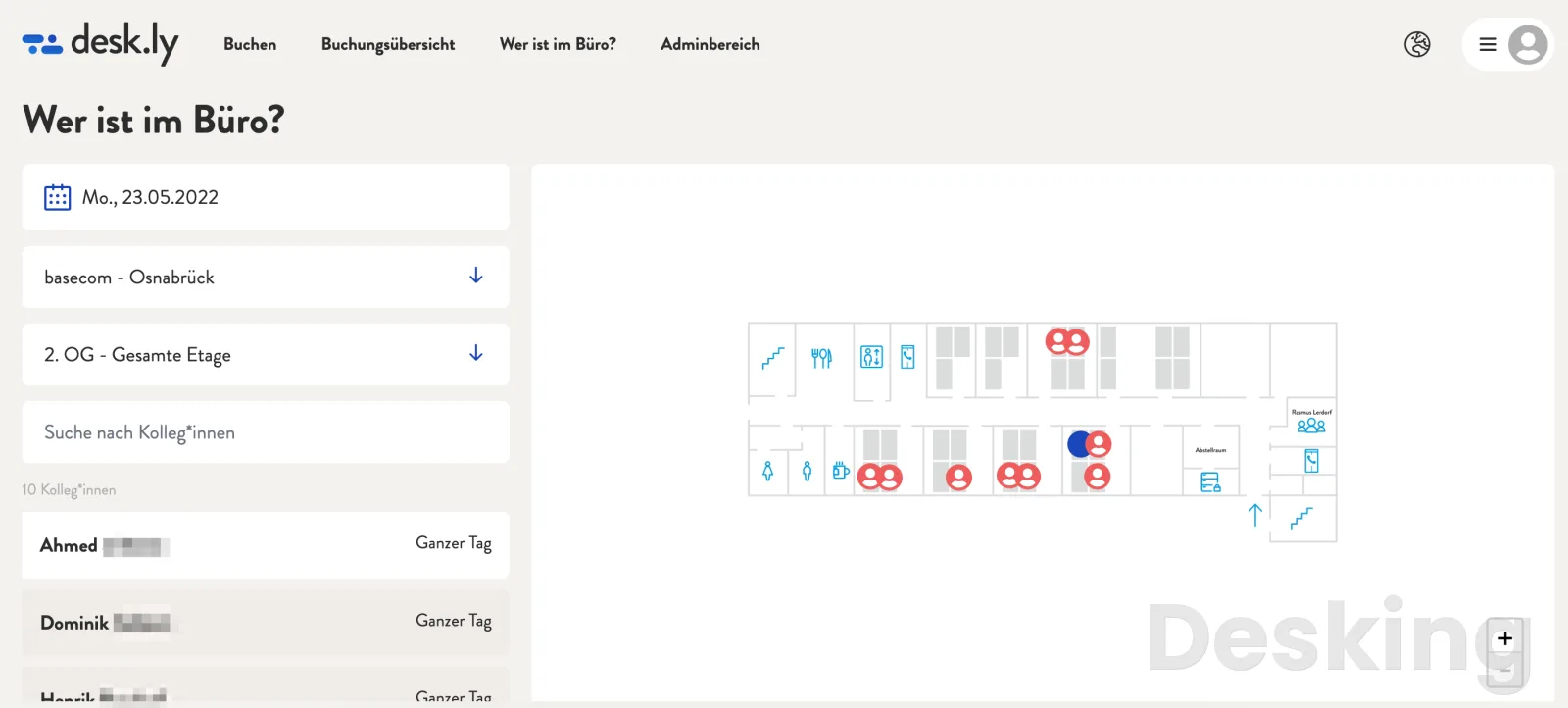
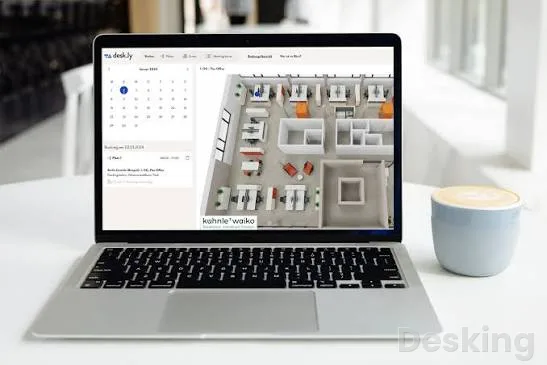
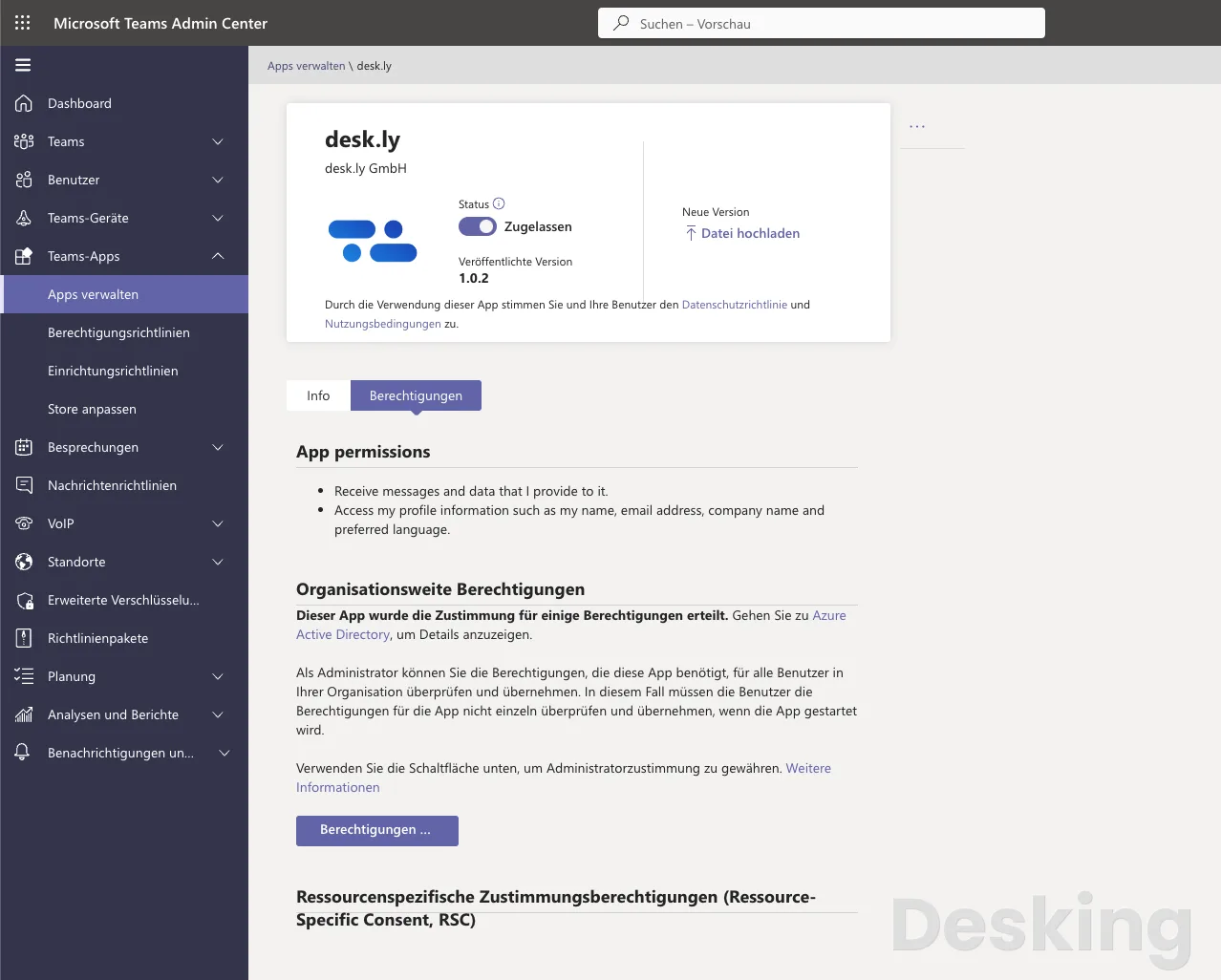
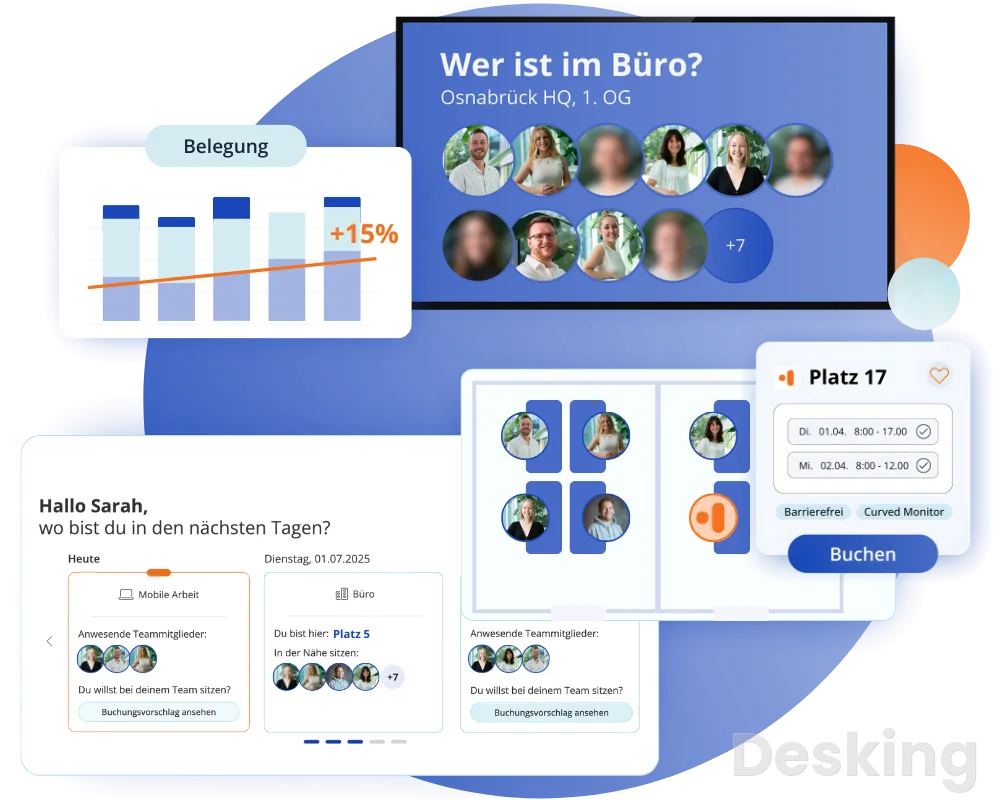
Table of contents
- 1. What is desk.ly
- 2. How desk.ly works
- 3. Key features
- 4. Plans and feature limits
- 5. Integrations
- 6. Mobile apps and supported platforms
- 7. Ease of use
- 8. Setup and implementation
- 9. Security and data protection
- 10. Customer support
- 11. Customer reviews
- 12. Pricing and total cost
- 13. desk.ly alternatives
- 14. Who should use desk.ly
- 15. Who should avoid desk.ly
- 16. Return on investment
- 17. Migration and data ownership
- 18. Final verdict
- Frequently Asked Questions
desk.ly is a workplace management and desk booking platform that lets employees reserve desks, meeting rooms and parking spaces while giving administrators tools to manage office capacity and analyse workplace usage.
It is developed by desk.ly GmbH, a software company headquartered in Osnabrück, Germany, and founded in 2021.
The company reports that its platform serves more than 150,000 users across 5,000 offices and processes 10 million bookings a year.
Its customer list includes organisations such as ZDF, Volvo, Visa, Amnesty International, EnBW and Trusted Shops.
Those figures place desk.ly beyond the scale of a small experimental booking app, although the company does not publish independently audited customer totals or a verified product launch date.
The commercial proposition is straightforward: make shared office space easier to allocate, keep bookings connected to the systems employees already use, and give facilities teams enough usage information to make better decisions about space.
1. What is desk.ly
desk.ly sits in the workplace management category, with desk sharing and resource booking at the centre of its product.
It is designed for organisations that have moved away from assigning every employee a permanent desk, or that operate a mixture of assigned and shared workspaces.
Employees can reserve a place for a single day, several dates or a longer period, select a desk from a digital floor plan, find colleagues and book on behalf of another employee where permissions allow.
The same platform can extend the booking process to meeting rooms, parking spaces and visitors, depending on the subscription.
The distinction between desk.ly and a basic room calendar matters.
A calendar can show whether a meeting room is free, but it does not necessarily give an employee a visual view of the office, identify where colleagues are sitting, manage parking allocations or provide facilities staff with a picture of how much space is actually being used. desk.ly treats those activities as connected workplace processes.
I see that as its strongest product decision: it gives organisations a shared booking layer without forcing them to replace their wider productivity environment.
The company is based in Germany and operates as desk.ly GmbH.
Public company profiles identify 2021 as its founding year, while its own company material identifies the people responsible for its founding and product development.
I would not assign a separate launch year to the software because a verifiable public launch date is not established in the available company history.
The distinction is worth keeping: a company registration date and the first commercial release of a product are not necessarily the same event.
desk.ly's published scale figures deserve context.
Its homepage reports more than 150,000 users, 5,000 offices and 10 million bookings per year, while individual product pages use a separate figure of more than 1,000 companies.
These measures are not interchangeable.
One company can operate several offices, and an office can contain many users, so the numbers can coexist without representing the same unit of scale.
I would describe desk.ly as an established European workplace software provider with a meaningful customer base, rather than claim a specific global market share.
The named customer organisations are useful evidence of the platform's reach, but a logo is not proof that every customer uses every module.
A company may deploy desk booking without adopting visitor management, parking or occupancy detection.
Buyers should therefore ask for references from organisations with a similar office structure and a similar set of requirements.
A business with one 40 person office has different implementation needs from a manufacturer operating several sites with shift patterns, restricted zones and a large parking allocation.
The central buying question is whether a company needs a focused booking platform or a wider workplace operating system. desk.ly is strongest when the requirement is to coordinate desks and related office resources through a familiar interface.
It becomes more interesting when the organisation also wants identity synchronisation, HR data connections, room booking, visitor management and usage analytics.
The trade off is that several of the more advanced capabilities sit in Enterprise or Enterprise Plus rather than the entry paid plan.
2. How desk.ly works
The employee experience begins with a booking view that can show an office floor plan or a list of available resources.
Employees choose a date, select a suitable desk and confirm the reservation.
They can also search for colleagues, filter resources by characteristics and save preferred workspaces.
This is a practical design for offices where location matters as much as availability.
An employee may need to sit near a project group, use a desk with particular equipment or choose a space in a specific office zone.
The booking model supports more than a single day reservation.
Employees can select multiple dates, set custom booking timeframes and book for other people when the organisation permits it.
That makes the platform relevant to teams that plan attendance in advance rather than simply choosing a desk when they arrive.
A waiting list can be used when a resource is fully booked, giving employees a route to register interest rather than repeatedly checking whether a space has become free.
The floor plan is more than a visual decoration.
In a shared office, two desks with identical equipment can have very different practical value depending on their position.
A desk near a colleague, a team area or a particular meeting room may be more useful than another available space elsewhere in the building. desk.ly's map based booking allows employees to make that choice directly.
The list view remains useful for people who know what they need and prefer to filter rather than inspect a floor layout.
I would pay particular attention to how the organisation models its physical office before importing employees.
A poor floor plan creates friction in every booking that follows.
Desks need accurate labels, zones must reflect how people work, and resources that are unavailable to general staff should not appear as ordinary bookable spaces.
The platform can support a structured map, but it cannot decide the organisation's seating policy.
That work belongs to the administrator and facilities team.
The system also supports booking suggestions based on booking behaviour.
The purpose is to reduce the number of choices an employee has to make each time they reserve a workspace.
A person who regularly selects a particular desk can be directed towards similar or preferred options.
This is a convenience feature, not a substitute for booking rules.
If the organisation needs to reserve specific desks for accessibility, equipment or operational reasons, those restrictions should be defined in administration rather than left to recommendation logic.
Another important workflow is finding colleagues.
Employees can see who is expected in the office and where colleagues are booked, subject to the organisation's visibility settings.
This makes desk.ly useful for coordinated office days.
A team can choose to attend on the same day and sit within the same area instead of relying on informal messages to work out who is coming in.
The value is greatest when employees use the booking process consistently.
If attendance is recorded in one system and desk reservations in another, the office view can become incomplete.
The booking interface is also designed to work through Microsoft Teams.
That matters because employees already spend much of their working day inside collaboration software.
When desk booking is available from Teams, it is less likely to feel like a separate administrative task.
The Outlook integration serves a related purpose for room reservations, allowing people to find and book meeting rooms while arranging calendar events.
These integrations reduce context switching, although they do not remove the need to configure permissions and calendar synchronisation correctly.
For administrators, the platform is a set of resources, locations, users and rules.
A desk, room or parking space is configured as a bookable resource.
Employees receive access based on their assigned permissions and the rules applied to their group or location.
The administrator then uses booking information and analytics to understand demand.
That structure can accommodate a straightforward office, but the configuration becomes more important when the organisation has multiple sites, different employee groups or resources that must be allocated according to priority.
The product's wider value depends on the quality of the underlying office data.
If an employee leaves, changes department or becomes ineligible for a particular location, that change should be reflected in the user directory and booking permissions.
If a room becomes unavailable, its booking status must be updated.
If an office layout changes, the digital floor plan must change as well. desk.ly can connect to identity and HR systems to reduce manual administration, but the organisation still needs a reliable process for managing physical resources.
3. Key features
desk.ly's feature set is built around booking, workplace coordination and office utilisation.
The core product is not difficult to understand, but the difference between the subscription tiers has a direct effect on which workflows an organisation can centralise.
The most useful features are those that remove separate booking processes or give facilities teams a clearer view of how the office is being used.
Desk booking
Desk booking is the foundation of the platform.
Employees can choose a workspace from a digital floor plan, book one or several dates, set a custom timeframe and save preferred desks.
Search and filtering help people find a suitable place without manually scanning every resource.
The option to book for another person is useful for assistants, team coordinators and managers who arrange attendance for colleagues.
The ability to find colleagues is a meaningful part of this feature.
Desk booking is often treated as a facilities task, but employees use it to coordinate their working day.
Knowing where colleagues are sitting can affect whether someone chooses to come into the office, which desk they reserve and whether a team can work together in person. desk.ly makes that information part of the booking experience rather than leaving it in a separate spreadsheet or chat channel.
Meeting room booking
Meeting room booking is included in the Enterprise plan and above.
Employees can reserve rooms and connect those reservations to Microsoft Outlook and Google Calendar.
The Outlook add in supports room selection while scheduling meetings, including the ability to select multiple rooms for meetings across locations.
Room filters can take account of room characteristics, while cost centres and catering or other services can be included in the booking workflow.
I would treat this as a strong extension of desk booking, rather than assume it replaces every specialist room management system.
Organisations with standard meeting rooms and conventional scheduling requirements can benefit from having desks and rooms managed in one environment.
Companies with complex room technology, detailed event services, advanced video conferencing controls or specialist building integrations should test those workflows before committing.
The presence of a room booking feature does not automatically mean that every specialist room requirement is covered.
Parking reservations
Parking booking is also part of Enterprise.
This is more valuable than it may first appear, especially for offices where parking is limited or where employees travel from different locations.
A shared parking allocation can otherwise become an informal first come process that is difficult to monitor.
Bringing parking into the same booking environment lets employees plan their office visit and parking requirement together.
The feature is most useful when parking spaces are treated as managed resources with clear availability and access rules.
It is less valuable in an office where every employee has a permanent assigned space or where parking is handled by a separate building operator.
I would not pay for a broader subscription solely to obtain parking reservations unless parking allocation is a recurring operational problem.
Visitor management
Visitor management is included in Enterprise Plus.
It extends the platform beyond employees and internal resources to the people visiting the workplace.
This can help organisations coordinate guest access alongside office activity, but the available public plan information does not establish every visitor workflow or compliance control that a particular business may require.
Buyers should confirm visitor invitations, host notifications, reception procedures, visitor data retention and any access control integration during procurement.
This plan boundary is important.
An organisation that wants desks and meeting rooms may not need visitor management.
A business that expects desk.ly to become the central system for employee attendance and external guest coordination will need to evaluate Enterprise Plus rather than assume the lower paid tiers include it.
Booking restrictions and waiting lists
Enterprise adds booking restrictions, team booking, series booking and waiting lists.
These capabilities matter when an organisation needs to govern demand rather than simply publish availability.
Booking restrictions can define how resources are used, while series booking supports recurring reservations.
Team booking is relevant when a group needs to coordinate several workspaces for a shared office day.
Waiting lists give employees a way to request a resource that is already reserved.
I would distinguish between the feature being available and the organisation having a sensible policy.
A waiting list is useful only if employees understand how a space is allocated when it becomes available.
Recurring bookings are useful only if they do not allow a small group to occupy shared desks indefinitely.
The software can apply rules, but management must decide whether those rules produce fair access.
Kiosk mode
Kiosk mode is an Enterprise feature that displays the digital room plan or office presence on a screen.
It can give employees a quick view of who is in the office and where colleagues are located without requiring each person to open the platform on a personal device.
This is particularly relevant to reception areas, shared office entrances and larger spaces where people need a visible directory of workplace activity.
Capterra reviewers specifically mention the kiosk mode as a feature they value.
That is useful because it identifies a practical use beyond the standard booking screen.
A public display can make the office map more accessible, but administrators should decide what employee information is appropriate to show on a shared screen.
Visibility settings and internal privacy policies should be considered before deploying a kiosk in a reception or common area.
User tags and roles
Enterprise includes user tags and rights and roles.
User tags can identify employees with particular responsibilities, such as first aiders, fire safety wardens or key holders.
This makes the employee directory more useful in an operational setting.
Instead of treating the platform only as a list of people and desk reservations, the organisation can make selected workplace roles visible to colleagues.
Permissions matter just as much.
Different users should not automatically receive the same administrative authority.
A person who manages one office does not necessarily need the ability to change every location, integration or user account. desk.ly's rights and roles are intended to support differentiated access.
I would map the organisation's actual responsibilities before assigning permissions, especially where local office managers and central IT administrators share responsibility.
Office analytics
Analytics are included in Corporate and higher plans.
They help administrators examine resource use and workplace activity.
For a company trying to decide whether it needs its current office footprint, booking information can provide a useful starting point.
If a site regularly shows low reservations, facilities managers can investigate whether space is underused or whether employees are simply failing to book the desks they occupy.
The distinction between bookings and actual occupancy is essential.
A reservation records an intention to use a resource.
It does not prove that the employee arrived, stayed for the full period or used the desk. desk.ly addresses this gap through its desk.ly Connect add on, which uses software based occupancy detection to capture real desk usage, create bookings and automate check ins without additional hardware.
That is a separate commercial consideration, not a standard inclusion in every plan.
I would not treat booking analytics alone as a complete real estate measurement system.
A business that uses reservations as its only measure can mistake low booking activity for low demand.
Employees may forget to reserve, arrive without booking or use a different desk from the one they selected.
Analytics become more reliable when the organisation defines a consistent booking process and, where necessary, adds a method for measuring actual presence.
desk.ly Connect
desk.ly Connect is one of the product's more distinctive additions.
It is designed to capture real desk usage through software based occupancy detection rather than requiring additional sensors or other hardware.
The system can create bookings and automate check ins based on observed use.
It is offered as an add on for Corporate, Enterprise and Enterprise Plus, with pricing available on request.
This feature changes the value proposition.
Traditional desk booking systems tell facilities teams what employees intended to use.
Occupancy detection aims to show what was actually used.
That difference can matter when management is considering whether to consolidate floors, reduce leased space or change the balance between assigned and shared desks.
A company that is making property decisions based on occupancy data should ask for a clear explanation of detection accuracy, supported environments, privacy controls, false positives and how the system treats people who leave a desk temporarily.
I would not buy Connect simply because occupancy tracking sounds more advanced.
The business case depends on whether the organisation has enough desk capacity and enough uncertainty about real usage to justify the additional cost.
A 30 person office with predictable attendance may gain little from it.
A multi floor organisation with expensive leases and inconsistent booking behaviour may have a stronger reason to investigate it.
Mobile applications
desk.ly lists mobile apps for iOS and Android as an Enterprise feature.
Employees can use the platform to reserve workspaces when away from their desktop.
This is relevant to people who decide to work from the office while travelling or who need to book a desk after their plans change.
The web experience remains important for administrators and employees who prefer to plan several days at once.
The mobile app should be assessed against the actual workflow rather than its existence in the plan list.
A company should test how easily employees can search for colleagues, select dates, change reservations and view the office layout on a phone.
Some Capterra and G2 feedback mentions room for improvement in the mobile experience or visual presentation.
These are not reasons to reject the platform outright, but they are reasons to include mobile users in a pilot.
Digital signage
desk.ly supports digital signage and room displays as part of its workplace ecosystem.
Meeting room availability can be shown on screens, and the pricing page lists digital room signs as a separately priced add on.
This can reduce the need for employees to open a calendar simply to see whether a room is available.
It can also help people identify the correct room when an office has several similar spaces.
The distinction between kiosk mode and digital room signs should be kept clear.
Kiosk mode displays a digital room plan or office presence on a screen.
Digital room signs are intended to show room availability at or near the meeting space.
Buyers should confirm which display hardware is supported, whether they need to supply tablets or screens and whether the display service has its own licence or installation cost.
Custom branding
Enterprise includes white label options that let a customer use its own colours and logo.
This is useful for companies that want the workplace booking experience to match their internal brand or employee portal.
It is not a reason to upgrade by itself, but it may matter to organisations where software consistency is part of their internal communications strategy.
Booking prioritisation and light licences
Enterprise Plus adds booking prioritisation and light licences.
Prioritisation is relevant when some employee groups have a legitimate reason to receive preference for particular resources.
Light licences are intended to provide access to core features while charging based on actual use.
The vendor specifies that this option is available from a volume of at least 300 standard licences.
That threshold makes the feature a large organisation consideration rather than a general discount for small teams.
Buyers should ask how usage is measured, which actions count as use, how light licences interact with employees who book infrequently and whether a minimum standard licence commitment remains in place.
The advertised flexibility is useful only if the billing rules match the organisation's real usage pattern.
4. Plans and feature limits
desk.ly has three paid plans: Corporate, Enterprise and Enterprise Plus.
It also provides free access to the platform's Enterprise features for up to 15 users.
The free offer is unusually generous for a workplace booking product because it allows a small organisation to start without immediately choosing a paid tier.
The commercial boundary is not the basic ability to book a desk; it is the number of users and the additional workplace functions required.
The table below separates the free access from the three paid subscriptions.
It reflects the published plan structure, not a promise that every optional service or integration is included without configuration or additional charges.
| Feature | Free access | Corporate | Enterprise | Enterprise Plus |
|---|---|---|---|---|
| User limit | Up to 15 | Paid user licences | Paid user licences | Custom agreement |
| Desk booking | Yes | Yes | Yes | Yes |
| Office analytics | Yes | Yes | Yes | Yes |
| Microsoft and Google SSO | Yes | Yes | Yes | Yes |
| Microsoft Teams app | Yes | Yes | Yes | Yes |
| Meeting room booking | Yes | No | Yes | Yes |
| Parking booking | Yes | No | Yes | Yes |
| Guest booking | Yes | No | Yes | Yes |
| Series booking | Yes | No | Yes | Yes |
| Booking restrictions | Yes | No | Yes | Yes |
| Team booking | Yes | No | Yes | Yes |
| Waiting lists | Yes | No | Yes | Yes |
| Custom SSO | Yes | No | Yes | Yes |
| White label branding | Yes | No | Yes | Yes |
| Rights and roles | Yes | No | Yes | Yes |
| Kiosk mode | Yes | No | Yes | Yes |
| User tags | Yes | No | Yes | Yes |
| iOS and Android apps | Yes | No | Yes | Yes |
| Visitor management | Yes | No | No | Yes |
| Booking prioritisation | Yes | No | No | Yes |
| SCIM synchronisation | Yes | No | No | Yes |
| HRIS integrations | Yes | No | No | Yes |
| Calendar synchronisation | Yes | No | No | Yes |
| RESTful API | Yes | No | No | Yes |
| Heatmap analytics | Yes | No | No | Yes |
| Multi tenancy | Yes | No | No | Yes |
| Customer Success Manager | Yes | No | No | Yes |
The free tier is a real product entry point, not merely a time limited trial.
However, the table should not be read as meaning that every Enterprise feature is available to a free account of any size.
The free offer is limited to 15 users.
That makes it suitable for a small business, a pilot group or a single department, but not a free deployment for a large organisation.
The paid Corporate plan is the first step once the user count exceeds that allowance or the business needs a paid subscription structure.
There is also a commercial distinction between the published price and the total cost of ownership.
The plans are priced per user per month, but desk.ly also sells setup services, floor plan design, digital room signs and desk.ly Connect as add ons.
An organisation that needs a fully configured office map, occupancy measurement and physical room displays should not budget only for the subscription price.
I would ask for a written quote that itemises each of these elements.
Corporate
Corporate starts at €1.65 per user per month.
It includes desk booking, analytics, Microsoft or Google single sign on and the Microsoft Teams app.
This is the plan for a company that needs employees to reserve desks and wants administrators to understand booking activity, but does not need meeting room, parking or visitor booking inside the same subscription.
The low entry price is attractive, especially for businesses that already have a separate room booking process.
It is also a sensible starting point for a company replacing a spreadsheet based desk allocation system.
I would choose Corporate when desk sharing is the primary requirement and the organisation is comfortable keeping meeting room reservations in Outlook or another system.
Enterprise
Enterprise starts at €2.75 per user per month.
It includes Corporate features and adds meeting room booking with catering, parking reservations, guest booking, series booking, booking restrictions, team booking, waiting lists, custom single sign on, white label branding, rights and roles, kiosk mode, user tags, mobile apps and personalised customer support.
This is the most relevant plan for a business that wants to manage the office as a connected set of resources.
The price increase over Corporate is €1.10 per user per month.
That is a modest difference in the published starting rates, but it should not be judged without considering the number of licensed employees and the value of the additional modules.
For a 100 user company, the difference in subscription list price is €110 per month before tax, discounts or any negotiated terms.
I would regard Enterprise as the practical choice for most organisations that want desk and meeting room booking in one platform.
It is also the tier where the product begins to make sense as an office coordination tool rather than a desk reservation utility.
The inclusion of parking, guest booking, waiting lists and kiosk mode gives facilities and office managers more reasons to use the same system.
Enterprise Plus
Enterprise Plus uses custom pricing.
It includes Enterprise features and adds visitor management, booking prioritisation, light licences, SCIM synchronisation, Microsoft Entra ID and Google Workspace integration, HRIS integration, calendar synchronisation, a RESTful API, heatmap analytics, multi tenancy and a Customer Success Manager.
The light licence option is available from a minimum volume of 300 standard licences.
This is the plan for organisations with more demanding identity, HR and reporting requirements.
SCIM synchronisation is particularly relevant to IT departments that want user lifecycle changes to flow from an identity system instead of being managed manually.
HRIS integrations can connect employee attendance and absence information with bookings, allowing unused workspaces to be released when employees are away.
The API gives organisations a route to extend the platform into internal systems and reporting tools.
The challenge is price transparency.
A custom quote is normal for a plan with enterprise integrations and account management, but it prevents a buyer from calculating the full cost without engaging sales.
I would not treat Enterprise Plus as the automatic choice for a large organisation.
The buyer should first identify which features are genuinely required, then compare the quoted price with the cost of using separate identity, HR, analytics and visitor systems.
Paid and premium resources
The next table isolates the functions that materially change the cost or deployment requirements.
Some are included in a paid plan, while others are optional services or additions with separate pricing.
This distinction is important because a buyer can otherwise assume that a subscription includes every physical and implementation component needed for a complete workplace deployment.
| Capability | Availability | Pricing position |
|---|---|---|
| Desk booking | Free, Corporate, Enterprise, Enterprise Plus | Included |
| Booking analytics | Free, Corporate, Enterprise, Enterprise Plus | Included |
| Meeting room booking | Free access, Enterprise, Enterprise Plus | Included in paid Enterprise tiers |
| Parking booking | Free access, Enterprise, Enterprise Plus | Included in paid Enterprise tiers |
| Visitor management | Free access, Enterprise Plus | Enterprise Plus |
| SCIM synchronisation | Free access, Enterprise Plus | Enterprise Plus |
| HRIS integrations | Free access, Enterprise Plus | Enterprise Plus |
| RESTful API | Free access, Enterprise Plus | Enterprise Plus |
| Heatmap analytics | Free access, Enterprise Plus | Enterprise Plus |
| desk.ly Connect | Add on | Quote required |
| Custom setup service | Add on | From €499 |
| Digital room signs | Add on | From €119 |
| Floor plan design | Add on | From €39 |
The add on prices make the implementation budget more concrete.
A business may be able to start with the subscription alone, but a company without a usable digital floor plan may need the floor plan design service.
An organisation that wants room availability displayed outside meeting rooms may need digital signs.
A company that wants actual desk usage rather than booking records may need Connect.
Those costs should be included in the business case before comparing desk.ly with a competitor.
There is a notable difference between the free offer and the paid plans.
The free offer is described as access to Enterprise features for up to 15 users, while the paid plan comparison assigns features to specific subscription tiers.
That means the free plan should be treated as a small user allowance, not as evidence that a 200 person company can use all Enterprise features without paying.
Confirm the treatment of free accounts, add ons and any limits on the number of locations before using it as the basis for a long term rollout.
5. Integrations

desk.ly's integration strategy is one of its strongest commercial arguments.
It is designed to fit into existing identity, productivity and HR environments rather than ask employees to adopt a separate set of tools for every workplace task.
The company advertises connections to more than 250 systems across IT, HR and facility management.
That headline figure needs a little interpretation: the published examples include direct product integrations, synchronisation options, API access and connections supported through its wider integration ecosystem.
It should not be read as 250 equally deep native integrations.
Microsoft 365 and Teams
Microsoft users can connect desk.ly with Microsoft 365, Outlook and Teams.
The Teams app brings the desk.ly interface into the collaboration environment, where employees can find colleagues, make bookings and manage visitors.
Outlook integration supports room booking while users arrange calendar events.
The platform can synchronise bookings and availability with Outlook, reducing the need to maintain a separate room calendar manually.
The value here is practical.
A desk booking system can be well designed and still fail if employees must remember to open another application every morning.
Teams integration reduces that friction because employees can use the environment they already have open.
Outlook integration is particularly useful for meeting rooms because the room selection process is naturally connected to the meeting invitation.
I would prioritise these integrations during a pilot and check that changes made in either system appear correctly in the other.
The Outlook add in has more specific room booking capabilities than a simple calendar link.
Employees can select rooms while scheduling, book several rooms for meetings across locations, filter by room characteristics, add cost centres and request catering or other services.
This is useful for organisations that treat meeting room use as an operational process with internal charge codes or hospitality requirements.
Buyers should still confirm the exact Outlook versions and tenant configuration supported in their environment.
Google Workspace
Google Workspace users can connect identity and calendar workflows to desk.ly.
The platform describes single sign on and booking synchronisation with Google Calendar.
That makes the product viable for companies that do not use Microsoft 365 as their primary productivity environment.
The important question is whether the organisation needs the same level of booking convenience across both ecosystems or whether one is its standard.
I would test Google Calendar synchronisation with real meeting changes, not just a successful initial booking.
A room reservation needs to remain accurate when a meeting is moved, cancelled or extended.
The buyer should confirm which system owns the final booking record, how conflicts are handled and whether updates are reflected quickly enough for the office's needs.
Calendar synchronisation is only useful when employees can trust the availability they see.
Identity and user provisioning
desk.ly supports Microsoft Entra ID and Google Workspace identity connections, while Enterprise Plus includes SCIM synchronisation.
The integrations page also identifies Personio as a user management source.
These connections can import and synchronise user information, support single sign on and transfer rights or roles.
That reduces the manual work involved in onboarding and offboarding employees.
For IT administrators, this is more important than a long integration directory.
A desk booking platform contains information about where employees intend to work and which resources they can access.
If a departing employee remains active in the system, their account may continue to hold bookings or appear in office schedules.
If a new employee is not assigned to the right location or group, they may be unable to reserve a desk.
Synchronised identity data helps prevent those inconsistencies.
SCIM should be evaluated separately from ordinary single sign on.
SSO lets an employee authenticate through an identity provider.
SCIM is concerned with provisioning and deprovisioning user accounts and related attributes.
A company may have SSO in Corporate or Enterprise but still require Enterprise Plus to automate the user lifecycle through SCIM.
I would not allow a procurement team to treat those two controls as interchangeable.
HRIS integrations
Enterprise Plus includes HRIS integration, with named examples including Personio, HRworks and SAP SuccessFactors, alongside the wider integration catalogue.
The documented use case is synchronising attendance and absence information.
If an employee is on vacation or sick leave, a workspace booked for that person can be released for someone else.
This is a useful operational link because desk reservations are affected by employee availability.
Without HR synchronisation, an employee who has booked a desk and then takes leave may leave the reservation in place unless they remember to cancel it.
With an HR connection, the booking can be adjusted based on absence information.
That can improve resource availability, although the organisation must decide which absence categories should trigger automatic changes and how exceptions are handled.
HR data is sensitive, so the integration should be reviewed with the same care as any other employee data connection.
The organisation should confirm which fields are imported, how often synchronisation runs, who can view absence related information and how access is restricted.
The business requirement is to free a desk when it is no longer needed, not to expose unnecessary personal details to colleagues.
API and reporting connections
Enterprise Plus includes a RESTful API. desk.ly also describes the use of Power BI dashboards for tailored reporting.
This gives organisations a way to use workplace booking data beyond the standard product interface.
For example, a facilities team may want to combine booking information with office costs, building capacity or departmental data in a reporting environment it already uses.
I would regard the API as an important procurement question for any organisation with internal systems that need to consume booking data.
Buyers should request the API documentation, authentication details, rate limits, supported endpoints and any restrictions on data extraction.
The public plan description confirms API availability but does not establish every technical limit or guarantee that a particular integration can be built without development work.
The more important architectural question is ownership of the data.
If desk.ly becomes the central booking layer, the organisation should understand how it can export its booking history, user records and resource configuration if it later changes platform.
An API is useful, but it is not the same thing as a complete migration export.
I would ask for both before signing a long term agreement.
6. Mobile apps and supported platforms
desk.ly is available through a web interface and mobile applications for iOS and Android.
The mobile apps are included in the Enterprise plan and above according to the published plan comparison.
The Microsoft Teams app offers another access route for organisations that standardise on Microsoft's collaboration environment.
The combination gives employees several ways to book a workspace, but the subscription tier determines which of those access options are included.
The mobile application is most valuable for employees whose office plans change during the day.
Someone travelling between locations may need to reserve a desk after a meeting is moved.
An employee who is not at a desktop may want to check whether a colleague is in the office or whether a particular resource remains available.
Those tasks are better suited to a mobile screen than to a lengthy administrative interface.
The user feedback is positive about basic booking simplicity, but there are comments about the mobile view needing refinement.
That is a useful distinction.
The product can make desk booking straightforward while still leaving room to improve the experience on a smaller screen.
I would ask employees who rely on mobile access to test the app during a pilot rather than assume that the desktop experience translates perfectly.
The web application remains the natural environment for more involved work.
Administrators need to configure resources, maps, user groups and permissions.
A facilities manager may need to inspect analytics or adjust an office layout.
These activities are better evaluated on a desktop browser, where the full configuration and reporting views can be inspected.
The available information identifies iOS, Android and browser access, but buyers should confirm the supported operating system versions and browser requirements with desk.ly before deployment.
The public product pages do not establish a complete version by version compatibility matrix.
I would also check whether the organisation's mobile device management policy permits the app and whether single sign on behaves correctly on managed phones.
7. Ease of use
Ease of use is one of desk.ly's most consistent strengths in customer feedback.
G2 reviewers describe the booking process as straightforward and appreciate the visual floor plans.
Capterra reviews also praise the ability to find colleagues, choose a workspace and manage office attendance without unnecessary complexity.
The review scores are positive, although the sample sizes are smaller than those of the largest workplace software brands.
The strongest evidence is not simply that users call the product easy.
It is the reason they find it easy: the floor plan makes available desks visible, the booking process is short, and employees can see who is expected in the office.
These are the core tasks the product is supposed to simplify.
A platform that makes those tasks clear is more likely to become part of everyday office behaviour than one that requires staff to learn a complex resource management system.
One G2 reviewer described the software as a practical tool and praised the clear view of available desks.
The reviewer was a senior project manager at a small business.
That is a useful endorsement of the core workflow, but it does not prove that the same experience will hold for a company with dozens of locations and complex access rules.
"The interface is intuitive, so you immediately know where to click, and you get a clear overview of all available desks."
G2 reviewer, senior project manager, small business with 50 or fewer employees
The customer feedback also reveals a limitation that matters to administrators.
A Capterra reviewer praised the platform's booking and analytics functions but wanted a faster way to cancel several reservations at once.
The complaint is specific and operational.
If a manager must cancel a large number of bookings after a schedule change, deleting them individually creates unnecessary work.
This is not a reason to reject desk.ly for ordinary use, but it is a sensible point to test when the organisation frequently changes bookings in bulk.
Another Capterra review mentions that the mobile view could be improved.
A G2 summary also identifies mobile experience as an area where some users would like refinement.
These comments do not establish that the apps are unreliable, but they show that the strongest praise concerns the core booking experience rather than every interface.
I would rate desk.ly's usability as strongest on the desktop booking workflow and require a mobile pilot before making it the only access route for a mobile workforce.
The product's configuration options can also create a difference between the employee experience and the administrator experience.
Employees may see a clean booking screen because administrators have already invested time in creating maps, zones, rules and permissions.
The easier the employee workflow becomes, the more important the quality of that underlying setup.
A poor configuration can make the product appear confusing even when the interface itself is not the problem.
There is also a change management issue that software cannot solve by itself.
Desk sharing changes how employees relate to their workspaces.
People who have used the same desk for years may dislike having to reserve a place, check availability or sit in a different area.
One OMR reviewer describes the organisational adjustment as a source of resistance and additional daily effort.
That is not a technical defect in desk.ly.
It is a reminder that the platform works best when management explains the policy, provides clear rules and gives employees a reason to use the booking process consistently.
8. Setup and implementation
desk.ly promotes a fast initial registration process for small organisations, but a live business deployment requires more work than creating an account.
The company offers a setup service from €499 and a floor plan design service from €39.
These services are optional, but they reveal two areas that deserve attention before launch: the physical model of the office and the configuration of the user environment.
A small office with a simple floor plan may be able to configure the platform internally.
A larger organisation should treat implementation as a workplace data project.
It needs an accurate resource inventory, a decision about which desks are bookable, a consistent naming convention, user groups, booking rules, permissions and a process for handling changes.
If the company has several locations, it should decide whether employees can book across all sites or only within their assigned office.
I would use a phased implementation rather than activate every resource at once.
Begin with one representative office or department, include employees who use both desktop and mobile access, and check the full booking lifecycle.
That means creating a booking, changing it, cancelling it, booking for another employee where permitted, and confirming that the calendar and Teams views remain accurate.
A pilot should test administration as well as the employee interface.
A practical implementation sequence looks like this:
- Define the workplace policy. Decide which employees can book desks, whether any workspaces remain assigned, how far in advance bookings can be made and which groups receive access to particular zones.
- Prepare the office inventory. Record the locations, floors, zones, desks, rooms and parking spaces that will appear in desk.ly, then remove resources that should not be available for general booking.
- Create or validate the floor plan. Make sure the digital layout reflects the real office and uses labels employees can recognise without training.
- Configure users and permissions. Import or create employee accounts, assign groups and locations, and restrict administrative permissions to people who need them.
- Connect identity and productivity systems. Configure Microsoft or Google single sign on, then test Teams and calendar synchronisation with representative accounts.
- Set booking rules. Define restrictions, recurring bookings, team reservations and waiting list behaviour according to the organisation's policy.
- Run a controlled pilot. Include employees, office managers and IT administrators, and test ordinary booking changes as well as exceptions.
- Review the first booking data. Check whether the system reflects actual office activity and identify employees or departments that need additional guidance before wider rollout.
The sequence is intentionally conservative.
A company that rushes through the floor plan and user permissions can create confusion that later appears to be a product problem.
If an employee cannot find a desk, the cause may be a missing resource, an incorrect location assignment or a restriction applied to the wrong group.
A structured pilot helps separate configuration errors from genuine product limitations.
For larger deployments, identity synchronisation should be planned with IT before employees are invited.
The company should identify which system owns employee identity, which attributes desk.ly needs and how changes are handled.
If Enterprise Plus is being considered for SCIM or HRIS integration, the implementation team should agree on the data mapping and test employee lifecycle events.
A successful login is not enough.
The organisation should also test what happens when an employee changes department, leaves the company or moves to a different office.
The floor plan is another area where a small investment can prevent long term frustration.
A map that uses internal room codes or outdated desk numbers will not help employees find a workspace.
The map should match the physical signs in the office, and any special resources should be labelled in a way that makes sense to employees.
The floor plan service may be useful when the organisation does not have a suitable digital layout or lacks internal capacity to prepare one.
Implementation should also include a communication plan.
Employees need to know why desk booking is being introduced, which days require reservations, what happens when a booking is not used and whom to contact when a resource is missing.
If managers continue to allocate desks through informal messages, employees will have two competing systems. desk.ly cannot produce reliable booking data if the organisation treats it as optional while making decisions elsewhere.
9. Security and data protection
desk.ly is a German software provider and identifies GDPR compliance and ISO/IEC 27001 certification as part of its security position.
The Microsoft 365 app certification information also records ISO 27001 certification for the app.
These are meaningful assurances, but buyers should distinguish between a security management certification and a complete assessment of every technical control relevant to their organisation.
The platform handles employee identity information and workplace booking data.
Depending on the deployment, that can reveal where a person expects to work, which colleagues they are likely to meet and whether they are scheduled to be in the office.
HR integrations may introduce absence information into the booking process.
Those data types deserve careful access control because workplace visibility can become sensitive when combined with other employee records.
I would ask for the data processing agreement, the list of subprocessors, hosting locations, retention schedules, backup arrangements, incident notification commitments and details of access logging.
The privacy policy identifies third party services used for parts of the website and support process, including operational status notifications and support tooling.
That does not automatically mean those services receive the same data as the workplace application, but the organisation should review the complete subprocessor list and processing roles before signing.
A particularly important point is that ISO 27001 should not be confused with SOC 2.
The Microsoft app certification page records ISO 27001 as yes and SOC 2 and SOC 3 as no.
A US buyer whose procurement policy requires a SOC 2 report should not assume the ISO certification satisfies that requirement.
The buyer should ask desk.ly whether a current independent security report or additional assurance document is available and whether the organisation's policy accepts the certification it holds.
The company also describes GDPR compliance in its plan comparison.
That is relevant for European organisations, but a US business should still examine its own privacy obligations and the treatment of employee data under applicable state laws.
A vendor's GDPR position does not automatically settle every privacy question in another jurisdiction.
The organisation needs to know what information is collected, why it is needed, who can see it and how long it is retained.
The most sensitive implementation decision may be employee visibility.
Showing colleagues who is in the office can make coordination easier, but not every organisation will want the same visibility model.
A business should decide whether employees can see all colleagues, only members of their department or only people who have chosen to share their schedule.
The same decision applies to kiosk displays.
A public screen should reveal only the information needed to help people use the office.
desk.ly Connect requires additional scrutiny because occupancy detection changes the type of information being collected.
The organisation should understand how the software identifies use, what data is generated, whether it can distinguish a person from an occupied desk and how false readings are corrected.
It should also involve employee representatives where required.
A system that measures actual desk usage can be useful for facilities planning, but employees should understand what is measured and how the information will be used.
I would not reject desk.ly because its public security material does not list every assurance document a US enterprise may request.
I would, however, make security review a procurement gate rather than a post purchase task.
The platform can hold useful operational information about staff and office behaviour.
IT and privacy teams should verify that its controls fit the organisation's policies before the first employee account is activated.
10. Customer support
Customer support is a positive theme in the available review feedback.
Capterra shows a 4.8 rating for customer service, and reviewers describe responsive communication and help with configuration.
The Enterprise plan includes personalised customer support, while Enterprise Plus adds a Customer Success Manager.
The distinction suggests that support is part of the commercial package, but buyers should confirm the exact service level, availability and escalation process for their chosen plan.
A small company may be comfortable with standard support channels and a straightforward onboarding process.
A larger organisation needs a more formal arrangement.
It should know whether support is available during its local business hours, whether there is a named contact, how urgent issues are escalated and whether implementation questions are included in the subscription.
These details matter when a booking platform becomes part of daily office operations.
The user feedback is not uniformly positive about every aspect of administration.
One Capterra reviewer noted that some functions required a conversation with the provider before they could be used.
The reviewer described the interaction as straightforward, so this is not evidence of poor support.
It does suggest that some capabilities may require guidance or configuration rather than being immediately self service.
I would ask which features need provider involvement and whether that support is included in the selected plan.
A separate review mentions that changes to the product have sometimes created extra administrative work.
This is a familiar challenge in software that evolves quickly: a new feature may improve the platform overall while changing a workflow that existing users already understand. desk.ly should be judged on how it communicates changes and handles feedback, not simply on how frequently it releases new features.
Administrators should ask whether release notes, change notifications and training material are available for major updates.
The strongest support recommendation is to agree on a named implementation owner on both sides.
The customer should have one person responsible for the floor plan, permissions and policy decisions, while desk.ly should identify the contact responsible for onboarding and technical questions.
Without that arrangement, simple configuration questions can move between IT, HR, facilities and the vendor without anyone owning the outcome.
11. Customer reviews
desk.ly has positive ratings on the major review platforms included in this assessment.
G2 lists 4.8 out of 5 from 23 reviews, while Capterra lists 4.6 out of 5 from 44 reviews.
OMR Reviews has a larger German language review base and a 4.6 rating, with more than 500 reviews in its category listing.
These platforms attract different audiences and use different review processes, so their scores should not be combined into one average.
The strongest recurring positive points are ease of booking, the visual floor plan, the ability to see colleagues and responsive customer support.
These are exactly the activities that determine whether a desk booking platform becomes part of employees' daily routine.
Users do not need to appreciate a long feature list if they can reserve the right desk quickly and understand where their colleagues will be.
"Overall, it’s a super practical tool that does exactly what it’s supposed to do!"
G2 reviewer, senior project manager, small business with 50 or fewer employees
The G2 reviewer praised the clear view of available desks and the straightforward booking process.
The same review raised a smaller design concern, saying the layout could look more modern.
That is a useful distinction between function and presentation.
The booking workflow can be effective even if the visual design does not satisfy every user.
I would treat this as a lower priority than reliability, mobile performance and accurate resource availability.
Capterra feedback points to a practical administrative limitation.
A reviewer who liked the booking and utilisation features wanted the ability to delete multiple bookings at once.
That complaint matters more to administrators than to employees who reserve one desk at a time.
It is particularly relevant for organisations that manage large teams, recurring reservations or frequent schedule changes.
"Momentan lassen sich Buchungen nur einzeln löschen."
Capterra reviewer, administrative user, company size and industry not stated
The quotation is in the reviewer's original German.
It means that bookings can currently only be deleted individually.
The issue is not a failure of desk booking itself, but a gap in bulk administration.
A buyer should test cancellation and schedule change workflows with the people who will manage the platform, not only with employees who make ordinary reservations.
Another review from Capterra describes a problem with mobile presentation.
The reviewer says the mobile view could be improved to make booking more comfortable while away from a desktop.
That is consistent with the G2 feedback summary, which also identifies mobile experience as an area for improvement.
The evidence does not justify calling the mobile apps poor, but it does justify treating them as a separate evaluation area.
"Die mobile Ansicht noch etwas optimiert werden könnte"
Capterra reviewer, TEC Senior Engineer, company size and industry not stated
The same Capterra page contains positive feedback from long term users who value the simple booking process and the ability to find colleagues.
One reviewer who had used the product for three to five years described it as reliable and easy to use even with occasional access.
That is a meaningful endorsement because employees who only visit the office occasionally need the interface to remain understandable without frequent practice.
"Die Nutzung ist unkompliziert, schnell und zuverlässig"
Capterra reviewer, TEC Senior Engineer, company size and industry not stated
The reviews also reveal that reporting is not equally satisfying for every buyer.
G2's summary of user feedback identifies requests for more advanced reporting, and a Capterra reviewer wanted more detailed attendance analysis at person and team level.
These comments matter because desk.ly sells analytics as part of its value proposition.
A company that needs detailed attendance compliance reporting should validate the exact report dimensions, export options and permissions before buying.
The evidence should be read with care.
Review platforms contain self selected feedback, and some Capterra reviews indicate that reviewers were invited by the vendor and received a gift card or charitable donation.
That does not make the reviews invalid, but it is relevant context.
The strongest conclusion is that customers generally like the booking experience and support, while administrators have more specific requests around reporting, bulk changes and evolving workflows.
12. Pricing and total cost

desk.ly's published pricing starts at €1.65 per user per month for Corporate and €2.75 per user per month for Enterprise.
Enterprise Plus is custom priced.
The free offer covers up to 15 users.
These prices are published in euros, not US dollars, so US buyers should treat any dollar conversion as an estimate rather than a vendor quote.
At a reference rate of approximately $1.097 per euro, the starting prices are about $1.81 and $3.02 per user per month before taxes, payment fees or currency changes.
That is an attractive entry point for a product with a free tier and several workplace modules.
The important comparison is not just the price per employee.
Buyers need to understand which users require a licence, whether every employee needs full access, and whether the organisation can use the platform's light licence model.
Enterprise Plus offers light licences from a minimum of 300 standard licences, but the detailed billing mechanics need to be confirmed with the vendor.
For a small company with 15 or fewer users, the free tier is the obvious place to start.
There is no reason to pay for Corporate until the organisation exceeds the free allowance or needs a paid account for a specific commercial or administrative reason.
The business should still verify whether the free account has any limitations on support, data retention, locations or add ons that are not obvious from the headline offer.
For a 50 user company, Corporate at the published starting price would cost €82.50 per month before taxes.
Enterprise at €2.75 per user would cost €137.50 per month.
The difference is €55 per month.
If meeting room booking, parking, guest booking or waiting lists replace existing processes, Enterprise can be a reasonable upgrade.
If the business only wants employees to reserve desks, Corporate is the more economical option.
For a 250 user organisation, the same starting prices produce €412.50 per month for Corporate and €687.50 per month for Enterprise.
The difference becomes €275 per month.
That may still be a modest cost compared with the time spent coordinating resources manually, but the calculation depends on how many employees actively use the office.
If the company has 250 employees but only 80 regularly attend, the buyer should ask how licences are counted and whether the plan can be structured around actual users.
For a 500 user organisation, Corporate would cost €825 per month at the published starting price and Enterprise €1,375 per month.
Enterprise Plus cannot be modelled from public information because the vendor requires a custom quote.
A large organisation should therefore compare the quote with the cost of the integrations it needs, the time saved by automated provisioning and the reporting value of heatmaps.
It should not assume that the most expensive tier is automatically the right one.
The subscription is only one part of the total cost.
A company may need floor plan design, setup support, digital room signs or desk.ly Connect.
The published starting prices for these services are €39, €499 and €119 respectively, with Connect priced on request.
Buyers should confirm whether those amounts are one time charges, recurring charges or starting prices subject to office size and configuration.
The public price labels do not provide enough detail to calculate a complete implementation quote.
I would also ask whether the published per user rates apply equally across countries and contract lengths.
The public page does not present a US dollar rate or a detailed monthly versus annual discount schedule.
An American buyer should request a quote in the billing currency it intends to use and check whether VAT, sales tax, minimum licence counts or contract commitments apply.
A conversion using an exchange rate is useful for comparison, but it is not a substitute for the vendor's contractual price.
The free plan makes desk.ly particularly attractive for adoption.
It gives a small business the chance to establish a real booking process before spending money.
That reduces purchase risk and gives the company a chance to see whether employees actually use the system.
However, a free account should not become a reason to skip implementation planning.
The quality of the floor plan, resource naming and booking rules still determines whether the software will work well.
The value proposition becomes less straightforward when the business needs Enterprise Plus.
A custom quote is reasonable for advanced identity management, HR integrations and API access, but it reduces pricing transparency.
I would require a breakdown of the licence price, any minimum user commitment, light licence rules, implementation costs and the price of optional occupancy detection.
Without those details, the company cannot make a fair comparison against a competitor with a more transparent contract.
13. desk.ly alternatives
desk.ly competes with deskbird, Skedda, Robin, OfficeSpace and other workplace management products.
These platforms overlap in desk booking, meeting room reservations and office planning, but their commercial models differ.
Some charge per user, some charge by space or location, and some use custom enterprise quotes.
The right comparison depends on whether the organisation needs a simple desk booking tool or a wider workplace management system.
The following comparison uses public pricing and independent product comparisons where available.
A blank or quote based price is not evidence that a competitor is more expensive; it means the vendor does not publish a comparable starting figure in the source material used here.
| Product | Starting price | Free plan | Desk booking | Meeting rooms | Mobile apps | Main distinction |
|---|---|---|---|---|---|---|
| desk.ly | €1.65 per user monthly | Yes, up to 15 users | Yes | Yes, Enterprise | Yes, Enterprise | Low entry price and free user allowance |
| deskbird | About $3.75 per user monthly | Not confirmed | Yes | Yes | Yes | Strong workplace booking competitor |
| Skedda | From $99 per month in some regions | No | Yes | Yes | Yes | Space based booking and scheduling |
| Robin | Quote based | No | Yes | Yes | Yes | Enterprise workplace and room workflows |
deskbird
deskbird is one of the closest competitors because it targets hybrid office management and combines desk, meeting room and parking reservations.
It is a natural alternative for buyers who want a similar employee booking experience with a broader workplace focus.
Independent comparison data places its starting price above desk.ly's Corporate entry rate, although actual pricing depends on the package and contract.
I would compare deskbird with desk.ly when the organisation is choosing a platform primarily for employee adoption and office coordination. desk.ly has an unusually generous free allowance and a low published Corporate rate. deskbird may be preferable when its specific workplace features, reporting or integration model better match the buyer's environment.
The decision should be based on a live demonstration of the workflows the company expects employees to use every week.
Skedda
Skedda is a space booking and scheduling product with a different commercial emphasis.
Its public pricing is based on the number of spaces and regional package structure rather than a simple per user rate.
That can be attractive for organisations where the number of bookable resources is more stable than the number of employees.
It may also suit businesses that need to manage spaces beyond conventional office desks.
The pricing model makes direct comparison difficult.
A company with many employees and relatively few bookable spaces may prefer a space based model.
A company with a large workforce and a broad set of desk and room resources may find per user pricing easier to forecast.
I would compare the expected annual cost at the actual number of employees and resources, not just the headline starting price.
Robin
Robin is positioned towards workplace and office management, with desk booking, room booking and other employee experience capabilities.
Its pricing is quote based in the independent comparisons used here.
That makes it harder to evaluate on price alone, but it remains a credible option for organisations that need a more enterprise oriented workplace platform.
I would include Robin in a shortlist when the buyer has complex office requirements, wants to compare enterprise implementation approaches or expects to negotiate a larger contract. desk.ly's public entry pricing is easier to assess, while Robin requires a more detailed sales process.
The buyer should ask both vendors to demonstrate the same scenarios, including recurring desk reservations, room changes, visitor handling and reporting.
OfficeSpace
OfficeSpace is another alternative for organisations that want workplace operations and space management beyond basic desk booking.
Independent comparison pages position it towards larger workplaces with broader integration and operational requirements.
Pricing is generally quote based in the comparisons used here, so a buyer should expect a more involved commercial evaluation.
I would consider OfficeSpace when the organisation's requirements extend beyond employee reservations into facilities processes and more complex workplace management. desk.ly is easier to justify when the priority is a clear booking experience at a low entry price.
OfficeSpace may be more appropriate when the organisation wants to evaluate a broader workplace operations platform and is prepared for a custom enterprise quote.
The comparison table should not be treated as a feature parity audit.
Product packaging changes, and the same feature label can conceal different levels of capability.
A desk booking feature might mean a simple reservation calendar in one product and a map based resource system with booking rules in another.
The buyer should compare exact workflows, not just the presence of a tick in a vendor's feature list.
I would shortlist desk.ly, deskbird and one space oriented competitor such as Skedda for a conventional hybrid office.
Add Robin or OfficeSpace when enterprise workplace requirements justify a broader comparison.
There is little value in inviting six vendors to demonstrate the same basic desk reservation process.
A smaller shortlist makes it easier to test the workflows that actually distinguish the products.
14. Who should use desk.ly
desk.ly is a strong fit for small and medium sized companies that want a structured desk booking process without a large initial software commitment.
The free allowance for up to 15 users gives small organisations a practical entry point.
Corporate then provides a low priced route for businesses that mainly need desk booking, analytics, SSO and Teams access.
This is the clearest buying case.
Companies with shared desks and meeting rooms should look at Enterprise.
The additional cost is modest at the published starting rates, and the plan brings several resources into the same system.
A business that currently manages desks in one tool, meeting rooms in Outlook and parking through a spreadsheet may benefit from a more consistent booking process.
The gain is not simply fewer applications.
It is having a common view of availability and resource demand.
Organisations that rely on Microsoft 365 or Google Workspace are also well placed to evaluate desk.ly.
The product's integration strategy is built around those ecosystems, and the availability of Teams, Outlook and Google Calendar connections reduces the need to introduce another daily destination for employees.
I would still test synchronisation behaviour before signing, but the product's approach matches the way many businesses already work.
Facilities teams that need to understand office usage should consider desk.ly's analytics and Connect add on.
Booking data can help identify demand patterns, while software based occupancy detection aims to measure actual use.
The latter is particularly relevant when the organisation is reviewing its property footprint or trying to understand whether its desks are being used as expected.
The business case should be based on measurable space costs rather than a general desire for more data.
Larger organisations should evaluate Enterprise Plus when they need SCIM, HRIS integration, a RESTful API, heatmap analytics, multi tenancy or a Customer Success Manager.
These are not features every business needs.
They become relevant when user provisioning, multiple business units, reporting and integration work create administrative demands that a basic booking tool cannot satisfy.
I would make the decision based on the required integrations and the written quote, not on the plan name.
15. Who should avoid desk.ly
desk.ly is not the best choice for a company that wants a fully featured workplace platform at a fixed US dollar price without a sales conversation.
The published pricing is in euros, and Enterprise Plus requires a custom quote.
A US procurement team that needs a predictable dollar based contract should request a complete quote before including the product in a final comparison.
It may also be a poor fit for organisations that need advanced attendance compliance reporting at individual and team level.
Customer feedback identifies requests for more detailed reporting, and the existence of analytics does not prove that every attendance policy can be monitored in the required way.
A business that needs to audit minimum office attendance by employee, department and reporting period should validate those reports in a demonstration.
Companies with complex meeting room technology should not assume that desk.ly's room booking module replaces a specialist room management product.
The platform can reserve rooms, synchronise calendars and support room related services, but a buyer may need advanced audiovisual controls, hardware panels, room sensors or building automation.
Those requirements should be tested individually.
A business that has no genuine desk sharing problem may not need desk.ly at all.
If every employee has a permanent assigned workstation and there is little need to reserve meeting rooms or parking, the platform could add an administrative step without producing meaningful savings.
Software should support an operating model that already makes sense.
It should not be purchased simply because hybrid work tools are popular.
Organisations with strict SOC 2 requirements should also pause until they receive the necessary security evidence.
The Microsoft app certification information records ISO 27001 certification but not SOC 2 or SOC 3 compliance.
That does not establish that the product is insecure, but it may prevent approval under a procurement policy that specifically requires a SOC report.
A buyer should resolve that question before implementation.
16. Return on investment
The financial case for desk.ly depends on what the organisation is trying to improve.
For some companies, the benefit is reduced administrative time.
For others, it is better use of desks, fewer unused reservations or more efficient allocation of parking and meeting rooms.
The largest potential return comes when booking and occupancy information informs a real estate decision, but that benefit requires reliable data and a willingness to change the office footprint.
A simple booking system can reduce the time spent coordinating who sits where.
Employees can check availability and reserve a desk without messaging an office manager.
Managers can see who is expected to attend and facilities staff can identify which resources are in demand.
These benefits are difficult to value precisely without knowing the company's current process, but they are easy to observe during a pilot.
The financial case becomes stronger when desk.ly replaces several disconnected processes.
If desk booking is handled in spreadsheets, meeting rooms in calendars and parking through manual allocation, employees and administrators may spend time reconciling information.
A shared booking environment can reduce duplicate work.
The organisation should calculate the value of that time using its own labour costs rather than rely on a vendor's generic productivity claim.
Office space savings are more complicated.
A low booking count does not automatically mean a company can reduce its leased space.
Employees may work in the office without booking, or they may reserve desks and fail to attend.
A company that makes property decisions based only on reservations risks reducing capacity on the basis of incomplete information. desk.ly Connect is relevant because it aims to capture real desk usage, but the organisation should validate its accuracy and compare the cost of the add on with the potential savings.
I would build the business case around three measurable outcomes: administrative time spent managing reservations, actual occupancy by office and day, and the number of resources that can be removed or repurposed without harming employee experience.
The first can be measured through a pilot.
The second requires consistent data and potentially occupancy detection.
The third requires facilities and finance teams to agree on what constitutes excess capacity.
A company should also account for the cost of change.
Employees need to learn the booking process, managers need to apply the attendance policy and administrators need to maintain the floor plan.
A product with a low licence fee can still have a poor return if the organisation has no clear process or if employees continue to book through informal channels.
The strongest return comes when the software supports a workplace policy that management is prepared to enforce.
17. Migration and data ownership
Moving to desk.ly from spreadsheets or another booking platform should begin with a clear inventory of what needs to be transferred.
The organisation should identify employees, locations, zones, desks, rooms, parking spaces, booking rules and recurring reservations.
Not every historical booking needs to be imported.
In many cases, the most important information is the current resource structure and future reservations.
The available public material confirms an API for Enterprise Plus, but it does not establish a complete standard migration tool for every competitor.
Buyers should ask whether desk.ly can import employee records, resource inventories and future bookings from their existing platform, and whether the vendor provides implementation assistance.
A spreadsheet import may be enough for a small office, while a large organisation may need a planned migration with data validation.
I would avoid migrating years of booking history unless there is a clear reporting or compliance reason.
Old reservations can create clutter and may contain employee information that no longer needs to be retained.
The organisation should define a retention policy before exporting data from its old system.
It should also confirm which historical records can be exported from desk.ly if it later decides to leave.
A parallel running period can reduce the risk of a difficult cutover.
The organisation can configure desk.ly, test the booking rules and compare the results with its existing process before making the new platform authoritative.
However, running two systems for too long creates duplicate bookings and employee confusion.
The pilot should have a defined end date and a clear decision about which system becomes the official booking record.
The contract should state what happens to customer data when the subscription ends.
The buyer should confirm the available export formats, the period during which data can be retrieved, the deletion process and any fees for migration assistance.
These details are particularly important when desk.ly is connected to HR systems and identity providers.
The organisation should not discover at renewal time that it has no convenient way to retrieve the information it needs.
18. Final verdict
desk.ly deserves a place on the shortlist for companies that want a practical desk booking platform with a low entry price and a credible route to broader workplace management.
Its strongest argument is the combination of free access for up to 15 users, low priced Corporate and Enterprise plans, and integrations with Microsoft and Google environments.
The product does not require a large organisation to commit to an expensive enterprise platform before it can start improving desk allocation.
I would choose Corporate for a company that only needs desk reservations, basic analytics, SSO and Teams access.
It is the sensible starting point when the organisation has a separate room booking process and does not need parking or guest management.
The plan's price is easy to understand, and the free allowance makes it possible to validate employee adoption before moving to a paid subscription.
Enterprise is the stronger choice for companies that want to bring desks, meeting rooms, parking and guest bookings into one environment.
The additional €1.10 per user per month over Corporate is reasonable when those capabilities replace separate processes.
The plan also adds booking restrictions, waiting lists, team booking, mobile apps and kiosk mode.
For most businesses that have a real shared office model, this is the tier I would evaluate first.
Enterprise Plus is a different decision.
Its SCIM, HRIS integrations, API, heatmap analytics, multi tenancy and Customer Success Manager are relevant to larger organisations, but the custom quote makes a financial comparison necessary.
I would only recommend it when those capabilities solve a defined IT or workplace management requirement.
A large employee count by itself is not a reason to buy the most expensive tier.
The main weaknesses are the limited transparency around Enterprise Plus pricing, the need to verify detailed reporting requirements, and user feedback that identifies opportunities to improve mobile presentation and bulk administration.
Those issues do not undermine the core booking experience, but they matter to organisations with complex office operations.
Buyers should test them during a pilot rather than assume the positive review scores answer every operational question.
desk.ly is not the right choice for every workplace.
Companies that need specialist room technology, highly detailed attendance compliance reporting or a SOC 2 report should compare alternatives and confirm the requirements before purchase.
For a hybrid office that wants clear desk reservations, connected calendars and sensible resource management at a modest cost, desk.ly is a strong contender.
Start with the free tier or Corporate, then upgrade only when the office actually needs Enterprise features.
Key features
- Interactive workplace floor plans
- Multi date desk reservations
- Custom desk booking timeframes
- Preferred workspace saving
- Colleague search and visibility
- Booking for other employees
- Resource filters and suggestions
- Recurring series reservations
- Team workspace booking
- Resource booking restrictions
- Meeting room reservations
- Parking space reservations
- Guest and visitor booking
- Meeting room catering requests
- Waiting lists for resources
- Kiosk mode office displays
- Custom employee role tags
- Office occupancy analytics
- Software based occupancy detection
- SCIM identity synchronisation
- HRIS attendance synchronisation
- RESTful API access
- Power BI reporting connections
- Microsoft Teams booking app
- Outlook calendar room booking
- Google Calendar synchronisation
- Custom single sign on
- White label workplace branding
- Heatmap analytics and reporting
- Multi tenancy administration
Pricing
- Desk booking and floor plans
- Workplace analytics and reporting
- Microsoft and Google single sign on
- Microsoft Teams application access
- Core workplace booking administration
- All Corporate plan capabilities
- Meeting room and catering bookings
- Parking and guest reservations
- Waiting lists and booking restrictions
- Mobile apps and kiosk mode
- All Enterprise plan capabilities
- Visitor management and prioritisation
- SCIM and HRIS synchronisation
- RESTful API and heatmap analytics
- Multi tenancy and customer success manager
Pros & cons
Pros
- Free access for fifteen users
- Low published Corporate subscription price
- Affordable Enterprise starting price
- Visual floor plan desk booking
- Microsoft Teams booking integration
- Outlook room calendar synchronisation
- Google Workspace identity integration
- Meeting rooms and parking reservations
- Useful colleague presence visibility
- Booking rules and waiting lists
- Software based occupancy detection
- ISO 27001 certified platform
Cons
- Enterprise Plus pricing requires quotation
- Published prices are in euros
- Advanced reporting needs validation
- Bulk booking cancellation limitations
- Mobile experience needs refinement
- Some features require vendor assistance
- Visitor management requires Enterprise Plus
- SCIM requires Enterprise Plus
- API access requires Enterprise Plus
- Connect add on costs extra
- Room hardware pricing needs confirmation
- SOC 2 compliance is not listed
Desk.ly specs
- Platforms: Web, iOS, Android and Microsoft Teams
- Free plan: Yes, up to 15 users
- Starting price: Approximately $1.81 per user / month, converted from EUR
- Integrations: 250+ listed systems and integration options
- Support: Customer support and personalised assistance
- Best for: Hybrid offices managing shared workspaces
Our verdict
desk.ly earns its place through affordable desk booking, useful Microsoft and Google integrations, and free access for small teams. I recommend Enterprise for companies managing desks and rooms together, while larger organisations should price Enterprise Plus carefully. We rate it 8.4 out of 10. Choose it for practical workplace coordination, not specialist facilities management.
View PlansFrequently Asked Questions
What is desk.ly used for?
How many users can use desk.ly for free?
Can employees book desks through Microsoft Teams?
Does desk.ly synchronise with Outlook and Google Calendar?
How does desk.ly Connect measure desk occupancy?
Which desk.ly plan includes meeting room booking?
Does desk.ly support SCIM user provisioning?
Can desk.ly show which colleagues are in the office?
Sources5
- Wise on EUR to USD exchange rates
- desk.ly on desk booking features
- desk.ly on workplace integrations
- desk.ly on official pricing plans
- Startup Estonia on desk.ly company profile
External pages are independent third-party sources. Desking App does not control or endorse their content and accepts no responsibility for it. Visiting them is at your own responsibility and risk.
Reader reviews
Be the first to review